
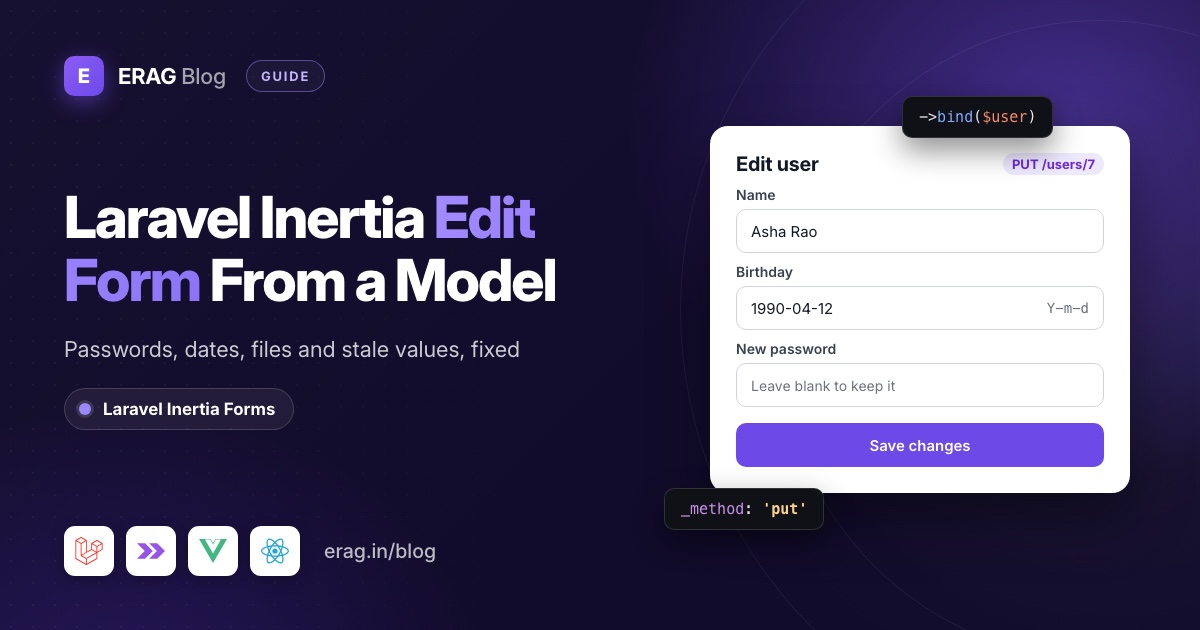
To build a Laravel Inertia edit form, pass the record's editable fields from the controller's edit() method as a prop, seed useForm with them, and submit with form.put() to the update route. Laravel validates, saves and redirects. The tricky part is everything around that: hidden columns, the password hash, date formats, stale values after saving and file uploads with PUT.
The core of it is one line in your page:
const form = useForm({ name: props.user.name, email: props.user.email, password: '' });If you build a lot of these screens, Laravel Inertia Forms (erag/inertia-forms) moves the fields into one PHP class. The edit action becomes UserForm::make()->route('users.update', $user)->bind($user), and the same class serves the create page. Both approaches are below, starting with plain Inertia.
The short version
- In
edit(), pass only the fields the form edits, already formatted for the inputs. - Seed
useFormfrom that prop. Start password fields as empty strings, never from the model. - Submit with
form.put()orform.patch()to the update route. - Validate with
nullablepassword rules and drop the password key when it's blank. - Format dates as
Y-m-dfor<input type="date">. - After saving, redirect away, or refresh the form's defaults from the new props.
- With a file input, send
POSTwith_method: 'put'. - Or describe the fields once in a form class and call
bind($user)on edit.
How do you build a Laravel Inertia edit form with useForm?
The example is an admin "Edit user" screen with name, email, birthday and an optional new password. It uses Laravel 13, Inertia 3 and the Inertia form helper.
The routes and the edit action
// routes/web.php
use App\Http\Controllers\UserController;

Route::resource('users', UserController::class)->except(['show', 'destroy']);
Route::resource registers users.update for both PUT and PATCH, so either method works. The edit action sends a small, explicit array:
// app/Http/Controllers/UserController.php
public function edit(User $user): Response
{
    return Inertia::render('users/Edit', [
        'user' => [
            'id' => $user->id,
            'name' => $user->name,
            'email' => $user->email,
            'birthday' => $user->birthday?->format('Y-m-d'),
        ],
    ]);
}
The model needs a date cast on birthday, and birthday in its #[Fillable] list.
The Vue page
In resources/js/pages/users/Edit.vue:
<script setup lang="ts">
import { useForm } from '@inertiajs/vue3';

type EditableUser = { id: number; name: string; email: string; birthday: string | null };

const props = defineProps<{ user: EditableUser }>();

const fromUser = (user: EditableUser) => ({
    name: user.name,
    email: user.email,
    birthday: user.birthday ?? '',
    password: '',
    password_confirmation: '',
});

const form = useForm(fromUser(props.user));

function submit() {
    form.put(`/users/${props.user.id}`, {
        preserveScroll: true,
        onSuccess: () => form.reset('password', 'password_confirmation'),
    });
}
</script>

<template>
    <form @submit.prevent="submit">
        <input v-model="form.name" type="text" />
        <div v-if="form.errors.name">{{ form.errors.name }}</div>

        <input v-model="form.email" type="email" />
        <div v-if="form.errors.email">{{ form.errors.email }}</div>

        <input v-model="form.birthday" type="date" />

        <input v-model="form.password" type="password" autocomplete="new-password" placeholder="Leave blank to keep it" />
        <div v-if="form.errors.password">{{ form.errors.password }}</div>
        <input v-model="form.password_confirmation" type="password" autocomplete="new-password" />

        <button type="submit" :disabled="form.processing">Save changes</button>
    </form>
</template>
The React page
// resources/js/pages/users/edit.tsx
import { useForm } from '@inertiajs/react';
import type { FormEvent } from 'react';

type EditableUser = { id: number; name: string; email: string; birthday: string | null };

const fromUser = (user: EditableUser) => ({
    name: user.name,
    email: user.email,
    birthday: user.birthday ?? '',
    password: '',
    password_confirmation: '',
});

export default function Edit({ user }: { user: EditableUser }) {
    const { data, setData, put, processing, errors, reset } = useForm(fromUser(user));

    function submit(event: FormEvent<HTMLFormElement>) {
        event.preventDefault();
        put(`/users/${user.id}`, {
            preserveScroll: true,
            onSuccess: () => reset('password', 'password_confirmation'),
        });
    }

    return (
        <form onSubmit={submit}>
            <input type="text" value={data.name} onChange={(e) => setData('name', e.target.value)} />
            {errors.name && <div>{errors.name}</div>}

            <input type="email" value={data.email} onChange={(e) => setData('email', e.target.value)} />
            {errors.email && <div>{errors.email}</div>}

            <input type="date" value={data.birthday} onChange={(e) => setData('birthday', e.target.value)} />

            <input
                type="password"
                autoComplete="new-password"
                value={data.password}
                onChange={(e) => setData('password', e.target.value)}
            />
            {errors.password && <div>{errors.password}</div>}
            <input
                type="password"
                autoComplete="new-password"
                value={data.password_confirmation}
                onChange={(e) => setData('password_confirmation', e.target.value)}
            />

            <button type="submit" disabled={processing}>Save changes</button>
        </form>
    );
}
The React starter kit uses lowercase page names, so render users/edit there.
The update action
public function update(Request $request, User $user): RedirectResponse
{
    $data = $request->validate([
        'name' => ['required', 'string', 'max:255'],
        'email' => ['required', 'email', 'max:255', Rule::unique('users')->ignore($user)],
        'birthday' => ['nullable', 'date'],
        'password' => ['nullable', 'confirmed', Password::defaults()],
    ]);

    if (empty($data['password'])) {
        unset($data['password']);
    }

    $user->update($data);

    return to_route('users.index')->with('success', 'User saved.');
}
ignore($user) stops the unique rule from failing because the email already belongs to this user. The default User model casts password to hashed, so a new password is hashed on save.
That's a working edit form. Now the problems.
Why shouldn't you pass the whole model as a prop?
'user' => $user is shorter, so it's tempting. Inertia serializes the model with toArray(), which respects $hidden and nothing else. For a user with a Stripe customer ID, the page gets this:
{"id":7,"name":"Asha","email":"asha@example.com","role":"admin","birthday":"1990-04-12T00:00:00.000000Z","avatar":"avatars/asha.jpg","stripe_id":"cus_123"}The password hash stays out because the default User model hides it. Everything else goes into the page: the role, the Stripe ID, every column you add next year and any relation you happened to load. Props are part of the first HTML response and every Inertia response after it, so anyone can read them in the browser's developer tools.
There is a second cost. If you write useForm({ ...props.user }), the form sends id, created_at and friends back on every save. Validation drops them, but only if you use the validated data instead of $request->all().
The fix is what the edit action above does: pick the fields. For something you reuse across pages, an API Resource works too. Avoid $user->only([...]) for dates, because it hands Inertia a Carbon object and you're back to the ISO string.
How do you keep password fields empty on an edit form?
Three rules cover it.
Never seed a password from the model. Start it as ''. The browser should never receive the hash, and if the hash ever lands in the input, saving the form hashes the hash and the user can no longer log in.
Stop the browser from filling it. An email input next to a password input looks like a login form, so a password manager may fill in your own saved password. autocomplete="new-password" tells it this is a new password, not a login.
Make it optional on the server. Use nullable with confirmed, then remove the key when it's empty, as the update action does. Without the unset(), update() would try to write null into the password column.
After a successful save, form.reset('password', 'password_confirmation') clears the two inputs again. If you store the form in history state by passing a remember key as the first argument, like useForm('EditUser:7', data), add .dontRemember('password', 'password_confirmation') so passwords never land in browser history. That method is documented in the Inertia forms page.
Why is the date input empty when the model has a date?
Because <input type="date"> only accepts 1990-04-12. A model with a date or datetime cast serializes to 1990-04-12T00:00:00.000000Z, the browser rejects that value, and the field looks empty even though the database has a date.
Format the value in the controller, in the shape each input expects:
| Input | Value it needs | Format in PHP |
|---|---|---|
type="date" | 1990-04-12 | $user->birthday?->format('Y-m-d') |
type="datetime-local" | 2026-11-18T09:30 | $post->published_at?->format('Y-m-d\TH:i') |
type="time" | 09:30 | $event->starts_at?->format('H:i') |
The other option is a cast with a format, like 'birthday' => 'date:Y-m-d'. Laravel then uses that format whenever the model is serialized, which also changes your JSON API output, so formatting in the controller is usually safer.
datetime-local has no time zone. If you store UTC and your users don't live in UTC, convert before formatting and convert back when saving. The Laravel Inertia date picker guide covers time zones and date rules in more detail.
Why does the form show old values after saving?
useForm copies the values you pass it once, when the page component is created. It never reads the prop again.
That matters because Inertia's put and patch keep the page component alive by default. The docs say post, put, patch and delete "set the preserveState option to true by default", so validation errors don't wipe the form. If your update action returns back(), the page gets fresh user props, but the form keeps whatever was typed.
There's one more detail, visible in the Inertia 3.7 source. After a successful submit, useForm makes the values you just sent its new defaults and sets isDirty back to false. So reset() returns to what you sent, not to what the server saved. Usually those are the same. They differ when the server changes the data: it trims a name, lowercases an email, generates a slug or fills a default.
Pick one fix:
Redirect away. Send the user to the index or show page, as the update action above does. The next visit to the edit page is a fresh GET, so the form starts from fresh props.
Stay on the page and refresh the defaults. Return back() and rebuild the form from the new props in onSuccess. In Vue:
function submit() {
    form.put(`/users/${props.user.id}`, {
        preserveScroll: true,
        onSuccess: (page) => {
            form.defaults(fromUser(page.props.user as EditableUser));
            form.reset();
        },
    });
}
Calling defaults() inside onSuccess tells Inertia to skip its own "submitted values become defaults" step. In React, set both, because reset() reads the defaults from the current render:
onSuccess: (page) => {
    const fresh = fromUser(page.props.user as EditableUser);
    setDefaults(fresh);
    setData(fresh);
},
Remount the component. If the form lives in a modal or drawer that switches between records, the same snapshot problem shows up as "the dialog still shows the first user". Give the component a key, <EditUserForm :key="user.id" :user="user" /> in Vue or key={user.id} in React, and it rebuilds the form for each record.
How do you upload a file on an Inertia edit form with PUT?
PHP doesn't parse a multipart/form-data body sent with PUT or PATCH, so Laravel sees an empty request. The Inertia file upload docs recommend method spoofing: send POST and include _method in the data, and Laravel routes it to your PUT route.
With useForm, add the field and use transform():
const form = useForm({ ...fromUser(props.user), avatar: null as File | null });

function submit() {
    form.transform((data) => ({ ...data, _method: 'put' })).post(`/users/${props.user.id}`);
}<input type="file" accept="image/*" @input="form.avatar = ($event.target as HTMLInputElement).files?.[0] ?? null" />In React it's the same idea: call transform(), then post(). Inertia turns the data into FormData once a file is present.
On the server, a file input always starts empty on an edit page, so avatar arrives as null when the user doesn't pick a new file. Never pass that straight to update():
$data = $request->validate([
    // ...the rules from before
    'avatar' => ['nullable', 'image', 'max:2048'],
]);

unset($data['avatar']);

if ($request->hasFile('avatar')) {
    if ($user->avatar_path) {
        Storage::disk('public')->delete($user->avatar_path);
    }

    $data['avatar_path'] = $request->file('avatar')->store('avatars', 'public');
}
Showing the current image next to the form and storing several files is covered in the Laravel Inertia file upload guide.
Can create and edit share one Inertia page?
Yes. Render the same page from both actions and pass null on create:
public function create(): Response
{
    return Inertia::render('users/Form', ['user' => null]);
}const props = defineProps<{ user: EditableUser | null }>();
const form = useForm(
props.user
? fromUser(props.user)
: { name: '', email: '', birthday: '', password: '', password_confirmation: '' },
);
function submit() {
if (props.user) {
form.put(`/users/${props.user.id}`);
} else {
form.post('/users');
}
}The page is the easy half. The server still has two sets of rules: the password is required on create and optional on edit, and the unique email rule ignores the current user only on edit. Most apps end up with a StoreUserRequest and an UpdateUserRequest, plus a page that has to agree with both. That's where create and edit start to drift.
How does Laravel Inertia Forms handle edit forms?
Laravel Inertia Forms puts the fields, rules and edit-mode differences in one PHP class. It needs PHP 8.3+, Laravel 13 and Inertia 3, with Vue 3.5+, React 19 or Svelte 5. Laravel 12 and Inertia 1 or 2 are not supported. New to it? Start with building Inertia forms from a single PHP class.
One form class for create and edit
Generate it with php artisan make:form UserForm, then fill in app/Forms/UserForm.php:
<?php

namespace App\Forms;

use Erag\InertiaForms\Fields\DatePicker;
use Erag\InertiaForms\Fields\FileUpload;
use Erag\InertiaForms\Fields\Submit;
use Erag\InertiaForms\Fields\TextInput;
use Erag\InertiaForms\Form;
use Illuminate\Validation\Rule;
use Illuminate\Validation\Rules\Password;

class UserForm extends Form
{
    public function fields(): array
    {
        $editing = $this->getModel() !== null;

        return [
            TextInput::make('name')->required()->maxLength(255),
            TextInput::make('email')
                ->email()
                ->required()
                ->maxLength(255)
                ->rules([Rule::unique('users', 'email')->ignore($this->getModel())]),
            DatePicker::make('birthday'),
            FileUpload::make('avatar')->image()->maxSize(2048),
            TextInput::make('password')
                ->password()
                ->autocomplete('new-password')
                ->required()
                ->rules(['confirmed', Password::defaults()])
                ->authorizedUnless($editing),
            TextInput::make('password_confirmation')
                ->label('Confirm password')
                ->password()
                ->autocomplete('new-password')
                ->required()
                ->authorizedUnless($editing),
            Submit::make($editing ? 'Save changes' : 'Create user')->processingLabel('Saving…'),
        ];
    }
}
getModel() returns whatever you passed to bind(), so $editing is the switch between the two screens. authorizedUnless($editing) removes both password fields when a user is bound. They are not in the schema, not in the data and not in the rules, so an update can never change the password through this form.
The controller
public function create(): Response
{
    return Inertia::render('users/Form', [
        'form' => UserForm::make()->route('users.store'),
    ]);
}

public function store(#[Validate] UserForm $form): RedirectResponse
{
    $data = $form->validated();

    User::create([
        ...Arr::only($data, ['name', 'email', 'birthday', 'password']),
        'avatar_path' => ($data['avatar'] ?? null)?->store('avatars', 'public'),
    ]);

    return to_route('users.index')->with('success', 'User created.');
}

public function edit(User $user): Response
{
    return Inertia::render('users/Form', [
        'form' => UserForm::make()->route('users.update', $user)->bind($user),
    ]);
}

public function update(Request $request, User $user): RedirectResponse
{
    $data = UserForm::make()->bind($user)->validate($request);

    $user->fill(Arr::only($data, ['name', 'email', 'birthday']));

    if ($data['avatar'] ?? null) {
        if ($user->avatar_path) {
            Storage::disk('public')->delete($user->avatar_path);
        }

        $user->avatar_path = $data['avatar']->store('avatars', 'public');
    }

    $user->save();

    return to_route('users.index')->with('success', 'User saved.');
}
#[Validate] comes from Erag\InertiaForms\Attributes\Validate, and birthday and avatar_path need to be fillable. The form reads the HTTP method from the named route: users.store gives post, and users.update gives put. This is what the edit schema carries for user 7:
{"action":"http://localhost/users/7","method":"put","data":{"name":"Asha","email":"asha@example.com","birthday":"1990-04-12","avatar":null},"hasFiles":true}Compare it with the toArray() dump earlier. Only the declared fields are sent, so no role and no Stripe ID. DatePicker formatted the Carbon date as Y-m-d, and the file field starts empty. Because hasFiles is true and the method is put, the <Form> component sends a POST with _method: put for you.
The page
<script setup lang="ts">
import { Form, type FormSchema } from '@erag/inertia-forms-vue';

defineProps<{ form: FormSchema }>();
</script>

<template>
    <Form :form="form" />
</template>import { Form, type FormSchema } from '@erag/inertia-forms-react';
export default function UserFormPage({ form }: { form: FormSchema }) {
return <Form form={form} />;
}One page serves both actions, with labels, errors and the processing state included. The admin CRUD form builder guide builds on this with fieldsets, permissions and tests.
Want a "new password" box on the edit screen?
Use field names that aren't columns, so bind() has nothing to fill them with:
TextInput::make('new_password')
    ->password()
    ->autocomplete('new-password')
    ->rules(['confirmed', Password::defaults()])
    ->authorizedWhen($editing),
TextInput::make('new_password_confirmation')
    ->password()
    ->autocomplete('new-password')
    ->authorizedWhen($editing),
Both start empty on edit. In update(), set $user->password only when $data['new_password'] is filled.
What it does not do
Be clear about these before you switch:
- Binding ignores
$hidden.bind()reads each field's value straight from the model. A field namedpasswordon a bound user would send the hash, even though the model hides it. Remove it withauthorizedUnless($editing)as above, as the registration form post also warns. - The snapshot problem stays. The
<Form>component seeds Inertia'suseFormonce from the schema, just like hand-written code. Redirect after update, or remount it with akeythat changes after a save. resetOnSuccess()is for create forms. On an edit page that stays put, it resets to the values the form started with, which are the old ones.#[Validate]builds a form with no model. That's fine forstore(). Inupdate(), callbind($user)->validate($request), or$editingis false and the password rules come back.- It doesn't authorize the route. Keep your policy checks in the controller.
Plain useForm or a form class?
| Edit form problem | Plain useForm fix | Laravel Inertia Forms |
|---|---|---|
| Extra columns in props | Send an explicit array | Only declared fields are sent |
| Password must stay empty | Seed '', drop it when blank | authorizedUnless($editing) removes it |
| Date input looks empty | format('Y-m-d') in the controller | DatePicker formats Carbon dates |
| Old values after save | Redirect, or defaults() and reset() | Same: redirect or remount |
File upload with PUT | post() with _method: 'put' | Sent as POST with _method |
| Create and edit drift | Two Form Requests and one page | One class, getModel() switches |
For one or two edit screens, plain useForm is fine and has no extra dependency. Once you maintain several create and edit pairs, the form class saves you from keeping two pages and two rule sets in sync.
Frequently asked questions
How do I prefill useForm with model data in Inertia?
Pass the fields from your edit() action as a prop and use them as useForm's initial values. Format dates for the inputs and start password fields as empty strings.
Should an Inertia edit form use PUT or PATCH?
Either. Route::resource registers the update route for both. Inertia's form helper sends every field you defined, so the difference is mostly naming. Use POST with _method when the form contains a file.
Why are my request fields empty when I upload a file with PUT?
PHP doesn't parse multipart/form-data bodies for PUT or PATCH. Send the form with post() and add _method: 'put', and Laravel treats it as a PUT request.
Why doesn't reset() restore the original values after saving?
After a successful submit, useForm makes the submitted values its new defaults. Call form.defaults() (Vue) or setDefaults() (React) in onSuccess with the saved values if you need something else.
Can I use Inertia's Form component for an edit form?
Yes. Set method="put", give each input its saved value as its default value, and add setDefaultsOnSuccess if the page stays open after saving.
Does Laravel Inertia Forms work with Laravel 12 or Inertia 2?
No. It requires PHP 8.3+, Laravel 13 and Inertia 3. On older versions, use the plain useForm approach from this post.
Build your edit form
Install the package, then generate one form class for both screens:
composer require erag/inertia-forms
php artisan erag:install-inertia-forms

# Vue
npm install @erag/inertia-forms-vue

# React
npm install @erag/inertia-forms-react

php artisan make:form UserForm
Add @source "../../node_modules/@erag/inertia-forms-vue/dist"; to resources/css/app.css (use inertia-forms-react for React) so Tailwind CSS 4 picks up the component classes.
- Docs: Model binding, authorization and the File Upload field.
- Next reads: the admin CRUD form builder guide for fieldsets and permissions, and the file upload guide for showing the current image on edit.
- Choosing a tool: Inertia's Form component vs a PHP form builder and Laravel Inertia form builders compared.
