
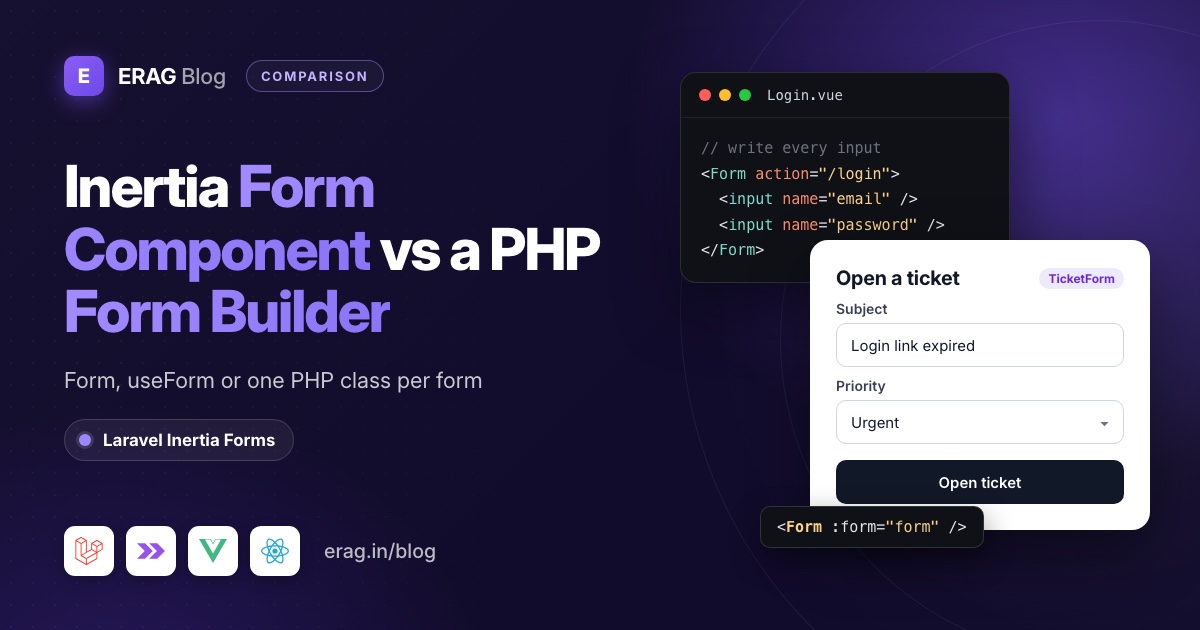
The Inertia Form component (<Form>, added in Inertia 2.1 and still in v3) submits a plain HTML form through Inertia and gives you errors and processing. The useForm helper does the same with a reactive data object you bind yourself. Both are the right tool for login, search and short forms. A PHP form builder pays off when fields, options and rules repeat across create and edit pages.
Laravel Inertia Forms (erag/inertia-forms) is that kind of builder. You list the fields once in a PHP class:
TextInput::make('subject')->required()->maxLength(120),
Select::make('priority')->options(TicketPriority::class)->default('normal')->required(),
Textarea::make('description')->required(),
The page shrinks to <Form :form="form" />, and the same class validates the request. Under the hood it still submits with Inertia's own useForm. To try it on a Laravel 13 and Inertia 3 app:
composer require erag/inertia-forms
php artisan erag:install-inertia-forms

# Vue
npm install @erag/inertia-forms-vue

# React
npm install @erag/inertia-forms-react
It needs PHP 8.3+, Laravel 13, Inertia 3 and Tailwind CSS 4. Laravel 12 and Inertia 1 or 2 are not supported.
The short version
- Login, search or a short contact form: use Inertia's
<Form>. Each input only needs aname. - The page needs the values while the user types (a counter, a total, a preview): use
useForm. - Both keep the inputs in your page and the rules in a FormRequest. For one form, that's fine.
- Many CRUD forms with options, defaults, permissions and a create and edit version: put each one in a PHP form class.
- Check your imports. Inertia's
Formcomes from@inertiajs/vue3or@inertiajs/react; the package's comes from@erag/inertia-forms-vueor@erag/inertia-forms-react. Alias one if a page needs both. - Mix them. One app can use all three.
What does the Inertia Form component do?
<Form> behaves like a classic HTML form: give each input a name, and on submit the component reads the values, sends them with Inertia and fills errors from Laravel's validation. There's no v-model, no onChange and no state object.
Here's a login page in Vue, resources/js/pages/auth/Login.vue:
<script setup lang="ts">
import { Form } from '@inertiajs/vue3';
</script>

<template>
    <Form action="/login" method="post" :reset-on-error="['password']" #default="{ errors, processing }">
        <input name="email" type="email" autocomplete="email" />
        <p v-if="errors.email">{{ errors.email }}</p>

        <input name="password" type="password" autocomplete="current-password" />
        <p v-if="errors.password">{{ errors.password }}</p>

        <label><input name="remember" type="checkbox" value="1" /> Remember me</label>

        <button type="submit" :disabled="processing">Log in</button>
    </Form>
</template>
The React version, resources/js/pages/auth/login.tsx, uses a render function instead of a slot:
import { Form } from '@inertiajs/react';

export default function Login() {
    return (
        <Form action="/login" method="post" resetOnError={['password']}>
            {({ errors, processing }) => (
                <>
                    <input name="email" type="email" autoComplete="email" />
                    {errors.email && <p>{errors.email}</p>}

                    <input name="password" type="password" autoComplete="current-password" />
                    {errors.password && <p>{errors.password}</p>}

                    <button type="submit" disabled={processing}>Log in</button>
                </>
            )}
        </Form>
    );
}
The value="1" on the checkbox matters: without it, a checked box submits "on", which Laravel's boolean rule rejects. The slot also gives you isDirty, wasSuccessful, reset, setError and submit, and props like transform, resetOnSuccess and disableWhileProcessing cover most small tweaks. With Wayfinder you can pass a route like store() to action and skip the URL string. The official Laravel Vue starter kit's login page, for example, is built this way.
For a login form this is about as good as it gets. Nothing to install, nothing to keep in sync except the input names.
Inertia useForm vs the Form component: when do you need useForm?
<Form> reads the inputs when it submits. Between keystrokes, nothing in your script holds the values, so anything that reacts to typing is awkward. useForm keeps the data in a reactive object, so you can compute from it:
<script setup lang="ts">
import { useForm } from '@inertiajs/vue3';
import { computed } from 'vue';

const form = useForm({ body: '' });
const remaining = computed(() => 280 - form.body.length);
</script>

<template>
    <form @submit.prevent="form.post('/updates', { onSuccess: () => form.reset() })">
        <textarea v-model="form.body" rows="3" />
        <p>{{ remaining }} characters left</p>
        <p v-if="form.errors.body">{{ form.errors.body }}</p>
        <button type="submit" :disabled="form.processing || remaining < 0">Post update</button>
    </form>
</template>
In React, data and setData replace v-model:
import { useForm } from '@inertiajs/react';
import type { FormEvent } from 'react';

export default function NewUpdate() {
    const { data, setData, post, processing, errors, reset } = useForm({ body: '' });
    const remaining = 280 - data.body.length;

    function submit(event: FormEvent): void {
        event.preventDefault();
        post('/updates', { onSuccess: () => reset() });
    }

    return (
        <form onSubmit={submit}>
            <textarea rows={3} value={data.body} onChange={(event) => setData('body', event.target.value)} />
            <p>{remaining} characters left</p>
            {errors.body && <p>{errors.body}</p>}
            <button type="submit" disabled={processing || remaining < 0}>Post update</button>
        </form>
    );
}
useForm also has transform(), setError(), reset(), isDirty, a method for every HTTP verb, and form.submit(store()) for Wayfinder. The Inertia v3 forms docs describe <Form> as the simplest way to start and useForm as the tool for programmatic control. That's a fair rule: reach for useForm when your code needs the values, or when something other than a button submits the form.
Why do Inertia forms get heavy on admin CRUD pages?
Neither tool knows anything about your fields. On a login page that doesn't matter. On an admin screen it starts to hurt.
Take a support ticket form: a subject, a priority from a TicketPriority enum, an assignee picked from your agents, a description, and an internal note that only managers may write. The controller has to send the options and the permission as props:
public function create(Request $request): Response
{
    return Inertia::render('Tickets/Create', [
        'priorities' => collect(TicketPriority::cases())
            ->map(fn (TicketPriority $priority): array => ['value' => $priority->value, 'label' => $priority->name]),
        'agents' => User::query()->where('is_agent', true)->get(['id', 'name']),
        'canAddInternalNote' => $request->user()->can('addInternalNote', Ticket::class),
    ]);
}
The page, resources/js/pages/Tickets/Create.vue, writes every input by hand and uses those props for the options, the default and the permission:
<template>
    <Form action="/tickets" method="post" #default="{ errors, processing }">
        <label for="subject">Subject</label>
        <input id="subject" name="subject" maxlength="120" />
        <p v-if="errors.subject">{{ errors.subject }}</p>

        <label for="priority">Priority</label>
        <select id="priority" name="priority">
            <option v-for="priority in priorities" :key="priority.value" :value="priority.value" :selected="priority.value === 'normal'">
                {{ priority.label }}
            </option>
        </select>

        <!-- assignee and description the same way -->

        <textarea v-if="canAddInternalNote" name="internal_note" />

        <button type="submit" :disabled="processing">Open ticket</button>
    </Form>
</template>
And app/Http/Requests/StoreTicketRequest.php repeats what the page already knows:
public function rules(): array
{
    return [
        'subject' => ['required', 'string', 'max:120'],
        'priority' => ['required', Rule::enum(TicketPriority::class)],
        'assignee_id' => ['nullable', Rule::exists('users', 'id')->where('is_agent', true)],
        'description' => ['required', 'string'],
        'internal_note' => [
            Rule::prohibitedIf(fn (): bool => ! $this->user()->can('addInternalNote', Ticket::class)),
            'nullable',
            'string',
        ],
    ];
}
Look at where each fact lives:
- Every input is hand-written. Label,
name, error line and option loop, for every field. Five fields quickly turn into a long template before any styling. - Rules live in another file.
max:120sits in the FormRequest andmaxlength="120"in the page. Renameassignee_idand you touch the controller, the page and the request. - Options, defaults and permissions travel as props. The
v-ifhides the internal note, but onlyprohibitedIfstops a forged value. Forget one of the two and you have a bug or a security hole. - Create and edit are copies. The edit page repeats every input with
defaultValuefrom aticketprop andmethod="put", and the update request repeats the rules. You can share one component and one request, but thenisEditingchecks creep into both.
None of this is a flaw in Inertia. Its form tools send data; deciding what the form contains is your job. A form builder takes over that job.
How does a PHP form builder for Inertia work?
With erag/inertia-forms, the ticket form becomes one class. Run php artisan make:form TicketForm and fill in app/Forms/TicketForm.php:
<?php

namespace App\Forms;

use App\Enums\TicketPriority;
use App\Models\Ticket;
use App\Models\User;
use Erag\InertiaForms\Fields\Select;
use Erag\InertiaForms\Fields\Submit;
use Erag\InertiaForms\Fields\Textarea;
use Erag\InertiaForms\Fields\TextInput;
use Erag\InertiaForms\Form;

class TicketForm extends Form
{
    protected ?string $actionRoute = 'tickets.store';

    public function fields(): array
    {
        return [
            TextInput::make('subject')->required()->maxLength(120),
            Select::make('priority')->options(TicketPriority::class)->default('normal')->required(),
            Select::make('assignee_id')
                ->label('Assignee')
                ->options(User::query()->where('is_agent', true)->pluck('name', 'id')),
            Textarea::make('description')->rows(5)->required(),
            Textarea::make('internal_note')
                ->authorize(fn (): bool => auth()->user()?->can('addInternalNote', Ticket::class) ?? false),
            Submit::make($this->getModel() ? 'Save ticket' : 'Open ticket'),
        ];
    }
}
Every fact from the three files above now sits in one place:
options(TicketPriority::class)reads the enum cases, and the field only accepts those values. The assignee select gets aninrule over the agent ids the same way.authorize()removes the internal note for users who can't write one. It never reaches the browser, and a forged value is left out of the validated data.getModel()tells create from edit, so the button label changes without a second class.- Labels come from field names (
subjectbecomes "Subject").assignee_idgets an explicit label so it doesn't read "Assignee id".
The controller passes the form as a prop and validates with it:
public function create(): Response
{
    return Inertia::render('Tickets/Form', ['form' => TicketForm::make()]);
}

public function store(Request $request, #[Validate] TicketForm $form): RedirectResponse
{
    Ticket::create([...$form->validated(), 'user_id' => $request->user()->id]);

    return to_route('tickets.index');
}

public function edit(Ticket $ticket): Response
{
    return Inertia::render('Tickets/Form', [
        'form' => TicketForm::make()->route('tickets.update', $ticket)->bind($ticket),
    ]);
}

public function update(Request $request, Ticket $ticket): RedirectResponse
{
    $ticket->update(TicketForm::make()->bind($ticket)->validate($request));

    return to_route('tickets.index');
}
#[Validate] comes from Erag\InertiaForms\Attributes\Validate. It builds the form and validates the request before store() runs. In update() I bind the ticket first, so getModel() is set if you later add a rule that depends on it, like a unique rule that ignores the current row. The HTTP method comes from the route, so the edit form sends PUT on its own. Keep your policy checks in the controller as usual; the form's authorize() only decides which fields exist.
One page now serves create and edit. In Vue, resources/js/pages/Tickets/Form.vue:
<script setup lang="ts">
import { Form, type FormSchema } from '@erag/inertia-forms-vue';

defineProps<{ form: FormSchema }>();
</script>

<template>
    <Form :form="form" />
</template>
And in React, resources/js/pages/Tickets/Form.tsx:
import { Form, type FormSchema } from '@erag/inertia-forms-react';

export default function TicketFormPage({ form }: { form: FormSchema }) {
    return <Form form={form} />;
}
What happens when the form submits?
The package's <Form> is not a new transport. In both the Vue and React source, it creates Inertia's own useForm with the schema's data, then calls submit(method, action, options) with the method and URL from your named route. It keeps the scroll position, switches to FormData when a field uploads files, and sends a PUT or PATCH form with files as POST plus _method so PHP can read the upload.
So redirects and validation errors behave exactly like a hand-written useForm page: errors show under each field, and the first invalid one scrolls into view. Vue gets @success, @error and @finish; React gets onSuccess, onError and onFinish. The Form component docs list them all.
Inertia Form or erag Form: which import is which?
Both components are called Form, and both packages also export a useFormContext hook. They are different things:
Inertia's <Form> | Laravel Inertia Forms <Form> | |
|---|---|---|
| Vue import | @inertiajs/vue3 | @erag/inertia-forms-vue |
| React import | @inertiajs/react | @erag/inertia-forms-react |
| Main props | action and method | form, the serialized PHP class |
| Who writes the inputs | You | The component, from the schema |
useFormContext() sees | Inertia's <Form> only | The package's <Form> only |
The quick tell: Inertia's takes action, the package's takes form. If a page renders an empty form, check the import first.
When one page needs both, rename one of them on import. That's plain JavaScript, so it works in Vue and React. Here the ticket edit page renders the package form and adds a small Inertia form for a "Close ticket" button:
<script setup lang="ts">
import { Form as InertiaForm } from '@inertiajs/vue3';
import { Form, type FormSchema } from '@erag/inertia-forms-vue';

defineProps<{ form: FormSchema; ticketId: number }>();
</script>

<template>
    <div class="space-y-6">
        <Form :form="form" />

        <InertiaForm :action="`/tickets/${ticketId}/close`" method="post" #default="{ processing }">
            <button type="submit" :disabled="processing">Close ticket</button>
        </InertiaForm>
    </div>
</template>
In React the line is import { Form as InertiaForm } from '@inertiajs/react';. I alias Inertia's because the package form is the main one here; either way works.
One more name to keep apart: erag/inertia-forms (free, MIT) is not "Inertia Forms" from Inertia UI, which is a separate commercial package. Check which docs you are reading.
Inertia's Form component or a PHP form builder: which should you use?
Use Inertia's <Form> or useForm when | Use a PHP form builder when |
|---|---|
| The form has a few fields: login, search, newsletter | The form has many fields, fieldsets or conditional sections |
| It exists once, with no edit twin | Create and edit share the same fields |
| Options are static, or there are none | Options come from enums or the database |
| Everyone sees the same fields | Fields depend on roles or permissions |
| A designer drew a one-off layout | Admin screens should look and behave the same |
| The browser needs live values (previews, totals) | The backend should own fields and rules |
| You're on Laravel 12 or Inertia 2 | You're on Laravel 13 and Inertia 3 |
| You don't want another dependency | One class per form beats three files per form |
If most rows on the right match your app, the builder saves real time. If only one or two do, stay with what Inertia gives you.
Can you mix them in one app?
Yes, and most apps should. A split that works well:
- Auth pages keep the starter kit's Inertia
<Form>pages. Swap in a form class only when sign-up grows extra fields, as in the registration form guide. - Filter bars use the package's field components on their own, with
router.get(). - CRUD and settings screens get one form class each.
For the filter bar, each npm package exports every field component (TextInput, Combobox, DatePicker, Toggle and more) plus FieldWrapper for the label and error. Build the field in PHP and pass it as a prop:
return Inertia::render('Tickets/Index', [
    'tickets' => $tickets,
    'searchField' => TextInput::make('search')->search()->placeholder('Search tickets…'),
]);<TextInput v-model="search" :field="searchField" id="search" :disabled="false" />Watch search, call router.get(), and the filter matches the rest of your forms. The standalone components page has full Vue, React and Svelte versions.
What doesn't erag/inertia-forms do?
Know the limits before you install it:
- Older stacks. It requires PHP 8.3+, Laravel 13, Inertia 3 and Tailwind CSS 4. Laravel 12 and Inertia 1 or 2 are not supported.
- Free-form layouts. Forms render as fieldsets on a column grid. You can replace a field's component with the
componentsprop, but a page where every input sits somewhere unusual is easier to write by hand. - Live client logic.
onBeforeSubmithandles quick checks before the request. A live preview or a running total is simpler withuseForm. - Precognition. The package doesn't use Inertia's Precognition. Laravel validates when the form is submitted, and wizards check each step on the server.
- Another dependency. It's one Composer package and one npm package, plus a Tailwind
@sourceline. For a single login page, that's not worth it.
Frequently asked questions
What is the Inertia Form component?
It's a <Form> component from @inertiajs/vue3, @inertiajs/react or @inertiajs/svelte that submits a normal HTML form through Inertia. Inputs only need a name. It exposes errors, processing, isDirty and helpers like reset through its slot or render function.
Should I use the Form component or useForm?
Use <Form> when you only need to send the inputs and show errors. Use useForm when your code needs the values while the user types, or when you submit from code. Both handle Laravel validation errors the same way.
Which Inertia version added the Form component?
Inertia 2.1.0 added it, and Inertia 3 keeps it with extras such as cancel for a running submission (v3.7.0 and later). useForm has been around much longer.
Does erag/inertia-forms replace useForm?
No, it uses it. The package's <Form> calls Inertia's useForm internally, so redirects, flash data and validation errors work like any other Inertia form.
Can I use Inertia's Form and the package's Form on the same page?
Yes. Import one under another name, for example import { Form as InertiaForm } from '@inertiajs/vue3', and use both components in the template.
Does erag/inertia-forms work with Laravel 12 or Inertia 2?
No. It requires Laravel 13 and Inertia 3 on both server and client. On older versions, use Inertia's <Form> or useForm.
Try a PHP form builder on your next CRUD screen
Pick the admin form you've copied the most and move it into a class:
composer require erag/inertia-forms
php artisan erag:install-inertia-forms
npm install @erag/inertia-forms-vue
php artisan make:form TicketForm
On React, install @erag/inertia-forms-react instead. Then add @source "../../node_modules/@erag/inertia-forms-vue/dist"; to resources/css/app.css so Tailwind sees the component classes (swap in inertia-forms-react for React).
- Docs: the installation guide, the quick start and the validation page.
- Step by step: build Inertia forms from a single PHP class, then reusable admin CRUD forms.
- Going further: one set of validation rules for Laravel and Inertia, permissions and conditional fields and a searchable select dropdown.
- Related: Laravel Inertia form builders compared for the other packages, and Laravel Inertia edit forms for prefilling a form from a model.
