
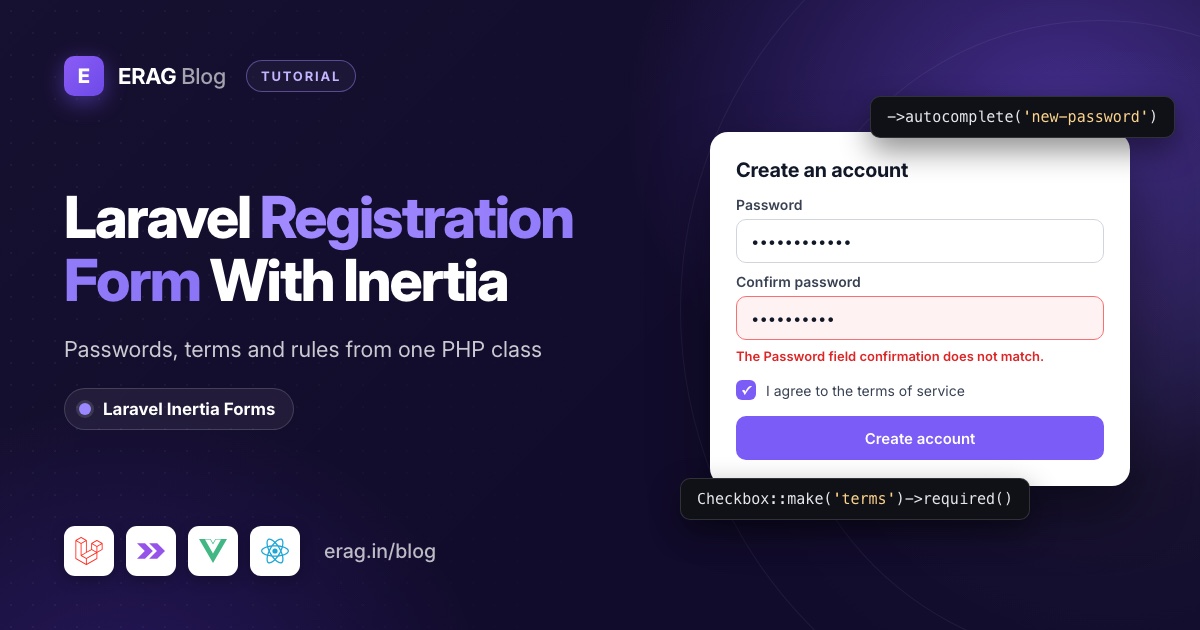
To build a Laravel registration form with Inertia, describe it once in a PHP form class with Laravel Inertia Forms: name, email, a password with the confirmed rule, a password_confirmation field and a required terms checkbox. One <Form> component renders it in Vue or React, and the same class validates the request before you create the user and log them in.
Install it first:
composer require erag/inertia-forms
php artisan erag:install-inertia-forms

# Vue
npm install @erag/inertia-forms-vue

# React
npm install @erag/inertia-forms-react
Then add one line to resources/css/app.css so Tailwind CSS 4 sees the component classes: @source "../../node_modules/@erag/inertia-forms-vue/dist"; (use inertia-forms-react for React). The package needs PHP 8.3+, Laravel 13 and Inertia 3.
The short version
- Generate a form class with
php artisan make:form RegisterForm. - Add
name,email,passwordandpassword_confirmationtext inputs, plus a requiredtermscheckbox. - Give the password
->autocomplete('new-password')and->rules(['confirmed', Password::defaults()]). - Using the official starter kit? Pass the form from Fortify's
registerViewand validate it inCreateNewUser. - No Fortify? Write a small controller that takes
#[Validate] RegisterForm, creates the user, firesRegisteredand logs them in. - Render it with
<Form :form="form" />in Vue or<Form form={form} />in React. - Never
bind()aUsermodel to a form that has apasswordfield.
Inertia's Form component, useForm or a PHP form class?
There are three common ways to build a register page in a Laravel Inertia app. The first two come with Inertia itself.
Inertia's <Form> component, added in Inertia 2.1, reads the inputs by their name attribute, so you write plain inputs and no state. The official Laravel 13 starter kits build their register page this way:
<script setup lang="ts">
import { Form } from '@inertiajs/vue3';
</script>

<template>
    <Form action="/register" method="post" :reset-on-success="['password', 'password_confirmation']" v-slot="{ errors, processing }">
        <input name="email" type="email" autocomplete="email" />
        <p v-if="errors.email">{{ errors.email }}</p>
        <!-- name, password and password_confirmation the same way -->
        <button type="submit" :disabled="processing">Create account</button>
    </Form>
</template>
The useForm helper keeps the data in a reactive object that you bind to each input yourself:
<script setup lang="ts">
import { useForm } from '@inertiajs/vue3';

const form = useForm({ name: '', email: '', password: '', password_confirmation: '' });

function submit() {
    form.post('/register', {
        onFinish: () => form.reset('password', 'password_confirmation'),
    });
}
</script>

<template>
    <form @submit.prevent="submit">
        <input v-model="form.email" type="email" autocomplete="email" />
        <p v-if="form.errors.email">{{ form.errors.email }}</p>
        <!-- the other fields the same way -->
        <button type="submit" :disabled="form.processing">Create account</button>
    </form>
</template>
In React, both work the same way: <Form> with a render function, and useForm with data and setData(). In both cases the validation rules live somewhere else, in a controller or in Fortify's CreateNewUser action. The third way, the one this post uses, moves fields and rules into one PHP class:
Inertia <Form> | Inertia useForm | Laravel Inertia Forms class | |
|---|---|---|---|
| Fields are written in | The page template | The page, plus a data object | A PHP class |
| Validation rules live in | Controller or Fortify action | Controller or Fortify action | The same PHP class |
| You manage client state | No, inputs are read by name | Yes, every input is bound | No, the package's <Form> does it |
| Extra install | None | None | Composer and npm packages |
| Best fit | Default register and login pages | Forms with client logic, like live previews | Extra fields, many forms, Vue and React from one definition |
If you started from a starter kit and only need name, email and password, keep the kit's page. A form class pays off when sign-up asks for more, like a terms checkbox or a company name, or when field rules keep drifting between the page and the server. Registration is security code, so the less of it you write by hand, the better.
Two names to keep apart. Inertia's component and this package's component are both called Form, so check which package you import from, or alias one with import { Form as InertiaForm } from '@inertiajs/vue3'. And Laravel Inertia Forms (erag/inertia-forms, MIT licensed) is not the same project as "Inertia Forms" from Inertia UI, a separate commercial package, so make sure you're reading the right docs.
How do I build the registration form class?
Generate the class:
php artisan make:form RegisterFormThen fill in app/Forms/RegisterForm.php:
<?php

namespace App\Forms;

use Erag\InertiaForms\Fields\Checkbox;
use Erag\InertiaForms\Fields\Html;
use Erag\InertiaForms\Fields\Submit;
use Erag\InertiaForms\Fields\TextInput;
use Erag\InertiaForms\Form;
use Illuminate\Validation\Rules\Password;

class RegisterForm extends Form
{
    protected ?string $actionRoute = 'register.store';

    public function fields(): array
    {
        return [
            TextInput::make('name')
                ->required()
                ->maxLength(255)
                ->autocomplete('name')
                ->autofocus(),

            TextInput::make('email')
                ->label('Email address')
                ->email()
                ->required()
                ->maxLength(255)
                ->autocomplete('email')
                ->rule('unique:users,email'),

            TextInput::make('password')
                ->password()
                ->required()
                ->autocomplete('new-password')
                ->rules(['confirmed', Password::defaults()]),

            TextInput::make('password_confirmation')
                ->label('Confirm password')
                ->password()
                ->required()
                ->autocomplete('new-password'),

            Html::make('Read the <a href="/terms">terms of service</a> and <a href="/privacy">privacy policy</a>.'),

            Checkbox::make('terms')
                ->label('I agree to the terms of service and privacy policy')
                ->required(),

            Submit::make('Create account')
                ->processingLabel('Creating account…')
                ->fullWidth(),
        ];
    }

    public function messages(): array
    {
        return [
            'terms.accepted' => 'Please accept the terms to create your account.',
        ];
    }
}
A few lines in there deserve a closer look.
Why autocomplete="new-password"?
password() sets autocomplete="current-password" unless you choose another value. That's right for a login form, but on a sign-up form it tells password managers to fill in an existing password. new-password makes them offer to generate and save a fresh one instead.
Why rules() and not rule() for Password::defaults()?
rule() only accepts a string, a ValidationRule or a closure. Laravel's Password object is none of those, so this line throws a TypeError:
TextInput::make('password')->rule(Password::defaults()); // TypeErrorrules() takes an array, and that array is passed straight to Laravel's validator, which knows what to do with a Password object. String rules like 'unique:users,email' work with either method.
Password::defaults() reads whatever you configured in a service provider. The Laravel 13 Vue and React starter kits ask for 12 characters, mixed case, letters, numbers, symbols and an uncompromised password in production, and fall back to 8 characters everywhere else. Change it once there and this form follows.
What rules does the form generate?
Each field builds its own rules from how you set it up. These are the rules RegisterForm::make()->rules() returns:
| Field | Rules |
|---|---|
name | required, string, max:255 |
email | required, string, email, max:255, unique:users,email |
password | required, string, confirmed, Password::defaults() |
password_confirmation | required, string |
terms | required, accepted |
A required checkbox gets accepted, so an unticked box (false) fails. The Html field only shows text and has no value, so it adds no rules and sends nothing. Its content is rendered as-is, so only put HTML you wrote yourself in it, never user input.
How does password confirmation work in Laravel?
The confirmed rule on password looks for a second field called password_confirmation in the same request and checks that both match. The name is fixed by convention. Call the second field confirm_password and validation fails every time, even when the user typed the same thing twice.
When they don't match, Laravel puts the message on password, not on the confirmation field:
The Password field confirmation does not match.The Form component shows it under the password input, marks it with aria-invalid and scrolls to it. If you'd like the mismatch caught before the request leaves the browser, use onBeforeSubmit (shown in the page code below). That's only a convenience. The server check still runs on every request.
How do I connect it to Laravel Fortify?
The official Laravel 13 starter kits use Fortify for authentication. Fortify already registers GET /register (named register) and POST /register (named register.store), creates the user through App\Actions\Fortify\CreateNewUser, fires the Registered event and logs the user in. You keep all of that and change two things.
First, send the form to the page in app/Providers/FortifyServiceProvider.php:
use App\Forms\RegisterForm;

Fortify::registerView(fn () => Inertia::render('auth/Register', [
    'form' => RegisterForm::make(),
]));
The React starter kit names the page auth/register in lowercase, so keep whatever name your kit already uses.
Second, validate with the form class in app/Actions/Fortify/CreateNewUser.php:
<?php

namespace App\Actions\Fortify;

use App\Forms\RegisterForm;
use App\Models\User;
use Laravel\Fortify\Contracts\CreatesNewUsers;

class CreateNewUser implements CreatesNewUsers
{
    /**
     * Validate and create a newly registered user.
     *
     * @param  array<string, string>  $input
     */
    public function create(array $input): User
    {
        $data = RegisterForm::make()->validate();

        return User::create([
            'name' => $data['name'],
            'email' => $data['email'],
            'password' => $data['password'],
        ]);
    }
}
validate() reads the current request, applies every rule from the table above and throws Laravel's normal ValidationException when something is wrong. Laravel turns that into a redirect back with errors, and Inertia shows them under the fields.
Passing the plain password to User::create() is fine here. The default User model casts password to hashed, so Eloquent hashes it before it reaches the database. Notice that the code picks three keys by name. The validated data also contains password_confirmation and terms, and neither belongs in the users table.
How do I write my own registration controller?
If your app doesn't use Fortify, register the two routes yourself in routes/web.php:
use App\Http\Controllers\Auth\RegisteredUserController;

Route::middleware('guest')->group(function () {
    Route::get('register', [RegisteredUserController::class, 'create'])->name('register');

    Route::post('register', [RegisteredUserController::class, 'store'])
        ->middleware('throttle:6,1')
        ->name('register.store');
});
throttle:6,1 allows six sign-up attempts per minute per IP. Then the controller, app/Http/Controllers/Auth/RegisteredUserController.php:
<?php

namespace App\Http\Controllers\Auth;

use App\Forms\RegisterForm;
use App\Http\Controllers\Controller;
use App\Models\User;
use Erag\InertiaForms\Attributes\Validate;
use Illuminate\Auth\Events\Registered;
use Illuminate\Http\RedirectResponse;
use Illuminate\Support\Facades\Auth;
use Inertia\Inertia;
use Inertia\Response;

class RegisteredUserController extends Controller
{
    public function create(): Response
    {
        return Inertia::render('auth/Register', [
            'form' => RegisterForm::make(),
        ]);
    }

    public function store(#[Validate] RegisterForm $form): RedirectResponse
    {
        $user = User::create([
            'name' => $form->validated('name'),
            'email' => $form->validated('email'),
            'password' => $form->validated('password'),
        ]);

        event(new Registered($user));

        Auth::login($user);

        return redirect()->intended(route('dashboard', absolute: false));
    }
}
#[Validate] builds the form and validates the request before your method runs, so inside store() the data is already clean. The Registered event sends the verification email when your User model implements MustVerifyEmail. Auth::login() also gives the user a fresh session ID.
The register page in Vue and React
The page is short because the form class did the work. In resources/js/pages/auth/Register.vue:
<script setup lang="ts">
import { Head, Link } from '@inertiajs/vue3';
import { Form, type BeforeSubmitHelpers, type FormSchema } from '@erag/inertia-forms-vue';

defineProps<{ form: FormSchema }>();

defineOptions({
    layout: {
        title: 'Create an account',
        description: 'Enter your details below to create your account',
    },
});

function checkPasswords(data: Record<string, unknown>, { setErrors }: BeforeSubmitHelpers) {
    if (data.password !== data.password_confirmation) {
        setErrors({ password_confirmation: 'The passwords do not match.' });

        return false;
    }
}
</script>

<template>
    <Head title="Register" />

    <Form :form="form" :on-before-submit="checkPasswords">
        <p class="text-center text-sm text-zinc-500">
            Already have an account?
            <Link href="/login" class="underline">Log in</Link>
        </p>
    </Form>
</template>
And in React, resources/js/pages/auth/register.tsx:
import { Head, Link } from '@inertiajs/react';
import { Form, type FormSchema } from '@erag/inertia-forms-react';

export default function Register({ form }: { form: FormSchema }) {
    return (
        <>
            <Head title="Register" />
            <Form
                form={form}
                onBeforeSubmit={(data, { setErrors }) => {
                    if (data.password !== data.password_confirmation) {
                        setErrors({ password_confirmation: 'The passwords do not match.' });

                        return false;
                    }
                }}
            >
                <p className="text-center text-sm text-zinc-500">
                    Already have an account? <Link href="/login" className="underline">Log in</Link>
                </p>
            </Form>
        </>
    );
}

Register.layout = {
    title: 'Create an account',
    description: 'Enter your details below to create your account',
};
The layout option is how the starter kits pass a title and description to their auth layout with Inertia 3 layout props. Drop it if your app picks layouts another way. Anything inside <Form> renders after the fields, which is a good spot for the log in link. While the request runs, the button is disabled and shows "Creating account…".
Why you should never bind the user to a password form
This one is easy to miss on a profile or account page. bind() fills each field from the model by name, and it reads attributes directly. The #[Hidden] attribute on the User model only affects toArray() and JSON, not attribute access.
So if a form has a field called password and you bind a user to it, the bcrypt hash goes into the page props:
ProfileForm::make()->bind($request->user())->data();
// ['name' => 'Asha', 'password' => '$2y$12$ZsBm/iVg36Ox33rHFPdzW...']
Anyone can read it in the browser's developer tools. A registration form never binds a model, so you're safe there. For a "change password" form, don't bind at all, and keep password fields out of any form you bind to a user.
Test registration with Pest
Two feature tests cover the happy path and the rules people most often break:
<?php

test('new users can register', function () {
    $response = $this->post(route('register.store'), [
        'name' => 'Asha Rao',
        'email' => 'asha@example.com',
        'password' => 'correct-horse-battery',
        'password_confirmation' => 'correct-horse-battery',
        'terms' => true,
    ]);

    $this->assertAuthenticated();
    $response->assertRedirect(route('dashboard', absolute: false));
});

test('registration needs a matching confirmation and accepted terms', function () {
    $this->post(route('register.store'), [
        'name' => 'Asha Rao',
        'email' => 'asha@example.com',
        'password' => 'correct-horse-battery',
        'password_confirmation' => 'something-else',
        'terms' => false,
    ])->assertSessionHasErrors(['password', 'terms']);

    $this->assertGuest();
});
Both tests post to register.store, so they work for the Fortify version and the custom controller alike. If you use the starter kit, its existing registration test now needs 'terms' => true in the request too.
Common problems and fixes
TypeError: Field::rule(): Argument #1 ($rule) must be of type ...
You passed Password::defaults() to rule(). Use ->rules(['confirmed', Password::defaults()]).
"The Password field confirmation does not match." when both passwords match
The second field isn't named password_confirmation. Rename it, and check that you didn't make it hidden with a visibility condition.
The browser offers the old password
The password field is still on the default current-password. Add ->autocomplete('new-password') to both password fields.
Route [register.store] not defined
Fortify only registers the route when Features::registration() is enabled in config/fortify.php. Without Fortify, add the two routes shown above.
Frequently asked questions
How do I create a registration form in Laravel?
Use an official starter kit if the default fields are enough. For extra fields, define them in a form class, validate it with #[Validate] or inside Fortify's CreateNewUser, create the user, fire Registered and log them in.
Should I use Inertia's Form component or useForm for a register page?
Use <Form> for a plain register page: inputs only need a name, and errors and processing come from the slot. Use useForm when the page needs the values in code, for example to show a live preview. Use a PHP form class when the fields and rules should live together on the server.
How do I validate password confirmation in Laravel?
Add the confirmed rule to password and send a second field named password_confirmation. Laravel compares the two and reports a mismatch on password.
How do I add a terms and conditions checkbox to Laravel registration?
Add Checkbox::make('terms')->required(). A required checkbox gets the accepted rule, so registration fails until it's ticked. Store a terms_accepted_at timestamp if you need proof later.
Can I add more fields, like a company name?
Yes. Add the field to the form class, a column with a migration, and the column to the model's fillable list. Then pass the value to User::create().
Does it work with the Laravel starter kits?
Yes. Keep Fortify's routes and actions, pass the form from registerView, and call RegisterForm::make()->validate() in CreateNewUser. The kit's login, password reset and two-factor pages don't change.
Build your registration form
One PHP class gives you the fields, the password confirmation, the terms checkbox and the server rules, in Vue or React:
composer require erag/inertia-forms
php artisan erag:install-inertia-forms
npm install @erag/inertia-forms-vue- Documentation: the Text Input field, the Checkbox field and the Form component.
- New to the package? Start with building Inertia forms from a single PHP class, then read one set of validation rules for Laravel and Inertia.
- Protect the form: stop spam registrations in Laravel, work through the Laravel signup form checklist, and add OTP verification if you need a second step.
- Skip writing auth: the Laravel Vue SaaS starter kit ships Fortify registration, roles and permissions, and you can switch sign-up off per tenant domain.
