
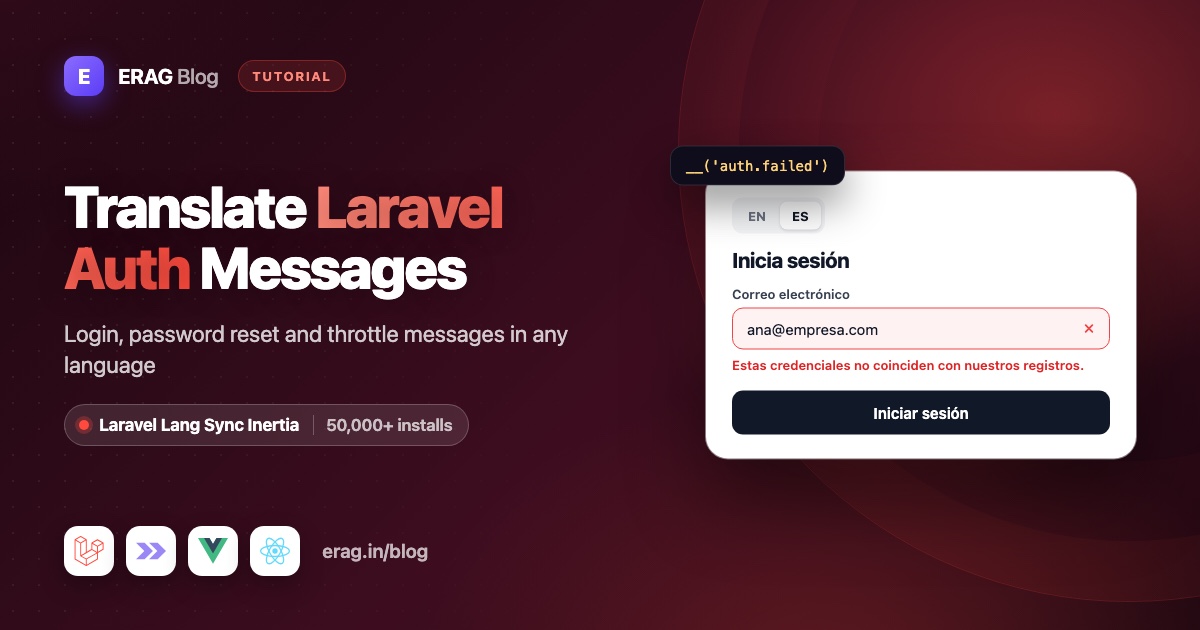
"These credentials do not match our records." is the failed line in Laravel's auth.php language file, and Laravel Fortify sends it with trans('auth.failed') when a login fails. Translate that file (if your language files come from laravel-lang/lang, the Spanish one already says "Estas credenciales no coinciden con nuestros registros."), set the locale, and the error reaches your page translated. To use the same auth lines in your own Vue or React UI, such as a live lockout countdown, share the file with Laravel Lang Sync Inertia: syncLangFiles('auth') on the server and __('auth.throttle', { seconds }) in the component.
Install it first. It has more than 50,000 installs on Packagist:
composer require erag/laravel-lang-sync-inertia
npm install @erag/lang-sync-inertia
php artisan erag:install-lang
This tutorial uses the Laravel 13 starter kit (Fortify, Inertia v3, Vue or React) and ends with a Pest test that proves the Spanish text reaches the page.
The short version
- Install Laravel Lang Sync Inertia with the three commands above.
- Set the locale on every request in a small
SetLocalemiddleware. - Share
authandpasswordsonly on the auth pages, withsyncLangFiles()inFortifyServiceProvider. - Fortify's errors and
statusflashes arrive translated; compare them with__('passwords.reset')when you want to style one. - Change wording in
lang/{locale}/auth.php. The server and your pages read the same file. - Set
'login' => nullunderlimitersinconfig/fortify.phpso the starter kit uses theauth.throttlemessage. - Show a live countdown with
__('auth.throttle', { seconds: secondsLeft }). - Test it with Pest and
assertInertia().
Seeing this message even though the password is right?
Most people who search for "These credentials do not match our records" are not translating anything yet. Their login fails with a password they know is correct. Check these first:
- The password is stored as plain text. Laravel checks the password with
Hash::check(), so a user you inserted with raw SQL and a plain password can never log in. The starter kit'sUsermodel castspasswordtohashed, so create users with Eloquent, a factory or a seeder instead. - The app reads a different database. Check
DB_DATABASEin.env, then runphp artisan config:clearin case an old config is cached. - The wrong field is used. Fortify looks users up by
config('fortify.username'), which isemailby default. - The email has different letters or spaces. On PostgreSQL,
Ana@example.comandana@example.comare different values. Lowercase and trim emails when you save them. - The user provider points to another model.
config/auth.phpdecides which model and table Laravel searches.
Once a correct login works, this message only shows for real mistakes, and the rest of this post is about showing it in your visitor's language.
Which auth messages can I use in Vue or React?
Laravel keeps them in two small group files. Once a group is shared with syncLangFiles(), every key below works in your components with __(), exactly as it does in PHP.
| Key | English text | When Laravel uses it |
|---|---|---|
auth.failed | These credentials do not match our records. | Wrong email or password |
auth.password | The provided password is incorrect. | Your own code (the Fortify kits don't use it) |
auth.throttle | Too many login attempts. Please try again in :seconds seconds. | Login lockout |
passwords.sent | We have emailed your password reset link. | Reset link requested |
passwords.reset | Your password has been reset. | New password saved |
passwords.throttled | Please wait before retrying. | Reset link requested too soon |
passwords.token | This password reset token is invalid. | Old or used reset link |
passwords.user | We can't find a user with that email address. | Unknown email |
In Fortify's source, a failed login throws a validation error with trans('auth.failed'), the lockout response calls trans('auth.throttle', ['seconds' => ..., 'minutes' => ...]), and password resets pass status keys like passwords.sent through trans().
If lang/en/auth.php does not exist yet, run php artisan lang:publish; Laravel lang folder missing? explains why new apps don't have it. Laravel Lang Sync Inertia reads files from your lang folder, so the folder must exist. For Spanish, copy the files to lang/es/ and translate them, or, if your language files come from laravel-lang/lang, let it write them:
composer require --dev laravel-lang/lang
php artisan lang:add es
The Spanish auth file then says:
<?php

// lang/es/auth.php
return [
    'failed'   => 'Estas credenciales no coinciden con nuestros registros.',
    'password' => 'La contraseña es incorrecta.',
    'throttle' => 'Demasiados intentos de acceso. Por favor intente nuevamente en :seconds segundos.',
];
A few Fortify messages, such as the two-factor error "The provided two factor authentication code was invalid.", are JSON strings in lang/es.json. They still arrive translated from the server, but syncLangFiles() loads PHP group files only, so keep any text your components need in PHP files.
How do I share auth.php with the login page?
Two pieces: a middleware that picks the language, and one syncLangFiles() call per auth page.
php artisan make:middleware SetLocale<?php
namespace App\Http\Middleware;
use Closure;
use Illuminate\Http\Request;
use Illuminate\Support\Facades\App;
use Symfony\Component\HttpFoundation\Response;
class SetLocale
{
/**
* The languages this app supports.
*
* @var array<int, string>
*/
public const SUPPORTED = ['en', 'es'];
public function handle(Request $request, Closure $next): Response
{
$locale = $request->session()->get('locale', config('app.locale'));
App::setLocale(in_array($locale, self::SUPPORTED, true) ? $locale : config('app.locale'));
return $next($request);
}
}Register it at the start of the starter kit's web middleware list in bootstrap/app.php:
use App\Http\Middleware\SetLocale;

$middleware->web(append: [
    SetLocale::class,
    HandleAppearance::class,
    HandleInertiaRequests::class,
    AddLinkHeadersForPreloadedAssets::class,
]);
Now load the groups each auth page needs, in app/Providers/FortifyServiceProvider.php:
Fortify::loginView(function (Request $request) {
    syncLangFiles(['auth', 'passwords']);

    return Inertia::render('auth/Login', [
        'canResetPassword' => Features::enabled(Features::resetPasswords()),
        'status' => $request->session()->get('status'),
    ]);
});

Fortify::requestPasswordResetLinkView(function (Request $request) {
    syncLangFiles('passwords');

    return Inertia::render('auth/ForgotPassword', [
        'status' => $request->session()->get('status'),
    ]);
});
Keep the page names your kit already uses; the React kit uses lowercase names such as auth/login.
Why per page and not in the middleware? Your dashboard never needs passwords.php, so it never downloads it. syncLangFiles() reads the locale that is active when you call it, and these view closures run after SetLocale, so a Spanish visitor gets lang/es/auth.php and lang/es/passwords.php. A language switcher only has to store the code in the session; the multilingual Laravel Inertia app guide builds one.
How do Fortify's error and status messages reach the page?
Fortify translates them on the server, after SetLocale has run, so they arrive in the visitor's language with no frontend work.
Errors come back on the email field. The starter kit's resources/js/pages/auth/Login.vue already shows them:
<Form v-bind="store.form()" v-slot="{ errors, processing }">
    <!-- ... -->
    <InputError :message="errors.email" />
</Form>
Success messages such as passwords.sent and passwords.reset are flashed as status, and the provider above passes status to the page as a prop.
Here is where the synced files help. Fortify flashes the finished sentence, not the key. If you want the "password reset" message to look different from other statuses, comparing it with an English string breaks for Spanish visitors. Compare it with the synced line instead; both come from the same passwords.php, so it works in every language:
<script setup lang="ts">
import { vueLang } from '@erag/lang-sync-inertia/vue';
import { computed } from 'vue';
// ...the starter kit's other imports and defineOptions

const props = defineProps<{
    status?: string;
    canResetPassword: boolean;
}>();

const { __ } = vueLang();
const passwordWasReset = computed(() => props.status === __('passwords.reset'));
</script>

<template>
    <div
        v-if="status"
        class="mb-4 rounded-md p-3 text-center text-sm font-medium"
        :class="passwordWasReset ? 'bg-green-50 text-green-700' : 'text-muted-foreground'"
    >
        {{ status }}
    </div>
    <!-- ...the rest of the login page -->
</template>
In React the check is one line inside Login: const passwordWasReset = status === __('passwords.reset'); with const { __ } = reactLang(); from @erag/lang-sync-inertia/react. For more on server errors in Inertia forms, see keeping Laravel validation errors in sync with Inertia.
How do I change "These credentials do not match our records"?
Edit the failed line in each language's auth.php:
// lang/en/auth.php
'failed' => 'Wrong email or password. Please try again.',
Make the same change in lang/es/auth.php and your other languages. Keep it vague on purpose: saying which field was wrong tells an attacker whether an email has an account.
That one edit changes the Fortify error and every place your components call __('auth.failed'), because Laravel and Laravel Lang Sync Inertia read the same file. There is no JSON copy to update. If you exported your lang files with php artisan erag:generate-lang, run it again so the export matches.
If your language files come from laravel-lang/lang, its lang:update command rewrites the keys it ships, failed included. Commit your lang folder and check git diff lang/ after updating.
Why don't I see "Too many login attempts" in the starter kit?
Try six logins within a minute in a fresh Laravel 13 starter kit and you get a plain "Too Many Requests" error (HTTP 429), not auth.throttle. The kit's own users are rate limited test checks for exactly that.
The cause is 'login' => 'login' under limiters in config/fortify.php, plus the login rate limiter in FortifyServiceProvider (five requests per minute per email and IP). With a named limiter, Fortify puts Laravel's throttle:login middleware on POST /login and skips its own lockout step. That middleware also runs before anything you append to the web group, including SetLocale.
Let Fortify handle the lockout itself:
// config/fortify.php
'limiters' => [
    'login' => null,
    'two-factor' => 'two-factor',
    'passkeys' => 'passkeys',
],
Now, after five failed attempts for the same email and IP, the user waits up to 60 seconds and the form shows auth.throttle on the email field, translated. Run php artisan optimize:clear if you cache config or routes. You can delete the unused RateLimiter::for('login', ...) block, and the kit's users are rate limited test needs replacing, because the response is now a redirect with an error. The test section below has the replacement.
Fortify fills in :seconds and :minutes (rounded up). With a 60-second lockout, :minutes is always 1, so :seconds is the useful one.
How do I show a live lockout countdown with __('auth.throttle')?
The server message is frozen when it is created: "try again in 60 seconds" still says 60 half a minute later. With the auth group synced, your page can render the same translated line itself and count down, while keeping the button disabled.
1. Send the seconds to the login page
Fortify lets you replace its lockout response. Create app/Http/Responses/LockoutResponse.php:
<?php

namespace App\Http\Responses;

use Illuminate\Http\RedirectResponse;
use Laravel\Fortify\Contracts\LockoutResponse as LockoutResponseContract;
use Laravel\Fortify\Fortify;
use Laravel\Fortify\LoginRateLimiter;

class LockoutResponse implements LockoutResponseContract
{
    public function __construct(protected LoginRateLimiter $limiter) {}

    /**
     * Send the user back to the login form with the translated lockout message.
     *
     * @param  \Illuminate\Http\Request  $request
     */
    public function toResponse($request): RedirectResponse
    {
        $seconds = $this->limiter->availableIn($request);

        return back()
            ->withInput($request->only(Fortify::username()))
            ->withErrors([
                Fortify::username() => trans('auth.throttle', [
                    'seconds' => $seconds,
                    'minutes' => (int) ceil($seconds / 60),
                ]),
            ])
            ->with('retryAfter', $seconds);
    }
}
Bind it in the register() method of app/Providers/FortifyServiceProvider.php, and pass retryAfter to the login page:
use App\Http\Responses\LockoutResponse;
use Laravel\Fortify\Contracts\LockoutResponse as LockoutResponseContract;

public function register(): void
{
    $this->app->singleton(LockoutResponseContract::class, LockoutResponse::class);
}

// In configureViews():
Fortify::loginView(function (Request $request) {
    syncLangFiles(['auth', 'passwords']);

    return Inertia::render('auth/Login', [
        'canResetPassword' => Features::enabled(Features::resetPasswords()),
        'status' => $request->session()->get('status'),
        'retryAfter' => $request->session()->get('retryAfter'),
    ]);
});
2. Count down in Vue
In resources/js/pages/auth/Login.vue, add retryAfter to the props and start a timer whenever it changes:
<script setup lang="ts">
import { vueLang } from '@erag/lang-sync-inertia/vue';
import { onBeforeUnmount, ref, watch } from 'vue';
// ...the starter kit's other imports and defineOptions

const props = defineProps<{
    status?: string;
    canResetPassword: boolean;
    retryAfter?: number;
}>();

const { __ } = vueLang();
const secondsLeft = ref(0);
let timer: ReturnType<typeof setInterval> | undefined;

function startCountdown(seconds?: number): void {
    clearInterval(timer);
    secondsLeft.value = seconds ?? 0;

    timer = setInterval(() => {
        secondsLeft.value = Math.max(secondsLeft.value - 1, 0);

        if (secondsLeft.value === 0) {
            clearInterval(timer);
        }
    }, 1000);
}

watch(() => props.retryAfter, startCountdown, { immediate: true });
onBeforeUnmount(() => clearInterval(timer));
</script>
Then use it for the email error and the submit button:
<InputError
    :message="secondsLeft > 0 ? __('auth.throttle', { seconds: secondsLeft }) : errors.email"
/>

<Button
    type="submit"
    class="mt-4 w-full"
    :tabindex="4"
    :disabled="processing || secondsLeft > 0"
    data-test="login-button"
>
A Spanish visitor now sees "Demasiados intentos de acceso. Por favor intente nuevamente en 42 segundos." ticking down to zero, and then the normal errors.email comes back.
3. Or count down in React
Add a hook, resources/js/hooks/use-countdown.ts:
import { useEffect, useState } from 'react';

export function useCountdown(start?: number): number {
    const [secondsLeft, setSecondsLeft] = useState(start ?? 0);

    useEffect(() => {
        setSecondsLeft(start ?? 0);
    }, [start]);

    useEffect(() => {
        if (secondsLeft <= 0) {
            return;
        }

        const timer = setTimeout(() => setSecondsLeft(secondsLeft - 1), 1000);

        return () => clearTimeout(timer);
    }, [secondsLeft]);

    return secondsLeft;
}
Use it in resources/js/pages/auth/login.tsx:
import { reactLang } from '@erag/lang-sync-inertia/react';
import { useCountdown } from '@/hooks/use-countdown';
// ...the starter kit's other imports

type Props = {
    status?: string;
    canResetPassword: boolean;
    retryAfter?: number;
};

export default function Login({ status, canResetPassword, retryAfter }: Props) {
    const { __ } = reactLang();
    const secondsLeft = useCountdown(retryAfter);

    // ...the rest of the starter kit page
}
Inside the Form render function, change the email error:
<InputError
    message={secondsLeft > 0 ? __('auth.throttle', { seconds: secondsLeft }) : errors.email}
/>
and on the submit Button, change disabled={processing} to disabled={processing || secondsLeft > 0}.
Svelte 5 works the same way with svelteLang from @erag/lang-sync-inertia/svelte. The helpers are typed, so __() always returns a string. Want this on your own login page? composer require erag/laravel-lang-sync-inertia and npm install @erag/lang-sync-inertia are all it takes.
Test it with Pest
php artisan make:test --pest TranslatedAuthMessagesTest<?php
use App\Models\User;
use Illuminate\Support\Facades\RateLimiter;
use Illuminate\Support\Str;
use Inertia\Testing\AssertableInertia as Assert;
test('a failed login shows the Spanish message', function () {
$user = User::factory()->create();
$this->withSession(['locale' => 'es'])
->post(route('login.store'), [
'email' => $user->email,
'password' => 'wrong-password',
])
->assertInvalid([
'email' => 'Estas credenciales no coinciden con nuestros registros.',
]);
$this->assertGuest();
});
test('the login page shares the Spanish auth lines', function () {
$this->withSession(['locale' => 'es'])
->get(route('login'))
->assertInertia(fn (Assert $page) => $page
->component('auth/Login')
->where('lang.auth.failed', 'Estas credenciales no coinciden con nuestros registros.'));
});
test('the login lockout message is shown in Spanish', function () {
$user = User::factory()->create();
RateLimiter::increment(Str::transliterate(Str::lower($user->email).'|127.0.0.1'), amount: 5);
$this->withSession(['locale' => 'es'])
->post(route('login.store'), [
'email' => $user->email,
'password' => 'wrong-password',
])
->assertInvalid(['email' => 'Demasiados intentos de acceso.'])
->assertSessionHas('retryAfter');
});Run it:
php artisan test --compact tests/Feature/TranslatedAuthMessagesTest.phpThe second test is the one that checks Laravel Lang Sync Inertia: it reads the lang prop the page receives. The third uses Fortify's own throttle key (email plus IP), so it needs the 'login' => null change; with that in place, delete the old users are rate limited test in tests/Feature/Auth/AuthenticationTest.php. In the React kit, use auth/login as the component name.
Common problems and fixes
The message is still in English
Check that SetLocale is registered and the session holds a supported code. Then, in php artisan tinker, run app('translator')->has('auth.failed', 'es', false). If it returns false, the Spanish file is missing and Laravel is quietly falling back to English.
The page shows auth.throttle instead of a sentence
The auth group did not reach the page. __() returns the key when a line is missing, and there is no fallback language in the browser. Check that syncLangFiles() runs inside the loginView closure and that the current language has an auth.php. If your app uses resources/lang, set 'lang_path' => lang_path() in config/inertia-lang.php.
The login page shows "Too Many Requests"
That is the starter kit's throttle:login middleware. Set 'login' => null under limiters in config/fortify.php and run php artisan optimize:clear.
My custom wording disappeared
An update command rewrote the file. Restore your lines from Git, then re-run php artisan erag:generate-lang if you use the JSON export.
The status comparison never matches
syncLangFiles() was called for auth only. Load passwords on that page too, as in the loginView example above.
Frequently asked questions
Where is "These credentials do not match our records" in Laravel?
It is the failed key in lang/en/auth.php. If your project has no lang folder, Laravel uses a copy inside vendor; run php artisan lang:publish to get one you can edit and share with your pages.
How do I translate Laravel auth messages into Spanish?
Create lang/es/auth.php and lang/es/passwords.php with the same keys, and set the locale to es with App::setLocale() in a middleware. Fortify then returns "Estas credenciales no coinciden con nuestros registros." for a failed login.
How do I use auth.failed in Vue or React?
Call syncLangFiles('auth') before rendering the page, then use __('auth.failed') from vueLang() or reactLang(). It is the same key you use in PHP, read from the same file.
How do I translate "Too many login attempts" in Laravel?
Translate the throttle line in each language's auth.php; it supports :seconds and :minutes. In the Laravel 13 starter kit, also set 'login' => null under limiters in config/fortify.php, or the throttle middleware returns a 429 and the line is never used.
Do I need frontend translations for Fortify messages?
Not for Fortify's own errors and status flashes; they arrive translated. You need Laravel Lang Sync Inertia for text your components build themselves, like the countdown, the status comparison or your own labels.
Can I export the auth messages to JSON instead?
Yes. php artisan erag:generate-lang writes every PHP lang file to resources/js/lang/{locale}/ as JSON, and the package merges the active language into the lang prop on every page. Groups loaded with syncLangFiles() still win when a key exists in both.
Does this work with the React and Svelte starter kits?
Yes. The server side is the same Fortify setup. Use reactLang() from @erag/lang-sync-inertia/react or svelteLang() from @erag/lang-sync-inertia/svelte; the React starter kit translations tutorial covers the rest of the kit.
Install Laravel Lang Sync Inertia
Translated auth messages are one page. The same three commands give every Inertia page the __() helper, with your Laravel lang files as the only source of truth:
composer require erag/laravel-lang-sync-inertia
npm install @erag/lang-sync-inertia
php artisan erag:install-lang