
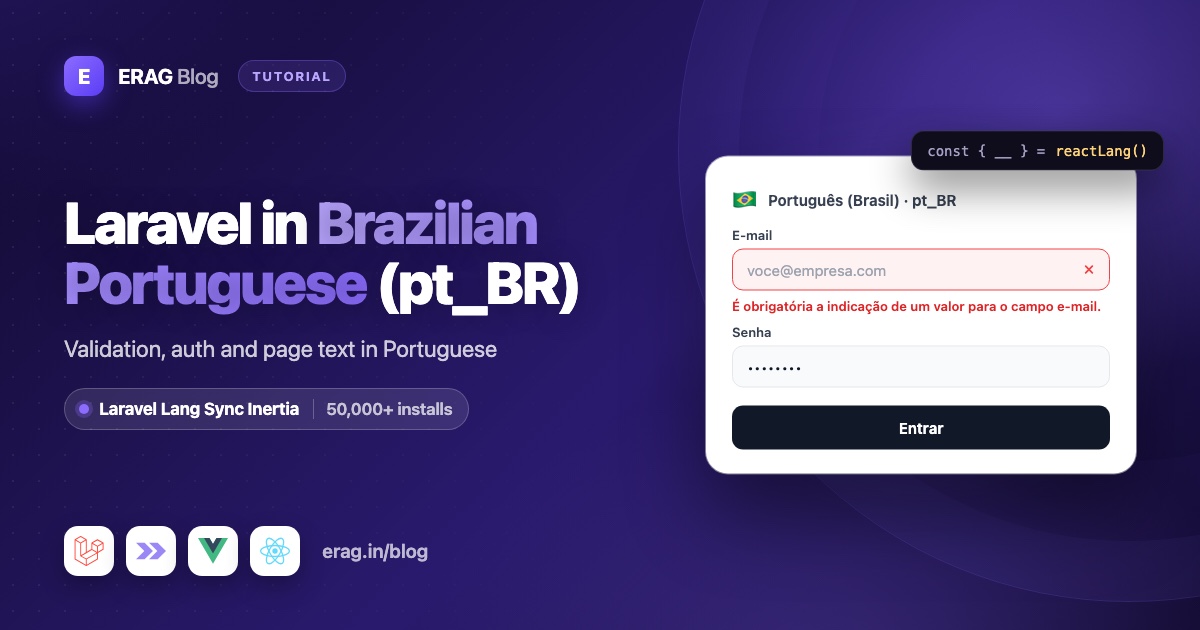
To run Laravel in Brazilian Portuguese, set APP_LOCALE=pt_BR, with an underscore, and put your files in lang/pt_BR, for example the ones from laravel-lang/lang. Laravel then rejects an empty e-mail field with "É obrigatória a indicação de um valor para o campo e-mail." To show the same pt_BR text in Inertia React pages, install Laravel Lang Sync Inertia, call syncLangFiles() once the locale is set, and read the lines with reactLang().
Install it now:
composer require erag/laravel-lang-sync-inertia
npm install @erag/lang-sync-inertia
php artisan erag:install-lang
Laravel Lang Sync Inertia has more than 50,000 installs on Packagist. The last command publishes config/inertia-lang.php, which points the package at your lang folder.
This guide builds a checkout page for a Brazilian online store, with a CPF field, using Laravel 13, Inertia v3 and React 19. The Portuguese lines are copied from real Laravel language files.
The short version
- Install Laravel Lang Sync Inertia and run
php artisan erag:install-lang. - Set
APP_LOCALE=pt_BRin.env. Underscore, not hyphen. - Keep your Brazilian Portuguese files in
lang/pt_BR. - Share
locale(pt_BR) andintlLocale(pt-BR) fromHandleInertiaRequests. - Call
syncLangFiles()in a middleware and in the checkout controller. - Put your CPF messages in your own
lang/pt_BR/checkout.php. - Read everything in React with
reactLang()and format R$ prices withIntl. - Add a language switcher, export to JSON with
erag:generate-langif you like, and test with Pest.
Why does pt_BR need an underscore in Laravel but a hyphen in React?
Start with .env:
APP_LOCALE=pt_BR
APP_FALLBACK_LOCALE=en
APP_FAKER_LOCALE=pt_BR
Laravel uses the locale as a folder name. syncLangFiles('validation') reads lang/{locale}/validation.php, with {locale} taken from App::getLocale() at the moment of the call. With pt_BR, that's lang/pt_BR/validation.php. Write pt-BR instead and it looks for lang/pt-BR, finds nothing, and shares an empty group. There's no frontend fallback, so React shows raw keys. Laravel's own messages fall back to English.
The browser wants the opposite. Intl only accepts language tags with a hyphen, and this line throws "RangeError: Incorrect locale information provided":
new Intl.NumberFormat('pt_BR'); // RangeError
new Intl.NumberFormat('pt-BR'); // works
So share both spellings from app/Http/Middleware/HandleInertiaRequests.php:
public function share(Request $request): array
{
    return [
        ...parent::share($request),
        'locale' => fn () => app()->getLocale(),
        'intlLocale' => fn () => str_replace('_', '-', app()->getLocale()),
    ];
}
locale is pt_BR, for anything you send back to Laravel. intlLocale is pt-BR, for Intl in React. The Laravel starter kits use the same str_replace() for the <html lang> tag. Carbon on the server accepts either form.
APP_FAKER_LOCALE=pt_BR is a bonus: Faker's Brazilian provider has cpf(), which the tests at the end use to generate valid numbers.
If your Brazilian Portuguese files come from laravel-lang/lang, install them with the underscore code:
composer require --dev laravel-lang/lang && php artisan lang:add pt_BRpt_BR or pt: which folder will syncLangFiles() read?
Exactly one: the folder that matches App::getLocale(). That matters for Portuguese, because translations from laravel-lang/lang come in two flavors, pt for Portugal and pt_BR for Brazil, and the words differ:
- The pt_BR auth file says "A senha está errada." The pt one says "A palavra-passe está errada."
- The pt_BR passwords file says "Não existe nenhum usuário com o e-mail indicado." The pt one says "Não existe nenhum utilizador com o e-mail indicado."
- The pt_BR validation file says "Falha no upload do arquivo :attribute." The pt one says "O upload do ficheiro :attribute falhou."
A Brazilian customer who reads "palavra-passe" knows the shop wasn't built for them. syncLangFiles() never mixes folders and never falls back from pt_BR to pt, so pick pt_BR for a Brazilian app. If you serve both countries, add both codes to your supported list and make sure every group you sync exists in both folders.
Share pt_BR translations with every React page
A middleware sets the language for each request, then shares the groups every page needs. Here it reads the visitor's choice from the session and defaults to APP_LOCALE:
php artisan make:middleware SetLocale<?php
namespace App\Http\Middleware;
use Closure;
use Illuminate\Http\Request;
use Illuminate\Support\Facades\App;
use Symfony\Component\HttpFoundation\Response;
class SetLocale
{
/**
* @var array<int, string>
*/
public const SUPPORTED = ['pt_BR', 'en'];
public function handle(Request $request, Closure $next): Response
{
$locale = $request->session()->get('locale', config('app.locale'));
App::setLocale(in_array($locale, self::SUPPORTED, true) ? $locale : config('app.locale'));
syncLangFiles('actions');
return $next($request);
}
}syncLangFiles() must come after App::setLocale(). It reads the locale when you call it and loads each file once per request, so an early call locks in the wrong language. Register the middleware first in the web group in bootstrap/app.php:
$middleware->web(append: [
    \App\Http\Middleware\SetLocale::class,
    // ...the starter kit's existing middleware
]);
The actions group is your button text, one small file per language:
<?php

// lang/pt_BR/actions.php

return [
    'cancel' => 'Cancelar',
    'submit' => 'Enviar',
];<?php
// lang/en/actions.php
return [
'cancel' => 'Cancel',
'submit' => 'Submit',
];Every Inertia page now gets lang.actions in the visitor's language. No JSON copy of your translations, no second set of files to keep in sync.
Add CPF validation messages in your own lang file
A Brazilian checkout needs the customer's CPF, the 11-digit tax number. No framework file has messages for it, so write your own group. Keep it next to the others in lang/pt_BR:
<?php

// lang/pt_BR/checkout.php

return [
    'cpf' => [
        'label' => 'CPF',
        'format' => 'O formato de :attribute não é válido.',
        'invalid' => 'O campo :attribute é inválido.',
    ],
];<?php
// lang/en/checkout.php
return [
'cpf' => [
'label' => 'CPF',
'format' => 'The :attribute format is invalid.',
'invalid' => 'The :attribute is invalid.',
],
];The two Portuguese lines reuse the wording of the pt_BR validation file, so they sound like the rest of your messages. Because checkout.php is your own file, no translation update will ever touch it, and syncLangFiles('checkout') sends it to React like any other group.
Now the rule. It checks the format first, then the two check digits at the end of every CPF:
php artisan make:rule Cpf<?php
namespace App\Rules;
use Closure;
use Illuminate\Contracts\Validation\ValidationRule;
class Cpf implements ValidationRule
{
public function validate(string $attribute, mixed $value, Closure $fail): void
{
if (! is_string($value) || ! preg_match('/^\d{3}\.?\d{3}\.?\d{3}-?\d{2}$/', $value)) {
$fail('checkout.cpf.format')->translate();
return;
}
if (! $this->hasValidCheckDigits(preg_replace('/\D/', '', $value))) {
$fail('checkout.cpf.invalid')->translate();
}
}
private function hasValidCheckDigits(string $digits): bool
{
if (preg_match('/^(\d)\1{10}$/', $digits)) {
return false;
}
foreach ([9, 10] as $position) {
$sum = 0;
for ($index = 0; $index < $position; $index++) {
$sum += (int) $digits[$index] * ($position + 1 - $index);
}
if ((int) $digits[$position] !== ($sum * 10) % 11 % 10) {
return false;
}
}
return true;
}
}->translate() turns the key into the line for the active locale. The form request gives the field its display name from the same file, so :attribute becomes "CPF":
<?php

namespace App\Http\Requests;

use App\Rules\Cpf;
use Illuminate\Foundation\Http\FormRequest;

class StoreCheckoutRequest extends FormRequest
{
    public function authorize(): bool
    {
        return true;
    }

    /**
     * @return array<string, array<int, mixed>>
     */
    public function rules(): array
    {
        return [
            'name' => ['required', 'string', 'max:255'],
            'email' => ['required', 'email'],
            'phone' => ['required', 'string', 'max:20'],
            'cpf' => ['required', new Cpf],
        ];
    }

    /**
     * @return array<string, string>
     */
    public function attributes(): array
    {
        return [
            'cpf' => __('checkout.cpf.label'),
        ];
    }
}
A typo now reads "O formato de CPF não é válido." and a wrong number reads "O campo CPF é inválido."
Show pt_BR labels, errors and R$ prices in a React checkout
The other field names live in the attributes array of your Brazilian Portuguese validation file. The validator puts them into messages, and React uses them as labels:
<?php

// lang/pt_BR/validation.php (excerpt)

return [
    'email' => 'O campo :attribute não contém um endereço de e-mail válido.',
    'required' => 'É obrigatória a indicação de um valor para o campo :attribute.',
    // ...

    'attributes' => [
        'date' => 'data',
        'email' => 'e-mail',
        'name' => 'nome',
        'phone' => 'telefone',
        'price' => 'preço',
    ],
];
Add the same keys to lang/en/validation.php in English. Laravel's English file ships an empty attributes array, and an English visitor would otherwise see keys.
The controller loads the two groups this page needs. Loading validation per page, not in the middleware, keeps other pages light:
<?php

namespace App\Http\Controllers;

use App\Http\Requests\StoreCheckoutRequest;
use Illuminate\Http\RedirectResponse;
use Inertia\Inertia;
use Inertia\Response;

class CheckoutController extends Controller
{
    public function create(): Response
    {
        syncLangFiles(['validation', 'checkout']);

        return Inertia::render('Checkout/Create', [
            'order' => [
                'totalInCents' => 123450,
                'placedAt' => now()->toIso8601String(),
            ],
        ]);
    }

    public function store(StoreCheckoutRequest $request): RedirectResponse
    {
        // Create the order from $request->validated().

        return to_route('checkout.create');
    }
}use App\Http\Controllers\CheckoutController;
Route::get('/checkout', [CheckoutController::class, 'create'])->name('checkout.create');
Route::post('/checkout', [CheckoutController::class, 'store'])->name('checkout.store');A real shop would load the order from the cart. A fixed one keeps the example short. Now the page, resources/js/pages/Checkout/Create.tsx:
import { useForm, usePage } from '@inertiajs/react';
import { reactLang } from '@erag/lang-sync-inertia/react';
import type { FormEvent } from 'react';

type Props = {
    order: { totalInCents: number; placedAt: string };
};

export default function CheckoutCreate({ order }: Props) {
    const { __, trans } = reactLang();
    const { intlLocale } = usePage<{ intlLocale: string }>().props;

    const form = useForm({ name: '', email: '', phone: '', cpf: '' });

    const fields = [
        { name: 'name', type: 'text', label: __('validation.attributes.name') },
        { name: 'email', type: 'email', label: __('validation.attributes.email') },
        { name: 'phone', type: 'tel', label: __('validation.attributes.phone') },
        { name: 'cpf', type: 'text', label: __('checkout.cpf.label') },
    ] as const;

    const money = new Intl.NumberFormat(intlLocale, { style: 'currency', currency: 'BRL' });
    const day = new Intl.DateTimeFormat(intlLocale, { dateStyle: 'short', timeZone: 'America/Sao_Paulo' });

    const cpfDigits = form.data.cpf.replace(/\D/g, '').length;
    const cpfHint = cpfDigits > 0 && cpfDigits !== 11
        ? trans('validation.digits', { attribute: __('checkout.cpf.label'), digits: 11 })
        : '';

    function submit(event: FormEvent) {
        event.preventDefault();
        form.post('/checkout');
    }

    return (
        <form onSubmit={submit} className="mx-auto max-w-md space-y-5">
            <dl className="flex justify-between rounded-md bg-gray-50 p-4 text-sm">
                <div>
                    <dt className="text-gray-500 first-letter:uppercase">{__('validation.attributes.date')}</dt>
                    <dd>{day.format(new Date(order.placedAt))}</dd>
                </div>
                <div className="text-right">
                    <dt className="text-gray-500 first-letter:uppercase">{__('validation.attributes.price')}</dt>
                    <dd className="text-lg font-semibold">{money.format(order.totalInCents / 100)}</dd>
                </div>
            </dl>

            {fields.map((field) => (
                <div key={field.name}>
                    <label htmlFor={field.name} className="block text-sm font-medium first-letter:uppercase">
                        {field.label}
                    </label>
                    <input
                        id={field.name}
                        type={field.type}
                        inputMode={field.name === 'cpf' ? 'numeric' : undefined}
                        value={form.data[field.name]}
                        onChange={(event) => form.setData(field.name, event.target.value)}
                        className="mt-1 w-full rounded-md border px-3 py-2"
                    />
                    {field.name === 'cpf' && cpfHint && !form.errors.cpf && (
                        <p className="mt-1 text-sm text-amber-700">{cpfHint}</p>
                    )}
                    {form.errors[field.name] && (
                        <p className="mt-1 text-sm text-red-600">{form.errors[field.name]}</p>
                    )}
                </div>
            ))}

            <div className="flex gap-3">
                <button type="submit" disabled={form.processing} className="rounded-md bg-gray-900 px-4 py-2 text-white">
                    {__('actions.submit')}
                </button>
                <button type="button" onClick={() => form.reset()} className="rounded-md border px-4 py-2">
                    {__('actions.cancel')}
                </button>
            </div>
        </form>
    );
}
What the customer sees, and where each piece comes from:
- Labels use the keys you'd use in PHP, like
__('validation.attributes.phone'). The label says "Telefone" and a missing value says "É obrigatória a indicação de um valor para o campo telefone." One file, so they always agree. - Server errors arrive in
form.errorsalready in Portuguese, including your CPF lines. React only prints them. - The CPF hint shows while the customer types.
trans()fills the:attributeand:digitsplaceholders of the pt_BRdigitsline: "O campo CPF deve conter 11 dígitos." It's the same line Laravel uses for itsdigitsrule, so you didn't write a second copy. - Buttons read "Enviar" and "Cancelar" from
lang/pt_BR/actions.php.
Format R$ prices and dd/mm/aaaa dates
Brazilians write dates as dd/mm/aaaa and money as R$ with a comma for cents. Intl does both when you pass intlLocale:
new Intl.NumberFormat('pt-BR', { style: 'currency', currency: 'BRL' }).format(1234.5);
// R$ 1.234,50

new Intl.DateTimeFormat('pt-BR', { dateStyle: 'short', timeZone: 'America/Sao_Paulo' })
    .format(new Date('2026-10-25T14:30:00Z'));
// 25/10/2026
Keep money in cents in the database and divide only for display. Pass the time zone too, so an order placed late at night shows the Brazilian date.
On the server, for emails and PDFs, Number::currency(1234.5, in: 'BRL', locale: 'pt_BR') prints the same R$ 1.234,50, and Carbon's isoFormat('L') prints 25/10/2026. PHP takes the underscore form. Format each value in one place, server or browser, so the two never disagree.
Using React, Vue or Svelte? The same syncLangFiles() call feeds reactLang(), vueLang() and svelteLang(). Install Laravel Lang Sync Inertia with composer require erag/laravel-lang-sync-inertia and npm install @erag/lang-sync-inertia, then see the React setup guide.
Add a pt_BR and English language switcher in React
The middleware already reads locale from the session. Store it with a small route:
use App\Http\Middleware\SetLocale;
use Illuminate\Http\Request;
use Illuminate\Validation\Rule;

Route::post('/locale', function (Request $request) {
    $request->session()->put('locale', $request->validate([
        'locale' => ['required', Rule::in(SetLocale::SUPPORTED)],
    ])['locale']);

    return back();
})->name('locale.update');
The switcher posts Laravel's code and labels each language with Intl, which needs the hyphen form:
import { router, usePage } from '@inertiajs/react';

const languages = ['pt_BR', 'en'];

export default function LanguageSwitcher() {
    const { locale } = usePage<{ locale: string }>().props;

    return (
        <div className="flex gap-2">
            {languages.map((code) => {
                const tag = code.replace('_', '-');

                return (
                    <button
                        key={code}
                        type="button"
                        onClick={() => router.post('/locale', { locale: code }, { preserveScroll: true })}
                        className={`rounded px-2 py-1 text-sm first-letter:uppercase ${locale === code ? 'font-semibold underline' : ''}`}
                    >
                        {new Intl.DisplayNames([tag], { type: 'language' }).of(tag)}
                    </button>
                );
            })}
        </div>
    );
}
The buttons read "Português (Brasil)" and "English", each in its own language, with no extra translation file. After the post, Inertia redirects back, the middleware syncs the other folder, and every __() call in the page renders the new language. The React starter kit translation guide shows how to save the choice on the user's profile.
Export pt_BR translations to JSON with erag:generate-lang
If you want static JSON files, for a build step or other frontend tooling, export your PHP groups:
php artisan erag:generate-langThe command writes one JSON file per group to the output_lang path in config/inertia-lang.php. Folder names keep the underscore, so you get resources/js/lang/pt_BR/checkout.json:
{
    "cpf": {
        "label": "CPF",
        "format": "O formato de :attribute não é válido.",
        "invalid": "O campo :attribute é inválido."
    }
}
Accents stay readable, so "não" is not turned into an escape code, and the file is easy to review in a pull request.
The package also merges the exported files for the active locale into the lang prop of every Inertia response. Groups you load with syncLangFiles() win over the export, so page-specific data always comes from your PHP files. Re-run the command after each change to lang, for example in your deploy script.
Test pt_BR messages with Pest
These tests prove Brazilian customers get Brazilian messages, from validation, your own CPF file and the login form:
php artisan make:test --pest BrazilianCheckoutTest<?php
use App\Models\User;
use Inertia\Testing\AssertableInertia as Assert;
it('rejects an invalid CPF in Brazilian Portuguese', function () {
$this->withSession(['locale' => 'pt_BR'])
->post('/checkout', [
'name' => fake()->name(),
'email' => fake()->safeEmail(),
'phone' => '11987654321',
'cpf' => '123.456.789-00',
])
->assertSessionHasErrors(['cpf' => 'O campo CPF é inválido.']);
});
it('asks for the e-mail in Brazilian Portuguese', function () {
$this->withSession(['locale' => 'pt_BR'])
->post('/checkout', [])
->assertSessionHasErrors([
'email' => 'É obrigatória a indicação de um valor para o campo e-mail.',
]);
});
it('accepts a valid CPF', function () {
$this->withSession(['locale' => 'pt_BR'])
->post('/checkout', [
'name' => fake()->name(),
'email' => fake()->safeEmail(),
'phone' => '11987654321',
'cpf' => fake('pt_BR')->cpf(),
])
->assertSessionDoesntHaveErrors();
});
it('shows the login error in Brazilian Portuguese', function () {
$user = User::factory()->create();
$this->withSession(['locale' => 'pt_BR'])
->post(route('login.store'), ['email' => $user->email, 'password' => 'wrong-password'])
->assertSessionHasErrors([
'email' => 'As credenciais indicadas não coincidem com as registradas no sistema.',
]);
});
it('shares the pt_BR groups with React', function () {
$this->withSession(['locale' => 'pt_BR'])
->get('/checkout')
->assertInertia(fn (Assert $page) => $page
->component('Checkout/Create')
->where('intlLocale', 'pt-BR')
->where('lang.checkout.cpf.invalid', 'O campo :attribute é inválido.')
->where('lang.actions.submit', 'Enviar'));
});php artisan test --compact tests/Feature/BrazilianCheckoutTest.phpfake('pt_BR')->cpf() generates a valid, formatted CPF on every run. The login test assumes a starter kit, where Fortify handles route('login.store') and reads the auth.failed line from lang/pt_BR/auth.php.
Common problems and fixes
React shows validation.attributes.email after switching to Portuguese
The locale is pt-BR or pt-br somewhere, so syncLangFiles() looked for a folder that doesn't exist. Use pt_BR in .env, in SetLocale::SUPPORTED, in the session value and in the folder name.
"RangeError: Incorrect locale information provided"
You passed pt_BR to Intl. Use the shared intlLocale prop, or code.replace('_', '-'), whenever you call Intl.NumberFormat, Intl.DateTimeFormat or Intl.DisplayNames.
A test comparing "R$ 1.234,50" fails
The space after R$ is a non-breaking space (U+00A0), not a normal one. In PHP, compare with "R$\u{00A0}1.234,50", or strip the character before comparing.
A date shows one day early
new Date('2026-10-25') means midnight UTC, which is still the 24th in São Paulo. For date-only values, format with timeZone: 'UTC'. For real timestamps, pass 'America/Sao_Paulo' as in the checkout page.
The CPF error shows checkout.cpf.invalid
You forgot ->translate() after $fail(), so Laravel returned the key as the message. Or the current locale has no checkout.php. Every group you use needs a file in every supported folder.
Customers see "palavra-passe" or "utilizador"
Your app is reading the Portugal folder, lang/pt. Switch the locale to pt_BR and make sure lang/pt_BR has the same groups.
Frequently asked questions
Should I use pt_BR or pt-BR in Laravel?
Use pt_BR everywhere on the Laravel side: APP_LOCALE, folder names and session values. syncLangFiles() uses the locale as a folder name, so the spelling must match exactly. Convert to pt-BR only for browser APIs like Intl.
How do I show Laravel's pt_BR validation messages in React?
Call syncLangFiles('validation') in the controller after the locale is set, then read lines with __() from reactLang(). Validation errors from a failed submit already arrive in Portuguese, so you only need __() for labels, hints and other page text. The validation errors guide has more patterns.
Are Fortify login errors translated to pt_BR?
Yes, as long as lang/pt_BR/auth.php exists. Fortify reads auth.failed and auth.throttle on the server, so a wrong password returns "As credenciais indicadas não coincidem com as registradas no sistema." in form.errors.email. See the auth messages translation guide for the full sign-in flow.
Where should custom messages like CPF live?
In your own group file, such as lang/pt_BR/checkout.php, with the same keys in lang/en/checkout.php. Use them in a rule with $fail('checkout.cpf.invalid')->translate() and in React with __('checkout.cpf.invalid') after syncLangFiles('checkout').
Do Portuguese plurals work with transChoice()?
Yes. Laravel's rules for pt_BR use one form for 1 and another for every other number. The frontend transChoice() does the same when a line has two forms and no explicit {n} or [a,b] conditions. Add a {0} form if zero needs its own wording.
Do I need separate JSON translation files for React?
No. syncLangFiles() sends your PHP group files through Inertia props. php artisan erag:generate-lang is optional and builds JSON from the same PHP files, so there's still only one source.
Does this work with Laravel 13, Inertia v3 and React 19?
Yes. The PHP package supports Laravel 8 to 13 with inertia-laravel 1 to 3. The npm helper supports Inertia v2 and v3 and React 18 or 19, with TypeScript types included.
Install Laravel Lang Sync Inertia
Your pt_BR files already work in PHP. Three commands make them work in every Inertia React, Vue or Svelte page:
composer require erag/laravel-lang-sync-inertia
npm install @erag/lang-sync-inertia
php artisan erag:install-lang