
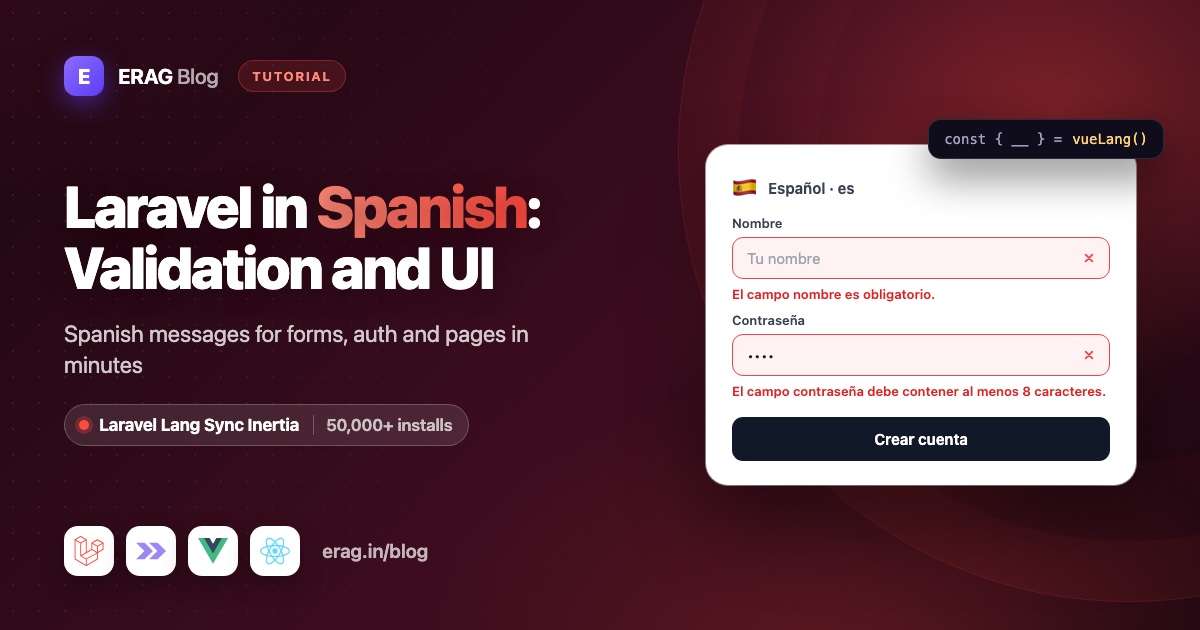
To run Laravel in Spanish, set APP_LOCALE=es and put Spanish language files in lang/es, for example the ones from laravel-lang/lang. Laravel then answers an empty email field with "El campo correo electrónico es obligatorio." instead of "The email field is required." To show the same Spanish text in Inertia Vue pages, install Laravel Lang Sync Inertia, call syncLangFiles() after the locale is set, and read any line with __() in your components.
Install it first, so you can follow along:
composer require erag/laravel-lang-sync-inertia
npm install @erag/lang-sync-inertia
php artisan erag:install-lang
Laravel Lang Sync Inertia has more than 50,000 installs on Packagist. erag:install-lang publishes config/inertia-lang.php, which tells the package where your lang folder is.
This guide builds an appointment booking form with Laravel 13, Inertia v3 and Vue 3.5. Every Spanish line in it is copied from real Laravel language files, so it's exactly what your users will see.
The short version
- Install Laravel Lang Sync Inertia with Composer and npm, then run
php artisan erag:install-lang. - Set
APP_LOCALE=esandAPP_FALLBACK_LOCALE=enin.env. - Put your Spanish files in
lang/es:validation.php,auth.php,passwords.phpand your ownactions.php. - Add a
SetLocalemiddleware that callsApp::setLocale()and thensyncLangFiles('actions'). - Call
syncLangFiles('validation')in the controller of each form page. - Read the lines in Vue with
vueLang():__('validation.attributes.email'),__('actions.send'). - Add a language switcher, and optionally export everything with
php artisan erag:generate-lang. - Lock it in with a Pest test that asserts a real Spanish message.
How do I set the Laravel locale to Spanish for Inertia pages?
Laravel 13 reads the language from three keys in config/app.php:
'locale' => env('APP_LOCALE', 'en'),

'fallback_locale' => env('APP_FALLBACK_LOCALE', 'en'),

'faker_locale' => env('APP_FAKER_LOCALE', 'en_US'),
You only change .env:
APP_LOCALE=es
APP_FALLBACK_LOCALE=en
APP_FAKER_LOCALE=es_ES
APP_LOCALE is the default language. APP_FALLBACK_LOCALE is what Laravel uses on the server when a Spanish line is missing. APP_FAKER_LOCALE only affects fake data in factories. Faker has no plain es, so use es_ES.
Here's what that means for your Vue pages. syncLangFiles('validation') reads lang/{locale}/validation.php, where {locale} is whatever App::getLocale() returns at that moment. With APP_LOCALE=es, it reads lang/es/validation.php. There's no fallback on the frontend: if the Spanish file is missing, the group is empty and __() returns the key itself. So the Spanish files must exist.
A fresh Laravel 13 app has no lang folder at all, since Laravel 11 stopped publishing one. Run php artisan lang:publish to get the English files in lang/en, then add the Spanish ones.
Which Spanish files does a Vue page need?
For the booking form, lang/es looks like this:
lang/es/
├── actions.php      ← your buttons
├── auth.php
├── pagination.php
├── passwords.php
└── validation.php
The Spanish validation file holds one template per rule. These are the lines the booking form uses, plus an attributes array with the Spanish names of your fields:
<?php

// lang/es/validation.php (excerpt)

return [
    'after' => 'El campo :attribute debe ser una fecha posterior a :date.',
    'digits_between' => 'El campo :attribute debe tener entre :min y :max dígitos.',
    'email' => 'El campo :attribute no es un correo válido.',
    'required' => 'El campo :attribute es obligatorio.',
    // ...

    'attributes' => [
        'date' => 'fecha',
        'email' => 'correo electrónico',
        'message' => 'mensaje',
        'name' => 'nombre',
        'phone' => 'teléfono',
    ],
];
The attributes array does two jobs. Laravel puts these names into its messages, so the user reads "El campo correo electrónico es obligatorio." and not "El campo email es obligatorio." And your Vue page can use the same names as form labels, so labels and errors always match.
If you don't want to type the framework files yourself, laravel-lang/lang has Spanish versions of validation.php, auth.php, passwords.php and pagination.php:
composer require --dev laravel-lang/lang && php artisan lang:add esButton text is yours to write. Keep it in a small group file, one per language:
<?php

// lang/es/actions.php

return [
    'cancel' => 'Cancelar',
    'send' => 'Enviar',
];<?php
// lang/en/actions.php
return [
'cancel' => 'Cancel',
'send' => 'Send',
];Give lang/en/validation.php the same attributes keys in English too. Laravel's English file ships an empty attributes array, and since the frontend has no fallback, an English visitor would otherwise see keys as labels.
Share Spanish translations with every Inertia page
A middleware picks the language for each request and shares the groups every page needs. It checks the session first, which the switcher later in this guide fills, then the browser's Accept-Language header:
php artisan make:middleware SetLocale<?php
namespace App\Http\Middleware;
use Closure;
use Illuminate\Http\Request;
use Illuminate\Support\Facades\App;
use Symfony\Component\HttpFoundation\Response;
class SetLocale
{
/**
* @var array<int, string>
*/
public const SUPPORTED = ['es', 'en'];
public function handle(Request $request, Closure $next): Response
{
$locale = $request->session()->get('locale')
?? $request->getPreferredLanguage(self::SUPPORTED);
App::setLocale(in_array($locale, self::SUPPORTED, true) ? $locale : config('app.locale'));
syncLangFiles('actions');
return $next($request);
}
}Spanish speakers send many language tags: es-ES, es-MX, es-AR, es-419. getPreferredLanguage() maps all of them to es when you pass the languages you support. When nothing matches, it returns the first item, so Spanish is the default for everyone else.
The order inside handle() is the important part. syncLangFiles() reads the files for the locale that is active when you call it, and it loads each file only once per request. Call it after App::setLocale(), never before.
Register the middleware in bootstrap/app.php, first in the web group. The other entries are the ones the starter kit already has:
use App\Http\Middleware\SetLocale;

->withMiddleware(function (Middleware $middleware): void {
    $middleware->web(append: [
        SetLocale::class,
        HandleAppearance::class,
        HandleInertiaRequests::class,
        AddLinkHeadersForPreloadedAssets::class,
    ]);
})
Then share the active language in app/Http/Middleware/HandleInertiaRequests.php, so Vue knows it:
public function share(Request $request): array
{
    return [
        ...parent::share($request),
        'locale' => fn () => app()->getLocale(),
    ];
}
Every Inertia page now receives lang.actions in the active language. You didn't write a JSON copy of your translations, and you won't.
Show Spanish labels, buttons and errors in a Vue form
The validation file is one of the bigger groups, so load it only on pages that have a form. Call syncLangFiles() in the controller. It runs after the middleware, so the locale is already set:
<?php

namespace App\Http\Controllers;

use App\Http\Requests\StoreBookingRequest;
use Illuminate\Http\RedirectResponse;
use Inertia\Inertia;
use Inertia\Response;

class BookingController extends Controller
{
    public function create(): Response
    {
        syncLangFiles('validation');

        return Inertia::render('Bookings/Create', [
            'minDate' => today()->addDay()->toDateString(),
        ]);
    }

    public function store(StoreBookingRequest $request): RedirectResponse
    {
        // Save $request->validated() the way your app needs.

        return to_route('bookings.create');
    }
}
The page now gets two groups under its lang prop: actions from the middleware and validation from the controller. Add the routes to routes/web.php:
use App\Http\Controllers\BookingController;

Route::get('/bookings/create', [BookingController::class, 'create'])->name('bookings.create');
Route::post('/bookings', [BookingController::class, 'store'])->name('bookings.store');
Fix "posterior a today" in the date message
With the rule after:today, the Spanish message ends in English: "El campo fecha debe ser una fecha posterior a today." Laravel fills :date with the rule's parameter, and nothing translates the word today.
Fill :date yourself in the form request. Carbon follows App::setLocale(), so isoFormat('LL') already writes the date in Spanish:
<?php

namespace App\Http\Requests;

use Illuminate\Foundation\Http\FormRequest;

class StoreBookingRequest extends FormRequest
{
    public function authorize(): bool
    {
        return true;
    }

    /**
     * @return array<string, array<int, string>>
     */
    public function rules(): array
    {
        return [
            'name' => ['required', 'string', 'max:255'],
            'email' => ['required', 'email'],
            'phone' => ['required', 'digits_between:9,15'],
            'date' => ['required', 'date', 'after:today'],
            'message' => ['nullable', 'string', 'max:1000'],
        ];
    }

    /**
     * @return array<string, string>
     */
    public function messages(): array
    {
        return [
            'date.after' => __('validation.after', ['date' => today()->isoFormat('LL')]),
        ];
    }
}
The template still comes from your Spanish validation file, and the validator still fills :attribute. The user reads "El campo fecha debe ser una fecha posterior a 25 de octubre de 2026."
The Vue page
Create resources/js/pages/Bookings/Create.vue:
<script setup lang="ts">
import { useForm, usePage } from '@inertiajs/vue3';
import { vueLang } from '@erag/lang-sync-inertia/vue';
import { computed } from 'vue';

defineProps<{ minDate: string }>();

const { __ } = vueLang();
const page = usePage<{ locale: string }>();

const form = useForm({
    name: '',
    email: '',
    phone: '',
    date: '',
    message: '',
});

const fields = [
    { name: 'name', type: 'text' },
    { name: 'email', type: 'email' },
    { name: 'phone', type: 'tel' },
    { name: 'date', type: 'date' },
] as const;

const chosenDay = computed(() => {
    if (!form.date) {
        return '';
    }

    return new Intl.DateTimeFormat(page.props.locale, { dateStyle: 'full', timeZone: 'UTC' })
        .format(new Date(`${form.date}T00:00:00Z`));
});
</script>

<template>
    <form class="mx-auto max-w-lg space-y-5" @submit.prevent="form.post('/bookings')">
        <div v-for="field in fields" :key="field.name">
            <label :for="field.name" class="block text-sm font-medium first-letter:uppercase">
                {{ __(`validation.attributes.${field.name}`) }}
            </label>
            <input
                :id="field.name"
                v-model="form[field.name]"
                :type="field.type"
                :min="field.type === 'date' ? minDate : undefined"
                class="mt-1 w-full rounded-md border px-3 py-2"
            />
            <p v-if="field.name === 'date' && chosenDay" class="mt-1 text-sm text-gray-600">
                {{ chosenDay }}
            </p>
            <p v-if="form.errors[field.name]" class="mt-1 text-sm text-red-600">
                {{ form.errors[field.name] }}
            </p>
        </div>

        <div>
            <label for="message" class="block text-sm font-medium first-letter:uppercase">
                {{ __('validation.attributes.message') }}
            </label>
            <textarea id="message" v-model="form.message" rows="4" class="mt-1 w-full rounded-md border px-3 py-2" />
            <p v-if="form.errors.message" class="mt-1 text-sm text-red-600">{{ form.errors.message }}</p>
        </div>

        <div class="flex gap-3">
            <button type="submit" :disabled="form.processing" class="rounded-md bg-gray-900 px-4 py-2 text-white">
                {{ __('actions.send') }}
            </button>
            <button type="button" class="rounded-md border px-4 py-2" @click="form.reset()">
                {{ __('actions.cancel') }}
            </button>
        </div>
    </form>
</template>
Here's what each part does:
__('validation.attributes.phone')is the same key you'd use in Blade or PHP. The label reads "Teléfono" and the error under it reads "El campo teléfono debe tener entre 9 y 15 dígitos." Both come from one file, so they can't drift apart.- The names are lowercase because they sit mid-sentence in messages. Tailwind's
first-letter:uppercasecapitalizes them as labels. form.errorsarrive already in Spanish. Vue only prints them.- The buttons read "Enviar" and "Cancelar" from
lang/es/actions.php. - The line under the date input uses the shared
localewith the browser'sIntlAPI, so a visitor sees "domingo, 25 de octubre de 2026". No date library, no extra translation file.
Switch the locale to en and the same component shows English, with no change to the Vue code. That's the whole point: one set of Laravel lang files, read by PHP and Vue alike.
Haven't installed it yet? Run composer require erag/laravel-lang-sync-inertia and npm install @erag/lang-sync-inertia, then follow the Vue setup guide. The same files work in React and Svelte with reactLang() and svelteLang().
Spanish login and password messages in Vue
You don't translate login errors in Vue. Fortify and the starter kits read the Spanish auth files on the server and send the result back:
- A wrong password returns
auth.failedinform.errors.email: "Estas credenciales no coinciden con nuestros registros." - The reset link page gets
passwords.sentin itsstatusprop: "Le hemos enviado por correo electrónico el enlace para restablecer su contraseña." passwords.resetarrives after a reset: "Su contraseña ha sido restablecida."
Notice the formal "usted" voice in these lines. It's a safe default for customers in Spain and in Latin America.
You only sync the auth group when Vue writes its own text from those lines. The throttle line has a :seconds placeholder, which trans() fills on the client:
import { vueLang } from '@erag/lang-sync-inertia/vue';

// After syncLangFiles('auth') in the controller
const { trans } = vueLang();

trans('auth.throttle', { seconds: 30 });
// Demasiados intentos de acceso. Por favor intente nuevamente en 30 segundos.
Pass the placeholder names without the colon. A missing key comes back as the key itself, so a typo shows up on screen instead of failing silently. For the full sign-in flow, see the auth messages translation guide.
Add a Spanish and English language switcher
The middleware already reads locale from the session. Add a route that stores it:
use Illuminate\Http\Request;
use Illuminate\Validation\Rule;

Route::post('/locale', function (Request $request) {
    $validated = $request->validate([
        'locale' => ['required', Rule::in(SetLocale::SUPPORTED)],
    ]);

    $request->session()->put('locale', $validated['locale']);

    return back();
})->name('locale.update');
Import App\Http\Middleware\SetLocale at the top of the routes file. Then the switcher component:
<script setup lang="ts">
import { router, usePage } from '@inertiajs/vue3';

const page = usePage<{ locale: string }>();
const languages = ['es', 'en'];

function nativeName(code: string): string {
    return new Intl.DisplayNames([code], { type: 'language' }).of(code) ?? code;
}
</script>

<template>
    <div class="flex gap-2">
        <button
            v-for="code in languages"
            :key="code"
            type="button"
            class="rounded px-2 py-1 text-sm first-letter:uppercase"
            :class="{ 'font-semibold underline': page.props.locale === code }"
            @click="router.post('/locale', { locale: code }, { preserveScroll: true })"
        >
            {{ nativeName(code) }}
        </button>
    </div>
</template>
Intl.DisplayNames names each language in that language, so the buttons read "Español" and "English" without another translation file. After the post, Inertia redirects back. The middleware runs again with the new locale, syncLangFiles() loads the other folder, and every __() call re-renders in place. The Vue starter kit translation guide shows how to save the choice on the user.
Load Spanish on every page with erag:generate-lang
Calling syncLangFiles() per page keeps payloads small. If you'd rather have every group available everywhere, export your PHP files to JSON once:
php artisan erag:generate-langresources/js/lang/
├── en/
│ ├── actions.json
│ ├── auth.json
│ ├── pagination.json
│ ├── passwords.json
│ └── validation.json
└── es/
├── actions.json
├── auth.json
├── pagination.json
├── passwords.json
└── validation.jsonThe files go to the output_lang path in config/inertia-lang.php. You don't import them. The package merges the exported files for the active locale into the lang prop of every Inertia response, and anything you load with syncLangFiles() wins over the export.
That trade-off is worth knowing: with an export, every page carries every Spanish group. Re-run the command whenever you edit a file in lang, for example as a step in your deploy script.
Test Spanish messages with Pest
A test stops a renamed input or an edited lang file from quietly bringing English back:
php artisan make:test --pest SpanishBookingTest<?php
use Illuminate\Support\Carbon;
use Inertia\Testing\AssertableInertia as Assert;
it('returns real Spanish validation messages', function () {
$this->withHeader('Accept-Language', 'es-MX,es;q=0.9')
->post('/bookings', ['email' => 'not-an-email', 'phone' => '12'])
->assertSessionHasErrors([
'name' => 'El campo nombre es obligatorio.',
'email' => 'El campo correo electrónico no es un correo válido.',
'phone' => 'El campo teléfono debe tener entre 9 y 15 dígitos.',
]);
});
it('writes the date in Spanish when it is in the past', function () {
$this->travelTo(Carbon::parse('2026-10-25 09:00'));
$this->withHeader('Accept-Language', 'es')
->post('/bookings', ['date' => '2026-10-01'])
->assertSessionHasErrors([
'date' => 'El campo fecha debe ser una fecha posterior a 25 de octubre de 2026.',
]);
});
it('shares the Spanish labels and buttons with Vue', function () {
$this->withSession(['locale' => 'es'])
->get('/bookings/create')
->assertInertia(fn (Assert $page) => $page
->component('Bookings/Create')
->where('lang.validation.attributes.email', 'correo electrónico')
->where('lang.actions.send', 'Enviar'));
});php artisan test --compact tests/Feature/SpanishBookingTest.phpThe first test sends a Mexican browser header and still gets es. The second freezes the clock so the Carbon date is predictable. The third proves syncLangFiles() shared the Spanish groups. If only the third fails, check that it runs after App::setLocale().
Which Spanish locale code should syncLangFiles() use?
Use es. Files from laravel-lang/lang come in a single es folder, with no es_ES or es_MX version.
Don't set the locale to es_MX and hope for the best. syncLangFiles() would read lang/es_MX, find nothing and share empty groups. Laravel itself would skip es too and fall back to English.
Keep es for text and use the region only for formatting. A store in Mexico can pass es-MX to Intl.NumberFormat to get $1,234.50. In Spain, es-ES with euros gives 1234,50 €, with no thousands dot on four-digit amounts. That's the browser's Spanish rule, not a bug.
Common problems and fixes
The page shows validation.attributes.email instead of a word
The frontend returns the key when it can't find a line. Either this page never called syncLangFiles('validation'), or lang/es/validation.php has no attributes entry for that field. Remember there's no frontend fallback to English.
Labels are English but errors are Spanish
syncLangFiles() ran before App::setLocale(), for example in a service provider or at the top of routes/web.php. It loaded the English file and kept it for the rest of the request. Move the call into the middleware, after the locale is set, or into the controller.
Everything is still English
Run php artisan config:show app.locale. If it doesn't print es, clear the config cache. Then check that lang/es exists and that no other middleware calls App::setLocale('en') later.
"Siguiente »" shows up literally
The Spanish pagination.php writes its arrows as HTML entities: "Siguiente »" and "« Anterior". Vue escapes text, so the entity shows as typed. Render those two keys with v-html. That's safe here because the text comes from your own lang files. The pagination translation guide has a complete pager.
Strings from lang/es.json don't show up in Vue
The package reads PHP group files only, not lang/es.json. Those JSON strings still work on the server and in emails. For page text, use a group file like lang/es/actions.php.
Exported translations don't appear
erag:generate-lang and the automatic merge both read the paths in config/inertia-lang.php. Run php artisan erag:install-lang first if that file is missing, then export again.
Frequently asked questions
How do I use Laravel's Spanish validation messages in Vue?
Install Laravel Lang Sync Inertia, call syncLangFiles('validation') in the controller after the locale is set, and read lines with __() from vueLang(). Errors from a failed form submit already arrive in Spanish, so you only use __() for labels and other page text. The validation errors guide covers custom messages too.
Does Laravel include Spanish translations?
No. Laravel ships English files only, and php artisan lang:publish copies just those. You add lang/es yourself, either by writing the files or by installing a translation package that provides them.
Why do my Vue labels show keys after switching to Spanish?
The Spanish file for that group is missing or lacks the key. The package has no fallback locale on the frontend, so every group you sync must exist in every language you support.
Do I need a separate JSON file for Vue?
No. syncLangFiles() shares your PHP group files through Inertia props. php artisan erag:generate-lang is optional and builds JSON from the same PHP files, so there's still one source.
Do Spanish plurals work with transChoice()?
Yes. Laravel's server rules use one form for 1 and another for every other number in Spanish. The frontend transChoice() does the same when no {n} or [a,b] condition matches. Add a {0} form if zero needs its own wording.
Can I use the same Spanish files with React or Svelte?
Yes. Call syncLangFiles() exactly the same way on the Laravel side, then use reactLang() from @erag/lang-sync-inertia/react or svelteLang() from @erag/lang-sync-inertia/svelte. All three return __, trans, transChoice and trans_choice.
Does this work with Laravel 13 and Inertia v3?
Yes. The PHP package supports Laravel 8 to 13 with inertia-laravel 1 to 3, and the npm helper supports Inertia v2 and v3. Everything in this guide was written against Laravel 13, Inertia v3 and Vue 3.5.
Install Laravel Lang Sync Inertia
Your Spanish files already work in PHP. Three commands make them work in every Inertia Vue, React or Svelte page:
composer require erag/laravel-lang-sync-inertia
npm install @erag/lang-sync-inertia
php artisan erag:install-lang