
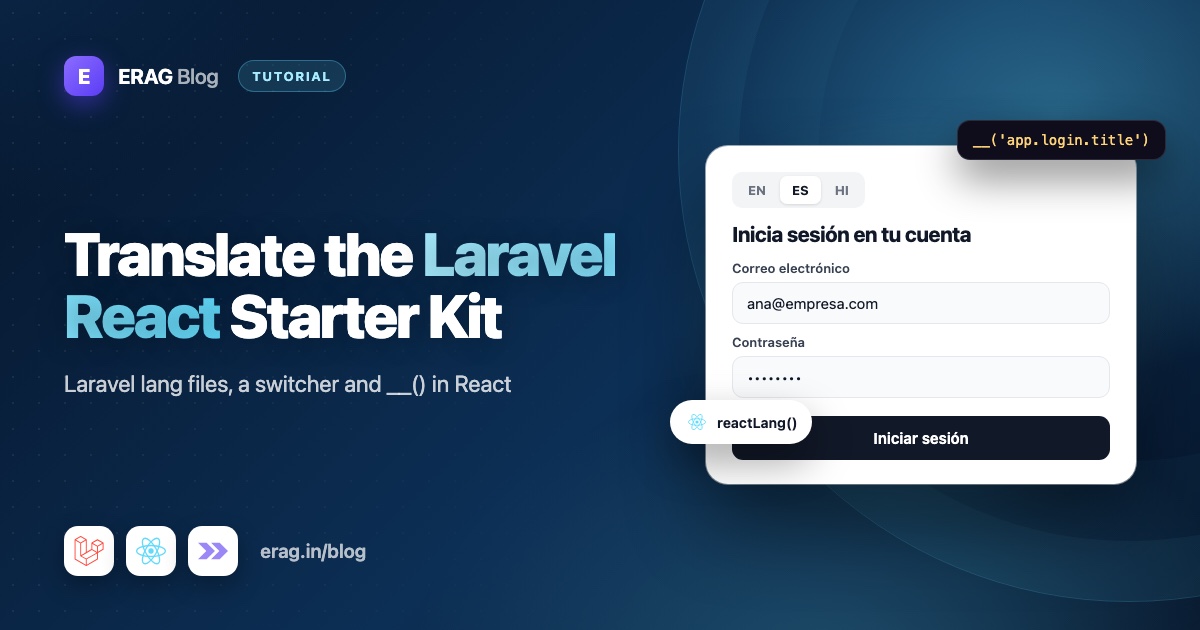
To add language translations to the Laravel React starter kit, keep every string in Laravel's lang folder, share the files your pages need through Laravel Lang Sync Inertia, and read them in your React components with reactLang(). One app.php file per language then serves both your PHP code and your .tsx pages. There are no JSON copies to keep in sync and no build step.
This guide works through a fresh React starter kit: the login page, the sidebar, the dashboard, a language switcher, translated validation errors and Pest tests. Using Vue instead? Follow the Vue version of this guide.
The short answer
- Run
composer require erag/laravel-lang-sync-inertiaandnpm install @erag/lang-sync-inertia. - Write your text in
lang/en/app.php,lang/hi/app.phpand so on. - Add a
SetLocalemiddleware that callsApp::setLocale()and thensyncLangFiles('app'). - In each component, get
__fromreactLang()and render{__('app.login.title')}. - Replace the starter kit's static
Login.layoutandDashboard.layoutobjects withsetLayoutProps(). - Add a language switcher that calls
router.post(). - Translate
validation.phpandauth.phpso server errors change language too.
What you will build
When you finish, your React starter kit will:
- Show the login page, sidebar and dashboard in English or Hindi (any other language works the same way)
- Let people switch language with one click and remember their choice
- Return validation errors in the chosen language
- Handle placeholders like "Welcome back, :name!" and plurals like "You have 3 projects"
Why keep React translations in Laravel's lang files?
Your backend already translates validation messages, password reset emails and notifications from the lang folder. If your React pages use their own translation files, every sentence lives in two places, and sooner or later the two disagree.
Laravel Lang Sync Inertia lets React read the PHP files directly:
syncLangFiles()loads files for the active language and shares them as thelangpage prop.reactLang()gives you__(),trans(),transChoice()andtrans_choice(), with Laravel's:nameplaceholders and{0}|{1}|[2,*]plural rules.- Translations come with each Inertia response, so there is no Vite plugin to set up.
- The Laravel package supports Laravel 8 to 13, the npm helper works with Inertia v2 and v3, and the package has more than 45,000 installs on Packagist.
Step 1: Install the package
composer require erag/laravel-lang-sync-inertia
npm install @erag/lang-sync-inertia

php artisan lang:publish
php artisan erag:install-lang
New Laravel apps don't ship a lang folder. lang:publish creates lang/en with Laravel's own auth.php, validation.php and passwords.php. erag:install-lang publishes config/inertia-lang.php, and its defaults are fine for this guide.
Step 2: Write your language files
Group keys by screen so they are easy to find:
<?php

// lang/en/app.php

return [
    'nav' => [
        'dashboard' => 'Dashboard',
        'repository' => 'Repository',
        'documentation' => 'Documentation',
    ],
    'login' => [
        'title' => 'Log in to your account',
        'description' => 'Enter your email and password below to log in',
        'email' => 'Email address',
        'password' => 'Password',
        'forgot' => 'Forgot your password?',
        'remember' => 'Remember me',
        'submit' => 'Log in',
        'no_account' => "Don't have an account?",
        'sign_up' => 'Sign up',
    ],
    'dashboard' => [
        'welcome' => 'Welcome back, :name!',
        'projects' => '{0} You have no projects yet|{1} You have one project|[2,*] You have :count projects',
    ],
];
Then the same keys for Hindi:
<?php

// lang/hi/app.php

return [
    'nav' => [
        'dashboard' => 'डैशबोर्ड',
        'repository' => 'रिपॉजिटरी',
        'documentation' => 'दस्तावेज़',
    ],
    'login' => [
        'title' => 'अपने खाते में लॉग इन करें',
        'description' => 'लॉग इन करने के लिए नीचे अपना ईमेल और पासवर्ड दर्ज करें',
        'email' => 'ईमेल पता',
        'password' => 'पासवर्ड',
        'forgot' => 'पासवर्ड भूल गए?',
        'remember' => 'मुझे याद रखें',
        'submit' => 'लॉग इन करें',
        'no_account' => 'खाता नहीं है?',
        'sign_up' => 'साइन अप करें',
    ],
    'dashboard' => [
        'welcome' => 'फिर से स्वागत है, :name!',
        'projects' => '{0} अभी आपका कोई प्रोजेक्ट नहीं है|{1} आपका एक प्रोजेक्ट है|[2,*] आपके :count प्रोजेक्ट हैं',
    ],
];
If a key is missing, __() returns the key itself, such as app.login.title. That makes gaps easy to spot on screen.
Step 3: Pick the language in a middleware
php artisan make:middleware SetLocale<?php
namespace App\Http\Middleware;
use Closure;
use Illuminate\Http\Request;
use Illuminate\Support\Facades\App;
use Symfony\Component\HttpFoundation\Response;
class SetLocale
{
/**
* The languages this app can show.
*
* @var list<string>
*/
public const LOCALES = ['en', 'hi'];
public function handle(Request $request, Closure $next): Response
{
$locale = $request->session()->get('locale');
App::setLocale(in_array($locale, self::LOCALES, true) ? $locale : config('app.locale'));
syncLangFiles('app');
return $next($request);
}
}Add it to the web middleware in bootstrap/app.php, ahead of the starter kit's own entries:
use App\Http\Middleware\SetLocale;

$middleware->web(append: [
    SetLocale::class,
    HandleAppearance::class,
    HandleInertiaRequests::class,
    AddLinkHeadersForPreloadedAssets::class,
]);
Why syncLangFiles() comes after App::setLocale()
syncLangFiles('app') reads lang/{locale}/app.php for whatever language is active at the moment it runs. If you call it before the language is set, for example at the top of routes/web.php, it always loads the default language. Your switcher saves the new choice, but the page never changes. (Route files also stop running per request once you cache routes.)
Inside the middleware, it runs right after App::setLocale() on every request. It also covers every page at once: the Fortify login and register screens, Route::inertia() pages like the dashboard, and the settings pages.
Share the active language with React
Your switcher needs to know which language is on. Add it to the shared props in app/Http/Middleware/HandleInertiaRequests.php:
public function share(Request $request): array
{
    return [
        ...parent::share($request),
        // ...the starter kit's existing props
        'locale' => fn () => app()->getLocale(),
    ];
}
The closure runs when Inertia builds the response, so it always reports the language the request ended with. Then add locale: string to sharedPageProps in resources/js/types/global.d.ts, so usePage().props.locale is typed:
sharedPageProps: {
    name: string;
    auth: Auth;
    sidebarOpen: boolean;
    locale: string;
    [key: string]: unknown;
};
Step 4: Translate the login page
Open resources/js/pages/auth/login.tsx. At the bottom, the starter kit sets the card's title and description with a static object:
Login.layout = {
    title: 'Log in to your account',
    description: 'Enter your email and password below to log in',
};
That object is created once, when the file loads, outside any component. It can't use reactLang(), because reactLang() reads page props with Inertia's usePage() hook and only works inside a component. Delete the block and call setLayoutProps() from @inertiajs/react inside the component instead. The starter kit's two-factor challenge page already sets its title this way.
import { reactLang } from '@erag/lang-sync-inertia/react';
import { Form, Head, setLayoutProps } from '@inertiajs/react';
// ...keep the starter kit's other imports

export default function Login({ status, canResetPassword }: Props) {
    const { __ } = reactLang();

    setLayoutProps({
        title: __('app.login.title'),
        description: __('app.login.description'),
    });

    return (
        <>
            <Head title={__('app.login.submit')} />
            {/* ...the rest of the page, with the strings below swapped in */}
        </>
    );
}
Inside the Form render function, replace each English string with a __() call:
<Label htmlFor="email">{__('app.login.email')}</Label>
<Label htmlFor="password">{__('app.login.password')}</Label>
<TextLink href={request()} className="ml-auto text-sm" tabIndex={5}>
    {__('app.login.forgot')}
</TextLink>
<Label htmlFor="remember">{__('app.login.remember')}</Label>
{__('app.login.submit')}
{__('app.login.no_account')}{' '}
<TextLink href={register()} tabIndex={5}>
    {__('app.login.sign_up')}
</TextLink>
The submit text goes inside the existing Button, after {processing && <Spinner />}. Everything else, including the inputs and form handling, stays exactly as the starter kit wrote it.
I import from @erag/lang-sync-inertia/react on purpose. The package root also exports reactLang, but it re-exports the Vue and Svelte helpers too. The /react entry loads only the React one.
Step 5: Translate the sidebar
resources/js/components/app-sidebar.tsx defines mainNavItems and footerNavItems at the top of the file, outside AppSidebar. Move them inside the component and build them during render:
import { reactLang } from '@erag/lang-sync-inertia/react';
// ...the existing imports

export function AppSidebar() {
    const { __ } = reactLang();

    const mainNavItems: NavItem[] = [
        { title: __('app.nav.dashboard'), href: dashboard(), icon: LayoutGrid },
    ];

    const footerNavItems: NavItem[] = [
        {
            title: __('app.nav.repository'),
            href: 'https://github.com/laravel/react-starter-kit',
            icon: FolderGit2,
        },
        {
            title: __('app.nav.documentation'),
            href: 'https://laravel.com/docs/starter-kits#react',
            icon: BookOpen,
        },
    ];

    return (
        <Sidebar collapsible="icon" variant="inset">
            {/* ...unchanged */}
        </Sidebar>
    );
}
Should these arrays use useMemo? Not here. reactLang() is a hook, so call it at the top of the component, never inside useMemo or a callback. It also returns fresh helper functions on every render, so a useMemo that depends on __ would rebuild every time anyway. Three small objects cost nothing to create. When the language changes, Inertia sends new page props, the sidebar re-renders and the labels follow.
Step 6: Translate the dashboard
The dashboard shows placeholders and plurals. Its breadcrumb is also set in a static Dashboard.layout object, so it gets the same setLayoutProps() treatment:
import { reactLang } from '@erag/lang-sync-inertia/react';
import { Head, setLayoutProps, usePage } from '@inertiajs/react';
import { dashboard } from '@/routes';

export default function Dashboard() {
    const { __, trans, transChoice } = reactLang();
    const { auth } = usePage().props;

    setLayoutProps({
        breadcrumbs: [{ title: __('app.nav.dashboard'), href: dashboard() }],
    });

    return (
        <>
            <Head title={__('app.nav.dashboard')} />
            <div className="p-4">
                <h1 className="text-xl font-semibold">
                    {trans('app.dashboard.welcome', { name: auth.user.name })}
                </h1>
                <p className="text-muted-foreground">{transChoice('app.dashboard.projects', 3)}</p>
            </div>
            {/* ...the starter kit's placeholder grid */}
        </>
    );
}
Remove the old Dashboard.layout block at the bottom. In Hindi this renders "फिर से स्वागत है, Amit!" and "आपके 3 प्रोजेक्ट हैं".
| Helper | Use it for | Example |
|---|---|---|
__(key, replaces?) | Plain text, optional placeholders | __('app.nav.dashboard') |
trans(key, replaces?) | Text with placeholders | trans('app.dashboard.welcome', { name }) |
transChoice(key, count, replaces?) | Plurals | transChoice('app.dashboard.projects', 3) |
trans_choice(key, count, replaces?) | Laravel-style name for transChoice() | trans_choice('app.dashboard.projects', 1) |
Step 7: Add a language switcher
First the route, in routes/web.php:
use App\Http\Middleware\SetLocale;
use Illuminate\Http\Request;
use Illuminate\Validation\Rule;

Route::post('locale', function (Request $request) {
    $locale = $request->validate([
        'locale' => ['required', 'string', Rule::in(SetLocale::LOCALES)],
    ])['locale'];

    $request->session()->put('locale', $locale);

    return back();
})->name('locale.update');
Wayfinder turns locale.update into an update() function in @/routes/locale. Now the component, resources/js/components/language-switcher.tsx:
import { router, usePage } from '@inertiajs/react';
import { update } from '@/routes/locale';

const languages = [
    { code: 'en', label: 'English' },
    { code: 'hi', label: 'हिन्दी' },
];

export function LanguageSwitcher() {
    const { locale } = usePage().props;

    function switchLanguage(code: string): void {
        if (code !== locale) {
            router.post(update(), { locale: code }, { preserveScroll: true });
        }
    }

    return (
        <div className="flex gap-1">
            {languages.map((language) => (
                <button
                    key={language.code}
                    type="button"
                    lang={language.code}
                    aria-pressed={locale === language.code}
                    className={`rounded-md px-2 py-1 text-sm ${
                        locale === language.code ? 'bg-muted font-medium' : 'text-muted-foreground'
                    }`}
                    onClick={() => switchLanguage(language.code)}
                >
                    {language.label}
                </button>
            ))}
        </div>
    );
}
Put <LanguageSwitcher /> in the sidebar footer in app-sidebar.tsx, and in resources/js/layouts/auth-layout.tsx so guests can switch on the login page. A click saves the language in the session, Laravel redirects back, and Inertia reloads the page with the new lang prop.
Step 8: Translate validation and login errors
Laravel writes validation errors on the server, so they follow the active language once the files exist. Copy the English files and translate them:
lang/en/validation.php  ->  lang/hi/validation.php
lang/en/auth.php        ->  lang/hi/auth.php
lang/en/passwords.php   ->  lang/hi/passwords.php
auth.php holds the "These credentials do not match our records." message from the login form. For friendlier field names, fill in the attributes array at the end of validation.php:
'attributes' => [
    'email' => 'ईमेल',
    'password' => 'पासवर्ड',
],
SetLocale runs before Fortify and your controllers, so errors reach React already translated. The kit's InputError component shows them without changes. For more, see keeping validation errors in sync with Inertia.
Step 9: Save the language on the user (optional)
The session only remembers the choice in one browser. To follow a user across devices, add a column:
php artisan make:migration add_locale_to_users_tableSchema::table('users', function (Blueprint $table) {
$table->string('locale', 10)->nullable();
});Read it first in SetLocale:
$locale = $request->user()?->locale ?? $request->session()->get('locale');And save it in the locale.update route, next to the session write:
$request->user()?->forceFill(['locale' => $locale])->save();Step 10: Export translations to JSON (optional)
You can also export your PHP files to JSON:
php artisan erag:generate-langThis writes files such as resources/js/lang/hi/app.json, keeping nested folders. When exported files exist for the active language, the package merges them into the shared lang prop automatically, and anything loaded with syncLangFiles() wins on conflicts. It's handy for small apps, but every exported file then travels with every page. The guide on sharing Laravel lang files with your frontend weighs both options.
Step 11: Test it with Pest
use Inertia\Testing\AssertableInertia as Assert;

it('renders the login page in Hindi', function () {
    $this->withSession(['locale' => 'hi'])
        ->get(route('login'))
        ->assertInertia(fn (Assert $page) => $page
            ->where('lang.app.login.title', 'अपने खाते में लॉग इन करें')
            ->where('locale', 'hi'));
});

it('saves a supported language', function () {
    $this->post(route('locale.update'), ['locale' => 'hi'])
        ->assertSessionHas('locale', 'hi');
});

it('rejects a language the app does not support', function () {
    $this->post(route('locale.update'), ['locale' => 'xx'])
        ->assertSessionHasErrors('locale');
});
The first test proves the right file and locale reach the page. The other two cover the switcher route, including the allow-list.
Common problems and fixes
The page shows app.login.title instead of text
The key wasn't found. Check that syncLangFiles('app') runs, that the key is spelled the same in PHP and TSX, and that lang/hi/app.php has it too.
Switching language does nothing
syncLangFiles() is probably called before App::setLocale(), often in routes/web.php. Move it into SetLocale and confirm the middleware is registered in bootstrap/app.php.
The login card title stays in English
The static Login.layout object is still at the bottom of login.tsx. Delete it and use setLayoutProps() inside the component.
React warns about hooks, or the sidebar never changes
The nav arrays are still at module level, or reactLang() is called inside useMemo or a callback. Call it at the top of AppSidebar and build the arrays in render.
A placeholder shows :name
Pass an object, like trans('app.dashboard.welcome', { name }). A plain string argument isn't used as a replacement.
Validation errors are still in English
Copy and translate validation.php and auth.php into lang/hi.
Frequently asked questions
How do I add translations to the Laravel React starter kit?
Install Laravel Lang Sync Inertia, keep your text in Laravel's lang files, call syncLangFiles() in a middleware after App::setLocale(), and use __() from reactLang() in your components.
Do I need separate JSON translation files for React?
No. React reads the same PHP files as Laravel through the lang page prop. JSON export exists if you want it, but it's optional.
How do I build a language switcher in Laravel Inertia React?
Add a route that validates the language and stores it in the session, then call router.post() with that route from a small component. The middleware applies the saved language on the next request.
Why can't I call __() in Login.layout?
Login.layout is a plain object created when the module loads, outside React's render. reactLang() uses a hook, so it must run inside a component. Use setLayoutProps() there instead.
Does it work with Laravel 13 and Inertia v3?
Yes. The Laravel package supports Laravel 8 to 13, and the npm helper supports Inertia v2 and v3 with React 18 or 19.
How do I translate validation errors in an Inertia React app?
Translate lang/{locale}/validation.php and set the language in middleware before validation runs. Laravel then returns translated errors, and your existing error components show them.
Ship your Laravel React app in more languages
You don't need a second translation system for the React starter kit. Keep your words in Laravel's lang files, sync them in one middleware, and use __() in React the same way you do in PHP.
composer require erag/laravel-lang-sync-inertia
npm install @erag/lang-sync-inertia- Documentation: React usage, Laravel usage and JSON export
- GitHub: eramitgupta/laravel-lang-sync-inertia
- Going further: build a multilingual Laravel Inertia app covers locale strategy, URLs and growing your lang files.
