
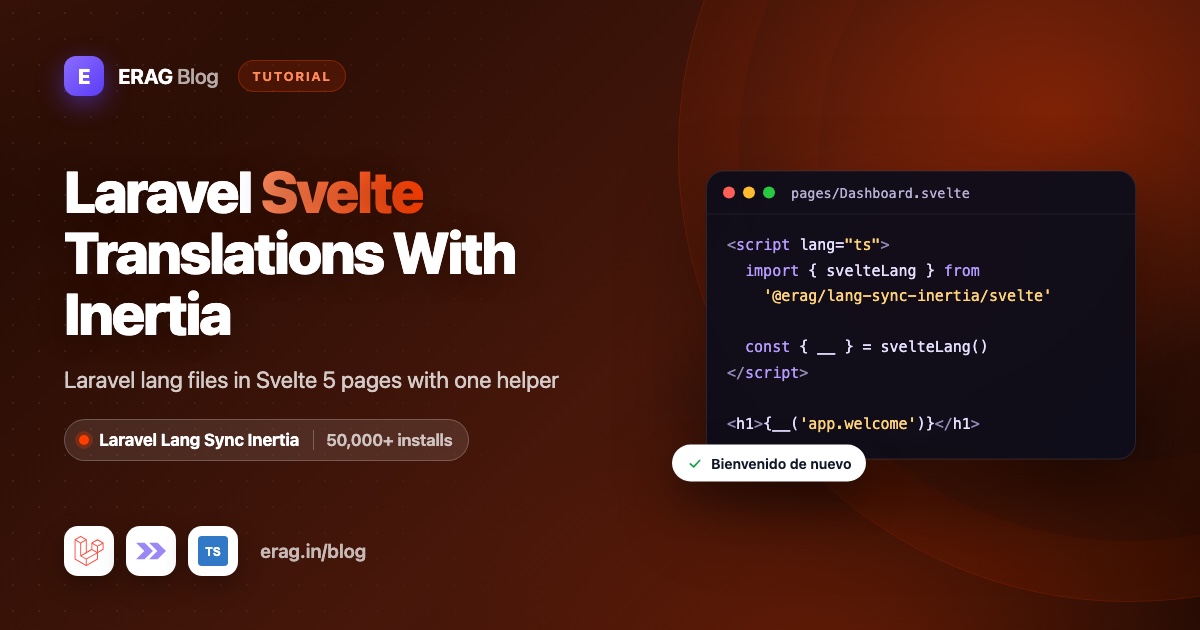
To add Laravel Svelte translations, keep your text in Laravel's normal lang files, set the locale in a middleware that calls syncLangFiles(), and read the strings in Svelte 5 with __() from svelteLang(). Both helpers come from Laravel Lang Sync Inertia. svelteLang() reads page.props.lang from Inertia's reactive page state, so the text in your templates changes by itself when the user switches language.
Install it first:
composer require erag/laravel-lang-sync-inertia
npm install @erag/lang-sync-inertia
php artisan erag:install-lang
Laravel Lang Sync Inertia has more than 50,000 installs on Packagist. erag:install-lang publishes config/inertia-lang.php, and the defaults work as they are.
This guide uses the official Laravel Svelte starter kit (laravel/svelte-starter-kit, with Laravel 13, Inertia v3, Svelte 5 and TypeScript). The same steps work in any Laravel Inertia Svelte app.
The short version
- Install Laravel Lang Sync Inertia with the three commands above.
- Put your interface text in
lang/en/app.phpandlang/es/app.php. - Add a
SetLocalemiddleware that callsApp::setLocale()and thensyncLangFiles('app'). - In Svelte, write
const { __ } = svelteLang()and{__('app.nav.dashboard')}. - Wrap values you compute in
<script>with$derived, so they update after a language switch. - Add a
LanguageSwitcher.sveltethat callsrouter.post('/language', { locale }).
What do you need for Svelte translations?
- Laravel 13 and PHP 8.3 or newer
- Inertia v3, which means
@inertiajs/svelte3.x - Svelte 5
svelteLang() reads the page object that @inertiajs/svelte v3 exposes as Svelte 5 state, so it needs v3. If you don't have an app yet, run laravel new my-app and pick Svelte when the installer asks for a starter kit.
Create your translation files
Your interface text goes in a normal Laravel PHP language file. Laravel Lang Sync Inertia loads PHP group files like lang/es/app.php, the same files Blade and your controllers use. There is no second JSON copy to keep in sync.
New Laravel 13 apps have no lang folder, so create these files yourself. If your language files come from laravel-lang/lang, keep them: lang/es/validation.php and lang/es/auth.php work with this setup as they are.
<?php

// lang/en/app.php

return [
    'nav' => [
        'platform' => 'Platform',
        'dashboard' => 'Dashboard',
    ],
    'login' => [
        'title' => 'Log in to your account',
        'description' => 'Enter your email and password below to log in',
        'head' => 'Log in',
        'email' => 'Email address',
        'password' => 'Password',
    ],
    'dashboard' => [
        'welcome' => 'Welcome back, :name!',
        'projects' => '{0} You have no projects yet|{1} You have one project|[2,*] You have :count projects',
    ],
    'language' => 'Language',
];<?php
// lang/es/app.php
return [
'nav' => [
'platform' => 'Plataforma',
'dashboard' => 'Panel',
],
'login' => [
'title' => 'Inicie sesión en su cuenta',
'description' => 'Ingrese su correo electrónico y contraseña a continuación para iniciar sesión',
'head' => 'Iniciar sesión',
'email' => 'Correo electrónico',
'password' => 'Contraseña',
],
'dashboard' => [
'welcome' => '¡Bienvenido de nuevo, :name!',
'projects' => '{0} Aún no tiene proyectos|{1} Tiene un proyecto|[2,*] Tiene :count proyectos',
],
'language' => 'Idioma',
];Keep the keys identical in every language.
Set the locale and call syncLangFiles()
A middleware decides the language for each request and shares the file. Create it with php artisan make:middleware SetLocale:
<?php

namespace App\Http\Middleware;

use Closure;
use Illuminate\Http\Request;
use Illuminate\Support\Facades\App;
use Symfony\Component\HttpFoundation\Response;

class SetLocale
{
    /**
     * Languages the app supports, keyed by locale code.
     *
     * @var array<string, string>
     */
    public const LOCALES = [
        'en' => 'English',
        'es' => 'Español',
    ];

    public function handle(Request $request, Closure $next): Response
    {
        $locale = $request->session()->get('locale', config('app.locale'));

        App::setLocale(array_key_exists($locale, self::LOCALES) ? $locale : config('app.locale'));

        syncLangFiles('app');

        return $next($request);
    }
}
The order inside handle() matters. syncLangFiles() reads lang/{current locale}/app.php at the moment you call it, so it must come after App::setLocale(). Load each group once per request. The package caches groups by name, so a second call for app returns the first result even if the locale changed in between.
Add the middleware to the starter kit's web group in bootstrap/app.php:
use App\Http\Middleware\HandleAppearance;
use App\Http\Middleware\HandleInertiaRequests;
use App\Http\Middleware\SetLocale;
use Illuminate\Http\Middleware\AddLinkHeadersForPreloadedAssets;

->withMiddleware(function (Middleware $middleware): void {
    $middleware->encryptCookies(except: ['appearance', 'sidebar_state']);

    $middleware->web(append: [
        SetLocale::class,
        HandleAppearance::class,
        HandleInertiaRequests::class,
        AddLinkHeadersForPreloadedAssets::class,
    ]);
})
Because it sits in the web group, it runs for every page in the kit, Fortify's login and register routes included.
Add a route that saves the choice, in routes/web.php:
use App\Http\Middleware\SetLocale;
use Illuminate\Http\Request;
use Illuminate\Validation\Rule;

Route::post('language', function (Request $request) {
    $validated = $request->validate([
        'locale' => ['required', Rule::in(array_keys(SetLocale::LOCALES))],
    ]);

    $request->session()->put('locale', $validated['locale']);

    return back();
})->name('language.update');
Finally, tell the frontend which language is active. In app/Http/Middleware/HandleInertiaRequests.php, add two entries to the array share() already returns, and import App\Http\Middleware\SetLocale at the top:
'locale' => fn () => app()->getLocale(),
'locales' => SetLocale::LOCALES,
You don't add lang yourself. Laravel Lang Sync Inertia shares it on every Inertia response.
Load only what each page needs
app.php is for text every page uses. Page-specific text can live in its own group and load only where it's used:
// app/Http/Controllers/BillingController.php
public function index(): Response
{
    syncLangFiles('billing');

    return Inertia::render('billing/Index');
}
The billing page now has both app and billing. Other pages never download the billing text. Nested folders work the same way: syncLangFiles('settings.profile') loads lang/es/settings/profile.php, and Svelte reads it as __('settings.profile.title').
If you'd rather share everything everywhere, php artisan erag:generate-lang exports every PHP language file to JSON in resources/js/lang/{locale}/. The package merges the exported files for the active locale into the lang prop on each response, and groups loaded with syncLangFiles() win. Run it again after you edit a language file.
Add TypeScript types for the shared props
The kit types its shared props in resources/js/types/global.d.ts. Add lang, locale and locales there, using the LangObject type from the package:
import type { LangObject } from '@erag/lang-sync-inertia';
import type { Auth } from '@/types/auth';

declare module '@inertiajs/core' {
    export interface InertiaConfig {
        sharedPageProps: {
            name: string;
            auth: Auth;
            sidebarOpen: boolean;
            lang: LangObject;
            locale: string;
            locales: Record<string, string>;
            [key: string]: unknown;
        };
    }
}
Keep the kit's existing vite/client block in the same file. import type is removed at build time, so importing the type from the package root is safe. Now page.props.locale is a string and page.props.locales is a Record<string, string> across your app. The helpers are typed too: __() and trans() take a key and an optional object of replacements, and return a string.
Use svelteLang() in a Svelte 5 component
Here is a dashboard page using all three helpers:
<script lang="ts">
    import { svelteLang } from '@erag/lang-sync-inertia/svelte';
    import { page } from '@inertiajs/svelte';
    import AppHead from '@/components/AppHead.svelte';

    let { projectCount }: { projectCount: number } = $props();

    const { __, trans, transChoice } = svelteLang();

    const pageTitle = $derived(__('app.nav.dashboard'));
</script>

<AppHead title={pageTitle} />

<h1 class="text-xl font-semibold">
    {trans('app.dashboard.welcome', { name: page.props.auth.user.name })}
</h1>

<p>{transChoice('app.dashboard.projects', projectCount)}</p>
projectCount comes from your controller. In Spanish, this shows "¡Bienvenido de nuevo, Ana!" and "Tiene 3 proyectos".
Import from @erag/lang-sync-inertia/svelte. The package root also re-exports the Vue and React helpers, which import @inertiajs/vue3 and @inertiajs/react, and a Svelte app doesn't have those installed.
Install Laravel Lang Sync Inertia
Run composer require erag/laravel-lang-sync-inertia, npm install @erag/lang-sync-inertia and php artisan erag:install-lang. The Svelte guide lists every helper with examples.
Does svelteLang() update when the language changes?
Yes, and it helps to know why. This is the whole Svelte entry point of the package:
// @erag/lang-sync-inertia/svelte
import { usePage } from '@inertiajs/svelte';
import { createLang } from '../core/translator';

export function useLang() {
    const page = usePage();

    return createLang(() => page.props.lang);
}
It doesn't subscribe to a store. In Inertia v3, usePage() returns the page object itself, and that object is Svelte 5 $state. Every call to __() reads page.props.lang at that moment. Svelte tracks reads of state inside template expressions and inside $derived, so it knows which parts of the page depend on the translations.
Here is what happens when someone switches to Spanish:
router.post('/language', { locale: 'es' })sends the choice.- The route saves
esin the session and redirects back. - Inertia follows the redirect and asks for the same page again.
SetLocalecallsApp::setLocale('es'), thensyncLangFiles('app')loadslang/es/app.php.- The response carries the new
langprop, and Inertia copies the new page into its$statepage object. - Svelte re-runs every template expression and
$derivedthat called__(). The text changes without a full reload.
That gives you three cases to remember:
const { __ } = svelteLang();

// Updates: Svelte tracks it inside the template.
// <h1>{__('app.nav.dashboard')}</h1>

// Updates: $derived re-runs when page.props.lang changes.
const title = $derived(__('app.nav.dashboard'));

// Never updates: runs once, when the component is created.
const staleTitle = __('app.nav.dashboard');
The third case matters most in layouts. The sidebar stays on screen while you move between pages, so a plain array built in <script> keeps its first language. In the kit's resources/js/components/AppSidebar.svelte, wrap the items in $derived:
<script lang="ts">
    import { svelteLang } from '@erag/lang-sync-inertia/svelte';
    import LayoutGrid from '@lucide/svelte/icons/layout-grid';
    import { dashboard } from '@/routes';
    import type { NavItem } from '@/types';

    const { __ } = svelteLang();

    const mainNavItems: NavItem[] = $derived([
        {
            title: __('app.nav.dashboard'),
            href: dashboard(),
            icon: LayoutGrid,
        },
    ]);
</script>
Keep the rest of the file as it is. In NavMain.svelte, replace the hard-coded "Platform" label with {__('app.nav.platform')}.
Translate the login page title and description
The kit's login page sets its card title in a <script module> block:
<script module lang="ts">
    export const layout = {
        title: 'Log in to your account',
        description: 'Enter your email and password below to log in',
    };
</script>
A module script runs once, when the file is first imported, so a __() call there would be stuck in the first language. Pass translation keys instead, and translate them in the layout:
<script module lang="ts">
    export const layout = {
        title: 'app.login.title',
        description: 'app.login.description',
    };
</script>
Then in resources/js/layouts/AuthLayout.svelte:
<script lang="ts">
    import { svelteLang } from '@erag/lang-sync-inertia/svelte';
    import type { Snippet } from 'svelte';
    import AuthLayout from '@/layouts/auth/AuthSimpleLayout.svelte';

    let {
        title = '',
        description = '',
        children,
    }: {
        title?: string;
        description?: string;
        children?: Snippet;
    } = $props();

    const { __ } = svelteLang();
</script>

<AuthLayout title={__(title)} description={__(description)}>
    {@render children?.()}
</AuthLayout>
When a key isn't found, __() returns the key itself. So auth pages you haven't converted yet still show their English titles, and you can move them over one at a time. Inside the page, use {__('app.login.email')} for labels and <AppHead title={__('app.login.head')} /> for the browser tab.
Placeholders with trans()
Use Laravel's :name style in your PHP files and pass an object with the same names, without the colon:
trans('app.dashboard.welcome', { name: 'Ana' });
// "¡Bienvenido de nuevo, Ana!"
__() accepts the same object, and older {name} placeholders work too. Two things to watch. If you pass a plain string instead of an object, it's added to the end of the text, not put into the placeholder. And if the key is missing, you get the key back with no replacements made.
Plurals with transChoice() and explicit conditions
transChoice() and its alias trans_choice() pick a form by count and fill in :count:
transChoice('app.dashboard.projects', 0); // "Aún no tiene proyectos"
transChoice('app.dashboard.projects', 1); // "Tiene un proyecto"
transChoice('app.dashboard.projects', 7); // "Tiene 7 proyectos"
The frontend helper doesn't know each language's plural rules. Laravel's server-side trans_choice() does. Without conditions, the frontend uses the first form for 1 and the last form for every other number, which is right for English and Spanish but wrong for many languages. So write explicit conditions: {0} for an exact number, [2,*] for a range.
For languages where the form depends on the last digits, like Russian or Polish, ranges can't describe every rule. Build that sentence on the server with the same key and send the finished text:
return Inertia::render('Dashboard', [
    'projectsLabel' => trans_choice('app.dashboard.projects', $projectCount),
]);
Add a LanguageSwitcher.svelte
Create resources/js/components/LanguageSwitcher.svelte:
<script lang="ts">
    import { svelteLang } from '@erag/lang-sync-inertia/svelte';
    import { page, router } from '@inertiajs/svelte';

    const { __ } = svelteLang();

    const currentLocale = $derived(page.props.locale);
    const locales = $derived(Object.entries(page.props.locales));

    function switchLanguage(locale: string): void {
        if (locale === currentLocale) {
            return;
        }

        router.post(
            '/language',
            { locale },
            {
                preserveScroll: true,
                onSuccess: () => router.flushAll(),
            },
        );
    }
</script>

<div role="group" aria-label={__('app.language')} class="flex gap-1">
    {#each locales as [code, label] (code)}
        <button
            type="button"
            class="rounded-md px-2 py-1 text-sm"
            class:font-semibold={code === currentLocale}
            aria-pressed={code === currentLocale}
            onclick={() => switchLanguage(code)}
        >
            {label}
        </button>
    {/each}
</div>
Put it in the sidebar footer in AppSidebar.svelte, next to <NavUser />, and in AuthSimpleLayout.svelte for visitors who aren't logged in.
router.flushAll() clears Inertia's prefetch cache. The kit prefetches some links, and those cached pages carry the old language. The kit's own logout menu calls router.flushAll() for a similar reason. If you use Wayfinder, you can swap '/language' for the generated route function once the route exists.
Translated validation errors in Svelte
Validation messages are created by Laravel on the server, so Svelte only has to show them. The kit's login form already passes errors.email to <InputError />, and that keeps working without changes.
What makes them Spanish is the locale. Because SetLocale runs in the web group, Fortify's login and registration routes see es before they validate, and Laravel builds each message from lang/es/validation.php and lang/es/auth.php. The Spanish validation file says 'required' => 'El campo :attribute es obligatorio.'. Add a friendly field name at the bottom of the same file:
'attributes' => [
    'email' => 'correo electrónico',
],
Now an empty email field shows "El campo correo electrónico es obligatorio.", and a wrong password shows "Estas credenciales no coinciden con nuestros registros." from lang/es/auth.php.
You don't need syncLangFiles('validation') for this. Only share a group when your Svelte code calls __() with its keys, for example to show validation text in the browser before the form is sent. More on this in keeping Laravel validation errors in sync with Inertia.
Test it with Pest
Two short tests check that the right file is shared and that the switcher route saves the choice:
<?php

use Inertia\Testing\AssertableInertia as Assert;

it('shares Spanish translations with Svelte pages', function () {
    $this->withSession(['locale' => 'es'])
        ->get(route('home'))
        ->assertInertia(fn (Assert $page) => $page
            ->where('locale', 'es')
            ->where('lang.app.nav.dashboard', 'Panel')
        );
});

it('saves the chosen language', function () {
    $this->post(route('language.update'), ['locale' => 'es'])
        ->assertRedirect()
        ->assertSessionHas('locale', 'es');
});
Common problems and fixes
The text doesn't change after switching language
A value was computed once. Look for const x = __('...') in a <script> block, or a __() call in <script module>. Wrap the first in $derived, and pass keys instead of text from module scripts.
I see app.nav.dashboard instead of the text
The key wasn't found. Check that syncLangFiles('app') runs after App::setLocale(), that lang/{locale}/app.php exists for the current language, and that the key is spelled the same in PHP and Svelte. There is no fallback language on the frontend: a missing lang/es/app.php means an empty group in Spanish.
Vite can't resolve @inertiajs/vue3
You imported from the package root. Change the import to @erag/lang-sync-inertia/svelte.
"Cannot read properties of undefined (reading 'lang')"
You're on @inertiajs/svelte v2, where usePage() returns a store. Upgrade to Inertia v3, which the Laravel 13 starter kit already uses.
Validation errors are still in English
lang/es/validation.php is missing, or SetLocale isn't in the web group. Add the file and check bootstrap/app.php.
The old language shows for a moment after switching
A prefetched page from the cache was shown. Call router.flushAll() after the switch succeeds, as the switcher above does.
Frequently asked questions
Is there an official Laravel Svelte starter kit?
Yes. laravel/svelte-starter-kit is Laravel's official Svelte kit, built with Inertia v3, Svelte 5, TypeScript, Tailwind and shadcn-svelte. Run laravel new my-app and choose Svelte. It doesn't include translations, which is what Laravel Lang Sync Inertia adds.
How do I use Laravel translations in Svelte?
Install Laravel Lang Sync Inertia, call syncLangFiles('app') in a middleware after App::setLocale(), and use const { __ } = svelteLang() in your components. Your Svelte code then reads the same lang/{locale}/app.php files Laravel uses.
Is svelteLang() reactive in Svelte 5?
Yes. It reads page.props.lang from Inertia's $state page object every time you call __(). Calls inside the template or inside $derived re-run when Inertia loads a page with new translations.
When do I need $derived for translations?
Use $derived whenever you store a translated value in a variable in <script>, such as a page title or a list of navigation items. Calls written directly in the template don't need it.
Can svelteLang() read lang/es.json translations?
No. syncLangFiles() loads PHP group files only. Laravel still uses lang/es.json on the server, so messages built there, like flash toasts, arrive translated. For text your Svelte code reads, use a PHP file such as lang/es/app.php.
Does transChoice support Laravel's plural rules?
It supports Laravel's plural syntax, including {0}, {1} and [2,*] conditions. It doesn't apply each language's grammar rules the way the server-side trans_choice() does, so write explicit conditions, or build complex plurals on the server.
How do I translate validation errors in a Laravel Svelte app?
Set the locale in a web middleware and make sure lang/es/validation.php and lang/es/auth.php exist. Laravel then creates the errors in the user's language, and the kit's <InputError /> shows them without changes.
Does it work with TypeScript?
Yes. The helpers ship with types, and the package exports a LangObject type you can add to InertiaConfig in resources/js/types/global.d.ts, so page.props.lang and your other shared props are typed.
Install Laravel Lang Sync Inertia
Your Svelte pages can read Laravel's language files in three commands:
composer require erag/laravel-lang-sync-inertia
npm install @erag/lang-sync-inertia
php artisan erag:install-lang
You keep one set of language files, use the same keys as Blade, and share only the groups each page needs. Placeholders, plurals, nested folders, TypeScript types and JSON export are built in, with the same helpers for Vue and React if you ever switch.
- Documentation: Svelte guide, Laravel setup and the full docs
- Source: GitHub
- Package: Packagist
Keep reading:
- The complete Laravel Lang Sync Inertia setup for Vue and React, the same approach for the other two frameworks.
- Translate Laravel pagination, for list pages and "Showing 1 to 10 of 50 results".
- Laravel Svelte SaaS starter kit, a full Svelte 5 app whose translations are built on this package.
