
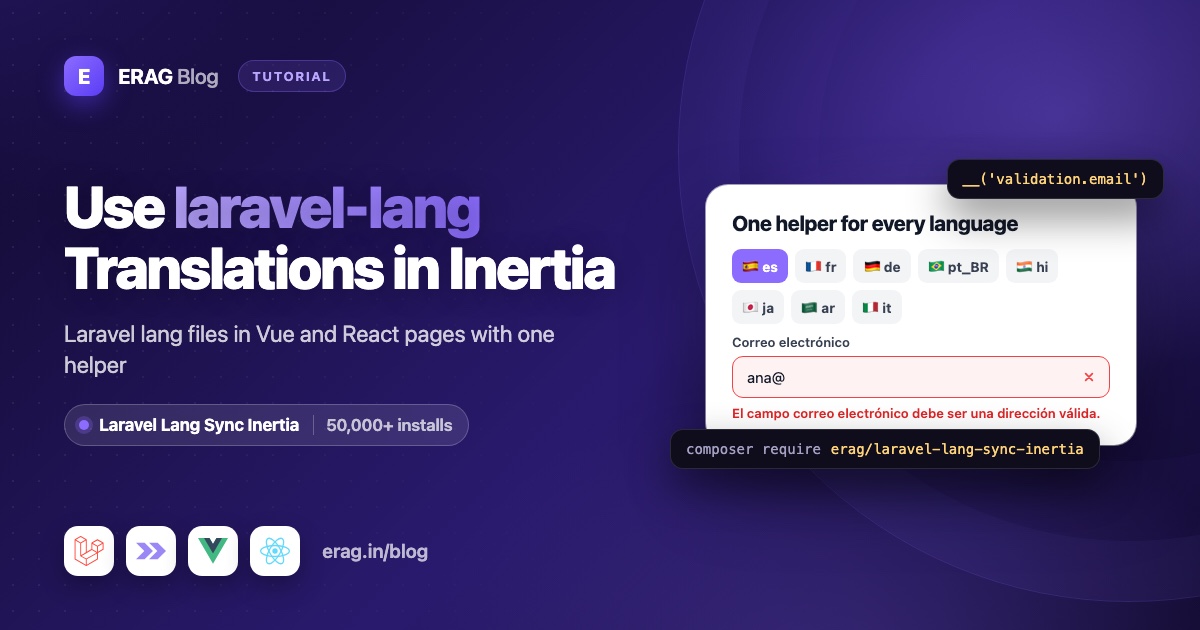
If your language files come from laravel-lang/lang, you don't need a second set of translations for Vue or React. Laravel Lang Sync Inertia reads the same PHP files Laravel uses, such as lang/es/validation.php, shares them with your Inertia pages, and gives your components a __() helper with the same keys as Blade. One syncLangFiles() call in Laravel, one vueLang() or reactLang() call in your component, and __('validation.required') shows the Spanish message.
Install it in three commands:
composer require erag/laravel-lang-sync-inertia
npm install @erag/lang-sync-inertia
php artisan erag:install-lang
Laravel Lang Sync Inertia has more than 50,000 installs on Packagist. It supports Laravel 8 to 13, and its frontend helpers work with Inertia v2 and v3 in Vue, React and Svelte. This guide uses Laravel 13, Inertia v3, Vue 3.5 and React 19.
The short version
- Install the package with the three commands above.
- Make sure each language has its PHP group files, such as
lang/es/validation.phpandlang/es/actions.php. Nolangfolder yet? See Laravel lang folder missing. - In a
SetLocalemiddleware, callApp::setLocale(), thensyncLangFiles(['actions', 'app'])for text every page needs. - In controllers, load page-specific groups:
syncLangFiles(['pagination', 'validation']). - In components, call
const { __ } = vueLang()orreactLang()and write__('actions.save'). - Optional: run
php artisan erag:generate-langto export the same files to JSON.
How does Laravel Lang Sync Inertia read your lang files?
It reads PHP group files: lang/{locale}/{group}.php, for the locale that is active in the request. A group is just the file name, so lang/es/validation.php is the validation group and its required line is validation.required, exactly as in Blade.
If your translations come from laravel-lang/lang, running php artisan lang:add es has already written actions.php, auth.php, http-statuses.php, pagination.php, passwords.php and validation.php into lang/es/. Your own files, like lang/es/app.php, work the same way. The package doesn't care who wrote a file.
php artisan erag:install-lang published config/inertia-lang.php. The defaults match a standard Laravel 13 app:
// config/inertia-lang.php
return [
    'lang_path' => base_path('lang'),
    'output_lang' => resource_path('js/lang'),
];
lang_path is where the package reads PHP files. output_lang is where the optional JSON export writes. Two rules follow from reading PHP files directly. There is no fallback locale, so every language needs its own copy of each group you load. And JSON string files like lang/es.json are not read, so keep interface text in a PHP group such as lang/es/app.php.
How do I share lang files with every Inertia page?
Create a middleware that picks the language and loads the groups every page needs:
php artisan make:middleware SetLocale<?php
namespace App\Http\Middleware;
use Closure;
use Illuminate\Http\Request;
use Illuminate\Support\Facades\App;
use Symfony\Component\HttpFoundation\Response;
class SetLocale
{
/**
* The languages this app supports.
*
* @var array<int, string>
*/
public const SUPPORTED = ['en', 'es', 'pt_BR'];
public function handle(Request $request, Closure $next): Response
{
$locale = $request->session()->get('locale', config('app.locale'));
App::setLocale(in_array($locale, self::SUPPORTED, true) ? $locale : config('app.locale'));
syncLangFiles(['actions', 'app']);
return $next($request);
}
}Register it in bootstrap/app.php, ahead of your other web middleware:
use App\Http\Middleware\SetLocale;

->withMiddleware(function (Middleware $middleware): void {
    $middleware->web(append: [
        SetLocale::class,
        HandleInertiaRequests::class,
        // ...the rest of your existing list
    ]);
})
Share the active locale in app/Http/Middleware/HandleInertiaRequests.php, so components can highlight it:
public function share(Request $request): array
{
    return [
        ...parent::share($request),
        'locale' => fn () => app()->getLocale(),
    ];
}
The order matters. syncLangFiles() reads files for the locale that is active when you call it, and it caches each group by name for the rest of the request. Call it after App::setLocale(). If you call it earlier, for example at the top of routes/web.php, English gets loaded and stays.
Which lang groups should each page load?
Only the ones it uses. Each group you load travels with the Inertia response, so loading per page keeps responses small. This is how I split them:
| Page | Call | Keys you get |
|---|---|---|
| Every page | syncLangFiles(['actions', 'app']) in SetLocale | actions.save, actions.cancel, app.nav.dashboard |
| Lists with Previous and Next links | syncLangFiles('pagination') | pagination.previous, pagination.next |
| Forms that check input in the browser | syncLangFiles('validation') | validation.required, validation.attributes.email |
| Error pages | syncLangFiles('http-statuses') | http-statuses.404, http-statuses.500 |
| Login and password reset | Nothing extra | Laravel sends auth.failed and passwords.sent already translated |
Page-specific groups go in the controller, before you render:
public function index(Request $request): Response
{
    syncLangFiles(['pagination', 'validation']);

    $users = User::query()
        ->select(['id', 'name', 'email'])
        ->when($request->filled('email'), fn ($query) => $query->where('email', 'like', '%'.$request->input('email').'%'))
        ->paginate(15)
        ->withQueryString();

    return Inertia::render('Users/Index', ['users' => $users]);
}
Everything you load in the middleware and the controller is merged into one lang prop. This page can use actions, app, pagination and validation keys together.
How do I use the translations in Vue with vueLang()?
Import vueLang from the /vue entry and call it in <script setup>. This users page uses three groups: actions for buttons, pagination for the links, and validation for a check that runs before the search is sent.
<script setup lang="ts">
import { vueLang } from '@erag/lang-sync-inertia/vue';
import { Link, router } from '@inertiajs/vue3';
import { ref } from 'vue';
type User = { id: number; name: string; email: string };
defineProps<{
users: {
data: User[];
prev_page_url: string | null;
next_page_url: string | null;
};
}>();
const { __ } = vueLang();
const email = ref('');
const emailError = ref('');
// The pagination lines contain « and »
function pageLabel(key: string): string {
return __(key).replace('«', '«').replace('»', '»');
}
// "El campo correo electrónico es obligatorio."
function ruleMessage(rule: string, field: string): string {
const name = __(`validation.attributes.${field}`);
return __(`validation.${rule}`, {
attribute: name,
Attribute: name.charAt(0).toUpperCase() + name.slice(1),
});
}
function search(): void {
if (email.value.trim() === '') {
emailError.value = ruleMessage('required', 'email');
return;
}
emailError.value = '';
router.get('/users', { email: email.value }, { preserveState: true });
}
</script>
<template>
<div>
<form @submit.prevent="search">
<input v-model="email" type="email" :aria-label="__('validation.attributes.email')" />
<button type="submit">{{ __('actions.search') }}</button>
<p v-if="emailError" class="text-sm text-red-600">{{ emailError }}</p>
</form>
<ul>
<li v-for="user in users.data" :key="user.id">
{{ user.name }}
<Link :href="`/users/${user.id}/edit`">{{ __('actions.edit') }}</Link>
<button type="button">{{ __('actions.delete') }}</button>
</li>
</ul>
<nav>
<Link v-if="users.prev_page_url" :href="users.prev_page_url">
{{ pageLabel('pagination.previous') }}
</Link>
<Link v-if="users.next_page_url" :href="users.next_page_url">
{{ pageLabel('pagination.next') }}
</Link>
</nav>
</div>
</template>With the Spanish files, the buttons read "Buscar", "Editar" and "Borrar", and the links read "« Anterior" and "Siguiente »". An empty search shows "El campo correo electrónico es obligatorio." before any request is sent. The keys are the same ones you would use in Blade, and there is no JSON file to keep in sync.
Two details in this page:
- Pagination entities. The Spanish pagination file says
Siguiente », just like Laravel's English file uses». Vue escapes text, sopageLabel()swaps the entities for the real characters. - Field names.
validation.attributes.emailholds the translated field name, so the message says "correo electrónico" instead of "email".
How do I use the same translations in React with reactLang()?
The Laravel side doesn't change. In React, reactLang() reads page props through Inertia's usePage() hook, so call it inside your component.
import { reactLang } from '@erag/lang-sync-inertia/react';
import { Link, router } from '@inertiajs/react';
import { useState } from 'react';

type User = { id: number; name: string; email: string };

type Props = {
    users: {
        data: User[];
        prev_page_url: string | null;
        next_page_url: string | null;
    };
};

export default function UsersIndex({ users }: Props) {
    const { __ } = reactLang();
    const [email, setEmail] = useState('');
    const [emailError, setEmailError] = useState('');

    // The pagination lines contain « and »
    const pageLabel = (key: string): string => __(key).replace('«', '«').replace('»', '»');

    function ruleMessage(rule: string, field: string): string {
        const name = __(`validation.attributes.${field}`);

        return __(`validation.${rule}`, {
            attribute: name,
            Attribute: name.charAt(0).toUpperCase() + name.slice(1),
        });
    }

    function search(): void {
        if (email.trim() === '') {
            setEmailError(ruleMessage('required', 'email'));

            return;
        }

        setEmailError('');
        router.get('/users', { email }, { preserveState: true });
    }

    return (
        <div>
            <form
                onSubmit={(event) => {
                    event.preventDefault();
                    search();
                }}
            >
                <input
                    type="email"
                    value={email}
                    onChange={(event) => setEmail(event.target.value)}
                    aria-label={__('validation.attributes.email')}
                />
                <button type="submit">{__('actions.search')}</button>
                {emailError && <p className="text-sm text-red-600">{emailError}</p>}
            </form>

            <ul>
                {users.data.map((user) => (
                    <li key={user.id}>
                        {user.name}
                        <Link href={`/users/${user.id}/edit`}>{__('actions.edit')}</Link>
                        <button type="button">{__('actions.delete')}</button>
                    </li>
                ))}
            </ul>

            <nav>
                {users.prev_page_url && <Link href={users.prev_page_url}>{pageLabel('pagination.previous')}</Link>}
                {users.next_page_url && <Link href={users.next_page_url}>{pageLabel('pagination.next')}</Link>}
            </nav>
        </div>
    );
}
Import from @erag/lang-sync-inertia/vue or @erag/lang-sync-inertia/react, not the package root. Each entry loads only the helper for your framework.
Not using it yet? Run composer require erag/laravel-lang-sync-inertia and npm install @erag/lang-sync-inertia, and the code above works in your app. The installation guide has the details.
How do placeholders work in __()?
Exactly like Laravel. Pass an object, and each :name in the line is replaced by the matching key. The Spanish auth.php file has this throttle line:
'throttle' => 'Demasiados intentos de acceso. Por favor intente nuevamente en :seconds segundos.',__('auth.throttle', { seconds: 60 });
// Demasiados intentos de acceso. Por favor intente nuevamente en 60 segundos.Older files that use {name} placeholders work too. If you don't pass a value, the placeholder stays as it is, which makes a missing value easy to spot.
One difference from Laravel: the server also fills :Attribute and :ATTRIBUTE with capitalized versions of attribute. The frontend helper only replaces keys you pass. German and Hindi validation lines start with :Attribute, so pass both spellings, as ruleMessage() does above.
How do plurals work with transChoice()?
Write the plural line in Laravel's syntax in your own file:
// lang/es/app.php
'users_found' => '{0} No se encontraron usuarios|{1} Se encontró un usuario|[2,*] Se encontraron :count usuarios',const { transChoice } = vueLang(); // or reactLang()
transChoice('app.users_found', 0); // No se encontraron usuarios
transChoice('app.users_found', 12); // Se encontraron 12 usuarios:count is filled in for you. trans_choice() is the same function under Laravel's name.
Use explicit conditions like {0}, {1} and [2,*]. Without them, the frontend helper uses the first form for 1 and the last form for everything else. That is right for English and Spanish, but not for French and Hindi, which treat 0 as singular, or for Russian and Arabic, which have more forms. Laravel's server-side trans_choice() knows each language's rules, so it's the safer choice for those languages.
Can I load nested lang groups?
Yes. Put files in subfolders and use dots in syncLangFiles():
// Reads lang/es/admin/users.php
syncLangFiles('admin.users');__('admin.users.title');This keeps big apps tidy. An admin area can load admin.users and admin.billing without shipping either to the public pages.
How do validation errors work with Inertia forms?
You don't translate server errors in the browser at all. Laravel validates on the server with the active locale, so errors arrive already translated. Because SetLocale runs before Fortify, a failed Spanish login returns "Estas credenciales no coinciden con nuestros registros." from lang/es/auth.php, and your form shows it as is.
In Vue:
<p v-if="form.errors.email" class="text-sm text-red-600">{{ form.errors.email }}</p>In React:
{errors.email && <p className="text-sm text-red-600">{errors.email}</p>}Load the validation group only when you also check input in the browser, like the search box above. Then both kinds of message use the same lines from the same file. The guide to keeping validation errors in sync with Inertia goes further.
How do I add a language switcher?
Save the choice in the session and let SetLocale do the rest:
use App\Http\Middleware\SetLocale;
use Illuminate\Http\Request;
use Illuminate\Validation\Rule;

Route::post('locale', function (Request $request) {
    $validated = $request->validate([
        'locale' => ['required', Rule::in(SetLocale::SUPPORTED)],
    ]);

    $request->session()->put('locale', $validated['locale']);

    return back();
})->name('locale.update');
From any Vue or React component, post to it with Inertia's router:
router.post('/locale', { locale: 'pt_BR' }, { preserveScroll: true });Laravel saves the choice, redirects back, and Inertia reloads the page with the new lang prop. For complete switcher components and sidebar labels that update in persistent layouts, see the Vue starter kit guide or the React starter kit guide.
How do I export translations to JSON with erag:generate-lang?
Runtime sharing is the default, but one command also exports your PHP files to JSON:
php artisan erag:generate-langIt writes every group of every locale to output_lang, keeping folders intact:
resources/js/lang/
├── en/
│   ├── actions.json
│   └── validation.json
└── es/
    ├── actions.json
    ├── admin/
    │   └── users.json
    └── validation.json
The exported files for the active locale are merged into the shared lang prop automatically, and anything you load with syncLangFiles() wins over them. Your components don't change. Keep in mind that every exported group for the active locale is sent with every Inertia response, so export only what you are happy to send everywhere.
The export is a copy, so rerun it whenever the PHP files change. If you refresh files from laravel-lang/lang with php artisan lang:update, add the export after it in composer.json:
{
    "scripts": {
        "post-update-cmd": [
            "@php artisan vendor:publish --tag=laravel-assets --ansi --force",
            "@php artisan lang:update",
            "@php artisan erag:generate-lang"
        ]
    }
}
With runtime sharing alone, there is nothing to rerun. syncLangFiles() reads the PHP files on every request. The export docs cover the details.
How do I type the lang prop in TypeScript?
The helpers are already typed: __(), trans() and transChoice() return strings and accept a Record<string, string | number> of replacements. To type the shared props too, add them to Inertia's InertiaConfig in a declaration file, using the LangObject type the package exports:
// resources/js/types/global.d.ts
import type { LangObject } from '@erag/lang-sync-inertia';

declare module '@inertiajs/core' {
    export interface InertiaConfig {
        sharedPageProps: {
            lang: LangObject;
            locale: string;
        };
    }
}
If your app already augments InertiaConfig, add lang and locale to the existing sharedPageProps instead of declaring it twice.
Common problems and fixes
A key shows as text, like actions.save
The helper returns the key when it can't find a translation. Check that the group is loaded with syncLangFiles(), that the key is spelled the same in PHP and in your component, and that the file exists for the current locale. There is no fallback, so a missing lang/en/actions.php means an empty group for English visitors.
Switching language does nothing
syncLangFiles() ran before App::setLocale(). Call it only inside SetLocale or later, in controllers.
Pagination shows »
The pagination lines contain HTML entities. Replace them as pageLabel() does. The labels in the paginator's own links array come from the same file, so treat them the same way.
A German message shows :Attribute
Pass both attribute and Attribute to __(). The frontend helper doesn't capitalize placeholders for you.
Brazilian Portuguese shows keys or English
The locale code must match the folder name exactly. App::setLocale('pt-BR') reads lang/pt-BR/, but the folder is lang/pt_BR/. Use pt_BR everywhere, including SetLocale::SUPPORTED.
Strings from lang/es.json never appear
syncLangFiles() reads PHP group files only. Move the strings you need into a group such as lang/es/app.php and load app.
Frequently asked questions
Does Laravel Lang Sync Inertia work with laravel-lang/lang?
Yes. It reads the PHP group files in your lang folder, whoever wrote them. Load validation, actions, pagination or any other group with syncLangFiles() and read it with __().
Do I need separate JSON translation files for Vue or React?
No. Your components read the same PHP files Laravel uses, shared with each Inertia response. If you want static files anyway, php artisan erag:generate-lang creates them in one command.
Can I use the same keys as Blade?
Yes. __('validation.required') in a Vue or React component reads the same line as __('validation.required') in Blade. Placeholders like :attribute and plural lines work the same way.
How do I load only the translations a page needs?
Call syncLangFiles() in that page's controller with the groups it uses, such as syncLangFiles(['pagination', 'validation']). Keep groups every page needs in the middleware. Everything is merged into one lang prop.
What happens when a translation key is missing?
__() returns the key itself, such as app.nav.dashboard. That makes gaps easy to see on the page and in tests.
Does it work with Laravel 13 and Inertia v3?
Yes. The PHP package supports Laravel 8 to 13, and the npm helpers support Inertia v2 and v3.
Does it work with Svelte?
Yes. Import svelteLang from @erag/lang-sync-inertia/svelte. It returns the same __(), trans() and transChoice() helpers, and the Laravel side is identical. See the Svelte docs.
Does it support TypeScript?
Yes. The helpers are typed, and the package exports a LangObject type you can use to type the shared lang prop.
Install Laravel Lang Sync Inertia
Your Laravel lang files already hold every translation your Vue and React pages need. Laravel Lang Sync Inertia gets them there with one helper call on each side:
composer require erag/laravel-lang-sync-inertia
npm install @erag/lang-sync-inertia
php artisan erag:install-lang- Documentation: erag.in/laravel-lang-sync-inertia
- GitHub: eramitgupta/laravel-lang-sync-inertia. A star helps other developers find it.
- Packagist: erag/laravel-lang-sync-inertia
- Just added a language? Show the new language in Vue and React after
lang:add. - Paginated lists: translate pagination in Vue and React.
