
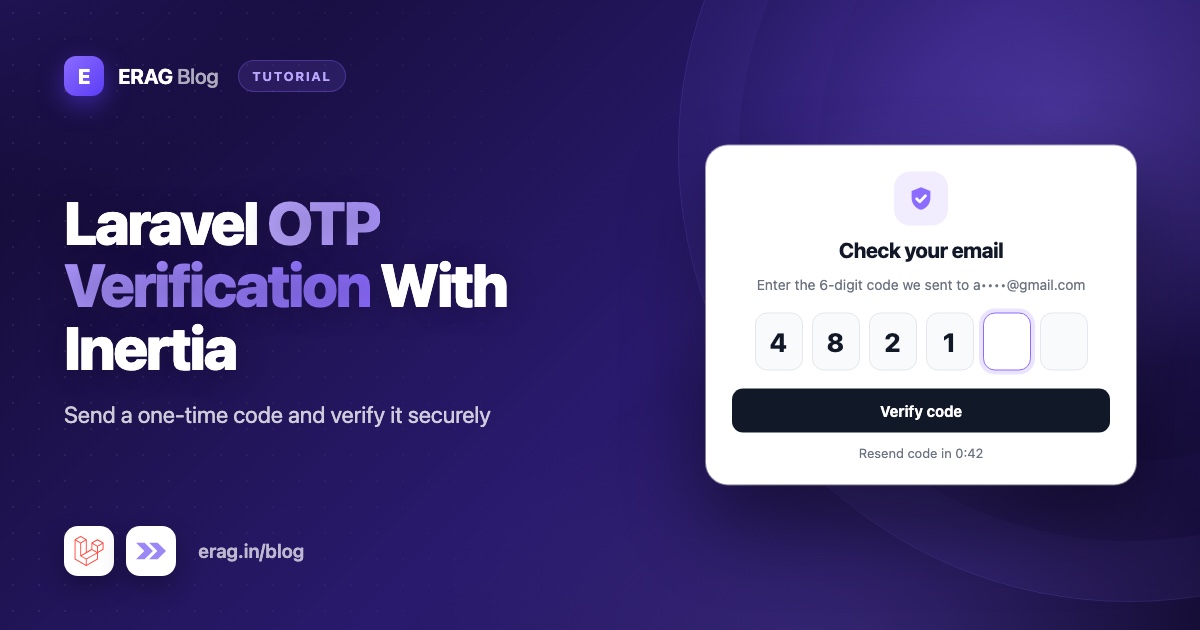
To add OTP verification in Laravel, generate a 6-digit code with random_int(), store only a hash of it with a short expiry, send it by email, and check the typed code with Hash::check() while RateLimiter limits the attempts. Everything on the server is plain Laravel. For the screen itself, the OtpInput field from Laravel Inertia Forms gives you a six-box code input in Vue or React that handles typing, pasting and autofill.
This guide builds a complete "email me a sign-in code" flow: request a code, receive it by email, enter it, get signed in. The same pieces work for verifying an email address or confirming a sensitive action.
The short version
- Generate the code with
sprintf('%06d', random_int(0, 999999)). - Store
Hash::make($code)in the cache for 10 minutes. Never store the plain code. - Send the code with a queued, encrypted Laravel notification.
- Check the typed code with
Hash::check()and delete it after one successful use. - Allow 5 wrong attempts per 10 minutes with
RateLimiter, and a 60-second cooldown on resends. - Show the same messages whether or not the email has an account.
- Collect the code with
OtpInput::make('code')->length(6)->autoSubmit().
How the OTP flow works
Here is the whole flow, one route at a time:
| Step | Route | What happens |
|---|---|---|
| 1 | GET login/code | The user types their email. |
| 2 | POST login/code | Laravel stores a hashed code and emails the real one. |
| 3 | GET login/code/verify | The user sees six boxes for the code. |
| 4 | POST login/code/verify | Laravel checks the code, then signs the user in. |
| 5 | POST login/code/resend | A new code replaces the old one, at most once a minute. |
How to generate a secure 6-digit code
$code = sprintf('%06d', random_int(0, 999999));random_int() uses your operating system's secure random source, so nobody can predict the next code. Avoid rand() and mt_rand() for anything security-related, because their output can be predicted.
sprintf('%06d', ...) pads the number with leading zeros, so 4821 becomes 004821. Every code is exactly 6 digits, and every one of the million possible codes is equally likely. Always treat the code as a string from here on, or a leading zero quietly disappears.
How to store the code safely
Put the code logic in one small class. It stores a hash in the cache, with the expiry handled by the cache itself:
<?php

namespace App\Support;

use App\Models\User;
use App\Notifications\LoginCodeNotification;
use Illuminate\Support\Facades\Cache;
use Illuminate\Support\Facades\Hash;

class OneTimeCode
{
    public const EXPIRES_IN_MINUTES = 10;

    public static function send(User $user): void
    {
        $code = sprintf('%06d', random_int(0, 999999));

        Cache::put(self::cacheKey($user), Hash::make($code), now()->addMinutes(self::EXPIRES_IN_MINUTES));

        $user->notify(new LoginCodeNotification($code));
    }

    public static function verify(User $user, string $code): bool
    {
        $hash = Cache::get(self::cacheKey($user));

        if (! is_string($hash) || ! Hash::check($code, $hash)) {
            return false;
        }

        Cache::forget(self::cacheKey($user));

        return true;
    }

    public static function cacheKey(User $user): string
    {
        return "login-code:{$user->id}";
    }
}
A few details matter here:
- Only the hash is stored. Anyone who can read your cache or database sees a hash, not a code they can type. Be honest with yourself about what that buys you: a 6-digit code has only a million options, so the hash alone can't stop a determined offline guess. The short expiry and attempt limits do that part.
- Sending a new code replaces the old one, because it writes to the same cache key.
- A code works once.
Cache::forget()removes it after a successful check. Hash::check()compares safely, without leaking timing hints about how close a guess was.
Your cache store has to keep data between requests. Laravel's default database store works. The array store doesn't, because it forgets everything when the request ends. If you prefer a table, store the same hash with an expires_at column and delete the row after use.
How to send the code by email
Generate a notification with php artisan make:notification LoginCodeNotification:
<?php

namespace App\Notifications;

use Illuminate\Bus\Queueable;
use Illuminate\Contracts\Queue\ShouldBeEncrypted;
use Illuminate\Contracts\Queue\ShouldQueue;
use Illuminate\Notifications\Messages\MailMessage;
use Illuminate\Notifications\Notification;

class LoginCodeNotification extends Notification implements ShouldBeEncrypted, ShouldQueue
{
    use Queueable;

    public function __construct(public string $code) {}

    /**
     * @return array<int, string>
     */
    public function via(object $notifiable): array
    {
        return ['mail'];
    }

    public function toMail(object $notifiable): MailMessage
    {
        return (new MailMessage)
            ->subject('Your sign-in code')
            ->line("Your sign-in code is {$this->code}.")
            ->line('It expires in 10 minutes. If you did not ask for it, you can ignore this email.');
    }
}
ShouldQueue sends the email in the background. That keeps the response fast, and it takes about the same time whether or not the address has an account, so timing gives nothing away. ShouldBeEncrypted encrypts the queued job, so the plain code isn't sitting readable in your jobs table while it waits.
Want SMS instead, or as well? Add an SMS channel to via(). Laravel's notification system accepts custom channels, so any SMS service can plug in without changing the rest of the flow.
The two forms: email and code
Laravel Inertia Forms describes each form in a PHP class. Install it once:
composer require erag/inertia-forms
php artisan erag:install-inertia-forms
npm install @erag/inertia-forms-vue
Use @erag/inertia-forms-react for React. The installation guide has the one-line Tailwind setup. Then create the two forms with php artisan make:form:
// app/Forms/RequestLoginCodeForm.php
class RequestLoginCodeForm extends Form
{
    protected ?string $actionRoute = 'login-code.store';

    public function fields(): array
    {
        return [
            TextInput::make('email')->email()->required()->autocomplete('email')->autofocus(),
            Submit::make('Email me a code')->fullWidth()->processingLabel('Sending…'),
        ];
    }
}// app/Forms/VerifyLoginCodeForm.php
class VerifyLoginCodeForm extends Form
{
protected ?string $actionRoute = 'login-code.verify';
public function fields(): array
{
return [
OtpInput::make('code')
->label('Sign-in code')
->length(6)
->groupSize(3)
->autoSubmit()
->required(),
Submit::make('Sign in')->fullWidth()->processingLabel('Checking…'),
];
}
}Each class imports its fields from Erag\InertiaForms\Fields and extends Erag\InertiaForms\Form.
How the OtpInput field works
The field shows one box per character. Typing moves focus to the next box, Backspace moves back, and the arrow keys move between boxes. Pasting spreads the code over the boxes and skips characters that don't belong, so a pasted 123-456 fills in 123456. The boxes use autocomplete="one-time-code", so phones can offer a code from an SMS and fill every box at once.
| Method | What it does |
|---|---|
length(6) | Number of boxes, from 2 to 12. The default is 6. |
groupSize(3) | Adds a small separator between groups, like 123 – 456. |
alphanumeric() | Allows letters as well as digits. Letters are upper-cased in the browser and on the server. |
password() | Hides the characters as they're typed, for PINs. |
autoSubmit() | Submits the form as soon as the last box is filled in. |
The value is a string like '123456'. The field generates required, string, size:6 and a digits-only regex rule, so a short code or a stray letter fails before your code runs. It only checks the format. Whether the code is correct is your controller's job.
The controller: request, verify and resend
<?php

namespace App\Http\Controllers\Auth;

use App\Forms\RequestLoginCodeForm;
use App\Forms\VerifyLoginCodeForm;
use App\Http\Controllers\Controller;
use App\Models\User;
use App\Support\OneTimeCode;
use Erag\InertiaForms\Attributes\Validate;
use Illuminate\Http\RedirectResponse;
use Illuminate\Http\Request;
use Illuminate\Support\Facades\Auth;
use Illuminate\Support\Facades\RateLimiter;
use Illuminate\Support\Str;
use Illuminate\Validation\ValidationException;
use Inertia\Inertia;
use Inertia\Response;

class LoginCodeController extends Controller
{
    public function create(): Response
    {
        return Inertia::render('auth/LoginCode', ['form' => RequestLoginCodeForm::make()]);
    }

    public function store(Request $request, #[Validate] RequestLoginCodeForm $form): RedirectResponse
    {
        $email = $form->validated('email');

        $request->session()->put('login_code_email', $email);
        $this->sendCode($email);

        return to_route('login-code.show');
    }

    public function show(Request $request): Response|RedirectResponse
    {
        if (! $request->session()->has('login_code_email')) {
            return to_route('login-code.create');
        }

        return Inertia::render('auth/VerifyLoginCode', [
            'form' => VerifyLoginCodeForm::make(),
            'status' => $request->session()->get('status'),
        ]);
    }

    public function verify(Request $request, #[Validate] VerifyLoginCodeForm $form): RedirectResponse
    {
        $email = (string) $request->session()->get('login_code_email');
        $attemptsKey = 'login-code-verify:'.Str::lower($email);

        if (RateLimiter::tooManyAttempts($attemptsKey, 5)) {
            throw ValidationException::withMessages([
                'code' => 'Too many attempts. Please try again in a few minutes.',
            ]);
        }

        $user = User::where('email', $email)->first();

        if (! $user || ! OneTimeCode::verify($user, $form->validated('code'))) {
            RateLimiter::hit($attemptsKey, 600);

            throw ValidationException::withMessages([
                'code' => 'This code is not valid or has expired.',
            ]);
        }

        RateLimiter::clear($attemptsKey);
        $request->session()->forget('login_code_email');

        Auth::login($user);
        $request->session()->regenerate();

        return redirect()->intended(route('dashboard'));
    }

    public function resend(Request $request): RedirectResponse
    {
        $email = (string) $request->session()->get('login_code_email');

        if (! $this->sendCode($email)) {
            $seconds = RateLimiter::availableIn('login-code-send:'.Str::lower($email));

            return back()->with('status', "Please wait {$seconds} seconds before asking for a new code.");
        }

        return back()->with('status', 'A new code is on its way.');
    }

    private function sendCode(string $email): bool
    {
        return RateLimiter::attempt('login-code-send:'.Str::lower($email), 1, function () use ($email) {
            $user = User::where('email', $email)->first();

            if ($user) {
                OneTimeCode::send($user);
            }
        }, 60);
    }
}
And the routes, for guests only:
use App\Http\Controllers\Auth\LoginCodeController;

Route::middleware('guest')->group(function () {
    Route::get('login/code', [LoginCodeController::class, 'create'])->name('login-code.create');
    Route::post('login/code', [LoginCodeController::class, 'store'])->middleware('throttle:6,1')->name('login-code.store');
    Route::get('login/code/verify', [LoginCodeController::class, 'show'])->name('login-code.show');
    Route::post('login/code/verify', [LoginCodeController::class, 'verify'])->name('login-code.verify');
    Route::post('login/code/resend', [LoginCodeController::class, 'resend'])->middleware('throttle:6,1')->name('login-code.resend');
});
How the attempt limit and the resend cooldown work
RateLimiter counts hits for a key in your cache. The verify step allows 5 wrong codes per email in 10 minutes. After that, every try fails until the window passes, which turns a million possible codes into a very slow guessing game. A correct code clears the counter.
The resend cooldown uses RateLimiter::attempt(). It runs the callback only when no code was sent for that email in the last 60 seconds, and returns false otherwise, so availableIn() can tell the user how long to wait. The throttle:6,1 middleware adds a per-IP limit on top, so nobody can use your app to flood an inbox.
Two choices are deliberate. The attempt counter is keyed by email, not IP, so spreading guesses across many IPs doesn't help. And sending a new code does not reset it, otherwise each resend would hand out 5 fresh guesses.
The verify page in Vue and React
<!-- resources/js/pages/auth/VerifyLoginCode.vue -->
<script setup lang="ts">
import { Form, type FormSchema } from '@erag/inertia-forms-vue';
import { Link } from '@inertiajs/vue3';

defineProps<{ form: FormSchema; status?: string | null }>();
</script>

<template>
    <div class="mx-auto max-w-sm space-y-6 p-6">
        <div>
            <h1 class="text-xl font-semibold">Check your email</h1>
            <p class="text-sm text-zinc-500">
                If an account exists for that address, we sent a 6-digit code. It expires in 10 minutes.
            </p>
        </div>

        <p v-if="status" class="text-sm text-green-600">{{ status }}</p>

        <Form :form="form" />

        <Link href="/login/code/resend" method="post" as="button" class="text-sm underline">
            Send a new code
        </Link>
    </div>
</template>// resources/js/pages/auth/VerifyLoginCode.tsx
import { Form, type FormSchema } from '@erag/inertia-forms-react';
import { Link } from '@inertiajs/react';
export default function VerifyLoginCode({ form, status }: { form: FormSchema; status?: string | null }) {
return (
<div className="mx-auto max-w-sm space-y-6 p-6">
<div>
<h1 className="text-xl font-semibold">Check your email</h1>
<p className="text-sm text-zinc-500">
If an account exists for that address, we sent a 6-digit code. It expires in 10 minutes.
</p>
</div>
{status && <p className="text-sm text-green-600">{status}</p>}
<Form form={form} />
<Link href="/login/code/resend" method="post" as="button" className="text-sm underline">
Send a new code
</Link>
</div>
);
}The email page, auth/LoginCode, is the same without the status and the link. With autoSubmit(), the form submits the moment the sixth digit lands. A wrong code shows the error under the boxes, and editing a box clears it.
Security checklist for OTP codes
- Never store plain codes. Store
Hash::make($code), compare withHash::check(). - Keep the expiry short. 10 minutes is plenty for an email; 5 is fine for SMS.
- Make codes single-use. Delete the hash after a successful check.
- Limit attempts per account, and don't reset the limit when a new code is sent.
- Use constant messages. The same text whether the email exists or not, and one error for wrong and expired codes. Different messages tell an attacker which addresses have accounts.
- Use
random_int(), neverrand()ormt_rand(). - Queue and encrypt the notification, so the code isn't stored in plain text in your queue.
- Regenerate the session after signing in, as the controller does, so an old session ID can't be reused.
Test it with Pest
Put a known hash in the cache, then check both outcomes:
use App\Models\User;
use App\Support\OneTimeCode;
use Illuminate\Support\Facades\Cache;
use Illuminate\Support\Facades\Hash;

beforeEach(function () {
    $this->user = User::factory()->create();

    Cache::put(OneTimeCode::cacheKey($this->user), Hash::make('123456'), now()->addMinutes(10));
});

it('signs the user in with the right code', function () {
    $this->withSession(['login_code_email' => $this->user->email])
        ->post(route('login-code.verify'), ['code' => '123456'])
        ->assertRedirect(route('dashboard'));

    $this->assertAuthenticatedAs($this->user);
    expect(Cache::has(OneTimeCode::cacheKey($this->user)))->toBeFalse();
});

it('rejects a wrong code', function () {
    $this->withSession(['login_code_email' => $this->user->email])
        ->post(route('login-code.verify'), ['code' => '654321'])
        ->assertSessionHasErrors('code');

    $this->assertGuest();
});
The first test also proves the code is deleted after use. To test sending, call Notification::fake() and assert that LoginCodeNotification was sent to the user.
Common problems and fixes
Every code says "not valid or has expired"
Your cache store forgets data between requests. Check CACHE_STORE in .env and use database or redis, not array.
The email never arrives
The notification is queued, so a queue worker must be running. Start one with php artisan queue:work. In the Laravel starter kits, composer run dev already runs one.
Codes that start with 0 fail
Something turned the code into a number. Generate it with sprintf('%06d', ...) and keep it as a string all the way through.
Users get locked out too fast
With autoSubmit(), every complete entry counts as an attempt. If five feels tight, raise the limit a little, but keep it small.
The form submits before the user is ready
That's autoSubmit(). Remove it if your users prefer to press the button.
Frequently asked questions
How do I implement OTP verification in Laravel?
Generate a random code, store its hash with an expiry, send the code by email or SMS, and compare the user's input with Hash::check(). Add RateLimiter limits on both sending and checking.
How do I generate a 6-digit OTP in Laravel?
Use sprintf('%06d', random_int(0, 999999)). It gives a secure random code that always has six digits, including leading zeros.
Should I hash OTP codes in the database?
Yes. A hash means anyone reading your database or cache can't copy a live code. Attempt limits and a short expiry protect against guessing.
How long should an OTP be valid?
Between 5 and 10 minutes covers most cases. Long enough to switch to the inbox, short enough that an old code is useless.
Can I send the OTP by SMS instead of email?
Yes. Add an SMS notification channel to via(). The rest of the flow stays the same, and the OtpInput boxes support phone autofill from SMS.
Can I use the same code to verify a new user's email?
Yes. Send a code after registration, verify it on a page for signed-in users, and call $user->markEmailAsVerified() when it matches.
Does an email code stop fake signups?
Only partly. It proves the person can read the inbox, but a throwaway inbox can read codes too. Pair it with the steps in how to block disposable emails in Laravel.
Build your code screen
composer require erag/inertia-forms
php artisan erag:install-inertia-forms
npm install @erag/inertia-forms-vue- OTP Input docs: erag.in/laravel-inertia-forms/fields/otp-input.html
- Form component and events: erag.in/laravel-inertia-forms/frontend/form-component.html
- GitHub: eramitgupta/laravel-Inertia-forms
- Related: the Laravel SaaS signup checklist covers the rest of a safe sign-up flow, and building Inertia forms from a single PHP class explains the form classes used here.
