
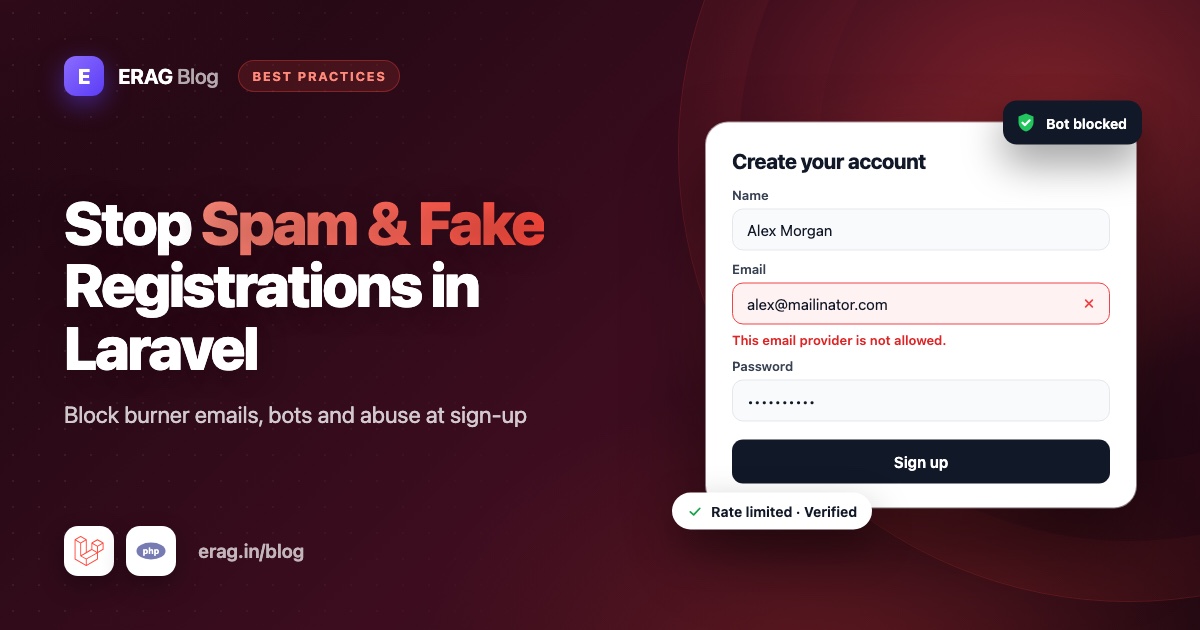
To stop spam registrations in Laravel, protect your sign-up form with several small layers instead of one big wall: block disposable email addresses with a validation rule, rate limit the register route, add a hidden honeypot field, require email verification and keep an eye on new signups. Each layer stops a different kind of fake account. Together they stop most bot and burner signups without slowing down real people.
I maintain the Laravel Disposable Email package, so the first layer uses it. The other four use only what Laravel already gives you.
The short version
- Install
erag/laravel-disposable-emailand adddisposable_emailto your email rules. - Add a named rate limiter so one IP address can only create a few accounts per hour.
- Add a hidden
websitefield and reject any request that fills it in. - Implement
MustVerifyEmailso new accounts stay locked until the inbox is confirmed. - Log every new signup and look at the domains and IP addresses once a week.
Why fake registrations hurt your app
A few fake accounts look harmless. A few thousand cause real damage:
- Your emails land in spam. Emails to dead inboxes bounce, and a high bounce rate pushes your real emails into junk folders.
- Free plans get drained. One person with ten burner inboxes gets ten free trials.
- Your users get spammed. Fake accounts post links in comments and send junk invites.
- Your numbers lie. Signups go up while active users stay flat.
Fake signups come from different sources, so no single check stops all of them:
| Layer | What it stops | Cost for real users |
|---|---|---|
| Disposable email check | People and bots using temporary inboxes | None |
| Rate limiting | Scripts creating accounts in a loop | None, unless many people share one IP |
| Honeypot field | Simple bots that fill in every field | None |
| Email verification | Made-up or mistyped addresses | One click in an email |
| Watching signups | New patterns the other layers miss | None |
Layer 1: How to block disposable emails at registration
A disposable email is a temporary inbox anyone can create in seconds, with no account. It is the favourite tool for fake signups because it is free, unlimited and needs no personal details. Blocking it is the layer that does the most work, so start here.
Install the package and publish its config:
composer require erag/laravel-disposable-email
php artisan erag:install-disposable-email
Add the disposable_email rule to the email field of your registration form. In a Form Request it looks like this:
public function rules(): array
{
    return [
        'name' => ['required', 'string', 'max:255'],
        'email' => ['required', 'string', 'email', 'max:255', 'unique:users', 'disposable_email'],
        'password' => ['required', 'confirmed', Password::defaults()],
    ];
}
Keep Laravel's email rule in front of it. email checks the address is written correctly, and disposable_email checks whether its domain belongs to a throwaway service.
About 3,750 common disposable domains are bundled in the package, so the big services are blocked from the moment you install it. Load the full list, which had 136,240 domains on 12 October 2026, with one command:
php artisan erag:sync-disposable-email-listNew burner domains appear every day, so schedule the sync in routes/console.php:
use Illuminate\Support\Facades\Schedule;

Schedule::command('erag:sync-disposable-email-list')->daily();
Now anyone who signs up with someone@mailinator.com sees "The email belongs to an unauthorized email provider." The check runs against a list stored inside your app, so there is no outside API call, no extra delay and no monthly fee.
A few details that matter for spam:
- Subdomains are blocked too. Spammers use addresses like
user@x7.tempmail.comto slip past simple checks. Withblock_subdomainsset totrue(the default), blockingtempmail.comblocks every subdomain of it. - You can block domains yourself. Put a
.txtfile instorage/app/blacklist_filewith one domain per line. Every.txtfile in that folder is loaded. - You can allow trusted domains. If a real customer's domain is ever caught, add it to
whitelistinconfig/disposable-email.php. The whitelist always wins.
If you use a Laravel starter kit, registration runs through Fortify instead of a Form Request. The starter kit guide shows the exact file and line to change, including the profile page so nobody can switch to a burner address later.
Layer 2: How to rate limit the Laravel register route
Rate limiting means "only allow this many requests in this much time". It stops a script from posting to /register hundreds of times a minute, even when every request looks valid.
Define a named limiter in the boot() method of app/Providers/AppServiceProvider.php:
use Illuminate\Cache\RateLimiting\Limit;
use Illuminate\Http\Request;
use Illuminate\Support\Facades\RateLimiter;

public function boot(): void
{
    RateLimiter::for('register', function (Request $request) {
        return Limit::perHour(5)
            ->by($request->ip())
            ->response(fn () => back()->withErrors([
                'email' => 'Too many sign-up attempts from your network. Please try again later.',
            ]));
    });
}
Then attach it to your registration route:
Route::post('/register', [RegisteredUserController::class, 'store'])
    ->middleware(['guest', 'throttle:register']);
Without the response() call, Laravel answers with a plain "429 Too Many Requests" page. Sending the user back with a normal validation error is friendlier, and it shows up under the email field in Blade, Inertia and Livewire forms like any other error.
Rate limiting when you use Fortify
The Laravel starter kits register users through Fortify. At the time of writing, Fortify rate limits login and two-factor attempts, but its register route has no limit of its own. You can add one inside app/Actions/Fortify/CreateNewUser.php:
use Illuminate\Support\Facades\RateLimiter;
use Illuminate\Validation\ValidationException;

public function create(array $input): User
{
    $throttleKey = 'register:'.request()->ip();

    if (RateLimiter::tooManyAttempts($throttleKey, 5)) {
        throw ValidationException::withMessages([
            'email' => 'Too many sign-up attempts from your network. Please try again later.',
        ]);
    }

    RateLimiter::hit($throttleKey, 3600);

    // The existing Validator::make(...) and User::create(...) code stays the same.
}
The attempt is counted before validation runs, so a bot that keeps failing validation still runs into the limit.
Layer 3: How to add a honeypot field to your sign-up form
A honeypot is a form field that real people never see. Many bots fill in every field they find, so a value in that field tells you a bot sent the form.
Add the field to your registration form and move it off the screen:
<div aria-hidden="true" style="position: absolute; left: -9999px;">
    <label for="website">Leave this field empty</label>
    <input type="text" id="website" name="website" tabindex="-1" autocomplete="off">
</div>
The same markup works inside the starter kits' Vue and React forms. In JSX, write tabIndex={-1} and autoComplete="off", and pass style as an object. aria-hidden and tabindex="-1" keep screen reader and keyboard users away from it, and autocomplete="off" asks password managers to leave it alone.
On the server, Laravel's built-in prohibited rule does the check. It passes when the field is missing or empty and fails when it has a value:
'website' => ['prohibited'],Add that line to the same rules array as your email field. In a Fortify app, that's the array passed to Validator::make() in CreateNewUser. The bot gets a validation error and no account is created.
A honeypot only stops simple bots. Smarter scripts skip hidden fields. It costs nothing and real users never notice it, so it is still worth having.
Layer 4: Why email verification still matters
The first three layers judge the request. Email verification checks the person: until someone clicks the link in the email, you have no proof they own the address. It catches the fake accounts that get past everything else, such as made-up addresses on real email providers.
Implement the MustVerifyEmail contract on your User model:
use Illuminate\Contracts\Auth\MustVerifyEmail;

class User extends Authenticatable implements MustVerifyEmail
{
    // ...
}
Laravel now sends a verification email after registration. Protect the parts of your app that matter with the verified middleware:
Route::middleware(['auth', 'verified'])->group(function () {
    Route::get('/dashboard', DashboardController::class)->name('dashboard');
});
The starter kits already enable Fortify's email verification feature and use the verified middleware on the dashboard, so for them the implements MustVerifyEmail line is usually all you need. In other apps, the Laravel email verification docs list the routes to add.
Unverified accounts still sit in your database. Laravel's Prunable trait can delete them for you after a week:
use Illuminate\Database\Eloquent\Builder;
use Illuminate\Database\Eloquent\Prunable;

class User extends Authenticatable implements MustVerifyEmail
{
    use Prunable;

    public function prunable(): Builder
    {
        return static::whereNull('email_verified_at')
            ->where('created_at', '<=', now()->subDays(7));
    }
}
Then schedule Schedule::command('model:prune')->daily(); in routes/console.php.
Verification does not replace the disposable email check. A temporary inbox works for the ten minutes it takes to click a verification link. You need both.
Layer 5: How to watch signups and spot new patterns
Spammers change tactics, so check what gets through. Start by logging every new registration. Create app/Listeners/LogNewSignup.php. Laravel discovers listeners in that folder automatically:
<?php

namespace App\Listeners;

use Illuminate\Auth\Events\Registered;
use Illuminate\Support\Facades\Log;
use Illuminate\Support\Str;

class LogNewSignup
{
    public function handle(Registered $event): void
    {
        Log::info('New signup', [
            'user_id' => $event->user->getAuthIdentifier(),
            'domain' => Str::after($event->user->email, '@'),
            'ip' => request()->ip(),
        ]);
    }
}
Once a week, look at which email domains signed up most:
use App\Models\User;
use Illuminate\Support\Str;

User::where('created_at', '>=', now()->subWeek())
    ->pluck('email')
    ->countBy(fn (string $email) => Str::after($email, '@'))
    ->sortDesc()
    ->take(10);
If an unknown domain suddenly brings dozens of accounts, check it. When it turns out to be a burner service, add it to a file such as storage/app/blacklist_file/spam-signups.txt, and the next sign-up from that domain is blocked without a deploy. php artisan disposable:stats shows how many built-in and custom domains are loaded and when the list was last synced. If your main worry is free trials, stopping free trial abuse in Laravel goes further with these logs.
Test the layers with Pest
One feature test keeps the disposable check and the honeypot working as your app changes. The route name register.store is the one Fortify uses. Change it to match your app:
test('registration rejects spam signups', function (array $overrides, string $field) {
    $this->post(route('register.store'), [
        'name' => 'Test User',
        'email' => 'test@example.com',
        'password' => 'password',
        'password_confirmation' => 'password',
        ...$overrides,
    ])->assertSessionHasErrors($field);

    $this->assertGuest();
})->with([
    'disposable email' => [['email' => 'test@mailinator.com'], 'email'],
    'filled honeypot' => [['website' => 'https://spam.example'], 'website'],
]);
What about a CAPTCHA?
A CAPTCHA service can stop bots that get past all five layers, but every real visitor pays for it with extra clicks and puzzles. Start with the layers above. They cost real users nothing. If your logs still show bot signups after a few weeks, add a CAPTCHA service then.
Common problems and fixes
- Every visitor has the same IP address. Behind a load balancer or proxy,
$request->ip()can return the proxy's address, so one limit blocks everyone. Configure trusted proxies with$middleware->trustProxies(at: '*')inbootstrap/app.php, using your real proxy addresses where you can. - Real people get rate limited. Offices, schools and mobile networks put many people behind one IP address. Raise the limit, or count attempts per hour instead of per minute.
- A disposable address still gets through. Run
php artisan erag:sync-disposable-email-listand confirm the schedule runs.Disposable::check($email)->toArray()shows whether the domain matched and which list it came from. If it isn't listed yet, add it to your own.txtfile. - A real customer is blocked. Add their domain to
whitelistinconfig/disposable-email.php. The guide to disposable email false positives covers this in detail. - Password managers fill in the honeypot. Keep
autocomplete="off"and use a name such aswebsitethat isn't a normal sign-up field.
Frequently asked questions
How do I stop bots from registering on my Laravel site?
Use several layers: block disposable emails with a validation rule, rate limit the register route, add a honeypot field and require email verification. Each one stops a different kind of bot, and none of them adds work for real users.
How do I block temporary email addresses in Laravel registration?
Install erag/laravel-disposable-email and add disposable_email to your email rules, for example ['required', 'email', 'disposable_email']. Run php artisan erag:sync-disposable-email-list to load the full list and schedule it daily.
Does Laravel have built-in protection against spam registrations?
Laravel gives you the building blocks: the RateLimiter, the throttle middleware, the prohibited rule for honeypots and MustVerifyEmail for verification. It does not include a list of disposable email domains, which is why the package exists.
How many sign-ups per IP address should I allow?
Most real people create one account, so five per hour per IP address is a safe start for a consumer app. If your customers are companies that sign up whole teams from one office, raise it. Look at your logs before you lower it.
Does email verification stop fake accounts on its own?
No. It proves someone controlled the inbox at one moment, and a temporary inbox can do that. Use verification together with the disposable email check.
Should I use a CAPTCHA on my Laravel registration form?
Only if the other layers are not enough. A CAPTCHA service adds friction for every real visitor, while the disposable email check, rate limit and honeypot cost them nothing.
Will these checks slow down my sign-up form?
No. The disposable email check runs against a list stored in your app, and the rate limiter uses your cache. Neither makes a network request during sign-up.
Start with the layer that does the most work
The disposable email check stops the most fake signups for the least effort, so add it first:
composer require erag/laravel-disposable-email
php artisan erag:install-disposable-email
php artisan erag:sync-disposable-email-list
Then add the rate limit, the honeypot and email verification, one at a time.
- Documentation: erag.in/laravel-disposable-email
- GitHub: eramitgupta/laravel-disposable-email
- Package overview: Laravel Disposable Email Package
