
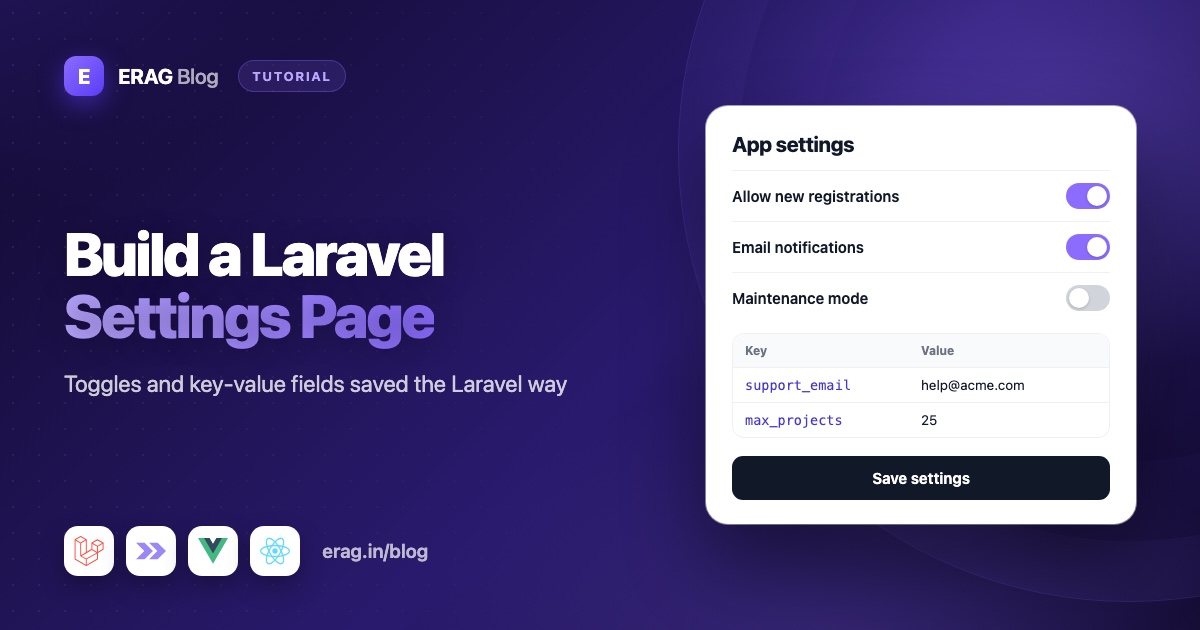
A Laravel settings page lets admins change app settings, like the site name or a sign-up switch, from a screen instead of a code change and a deploy. Store each setting as a row in a settings table with a unique key and a JSON value, read them through one small class that caches them with Cache::rememberForever(), and clear that cache with Cache::forget() every time you save. The edit screen is a normal Inertia form. With Laravel Inertia Forms you describe it in one PHP class, using Toggle for on/off switches and KeyValue for lists of named values such as social links.
This guide builds an admin settings page on Laravel 13 and Inertia v3, with a site name, a support email, a switch to open or close sign-ups, an announcement bar, footer social links, a few plan limits and a logo upload. Only admins can open it, and the rest of your app reads the values without touching the database on every request.
The short version
- Create a
settingstable with a uniquekeycolumn and ajsonvaluecolumn. - Add a
Settingmodel with ajsoncast onvalue. - Write a
Settingsclass withall(),get()andset(). Cache the saved rows withCache::rememberForever()and forget the cache after saving. - Describe the form in a
SiteSettingsFormclass withTextInput,ToggleandKeyValuefields, grouped in fieldsets. - Protect the routes with a Gate, and the form itself with
authorize(). - Fill the form with
bind(Settings::all())and save$form->validated(). - Read a value anywhere with
Settings::get('site_name'). - For a logo, add a
FileUploadfield and keep only the stored file's path in the settings table.
Where should Laravel app settings live?
Laravel's config/*.php files and .env suit values that differ per server and only change with a deploy, like API keys and database passwords. Settings an admin should change at any time, like a site name or a sign-up switch, belong in the database.
Key-value table or single-row table?
There are two common ways to store app settings in the database. Both work. Pick the one that matches how your settings change.
| Key-value table | Single-row table | |
|---|---|---|
| Shape | One row per setting: key, value | One row, one column per setting |
| Adding a setting | No migration, just a new key | A new migration every time |
| Value types | JSON keeps strings, booleans and arrays | Real column types |
| Best for | Settings that grow over time | A small set that rarely changes |
This guide uses the key-value table, because most apps keep adding settings. If you prefer a single row, the form part stays the same: bind the model with bind($settings) and save with $settings->update($form->validated()).
How to store settings in the database
Create the model and migration:
php artisan make:model Setting -m// database/migrations/xxxx_xx_xx_create_settings_table.php
Schema::create('settings', function (Blueprint $table) {
$table->id();
$table->string('key')->unique();
$table->json('value')->nullable();
$table->timestamps();
});<?php
namespace App\Models;
use Illuminate\Database\Eloquent\Attributes\Fillable;
use Illuminate\Database\Eloquent\Model;
#[Fillable(['key', 'value'])]
class Setting extends Model
{
/**
* @return array<string, string>
*/
protected function casts(): array
{
return [
'value' => 'json',
];
}
}The json cast is what makes one column hold any type. true goes in as true and comes back as a PHP boolean, 'Acme' comes back as a string, and an array comes back as an array. The unique index on key stops two rows from fighting over the same setting.
How to cache settings in Laravel
You don't want a database query every time a page needs the site name. So put all reads and writes in one class, and cache the whole set under one key:
<?php

namespace App\Support;

use App\Models\Setting;
use Illuminate\Support\Arr;
use Illuminate\Support\Facades\Cache;
use Illuminate\Support\Facades\DB;

class Settings
{
    public const CACHE_KEY = 'app-settings';

    /**
     * Values used until a setting is saved for the first time.
     *
     * @var array<string, mixed>
     */
    public const DEFAULTS = [
        'site_name' => 'My App',
        'support_email' => 'support@example.com',
        'registration_open' => true,
        'show_announcement' => false,
        'announcement_text' => '',
        'social_links' => [],
        'limits' => [
            'max_upload_mb' => '10',
            'max_projects' => '5',
        ],
    ];

    /**
     * @return array<string, mixed>
     */
    public static function all(): array
    {
        $saved = Cache::rememberForever(
            self::CACHE_KEY,
            fn (): array => Setting::query()->pluck('value', 'key')->all(),
        );

        return array_replace_recursive(self::DEFAULTS, $saved);
    }

    public static function get(string $key, mixed $default = null): mixed
    {
        return Arr::get(self::all(), $key, $default);
    }

    /**
     * @param  array<string, mixed>  $values
     */
    public static function set(array $values): void
    {
        DB::transaction(function () use ($values): void {
            foreach ($values as $key => $value) {
                Setting::query()->updateOrCreate(['key' => $key], ['value' => $value]);
            }
        });

        Cache::forget(self::CACHE_KEY);
    }
}
Here is what each part does:
Cache::rememberForever()runs the query once, stores the result, and returns the stored copy from then on. "Forever" means until you forget it.pluck('value', 'key')builds akey => valuearray. Eloquent applies thejsoncast here too, so values come back decoded.array_replace_recursive()puts the saved values overDEFAULTS. A setting you add toDEFAULTStomorrow works at once, and a new key insidelimitsshows up even when older limits are already saved. Keep list-style defaults likesocial_linksempty, or deleted rows would come back from the defaults.Arr::get()lets you read nested values with dots, likeSettings::get('limits.max_upload_mb').Cache::forget()runs after the transaction has finished. If it ran inside, another request could rebuild the cache from the old rows before the new ones are committed, and that stale copy would stay forever.
How to build the settings form
Install Laravel Inertia Forms if your app doesn't have it yet. It needs Laravel 13 and Inertia v3:
composer require erag/inertia-forms
php artisan erag:install-inertia-forms
npm install @erag/inertia-forms-vue
Use @erag/inertia-forms-react for React. The installation guide has the one Tailwind @source line you need. Then generate the form:
php artisan make:form SiteSettingsForm<?php
namespace App\Forms;
use Erag\InertiaForms\Fields\Fieldset;
use Erag\InertiaForms\Fields\KeyValue;
use Erag\InertiaForms\Fields\Submit;
use Erag\InertiaForms\Fields\TextInput;
use Erag\InertiaForms\Fields\Toggle;
use Erag\InertiaForms\Form;
class SiteSettingsForm extends Form
{
protected ?string $actionRoute = 'admin.settings.update';
public function __construct()
{
$this->authorize(fn (): bool => auth()->user()?->can('manage-settings') ?? false);
}
public function fields(): array
{
return [
Fieldset::make('General')->columns(2)->fields([
TextInput::make('site_name')->required()->maxLength(60),
TextInput::make('support_email')->email()->required(),
]),
Fieldset::make('Sign-ups and announcements')->fields([
Toggle::make('registration_open')
->label('New sign-ups')
->onLabel('Anyone can create an account')
->offLabel('Sign-ups are closed'),
Toggle::make('show_announcement')
->label('Announcement bar')
->onLabel('Shown at the top of every page')
->offLabel('Hidden'),
TextInput::make('announcement_text')
->required()
->maxLength(160)
->visibleWhen('show_announcement', true),
]),
Fieldset::make('Social links')
->description('Shown in the site footer, in this order.')
->fields([
KeyValue::make('social_links')
->label('Links')
->keyLabel('Network')
->valueLabel('URL')
->keyPlaceholder('github')
->valuePlaceholder('https://github.com/your-company')
->addActionLabel('Add link')
->maxItems(6),
]),
Fieldset::make('Plan limits')
->description('You can change the numbers. The names are fixed in code.')
->fields([
KeyValue::make('limits')
->keyLabel('Limit')
->editableKeys(false)
->addable(false)
->deletable(false)
->reorderable(false)
->maxValueLength(6),
]),
Submit::make('Save settings')->processingLabel('Saving…')->disableUntilDirty(),
];
}
}Each field name matches a key in the settings table. That one decision keeps the controller tiny, because the validated data can be saved as it is.
How the Toggle field works
Toggle draws an on/off switch. Its value is true or false, and it generates the boolean validation rule for you. onLabel() and offLabel() set the text next to the switch, so the admin reads what the setting does right now ("Sign-ups are closed") instead of guessing what "off" means.
Don't add required() to a toggle that may be switched off. On a Toggle, required() means "must be on" and generates the accepted rule, which is meant for things like "I agree to the terms".
The announcement text uses visibleWhen('show_announcement', true). It only appears while the switch is on, and it is only required while it is visible. When the switch is off, the field is not validated and is left out of validated(), so the text you saved before is kept for the next time you switch the bar on.
How the KeyValue field works
KeyValue draws a small table of key and value rows. Admins can add rows, remove them with the × button, and drag rows, or use the up and down buttons, to change the order. These methods shape it:
| Method | What it does |
|---|---|
keyLabel('Network') / valueLabel('URL') | Column headings, also used for screen readers and error messages |
keyPlaceholder() / valuePlaceholder() | Hint text in every key or value input |
addActionLabel('Add link') | Text of the add button (default "Add row") |
maxItems(6) | Most rows allowed. The button turns off at the limit, and the server checks it too |
reorderable(false) | Hides the drag handle and the up and down buttons |
addable(false) / deletable(false) | Hides the add button or the remove buttons |
editableKeys(false) | Makes the key inputs read-only |
In the browser the value is a list of rows like [{ "key": "github", "value": "https://github.com/acme" }]. On the server, $form->validated('social_links') turns it into a plain array, ['github' => 'https://github.com/acme'], in the row order the admin chose. Rows without a key are dropped, and the same key twice (ignoring case) fails validation. That plain array is exactly what you want in a JSON column.
It also works in reverse. When you bind ['github' => '...'], the field turns it back into rows for the browser.
Fixed keys for plan limits
The limits field shows the other use of KeyValue: you decide the keys, and admins can only change the values. With editableKeys(false), addable(false), deletable(false) and reorderable(false), the rows from Settings::DEFAULTS (or the saved copy) are all that can be edited. The controller below also filters the keys on the server, because a request can be built by hand.
Who can change settings? Gates and form authorization
Start with a Gate in the boot() method of AppServiceProvider:
use App\Models\User;
use Illuminate\Support\Facades\Gate;

Gate::define('manage-settings', fn (User $user): bool => (bool) $user->is_admin);
This assumes a boolean is_admin column on users. Swap in whatever role check your app already has.
Then use it in two places. The route middleware can:manage-settings blocks the URLs. The form's own authorize() call, in the constructor above, protects the form wherever it is used. If an unauthorized user ever gets the form, it serializes to an empty form with no action, and validating it throws a 403.
You can also lock a single section. Every check on an item must pass:
Fieldset::make('Plan limits')
    ->authorize(fn (): bool => auth()->user()?->can('manage-billing') ?? false)
    ->fields([
        // ...
    ]);
An unauthorized fieldset never reaches the browser and gets no validation rules, so its keys are missing from validated(). Because Settings::set() only saves the keys it receives, a user without that ability can't overwrite the saved limits. The post on permissions and conditional fields covers this in more depth.
The controller: load, validate and save
<?php

namespace App\Http\Controllers\Admin;

use App\Forms\SiteSettingsForm;
use App\Http\Controllers\Controller;
use App\Support\Settings;
use Erag\InertiaForms\Attributes\Validate;
use Illuminate\Http\RedirectResponse;
use Illuminate\Support\Arr;
use Illuminate\Validation\ValidationException;
use Inertia\Inertia;
use Inertia\Response;

class SettingsController extends Controller
{
    public function edit(): Response
    {
        return Inertia::render('admin/Settings', [
            'form' => SiteSettingsForm::make()->bind(Settings::all()),
        ]);
    }

    public function update(#[Validate] SiteSettingsForm $form): RedirectResponse
    {
        $values = $form->validated();

        if (isset($values['limits'])) {
            $values['limits'] = Arr::only($values['limits'], array_keys(Settings::DEFAULTS['limits']));

            foreach ($values['limits'] as $limit) {
                if (! ctype_digit((string) $limit)) {
                    throw ValidationException::withMessages([
                        'limits' => 'Each limit must be a whole number.',
                    ]);
                }
            }
        }

        Settings::set($values);

        toast('Your changes are live.', 'success', 'Settings saved');

        return to_route('admin.settings.edit');
    }
}
bind() accepts a plain array, so Settings::all() fills every field, defaults included. #[Validate] builds the form, runs its rules and checks its authorize() before your method runs. A failed check sends the errors back to the page, and the limits error shows under the limits table.
The toast() line comes from Laravel Inertia Toast. Leave it out if you don't use that package. Thanks to disableUntilDirty(), the save button also turns off again after a successful save, which tells the admin the values went through.
Add the routes to routes/web.php:
use App\Http\Controllers\Admin\SettingsController;

Route::middleware(['auth', 'verified', 'can:manage-settings'])->group(function () {
    Route::get('admin/settings', [SettingsController::class, 'edit'])->name('admin.settings.edit');
    Route::put('admin/settings', [SettingsController::class, 'update'])->name('admin.settings.update');
});
The form reads PUT from the route, so you never set the HTTP method by hand.
The settings page in Vue and React
The page only renders the form. The slot shows a note while there are unsaved changes:
<!-- resources/js/pages/admin/Settings.vue -->
<script setup lang="ts">
import { Form, type FormSchema } from '@erag/inertia-forms-vue';

defineProps<{ form: FormSchema }>();
</script>

<template>
    <div class="mx-auto max-w-3xl p-6">
        <h1 class="mb-6 text-xl font-semibold">Site settings</h1>

        <Form :form="form" v-slot="{ isDirty }">
            <p v-if="isDirty" class="text-sm text-amber-600">You have unsaved changes.</p>
        </Form>
    </div>
</template>// resources/js/pages/admin/Settings.tsx
import { Form, type FormSchema } from '@erag/inertia-forms-react';
export default function Settings({ form }: { form: FormSchema }) {
return (
<div className="mx-auto max-w-3xl p-6">
<h1 className="mb-6 text-xl font-semibold">Site settings</h1>
<Form form={form}>
{({ isDirty }) => isDirty && <p className="text-sm text-amber-600">You have unsaved changes.</p>}
</Form>
</div>
);
}How to add a logo upload to the settings page
A site logo is a common setting that doesn't fit in a JSON value, because it's a file. Store the file on a disk and keep only its path in the settings table. Add the field to the General fieldset, with use Erag\InertiaForms\Fields\FileUpload; at the top of the form:
FileUpload::make('logo')
    ->image()
    ->maxSize(1024)
    ->columnSpan(2)
    ->help('Up to 1 MB. Leave it empty to keep the current logo.'),
Add 'logo_path' => null to Settings::DEFAULTS. Then, in the controller's update(), swap the uploaded file for its path right before Settings::set($values):
$logo = $values['logo'] ?? null;
unset($values['logo']);

if ($logo instanceof UploadedFile) {
    $values['logo_path'] = $logo->store('branding', 'public');
}
Import Illuminate\Http\UploadedFile at the top of the controller. A file field always starts empty on an edit screen, because browsers can't put a saved file back into a file input. That's why the code only changes logo_path when a new file arrives, so saving other settings never wipes the logo.
The route stays a PUT. Browsers can't send files with PUT, so <Form> sends a POST with a hidden _method field and Laravel routes it as usual. Run php artisan storage:link once, then share the logo's URL with your layout through Storage::disk('public')->url(). The Laravel Inertia file upload guide covers edit screens, upload progress and deleting the old file when a new one replaces it.
How to read settings in your app
On the server, call Settings::get() wherever you need a value:
use App\Support\Settings;

$supportEmail = Settings::get('support_email');

// KeyValue values are strings, so cast numbers when you read them.
$maxKilobytes = (int) Settings::get('limits.max_upload_mb') * 1024;
To close sign-ups in a Fortify app, check the toggle at the top of create() in app/Actions/Fortify/CreateNewUser.php:
use App\Support\Settings;
use Illuminate\Validation\ValidationException;

if (! Settings::get('registration_open')) {
    throw ValidationException::withMessages([
        'email' => 'Sign-ups are closed right now.',
    ]);
}
For the frontend, share only the public values from HandleInertiaRequests. Never send the whole settings array, because some settings may be private:
// app/Http/Middleware/HandleInertiaRequests.php
public function share(Request $request): array
{
    return [
        ...parent::share($request),
        // ...the props your app already shares
        'site' => fn (): array => [
            'name' => Settings::get('site_name'),
            'announcement' => Settings::get('show_announcement') ? Settings::get('announcement_text') : null,
            'socialLinks' => Settings::get('social_links'),
        ],
    ];
}
Then any layout can show the announcement bar:
<script setup lang="ts">
import { usePage } from '@inertiajs/vue3';
import { computed } from 'vue';

const page = usePage<{ site: { announcement: string | null } }>();
const announcement = computed(() => page.props.site.announcement);
</script>

<template>
    <div v-if="announcement" class="bg-indigo-600 px-4 py-2 text-center text-sm text-white">
        {{ announcement }}
    </div>
</template>
Test it with Pest
use App\Models\User;
use App\Support\Settings;

it('lets an admin update the settings', function () {
    $admin = User::factory()->create(['is_admin' => true]);

    Settings::get('site_name'); // fill the cache with the old values first

    $this->actingAs($admin)
        ->put(route('admin.settings.update'), [
            'site_name' => 'Acme',
            'support_email' => 'help@acme.test',
            'registration_open' => false,
            'show_announcement' => false,
            'social_links' => [
                ['key' => 'github', 'value' => 'https://github.com/acme'],
            ],
            'limits' => [
                ['key' => 'max_upload_mb', 'value' => '25'],
                ['key' => 'max_projects', 'value' => '5'],
            ],
        ])
        ->assertRedirect(route('admin.settings.edit'));

    expect(Settings::get('site_name'))->toBe('Acme')
        ->and(Settings::get('registration_open'))->toBeFalse()
        ->and(Settings::get('social_links'))->toBe(['github' => 'https://github.com/acme'])
        ->and(Settings::get('limits.max_upload_mb'))->toBe('25');
});

it('blocks users who are not admins', function () {
    $this->actingAs(User::factory()->create())
        ->put(route('admin.settings.update'), ['site_name' => 'Hacked'])
        ->assertForbidden();
});
The first test warms the cache before saving, so it proves the cache is cleared. It also sends the KeyValue rows in the same { key, value } shape the browser uses, and checks that they come back as a plain array.
Common problems and fixes
The app still shows the old value after saving
Something changed the settings rows without going through Settings::set(), such as a seeder using DB::table() or a manual edit in a database tool. Clear the cached copy with php artisan cache:forget app-settings. If you run several servers, use a shared cache store such as database or redis. With the file store, each server keeps its own copy.
"Base table or view not found: settings" when you migrate
Something reads settings while the app boots, often in a service provider, before the settings table exists. Read settings where they are used: in controllers, middleware, or the closure in HandleInertiaRequests, which only runs when a page is rendered.
The toggle says it "must be accepted"
You added required() to a Toggle. On a toggle that means "must be on". Remove it. A toggle always sends true or false anyway.
A link row says its key "is used more than once"
KeyValue keys must be unique, and the check ignores case, so GitHub and github clash. Rename or remove one of the rows.
Numbers from a KeyValue field are strings
Every KeyValue value is stored as a string. Cast it when you read it, as in (int) Settings::get('limits.max_projects'). If a setting is a single number, a TextInput with number() is the better field.
Frequently asked questions
How do I store settings in the database in Laravel?
Create a settings table with a unique key and a json value column, and add a json cast on the model. Save with updateOrCreate() per key, and read through one class that caches the whole set.
Should app settings go in the .env file or the database?
Use .env for things that change per server and need a deploy, like API keys and database passwords. Use the database for things an admin should change from a screen, like a site name, a sign-up switch or an announcement.
How do I cache settings in Laravel?
Wrap the query in Cache::rememberForever() under one key, and call Cache::forget() with that key after every save. The next read rebuilds the cache with fresh values.
Does reading settings hit the database on every request?
Not the settings table. After the first read, values come from the cache. With Laravel's database cache store that is one small query to the cache table, and with redis or file there is no database query at all.
How do I let only admins change settings in Laravel?
Define a Gate such as manage-settings, add the can:manage-settings middleware to the routes, and call authorize() on the form. Unauthorized fields and fieldsets never reach the browser and are never saved.
Can I store per-user or per-team settings the same way?
Yes. Add a user_id or team_id column, make the unique index cover that column and key, and include the ID in the cache key. For a few per-user values, a JSON column on the users table with bind($user->preferences) is often simpler.
Can I override Laravel config values with database settings?
You can call config(['app.name' => Settings::get('site_name')]) in a middleware. Avoid doing it in a service provider, which runs during migrate and on every Artisan command, before the table may exist.
How do I set default settings in Laravel?
Keep the defaults in code, like the DEFAULTS constant in the Settings class, and merge the saved rows over them when you read. A new setting then works the moment you deploy it, with no seeder or migration. Rows are only written when an admin saves the form.
How do I use database settings in Vue or React pages?
Share the values you need from the share() method of HandleInertiaRequests, inside a closure so they're only read when a page renders. Read them with usePage() in any layout or page. Share only public values, never the whole settings array.
Build your settings page
composer require erag/inertia-forms
php artisan erag:install-inertia-forms
npm install @erag/inertia-forms-vue- Toggle docs: erag.in/laravel-inertia-forms/fields/toggle.html
- Key Value docs: erag.in/laravel-inertia-forms/fields/key-value.html
- File Upload docs: erag.in/laravel-inertia-forms/fields/file-upload.html
- Authorization: erag.in/laravel-inertia-forms/concepts/authorization.html
- Model binding: erag.in/laravel-inertia-forms/concepts/model-binding.html
- GitHub: eramitgupta/laravel-Inertia-forms
- Related: new to form classes? Start with building Inertia forms from a single PHP class.
