
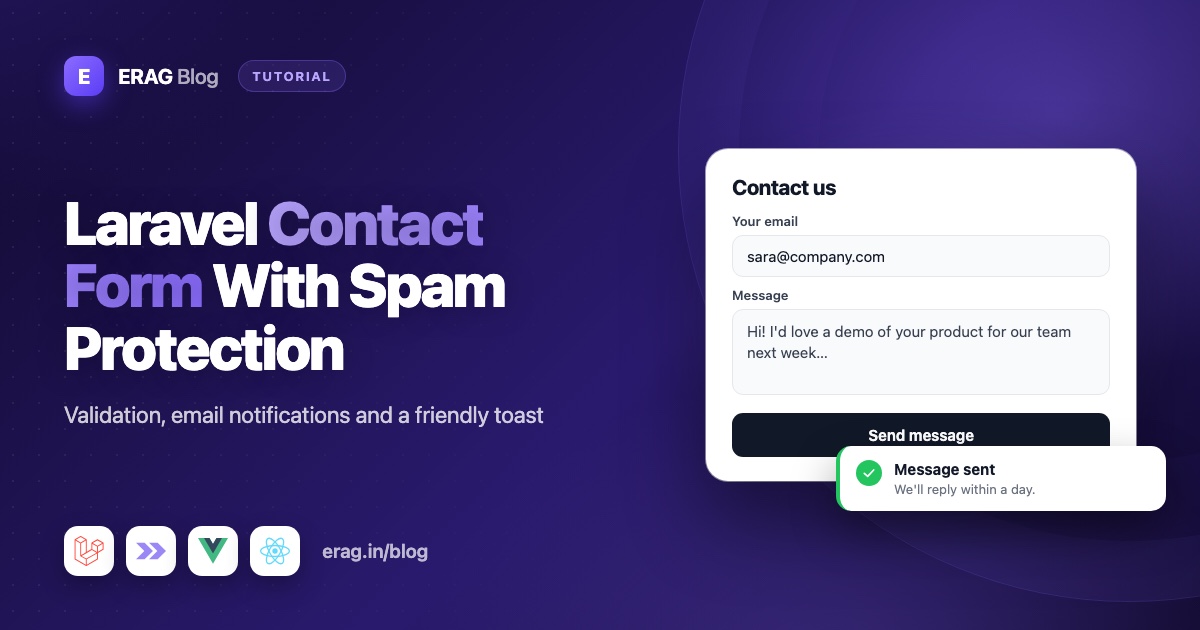
To build a Laravel contact form, validate the name, email and message on the server, save each message to a contact_messages table, and email your team with a queued Mailable so the visitor never waits for your mail server. Keep spam out with a hidden honeypot field, a rate limit on the route and the disposable_email rule, then confirm with a success toast. This guide builds all of it with Laravel Inertia Forms, so the whole form lives in one PHP class and renders in Vue or React.
Each piece is small and uses plain Laravel 13 with Inertia v3. By the end you have a contact page you can ship today, a working mail setup, and a Pest test that proves it saves, emails and blocks what it should.
The short version
- Create a
ContactSubjectenum, acontact_messagestable and aContactMessagemodel. - Describe the form in a
ContactFormclass:TextInputfor name and email,Radiofor the subject,Textareafor the message, and aSubmitbutton. - Add
->rule('disposable_email')to the email field to stop burner addresses. - Add a hidden honeypot field, and drop the message quietly when it has a value.
- Limit the route to 5 messages per hour per IP with
RateLimiter::for(). - Save the message, then send a queued Mailable with the visitor's address as Reply-To.
- Point the
MAIL_*settings in.envat your SMTP provider. - Flash a toast with
toast($message, 'success', $title)and clear the form withresetOnSuccess. - Test it with
Mail::fake().
What the finished contact form does
| Piece | What it does | Built with |
|---|---|---|
| Validation | Required fields, a real email format, a minimum message length | Rules generated by each field |
| Storage | Every message is kept, even if an email fails | An Eloquent model |
| Email to the team | Arrives in your inbox; pressing Reply answers the visitor | A queued Mailable |
| Honeypot | Catches bots that fill in every input | A hidden text field |
| Rate limit | Stops one visitor from flooding you | RateLimiter and throttle |
| Burner emails | Rejects throwaway inboxes you can't reply to | Laravel Disposable Email |
| Feedback | A success toast, then an empty form | Laravel Inertia Toast and resetOnSuccess |
How to store contact messages
Start with the list of subjects. An enum keeps the options, their labels and the stored values in one place:
php artisan make:enum Enums/ContactSubject --string
php artisan make:model ContactMessage -m<?php
namespace App\Enums;
enum ContactSubject: string
{
case Sales = 'sales';
case Support = 'support';
case Billing = 'billing';
case Other = 'other';
public function label(): string
{
return match ($this) {
self::Sales => 'Sales',
self::Support => 'Support',
self::Billing => 'Billing',
self::Other => 'Something else',
};
}
}// database/migrations/xxxx_xx_xx_create_contact_messages_table.php
Schema::create('contact_messages', function (Blueprint $table) {
$table->id();
$table->string('name', 100);
$table->string('email');
$table->string('subject', 20);
$table->text('message');
$table->ipAddress()->nullable();
$table->timestamps();
});<?php
namespace App\Models;
use App\Enums\ContactSubject;
use Illuminate\Database\Eloquent\Attributes\Fillable;
use Illuminate\Database\Eloquent\Model;
#[Fillable(['name', 'email', 'subject', 'message', 'ip_address'])]
class ContactMessage extends Model
{
/**
* @return array<string, string>
*/
protected function casts(): array
{
return [
'subject' => ContactSubject::class,
];
}
}Why save messages at all, when you also email them? Because email can fail. A full inbox, a mail server outage or a spam filter can lose a message. With a database row, nothing is lost, and you can build an admin inbox later.
How to build the contact form class
Install the packages first. Laravel Inertia Forms needs Laravel 13 and Inertia v3, and the disposable_email rule comes from Laravel Disposable Email:
composer require erag/inertia-forms erag/laravel-disposable-email
php artisan erag:install-inertia-forms
npm install @erag/inertia-forms-vue
Use @erag/inertia-forms-react for React, and add the Tailwind @source line from the installation guide. Then generate the form with php artisan make:form ContactForm:
<?php

namespace App\Forms;

use App\Enums\ContactSubject;
use Erag\InertiaForms\Fields\Fieldset;
use Erag\InertiaForms\Fields\Radio;
use Erag\InertiaForms\Fields\Submit;
use Erag\InertiaForms\Fields\Textarea;
use Erag\InertiaForms\Fields\TextInput;
use Erag\InertiaForms\Form;

class ContactForm extends Form
{
    protected ?string $actionRoute = 'contact.store';

    protected bool $resetOnSuccess = true;

    public function fields(): array
    {
        return [
            Fieldset::make()->columns(2)->fields([
                TextInput::make('name')->required()->maxLength(100)->autocomplete('name'),
                TextInput::make('email')
                    ->email()
                    ->required()
                    ->maxLength(255)
                    ->autocomplete('email')
                    ->rule('disposable_email'),
            ]),

            Radio::make('subject')
                ->label('What is this about?')
                ->options(ContactSubject::class)
                ->buttons()
                ->required(),

            Textarea::make('message')
                ->required()
                ->rows(6)
                ->minLength(20)
                ->maxLength(5000)
                ->showCharacterCount(),

            // Honeypot: hidden from people, often filled in by bots.
            TextInput::make('website')
                ->label('Leave this field empty')
                ->autocomplete('off')
                ->class('hidden!'),

            Submit::make('Send message')->icon('send', 'right')->processingLabel('Sending…'),
        ];
    }

    /**
     * @return array<string, string>
     */
    public function messages(): array
    {
        return [
            'email.disposable_email' => 'Please use a permanent email address so we can reply.',
            'message.min' => 'Please tell us a bit more, at least 20 characters.',
        ];
    }
}
Here is what each field gives you:
- Name and email sit side by side in a fieldset with no heading, using
columns(2). On phones they stack.email()adds Laravel'semailrule, andautocomplete()lets the browser fill both in. For stricter checks, like DNS lookups, see Laravel email validation: RFC, DNS and MX. - Subject is a
Radiowithbuttons(), drawn as one row of joined buttons. Passing the enum class tooptions()uses each case'slabel(), and the field only accepts the four enum values. For a longer list, swapRadioforComboboxwith the sameoptions()call to get a dropdown. - Message is a
Textarea.minLength(20)stops one-word messages,maxLength(5000)caps the size, andshowCharacterCount()shows a live120 / 5000counter under the box. - Submit shows a send icon after the text, and "Sending…" with a spinner while the request runs.
resetOnSuccessempties the form after a successful send, so the visitor sees a fresh form and doesn't send the same message twice.
The custom messages() replace Laravel's default text for two rules. The disposable email message matters most, because the default wording is not very friendly for a visitor.
How to send the contact form by email in Laravel
Set up your mailer in .env
A fresh Laravel 13 app has MAIL_MAILER=log in .env. Every email is written to storage/logs/laravel.log instead of being sent, which is perfect while you build. To send real email, point Laravel at your email provider's SMTP server:
MAIL_MAILER=smtp
MAIL_HOST=smtp.your-provider.com
MAIL_PORT=587
MAIL_USERNAME=your-smtp-username
MAIL_PASSWORD=your-smtp-password
MAIL_FROM_ADDRESS="hello@your-domain.com"
MAIL_FROM_NAME="${APP_NAME}"
Your provider gives you the host, port, username and password. MAIL_FROM_ADDRESS must be an address on your own domain that the provider lets you send from. If you cache config with php artisan config:cache, run it again after changing these values, or Laravel keeps using the old ones.
Write the Mailable
Put the team's address in a small config file, so it can differ between local and production:
// config/contact.php
return [
    'inbox' => env('CONTACT_INBOX', 'hello@example.com'),
];
Generate a Mailable with a Markdown view:
php artisan make:mail ContactMessageReceived --markdown=mail.contact-message-received<?php
namespace App\Mail;
use App\Models\ContactMessage;
use Illuminate\Bus\Queueable;
use Illuminate\Contracts\Queue\ShouldQueue;
use Illuminate\Mail\Mailable;
use Illuminate\Mail\Mailables\Address;
use Illuminate\Mail\Mailables\Content;
use Illuminate\Mail\Mailables\Envelope;
use Illuminate\Queue\SerializesModels;
class ContactMessageReceived extends Mailable implements ShouldQueue
{
use Queueable, SerializesModels;
public function __construct(public ContactMessage $contactMessage) {}
public function envelope(): Envelope
{
return new Envelope(
subject: 'Contact form: '.$this->contactMessage->subject->label(),
replyTo: [new Address($this->contactMessage->email, $this->contactMessage->name)],
);
}
public function content(): Content
{
return new Content(markdown: 'mail.contact-message-received');
}
}{{-- resources/views/mail/contact-message-received.blade.php --}}
<x-mail::message>
# New message from {{ $contactMessage->name }}
**Email:** {{ $contactMessage->email }}<br>
**Subject:** {{ $contactMessage->subject->label() }}
<x-mail::panel>
{{ $contactMessage->message }}
</x-mail::panel>
Press Reply to answer {{ $contactMessage->name }} directly.
</x-mail::message>Three details make this email pleasant to work with:
ShouldQueuesends the email in the background. The visitor gets their answer right away, even when your mail server is slow.replyToputs the visitor's address in the Reply-To header. Your team presses Reply and the answer goes straight to the visitor. Keep the "from" address as your own domain, because sending "from" a visitor's address fails modern email checks.- Blade's double-brace echo escapes the text. Whatever the visitor typed is shown as plain text, never as HTML.
Queued mail needs a running worker. Start one with php artisan queue:work, or run composer run dev in the Laravel starter kits, which starts one for you.
How to stop contact form spam
Public contact forms attract bots. Three cheap layers stop most of them without a CAPTCHA service.
A honeypot field
A honeypot is an input that people never see. Many bots that run your page in a headless browser fill in every input they find. A value in the honeypot tells you a bot sent the form.
The website field above is hidden with the class hidden!. That is Tailwind's hidden utility with the important marker (!), so display: none wins even if the field wrapper sets its own display. Hidden this way, the field is skipped by the Tab key and by screen readers, and autocomplete('off') asks the browser not to fill it. The controller then checks the value and drops the message quietly, as you will see below.
Why quietly instead of with a validation error? A bot that gets an error learns to try again differently. A bot that gets the normal success message moves on. The post on stopping spam registrations shows the error-based version with Laravel's prohibited rule, which suits sign-up forms.
Rate limiting
Define a named limiter in the boot() method of AppServiceProvider:
use Illuminate\Cache\RateLimiting\Limit;
use Illuminate\Http\Request;
use Illuminate\Support\Facades\RateLimiter;

RateLimiter::for('contact', function (Request $request) {
    return Limit::perHour(5)
        ->by($request->ip())
        ->response(function () {
            toast('You have sent several messages in the last hour. Please try again later.', 'warning', 'Slow down');

            return back();
        });
});
The route uses it with ->middleware('throttle:contact'). Each IP can send 5 messages per hour. Without response(), Laravel answers with a plain 429 error page. With it, the visitor goes back to the form and sees a friendly warning toast.
Block disposable email addresses
People who don't want a reply often type a throwaway inbox. The disposable_email rule from Laravel Disposable Email checks the domain against a list of known burner providers and fails validation for them. The list ships with the package, so validation never calls an outside API. Read more in the Laravel Disposable Email validation docs, or see how to block disposable emails in Laravel for keeping the list fresh.
The controller and routes
<?php

namespace App\Http\Controllers;

use App\Forms\ContactForm;
use App\Mail\ContactMessageReceived;
use App\Models\ContactMessage;
use App\Models\User;
use Erag\InertiaForms\Attributes\Validate;
use Illuminate\Http\RedirectResponse;
use Illuminate\Http\Request;
use Illuminate\Support\Arr;
use Illuminate\Support\Facades\Mail;
use Inertia\Inertia;
use Inertia\Response;

class ContactController extends Controller
{
    public function create(Request $request): Response
    {
        return Inertia::render('Contact', [
            'form' => ContactForm::make()->when(
                $request->user(),
                fn (ContactForm $form, User $user) => $form->bind($user->only(['name', 'email'])),
            ),
        ]);
    }

    public function store(Request $request, #[Validate] ContactForm $form): RedirectResponse
    {
        // Only bots fill in the hidden field. Act as if it worked and keep nothing.
        if (filled($form->validated('website'))) {
            return $this->sent();
        }

        $message = ContactMessage::create([
            ...Arr::except($form->validated(), ['website']),
            'ip_address' => $request->ip(),
        ]);

        Mail::to(config('contact.inbox'))->send(new ContactMessageReceived($message));

        return $this->sent();
    }

    private function sent(): RedirectResponse
    {
        toast('Thanks for getting in touch. We will reply by email soon.', 'success', 'Message sent');

        return back();
    }
}// routes/web.php
use App\Http\Controllers\ContactController;
Route::get('contact', [ContactController::class, 'create'])->name('contact.create');
Route::post('contact', [ContactController::class, 'store'])
->middleware('throttle:contact')
->name('contact.store');A few things happen here without extra code:
#[Validate]builds the form and validates the request beforestore()runs. On failure, Laravel redirects back and each error appears under its field.- Signed-in visitors get their name and email filled in.
when()only callsbind()when there is a user, andresetOnSuccessresets back to those values after sending. validated()only holds fields the form knows. Anything extra a bot posts is dropped before it reachescreate().Mail::to()->send()queues the email, because the Mailable implementsShouldQueue.
Show a success toast
The toast() helper comes from Laravel Inertia Toast. It flashes the toast to the session, and the package shares it with your next Inertia page:
toast('Thanks for getting in touch. We will reply by email soon.', 'success', 'Message sent');The arguments are the message, the type and the title. Always pass a title. Without one, the heading falls back to the type name. Setup is one Composer package and one frontend plugin, covered step by step in adding toast notifications to a Laravel Inertia app.
The page itself stays tiny:
<!-- resources/js/pages/Contact.vue -->
<script setup lang="ts">
import { Form, type FormSchema } from '@erag/inertia-forms-vue';

defineProps<{ form: FormSchema }>();
</script>

<template>
    <div class="mx-auto max-w-2xl p-6">
        <h1 class="text-2xl font-semibold">Contact us</h1>
        <p class="mb-6 text-sm text-zinc-500">We read every message and reply by email.</p>

        <Form :form="form" />
    </div>
</template>// resources/js/pages/Contact.tsx
import { Form, type FormSchema } from '@erag/inertia-forms-react';
export default function Contact({ form }: { form: FormSchema }) {
return (
<div className="mx-auto max-w-2xl p-6">
<h1 className="text-2xl font-semibold">Contact us</h1>
<p className="mb-6 text-sm text-zinc-500">We read every message and reply by email.</p>
<Form form={form} />
</div>
);
}Test the contact form with Pest
Create the test with php artisan make:test --pest ContactFormTest:
<?php

use App\Enums\ContactSubject;
use App\Mail\ContactMessageReceived;
use App\Models\ContactMessage;
use Illuminate\Support\Facades\Mail;

beforeEach(function () {
    Mail::fake();

    $this->data = [
        'name' => 'Asha Verma',
        'email' => 'asha@example.com',
        'subject' => 'support',
        'message' => 'The export button does nothing when I click it in Safari.',
    ];
});

it('saves the message, emails the team and flashes a toast', function () {
    $this->from(route('contact.create'))
        ->post(route('contact.store'), $this->data)
        ->assertRedirect(route('contact.create'))
        ->assertSessionHas('toast.title', 'Message sent');

    $message = ContactMessage::sole();

    expect($message->subject)->toBe(ContactSubject::Support);

    Mail::assertQueued(ContactMessageReceived::class, fn (ContactMessageReceived $mail): bool => $mail->hasTo(config('contact.inbox'))
        && $mail->contactMessage->is($message));
});

it('rejects disposable email addresses', function () {
    $this->post(route('contact.store'), [...$this->data, 'email' => 'asha@mailinator.com'])
        ->assertSessionHasErrors('email');

    expect(ContactMessage::count())->toBe(0);
    Mail::assertNothingQueued();
});

it('quietly drops messages that fill in the honeypot', function () {
    $this->post(route('contact.store'), [...$this->data, 'website' => 'https://spam.example'])
        ->assertSessionHas('toast.title', 'Message sent');

    expect(ContactMessage::count())->toBe(0);
    Mail::assertNothingQueued();
});
Mail::fake() stops real emails and records them instead. Because the Mailable is queued, the test uses assertQueued(), not assertSent(). The honeypot test proves a bot gets the normal success toast while nothing is saved or sent. If you use a Notification instead of a Mailable, swap in Notification::fake() and Notification::assertSentOnDemand().
Common problems and fixes
The email never arrives
The Mailable is queued, so a worker must be running: php artisan queue:work. While developing, set MAIL_MAILER=log in .env and read the email in storage/logs/laravel.log.
The mail view shows the wrong thing for $message
Laravel passes its own $message variable to every mail view, for things like embedding images. Never name your public property $message. That is why the Mailable uses $contactMessage.
Real visitors see "Slow down"
The throttle middleware counts every POST, including ones that failed validation. A visitor who fixes a few typos uses up attempts. If that happens, raise the limit a little. Keep it per IP and per hour.
The honeypot field is visible
Tailwind didn't generate the hidden! class from your PHP file. Tailwind 4 scans app/ by default, but if your setup limits sources, add @source "../../app/Forms"; to resources/css/app.css and restart npm run dev.
The toast heading says "success"
You called toast() without a title. Pass the third argument, like 'Message sent'.
The form doesn't clear after sending
resetOnSuccess only runs after a successful request. If validation failed, the values stay so the visitor can fix them. Check for errors under the fields.
Frequently asked questions
How do I create a contact form in Laravel?
Add a GET route that shows the form and a POST route that validates and saves it. With Laravel Inertia Forms, the fields, rules and button live in one PHP class, and the page only renders it.
How do I send an email from a contact form in Laravel?
Create a Mailable with php artisan make:mail, implement ShouldQueue, and send it with Mail::to($teamAddress)->send(new ContactMessageReceived($message)). Set the visitor's address as Reply-To so your team can answer with one click.
Should I save contact form messages in the database?
Yes. Email can fail or land in spam, and a saved row means nothing is lost. It also lets you build an admin inbox or export messages later.
How do I stop spam on a Laravel contact form without a CAPTCHA?
Combine a honeypot field, a rate limit on the POST route and the disposable_email rule. Together they stop most automated spam without adding a puzzle for real visitors.
Why do my Laravel contact form emails go to spam?
Usually the "from" address doesn't match a domain your email provider has verified. Send from an address on your own domain, add the SPF, DKIM and DMARC records your provider gives you, and put the visitor's address in Reply-To, never in From. Sending through a real SMTP provider instead of the server's own mail program helps too.
Do I need a CSRF token in an Inertia contact form?
You don't add one yourself. Laravel sets an XSRF-TOKEN cookie, and Inertia's HTTP client sends it back as an X-XSRF-TOKEN header on every request. The <Form> component submits through Inertia, so the contact form is protected like any other Inertia form.
Can I send messages to different people based on the subject?
Yes. Add a method like inbox() to the ContactSubject enum that returns an address per case, then call Mail::to($message->subject->inbox()).
Can I use a Notification instead of a Mailable?
Yes. Send an on-demand notification with Notification::route('mail', config('contact.inbox'))->notify(new NewContactMessage($message)), and implement ShouldQueue on the notification so it is queued too.
Does this contact form work with React?
Yes. The PHP form class, controller and test are the same. Install @erag/inertia-forms-react and render <Form form={form} /> as shown above.
Ship your contact page
composer require erag/inertia-forms erag/laravel-disposable-email erag/laravel-inertia-toast
php artisan erag:install-inertia-forms
npm install @erag/inertia-forms-vue
npm install ./vendor/erag/laravel-inertia-toast/vue
For React, install @erag/inertia-forms-react and ./vendor/erag/laravel-inertia-toast/react instead.
- Form class options, including
resetOnSuccess: erag.in/laravel-inertia-forms/concepts/form-class.html - Radio and Textarea fields: erag.in/laravel-inertia-forms/fields/radio.html and erag.in/laravel-inertia-forms/fields/textarea.html
- The
toast()helper: erag.in/laravel-inertia-toast/laravel.html - GitHub: eramitgupta/laravel-Inertia-forms
- Related: collecting emails for a launch? Build a Laravel waitlist and newsletter signup with double opt-in and the same fake email blocking.
