
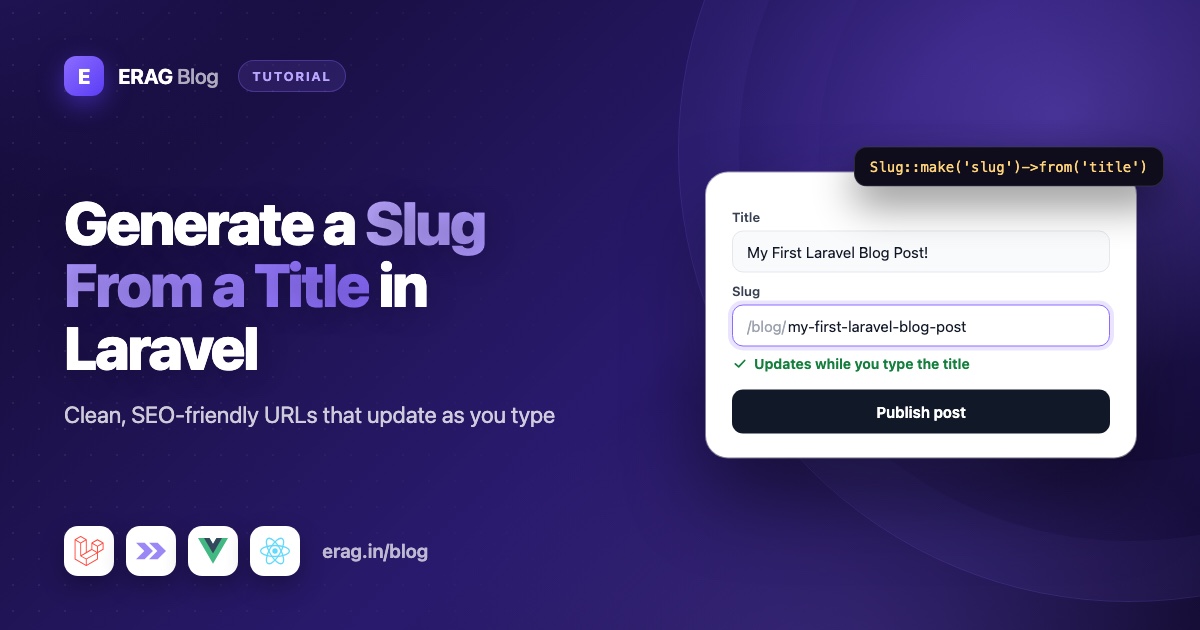
To generate a slug from a title in Laravel, call Str::slug($title). It turns "Laravel 13 Is Here!" into laravel-13-is-here: lower-case words joined by dashes, with accents and symbols removed. Save it in a slug column with a unique index, check it with Rule::unique() so no two posts share a URL, and find posts with {post:slug} in your routes.
This guide covers each of those steps for Laravel 13 and PHP 8.3+, including non-English titles, slugs that only need to be unique inside one team, and adding slugs to posts you already have. Then it adds a slug field to an Inertia form with Laravel Inertia Forms. The field fills itself in from the title while you type, stops when you edit it by hand, and checks the format before anything is saved. The last part shows how to keep old links working when a slug changes.
The short version
- Make a slug with
Str::slug($title), orStr::slug($title, '_')for underscores. A third argument sets the language, for titles that aren't in English. - Add
$table->string('slug')->unique()to the table. - Validate with
Rule::unique('posts', 'slug')->ignore($post)so the edit screen doesn't trip over the post's own slug. - For slugs made in code, add
-2,-3and so on until the slug is free. - Use
/blog/{post:slug}in the route to look posts up by slug. - In the form, use
Slug::make('slug')->from('title')so the slug follows the title. - When a slug changes, keep the old one and send visitors on with a 301 redirect.
What is a slug and why does it matter for SEO?
A slug is the part of a URL that names one page. In https://example.com/blog/laravel-13-is-here, the slug is laravel-13-is-here. It's made from the title, written in lower case, with words joined by dashes and nothing else in it.
Good slugs help in three ways:
- People can read them.
/blog/laravel-13-is-heretells you what you'll get before you click./blog/post?id=8812tells you nothing. - Search engines read them too. The words in a URL are a small hint about the page, and the URL shows in search results.
- They're safe to share. No spaces, quotes or accents, so the link doesn't break when pasted into a chat or an email.
Keep slugs short. A few clear words read better in a link than a whole sentence, so it's fine to trim a long title down when you pick the slug.
One catch: once a page is live and linked, its slug should stay put. Changing it breaks those links unless you add a redirect, which the last section covers.
How to generate a slug with Str::slug()
Laravel ships a slug helper on the Str class:
use Illuminate\Support\Str;

Str::slug('Laravel 13 Is Here!');     // laravel-13-is-here
Str::slug('Crème Brûlée Recipes!');   // creme-brulee-recipes
Str::slug('Laravel @ Scale');         // laravel-at-scale
Str::slug('Hello World', '_');        // hello_world
The full signature is Str::slug($title, $separator = '-', $language = 'en', $dictionary = ['@' => 'at']). Under the hood it:
- Turns accented letters into plain ones, so
ébecomese. - Turns underscores into the separator (or dashes, when the separator is
_). - Swaps dictionary entries, which is why
@becomesat. - Lower-cases the text and removes every symbol that isn't a letter, a number, a space or the separator.
- Joins the words with one separator and trims separators from both ends.
Step 4 has a side effect: symbols are removed, not replaced, so Str::slug('Vue 3.5') gives vue-35. Check titles with version numbers. The dictionary argument below fixes this.
Swap symbols for words with the dictionary
The fourth argument maps a symbol to the text that should replace it. Use it for symbols that carry meaning in your titles:
Str::slug('Tom & Jerry');                                         // tom-jerry
Str::slug('Tom & Jerry', '-', 'en', ['&' => 'and', '@' => 'at']); // tom-and-jerry
Str::slug('Vue 3.5 Released', '-', 'en', ['.' => '-']);           // vue-3-5-released
Your dictionary replaces the default one, so add '@' => 'at' back if you still want it. Without it, Me @ Work becomes me-work.
How to make slugs from non-English titles
The third argument of Str::slug() is a language code. Laravel uses it to turn letters into plain a-z letters, following that language's rules. It's 'en' by default:
Str::slug('Crème Brûlée');             // creme-brulee
Str::slug('Größe ändern');             // grosse-andern
Str::slug('Größe ändern', '-', 'de');  // groesse-aendern
Str::slug('Привет мир');               // privet-mir
Str::slug('你好世界');                  // '' (empty)
Str::slug('你好世界', '-', null);        // 你好世界
Str::slug('مرحبا بالعالم', '-', null);   // مرحبا-بالعالم
What to take from this:
- Latin, Cyrillic and Greek titles work out of the box. Pass a language code, like
'de'for German, when that language has its own spelling rules. - Chinese and Japanese titles come out empty, because there's no plain-letter version to convert to. Always have a fallback, like the
?: 'post'inuniqueSlug()below, so you never save an empty slug. - Passing
nullas the language skips the conversion and keeps the original letters, which suits Arabic or Chinese URLs. Test it with real titles first:Str::slug()keeps only letters and numbers, so some scripts lose marks. Hindi vowel signs, for example, are dropped, andनमस्ते दुनियाturns intoनमसत-दनय.
Non-Latin slugs are valid, but browsers send them as %-codes, and a pasted link can turn into a long string like %D9%85%D8%B1.... If your readers share links a lot, a converted slug or a hand-written English one may be easier.
How to store slugs in the database
Give the slug its own column with a unique index:
Schema::create('posts', function (Blueprint $table) {
    $table->id();
    $table->string('title');
    $table->string('slug')->unique();
    $table->text('body');
    $table->timestamps();
});
The unique index is your safety net. Validation catches nearly every duplicate, but two requests that arrive at the same moment can both pass it. The index makes the second insert fail instead of putting two posts at one address, and it makes lookups by slug fast.
use Illuminate\Database\Eloquent\Attributes\Fillable;
use Illuminate\Database\Eloquent\Model;

#[Fillable(['title', 'slug', 'body'])]
class Post extends Model
{
}
How to make a slug unique in Laravel
There are two ways to deal with a slug that's already taken. Which one fits depends on who picks the slug.
Reject a taken slug with a validation rule
When a person types or checks the slug, tell them it's taken and let them choose another:
use Illuminate\Validation\Rule;

$request->validate([
    'slug' => ['required', 'string', 'max:255', Rule::unique('posts', 'slug')->ignore($post)],
]);
ignore($post) matters on edit screens. Without it, saving a post without touching its slug fails, because the slug is "taken" by the post itself. On the create screen $post is null, so nothing is ignored.
Add -2, -3 automatically
When code makes the slug, in an import, a seeder or an API endpoint, there's nobody to show an error to. Add a number until the slug is free. Put this method on the Post model:
use Illuminate\Support\Str;

public static function uniqueSlug(string $title, ?int $ignoreId = null): string
{
    $base = Str::slug($title) ?: 'post';
    $slug = $base;
    $suffix = 2;

    while (static::query()
        ->where('slug', $slug)
        ->when($ignoreId, fn ($query) => $query->whereKeyNot($ignoreId))
        ->exists()) {
        $slug = "{$base}-{$suffix}";
        $suffix++;
    }

    return $slug;
}
The ?: 'post' fallback covers titles with no letters or numbers, like ???, which would otherwise give an empty slug. whereKeyNot() skips the post being saved, so re-saving a post never bumps its own slug to -2.
Then fill in missing slugs with a saving hook, so Post::create(['title' => 'Hello World']) always gets one:
protected static function booted(): void
{
    static::saving(function (Post $post): void {
        if (blank($post->slug)) {
            $post->slug = static::uniqueSlug($post->title, $post->id);
        }
    });
}
The hook only fills empty slugs, so a hand-picked slug is never changed. A quick Pest test proves the numbering:
use App\Models\Post;

it('adds a number when the slug is taken', function () {
    Post::create(['title' => 'Hello World', 'body' => 'First']);
    $second = Post::create(['title' => 'Hello World', 'body' => 'Second']);

    expect($second->slug)->toBe('hello-world-2');
});
Unique per team, user or category
In an app with many teams, two teams may both want a page called pricing. The slug then only needs to be unique inside one team, not across the whole table. Put both columns in the unique index:
$table->foreignId('team_id')->constrained();
$table->string('slug');
$table->unique(['team_id', 'slug']);
Scope the validation rule the same way:
Rule::unique('posts', 'slug')->where('team_id', $teamId)->ignore($post)If you use uniqueSlug(), add the same ->where('team_id', ...) to its query. For the public URL, nest the post under its team:
Route::get('/teams/{team}/posts/{post:slug}', [TeamPostController::class, 'show']);When a custom key like {post:slug} sits inside a nested route, Laravel finds the post through $team->posts(). Team A's pricing page never loads team B's. The Team model needs that posts() relationship.
How to add slugs to posts you already have
Adding a slug column to a table that already has rows needs one extra step. The old rows have no slug yet, so the column can't start out as required. Add it as nullable, fill it in, then add the unique index:
use App\Models\Post;
use Illuminate\Database\Migrations\Migration;
use Illuminate\Database\Schema\Blueprint;
use Illuminate\Support\Facades\Schema;

return new class extends Migration
{
    public function up(): void
    {
        Schema::table('posts', function (Blueprint $table) {
            $table->string('slug')->nullable();
        });

        Post::whereNull('slug')->lazyById()->each(function (Post $post): void {
            $post->slug = Post::uniqueSlug($post->title, $post->id);
            $post->saveQuietly();
        });

        Schema::table('posts', function (Blueprint $table) {
            $table->unique('slug');
        });
    }

    public function down(): void
    {
        Schema::table('posts', function (Blueprint $table) {
            $table->dropUnique(['slug']);
            $table->dropColumn('slug');
        });
    }
};
Why it's written this way:
lazyById()walks the table in chunks ordered by id. A plainchunk()can skip rows when you change the column you filter on, andlazyById()doesn't.saveQuietly()saves without firing model events, so the redirect hook from later in this guide doesn't record these first slugs as "old" ones.uniqueSlug()checks the slugs already saved, so two posts with the same title gethello-worldandhello-world-2.
The column stays nullable, but the saving hook makes sure every new post gets a slug.
How to find a post by its slug
Tell the route which column to use:
use App\Http\Controllers\PostController;

Route::get('/blog/{post:slug}', [PostController::class, 'show'])->name('posts.show');
{post:slug} makes Laravel look the post up by its slug column instead of its id. Your controller still receives a Post $post, and an unknown slug returns a 404. When you build a link with route('posts.show', $post), Laravel fills in $post->slug for you, because the route knows which column it needs.
To make the slug the default for every route that binds a Post, override getRouteKeyName() on the model:
public function getRouteKeyName(): string
{
    return 'slug';
}
Laravel 13 also lets you put #[RouteKey('slug')] (from Illuminate\Database\Eloquent\Attributes\RouteKey) on the model class. Either way, every {post} in every route now means the slug, admin routes included. I prefer {post:slug} on public routes and plain ids in the admin, so admin links don't change when a slug does.
How to add an auto-updating slug field to an Inertia form
Typing slugs by hand is tedious, and making them on the server hides the URL until after saving. A common workaround is an AJAX route that takes the title and returns a slug. The Slug field in Laravel Inertia Forms fills in the slug from the title as you type, with no extra route to write, and still lets you change it.
The package needs PHP 8.3 or newer, Laravel 13, Inertia v3 and Tailwind CSS 4, with Vue 3.5+, React 19 or Svelte 5 on the frontend (see the requirements). The installation guide covers the three install steps, including the one-line Tailwind @source setup:
composer require erag/inertia-forms
php artisan erag:install-inertia-forms
npm install @erag/inertia-forms-vue
Generate a form class with php artisan make:form PostForm and fill it in:
<?php

namespace App\Forms;

use Erag\InertiaForms\Fields\Slug;
use Erag\InertiaForms\Fields\Submit;
use Erag\InertiaForms\Fields\Textarea;
use Erag\InertiaForms\Fields\TextInput;
use Erag\InertiaForms\Form;
use Illuminate\Validation\Rule;

class PostForm extends Form
{
    protected ?string $actionRoute = 'posts.store';

    public function fields(): array
    {
        $post = $this->getModel();

        return [
            TextInput::make('title')->required()->maxLength(160),

            Slug::make('slug')
                ->from($post ? null : 'title')
                ->prefix(url('/blog').'/')
                ->maxLength(80)
                ->required()
                ->rule(Rule::unique('posts', 'slug')->ignore($post)),

            Textarea::make('body')->required()->rows(10),

            Submit::make($post ? 'Save post' : 'Publish post'),
        ];
    }
}
Here is what each slug method does:
from('title')makes the slug follow thetitlefield. On the edit screen it getsnullinstead, for a reason explained below.prefix()shows the start of the final URL in front of the input, likehttps://my-app.test/blog/. It's only a visual hint and is not part of the value.maxLength(80)keeps URLs short. Generated slugs are cut at the limit without a dangling dash.rule(Rule::unique(...)->ignore($post))adds the uniqueness check from earlier.getModel()returns the bound post on the edit screen andnullon the create screen.
The controller uses the same class for both screens:
<?php

namespace App\Http\Controllers;

use App\Forms\PostForm;
use App\Models\Post;
use Erag\InertiaForms\Attributes\Validate;
use Illuminate\Http\RedirectResponse;
use Illuminate\Http\Request;
use Inertia\Inertia;
use Inertia\Response;

class PostController extends Controller
{
    public function create(): Response
    {
        return Inertia::render('posts/Form', ['form' => PostForm::make()]);
    }

    public function store(#[Validate] PostForm $form): RedirectResponse
    {
        $post = Post::create($form->validated());

        return to_route('posts.show', $post);
    }

    public function edit(Post $post): Response
    {
        return Inertia::render('posts/Form', [
            'form' => PostForm::make()->route('posts.update', $post)->bind($post),
        ]);
    }

    public function update(Request $request, Post $post): RedirectResponse
    {
        $post->update(PostForm::make()->bind($post)->validate($request));

        return to_route('posts.show', $post);
    }

    public function show(Post $post): Response
    {
        return Inertia::render('posts/Show', ['post' => $post->only('title', 'slug', 'body')]);
    }
}
store() uses the #[Validate] attribute, which builds a fresh form and validates the request before the method runs. update() validates by hand with the post bound. That's on purpose: the attribute's form has no model, so ignore() wouldn't know which post to skip. The validation docs cover both ways.
Add the admin routes next to the public posts.show route:
Route::middleware('auth')->group(function () {
    Route::get('posts/create', [PostController::class, 'create'])->name('posts.create');
    Route::post('posts', [PostController::class, 'store'])->name('posts.store');
    Route::get('posts/{post}/edit', [PostController::class, 'edit'])->name('posts.edit');
    Route::put('posts/{post}', [PostController::class, 'update'])->name('posts.update');
});
The page is one component:
<!-- resources/js/pages/posts/Form.vue -->
<script setup lang="ts">
import { Form, type FormSchema } from '@erag/inertia-forms-vue';

defineProps<{ form: FormSchema }>();
</script>

<template>
    <div class="mx-auto max-w-2xl p-6">
        <Form :form="form" />
    </div>
</template>
In React, install @erag/inertia-forms-react and render <Form form={form} /> from it. The PHP class doesn't change. If you're new to form classes, building Inertia forms from a single PHP class walks through the basics. Building the blog itself? Build a Laravel blog with Inertia and a rich text editor covers the post body, image uploads and the public page.
How the slug field follows the title
- While the slug hasn't been edited, it follows the title. Typing "Crème Brûlée Recipes!" fills in
creme-brulee-recipes. - As soon as you type in the slug field, it stops following. A regenerate button appears. Clicking it builds the slug from the title again and turns following back on.
- Clearing the slug field also turns following back on.
- When the field loses focus, whatever was typed is cleaned up: accents are removed, spaces and symbols become the separator, and repeated or trailing separators are dropped.
Why from(null) on the edit screen? Think about a post that has been live for a month. If the slug kept following the title, fixing a typo in the title would quietly move the whole page to a new URL. Without from(), the slug is typed by hand and only cleaned up on blur, so it changes only when someone changes it on purpose.
Slug field options
| Method | What it does | Example result |
|---|---|---|
from('title') | The field the slug is made from. Without it, the slug is typed by hand. | launch-faster-with-forms |
prefix('example.test/blog/') | Text shown before the input. Not part of the value. | value stays launch-faster-with-forms |
separator('_') | The character between words: - (default) or _. Any other value falls back to -. | jane_example |
keepCase() | Keeps capital letters instead of lower-casing. | Getting_Started |
maxLength(60) | The longest allowed slug. Defaults to 255, and null removes the limit. | cut at 60 characters |
Slugs aren't only for posts. A username made from the full name works the same way:
Slug::make('username')->from('name')->prefix('@')->separator('_')->maxLength(20);
// "Jane Example" → "jane_example"
What validation the Slug field adds
The field builds its own Laravel rules: required (or nullable), string, max: with your maxLength, and a regex for the slug format. The format is letters and numbers joined by single separators. hello-world-2 passes, while Hello World and a--b fail.
The error message explains the format: "The Slug may only contain lower-case letters, numbers and single dashes." With keepCase() it says "letters" instead of "lower-case letters", and with separator('_') it says "single underscores".
Uniqueness is the one thing the field leaves to you, which is why PostForm adds the Rule::unique() line. The -2 suffixes from the model hook pass the format check too. For more on how generated rules work, see one set of validation rules for Laravel and Inertia.
How to keep old URLs working after a slug changes
Sometimes a slug has to change: a product is renamed, or the first slug had a typo. But people bookmarked the old URL, other sites link to it, and search engines indexed it. Without help, they all hit a 404.
The fix is to remember old slugs and redirect them with a 301, the status code for "moved permanently". Browsers follow it straight away, and search engines learn to use the new address.
Store each old slug with the post it belongs to:
Schema::create('slug_redirects', function (Blueprint $table) {
    $table->id();
    $table->string('old_slug')->unique();
    $table->foreignId('post_id')->constrained()->cascadeOnDelete();
    $table->timestamps();
});use Illuminate\Database\Eloquent\Attributes\Fillable;
use Illuminate\Database\Eloquent\Model;
use Illuminate\Database\Eloquent\Relations\BelongsTo;
#[Fillable(['old_slug', 'post_id'])]
class SlugRedirect extends Model
{
public function post(): BelongsTo
{
return $this->belongsTo(Post::class);
}
}Record the old slug whenever it changes. Add this to the booted() method on Post:
static::updated(function (Post $post): void {
    if ($post->wasChanged('slug')) {
        SlugRedirect::updateOrCreate(
            ['old_slug' => $post->getOriginal('slug')],
            ['post_id' => $post->id],
        );
    }
});
Inside the updated event, getOriginal('slug') still holds the value from before the save.
Finally, replace the public route with this version. Its missing() callback runs when no post has the requested slug, instead of the usual 404:
use App\Models\SlugRedirect;
use Illuminate\Http\Request;

Route::get('/blog/{post:slug}', [PostController::class, 'show'])
    ->name('posts.show')
    ->missing(function (Request $request) {
        $redirect = SlugRedirect::where('old_slug', $request->route('post'))->first();

        abort_if($redirect === null, 404);

        return to_route('posts.show', $redirect->post, 301);
    });
The table stores the post's id, not its new slug. So however many times a slug changes, every old URL goes straight to the current one in a single hop, never through a chain of redirects. A live post always wins, too: if a new post later takes an old slug, the route finds that post first and the redirect is never used.
Common problems and fixes
"The slug has already been taken" when saving an unchanged post
The unique rule doesn't ignore the current post. Check that you call ignore($post), and that update() validates with PostForm::make()->bind($post)->validate($request) instead of #[Validate].
The URL changed after fixing a typo in the title
The slug was still following the title on the edit screen. Pass null to from() when a post is bound, as PostForm does.
Str::slug() and the form give different slugs
Str::slug() removes symbols, so Vue 3.5 becomes vue-35. The Slug field turns spaces and symbols into the separator instead, so the two can disagree on titles with symbols. Save the slug the form sends, and use Str::slug() only for slugs made in code. If code-made slugs should keep the parts, add a dictionary entry like ['.' => '-'].
Links give a 404 after switching the route to slugs
Somewhere a link passes the id, like route('posts.show', $post->id). The route now expects a slug, so the id never matches. Pass the model, route('posts.show', $post), and Laravel picks the right column.
Two posts saved at the same moment got the same slug
Validation alone can't stop this, because both requests check before either one saves. The unique index on the column can. With it in place, the second insert fails instead of creating a duplicate.
Some titles give an empty slug
Titles made only of symbols, like ???, or written in Chinese or Japanese turn into an empty string with Str::slug(). Keep the ?: 'post' fallback in uniqueSlug(), or pass null as the language to keep the original letters, as shown in the non-English section.
Frequently asked questions
How do I generate a slug from a title in Laravel?
Call Str::slug($title) from Illuminate\Support\Str. It removes accents and symbols, lower-cases the text and joins the words with dashes. Pass a second argument, like '_', to use a different separator.
How do I make a slug unique in Laravel?
Add a unique index to the column and a Rule::unique('posts', 'slug')->ignore($post) validation rule. For slugs made in code, check whether the slug exists and add -2, -3 and so on until it's free.
Do I need a package to create slugs in Laravel?
No. Str::slug() ships with Laravel, and a unique index, a validation rule and a short loop for -2 suffixes cover most apps, as this guide shows. What Laravel doesn't give you is the form side: a slug input that fills in from the title while you type. That's the part the Slug field in Laravel Inertia Forms handles.
How do I make a slug from a non-English title in Laravel?
Pass a language code as the third argument, like Str::slug($title, '-', 'de'), to convert letters with that language's rules. Chinese and Japanese titles come out empty by default, so pass null as the language to keep the original letters, or fall back to a default slug. Test a few real titles first, because some scripts lose marks.
How do I find a model by slug instead of id?
Write the route parameter as {post:slug}. To use the slug everywhere, return 'slug' from getRouteKeyName() on the model, or add the #[RouteKey('slug')] attribute in Laravel 13.
Should a slug change when the title changes?
Not for a live page. A changed slug breaks every existing link unless you redirect it. Let the slug follow the title while writing, then freeze it, and add a 301 redirect if you ever change it.
Should slugs use dashes or underscores?
Use dashes for page URLs. Google's own URL guidelines recommend hyphens over underscores, and dashes are what most readers expect. Underscores are fine for handles and usernames, which is what separator('_') is for.
Can a slug keep capital letters?
Yes. Str::slug() always lower-cases, but the Slug field keeps capitals with keepCase(), so "Getting Started" becomes Getting_Started with an underscore separator.
Does the slug field work with React and Svelte?
Yes. The PHP form class stays the same. Install @erag/inertia-forms-react or @erag/inertia-forms-svelte and render its <Form> component instead of the Vue one.
Add a slug field to your app
Install the package and add Slug::make('slug')->from('title') to your first form:
composer require erag/inertia-forms
php artisan erag:install-inertia-forms
npm install @erag/inertia-forms-vue- Slug field docs: erag.in/laravel-inertia-forms/fields/slug.html
- Edit screens and bound models: erag.in/laravel-inertia-forms/concepts/model-binding.html
- GitHub: eramitgupta/laravel-Inertia-forms
- Next: give each post a list of tags with the Laravel tags input guide, or put a slug on every landing page in the Inertia page builder tutorial.
