
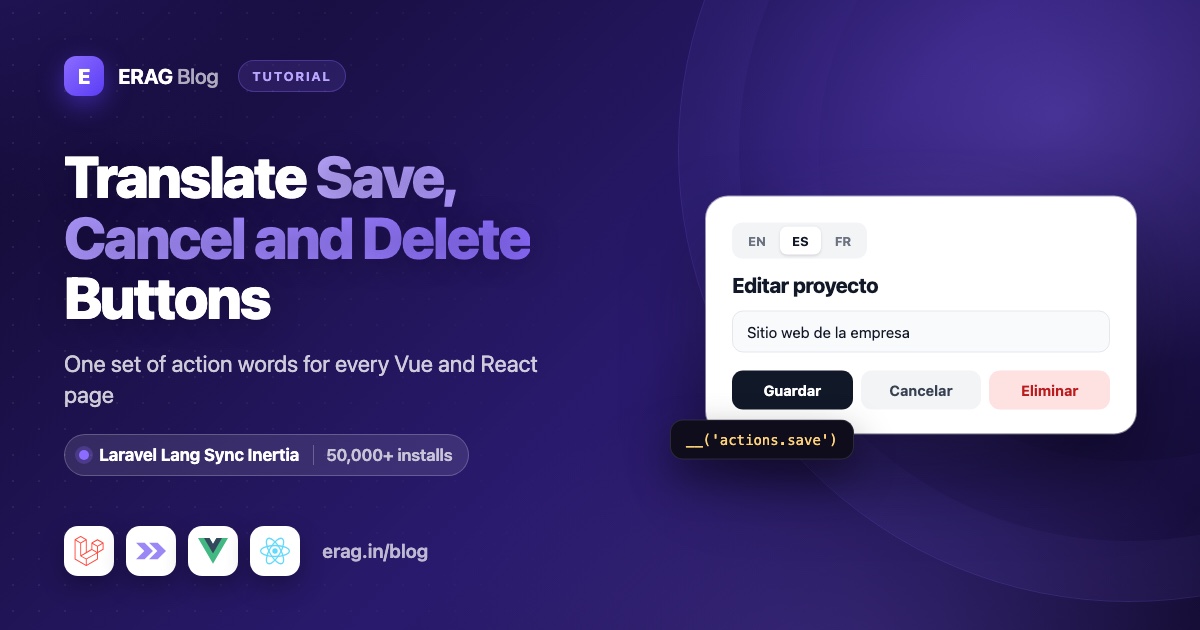
To translate buttons in a Laravel Vue or React app, put the labels in a Laravel language file such as lang/es/actions.php, share it with Inertia using Laravel Lang Sync Inertia's syncLangFiles('actions'), and write __('actions.save') in your components. Spanish visitors then see "Guardar", "Cancelar" and "Eliminar", read from the same file that Laravel uses in Blade and controllers. If your translations come from laravel-lang/actions, its actions.php file works exactly the same way.
Install Laravel Lang Sync Inertia first:
composer require erag/laravel-lang-sync-inertia
npm install @erag/lang-sync-inertia
php artisan erag:install-lang
The last command publishes config/inertia-lang.php. Laravel Lang Sync Inertia has more than 50,000 installs on Packagist and works with Vue, React and Svelte on Inertia v2 and v3, from Laravel 8 to Laravel 13.
The short version
- Install Laravel Lang Sync Inertia with the three commands above.
- Write your button labels in
lang/en/actions.phpandlang/es/actions.php. - In your locale middleware, right after
App::setLocale(), callsyncLangFiles(['actions', 'app']). - In Vue, call
vueLang(). In React, callreactLang(). Then write__('actions.save'). - Wrap it in an
ActionButtoncomponent, so every button gets a translated label andaria-label. - Keep confirm messages and plurals in
app.php, and load page-specific labels only on the pages that use them.
The rest of this post walks through each step with code for Vue 3.5 and React 19.
How do I store button labels in a Laravel language file?
Laravel 13 has no lang folder until you create one. Create lang/en and lang/es yourself, or run php artisan lang:publish if you also want Laravel's default validation and auth files.
Then write one file per language with the same keys. Grouping the button words in actions.php keeps them easy to find:
<?php

// lang/en/actions.php

return [
    'save' => 'Save',
    'cancel' => 'Cancel',
    'delete' => 'Delete',
    'edit' => 'Edit',
    'create' => 'Create',
    'close' => 'Close',
    'confirm' => 'Confirm',
    'search' => 'Search',
    'named' => [
        'delete' => 'Delete :name',
        'edit' => 'Edit :name',
    ],
    'target_link' => [
        'blank' => 'Open in a new window',
    ],
];<?php
// lang/es/actions.php
return [
'save' => 'Guardar',
'cancel' => 'Cancelar',
'delete' => 'Eliminar',
'edit' => 'Editar',
'create' => 'Crear',
'close' => 'Cerrar',
'confirm' => 'Confirmar',
'search' => 'Buscar',
'named' => [
'delete' => 'Eliminar :name',
'edit' => 'Editar :name',
],
'target_link' => [
'blank' => 'Abrir en una ventana nueva',
],
];In your components, nested keys use dots, exactly as in Laravel:
| Key in Vue or React | English | Spanish |
|---|---|---|
actions.save | Save | Guardar |
actions.cancel | Cancel | Cancelar |
actions.delete | Delete | Eliminar |
actions.named.delete | Delete :name | Eliminar :name |
actions.target_link.blank | Open in a new window | Abrir en una ventana nueva |
If you use laravel-lang/actions, php artisan lang:add es has already written a lang/es/actions.php with these keys and many more, so you can skip writing the file. Every example below works with it unchanged.
How do I share actions.php with Inertia using syncLangFiles?
Your Vue and React components cannot read PHP files. syncLangFiles() loads a PHP translation group for the current language and shares it with every Inertia page as the lang prop. Buttons appear on almost every page, so call it once in the middleware that sets the language:
<?php

namespace App\Http\Middleware;

use Closure;
use Illuminate\Http\Request;
use Illuminate\Support\Facades\App;
use Symfony\Component\HttpFoundation\Response;

class SetLocale
{
    /** @var array<int, string> */
    public const SUPPORTED = ['en', 'es'];

    public function handle(Request $request, Closure $next): Response
    {
        $locale = $request->session()->get('locale', config('app.locale'));

        App::setLocale(in_array($locale, self::SUPPORTED, true) ? $locale : config('app.locale'));

        syncLangFiles(['actions', 'app']);

        return $next($request);
    }
}
Register it in the web group, before HandleInertiaRequests:
// bootstrap/app.php
use App\Http\Middleware\HandleInertiaRequests;
use App\Http\Middleware\SetLocale;

->withMiddleware(function (Middleware $middleware): void {
    $middleware->web(append: [
        SetLocale::class,
        HandleInertiaRequests::class,
    ]);
})
Two rules keep this reliable:
- Call it after
App::setLocale().syncLangFiles()readslang/{locale}/actions.phpfor whatever language is active at the moment you call it. - Call it once per request for each file. It caches each file by name, so a second call for
actionsreturns the first result, even if the language changed in between.
Because the labels live in a normal Laravel group, __('actions.save') also works in Blade views, controllers, mail and notifications. You write each word once, and there is no second set of JSON translation files to keep in sync with your PHP files.
syncLangFiles() reads PHP group files only, not JSON string files like lang/es.json. That is why button labels belong in a group such as actions.php.
Need the language switcher too? The full guide to Laravel translations in Inertia Vue and React starts from a fresh app, and the multilingual Laravel Inertia guide adds a switcher that saves the choice in the session.
How do I translate a Save, Cancel and Delete button in Vue?
Import vueLang from the Vue entry point and call it inside <script setup>. It returns __(), trans(), transChoice() and trans_choice():
<script setup lang="ts">
import { vueLang } from '@erag/lang-sync-inertia/vue';

const { __ } = vueLang();
</script>

<template>
    <div class="flex gap-2">
        <button type="submit">{{ __('actions.save') }}</button>
        <button type="button">{{ __('actions.cancel') }}</button>
        <button type="button">{{ __('actions.delete') }}</button>
    </div>
</template>
The helper reads the shared lang prop, so when the user switches language and Inertia loads the next page, the buttons update with no page reload and no extra build step.
A reusable ActionButton component in Vue
You will repeat these buttons on dozens of pages. A small component keeps the key, the label and the accessibility attributes in one place. It takes an action key and an optional subject. With a subject, it switches to the named.* key, so "Delete" becomes "Delete invoice".
The ActionKey type lists the keys from your actions.php, so your editor autocompletes them and TypeScript catches typos. Add a key to the type when you add it to the file.
<!-- resources/js/components/ActionButton.vue -->
<script setup lang="ts">
import { computed } from 'vue';
import { vueLang } from '@erag/lang-sync-inertia/vue';

export type ActionKey = 'save' | 'cancel' | 'delete' | 'edit' | 'create' | 'close' | 'confirm' | 'search';

const {
    action,
    subject,
    type = 'button',
    iconOnly = false,
} = defineProps<{
    action: ActionKey;
    subject?: string;
    type?: 'button' | 'submit' | 'reset';
    iconOnly?: boolean;
}>();

const { __ } = vueLang();

const label = computed(() =>
    subject
        ? __(`actions.named.${action}`, { name: subject })
        : __(`actions.${action}`),
);
</script>

<template>
    <button
        :type="type"
        :aria-label="iconOnly ? label : undefined"
        :title="iconOnly ? label : undefined"
    >
        <slot name="icon" />
        <span v-if="!iconOnly">{{ label }}</span>
    </button>
</template>
Use it in a form. Attributes like disabled, class and @click pass through to the <button> element automatically:
<script setup lang="ts">
import { router, useForm } from '@inertiajs/vue3';
import { vueLang } from '@erag/lang-sync-inertia/vue';
import ActionButton from '@/components/ActionButton.vue';

const props = defineProps<{ invoice: { id: number; number: string } }>();

const { __ } = vueLang();
const form = useForm({ number: props.invoice.number });
</script>

<template>
    <form @submit.prevent="form.put(`/invoices/${invoice.id}`)">
        <input v-model="form.number" />

        <ActionButton action="save" type="submit" :disabled="form.processing" />
        <ActionButton action="cancel" @click="router.visit('/invoices')" />
        <ActionButton action="delete" :subject="__('app.models.invoice')" />
    </form>
</template>
For a Spanish visitor, those three buttons read "Guardar", "Cancelar" and "Eliminar factura".
The same ActionButton component in React
The React version does the same job with reactLang(). In React 19, ref is a normal prop for function components, so it passes through ...props along with onClick, disabled and className.
// resources/js/components/ActionButton.tsx
import type { ComponentProps, ReactNode } from 'react';
import { reactLang } from '@erag/lang-sync-inertia/react';

export type ActionKey = 'save' | 'cancel' | 'delete' | 'edit' | 'create' | 'close' | 'confirm' | 'search';

type ActionButtonProps = ComponentProps<'button'> & {
    action: ActionKey;
    subject?: string;
    icon?: ReactNode;
    iconOnly?: boolean;
};

export default function ActionButton({
    action,
    subject,
    icon,
    iconOnly = false,
    type = 'button',
    ...props
}: ActionButtonProps) {
    const { __ } = reactLang();

    const label = subject
        ? __(`actions.named.${action}`, { name: subject })
        : __(`actions.${action}`);

    return (
        <button
            type={type}
            aria-label={iconOnly ? label : undefined}
            title={iconOnly ? label : undefined}
            {...props}
        >
            {icon}
            {!iconOnly && <span>{label}</span>}
        </button>
    );
}
reactLang() reads the page props through Inertia's usePage(), so call it at the top of a component, like any other hook:
import { router, useForm } from '@inertiajs/react';
import { reactLang } from '@erag/lang-sync-inertia/react';
import ActionButton from '@/components/ActionButton';

type Invoice = { id: number; number: string };

export default function EditInvoice({ invoice }: { invoice: Invoice }) {
    const { __ } = reactLang();
    const form = useForm({ number: invoice.number });

    return (
        <form
            onSubmit={(event) => {
                event.preventDefault();
                form.put(`/invoices/${invoice.id}`);
            }}
        >
            <input
                value={form.data.number}
                onChange={(event) => form.setData('number', event.target.value)}
            />

            <ActionButton action="save" type="submit" disabled={form.processing} />
            <ActionButton action="cancel" onClick={() => router.visit('/invoices')} />
            <ActionButton action="delete" subject={__('app.models.invoice')} />
        </form>
    );
}
New to Laravel Lang Sync Inertia? Run composer require erag/laravel-lang-sync-inertia and npm install @erag/lang-sync-inertia, then follow the Vue guide or the React guide in the docs.
How do I add the record name to a button, like "Delete invoice"?
Laravel placeholders work on the frontend too. The named.delete line is 'Delete :name', and you pass the value as the second argument:
__('actions.named.delete', { name: __('app.models.invoice') });
// English: "Delete invoice"   Spanish: "Eliminar factura"
Translate the noun as well. Passing a raw English word like 'invoice' gives you "Eliminar invoice". Older files that use {name} placeholders work the same way.
Watch out for grammar. A line like "Nuevo :name" (New :name) is fine for cliente but wrong for factura, which is feminine and needs "Nueva". Many languages change the words around a noun like this. When a phrase depends on the noun, write the whole phrase as its own key instead of filling a placeholder.
Product-specific words go in your own app.php, which the middleware already loads:
<?php

// lang/es/app.php

return [
    'models' => [
        'invoice' => 'factura',
        'customer' => 'cliente',
    ],
    'invoices' => [
        'new' => 'Nueva factura',
        'mark_paid' => 'Marcar como pagada',
        'delete_selected' => '{1} Eliminar :count factura|[2,*] Eliminar :count facturas',
    ],
    'confirm' => [
        'delete_invoice' => '¿Eliminar esta factura?',
        'cannot_undo' => 'Esta acción no se puede deshacer.',
    ],
];
The English lang/en/app.php has the same keys: 'Mark as paid', '{1} Delete :count invoice|[2,*] Delete :count invoices', 'Delete this invoice?' and so on.
How do I translate "Are you sure?" and "Delete 3 invoices"?
A bulk delete button needs a plural. Use transChoice() with the delete_selected line above. It replaces :count for you:
const { __, transChoice } = vueLang();

transChoice('app.invoices.delete_selected', 1); // "Eliminar 1 factura"
transChoice('app.invoices.delete_selected', 3); // "Eliminar 3 facturas"
Write explicit conditions like {1} and [2,*]. The frontend helper does not know each language's plural rules: without conditions it uses the first form for 1 and the last form for everything else. That is fine for English and Spanish, but languages with more plural forms need explicit ranges. Laravel's own trans_choice() on the server does know those rules.
For the confirmation itself, skip the browser's window.confirm(). The browser draws its OK and Cancel buttons, so you cannot translate them. A dialog you render can use your translations. With the promise-based useConfirmation() from Laravel Inertia Toast, covered in the confirm dialog tutorial, the Vue code looks like this:
import { router } from '@inertiajs/vue3';
import { useConfirmation } from '@erag/inertia-toast-vue';
import { vueLang } from '@erag/lang-sync-inertia/vue';

const { __ } = vueLang();
const { confirm } = useConfirmation();

const deleteInvoice = async (id: number) => {
    const accepted = await confirm({
        title: __('app.confirm.delete_invoice'),
        message: __('app.confirm.cannot_undo'),
        type: 'danger',
        confirmText: __('actions.delete'),
        cancelText: __('actions.cancel'),
    });

    if (accepted) {
        router.delete(`/invoices/${id}`);
    }
};
In React, call reactLang() and useConfirmation() at the top of the component and pass the same options to confirmation.confirm():
import { router } from '@inertiajs/react';
import { useConfirmation } from '@erag/inertia-toast-react';
import { reactLang } from '@erag/lang-sync-inertia/react';

// inside your page component
const { __ } = reactLang();
const confirmation = useConfirmation();

const deleteInvoice = async (id: number) => {
    const accepted = await confirmation.confirm({
        title: __('app.confirm.delete_invoice'),
        message: __('app.confirm.cannot_undo'),
        type: 'danger',
        confirmText: __('actions.delete'),
        cancelText: __('actions.cancel'),
    });

    if (accepted) {
        router.delete(`/invoices/${id}`);
    }
};
How do I load page-specific button labels only where they are used?
Generic words like Save and Cancel belong on every page. Labels for one area of your app do not, so load them in that area's controller and keep every other page small:
public function index(): Response
{
    syncLangFiles('invoices');

    return Inertia::render('Invoices/Index', [
        'invoices' => Invoice::latest()->paginate(),
    ]);
}
This loads lang/{locale}/invoices.php on the invoices page only, and merges it with the actions and app groups the middleware already shared.
Groups can also live in folders. For admin-only buttons, create lang/es/admin/actions.php and load it with dot notation:
syncLangFiles('admin.actions');On the frontend the key follows the folders: __('admin.actions.impersonate'). Your admin labels stay out of the public pages, and the file layout stays tidy as the app grows.
How do I translate aria-label for icon-only buttons?
Screen reader users hear the accessible name of each button, and an untranslated aria-label is easy to miss because nobody sees it.
- Buttons with visible text need no
aria-label. The screen reader reads the translated text inside the button. - Icon-only buttons need a translated
aria-label. TheActionButtoncomponents above set it, plus atitletooltip for mouse users, when you passiconOnly. - Links that open a new tab can say so with the
target_link.blankkey:
<a href="https://example.com/help" target="_blank" rel="noopener">
    {{ __('app.help') }}
    <span class="sr-only">({{ __('actions.target_link.blank') }})</span>
</a>- The page language matters too. Laravel's starter kits set the
<html lang>attribute from the current locale inapp.blade.php, so a screen reader pronounces "Guardar" with Spanish rules once your middleware has set the locale.
Common problems and fixes
The button shows actions.save instead of a word. A missing key comes back as the key itself. Check that lang/{locale}/actions.php exists for the active language, that the middleware calls syncLangFiles() with actions, and that the middleware runs on that route.
Buttons stay in English after switching to Spanish. syncLangFiles() ran before App::setLocale(), or ran earlier in the request for the same file. Move the call to just after App::setLocale().
__('Save') is translated in Blade but stays "Save" in Vue. That string lives in a JSON file such as lang/es.json, and syncLangFiles() only shares PHP groups. Use a group key like __('actions.save').
The label shows a literal :name. You used a named.* key without the replacement object. Pass { name: ... } as the second argument.
A whole language shows keys, but English works. The helper has no fallback language. If lang/fr/actions.php is missing, every French button shows its key. Create the file, with the same keys as the English one.
Plurals look wrong in a language with more than two forms. The frontend helper only knows the conditions you write. Add explicit ranges, such as {1}, [2,4] and [5,*], to the line in that language's file.
Frequently asked questions
Can I use the same button labels in Blade and controllers?
Yes. actions.php is a normal Laravel translation group, so __('actions.save') works in Blade, controllers, mail and notifications. The PHP helper and the frontend helper read the same file, so the wording always matches.
Do I need a separate JSON translation file for Vue or React?
No. syncLangFiles() sends your PHP groups with the Inertia response, so you maintain one set of files. If you prefer static JSON files, php artisan erag:generate-lang exports every PHP group to resources/js/lang/{locale}/, and the package merges the exported files for the active language into the lang prop.
Does this work with laravel-lang/actions?
Yes. That package writes its labels to lang/{locale}/actions.php, a PHP group, so syncLangFiles('actions') shares it like your own file. Keep your extra product words in app.php.
Does this work with Svelte?
Yes. Import svelteLang from @erag/lang-sync-inertia/svelte and call __('actions.save') the same way. The Svelte translations guide shows the full setup with Svelte 5.
What happens when a key is missing?
The helper returns the key itself, such as actions.named.cancel. That makes gaps easy to spot on the page. There is no fallback language, so a missing file means every key in that group shows as text.
Does sharing actions.php make my pages slower?
A file with a few dozen short labels adds very little to each response. If a group grows large or belongs to one area of the app, load it in that area's controllers instead of the middleware, as shown above.
Is Laravel Lang Sync Inertia free?
Yes. It is open source under the MIT license. Install it with Composer and npm, and the source is on GitHub.
Install Laravel Lang Sync Inertia
Add it to your app, publish the config and start translating your buttons:
composer require erag/laravel-lang-sync-inertia
npm install @erag/lang-sync-inertia
php artisan erag:install-lang
Then create lang/es/actions.php, call syncLangFiles(['actions', 'app']) after App::setLocale(), and replace your hard-coded labels with __('actions.save').
- Documentation: erag.in/laravel-lang-sync-inertia
- GitHub: eramitgupta/laravel-lang-sync-inertia
- Packagist: erag/laravel-lang-sync-inertia
- The full setup: Laravel translations in Inertia Vue and React
- Next: Translate Laravel error pages in Inertia
