
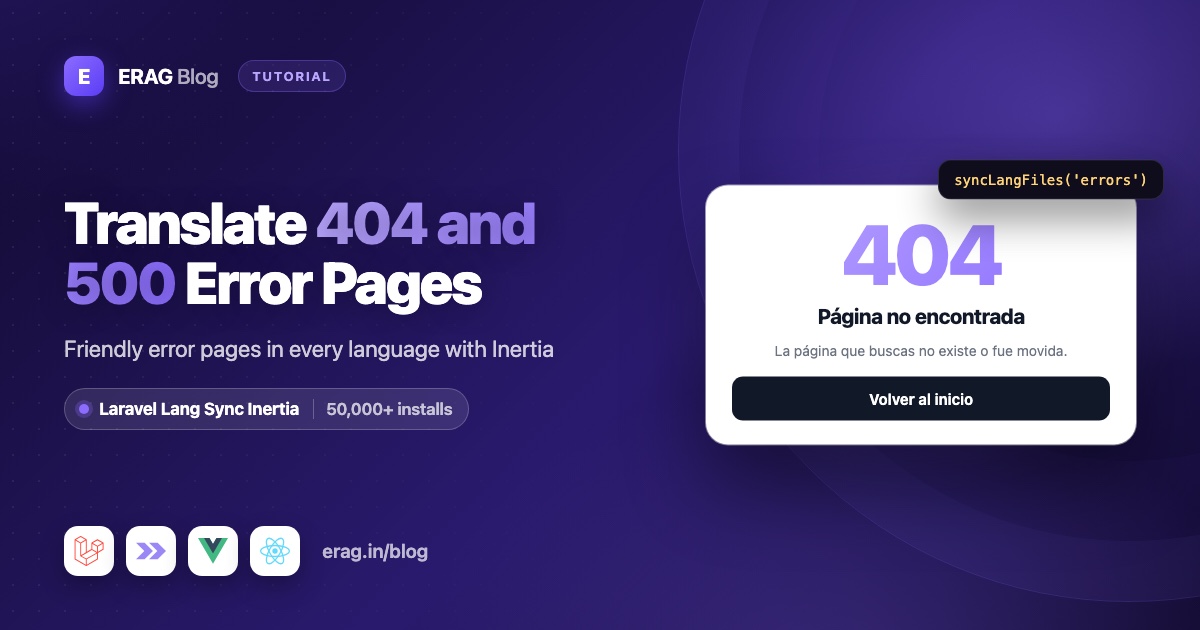
To translate Laravel error pages in an Inertia app, write the title and message for each status in your own lang/{locale}/errors.php, render an ErrorPage component from Inertia v3's Inertia::handleExceptionsUsing() callback, and share the file with Laravel Lang Sync Inertia's syncLangFiles('errors'). A Spanish visitor on a missing page then sees "Página no encontrada" instead of an English 404. The same approach works for HTTP status names from laravel-lang/http-statuses, because they are also a PHP language file.
Install Laravel Lang Sync Inertia first:
composer require erag/laravel-lang-sync-inertia
npm install @erag/lang-sync-inertia
php artisan erag:install-lang
The last command publishes config/inertia-lang.php. Laravel Lang Sync Inertia has more than 50,000 installs on Packagist and works with Vue, React and Svelte on Inertia v2 and v3.
The short version
- Install Laravel Lang Sync Inertia with the three commands above.
- Write a title and description for 403, 404, 419, 500 and 503 in
lang/en/errors.phpandlang/es/errors.php. - Move your locale detection into a
SetLocale::resolve()method that works with or without a session. - In
AppServiceProvider::boot(), callInertia::handleExceptionsUsing(). Set the locale, callsyncLangFiles('errors'), and renderErrorPage. - Build
ErrorPage.vueorErrorPage.tsxwithvueLang()orreactLang(). - Send 419 errors back to the form with a translated "Page expired" message.
- Add a
Route::fallback()so unknown URLs use the language the visitor picked.
How do I write error page messages in a Laravel lang file?
Each error page needs a short title and one sentence that says what happened and what to do next. Put both in a normal Laravel language file, one per language, with the status codes as keys:
<?php

// lang/en/errors.php

return [
    '403' => [
        'title' => 'Access denied',
        'description' => 'Sorry, you do not have permission to view this page.',
    ],
    '404' => [
        'title' => 'Page not found',
        'description' => 'The page you are looking for does not exist or was moved.',
    ],
    '419' => [
        'title' => 'Page expired',
        'description' => 'Your session expired. Please try again.',
    ],
    '500' => [
        'title' => 'Server error',
        'description' => 'Something went wrong on our side. Please try again in a few minutes.',
    ],
    '503' => [
        'title' => 'Down for maintenance',
        'description' => 'We are doing some maintenance. Please check back soon.',
    ],
    'back_home' => 'Back to home',
];<?php
// lang/es/errors.php
return [
'403' => [
'title' => 'Acceso denegado',
'description' => 'Lo sentimos, no tienes permiso para ver esta página.',
],
'404' => [
'title' => 'Página no encontrada',
'description' => 'La página que buscas no existe o fue movida.',
],
'419' => [
'title' => 'Página expirada',
'description' => 'Tu sesión ha expirado. Inténtalo de nuevo.',
],
'500' => [
'title' => 'Error del servidor',
'description' => 'Algo salió mal en nuestro servidor. Inténtalo de nuevo en unos minutos.',
],
'503' => [
'title' => 'En mantenimiento',
'description' => 'Estamos haciendo tareas de mantenimiento. Vuelve pronto.',
],
'back_home' => 'Volver al inicio',
];Laravel 13 has no lang folder until you create one, so create lang/en and lang/es if they are missing. The nested keys use dots on the frontend, exactly like Laravel's own __():
| Key | English | Spanish |
|---|---|---|
errors.404.title | Page not found | Página no encontrada |
errors.404.description | The page you are looking for does not exist or was moved. | La página que buscas no existe o fue movida. |
errors.403.title | Access denied | Acceso denegado |
errors.back_home | Back to home | Volver al inicio |
Because the status code is part of the key, the page builds every key from a single status prop.
If you installed laravel-lang/http-statuses, lang/es/http-statuses.php already holds short status names keyed by number, such as '404' => 'No encontrado'. Load it next to your file with syncLangFiles(['errors', 'http-statuses']) and use http-statuses.404 wherever you want the plain status name.
Why does syncLangFiles load English on some error pages?
syncLangFiles() reads files for the language that is active when you call it. Most apps set that language in a middleware appended to the web group, as the multilingual Laravel Inertia guide does. But many errors happen before that middleware runs:
| Where the error happens | Your locale middleware ran? | Session available? |
|---|---|---|
abort(404), findOrFail() or a failed policy in a controller | Yes | Yes |
Route model binding finds no record, like /invoices/999 | No | Yes |
| CSRF token mismatch (419) | No | Yes |
| A URL that matches no route | No | No |
Maintenance mode after php artisan down | No | No |
Here is why. Laravel 13's web group starts with its own middleware: cookie encryption, StartSession, the CSRF check (PreventRequestForgery) and SubstituteBindings. $middleware->web(append: [...]) adds yours after those, so a failed CSRF check or a missing model throws first. A URL that matches no route never enters the web group at all, because Laravel only runs route middleware after it finds a route. Maintenance mode is checked by global middleware, before routing.
If you call syncLangFiles('errors') in those cases without setting the language first, you get the default language from config/app.php. So move the detection into a static method that both the middleware and the error callback can call:
<?php

namespace App\Http\Middleware;

use Closure;
use Illuminate\Http\Request;
use Illuminate\Support\Facades\App;
use Symfony\Component\HttpFoundation\Response;

class SetLocale
{
    /** @var array<int, string> */
    public const SUPPORTED = ['en', 'es'];

    public function handle(Request $request, Closure $next): Response
    {
        App::setLocale(self::resolve($request));

        syncLangFiles(['app', 'actions']);

        return $next($request);
    }

    /**
     * Use the language saved in the session, or the browser's language when there is no session.
     */
    public static function resolve(Request $request): string
    {
        $locale = $request->hasSession()
            ? $request->session()->get('locale')
            : null;

        $locale ??= $request->getPreferredLanguage(self::SUPPORTED);

        return in_array($locale, self::SUPPORTED, true) ? $locale : config('app.locale');
    }
}
The hasSession() check matters. Calling $request->session() before a session has started throws "Session store not set on request." Without a session, the browser's Accept-Language header is the best hint you have, and getPreferredLanguage() picks the closest match from your supported list.
If your app also reads the language from a URL prefix or the user's profile, put that logic in resolve() too, so normal pages and error pages always agree.
How do I render a translated error page with handleExceptionsUsing?
In development, Inertia shows any non-Inertia response, such as Laravel's error page, inside a modal. For production, the Inertia v3 error handling docs recommend Inertia::handleExceptionsUsing() in a service provider. Its callback receives an Inertia\ExceptionResponse with statusCode(), render($component, $props) and withSharedData(), plus the original request. Returning null keeps Laravel's normal response.
Register it in app/Providers/AppServiceProvider.php, and load errors.php inside it:
<?php

namespace App\Providers;

use App\Http\Middleware\SetLocale;
use Illuminate\Support\Facades\App;
use Illuminate\Support\ServiceProvider;
use Inertia\ExceptionResponse;
use Inertia\Inertia;

class AppServiceProvider extends ServiceProvider
{
    public function boot(): void
    {
        Inertia::handleExceptionsUsing(function (ExceptionResponse $response) {
            $status = $response->statusCode();
            $request = $response->request;

            if ($request->expectsJson()) {
                return null;
            }

            if ($status === 500 && config('app.debug')) {
                return null;
            }

            App::setLocale(SetLocale::resolve($request));

            if ($status === 419) {
                return Inertia::flash('alert', [
                    'title' => __('errors.419.title'),
                    'message' => __('errors.419.description'),
                ])->back(303);
            }

            if (! in_array($status, [403, 404, 500, 503], true)) {
                return null;
            }

            syncLangFiles('errors');

            return $response->render('ErrorPage', ['status' => $status])
                ->withSharedData();
        });
    }
}
Here is what each part does:
expectsJson()keeps JSON errors for API clients. The callback runs for every exception in the app, so without this check an API request for a missing record would get an HTML page. Inertia's own requests ask for HTML, so they still get the page.- The debug check keeps Laravel's detailed error page for unexpected 500 errors while
APP_DEBUG=true. App::setLocale()fixes the language for the cases in the table above. When your middleware already ran,resolve()returns the same language, so nothing changes.syncLangFiles('errors')loads your error messages only when an error page is rendered, so normal pages never carry them. Laravel Lang Sync Inertia shares thelangprop from its service provider and builds it when the response is created, so a file loaded here reaches the page even when no route matched.withSharedData()adds your usual shared props, such as the app name, even for URLs that never reached a route.
ExceptionResponse copies the original status code onto the Inertia response, so search engines still see a real 404. Other statuses, such as 429, fall through to Laravel's default page. Add them to the list and to errors.php if you want them translated too.
Under the hood, handleExceptionsUsing() registers Laravel's $exceptions->respond() callback. Laravel stores only one such callback, and a new registration replaces the old one, so keep all error page logic in this one place.
Build the ErrorPage component in Vue
Create resources/js/pages/ErrorPage.vue. vueLang() gives you a __() helper that works like Laravel's, and the status prop builds the keys:
<script setup lang="ts">
import { computed } from 'vue';
import { Head, Link } from '@inertiajs/vue3';
import { vueLang } from '@erag/lang-sync-inertia/vue';

const { status } = defineProps<{ status: number }>();

const { __ } = vueLang();

const title = computed(() => __(`errors.${status}.title`));
const description = computed(() => __(`errors.${status}.description`));
</script>

<template>
    <main class="mx-auto max-w-xl px-6 py-24 text-center">
        <Head :title="title" />

        <p class="text-6xl font-bold text-violet-500">{{ status }}</p>
        <h1 class="mt-4 text-2xl font-bold">{{ title }}</h1>
        <p class="mt-2 text-gray-600">{{ description }}</p>

        <Link href="/" class="mt-8 inline-block rounded bg-gray-900 px-6 py-3 text-white">
            {{ __('errors.back_home') }}
        </Link>
    </main>
</template>
For a Spanish visitor on a missing page, this shows "404", "Página no encontrada", "La página que buscas no existe o fue movida." and a "Volver al inicio" button. The browser tab title is translated too.
Build the ErrorPage component in React
Create resources/js/pages/ErrorPage.tsx. reactLang() uses Inertia's usePage() internally, so call it at the top of the component:
import { Head, Link } from '@inertiajs/react';
import { reactLang } from '@erag/lang-sync-inertia/react';

export default function ErrorPage({ status }: { status: number }) {
    const { __ } = reactLang();

    const title = __(`errors.${status}.title`);

    return (
        <main className="mx-auto max-w-xl px-6 py-24 text-center">
            <Head title={title} />

            <p className="text-6xl font-bold text-violet-500">{status}</p>
            <h1 className="mt-4 text-2xl font-bold">{title}</h1>
            <p className="mt-2 text-gray-600">{__(`errors.${status}.description`)}</p>

            <Link href="/" className="mt-8 inline-block rounded bg-gray-900 px-6 py-3 text-white">
                {__('errors.back_home')}
            </Link>
        </main>
    );
}
A missing key comes back as the key itself, such as errors.429.title. If you later render more statuses, compare the result with the key and fall back to a general message.
Setting this up for the first time? Run composer require erag/laravel-lang-sync-inertia and npm install @erag/lang-sync-inertia, then see the Laravel setup guide for every way to call syncLangFiles().
How do I keep the visitor's chosen language on 404 pages?
The Accept-Language fallback has a gap. Imagine a visitor whose browser is in English but who picked Spanish in your language switcher. On a URL that matches no route there is no session, so resolve() cannot see their choice and syncLangFiles('errors') loads English.
A fallback route fixes this. Add it as the last route in routes/web.php:
use Illuminate\Support\Facades\Route;

// Keep this as the last route in the file.
Route::fallback(function () {
    abort(404);
});
Laravel runs a fallback route through the web middleware group like any other route. The session starts, your SetLocale middleware runs, and then abort(404) hands the request to your error callback with the saved language. The abort(404) call matters: a fallback route that simply rendered a page would answer with a 200 status. Fallback routes only match GET (and HEAD) requests, which covers visitors typing or following a broken link.
How do I translate the 419 "page expired" error?
A 419 happens when the CSRF token no longer matches, most often because the session expired while a form was open. Laravel's response is not an Inertia response, so Inertia shows it in a modal. The Inertia v3 CSRF docs suggest redirecting back with a flash message instead, which is what the 419 branch in the callback does.
This is where one set of language files pays off. The server reads errors.419.title with Laravel's own __(), from the same errors.php your Vue and React pages read with syncLangFiles(). There is no second copy of the message to keep in sync.
Two details make it work. Inertia::flash() writes straight to the session, which StartSession has already started when the CSRF check fails. And back(303) tells the browser to load the previous page with GET. Inertia's middleware normally turns a 302 after PUT, PATCH or DELETE into a 303, but it has not run yet at this point.
Show the message in your layout. Inertia v3 puts flash data on page.flash. In Vue:
<script setup lang="ts">
import { usePage } from '@inertiajs/vue3';

const page = usePage();
</script>

<template>
    <div>
        <div v-if="page.flash.alert" role="alert" class="rounded bg-amber-50 p-4">
            <strong>{{ page.flash.alert.title }}</strong>
            <p>{{ page.flash.alert.message }}</p>
        </div>

        <slot />
    </div>
</template>
In React:
import type { ReactNode } from 'react';
import { usePage } from '@inertiajs/react';

export default function AppLayout({ children }: { children: ReactNode }) {
    const { flash } = usePage();

    return (
        <div>
            {flash.alert && (
                <div role="alert" className="rounded bg-amber-50 p-4">
                    <strong>{flash.alert.title}</strong>
                    <p>{flash.alert.message}</p>
                </div>
            )}
            {children}
        </div>
    );
}
With TypeScript, describe your flash data so flash.alert.title type-checks. Add this to a .d.ts file, or merge it into an existing InertiaConfig block:
// resources/js/types/inertia-flash.d.ts
import '@inertiajs/core';

declare module '@inertiajs/core' {
    export interface InertiaConfig {
        flashDataType: {
            alert?: { title: string; message: string };
        };
    }
}
When the session has expired, the language saved in it is gone too, so resolve() falls back to the browser language. Prefer a toast? The flash messages to Inertia toasts guide shows how to display server messages as toasts.
How do I show translated error pages only in production?
While you develop, you want Laravel's detailed error page with the stack trace. The callback steps aside for 500 errors when APP_DEBUG=true, so you still get it locally. In production, APP_DEBUG must be false, and visitors get the translated page.
Laravel renders 403, 404 and 503 errors with plain error views even in debug mode, so the callback handles those in every environment. That means you can test the translated 404 page locally right away. To preview the 500 page, set APP_DEBUG=false in .env for a moment, and run php artisan config:clear if you cached your config.
The manual example in the Inertia docs checks app()->environment(['local', 'testing']) instead. Both work. APP_DEBUG is the setting that controls stack traces, so it is the one I check.
How do I check that the error pages are translated?
Ask for a missing page with a Spanish browser language, then try maintenance mode:
curl -s -H "Accept-Language: es" https://your-app.test/no-such-page | grep -o "no encontrada"

php artisan down
curl -s -H "Accept-Language: es" https://your-app.test/ | grep -o "En mantenimiento"
php artisan up
Both commands should print the Spanish text, because the page JSON in the HTML contains your translations. Then try it in the browser: switch your app to Spanish, open a missing URL, and check the title, the description and the "Volver al inicio" button.
Common problems and fixes
The error page is in English while the rest of the app is in Spanish. The error happened before your locale middleware ran. Make sure the callback calls App::setLocale(SetLocale::resolve($request)) before syncLangFiles('errors'), and add the fallback route for unknown URLs.
The page shows errors.404.title instead of text. The key is missing from the file for that language, or the callback does not call syncLangFiles('errors'). The frontend helper has no fallback language, so every language needs its own errors.php with the same keys.
API routes now return an HTML page. The callback is missing the expectsJson() check, so JSON requests get the Inertia page too.
My 419 handler in bootstrap/app.php stopped working. Laravel keeps only one respond callback, so the later registration replaced the earlier one. Move the 419 logic into the same handleExceptionsUsing() callback.
A 404 crashes with "Session store not set on request." Your HandleInertiaRequests::share() method reads $request->session() directly, and withSharedData() calls it even when no session has started. Check $request->hasSession() first, or add the fallback route.
The language switcher works, but error pages keep the old language. Something called syncLangFiles('errors') earlier in the request, before the locale changed. It caches each file by name, so call it once, after App::setLocale().
Frequently asked questions
Does this work with Inertia v2?
Inertia::handleExceptionsUsing() and ExceptionResponse come with the Inertia v3 Laravel adapter. On Inertia v2, register $exceptions->respond() in bootstrap/app.php as the v2 docs show. The errors.php file, syncLangFiles() and the components stay the same, and Laravel Lang Sync Inertia supports both versions.
Can my Blade error views use the same errors.php?
Yes. It is a normal Laravel translation group, so a Blade view like resources/views/errors/429.blade.php can call __('errors.429.title') once you add that key. Blade, controllers and your Inertia pages all read the same file.
Will search engines still see a 404 status?
Yes. ExceptionResponse copies the original status code onto the Inertia response, and the fallback route uses abort(404). The page looks friendly, but crawlers still get a 404.
Does php artisan down --render use my ErrorPage?
No. With --render, Laravel's maintenance middleware sends the pre-rendered Blade view directly, before the exception handler runs. Run php artisan down without --render (you can still use --secret) to get the translated Inertia page.
Does loading errors.php make normal pages bigger?
No. The callback calls syncLangFiles('errors') only when it renders an error page, so the messages are sent with error responses only. Your middleware keeps loading just the groups your normal pages need.
Does this work with Svelte?
Yes. The Laravel side is identical. In the component, import svelteLang from @erag/lang-sync-inertia/svelte and call __() with the same errors.* keys. The Svelte translations guide covers the setup.
What happens if a language has no errors.php file?
The group is empty for that language, and the page shows keys such as errors.404.title. There is no fallback language on the frontend, so copy the English file into every language folder and translate it.
Install Laravel Lang Sync Inertia
Add it to your app and publish the config:
composer require erag/laravel-lang-sync-inertia
npm install @erag/lang-sync-inertia
php artisan erag:install-lang
Then create lang/es/errors.php, register the handleExceptionsUsing() callback, and build your ErrorPage component. Your 403, 404, 500 and 503 pages then show in each visitor's language.
- Documentation: erag.in/laravel-lang-sync-inertia
- GitHub: eramitgupta/laravel-lang-sync-inertia
- Packagist: erag/laravel-lang-sync-inertia
- The full setup: Laravel translations in Inertia Vue and React
- Translate your buttons next: Save, Cancel and Delete buttons in Vue and React
