
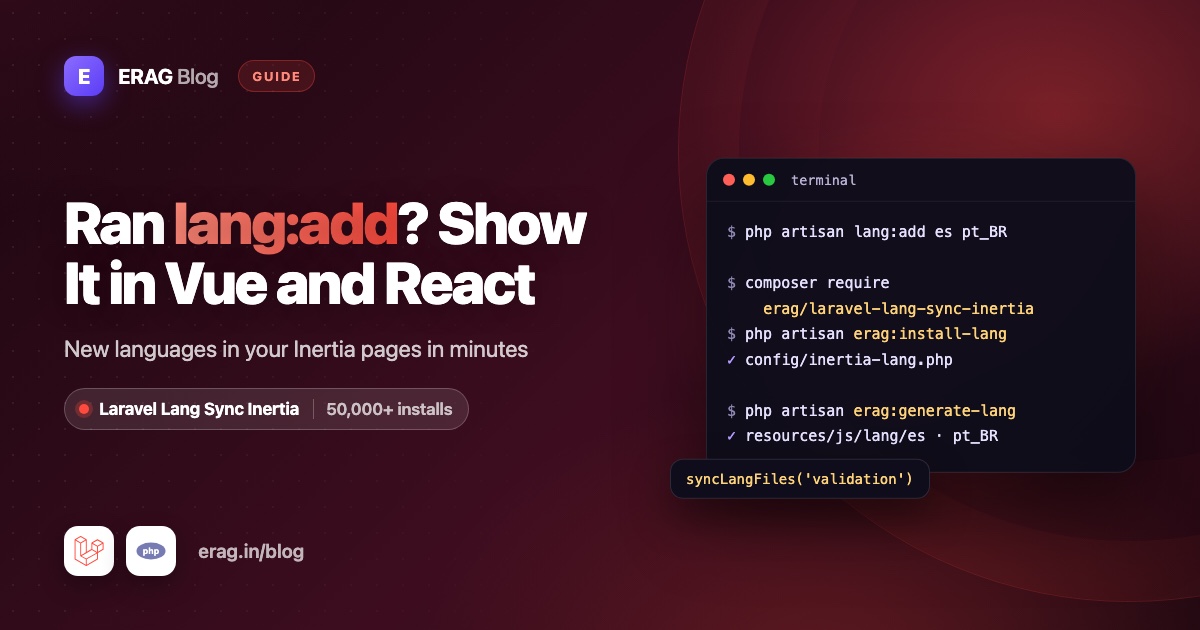
After php artisan lang:add es, Laravel has Spanish files in lang/es/, but your Inertia Vue and React pages still show English. Blade can read those PHP files. Your components can't. Laravel Lang Sync Inertia closes that gap: syncLangFiles() shares the new language's files with every page, and __() reads them in your components, so the language you just added shows up on the next request with no JSON copies and no rebuild.
Install it in three commands:
composer require erag/laravel-lang-sync-inertia
npm install @erag/lang-sync-inertia
php artisan erag:install-lang
Laravel Lang Sync Inertia has more than 50,000 installs on Packagist. It works with Laravel 8 to 13 and with Inertia v2 and v3 in Vue, React and Svelte. The examples below use Laravel 13 and Inertia v3.
The short version
- You have added a language, for example with
php artisan lang:add es, and refreshed your files withphp artisan lang:update. - Install Laravel Lang Sync Inertia and run
php artisan erag:install-lang. - Let a
SetLocalemiddleware read the available locales from yourlangfolder. - Call
syncLangFiles()afterApp::setLocale()in that middleware. - Use
__()fromvueLang()orreactLang(), and list the new language in your switcher. - Add a Pest test, and put
php artisan erag:generate-langinpost-update-cmdif you export JSON.
Why doesn't the new language show in my Inertia pages yet?
Two things are missing. First, nothing picks the locale for each request, so Laravel keeps using APP_LOCALE. Second, your Vue or React components only see the props Inertia sends them. Laravel's translator runs on the server, and nothing sends the contents of lang/es/ to the browser.
Laravel Lang Sync Inertia handles the second part, and a small middleware handles the first. You don't copy any translations into JavaScript. The PHP files stay the single source for Blade, emails, validation and your components.
How do I set up Laravel Lang Sync Inertia for the new language?
After the three install commands, you have config/inertia-lang.php:
// config/inertia-lang.php
return [
    'lang_path' => base_path('lang'),
    'output_lang' => resource_path('js/lang'),
];
lang_path is where the package reads PHP group files, such as lang/es/validation.php. It's the same folder your new language was written to, so you don't need to change it. output_lang is only used if you export JSON later.
Each language needs its own copy of every group you load, because the package has no fallback locale. If your files come from laravel-lang/lang, the new folder already has groups like actions, validation and pagination. Your own groups don't appear by themselves, so create them for the new language too:
<?php

// lang/es/app.php
return [
    'nav' => [
        'dashboard' => 'Panel',
        'settings' => 'Configuración',
    ],
    'welcome' => '¡Hola, :name!',
];
How do I read the available locales from the lang folder?
Hard-coding ['en', 'es'] means editing code every time you add a language. Instead, let the middleware look at the folder syncLangFiles() reads from:
php artisan make:middleware SetLocale<?php
namespace App\Http\Middleware;
use Closure;
use Illuminate\Http\Request;
use Illuminate\Support\Facades\App;
use Illuminate\Support\Facades\File;
use Symfony\Component\HttpFoundation\Response;
class SetLocale
{
/**
* Every locale folder in the lang directory, such as en, es and pt_BR.
*
* @return array<int, string>
*/
public static function available(): array
{
$langPath = config('inertia-lang.lang_path', lang_path());
return collect(File::directories($langPath))
->map(fn (string $directory): string => basename($directory))
->reject(fn (string $name): bool => $name === 'vendor')
->values()
->all();
}
public function handle(Request $request, Closure $next): Response
{
$locale = $request->session()->get('locale', config('app.locale'));
App::setLocale(in_array($locale, self::available(), true) ? $locale : config('app.locale'));
syncLangFiles(['actions', 'app']);
return $next($request);
}
}available() reads config('inertia-lang.lang_path'), so the list always matches what syncLangFiles() can load. It skips lang/vendor, which holds package translations, not a language.
Register the middleware in bootstrap/app.php, ahead of your other web middleware:
use App\Http\Middleware\SetLocale;

->withMiddleware(function (Middleware $middleware): void {
    $middleware->web(append: [
        SetLocale::class,
        HandleInertiaRequests::class,
        // ...the rest of your existing list
    ]);
})
Then share the current and available locales in app/Http/Middleware/HandleInertiaRequests.php:
use App\Http\Middleware\SetLocale;

public function share(Request $request): array
{
    return [
        ...parent::share($request),
        'locale' => fn () => app()->getLocale(),
        'locales' => fn () => SetLocale::available(),
    ];
}
Add a language folder, and it appears in locales on the next request.
Does syncLangFiles() pick up new files right away?
Yes. syncLangFiles() reads lang/{locale}/{group}.php during each request. When a new folder or file appears, the next page visit uses it. There is no build step, no Vite plugin and nothing to clear.
Its only cache lives inside a single request. Each group is cached by name the first time you load it. That's why the call sits after App::setLocale(). If something loads app earlier in the request, before the locale is set, the English version is cached and the new language never shows.
Groups that only some pages need go in their controllers:
public function edit(): Response
{
    syncLangFiles(['validation', 'settings.profile']);

    return Inertia::render('Settings/Profile');
}
The dot in settings.profile loads the nested file lang/es/settings/profile.php. Everything you load is merged into one lang prop.
How do I show the new language in Vue and React?
Nothing in your components is specific to one language. The same __() calls show Spanish as soon as the request's locale is es. In Vue:
<script setup lang="ts">
import { vueLang } from '@erag/lang-sync-inertia/vue';

defineProps<{ userName: string }>();

const { __ } = vueLang();
</script>

<template>
    <header>
        <h1>{{ __('app.welcome', { name: userName }) }}</h1>
        <nav>{{ __('app.nav.dashboard') }} · {{ __('app.nav.settings') }}</nav>
        <button type="button">{{ __('actions.save') }}</button>
    </header>
</template>
In React:
import { reactLang } from '@erag/lang-sync-inertia/react';

export default function Header({ userName }: { userName: string }) {
    const { __ } = reactLang();

    return (
        <header>
            <h1>{__('app.welcome', { name: userName })}</h1>
            <nav>
                {__('app.nav.dashboard')} · {__('app.nav.settings')}
            </nav>
            <button type="button">{__('actions.save')}</button>
        </header>
    );
}
For a Spanish visitor, the heading reads "¡Hola, Amit!" and the button reads "Guardar". :name is replaced just like in Laravel, and transChoice() handles plural lines. The full Vue and React tutorial covers per-page groups, plurals and TypeScript.
Haven't installed it yet? composer require erag/laravel-lang-sync-inertia and npm install @erag/lang-sync-inertia are all this needs. The installation docs walk through it.
Do placeholders and plurals work in the new language?
Placeholders do, with no extra work. :name in lang/es/app.php is replaced the same way in every language, and transChoice() fills :count for you:
// lang/es/app.php
'projects' => '{0} No tienes proyectos|{1} Tienes un proyecto|[2,*] Tienes :count proyectos',const { transChoice } = vueLang(); // or reactLang()
transChoice('app.projects', 3); // Tienes 3 proyectosPlurals need one check per language. Without explicit conditions, the frontend helper uses the first form for 1 and the last form for every other number. That is right for English and Spanish. French and Hindi treat 0 as singular, and Russian and Arabic have more than two forms. When you add one of those, write explicit conditions such as {0}, {1} and [2,*] in its lines, or format the count in PHP with Laravel's trans_choice(), which knows each language's rules.
One more check for validation lines: German and Hindi start them with :Attribute. Laravel capitalizes that on the server, but __() only replaces keys you pass, so pass both attribute and Attribute when you build those messages in the browser.
How do I add the new language to my language switcher?
Validate the choice against the same list, so a new folder is accepted without touching the route:
use App\Http\Middleware\SetLocale;
use Illuminate\Http\Request;
use Illuminate\Validation\Rule;

Route::post('locale', function (Request $request) {
    $validated = $request->validate([
        'locale' => ['required', Rule::in(SetLocale::available())],
    ]);

    $request->session()->put('locale', $validated['locale']);

    return back();
})->name('locale.update');
The switcher reads locales from the page props. The browser's Intl.DisplayNames API labels each language in its own name, so you don't maintain a list of names either. In Vue:
<script setup lang="ts">
import { router, usePage } from '@inertiajs/vue3';

const page = usePage<{ locale: string; locales: string[] }>();

// Each language in its own name, such as "español"
function nativeName(code: string): string {
    const tag = code.replace('_', '-');

    return new Intl.DisplayNames([tag], { type: 'language' }).of(tag) ?? code;
}

function switchTo(code: string): void {
    router.post('/locale', { locale: code }, {
        preserveScroll: true,
        onSuccess: () => router.flushAll(),
    });
}
</script>

<template>
    <div class="flex gap-1">
        <button
            v-for="code in page.props.locales"
            :key="code"
            type="button"
            :lang="code.replace('_', '-')"
            :aria-pressed="page.props.locale === code"
            @click="switchTo(code)"
        >
            {{ nativeName(code) }}
        </button>
    </div>
</template>
In React:
import { router, usePage } from '@inertiajs/react';

function nativeName(code: string): string {
    const tag = code.replace('_', '-');

    return new Intl.DisplayNames([tag], { type: 'language' }).of(tag) ?? code;
}

export function LanguageSwitcher() {
    const { locale, locales } = usePage<{ locale: string; locales: string[] }>().props;

    function switchTo(code: string): void {
        router.post('/locale', { locale: code }, {
            preserveScroll: true,
            onSuccess: () => router.flushAll(),
        });
    }

    return (
        <div className="flex gap-1">
            {locales.map((code) => (
                <button
                    key={code}
                    type="button"
                    lang={code.replace('_', '-')}
                    aria-pressed={locale === code}
                    onClick={() => switchTo(code)}
                >
                    {nativeName(code)}
                </button>
            ))}
        </div>
    );
}
Locale folders use underscores, like pt_BR, while browsers expect pt-BR, so the code swaps them only for display. router.flushAll() clears Inertia's prefetch cache, so a link prefetched before the switch doesn't open in the old language. The Vue starter kit and React starter kit guides show where to place the switcher.
How do I keep exported JSON in sync with erag:generate-lang?
If you also export translations to JSON, the export is a copy of the PHP files. Rerun it whenever they change:
php artisan erag:generate-langIt writes every group of every locale folder to resources/js/lang/{locale}/, including the language you just added. The exported files for the active locale are merged into the shared lang prop automatically, and groups you load with syncLangFiles() win over them.
To make it automatic, add it to post-update-cmd in composer.json:
{
    "scripts": {
        "post-update-cmd": [
            "@php artisan vendor:publish --tag=laravel-assets --ansi --force",
            "@php artisan erag:generate-lang"
        ]
    }
}
If the list already has a command that refreshes your language files, keep erag:generate-lang after it, so the export copies the final files. Composer scripts only run on composer update, so run the export by hand once after adding a language. Runtime sharing with syncLangFiles() never needs this step. The guide to sharing Laravel lang files with your frontend compares both approaches.
How do I check the new locale with a Pest test?
Two tests catch most mistakes: a missing group file and a locale that never reaches the page.
php artisan make:test --pest LocaleTest<?php
use App\Http\Middleware\SetLocale;
use Inertia\Testing\AssertableInertia as Assert;
it('has the shared lang groups for every locale', function () {
foreach (SetLocale::available() as $locale) {
foreach (['actions', 'app'] as $group) {
expect(lang_path("{$locale}/{$group}.php"))->toBeFile();
}
}
});
it('shares Spanish translations with Inertia pages', function () {
$this->withSession(['locale' => 'es'])
->get(route('login'))
->assertInertia(fn (Assert $page) => $page
->where('locale', 'es')
->where('lang.app.nav.dashboard', 'Panel')
->where('lang.actions.save', 'Guardar'));
});The first test fails the moment you add a language folder without your own app.php. The second proves the middleware, the locale and syncLangFiles() work together on a real page. Use any route that runs the middleware.
Common problems and fixes
Keys like app.nav.dashboard show instead of text
The group file is missing for the new language. Copy lang/en/app.php to lang/es/app.php and translate it. The package has no fallback locale, so a missing file means an empty group. The first Pest test above catches this.
The page stays in the old language
Check three things. The session holds a code that exists as a folder, so pt_BR, not pt-BR. App::setLocale() runs before syncLangFiles(). And nothing loads the same group earlier in the request, before the locale is set.
The new language is missing from the switcher
available() lists folders inside inertia-lang.lang_path. If you changed that path and your config is cached, run php artisan config:clear. Make sure the language is a folder, like lang/es/, and not only a JSON file like lang/es.json.
Old text appears after switching or updating
Two caches can hold old text. Inertia's prefetch cache can serve a page prefetched before the switch, which router.flushAll() clears. Exported JSON files go stale after the PHP files change until you run php artisan erag:generate-lang again.
erag:generate-lang says Language base path not found
The config file isn't published. Run php artisan erag:install-lang, then run the export again.
Frequently asked questions
How do I show a newly added Laravel language in Vue or React?
Install Laravel Lang Sync Inertia, set the locale in a middleware, then call syncLangFiles() with the groups your pages need. Your components read them with __() from vueLang() or reactLang(), with the same keys as Blade.
Do I need to rebuild my frontend after adding a language?
No. syncLangFiles() reads the PHP files during each request, so the new language appears on the next page visit. Only exported JSON needs php artisan erag:generate-lang again.
Can the list of languages come from the lang folder?
Yes. Read the folder names from config('inertia-lang.lang_path'), as SetLocale::available() does, and share them as a prop. New folders then appear in your switcher and validation without code changes.
Why do I see translation keys instead of text in the new language?
The helper returns the key when the group isn't loaded or the file doesn't exist for that locale. Create the missing file, such as lang/es/app.php, and make sure syncLangFiles() loads it after the locale is set.
Do I need to change my Vue or React components for each new language?
No. Components only call __() with keys like app.nav.dashboard. The locale is chosen on the server, so a new language needs files in lang/, not new component code.
Does syncLangFiles() read lang/es.json?
No. It reads PHP group files only, such as lang/es/validation.php. Keep interface text in a PHP group like lang/es/app.php.
Does this work with Laravel 13 and Inertia v3?
Yes. The PHP package supports Laravel 8 to 13, and the npm helpers support Inertia v2 and v3.
Can I use it with Svelte?
Yes. Import svelteLang from @erag/lang-sync-inertia/svelte. The Laravel side, including SetLocale, stays the same.
Install Laravel Lang Sync Inertia
Adding a language should take one command, not a second set of JavaScript translations. With Laravel Lang Sync Inertia, every language in your lang folder reaches your Vue and React pages through one helper:
composer require erag/laravel-lang-sync-inertia
npm install @erag/lang-sync-inertia
php artisan erag:install-lang- Documentation: erag.in/laravel-lang-sync-inertia
- GitHub: eramitgupta/laravel-lang-sync-inertia. A star helps other developers find it.
- Packagist: erag/laravel-lang-sync-inertia
- Full tutorial: use your lang files in Inertia Vue and React
- Locale strategy: build a multilingual Laravel Inertia app
