
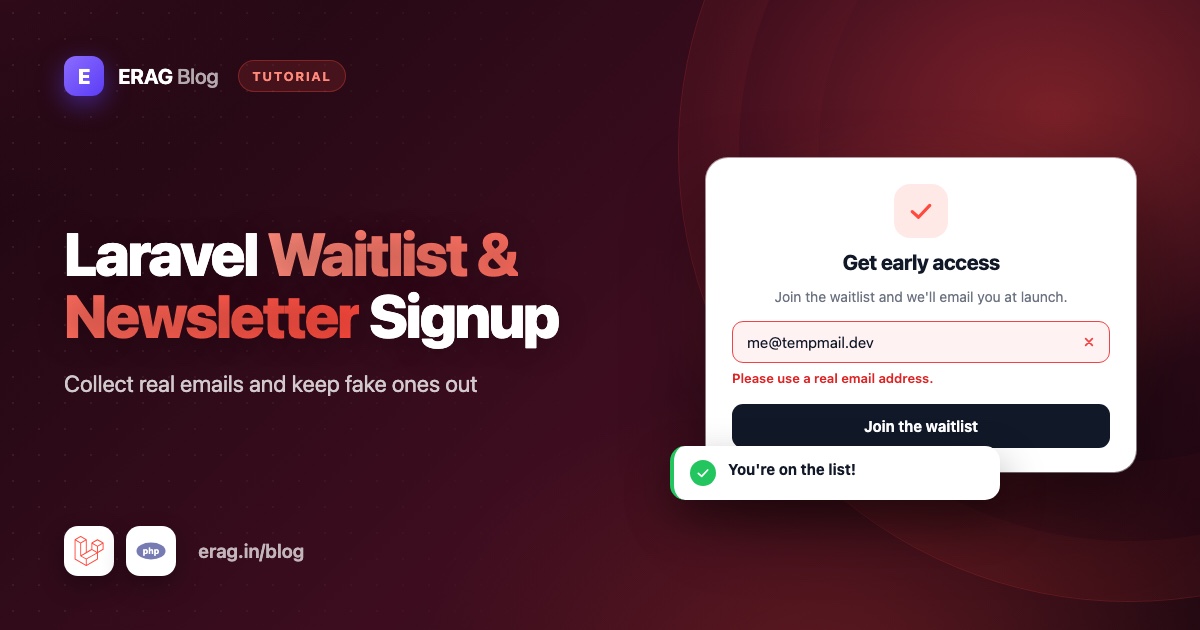
To build a Laravel newsletter subscription or waitlist form, store each address in a subscribers table, validate it with Laravel's email rule plus the disposable_email rule, then send a confirmation email with a signed link and only count people who click it. Add a rate limit to the form and a signed unsubscribe link to every email, and your list stays real, honest and safe to send to.
Everything below is plain Laravel 13, and it runs on Laravel 11 and 12 with one small change noted in Step 5. The one package is Laravel Disposable Email, which I maintain. It stops burner addresses before they reach your table.
The short version
- Install
erag/laravel-disposable-emailand sync its domain list. - Create a
subscriberstable with a uniqueemail, a randomtoken,confirmed_atandunsubscribed_at. - Validate the form with
['required', 'string', 'email', 'max:255', 'disposable_email']. - Email a confirmation link made with
URL::temporarySignedRoute(). Only people who click it are subscribed. - Add a signed unsubscribe link and
List-Unsubscribeheaders to every newsletter. - Rate limit the form by IP address and by email.
- Export confirmed subscribers to CSV, or queue your launch email straight from Laravel.
Why fake emails hurt a waitlist
A waitlist is the easiest form in your app: one field and a button. That is exactly why it fills up with junk.
- Deliverability. A temporary inbox lives for minutes or hours. Every email you send it later bounces. Inbox providers watch bounce rates, and a list full of dead addresses makes your launch email look like spam, so it lands in the junk folder of your real subscribers too.
- Launch metrics. If part of your waitlist is burner inboxes, the list size, the open rate of your launch email and the waitlist-to-customer rate are all wrong. You end up planning a launch around people who don't exist.
- Referral games. If people can move up the list by inviting friends, someone will "invite" a pile of throwaway inboxes.
- Cost. Many email providers charge by the number of contacts, so fake contacts cost real money every month.
Double opt-in alone doesn't solve this. A burner inbox can receive your confirmation email and click the link, because that is what those inboxes are for. The disposable check stops them at the form. The confirmation email stops typos and people signing up someone else. You want both.
Some teams keep waitlist forms wide open on purpose, and the guide on where disposable email validation belongs explains when that makes sense. For a list you plan to email for months, blocking burners pays off.
Step 1: Install the package
composer require erag/laravel-disposable-email
php artisan erag:install-disposable-email
php artisan erag:sync-disposable-email-list
About 3,750 common disposable domains are bundled, so well-known services are blocked as soon as you install. The sync command loads the full list, which had 136,240 domains on 12 October 2026, into storage/app/blacklist_file. Checks run against that local list, so nobody waits on an outside API when they submit your form.
Schedule the sync so new burner domains are picked up:
// routes/console.php
use Illuminate\Support\Facades\Schedule;

Schedule::command('erag:sync-disposable-email-list')->daily();
Schedule::command('model:prune')->daily();
The second line deletes old unconfirmed signups. You'll set that up in the next step.
Step 2: Create the subscribers table
php artisan make:model Subscriber -mSchema::create('subscribers', function (Blueprint $table) {
$table->id();
$table->string('email')->unique();
$table->string('token', 64)->unique();
$table->timestamp('confirmed_at')->nullable();
$table->timestamp('unsubscribed_at')->nullable();
$table->timestamps();
});What each column is for:
| Column | Purpose |
|---|---|
email | Unique in the database, so the same address can never be stored twice. |
token | A random string used in links instead of the numeric ID. Changing it kills old links. |
confirmed_at | Empty until the person clicks the confirmation link. It also records when they agreed to hear from you. |
unsubscribed_at | Set when someone leaves. Keeping the row means a later import can't add them back by mistake. |
The model adds a scope for active subscribers, an unsubscribe URL and automatic cleanup:
<?php

namespace App\Models;

use Illuminate\Database\Eloquent\Builder;
use Illuminate\Database\Eloquent\Model;
use Illuminate\Database\Eloquent\Prunable;
use Illuminate\Notifications\Notifiable;
use Illuminate\Support\Facades\URL;

class Subscriber extends Model
{
    use Notifiable, Prunable;

    protected $fillable = ['email', 'token', 'confirmed_at', 'unsubscribed_at'];

    /**
     * @return array<string, string>
     */
    protected function casts(): array
    {
        return [
            'confirmed_at' => 'datetime',
            'unsubscribed_at' => 'datetime',
        ];
    }

    /**
     * Confirmed subscribers who have not unsubscribed.
     */
    public function scopeActive(Builder $query): void
    {
        $query->whereNotNull('confirmed_at')->whereNull('unsubscribed_at');
    }

    /**
     * Unconfirmed signups are deleted after a week by model:prune.
     */
    public function prunable(): Builder
    {
        return static::query()
            ->whereNull('confirmed_at')
            ->where('updated_at', '<=', now()->subWeek());
    }

    public function unsubscribeUrl(): string
    {
        return URL::signedRoute('subscribers.unsubscribe', ['subscriber' => $this->token]);
    }
}
The Notifiable trait lets you call $subscriber->notify(). Laravel sends mail notifications to the model's email attribute by default, so there's nothing else to set up.
Step 3: How to validate the subscribe form
php artisan make:request SubscribeRequest<?php
namespace App\Http\Requests;
use Illuminate\Foundation\Http\FormRequest;
use Illuminate\Support\Str;
class SubscribeRequest extends FormRequest
{
public function authorize(): bool
{
return true;
}
protected function prepareForValidation(): void
{
$this->merge([
'email' => Str::lower(trim((string) $this->input('email'))),
]);
}
/**
* @return array<string, array<int, string>>
*/
public function rules(): array
{
return [
'email' => ['required', 'string', 'email', 'max:255', 'disposable_email'],
];
}
/**
* @return array<string, string>
*/
public function messages(): array
{
return [
'email.disposable_email' => 'Please use an email address you check often. Temporary inboxes can\'t receive our updates.',
];
}
}email checks that the address is written correctly. disposable_email checks whether its domain belongs to a throwaway inbox service, including subdomains like mail.mailinator.com. The default message is "The email belongs to an unauthorized email provider." The messages() method swaps it for something friendlier on this form only.
Notice what's missing: a unique rule. On a public form it would tell anyone whether an address is on your list, and it shows an error to people who simply sign up twice. The controller handles repeat signups quietly instead.
Lowercasing the email in prepareForValidation() keeps Asha@Example.com and asha@example.com from becoming two rows.
Step 4: The controller for signup, confirm and unsubscribe
<?php

namespace App\Http\Controllers;

use App\Http\Requests\SubscribeRequest;
use App\Models\Subscriber;
use App\Notifications\ConfirmSubscription;
use Illuminate\Http\RedirectResponse;
use Illuminate\Support\Str;
use Illuminate\View\View;

class SubscriberController extends Controller
{
    public function store(SubscribeRequest $request): RedirectResponse
    {
        $subscriber = Subscriber::firstOrCreate(
            ['email' => $request->validated('email')],
            ['token' => Str::random(64)],
        );

        if ($subscriber->unsubscribed_at !== null) {
            $subscriber->update([
                'token' => Str::random(64),
                'confirmed_at' => null,
                'unsubscribed_at' => null,
            ]);
        }

        if ($subscriber->confirmed_at === null) {
            $subscriber->notify(new ConfirmSubscription);
        }

        return back()->with('status', 'Almost done! Check your inbox and click the link to confirm.');
    }

    public function confirm(Subscriber $subscriber): View
    {
        if ($subscriber->confirmed_at === null) {
            $subscriber->update(['confirmed_at' => now()]);
        }

        return view('subscribers.confirmed');
    }

    public function showUnsubscribe(Subscriber $subscriber): View
    {
        return view('subscribers.unsubscribe', ['subscriber' => $subscriber]);
    }

    public function unsubscribe(Subscriber $subscriber): View
    {
        if ($subscriber->unsubscribed_at === null) {
            $subscriber->update(['unsubscribed_at' => now()]);
        }

        return view('subscribers.unsubscribed');
    }
}
Three cases are handled in store():
- New address: a row is created and a confirmation email goes out.
- Signed up but never confirmed: the confirmation email is sent again.
- Unsubscribed earlier: the token changes, so old links stop working, and the person has to confirm again.
Already-confirmed subscribers get no email, but they see the same message as everyone else, so the form never reveals who is on the list. firstOrCreate() also copes with two quick submits of the same address: if the insert hits the unique index, Laravel fetches the existing row instead of failing.
Step 5: Routes and rate limiting
// routes/web.php
use App\Http\Controllers\SubscriberController;

Route::view('/waitlist', 'waitlist')->name('waitlist');

Route::post('/subscribe', [SubscriberController::class, 'store'])
    ->middleware('throttle:subscribe')
    ->name('subscribers.store');

Route::middleware('signed')->group(function () {
    Route::get('/subscribe/confirm/{subscriber:token}', [SubscriberController::class, 'confirm'])
        ->name('subscribers.confirm');
    Route::get('/unsubscribe/{subscriber:token}', [SubscriberController::class, 'showUnsubscribe'])
        ->name('subscribers.unsubscribe');
    Route::post('/unsubscribe/{subscriber:token}', [SubscriberController::class, 'unsubscribe'])
        ->name('subscribers.unsubscribe.store');
});
{subscriber:token} tells Laravel to find the subscriber by its token column. The signed middleware returns a 403 error when the link was changed or has expired.
Now define the subscribe limiter in app/Providers/AppServiceProvider.php:
use Illuminate\Cache\RateLimiting\Limit;
use Illuminate\Http\Request;
use Illuminate\Support\Facades\RateLimiter;
use Illuminate\Support\Str;

public function boot(): void
{
    RateLimiter::for('subscribe', function (Request $request) {
        $tooMany = fn () => back()
            ->withErrors(['email' => 'Too many tries. Please wait a few minutes and try again.'])
            ->onlyInput('email');

        return [
            Limit::perMinute(5)->by('ip:'.$request->ip())->response($tooMany),
            Limit::perHour(3)->by('email:'.Str::lower((string) $request->input('email')))->response($tooMany),
        ];
    });
}
Two limits do two jobs. The IP limit stops a script from posting in a loop. The email limit stops someone from using your form to flood a stranger's inbox with confirmation emails. Instead of a bare 429 page, the visitor sees a normal error under the field. For bots that rotate IP addresses, add the honeypot field from the spam registrations guide.
Finally, the one-click unsubscribe request comes from an inbox provider, not from your page, so it has no CSRF token. Exclude that path in bootstrap/app.php:
->withMiddleware(function (Middleware $middleware): void {
    $middleware->preventRequestForgery(except: ['unsubscribe/*']);
})
On Laravel 12 and older, the same method is called validateCsrfTokens(). This is safe here because the URL holds a secret token and a signature that nobody else can guess.
Step 6: The signup form and thank-you state
{{-- resources/views/waitlist.blade.php --}}
<section class="mx-auto max-w-md p-6">
    @if (session('status'))
        <p role="status" class="rounded bg-green-50 p-4 text-green-800">{{ session('status') }}</p>
    @else
        <form method="POST" action="{{ route('subscribers.store') }}" class="space-y-3">
            @csrf
            <label for="email" class="block text-sm font-medium">Email address</label>
            <input id="email" type="email" name="email" value="{{ old('email') }}"
                   required autocomplete="email" class="w-full rounded border p-2">
            @error('email')
                <p class="text-sm text-red-600">{{ $message }}</p>
            @enderror
            <button type="submit" class="w-full rounded bg-black p-2 text-white">Join the waitlist</button>
        </form>
    @endif
</section>
After a successful submit, the controller redirects back with a status message, and the form is replaced by the thank-you text. Errors appear under the field, and old('email') keeps what the visitor typed.
Building with Livewire? Put the same rules on a component property, as shown in Livewire disposable email validation. Collecting signups from a mobile app? Laravel API email validation shows the JSON version of this check.
Building with Inertia? The controller doesn't change. Pass the status as a prop and use the Form component:
Route::get('/waitlist', fn () => Inertia::render('Waitlist', [
    'status' => session('status'),
]))->name('waitlist');<script setup lang="ts">
import { Form } from '@inertiajs/vue3';
defineProps<{ status?: string }>();
</script>
<template>
<div class="mx-auto max-w-md p-6">
<p v-if="status" role="status">{{ status }}</p>
<Form v-else action="/subscribe" method="post" v-slot="{ errors, processing }">
<label for="email">Email address</label>
<input id="email" type="email" name="email" autocomplete="email" required />
<p v-if="errors.email" class="text-sm text-red-600">{{ errors.email }}</p>
<button type="submit" :disabled="processing">Join the waitlist</button>
</Form>
</div>
</template>Step 7: How to send a double opt-in email in Laravel
php artisan make:notification ConfirmSubscription<?php
namespace App\Notifications;
use Illuminate\Bus\Queueable;
use Illuminate\Contracts\Queue\ShouldQueue;
use Illuminate\Notifications\Messages\MailMessage;
use Illuminate\Notifications\Notification;
use Illuminate\Support\Facades\URL;
class ConfirmSubscription extends Notification implements ShouldQueue
{
use Queueable;
/**
* @return array<int, string>
*/
public function via(object $notifiable): array
{
return ['mail'];
}
public function toMail(object $notifiable): MailMessage
{
$url = URL::temporarySignedRoute(
'subscribers.confirm',
now()->addDays(3),
['subscriber' => $notifiable->token],
);
return (new MailMessage)
->subject('Please confirm your email')
->line('Thanks for joining the waitlist. Click the button to confirm your email address.')
->action('Confirm my email', $url)
->line('If you did not sign up, ignore this email and you will not hear from us again.');
}
}URL::temporarySignedRoute() adds an expiry time and a signature to the link. If anyone changes the token or the link is older than three days, the signed middleware rejects it. ShouldQueue sends the email in the background, so the form responds instantly. A queue worker must be running for it to go out.
Show a friendly page when a link expires
By default, an expired or edited link shows a bare 403 error page. Someone who hasn't confirmed yet can simply join again with the same address to get a fresh link, so tell them that. In bootstrap/app.php:
use Illuminate\Http\Request;
use Illuminate\Routing\Exceptions\InvalidSignatureException;

->withExceptions(function (Exceptions $exceptions): void {
    $exceptions->render(function (InvalidSignatureException $e, Request $request) {
        if ($request->routeIs('subscribers.*')) {
            return response()->view('subscribers.link-expired', [], 403);
        }
    });
})
The routeIs() check keeps other signed links, such as the email verification links in Laravel's starter kits, on their normal error page. Put a one-line explanation and a link back to the waitlist form in resources/views/subscribers/link-expired.blade.php.
Step 8: How to add a one-click unsubscribe link
Every newsletter needs two things: a visible link in the footer, and List-Unsubscribe headers so inbox apps can show their own unsubscribe button. If you send from Laravel, add the headers to your newsletter Mailable:
use App\Models\Subscriber;
use Illuminate\Mail\Mailables\Headers;

public function __construct(public Subscriber $subscriber) {}

public function headers(): Headers
{
    return new Headers(text: [
        'List-Unsubscribe' => '<'.$this->subscriber->unsubscribeUrl().'>',
        'List-Unsubscribe-Post' => 'List-Unsubscribe=One-Click',
    ]);
}
With List-Unsubscribe-Post, the inbox app sends a POST request to your URL when the reader clicks its unsubscribe button. That hits the unsubscribe() method directly, which is the one-click part.
The footer link opens the same URL with GET, which shows a page with one button:
{{-- resources/views/subscribers/unsubscribe.blade.php --}}
<form method="POST" action="{{ request()->fullUrl() }}">
    @csrf
    <p>Stop sending emails to {{ $subscriber->email }}?</p>
    <button type="submit">Unsubscribe</button>
</form>
Why not unsubscribe on GET? Some email security scanners open every link in an incoming message. A GET that unsubscribes would quietly remove people who never clicked anything. Posting to request()->fullUrl() keeps the signature in the URL.
Step 9: How to export subscribers to CSV
When you send through your email provider, export the confirmed list and import it there:
php artisan make:command ExportSubscribers<?php
namespace App\Console\Commands;
use App\Models\Subscriber;
use Illuminate\Console\Command;
class ExportSubscribers extends Command
{
protected $signature = 'subscribers:export {path? : Where to save the CSV file}';
protected $description = 'Export confirmed subscribers to a CSV file';
public function handle(): int
{
$path = $this->argument('path') ?? storage_path('app/subscribers-'.now()->format('Y-m-d').'.csv');
$file = fopen($path, 'w');
$count = 0;
fputcsv($file, ['email', 'confirmed_at'], escape: '');
Subscriber::query()->active()->lazyById()->each(function (Subscriber $subscriber) use ($file, &$count): void {
fputcsv($file, [$subscriber->email, $subscriber->confirmed_at->toIso8601String()], escape: '');
$count++;
});
fclose($file);
$this->components->info("Exported {$count} confirmed subscribers to {$path}");
return self::SUCCESS;
}
}Run it with php artisan subscribers:export. lazyById() loads rows in batches, so memory stays flat even with a big list. The escape: '' argument matters on PHP 8.4 and newer, which warns when fputcsv() relies on its old default.
Prefer a download button in your admin area? Stream the same rows, behind your admin middleware:
return response()->streamDownload(function () {
    $out = fopen('php://output', 'w');
    fputcsv($out, ['email', 'confirmed_at'], escape: '');

    Subscriber::query()->active()->lazyById()->each(
        fn (Subscriber $subscriber) => fputcsv($out, [$subscriber->email, $subscriber->confirmed_at->toIso8601String()], escape: '')
    );

    fclose($out);
}, 'subscribers.csv', ['Content-Type' => 'text/csv']);
Step 10: How to send a newsletter or launch email from Laravel
If you send from Laravel itself, queue one email per active subscriber. Create a Markdown mailable:
php artisan make:mail LaunchAnnouncement --markdown=mail.launchThis is the newsletter Mailable from Step 8 in full, with its unsubscribe headers:
<?php

namespace App\Mail;

use App\Models\Subscriber;
use Illuminate\Bus\Queueable;
use Illuminate\Mail\Mailable;
use Illuminate\Mail\Mailables\Content;
use Illuminate\Mail\Mailables\Envelope;
use Illuminate\Mail\Mailables\Headers;
use Illuminate\Queue\SerializesModels;

class LaunchAnnouncement extends Mailable
{
    use Queueable, SerializesModels;

    public function __construct(public Subscriber $subscriber) {}

    public function envelope(): Envelope
    {
        return new Envelope(subject: 'We are live');
    }

    public function content(): Content
    {
        return new Content(markdown: 'mail.launch');
    }

    public function headers(): Headers
    {
        return new Headers(text: [
            'List-Unsubscribe' => '<'.$this->subscriber->unsubscribeUrl().'>',
            'List-Unsubscribe-Post' => 'List-Unsubscribe=One-Click',
        ]);
    }
}
Public properties are available in the view, so the footer link uses $subscriber:
{{-- resources/views/mail/launch.blade.php --}}
<x-mail::message>
# We're live

Thanks for waiting. Your spot is ready, and you can sign in today.

<x-mail::button :url="url('/')">
Open the app
</x-mail::button>

[Unsubscribe]({{ $subscriber->unsubscribeUrl() }})
</x-mail::message>
Then a command sends it to the list:
php artisan make:command SendLaunchEmail<?php
namespace App\Console\Commands;
use App\Mail\LaunchAnnouncement;
use App\Models\Subscriber;
use Illuminate\Console\Command;
use Illuminate\Support\Facades\Mail;
class SendLaunchEmail extends Command
{
protected $signature = 'subscribers:send-launch';
protected $description = 'Queue the launch email for every active subscriber';
public function handle(): int
{
$count = 0;
Subscriber::query()->active()->lazyById()->each(function (Subscriber $subscriber) use (&$count): void {
Mail::to($subscriber)->queue(new LaunchAnnouncement($subscriber));
$count++;
});
$this->components->info("Queued {$count} launch emails.");
return self::SUCCESS;
}
}Mail::to($subscriber) reads the model's email attribute. queue() hands each email to your queue worker, so the command finishes quickly even for a long list. The active() scope skips unconfirmed and unsubscribed rows. Before a big send, check your email provider's sending limits.
Want to let people in a few at a time? Add a nullable invited_at timestamp to the table. Then pick the next batch with Subscriber::query()->active()->whereNull('invited_at')->oldest('confirmed_at')->limit(100)->get(), email them and set invited_at. The people who confirmed first get in first.
Test it with Pest
use App\Mail\LaunchAnnouncement;
use App\Models\Subscriber;
use App\Notifications\ConfirmSubscription;
use Illuminate\Support\Facades\Mail;
use Illuminate\Support\Facades\Notification;
use Illuminate\Support\Facades\URL;

it('blocks disposable emails from the waitlist', function () {
    Notification::fake();

    $this->post(route('subscribers.store'), ['email' => 'someone@mailinator.com'])
        ->assertSessionHasErrors('email');

    expect(Subscriber::count())->toBe(0);
    Notification::assertNothingSent();
});

it('sends a confirmation email to a real address', function () {
    Notification::fake();

    $this->post(route('subscribers.store'), ['email' => 'Asha@Example.com'])
        ->assertSessionHas('status');

    $subscriber = Subscriber::sole();

    expect($subscriber->email)->toBe('asha@example.com')
        ->and($subscriber->confirmed_at)->toBeNull();

    Notification::assertSentTo($subscriber, ConfirmSubscription::class);
});

it('confirms only through a signed link', function () {
    $subscriber = Subscriber::create(['email' => 'asha@example.com', 'token' => str()->random(64)]);

    $this->get(route('subscribers.confirm', ['subscriber' => $subscriber->token]))->assertForbidden();

    $this->get(URL::temporarySignedRoute('subscribers.confirm', now()->addDay(), ['subscriber' => $subscriber->token]))
        ->assertOk();

    expect($subscriber->fresh()->confirmed_at)->not->toBeNull();
});

it('queues the launch email only for confirmed subscribers', function () {
    Mail::fake();

    Subscriber::create(['email' => 'asha@example.com', 'token' => str()->random(64), 'confirmed_at' => now()]);
    Subscriber::create(['email' => 'ravi@example.com', 'token' => str()->random(64)]);

    $this->artisan('subscribers:send-launch')->assertSuccessful();

    Mail::assertQueued(LaunchAnnouncement::class, 1);
});
The first test proves a burner address never reaches the table or the mail queue. The third proves an unsigned link is rejected, and the last proves unconfirmed signups never get your launch email.
Common problems and fixes
- "Invalid signature" (403) on every confirmation link. Your app sits behind a proxy or load balancer that ends HTTPS, so Laravel sees
httpwhile the link sayshttps. Trust the proxy with$middleware->trustProxies(at: '*')inbootstrap/app.php, or the specific proxy IP addresses. - Confirmation emails never arrive, or link to localhost. The notification is queued, so run
php artisan queue:work. Queue workers build URLs fromAPP_URL, so set it to your real domain. - Subscribers are confirmed without clicking. A link scanner opened the confirmation link. If that matters to you, make the GET page show a "Confirm" button that posts, the same way the unsubscribe page works.
- A burner address got through. Run
php artisan erag:sync-disposable-email-listand make sure the schedule runs.Disposable::check($email)->toArray()shows whether the domain matched and which list it came from. - A real reader is blocked. Add their domain to
whitelistinconfig/disposable-email.php. Whitelisted domains always pass the disposable check. - The CSV runs formulas in a spreadsheet. An email can legally start with
=or+. If you open exports in a spreadsheet app, prefix those values with a single quote before writing them.
Frequently asked questions
How do I create a newsletter subscription form in Laravel?
Create a subscribers table, validate the email in a Form Request, save it with firstOrCreate() and send a confirmation email with a signed link. Count someone as subscribed only after they click it.
How do I build a waitlist in Laravel?
A waitlist is a newsletter signup with a different button label. Use the same table, form and double opt-in, then export confirmed subscribers or email them from Laravel when you launch.
How do I send a newsletter to my subscribers from Laravel?
Create a Mailable with a signed unsubscribe link and List-Unsubscribe headers. Then loop over confirmed subscribers with lazyById() and call Mail::to($subscriber)->queue() for each one, so a queue worker sends them in the background. Skip anyone who hasn't confirmed or has unsubscribed.
What happens when a confirmation link expires?
The signed middleware rejects it with a 403. The person can submit the form again with the same address, and the controller sends a fresh confirmation email. A render() callback for InvalidSignatureException lets you show a friendly page that says so.
What is double opt-in, and do I need it?
Double opt-in means a new subscriber confirms their address by clicking a link in an email. It stops typos and people signing up someone else, and confirmed_at records when they agreed. For any list you'll email more than once, it's worth the extra step.
Should I block disposable emails on a newsletter form?
For a list you plan to email for months, yes. Burner inboxes disappear, every later email to them bounces, and bounces hurt how inbox providers treat your emails. Blocking them costs real readers nothing.
How do I add an unsubscribe link to Laravel emails?
Generate it with URL::signedRoute() and put it in the footer. Also add List-Unsubscribe and List-Unsubscribe-Post headers in your Mailable's headers() method so inbox apps can offer one-click unsubscribe.
How do I stop bots from spamming my subscribe form?
Use a named rate limiter by IP and by email, as shown above, and add a honeypot field. Double opt-in means a bot that gets through still never becomes an active subscriber.
Does the disposable email check slow down the form?
No. The domain list is stored inside your app, so the check is a local lookup with no API call. Only the scheduled sync command uses the network.
Ship your waitlist
composer require erag/laravel-disposable-email
php artisan erag:install-disposable-email
php artisan erag:sync-disposable-email-list- Validation rule docs: erag.in/laravel-disposable-email/validation/basic.html
- Scheduling the sync: erag.in/laravel-disposable-email/advanced/schedule.html
- Allowing a trusted domain: erag.in/laravel-disposable-email/domains/whitelist.html
- GitHub: eramitgupta/laravel-disposable-email
- Related: Laravel email validation with RFC and DNS explains when to add format and MX checks, and how to block disposable emails in Laravel covers registration forms.
