
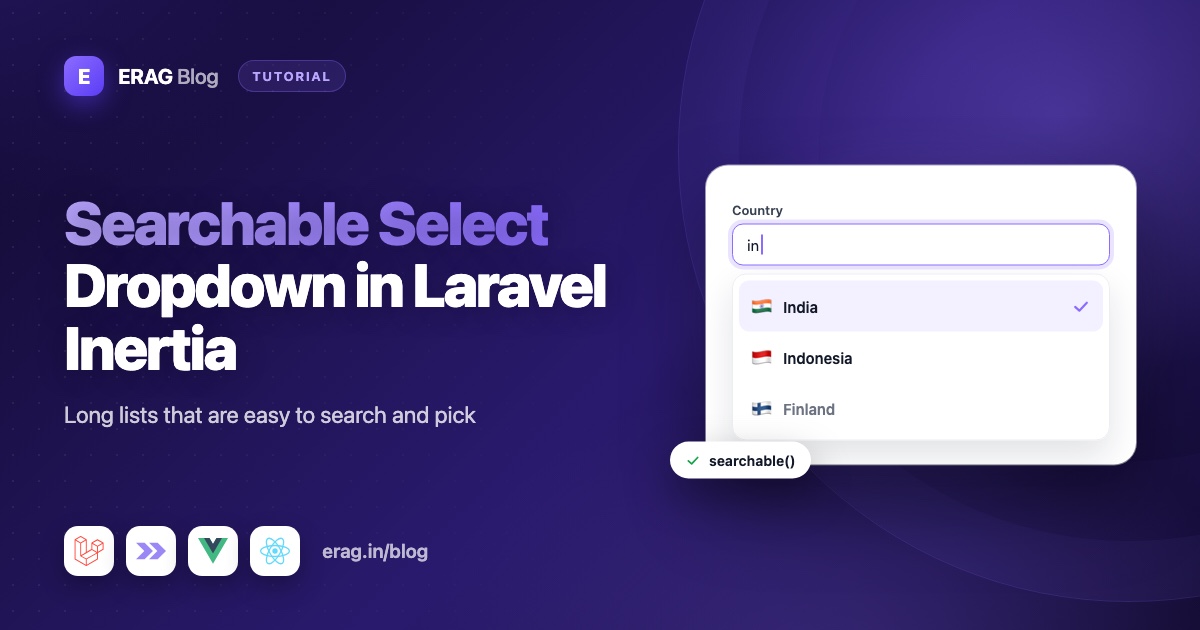
To add a searchable select dropdown to a Laravel Inertia app, define the field once in PHP with Laravel Inertia Forms: Combobox::make('country')->searchable()->options($countries). The package draws it in Vue or React with a search box, keyboard support and chips for multiple values, and the same field creates the Laravel validation rule that only accepts your listed options. For lists too long to send with the page, such as customers or products, searchUsing() loads matches from the database as the user types.
The short version
- Install the package:
composer require erag/inertia-formsandnpm install @erag/inertia-forms-vue(or@erag/inertia-forms-react). - Create a form class with
php artisan make:form OrderForm. - Add
Combobox::make('country')->searchable()->options([...]). - For big tables, use
->searchUsing()with->selectedOptionsUsing()instead ofoptions(). - Add
->multiple()when users can pick more than one value. - Render it with
<Form :form="form" />and validate with#[Validate]. - When editing, call
->bind($order)so the saved value is already selected.
When a searchable select beats a plain select
A plain dropdown works well for a handful of choices, like a status or a T-shirt size. Users open it, see everything, and click.
It gets painful once the list grows. Scrolling through every country to find "United Kingdom" is slow, and on a phone it's worse. With a search box, the user types "uni" and the list shrinks to a few matches. In Laravel Inertia Forms, searchable() filters by both the label and the description, without caring about upper or lower case.
Some lists are too big to send at all. You don't want every customer or product in the page props. For those, the field asks your server for matches as the user types.
| Your list | What to use |
|---|---|
| A few fixed choices (status, size) | Combobox with options() |
| A long fixed list (countries, timezones) | searchable() with options() |
| Database rows that fit in one response (categories, tags) | options() with an Eloquent query, plus searchable() |
| A large table (customers, products, users) | searchUsing() with selectedOptionsUsing() |
| More than one value (skills, labels) | add multiple() |
Install Laravel Inertia Forms
The package needs PHP 8.3+, Laravel 13, Inertia 3 and Tailwind CSS 4, with Vue 3.5+, React 19 or Svelte 5 on the frontend.
composer require erag/inertia-forms
php artisan erag:install-inertia-forms

# Vue
npm install @erag/inertia-forms-vue

# React
npm install @erag/inertia-forms-react
The components are styled with Tailwind utility classes, so let Tailwind scan them. Add one line to resources/css/app.css:
@import 'tailwindcss';

@source "../../node_modules/@erag/inertia-forms-vue/dist";
For React, point it at @erag/inertia-forms-react/dist instead. If you're new to the package, building Inertia forms from a single PHP class walks through the basics.
How to build a searchable dropdown with static options
Generate a form class:
php artisan make:form OrderFormThen add a searchable country field and a timezone field to app/Forms/OrderForm.php:
<?php

namespace App\Forms;

use Erag\InertiaForms\Fields\Combobox;
use Erag\InertiaForms\Fields\Submit;
use Erag\InertiaForms\Form;

class OrderForm extends Form
{
    protected ?string $actionRoute = 'orders.store';

    public function fields(): array
    {
        return [
            Combobox::make('shipping_country')
                ->label('Shipping country')
                ->searchable()
                ->placeholder('Search countries…')
                ->options([
                    'IN' => 'India',
                    'US' => 'United States',
                    'GB' => 'United Kingdom',
                    // ...the rest of your list
                ])
                ->required(),

            Combobox::make('delivery_timezone')
                ->searchable()
                ->clearable()
                ->options(timezone_identifiers_list()),

            Submit::make('Create order'),
        ];
    }
}
The country list uses a key and a label, so the form saves GB while the user sees "United Kingdom". The timezone list is a plain list, so the value and the label are the same. clearable() adds a × button that resets the value to null.
Pass the form to the page and validate it in the controller:
<?php

namespace App\Http\Controllers;

use App\Forms\OrderForm;
use App\Models\Order;
use Erag\InertiaForms\Attributes\Validate;
use Illuminate\Http\RedirectResponse;
use Inertia\Inertia;
use Inertia\Response;

class OrderController extends Controller
{
    public function create(): Response
    {
        return Inertia::render('orders/Create', [
            'form' => OrderForm::make(),
        ]);
    }

    public function store(#[Validate] OrderForm $form): RedirectResponse
    {
        Order::create($form->validated());

        return to_route('orders.index');
    }
}
The page is the same for every form you build with the package:
<script setup lang="ts">
import { Form, type FormSchema } from '@erag/inertia-forms-vue';

defineProps<{ form: FormSchema }>();
</script>

<template>
    <Form :form="form" class="max-w-xl" />
</template>import { Form, type FormSchema } from '@erag/inertia-forms-react';
export default function Create({ form }: { form: FormSchema }) {
return <Form form={form} className="max-w-xl" />;
}That's the whole Laravel select with search. The field shows your placeholder until something is picked. Without one, a searchable field shows "Search…", and typing something that matches nothing shows "No results".
How to load dropdown options from the database
When the rows fit comfortably in one response, pass them straight to options(). It accepts collections and query results:
use App\Models\Category;

Combobox::make('category_id')
    ->label('Category')
    ->searchable()
    ->options(fn () => Category::orderBy('name')->pluck('name', 'id'))
    ->required(),
pluck('name', 'id') gives an id => name list. Wrapping it in a closure means the query only runs when the options are needed. User::all(['id', 'name']) works too, because the package reads id and name from each row.
Options can also carry a description and a disabled flag. Descriptions show on a second line, and searching matches them too:
Combobox::make('plan')
    ->placeholder('Choose a plan')
    ->options([
        ['value' => 'starter', 'label' => 'Starter', 'description' => 'One project, community support'],
        ['value' => 'team', 'label' => 'Team', 'description' => 'Unlimited projects, 10 seats'],
        ['value' => 'legacy', 'label' => 'Legacy', 'description' => 'No longer available', 'disabled' => true],
    ]),
You can even pass an enum class, like ->options(OrderStatus::class). Backed enums use their value, and a label() method on the enum, if you add one, becomes the label.
How to search a large table as the user types
For customers, products or users, sending every row with the page is too heavy. Use searchUsing() instead of options(). This is the Laravel autocomplete dropdown pattern, and you don't write a route or a controller for it:
use App\Models\Customer;

Combobox::make('customer_id')
    ->label('Customer')
    ->required()
    ->searchUsing(fn (string $search) => Customer::query()
        ->where('name', 'like', "%{$search}%")
        ->orderBy('name')
        ->limit(20)
        ->get()
        ->map(fn (Customer $customer) => [
            'value' => $customer->id,
            'label' => $customer->name,
            'description' => $customer->email,
        ]))
    ->selectedOptionsUsing(fn (array $ids) => Customer::whereIn('id', $ids)
        ->get()
        ->map(fn (Customer $customer) => [
            'value' => $customer->id,
            'label' => $customer->name,
            'description' => $customer->email,
        ])),
Here's what happens behind the scenes:
- The package registers one endpoint,
POST /_inertia-forms/search. Each request carries your form class name, encrypted, so only your own form classes can be searched. Your form and field authorization checks run on every request. - The callback gets the search text. When the list first opens, that text is an empty string, so the user sees the first 20 customers right away.
- Requests wait until the user pauses typing for 250 ms, and older requests are cancelled. "Searching…" shows while the first results load.
searchUsing()makes the field searchable for you.
selectedOptionsUsing() has two jobs. It turns a saved ID back into a name when the form is shown, and it validates the submitted value: an ID is only accepted if this callback returns it. Skip it, and the field has no options rule at all, so you'd need your own, such as ->rule('exists:customers,id').
Customer names are private data, so protect the search endpoint. The install command already published config/inertia-forms.php. Add auth to the search middleware there:
'search' => [
    'uri' => '_inertia-forms/search',
    'middleware' => ['web', 'auth', 'throttle:60,1'],
],
Two limits to know. The endpoint rebuilds your form with OrderForm::make(), so the search callback must not depend on a bound model or constructor arguments. And remote search only works on top-level fields, not inside a Repeater or Blocks item yet.
How to allow multiple selections
Add multiple() and the value becomes an array. Picked options appear as chips in the field, each with its own × button, and the list stays open so users can pick several in a row:
use App\Models\Tag;

Combobox::make('tag_ids')
    ->label('Tags')
    ->multiple()
    ->searchable()
    ->placeholder('Search tags…')
    ->options(fn () => Tag::orderBy('name')->pluck('name', 'id')),
Option values keep their type, so tag IDs arrive as numbers, not strings. When the search box is empty, Backspace removes the last chip.
Tags usually live in a many-to-many relation, so save them with sync() after validating:
use Illuminate\Support\Arr;

public function store(#[Validate] OrderForm $form): RedirectResponse
{
    $data = $form->validated();

    $order = Order::create(Arr::except($data, ['tag_ids']));
    $order->tags()->sync($data['tag_ids'] ?? []);

    return to_route('orders.index');
}
What validation the field adds for you
You don't write an in rule by hand. Each Combobox builds its own rules from how you set it up:
| Setup | Rules |
|---|---|
| Single value | Rule::in() with your option values |
multiple() | array on the field, and Rule::in() on each item (tag_ids.*) |
searchUsing() | A check against selectedOptionsUsing() |
required() | required is added; without it the field gets nullable |
Disabled options are left out of the in rule, so the server rejects them even if someone edits the request. Your own rules from ->rule() are added to the field itself, not to each item. You can print the full list at any time with OrderForm::make()->rules().
This matters because the browser is not a security boundary. Anyone can send shipping_country=XX with their browser's developer tools. With the generated rule, Laravel answers with a normal validation error, and the Form component shows it under the field.
To change the wording, add a messages() method to the form:
public function messages(): array
{
    return [
        'shipping_country.required' => 'Pick the country we should ship to.',
    ];
}
How to pre-fill the selected value when editing
Edit screens use the same form class. bind() fills every field from the model, and route() points the form at the update route:
use Illuminate\Http\Request;

public function edit(Order $order): Response
{
    return Inertia::render('orders/Edit', [
        'form' => OrderForm::make()
            ->route('orders.update', $order)
            ->bind($order),
    ]);
}

public function update(Request $request, Order $order): RedirectResponse
{
    $data = OrderForm::make()->bind($order)->validate($request);

    $order->update(Arr::except($data, ['tag_ids']));
    $order->tags()->sync($data['tag_ids'] ?? []);

    return to_route('orders.index');
}
For customer_id, bind() sets the saved ID, and selectedOptionsUsing() turns it into the customer's name. Without that callback, a remote field has no way to know which label goes with ID 42.
A many-to-many relation needs one more step, because bind() reads values by field name. Add an accessor called tag_ids that returns the IDs:
use Illuminate\Database\Eloquent\Casts\Attribute;

protected function tagIds(): Attribute
{
    return Attribute::get(fn () => $this->tags()->pluck('tags.id')->all());
}
Now bind($order) finds tag_ids and the right chips are selected when the page opens.
Keyboard and accessibility
The dropdown is built into the package with Tailwind CSS rather than the browser's native select element, and it supports the keys people expect:
| Key | What it does |
|---|---|
| Arrow Down / Up | Open the list, then move through the options |
| Home / End | Jump to the first or last option |
| Enter | Pick the highlighted option (or toggle it with multiple()) |
| Space | Same as Enter, unless the field is searchable (then it types a space) |
| Backspace | With an empty search box, remove the last chip or clear a clearable() value |
| Escape | Close the list |
The Form component links each label to its input, connects help text and errors with aria-describedby, marks invalid fields with aria-invalid, and announces errors with role="alert". When there's no room below the field, the list opens above it. The dropdown panel and chips also include dark: variants, so they follow your Tailwind dark mode setup.
Common problems and fixes
The dropdown has no borders or spacing
Tailwind isn't scanning the package. Check the @source path in resources/css/app.css, then restart npm run dev.
Saving fails with "The selected Shipping country is invalid."
The submitted value isn't in the option list. Check that your options closure returns the same values on submit as when the page loaded, and that you didn't pick a disabled option.
The edit page shows an ID instead of a name
The field uses searchUsing() but has no selectedOptionsUsing(). Add it so the saved ID can be turned back into a label.
Remote search fails in a form that takes constructor arguments
The search endpoint rebuilds the form with OrderForm::make(), without a bound model or constructor arguments. Keep the searchUsing() callback independent of both, for example by reading the current user with auth()->user() inside the callback.
Remote search doesn't work inside a Repeater
That's not supported yet. Use options() for comboboxes inside Repeater or Blocks items.
Search stops answering after a lot of quick searches
The search endpoint uses throttle:60,1 by default, which allows 60 requests a minute. Raise the limit in config/inertia-forms.php if your users search a lot.
Frequently asked questions
How do I make a searchable dropdown in Laravel?
With Laravel Inertia Forms, add Combobox::make('field')->searchable()->options([...]) to a form class and render it with the Form component. Typing filters the list by label and description, and validation is generated for you.
Is there a Select field in Laravel Inertia Forms?
Yes. Select is an alias of Combobox, so older forms keep working. Both render the same component, and the docs use Combobox.
How do I load select options from the database?
For small tables, pass a query to options(), like Category::pluck('name', 'id'). For large tables, use searchUsing() to query matches as the user types, plus selectedOptionsUsing() for the saved value.
How do I validate a Laravel select so only listed options are allowed?
The Combobox adds Rule::in() with your option values automatically, and with multiple() it checks every item. For remote search, selectedOptionsUsing() does the check, or you add your own exists rule.
Can a Laravel select allow multiple values?
Yes. Call multiple(). The value becomes an array, picked options show as chips, and each item is validated against your options.
How do I pre-select a value when editing?
Call ->bind($model) on the form. It reads each field's value from the model. Remote fields also need selectedOptionsUsing() to show the label.
Does the searchable dropdown work in React?
Yes. The PHP form class is the same. Render it with Form from @erag/inertia-forms-react. There is also a Svelte package.
Can I use the combobox outside a full form, like in a filter bar?
Yes. Every field component is exported. Build the field in PHP, pass it as a prop, and render Combobox with v-model in Vue or value and onChange in React. The standalone components guide shows a full filter bar.
Add a searchable select to your Laravel app
One PHP field gives you search, chips, keyboard support and server-side validation in Vue or React, for short lists and for large tables alike.
composer require erag/inertia-forms
php artisan erag:install-inertia-forms
npm install @erag/inertia-forms-vue- Documentation: the Combobox field, validation and model binding
- GitHub: eramitgupta/laravel-Inertia-forms. A star helps other developers find it.
- Related: the Laravel Inertia form builder guide for full admin CRUD screens, and one set of validation rules for Laravel and Inertia.
