
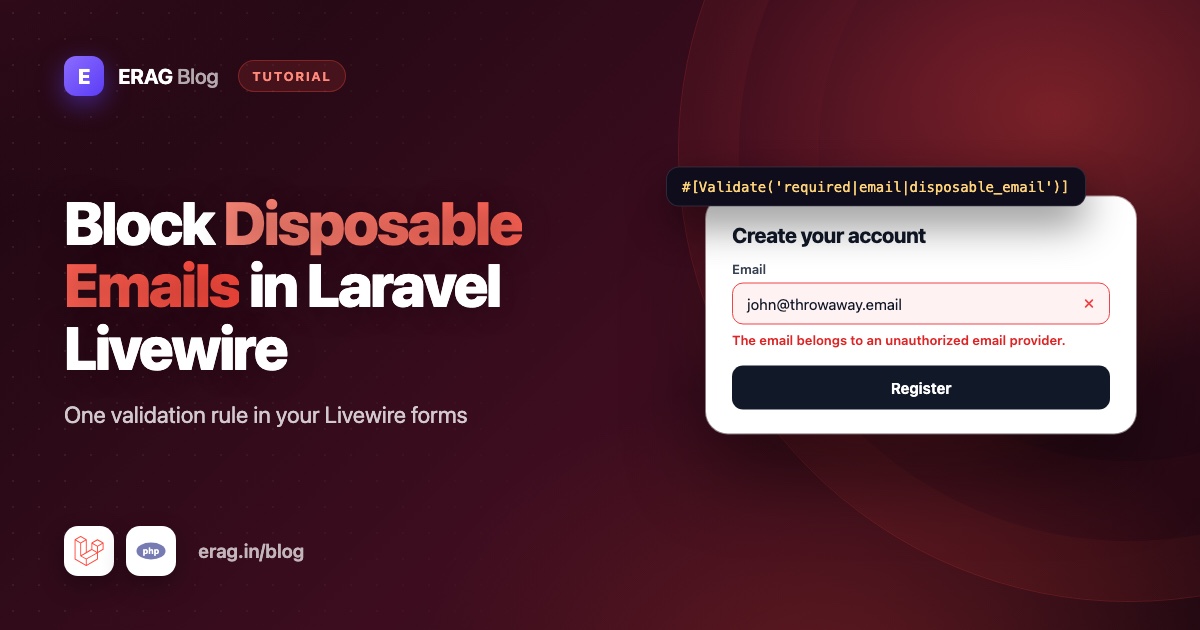
For Livewire email validation that also blocks disposable addresses, install erag/laravel-disposable-email and add disposable_email after email in the property's rules, for example #[Validate('required|email|disposable_email')]. Livewire runs the rules on the server when you call $this->validate(), and with wire:model.live.blur it also checks the address the moment the user leaves the field. The error appears through @error('email') like any other validation message.
There is no JavaScript to write and no outside API to call. The domain list lives inside your app, so the check is a quick local lookup. The code works in Livewire 4, the version in the Laravel 13 Livewire starter kit, and in Livewire 3. This guide covers the #[Validate] attribute, the rules() method, Form objects, custom messages and tests with Livewire::test().
The short version
- Run
composer require erag/laravel-disposable-email, then sync the domain list. - Add
disposable_emailafteremailin the property's#[Validate]attribute. - Bind the input with
wire:model.live.blur="email"for real-time feedback. - Show the error with
@error('email'). - Using
rules()? Put an empty#[Validate]on the property to keep real-time checks. - Test it with
Livewire::test()->set()->call()->assertHasErrors().
Install the package
composer require erag/laravel-disposable-email
php artisan erag:install-disposable-email
php artisan erag:sync-disposable-email-list
The first command adds the package, and Laravel registers it automatically. The second publishes config/disposable-email.php. The third loads the full list of disposable domains, which had 136,240 entries on 12 October 2026, into storage/app/blacklist_file. Even before you sync, about 3,750 common disposable domains are bundled, so the well-known services are blocked right away.
New burner services appear all the time. Schedule the sync in routes/console.php:
use Illuminate\Support\Facades\Schedule;

Schedule::command('erag:sync-disposable-email-list')->daily();
How to add the rule with #[Validate]
Here is a complete sign-up component. Create it with php artisan make:livewire Register on Livewire 3. Livewire 4 creates single-file components by default, so add --class to get the same class and view files. If you prefer single-file components, the same properties, attributes and methods go inside the new class extends Component block at the top of the file.
<?php

namespace App\Livewire;

use App\Models\User;
use Illuminate\Auth\Events\Registered;
use Illuminate\Support\Facades\Auth;
use Livewire\Attributes\Validate;
use Livewire\Component;

class Register extends Component
{
    #[Validate('required|string|max:255')]
    public string $name = '';

    #[Validate('required|string|email|max:255|unique:users,email|disposable_email')]
    public string $email = '';

    #[Validate('required|string|min:8|confirmed')]
    public string $password = '';

    public string $password_confirmation = '';

    public function register(): void
    {
        $validated = $this->validate();

        $user = User::create($validated);

        event(new Registered($user));

        Auth::login($user);

        $this->redirectRoute('dashboard', navigate: true);
    }

    public function render()
    {
        return view('livewire.register');
    }
}
The order of rules on email is deliberate:
| Rule | What it checks |
|---|---|
required, string | Something was typed. |
email | The address is written correctly. |
max:255 | It fits in the users.email column. |
unique:users,email | Nobody has registered with it yet. |
disposable_email | Its domain isn't a temporary inbox service. |
disposable_email only looks at the domain. Keep Laravel's email rule for the format. The package also blocks subdomains of a listed domain, so mail.mailinator.com fails just like mailinator.com.
$this->validate() checks every property that has a #[Validate] attribute and returns only the validated values. The default User model hashes the password through its hashed cast, so User::create($validated) stores it safely.
How to show the error in the Blade view
{{-- resources/views/livewire/register.blade.php --}}
<form wire:submit="register" class="space-y-4">
    <div>
        <label for="name">Name</label>
        <input id="name" type="text" wire:model="name" autocomplete="name">
        @error('name') <p class="text-sm text-red-600">{{ $message }}</p> @enderror
    </div>

    <div>
        <label for="email">Email address</label>
        <input id="email" type="email" wire:model.live.blur="email" autocomplete="email">
        @error('email') <p class="text-sm text-red-600">{{ $message }}</p> @enderror
    </div>

    <div>
        <label for="password">Password</label>
        <input id="password" type="password" wire:model="password" autocomplete="new-password">
        @error('password') <p class="text-sm text-red-600">{{ $message }}</p> @enderror
    </div>

    <div>
        <label for="password_confirmation">Confirm password</label>
        <input id="password_confirmation" type="password" wire:model="password_confirmation" autocomplete="new-password">
    </div>

    <button type="submit" wire:loading.attr="disabled">Create account</button>
</form>
Drop it into any page with the livewire:register tag. When someone types someone@mailinator.com and moves to the next field, this appears under the email input:
The email belongs to an unauthorized email provider.
How to validate the email in real time
Real-time validation means checking a field as soon as the user finishes with it, instead of waiting for the submit button. In Livewire, two things make it work together:
- The
#[Validate]attribute. Livewire validates a property with this attribute every time its value reaches the server. - A
wire:modelmodifier that sends the value.wire:model.live.blursends it when the input loses focus.
A plain wire:model waits until the next action, such as the form submit, so you'd only see the error after clicking the button. That's fine for the password fields, which is why they use it.
A note on versions: in Livewire 3, wire:model.blur also sends the value on blur. Livewire 4 changed .blur so it controls when the browser-side value syncs, and you add .live to also send it to the server. Its docs use wire:model.live.blur for real-time validation. wire:model.live.blur works the same way in Livewire 3, so it is the safe choice for both.
Why not wire:model.live? It sends a request after every pause in typing, so people see "invalid email" before they've finished typing. Checking on blur is friendlier and sends fewer requests. Each blur is still a network round trip, but the disposable check itself is a local lookup, so it adds almost nothing to it. If your app runs many checks, turn on cache_enabled in the package config to cache the compiled domain list.
Checking only the email step of a longer form
In a multi-step form, you often want to stop at the email step before showing the rest. validateOnly() runs the rules for one property and leaves the other fields alone:
public int $step = 1;

public function next(): void
{
    $this->validateOnly('email');

    $this->step = 2;
}
If the address is disposable, Livewire stops at validateOnly(), shows the error under the field and the user stays on step one. The same rule runs again when the final step calls $this->validate(), so nobody can skip it by editing the request.
How to use a rules() method and the rule object
PHP attributes can't contain method calls like Rule::unique() or Password::defaults(). When you need rule objects like these, or prefer the package's rule class, define a rules() method instead:
use App\Models\User;
use EragLaravelDisposableEmail\Rules\DisposableEmailRule;
use Illuminate\Validation\Rule;
use Illuminate\Validation\Rules\Password;
use Livewire\Attributes\Validate;

class Register extends Component
{
    public string $name = '';

    #[Validate]
    public string $email = '';

    public string $password = '';

    public string $password_confirmation = '';

    /**
     * @return array<string, array<int, mixed>>
     */
    protected function rules(): array
    {
        return [
            'name' => ['required', 'string', 'max:255'],
            'email' => ['required', 'string', 'email', 'max:255', Rule::unique(User::class), new DisposableEmailRule()],
            'password' => ['required', 'string', 'confirmed', Password::defaults()],
        ];
    }

    // register() and render() stay the same.
}
Watch the empty #[Validate] on $email. Rules from rules() only run when you call $this->validate(). They don't run when a property updates. An attribute with no arguments tells Livewire to validate that property on every update, using the rules from rules(). Without it, your real-time check silently stops working.
A rules() method is also how you handle a unique email on an edit form, such as an email change screen. Use Rule::unique(User::class)->ignore(auth()->id()) so the user can keep their current address while disposable_email still blocks a switch to a burner inbox.
new DisposableEmailRule() does the same check as the disposable_email string. The facade gives you a shorter factory, Disposable::rule(), from EragLaravelDisposableEmail\Facades\Disposable, and it accepts format modes, such as Disposable::rule('rfc'). The RFC and DNS validation guide explains each mode and when a DNS lookup is worth it.
How to use a Livewire Form object
When a form grows, or the same fields appear in two components, move them into a Form object. Create one with php artisan livewire:form RegistrationForm:
<?php

namespace App\Livewire\Forms;

use Livewire\Attributes\Validate;
use Livewire\Form;

class RegistrationForm extends Form
{
    #[Validate('required|string|max:255')]
    public string $name = '';

    #[Validate('required|string|email|max:255|unique:users,email|disposable_email')]
    public string $email = '';

    #[Validate('required|string|min:8|confirmed')]
    public string $password = '';

    public string $password_confirmation = '';
}
The component gets much smaller:
use App\Livewire\Forms\RegistrationForm;
// Other imports stay as before.

class Register extends Component
{
    public RegistrationForm $form;

    public function register(): void
    {
        $user = User::create($this->form->validate());

        event(new Registered($user));

        Auth::login($user);

        $this->redirectRoute('dashboard', navigate: true);
    }

    // render() stays the same.
}
In the view, prefix every field with form.:
<input id="email" type="email" wire:model.live.blur="form.email" autocomplete="email">
@error('form.email') <p class="text-sm text-red-600">{{ $message }}</p> @enderror
Real-time validation works the same way inside Form objects. The error key just becomes form.email.
How to change the error message
"Unauthorized email provider" is accurate but a bit stiff. You have three options.
For the whole app, publish Laravel's language files with php artisan lang:publish, then add a key to lang/en/validation.php:
'disposable_email' => 'Please use a permanent email address. Temporary inboxes are not allowed.',Add the same key in other language folders, such as lang/hi/validation.php, to translate it. Every form that uses the rule picks up the new text.
For one component, add a messages() method. Livewire passes it to Laravel's validator:
/**
 * @return array<string, string>
 */
protected function messages(): array
{
    return [
        'email.disposable_email' => 'Please sign up with an email address you plan to keep.',
    ];
}
With the rule object, the key is different. Laravel names it after the class, so use email.disposable_email_rule instead of email.disposable_email. In a Form object, put the messages() method on the Form class itself, with the same keys and no form. prefix.
Livewire's #[Validate] attribute also takes a message: argument, but a single message applies to one rule. It only fits when the attribute holds just disposable_email, so messages() is simpler for a property with several rules.
Only the field name. If the wording is fine but "email" should read differently, give the property a display name with as:, for example #[Validate('required|email|disposable_email', as: 'email address')]. Every message for that property then uses it: "The email address belongs to an unauthorized email provider."
Using the Laravel Livewire starter kit?
The Livewire starter kit's registration page doesn't validate in a Livewire component. It submits to Fortify's CreateNewUser action, so the rule goes into that action's email rules, not into a component. The starter kit guide shows the exact file and line. Everything in this post applies to your own Livewire forms: custom sign-ups, invite forms, "request access" forms and email change screens. For a waitlist, the newsletter and waitlist guide adds double opt-in and unsubscribe links. For a public sign-up form, stopping spam registrations covers rate limits, a honeypot field and email verification.
How to test it with Livewire::test()
use App\Livewire\Register;
use Livewire\Livewire;

it('rejects a disposable email on submit', function () {
    Livewire::test(Register::class)
        ->set('name', 'Asha')
        ->set('email', 'someone@mailinator.com')
        ->set('password', 'secret-password')
        ->set('password_confirmation', 'secret-password')
        ->call('register')
        ->assertHasErrors(['email' => 'disposable_email']);

    $this->assertGuest();
});

it('shows the error as soon as the email changes', function () {
    Livewire::test(Register::class)
        ->set('email', 'someone@mailinator.com')
        ->assertHasErrors(['email' => 'disposable_email']);
});

it('accepts a normal email address', function () {
    Livewire::test(Register::class)
        ->set('email', 'asha@example.com')
        ->assertHasNoErrors('email');
});
set() updates a property the same way the browser does, so the second test proves real-time validation without calling any action. assertHasErrors(['email' => 'disposable_email']) checks that this specific rule failed, not just any rule on the field.
For a Form object, use the prefixed key: ->set('form.email', 'someone@mailinator.com') and ->assertHasErrors('form.email'). With the rule object, ->assertHasErrors('email') is the simplest check.
Common problems and fixes
- The error only shows after clicking submit. The input uses plain
wire:model, orwire:model.bluron Livewire 4. Switch towire:model.live.blur. If your rules live inrules(), also check the property has an empty#[Validate]. - "Invalid email" appears while the user is still typing. You're using
wire:model.live. Change it towire:model.live.blur. - "Method validateRequired|email does not exist". You stacked several
#[Validate]attributes on one property and put pipe-separated rules in them. Keep all rules for a property in one attribute, or give each stacked attribute a single rule. - The custom message is ignored. With the rule object, the key is
email.disposable_email_rule. With a Form object, themessages()method must live on the Form class, not the component. - A disposable address still passes. Run
php artisan erag:sync-disposable-email-listand check the schedule runs. If caching is on, runphp artisan cache:clearafter changing lists.Disposable::check($email)->toArray()shows which domain matched and from which list. - A real customer's domain is blocked. Add it to
whitelistinconfig/disposable-email.php. The guide to handling false positives covers this in depth.
Frequently asked questions
How do I validate an email in Livewire?
Add a #[Validate('required|email')] attribute to the property and call $this->validate() in your action. Show the error with @error('email'). For real-time checks, bind the input with wire:model.live.blur.
How do I block temporary emails in a Livewire form?
Install erag/laravel-disposable-email and add disposable_email to the email property's rules. It checks the domain against a list of known temporary inbox services stored in your app.
Does Livewire real-time validation work with the rules() method?
Yes, but not on its own. Rules from rules() only run on $this->validate(). Add an empty #[Validate] attribute to each property you want checked on update.
Why doesn't wire:model.blur validate in Livewire 4?
In Livewire 4, .blur only decides when the value syncs in the browser. It no longer sends a request to the server on its own. Use wire:model.live.blur to send the value, and run validation, when the field loses focus. That form also works in Livewire 3.
How do I validate a unique email in Livewire?
On a sign-up form, add unique:users,email to the property's #[Validate] attribute. On an edit form, move the rules into a rules() method and use Rule::unique(User::class)->ignore(auth()->id()), because PHP attributes can't hold rule objects. Keep an empty #[Validate] on the property so it is still checked in real time.
Should I validate on every keystroke?
Usually not. wire:model.live sends a request after every pause in typing and shows errors for half-typed addresses. Validating on blur gives feedback at the right moment with far fewer requests.
Does the disposable check slow down my Livewire component?
No. The check is a lookup in a list stored inside your app, with no outside API call. The only network request the package makes is the sync command, which you run on a schedule.
Can I use the package with Livewire Form objects?
Yes. Put disposable_email in the Form object's #[Validate] attribute, bind inputs with form.email and read errors with @error('form.email').
How do I test Livewire validation in Pest?
Use Livewire::test(Component::class), set values with set(), run the action with call() and finish with assertHasErrors(['email' => 'disposable_email']) or assertHasNoErrors().
Add it to your Livewire forms
composer require erag/laravel-disposable-email
php artisan erag:install-disposable-email
php artisan erag:sync-disposable-email-list- Validation rule docs: erag.in/laravel-disposable-email/validation/basic.html
- Rule object docs: erag.in/laravel-disposable-email/validation/rule-object.html
- Caching the domain list: erag.in/laravel-disposable-email/advanced/cache.html
- GitHub: eramitgupta/laravel-disposable-email
- Related: How to block disposable emails in Laravel covers controllers and Form Requests.
