
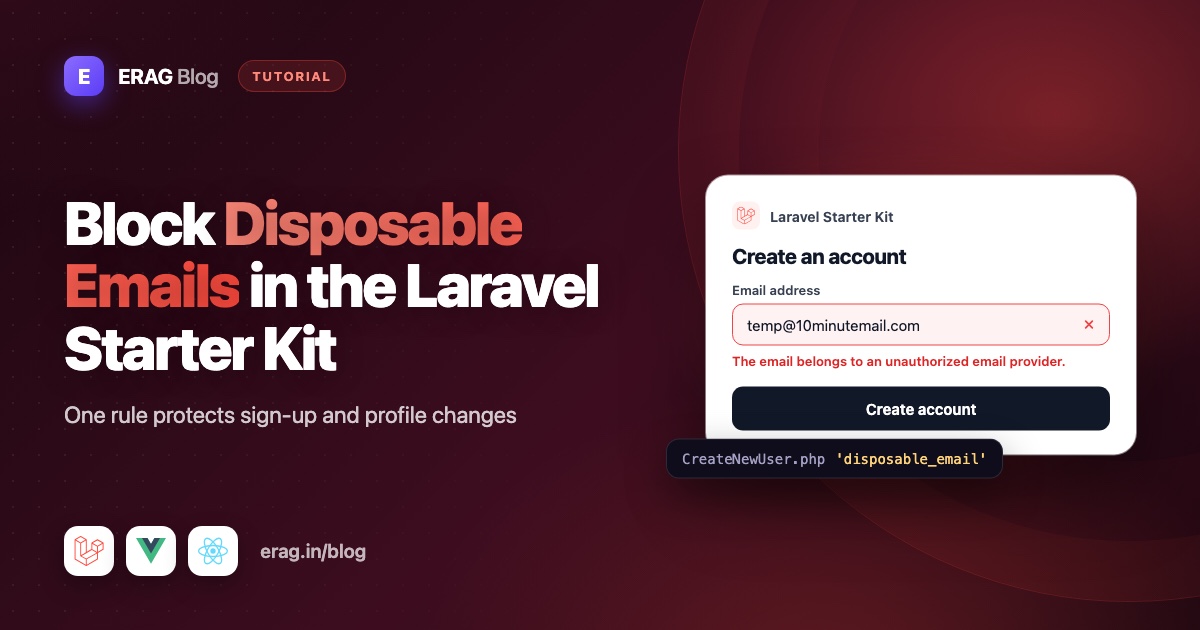
To block disposable emails in the Laravel starter kit, install erag/laravel-disposable-email and add the disposable_email rule to the emailRules() method in app/Concerns/ProfileValidationRules.php. In the current Laravel 13 starter kits, Fortify's CreateNewUser action and the profile settings form both read their email rules from that one trait, so a single line protects sign-up and later email changes.
This guide walks through the real starter kit files, shows exactly where the rule goes, what your users see, how to change the message, and how to prove it works with a Pest test. The same steps work for the Vue, React and Livewire kits, because all three register users through Fortify.
The short version
- Run
composer require erag/laravel-disposable-email. - Run
php artisan erag:install-disposable-emailto publish the config. - Add
'disposable_email'to the array returned byemailRules()inapp/Concerns/ProfileValidationRules.php. - Run
php artisan erag:sync-disposable-email-listand schedule it daily. - Add a Pest test that posts a burner address to
register.storeand expects an error.
You don't need to touch the Vue, React or Livewire register page.
Where the starter kit validates registration
The starter kits use Laravel Fortify for authentication. When someone submits the register form, Fortify passes the form input to app/Actions/Fortify/CreateNewUser.php. Here is that file in a fresh Laravel 13 Vue starter kit:
<?php

namespace App\Actions\Fortify;

use App\Concerns\PasswordValidationRules;
use App\Concerns\ProfileValidationRules;
use App\Models\User;
use Illuminate\Support\Facades\Validator;
use Laravel\Fortify\Contracts\CreatesNewUsers;

class CreateNewUser implements CreatesNewUsers
{
    use PasswordValidationRules, ProfileValidationRules;

    /**
     * Validate and create a newly registered user.
     *
     * @param  array<string, string>  $input
     */
    public function create(array $input): User
    {
        Validator::make($input, [
            ...$this->profileRules(),
            'password' => $this->passwordRules(),
        ])->validate();

        return User::create([
            'name' => $input['name'],
            'email' => $input['email'],
            'password' => $input['password'],
        ]);
    }
}
Notice there is no email rule written here. The ...$this->profileRules() line pulls the name and email rules in from a trait.
Where the starter kit validates profile email changes
The settings page lets a signed-in user change their email. That request goes to PATCH /settings/profile (route name profile.update) and is validated by app/Http/Requests/Settings/ProfileUpdateRequest.php:
class ProfileUpdateRequest extends FormRequest
{
    use ProfileValidationRules;

    public function rules(): array
    {
        return $this->profileRules($this->user()->id);
    }
}
It uses the same trait. The only difference is the user ID, which lets the unique rule ignore the user's own current address.
This matters for spam. If you only block burner emails at sign-up, someone can register with a real address and switch to a disposable one a minute later. Putting the rule in the shared trait closes that gap.
The trait both forms share
Open app/Concerns/ProfileValidationRules.php. The email rules live in emailRules():
protected function emailRules(?int $userId = null): array
{
    return [
        'required',
        'string',
        'email',
        'max:255',
        $userId === null
            ? Rule::unique(User::class)
            : Rule::unique(User::class)->ignore($userId),
    ];
}
This is the one place to change.
Step 1: Install the package
composer require erag/laravel-disposable-email
php artisan erag:install-disposable-email
Package discovery registers the service provider for you. The install command publishes config/disposable-email.php, where the whitelist and sync settings live.
Step 2: Add the rule to emailRules()
Add 'disposable_email' to the end of the array:
protected function emailRules(?int $userId = null): array
{
    return [
        'required',
        'string',
        'email',
        'max:255',
        $userId === null
            ? Rule::unique(User::class)
            : Rule::unique(User::class)->ignore($userId),
        'disposable_email',
    ];
}
That's it. Registration and profile updates now reject temporary inboxes.
Keep the email rule that is already there. It checks the address is written correctly. disposable_email only checks whether the domain belongs to a throwaway service.
If you prefer class-based rules, the package also has a rule object. Import EragLaravelDisposableEmail\Rules\DisposableEmailRule and add new DisposableEmailRule() instead of the string. Both do the same check.
Only want to block it at registration?
Leave the trait alone and override the email rules in CreateNewUser instead:
Validator::make($input, [
    ...$this->profileRules(),
    'email' => [...$this->emailRules(), 'disposable_email'],
    'password' => $this->passwordRules(),
])->validate();
The later email key replaces the one from profileRules(). I'd still recommend the trait, because the profile page is the easiest way around a sign-up-only check.
Older starter kit projects
If your CreateNewUser file has the rules written inline instead of the ...$this->profileRules() line, add 'disposable_email' to the email array there, and do the same in ProfileUpdateRequest. Projects created from the very first Laravel 12 kits may register users in app/Http/Controllers/Auth/RegisteredUserController.php instead. The rule goes on the email field there in the same way.
Step 3: What users see when they try a burner email
Someone who signs up with test@mailinator.com gets this error under the email field:
The email belongs to an unauthorized email provider.
You don't need to change the frontend. In the Vue kit, resources/js/pages/auth/Register.vue already renders errors.email with the InputError component. The Inertia form receives the error the same way it receives "The email has already been taken." The React and Livewire kits show field errors the same way, and so does the email field on the profile settings page.
Step 4: Change the error message (and translate it)
"Unauthorized email provider" is accurate, but you might want something friendlier. A fresh starter kit has no lang folder, so publish Laravel's language files first:
php artisan lang:publishThen add a disposable_email key to lang/en/validation.php, next to the other rule messages:
'disposable_email' => 'Please use a permanent email address. Temporary inboxes are not allowed.',Laravel looks for validation.disposable_email every time the rule fails, so this replaces the default message everywhere: registration, profile updates and any other form that uses the rule.
To change it for the email field only, use the custom section of the same file:
'custom' => [
    'email' => [
        'disposable_email' => 'Please sign up with your work or personal email address.',
    ],
],
For other languages, add the same key to lang/es/validation.php, lang/hi/validation.php and so on. Because Laravel reads validation.php when the rule runs, each user sees the message in their current language. The guide to adding translations to the Laravel Vue starter kit shows the language switcher side of this.
Step 5: Load the full list and keep it fresh
About 3,750 common disposable domains are bundled in the package, so the big services are blocked right after you install it. The full synced list had 136,240 domains on 12 October 2026. Load it with:
php artisan erag:sync-disposable-email-listThe domains are saved in storage/app/blacklist_file, inside your app. Checks never call an outside API.
New burner services appear all the time, so schedule the sync in the starter kit's routes/console.php:
use Illuminate\Support\Facades\Schedule;

Schedule::command('erag:sync-disposable-email-list')->daily();
Your server needs Laravel's scheduler running (a cron entry for php artisan schedule:run) for this to happen. Run php artisan disposable:stats any time to see how many domains are loaded and when the list was last synced.
Optional: check that the domain can receive email
The rule also accepts Laravel's email validation modes. Writing disposable_email:rfc,dns instead of disposable_email checks the address against the email standards and makes sure the domain has a mail server:
'disposable_email:rfc,dns',The dns mode makes a network lookup on every submit, and Laravel's dns check needs PHP's intl extension. Because the trait is shared, this applies to sign-up and profile changes, which is usually where you want it. The RFC and DNS docs list every mode.
Step 6: Test registration and profile updates with Pest
The starter kit already has tests/Feature/Auth/RegistrationTest.php. Add a test next to the existing ones. It reuses the skipUnlessFortifyHas() check already in that file:
test('users cannot register with a disposable email', function () {
    $response = $this->post(route('register.store'), [
        'name' => 'Test User',
        'email' => 'test@mailinator.com',
        'password' => 'password',
        'password_confirmation' => 'password',
    ]);

    $response->assertSessionHasErrors('email');
    $this->assertGuest();
    $this->assertDatabaseMissing('users', ['email' => 'test@mailinator.com']);
});
And in tests/Feature/Settings/ProfileUpdateTest.php, which already imports App\Models\User:
test('users cannot change their email to a disposable one', function () {
    $user = User::factory()->create();

    $this->actingAs($user)
        ->patch(route('profile.update'), [
            'name' => $user->name,
            'email' => 'test@mailinator.com',
        ])
        ->assertSessionHasErrors('email');

    expect($user->refresh()->email)->not->toBe('test@mailinator.com');
});
mailinator.com is in the bundled list, so these tests pass without running a sync first. Run them with:
php artisan test --compact --filter=disposableThe starter kit's existing tests keep passing. They use example.com addresses, which are not on the list.
Common problems and fixes
- The error says
validateDisposableEmail does not exist. Laravel can't find the rule, so the package isn't loaded. Check it's incomposer.json, then runphp artisan package:discoverandphp artisan optimize:clear. - Your custom message doesn't show. Make sure the key is exactly
disposable_emailand sits at the top level oflang/en/validation.php, or insidecustom.email. If you cache config in production, runphp artisan optimize:clearafter deploying. - A disposable address still gets through. Run the sync command and check the schedule is running.
Disposable::check($email)->toArray()tells you whether the domain matched and which list it came from. - A real customer is blocked. Add their domain to
whitelistinconfig/disposable-email.php. Whitelisted domains always pass. Handling false positives covers this in more depth. - Fortify's
lowercase_usernamesoption. The starter kit lowercases the email beforeCreateNewUserruns, and the package lowercases it too, soTest@Mailinator.comis blocked as well.
Frequently asked questions
Where is the registration validation in the Laravel starter kit?
Registration is handled by Fortify's app/Actions/Fortify/CreateNewUser.php. In current kits, its name and email rules come from the ProfileValidationRules trait in app/Concerns/ProfileValidationRules.php, and the password rules come from PasswordValidationRules.
How do I add custom validation to the Fortify register action?
Add rules to the array passed to Validator::make() in CreateNewUser, or to the shared trait methods it spreads in. Fortify runs validate() and sends any errors back to the form automatically.
Does this work with the React and Livewire starter kits?
Yes. The change is on the Laravel side, in Fortify's action and the shared trait. The register page doesn't change in any of the three kits.
Can users switch to a disposable email after signing up?
Not if you add the rule to emailRules(), because ProfileUpdateRequest uses the same trait. When the email does change, the starter kit's ProfileController also clears email_verified_at, so the new address has to be verified again.
How do I change the "unauthorized email provider" message?
Run php artisan lang:publish and add a disposable_email key to lang/en/validation.php. Add the same key to other language folders to translate it.
Do I need an API key or an outside service?
No. The package checks a domain list stored in your app. The only network request is the sync command, which downloads updates to the list.
Should I also turn on email verification?
Yes. Blocking burner domains and verifying the inbox cover different gaps. The guide on stopping spam registrations in Laravel shows how to add verification, rate limiting and a honeypot to the same form.
Protect your starter kit today
Three commands and one line in a trait:
composer require erag/laravel-disposable-email
php artisan erag:install-disposable-email
php artisan erag:sync-disposable-email-list- Documentation: erag.in/laravel-disposable-email
- GitHub: eramitgupta/laravel-disposable-email
- Related: How to block disposable emails in Laravel
