
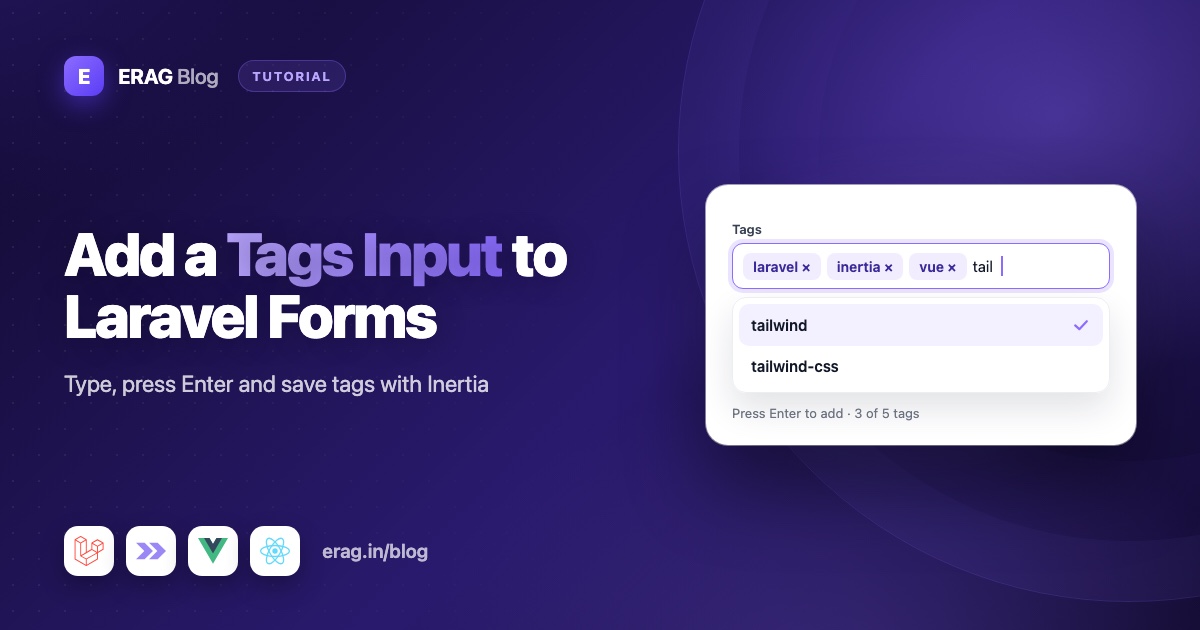
A Laravel tags input is a form field that turns typed words into chips and sends them to your controller as an array of strings, like ['laravel', 'inertia']. Validate the list with array rules on the field and string rules on each tag. Then store the tags in a JSON column for simple cases, or in a tags table with a post_tag pivot and sync() when you need to filter and count posts by tag.
The TagsInput field from Laravel Inertia Forms gives you that input in Vue, React or Svelte from one line of PHP, with suggestions, limits and generated validation. This guide uses Laravel 13 and Inertia v3, and covers both ways to store tags, pre-filling tags on the edit screen, autocomplete from tags people already use, tagging more than one model, and listing posts by tag.
The short version
- Add
TagsInput::make('tags')->maxTags(8)->maxTagLength(30)to your form class. - The value arrives as an array of strings, already checked with
arrayandmax:8on the list, andstring,distinctandmax:30on each tag. - Clean each tag on the server: trim it and lower-case it.
- Simple storage: save the array in a
jsoncolumn cast toarray. - Normalised storage:
firstOrCreate()each tag by slug in atagstable, then call$post->tags()->sync($ids). - On the edit screen, bind the tag names, not the
Tagmodels. - Pass existing tag names to
suggestions()so writers reuse them.
How to add a tags input to a Laravel Inertia form
Install the package. It needs PHP 8.3 or newer, Laravel 13 and Inertia v3, and the installation guide also covers the one-line Tailwind @source setup.
composer require erag/inertia-forms
php artisan erag:install-inertia-forms
npm install @erag/inertia-forms-vue
Generate a form class with php artisan make:form PostForm and add the field. If form classes are new to you, building Inertia forms from a single PHP class explains the idea in a few minutes.
<?php

namespace App\Forms;

use Erag\InertiaForms\Fields\Submit;
use Erag\InertiaForms\Fields\TagsInput;
use Erag\InertiaForms\Fields\Textarea;
use Erag\InertiaForms\Fields\TextInput;
use Erag\InertiaForms\Form;

class PostForm extends Form
{
    protected ?string $actionRoute = 'posts.store';

    public function fields(): array
    {
        return [
            TextInput::make('title')->required()->maxLength(160),
            Textarea::make('body')->required()->rows(10),

            TagsInput::make('tags')
                ->maxTags(8)
                ->maxTagLength(30)
                ->placeholder('Add a tag')
                ->help('Press Enter or comma after each tag.'),

            Submit::make($this->getModel() ? 'Save post' : 'Publish post'),
        ];
    }
}
The page renders it with one component:
<!-- resources/js/pages/posts/Form.vue -->
<script setup lang="ts">
import { Form, type FormSchema } from '@erag/inertia-forms-vue';

defineProps<{ form: FormSchema }>();
</script>

<template>
    <div class="mx-auto max-w-2xl p-6">
        <Form :form="form" />
    </div>
</template>
For React, install @erag/inertia-forms-react and render <Form form={form} /> from it. The form class stays the same.
How people add, remove and reorder tags
The field is built for typing quickly:
- Type a word and press Enter, comma or Tab to turn it into a tag. Tab only adds a tag when there is text, so it still moves focus from an empty box.
- Leaving the field adds whatever is still typed, so nothing gets lost.
- Backspace in the empty box removes the last tag. Every tag also has its own × button.
- Pasting
laravel, inertia, vue(or one tag per line) adds three tags at once. - Spaces around a tag are trimmed, and empty values and duplicates are skipped.
- Tags can be dragged into a new order by their grip handle. The order on screen is the order sent to the server. If order doesn't matter, turn the handles off with
reorderable(false).
maxTags(8) hides the text box once there are eight tags, and drops extras from a paste. maxTagLength(30) stops typing at 30 characters and skips longer pasted values.
What validation rules the tags field generates
The field builds its own Laravel rules from those settings:
| Key | Rules |
|---|---|
tags | nullable (or required), array, max:8 |
tags.* | string, distinct, max:30 |
A few details matter here:
required()means "at least one tag".- Rules you add with
rule()orrules()go ontags, the list, not on each tag. distinctrejects a list with the same tag twice. It compares values exactly, though, soLaravelandlaravelboth pass. That's why you clean tags on the server.- An error on one tag, like
tags.2, shows up under the field.
Because the rules live in PHP, a script that skips the browser and posts 50 tags still gets "The Tags field must not have more than 8 items." For how the rest of the generated rules work, see one set of validation rules for Laravel and Inertia.
How to clean up tags before saving
Normalising means making tags consistent, so Laravel , laravel and LARAVEL end up as one tag. Trim and lower-case each one, then drop empties and repeats:
use Illuminate\Support\Str;

$tags = collect($form->validated('tags'))
    ->map(fn (string $tag) => Str::lower(trim($tag)))
    ->filter()
    ->unique()
    ->values()
    ->all();
values() resets the array keys, so the list is stored as a JSON array and not an object.
Option 1: store tags in a JSON column
For a small blog or a product catalogue where tags are mostly shown, not searched, one column is enough:
Schema::table('posts', function (Blueprint $table) {
    $table->json('tags')->nullable();
});protected function casts(): array
{
return ['tags' => 'array'];
}Add tags to the model's #[Fillable] list. Saving is one line once the tags are clean:
$post = Post::create([...$form->validated(), 'tags' => $tags]);Editing needs nothing special. Bind the post, and the array cast hands the field a plain list:
PostForm::make()->route('posts.update', $post)->bind($post);If an older table stores tags as a comma-separated string, like "carry-on, travel", binding still works. The field splits the string into ['carry-on', 'travel'] for you.
To find posts with a tag, use whereJsonContains():
$posts = Post::whereJsonContains('tags', 'laravel')->latest()->paginate(10);The JSON column has limits. You can't easily rename a tag on every post, count posts per tag, or index the lookup. When you need any of those, move to a tags table.
Option 2: store tags in a tags table with belongsToMany
The normalised setup has a tags table with one row per tag, and a post_tag pivot table that links posts and tags:
Schema::create('tags', function (Blueprint $table) {
    $table->id();
    $table->string('name');
    $table->string('slug')->unique();
    $table->timestamps();
});

Schema::create('post_tag', function (Blueprint $table) {
    $table->foreignId('post_id')->constrained()->cascadeOnDelete();
    $table->foreignId('tag_id')->constrained()->cascadeOnDelete();
    $table->primary(['post_id', 'tag_id']);
});
Both models get a belongsToMany relation:
use Illuminate\Database\Eloquent\Attributes\Fillable;
use Illuminate\Database\Eloquent\Model;
use Illuminate\Database\Eloquent\Relations\BelongsToMany;

#[Fillable(['name', 'slug'])]
class Tag extends Model
{
    public function posts(): BelongsToMany
    {
        return $this->belongsToMany(Post::class);
    }
}// In App\Models\Post
public function tags(): BelongsToMany
{
return $this->belongsToMany(Tag::class);
}Now turn the submitted names into tag ids, creating any tag that doesn't exist yet. The slug is the tag's identity, so Laravel and laravel map to the same row:
<?php

namespace App\Http\Controllers;

use App\Forms\PostForm;
use App\Models\Post;
use App\Models\Tag;
use Erag\InertiaForms\Attributes\Validate;
use Illuminate\Http\RedirectResponse;
use Illuminate\Support\Arr;
use Illuminate\Support\Str;
use Inertia\Inertia;
use Inertia\Response;

class PostController extends Controller
{
    public function store(#[Validate] PostForm $form): RedirectResponse
    {
        $data = $form->validated();

        $post = Post::create(Arr::except($data, 'tags'));
        $post->tags()->sync($this->tagIds($data['tags'] ?? []));

        return to_route('posts.edit', $post);
    }

    public function update(#[Validate] PostForm $form, Post $post): RedirectResponse
    {
        $data = $form->validated();

        $post->update(Arr::except($data, 'tags'));
        $post->tags()->sync($this->tagIds($data['tags'] ?? []));

        return back();
    }

    /**
     * Turn tag names into Tag ids, creating new tags on the way.
     *
     * @param  array<int, string>  $names
     * @return array<int, int>
     */
    private function tagIds(array $names): array
    {
        return collect($names)
            ->map(fn (string $name) => Str::lower(trim($name)))
            ->filter(fn (string $name) => Str::slug($name) !== '')
            ->unique()
            ->map(fn (string $name) => Tag::firstOrCreate(['slug' => Str::slug($name)], ['name' => $name])->id)
            ->unique()
            ->values()
            ->all();
    }
}
firstOrCreate() looks for a tag with that slug and creates it only when there isn't one. filter() skips tags made only of symbols, which would get an empty slug. The second unique() catches two names that share a slug.
sync() makes the pivot table match the list exactly. It adds new links, removes tags that were taken off the post, and leaves the rest alone. That's why the same line works for both create and update.
How to pre-fill tags when editing a post
With a tags table, don't bind the post as it is. The tags relation holds Tag models, and the field expects plain strings. Add an edit() method to the same controller that binds an array with the names plucked out:
public function edit(Post $post): Response
{
    return Inertia::render('posts/Form', [
        'form' => PostForm::make()->route('posts.update', $post)->bind([
            ...$post->only('title', 'body'),
            'tags' => $post->tags->pluck('name'),
        ]),
    ]);
}
pluck('name') returns a collection, and the field turns bound collections into a plain array of strings. The tags show up as chips, in the order you pass them.
One catch: with an array bound, $this->getModel() returns that array. That's fine for a check like $this->getModel() ? 'Save post' : 'Publish post', but a rule such as Rule::unique()->ignore() needs the model itself. In that case, bind the post and name the field after an accessor that returns the names, because bound models are read through accessors too:
// In App\Models\Post (uses Illuminate\Database\Eloquent\Casts\Attribute)
protected function tagNames(): Attribute
{
    return Attribute::get(fn () => $this->tags->pluck('name')->all());
}
Then use TagsInput::make('tag_names')->label('Tags') and read $data['tag_names'] in the controller.
How to add tag autocomplete with suggestions
Writers drift: one post says vuejs, the next vue, the next vue3. Suggestions nudge everyone toward the tags you already have:
TagsInput::make('tags')
    ->suggestions(
        Tag::withCount('posts')->orderByDesc('posts_count')->limit(30)->pluck('name')->all()
    )
    ->maxTags(8)
    ->maxTagLength(30),
Suggestions appear in a dropdown while the field has focus. Typing narrows the list to suggestions that contain the text, ignoring case, and tags already added are left out. Users click a suggestion, or pick it with the arrow keys and Enter.
The whole list is sent with the page, so keep it short. The query above sends the 30 most-used tags. With a JSON column, you can build the same list in PHP:
Post::pluck('tags')->flatten()->filter()->countBy()->sortDesc()->keys()->take(30)->all();That loads every post's tags, which is fine for a few hundred posts and a good sign it's time for a tags table after that.
Suggestions are only hints. People can still type any tag. If they must choose from a fixed list, you want a select field instead: see the searchable select dropdown guide.
How to filter posts by tag
Give each tag its own page, found by its slug:
Route::get('tags/{tag:slug}', [TagController::class, 'show'])->name('tags.show');public function show(Tag $tag): Response
{
return Inertia::render('tags/Show', [
'tag' => $tag->only('name', 'slug'),
'posts' => $tag->posts()->with('tags')->latest()->paginate(10),
]);
}To filter an existing list instead, read the tag from the query string, like /blog?tag=laravel:
$posts = Post::query()
    ->with('tags')
    ->when($request->query('tag'), fn ($query, string $slug) => $query->whereHas(
        'tags',
        fn ($query) => $query->where('slug', $slug),
    ))
    ->latest()
    ->paginate(10)
    ->withQueryString();
withQueryString() keeps ?tag=laravel on the pagination links. On the page, each tag becomes a link:
<Link
    v-for="tag in post.tags"
    :key="tag.slug"
    :href="`/tags/${tag.slug}`"
    class="rounded-full bg-zinc-100 px-3 py-1 text-sm text-zinc-700"
>
    #{{ tag.name }}
</Link>
Link comes from @inertiajs/vue3. In React, import it from @inertiajs/react and pass the same URL to its href prop. If tag slugs are new to you, the Laravel slug generator guide explains them.
How to tag more than one model (polymorphic tags)
Sooner or later, videos or products need tags too. Instead of a video_tag table, a product_tag table and so on, use one taggables table that remembers both the id and the type of the tagged model. Laravel calls this a polymorphic many-to-many relation:
Schema::create('taggables', function (Blueprint $table) {
    $table->foreignId('tag_id')->constrained()->cascadeOnDelete();
    $table->morphs('taggable');
    $table->unique(['tag_id', 'taggable_id', 'taggable_type']);
});
morphs('taggable') adds a taggable_id and a taggable_type column. Each tagged model uses morphToMany(), and the Tag model gets one morphedByMany() relation per model:
// In App\Models\Post (and the same in App\Models\Video)
public function tags(): MorphToMany
{
    return $this->morphToMany(Tag::class, 'taggable');
}

// In App\Models\Tag
public function posts(): MorphToMany
{
    return $this->morphedByMany(Post::class, 'taggable');
}

public function videos(): MorphToMany
{
    return $this->morphedByMany(Video::class, 'taggable');
}
Import Illuminate\Database\Eloquent\Relations\MorphToMany in both models. Everything else in this guide stays the same: $post->tags()->sync($ids) and $video->tags()->sync($ids) work as before, and the same TagsInput field and tagIds() helper serve every form. One limit to know: a tag has no single relation that returns posts and videos together, so a tag page loads each type with its own relation.
JSON column or tags table?
| JSON column | tags + post_tag tables | |
|---|---|---|
| Setup | One column and a cast | Two tables and two relations |
| Saving | Assign the cleaned array | firstOrCreate() plus sync() |
| Edit screen | bind($post) | Bind the plucked names |
| Filter by tag | whereJsonContains() | whereHas() or $tag->posts() |
| Rename a tag everywhere | Update every post | Update one row |
| Count posts per tag | Count in PHP | withCount('posts') |
Start with the JSON column if you're unsure. Moving to a tags table later is a small migration script: read each post's array and run the same tagIds() and sync() code.
Common problems and fixes
"Laravel" and "laravel" show up as two tags
distinct and the database compare exact text. Lower-case and trim every tag before saving, as tagIds() does.
C++ and C# end up as the same tag
Str::slug() removes symbols, so both become c. Pass a dictionary for the symbols that matter: Str::slug($name, '-', 'en', ['@' => 'at', '+' => 'plus', '#' => 'sharp']) gives c-plus-plus and c-sharp.
The edit form shows odd text instead of tag names
The post was bound with its tags relation, so the field got Tag models instead of strings. Bind $post->tags->pluck('name'), as shown above.
A tag page returns 404
The link uses the tag name, like /tags/Vue 3, but the route looks up the slug. Always build tag links from tag.slug.
Old tags stay on the post after editing
The controller used attach(), which only adds links. Use sync(), which also removes tags that were taken off.
Tags nobody uses pile up in the tags table
sync() removes the link between a post and a tag, but never the tag itself. Clean up now and then with Tag::doesntHave('posts')->delete();, for example from a scheduled command. With polymorphic tags, check every relation, like Tag::doesntHave('posts')->doesntHave('videos')->delete();.
Frequently asked questions
How do I add tags to posts in Laravel?
Create a tags table and a post_tag pivot table, add belongsToMany relations to both models, and call $post->tags()->sync($ids) after saving the post. For a quick version, store the tags as an array in a JSON column instead.
Should I store tags as JSON or in a separate table?
Use JSON when tags are only displayed and you have few posts. Use a separate table when you need tag pages, post counts, renaming, or fast filtering.
How do I validate an array of tags in Laravel?
Validate the list with array and a max count, and each tag with tags.* rules like string, distinct and max:30. The TagsInput field generates exactly these rules from maxTags() and maxTagLength().
How do I show existing tags when editing a post?
Bind the tag names to the form. With a JSON column, bind($post) is enough. With a tags table, bind an array that includes $post->tags->pluck('name').
How does sync() work with tags?
sync() takes the full list of tag ids the post should have. It attaches the missing ones and detaches the ones not in the list, so the pivot table ends up matching the form.
How do I add tag autocomplete in Laravel?
Pass the tags you already have to the field's suggestions() method, for example the 30 most-used names from Tag::withCount('posts'). They show in a dropdown while the field has focus, filtered as the user types. Keep the list short, because it is sent with the page.
How do I tag different models, like posts and videos?
Use one taggables table with morphs('taggable'), a morphToMany(Tag::class, 'taggable') relation on each tagged model, and morphedByMany() relations on Tag. Saving still works with sync(), so the same form field and controller code serve every model.
Can users only pick from existing tags?
Not with suggestions alone, because they're only hints. If the list must be fixed, use a select with multiple values, or add your own rule that checks every tag against the tags table.
Does the tags input work with React and Svelte?
Yes. The PHP form class and the validation are the same. Install @erag/inertia-forms-react or @erag/inertia-forms-svelte and render its <Form> component.
Add tags to your forms
Install the package and add TagsInput::make('tags') to a form class:
composer require erag/inertia-forms
php artisan erag:install-inertia-forms
npm install @erag/inertia-forms-vue- Tags Input docs: erag.in/laravel-inertia-forms/fields/tags-input.html
- Model binding and edit screens: erag.in/laravel-inertia-forms/concepts/model-binding.html
- GitHub: eramitgupta/laravel-Inertia-forms
- Related: build the rest of the blog in the Laravel blog with a rich text editor tutorial.
