
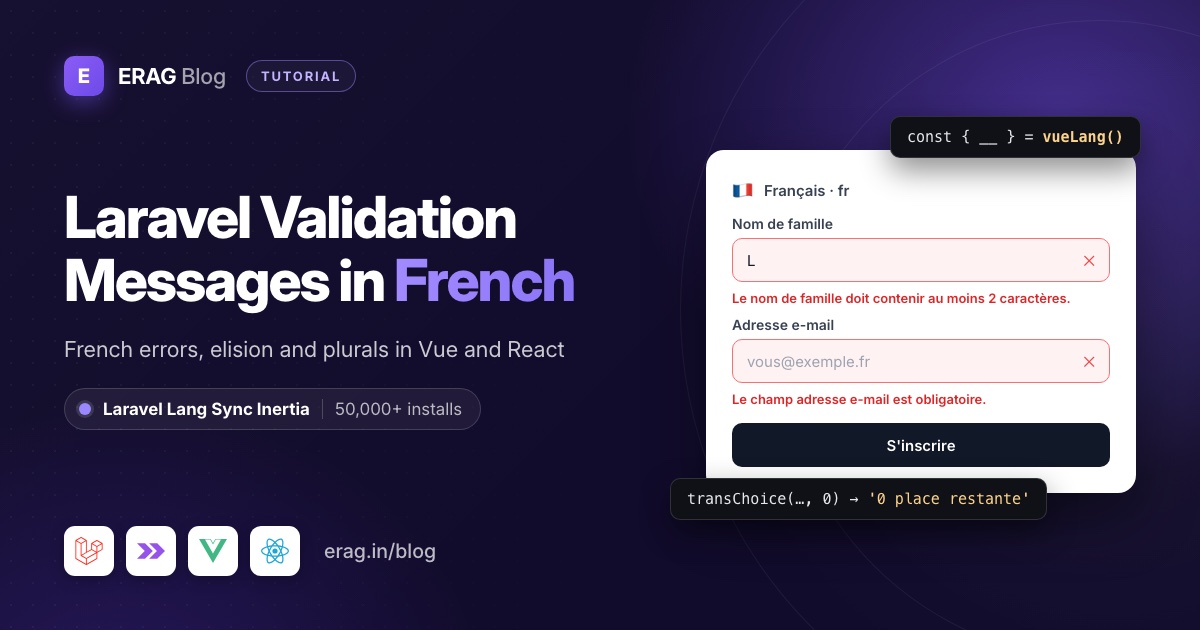
To get Laravel validation messages in French, run composer require laravel-lang/common and php artisan lang:add fr, then set APP_LOCALE=fr in .env. An empty first name now fails with "Le champ prénom est obligatoire." instead of "The first name field is required." To show the same French text in Inertia Vue or React pages, call syncLangFiles() from Laravel Lang Sync Inertia and read each line with __().
Install both packages first:
composer require laravel-lang/common
php artisan lang:add fr

composer require erag/laravel-lang-sync-inertia
npm install @erag/lang-sync-inertia
php artisan erag:install-lang
Laravel Lang Sync Inertia has more than 50,000 installs on Packagist. erag:install-lang publishes config/inertia-lang.php, which tells the package where your lang folder is.
The example in this guide is a workshop registration form built with Laravel 13, Inertia v3, Vue 3.5 and React 19. French has a few habits English doesn't, like elision, a different plural rule for zero and spaces before punctuation, and each one shows up somewhere in that form.
The short version
- Set
APP_LOCALE=frandAPP_FAKER_LOCALE=fr_FRin.env. - Install laravel-lang/common and run
php artisan lang:add frto getlang/frwith French field names. - Override the few messages where French grammar breaks, in your own
lang/fr/workshops.php. - Add a
SetLocalemiddleware that callsApp::setLocale(), thensyncLangFiles(). - Load
validationin the controller and read labels and errors in Vue withvueLang(). - Write plural lines with explicit
[0,1]conditions, because French counts zero as singular. - Use the same lines in React with
reactLang(), and format dates and euros withIntl. - Lock it in with Pest tests that assert real French sentences.
How do I set the Laravel locale to French?
Change three lines in .env:
APP_LOCALE=fr
APP_FALLBACK_LOCALE=en
APP_FAKER_LOCALE=fr_FR
Use fr, not fr_FR or fr-FR. Laravel treats the locale as a folder name, so APP_LOCALE=fr reads lang/fr/validation.php. laravel-lang/lang ships French in a single fr folder, with no separate Canadian, Belgian or Swiss versions. Faker is the exception: it has no plain fr, so it needs fr_FR.
The fallback only helps on the server. When a line is missing from lang/fr, Laravel falls back to English. syncLangFiles() has no fallback: it reads the folder for the active locale and nothing else, so a missing French group means raw keys in your Vue page.
A fresh Laravel 13 app has no lang folder. Run php artisan lang:publish if you want Laravel's English files in lang/en before adding French. If the folder is gone in an older app too, the missing lang folder guide explains why.
How do I get Laravel's French validation messages with lang:add fr?
php artisan lang:add comes from laravel-lang/publisher, which both packages below pull in. Which one you install decides what lands in lang/fr:
| Package | Command | What you get in French |
|---|---|---|
laravel-lang/lang | composer require --dev laravel-lang/lang | auth.php, pagination.php, passwords.php, validation.php messages and lang/fr.json |
laravel-lang/common | composer require laravel-lang/common | All of the above, plus French field names in validation.php and an actions.php with button words |
The field names are the reason to pick common. They come from laravel-lang/attributes, which writes them into the attributes array of lang/fr/validation.php. Without them, Laravel builds the name from the input key, and the user reads "Le champ first name est obligatoire."
lang:add accepts several locales at once (php artisan lang:add fr es). Later, php artisan lang:update refreshes every installed locale; the Laravel Lang docs suggest putting it in post-update-cmd in composer.json.
These are the French names for the fields in the registration form:
| Input name | English message uses | French attributes value |
|---|---|---|
first_name | first name | prénom |
last_name | last name | nom de famille |
email | adresse e-mail | |
date | date | date |
message | message | message |
Laravel's English validation.php ships an empty attributes array. Add the same five keys in English to lang/en/validation.php, or English visitors will see keys as labels once you use these names in Vue.
Why do French messages say "Le texte de nom de famille"?
Laravel fills :attribute with plain string replacement. French grammar doesn't work that way. Before a vowel, "de" becomes "d'". Before a masculine noun, "de le" becomes "du". A placeholder can't know either.
The laravel-lang translators work around this by starting most lines with "Le champ", which never changes: "Le champ prénom est obligatoire." and "Le champ adresse e-mail doit être une adresse e-mail valide." both read fine.
A few lines start differently, and those break with real field names:
| Rule | French line | With your field |
|---|---|---|
min.string | Le texte de :attribute doit contenir au moins :min caractères. | Le texte de nom de famille doit contenir au moins 2 caractères. |
max.string | Le texte de :attribute ne peut pas contenir plus de :max caractères. | Le texte de message ne peut pas contenir plus de 500 caractères. |
min.numeric | La valeur de :attribute doit être supérieure ou égale à :min. | La valeur de âge doit être supérieure ou égale à 18. |
A French speaker expects "Le nom de famille doit contenir…", "Le message ne peut pas…" and "La valeur de l'âge…". Don't fix it by putting articles into the attribute names: "l'âge" would turn the "Le champ" lines into "Le champ l'âge est obligatoire."
Override the messages per field instead, in a group file of your own:
<?php

// lang/fr/workshops.php

return [
    'register' => "S'inscrire",
    'cancel' => 'Annuler',
    'seats_left' => '[0,1] :count place restante|[2,*] :count places restantes',
    'messages' => [
        'last_name_min' => 'Le nom de famille doit contenir au moins :min caractères.',
        'message_max' => 'Votre message ne peut pas dépasser :max caractères.',
    ],
];<?php
// lang/en/workshops.php
return [
'register' => 'Register',
'cancel' => 'Cancel',
'seats_left' => ':count seat left|:count seats left',
'messages' => [
'last_name_min' => 'The last name must be at least :min characters.',
'message_max' => 'Your message may not be longer than :max characters.',
],
];Notice the double quotes around "S'inscrire". French is full of apostrophes (l'atelier, d'inscription, s'inscrire), and an apostrophe inside a single-quoted PHP string ends it. Use double quotes, escape it as \', or type the typographic apostrophe ’.
Because workshops.php is your own file, lang:update never overwrites it. The seats_left line is explained in the plural section below.
Share French translations with every Inertia page
A middleware picks the language for each request, then shares the groups every page uses:
php artisan make:middleware SetLocale<?php
namespace App\Http\Middleware;
use Closure;
use Illuminate\Http\Request;
use Illuminate\Support\Facades\App;
use Symfony\Component\HttpFoundation\Response;
class SetLocale
{
/**
* @var array<int, string>
*/
public const SUPPORTED = ['fr', 'en'];
public function handle(Request $request, Closure $next): Response
{
$locale = $request->session()->get('locale')
?? $request->getPreferredLanguage(self::SUPPORTED);
App::setLocale(in_array($locale, self::SUPPORTED, true) ? $locale : config('app.locale'));
syncLangFiles('workshops');
return $next($request);
}
}getPreferredLanguage() maps fr-FR, fr-CA, fr-BE and fr-CH browser headers to fr. Keep the order inside handle(): syncLangFiles() reads the files for whatever locale is active when you call it, and it loads each group only once per request.
Append the middleware first in the web group in bootstrap/app.php. It has to run after the session starts, so use append, not prepend:
use App\Http\Middleware\SetLocale;

->withMiddleware(function (Middleware $middleware): void {
    $middleware->web(append: [
        SetLocale::class,
        // ...the middleware your app already appends
    ]);
})
Then share the active locale from app/Http/Middleware/HandleInertiaRequests.php, for Intl on the frontend:
public function share(Request $request): array
{
    return [
        ...parent::share($request),
        'locale' => fn () => app()->getLocale(),
    ];
}
How do I show Laravel's French validation messages in a Vue form?
Load the validation group in the controller, so only form pages carry it:
<?php

namespace App\Http\Controllers;

use App\Http\Requests\StoreRegistrationRequest;
use Illuminate\Http\RedirectResponse;
use Inertia\Inertia;
use Inertia\Response;

class RegistrationController extends Controller
{
    public function create(): Response
    {
        syncLangFiles('validation');

        return Inertia::render('Registrations/Create', [
            'workshop' => [
                'title' => 'Atelier Inertia pour débutants',
                'startsAt' => '2026-12-01T13:00:00Z',
                'priceInCents' => 4500,
                'seatsLeft' => 1,
            ],
        ]);
    }

    public function store(StoreRegistrationRequest $request): RedirectResponse
    {
        // Save $request->validated() the way your app needs.

        return to_route('registrations.create');
    }
}use App\Http\Controllers\RegistrationController;
Route::get('/registrations/create', [RegistrationController::class, 'create'])->name('registrations.create');
Route::post('/registrations', [RegistrationController::class, 'store'])->name('registrations.store');A real app would load the workshop from the database; a fixed array keeps the example short.
Fix "postérieure ou égale au today"
Attendees pick a session day, so the form uses after_or_equal:today. The French line ends with "au :date", and Laravel fills :date with the rule's raw parameter: "Le champ date doit être une date postérieure ou égale au today."
Fill :date yourself in the form request, together with the two elision fixes:
<?php

namespace App\Http\Requests;

use Illuminate\Foundation\Http\FormRequest;

class StoreRegistrationRequest extends FormRequest
{
    public function authorize(): bool
    {
        return true;
    }

    /**
     * @return array<string, array<int, string>>
     */
    public function rules(): array
    {
        return [
            'first_name' => ['required', 'string', 'max:100'],
            'last_name' => ['required', 'string', 'min:2', 'max:100'],
            'email' => ['required', 'email'],
            'date' => ['required', 'date', 'after_or_equal:today'],
            'message' => ['nullable', 'string', 'max:500'],
        ];
    }

    /**
     * @return array<string, string>
     */
    public function messages(): array
    {
        return [
            'last_name.min' => __('workshops.messages.last_name_min'),
            'message.max' => __('workshops.messages.message_max'),
            'date.after_or_equal' => __('validation.after_or_equal', [
                'date' => today()->isoFormat('Do MMMM YYYY'),
            ]),
        ];
    }
}
Do matters here. French writes the first day of a month as "1er" and every other day as a plain number. Carbon follows App::setLocale(), so isoFormat('Do MMMM YYYY') gives "1er décembre 2026" on the 1st and "11 décembre 2026" on the 11th. With LL you'd get "1 décembre 2026", which looks wrong to a French reader. The validator still fills :attribute and the :min and :max in your own lines.
The Vue page
Create resources/js/pages/Registrations/Create.vue:
<script setup lang="ts">
import { vueLang } from '@erag/lang-sync-inertia/vue';
import { useForm, usePage } from '@inertiajs/vue3';
import { computed } from 'vue';

const props = defineProps<{
    workshop: { title: string; startsAt: string; priceInCents: number; seatsLeft: number };
}>();

const { __, transChoice } = vueLang();
const page = usePage<{ locale: string }>();

const form = useForm({ first_name: '', last_name: '', email: '', date: '', message: '' });

const fields = [
    { name: 'first_name', type: 'text' },
    { name: 'last_name', type: 'text' },
    { name: 'email', type: 'email' },
    { name: 'date', type: 'date' },
] as const;

const startsAt = computed(() =>
    new Intl.DateTimeFormat(page.props.locale, { dateStyle: 'full', timeStyle: 'short', timeZone: 'Europe/Paris' })
        .format(new Date(props.workshop.startsAt)),
);

const price = computed(() =>
    new Intl.NumberFormat(page.props.locale, { style: 'currency', currency: 'EUR' })
        .format(props.workshop.priceInCents / 100),
);
</script>

<template>
    <form class="mx-auto max-w-lg space-y-5" @submit.prevent="form.post('/registrations')">
        <header class="rounded-md bg-gray-50 p-4">
            <h1 class="text-lg font-semibold">{{ workshop.title }}</h1>
            <p class="text-sm text-gray-600 first-letter:uppercase">{{ startsAt }}</p>
            <p class="mt-1 text-sm">{{ price }} · {{ transChoice('workshops.seats_left', workshop.seatsLeft) }}</p>
        </header>

        <div v-for="field in fields" :key="field.name">
            <label :for="field.name" class="block text-sm font-medium first-letter:uppercase">
                {{ __(`validation.attributes.${field.name}`) }}
            </label>
            <input :id="field.name" v-model="form[field.name]" :type="field.type" class="mt-1 w-full rounded-md border px-3 py-2" />
            <p v-if="form.errors[field.name]" class="mt-1 text-sm text-red-600">{{ form.errors[field.name] }}</p>
        </div>

        <div>
            <label for="message" class="block text-sm font-medium first-letter:uppercase">
                {{ __('validation.attributes.message') }}
            </label>
            <textarea id="message" v-model="form.message" rows="4" class="mt-1 w-full rounded-md border px-3 py-2" />
            <p v-if="form.errors.message" class="mt-1 text-sm text-red-600">{{ form.errors.message }}</p>
        </div>

        <div class="flex gap-3">
            <button type="submit" :disabled="form.processing || workshop.seatsLeft === 0" class="rounded-md bg-gray-900 px-4 py-2 text-white">
                {{ __('workshops.register') }}
            </button>
            <button type="button" class="rounded-md border px-4 py-2" @click="form.reset()">
                {{ __('workshops.cancel') }}
            </button>
        </div>
    </form>
</template>
What a French visitor sees:
- Labels come from the same
attributesarray Laravel uses in its messages, so "Nom de famille" above the field always matches "Le nom de famille doit contenir au moins 2 caractères." below it. - Capital letters: French field names and day names are lowercase mid-sentence. Tailwind's
first-letter:uppercaseturns "prénom" into "Prénom" and "mardi 1 décembre 2026 à 14:00" into "Mardi 1 décembre…" without a second set of strings. - Errors arrive in
form.errorsalready in French. Vue prints them. - The header reads "45,00 €", followed by "1 place restante".
Intl writes "1 décembre", not "1er décembre". That's fine for a heading. If you need the ordinal, format the date on the server with Carbon's Do and send the string as a prop.
One more rule from the package source: always pass placeholders as an object, like trans('validation.required', { attribute: 'prénom' }). If you pass a plain string as the second argument, __() appends it after the line instead of filling a placeholder.
Why does transChoice() say "0 places" when Laravel says "0 place"?
French and English disagree about zero. English says "0 seats". French uses the singular for zero and one: "0 place restante", "1 place restante", "2 places restantes".
Laravel's PHP trans_choice() knows this. Its plural rules put fr in the group where 0 and 1 both take the first form. The frontend transChoice() is simpler: with no explicit conditions it picks the first form for exactly 1 and the last form for everything else, zero included. With a plain ':count place restante|:count places restantes', your confirmation email says "0 place restante" while the Vue page says "0 places restantes".
The fix is to write the condition into the line, as in workshops.php above:
'seats_left' => '[0,1] :count place restante|[2,*] :count places restantes',Both sides match [0,1] and [2,*] intervals before falling back to their own rules, so PHP and JavaScript now return the same sentence for every count. A {0} form works too, for example '{0} Complet|{1} :count place restante|[2,*] :count places restantes'.
transChoice() looks the first argument up as a translation key. Since v3.1.1, a pipe-separated string with no matching key is used as the plural line itself, but it is never translated, so French plural lines still belong in a lang file.
How do I show the same French text in React?
The PHP side doesn't change. Any React page rendered after syncLangFiles() gets the same lang prop, and reactLang() reads it. Here's a workshop card for a listing page, in resources/js/components/workshop-card.tsx:
import { reactLang } from '@erag/lang-sync-inertia/react';
import { Link, usePage } from '@inertiajs/react';

type Workshop = { title: string; startsAt: string; priceInCents: number; seatsLeft: number };

export default function WorkshopCard({ workshop }: { workshop: Workshop }) {
    const { __, transChoice } = reactLang();
    const { locale } = usePage<{ locale: string }>().props;

    const day = new Intl.DateTimeFormat(locale, { dateStyle: 'full', timeStyle: 'short', timeZone: 'Europe/Paris' });
    const price = new Intl.NumberFormat(locale, { style: 'currency', currency: 'EUR' });

    return (
        <article className="rounded-lg border p-4">
            <h2 className="font-semibold">{workshop.title}</h2>
            <p className="text-sm text-gray-600 first-letter:uppercase">{day.format(new Date(workshop.startsAt))}</p>
            <p className="mt-2 text-sm">
                {price.format(workshop.priceInCents / 100)} · {transChoice('workshops.seats_left', workshop.seatsLeft)}
            </p>
            <Link href="/registrations/create" className="mt-3 inline-block rounded-md bg-gray-900 px-4 py-2 text-white">
                {__('workshops.register')}
            </Link>
        </article>
    );
}
reactLang() calls Inertia's usePage() inside, so call it in the component body like any other hook. The workshops group comes from the middleware, so the card works on any page without its own syncLangFiles() call. If this is your first React page with the package, the React setup guide covers installation and the full helper API.
Import from the framework subpath: @erag/lang-sync-inertia/react here, /vue in Vue and /svelte in Svelte, never the package root. Svelte works the same way with svelteLang(), and the Svelte translations guide shows it in a full page.
French dates, numbers and euros at a glance
| What | English | French (fr) | Where it comes from |
|---|---|---|---|
| Full date | Tuesday, December 1, 2026 | mardi 1 décembre 2026 | Intl.DateTimeFormat, dateStyle: 'full' |
| Short date | 12/1/2026 | 01/12/2026 | dateStyle: 'short' |
| First of the month | 1st December 2026 | 1er décembre 2026 | Carbon isoFormat('Do MMMM YYYY') |
| Time | 2:00 PM | 14:00 (14 h 00 in fr-CA) | timeStyle: 'short' |
| Price | €1,234.50 | 1 234,50 € | Intl.NumberFormat with currency: 'EUR' |
| Plural of zero | 0 seats left | 0 place restante | Your [0,1] line |
Keep fr for text and pass a regional tag only to Intl when formatting must follow a country, such as fr-CA with CAD for Canadian prices. The locale code your lang folder uses doesn't need to change.
Test French messages with Pest
php artisan make:test --pest FrenchRegistrationTest<?php
use Illuminate\Support\Carbon;
use Illuminate\Support\Facades\App;
use Inertia\Testing\AssertableInertia as Assert;
it('returns French validation messages', function () {
$this->withHeader('Accept-Language', 'fr-CA,fr;q=0.9')
->post('/registrations', ['last_name' => 'L', 'email' => 'pas-un-email'])
->assertSessionHasErrors([
'first_name' => 'Le champ prénom est obligatoire.',
'last_name' => 'Le nom de famille doit contenir au moins 2 caractères.',
'email' => 'Le champ adresse e-mail doit être une adresse e-mail valide.',
]);
});
it('writes the first of the month as 1er', function () {
$this->travelTo(Carbon::parse('2026-12-01 09:00'));
$this->withSession(['locale' => 'fr'])
->post('/registrations', ['date' => '2026-11-20'])
->assertSessionHasErrors([
'date' => 'Le champ date doit être une date postérieure ou égale au 1er décembre 2026.',
]);
});
it('treats zero as singular in French', function () {
App::setLocale('fr');
expect(trans_choice('workshops.seats_left', 0))->toBe('0 place restante')
->and(trans_choice('workshops.seats_left', 3))->toBe('3 places restantes');
});
it('shares the French groups with the page', function () {
$this->withSession(['locale' => 'fr'])
->get('/registrations/create')
->assertInertia(fn (Assert $page) => $page
->component('Registrations/Create')
->where('lang.validation.attributes.last_name', 'nom de famille')
->where('lang.workshops.register', "S'inscrire"));
});php artisan test --compact tests/Feature/FrenchRegistrationTest.phpThe first test sends a Canadian browser header and still gets fr. The second freezes the clock on the 1st so "1er" is predictable. The third guards the plural rule, and the fourth proves syncLangFiles() shared both groups.
Common problems and fixes
Labels show validation.attributes.last_name
The French attributes array is missing that key. Either you installed only laravel-lang/lang, which has no field names, or the page never called syncLangFiles('validation'). Check lang/en/validation.php too; the frontend has no fallback.
"PHP Parse error: syntax error, unexpected identifier"
An apostrophe ended a single-quoted string, as in 'S'inscrire'. Switch that line to double quotes.
An exclamation mark wraps onto its own line
French puts a space before !, ?, : and ;, and the laravel-lang lines use a normal space ("Votre mot de passe a été réinitialisé !"). In a narrow toast the ! can wrap alone. In your own lines, use a non-breaking space: "Inscription confirmée\u{00A0}!" in a double-quoted PHP string.
A test comparing "1 234,50 €" fails
Intl and Laravel's Number::currency(1234.5, in: 'EUR', locale: 'fr') both use a narrow no-break space (U+202F) between thousands and a no-break space (U+00A0) before €. Compare with "1\u{202F}234,50\u{00A0}€".
Labels are French but errors are English
syncLangFiles() ran before App::setLocale(), or a later middleware set the locale back to en. The translation drift guide explains why the locale should be decided on the server, once, before anything is synced.
Frequently asked questions
Why are my validation messages still in English after setting the locale?
Check four things, in this order:
- Cached config. After
php artisan config:cache, Laravel ignores.envchanges. Runphp artisan config:clear, thenphp artisan config:show app.localeshould printfr. APP_LOCALEvsapp.locale.APP_LOCALEonly works ifconfig/app.phpreads it with'locale' => env('APP_LOCALE', 'en'). Older apps sometimes hard-code'locale' => 'en'.- The folder. Laravel looks for
lang/fr/validation.php. If it's missing, or namedfr_FR, every line silently falls back toAPP_FALLBACK_LOCALE, which is English. - Timing. A form request validates before your controller method runs, so
App::setLocale('fr')inside the controller is too late. Set the locale in middleware.
Should I use fr or fr_FR as the Laravel locale?
Use fr. laravel-lang/lang ships one fr folder, and syncLangFiles() reads the folder named after the locale. fr_FR would find nothing and share empty groups. Only Faker needs fr_FR.
How do I use Laravel's French validation messages in Vue or React?
Call syncLangFiles('validation') in the controller after the locale is set, then read lines with __() from vueLang() or reactLang(). Errors from a failed submit already arrive in French. The validation errors guide covers custom messages in more depth.
Why do some French lines say "e-mail" and others "email"?
They come from different translators. The validation email line says "adresse e-mail", while the password reset line says "adresse email". If consistency matters to you, override the lines you show in your own group file.
Does French need a different plural rule on the frontend?
Yes, for zero. Laravel's PHP rules treat 0 like 1 in French; transChoice() without conditions treats 0 like 2. Write [0,1] and [2,*] conditions into the line and both sides agree.
Does this work with Laravel 13 and Inertia v3?
Yes. The PHP package supports Laravel 8 to 13 with inertia-laravel 1 to 3, and the npm helper supports Inertia v2 and v3 with Vue 3, React 18 or 19 and Svelte 4 or 5.
Install Laravel Lang Sync Inertia
php artisan lang:add fr gives you French in PHP. Three commands put the same French in every Inertia Vue, React or Svelte page:
composer require erag/laravel-lang-sync-inertia
npm install @erag/lang-sync-inertia
php artisan erag:install-lang