
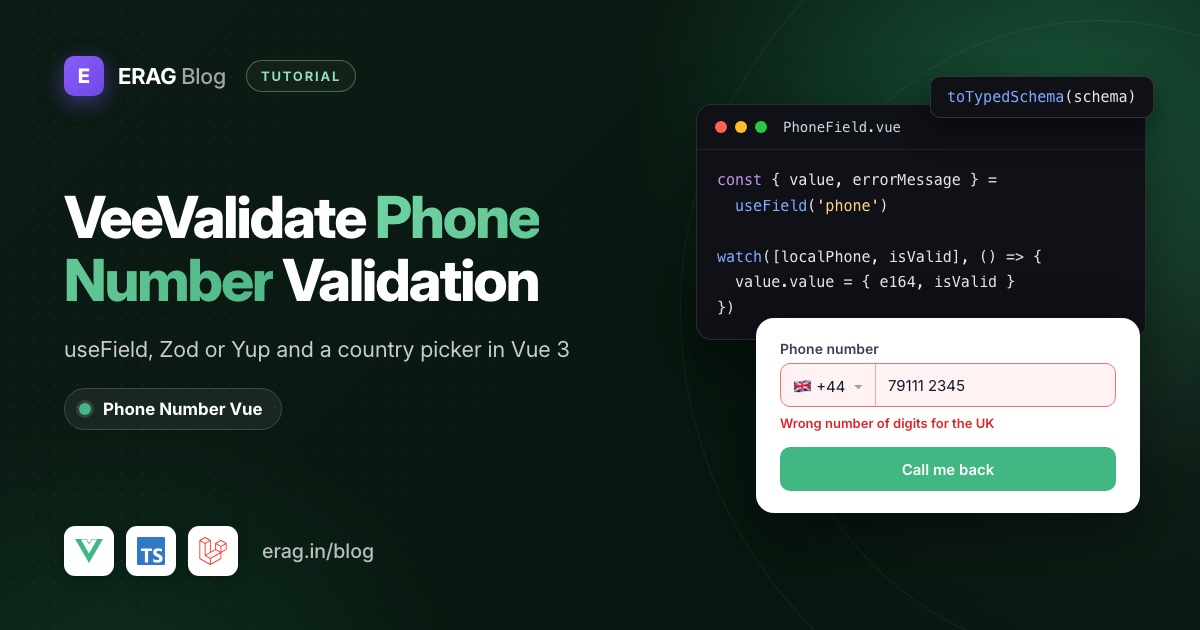
For VeeValidate phone number validation in Vue 3, register the phone field with useField('phone'), fill its value from the usePhoneNumber composable with a watch, and check that value in a Zod or Yup schema passed to useForm through toTypedSchema. The composable handles countries, digits and per-country lengths, VeeValidate turns its answer into an error message, and you submit an E.164 number to Laravel.
Install the packages:
npm install @erag/phone-number-vue vee-validate @vee-validate/zod zod@^3.25Yes, that's Zod 3 on purpose. The next section explains why, and how to use Yup instead if your project is already on Zod 4.
The short version
- Make a short list of the countries you accept, with their plain calling codes.
- Write a schema where
phoneis an object,{ country, e164, isValid }, with tworefine()checks. - Wrap the schema in
toTypedSchema()and pass it touseForm({ validationSchema }). - Build a
PhoneFieldcomponent that callsuseField()andusePhoneNumber(), and copies the composable's state into the field withwatch. - Show the error only after the field is touched.
- Submit with
handleSubmit(), sendphoneandphone_countrywith Inertia, and pass Laravel's errors tosetErrors(). - Prefer rules by name? Register a global one with
defineRule('phone', ...)instead of a schema. - Validate the number again in Laravel.
Which VeeValidate, Zod and Yup versions work together?
This trips people up more than the validation itself. The current stable VeeValidate is 4.15, and its Zod adapter was built for Zod 3:
| Package | Version used here | Works with |
|---|---|---|
vee-validate | 4.15 | Vue 3.4.26 or newer |
@vee-validate/zod | 4.15 | Zod 3 (^3.24.0 peer dependency) |
@vee-validate/yup | 4.15 | Yup 1 (^1.3.2 peer dependency) |
@erag/phone-number-vue | 1.0 | Vue 3 |
If your project already has Zod 4, npm install @vee-validate/zod stops with an ERESOLVE peer dependency error. You have three options: install zod@^3.25 for your forms, use Yup with @vee-validate/yup (shown later), or move to VeeValidate 5. Version 5 drops toTypedSchema() and accepts Standard Schema libraries such as Zod directly, but at the time of writing it is still a beta on npm.
The rest of this guide uses Zod 3. Every schema method here works the same way in Zod 4, so moving later is a small change.
Step 1: Pick your countries and define the phone value
Create resources/js/lib/phone.ts:
import type { PhoneCountry } from '@erag/phone-number-vue';

export type PhoneValue = {
    country: string;
    e164: string;
    isValid: boolean;
};

export const phoneCountries: PhoneCountry[] = [
    { name: 'India', key: 'in', isoCode2: 'IN', countryCodes: ['91'] },
    { name: 'United States', key: 'us', isoCode2: 'US', countryCodes: ['1'] },
    { name: 'United Kingdom', key: 'gb', isoCode2: 'GB', countryCodes: ['44'] },
    { name: 'United Arab Emirates', key: 'ae', isoCode2: 'AE', countryCodes: ['971'] },
    { name: 'Australia', key: 'au', isoCode2: 'AU', countryCodes: ['61'] },
    { name: 'Singapore', key: 'sg', isoCode2: 'SG', countryCodes: ['65'] },
];
The composable finds the allowed lengths for each country by ISO code in its own metadata, so you don't list them. Why a hand-written list rather than the bundled one? In the bundled data the United States is stored with its area codes (1201, 1202 and so on), which makes callingCode read +1201. That's fine for display experiments, but it builds a wrong E.164 number. A short list with plain calling codes avoids it, and it should match the countries your Laravel rule accepts. The custom data docs list every field a country record supports.
PhoneValue is the shape VeeValidate stores. Keeping isValid inside the value lets the schema reuse the composable's length check instead of counting digits a second time.
Step 2: Write the schema with toTypedSchema
Create resources/js/lib/callback-schema.ts:
import { toTypedSchema } from '@vee-validate/zod';
import { z } from 'zod';

const phoneSchema = z
    .object({
        country: z.string(),
        e164: z.string(),
        isValid: z.boolean(),
    })
    .refine((phone) => phone.e164 !== '', 'Enter your phone number.')
    .refine(
        (phone) => phone.e164 === '' || phone.isValid,
        'This number has the wrong number of digits for the selected country.',
    );

export const callbackSchema = toTypedSchema(
    z.object({
        name: z.string().trim().min(1, 'Enter your name.'),
        phone: phoneSchema,
    }),
);
Both refinements sit on the phone object, so their messages land on the phone path, the same name you give useField(). The second check returns early for an empty number, so the user never sees two messages at once.
The VeeValidate docs warn that Zod's refine() doesn't run while some object keys are missing. That's why the form below gives phone all three keys from the start.
toTypedSchema() also types the form. The values handleSubmit() gives you are the schema's output, so values.name arrives already trimmed.
Step 3: Build a PhoneField component with useField
Create resources/js/components/PhoneField.vue:
<script setup lang="ts">
import { computed, watch } from 'vue';
import { useField } from 'vee-validate';
import { usePhoneNumber } from '@erag/phone-number-vue';
import { phoneCountries, type PhoneValue } from '@/lib/phone';

const props = defineProps<{ name: string; label?: string }>();

const { value, errorMessage, meta, handleBlur } = useField<PhoneValue>(() => props.name);

const { countryOptions, selectedCountry, localPhone, callingCode, isValid, handleInput } = usePhoneNumber({
    countries: phoneCountries,
    countryCode: value.value?.country || 'IN',
    phone: value.value?.e164 ?? '',
});

watch([selectedCountry, localPhone, isValid], () => {
    value.value = {
        country: selectedCountry.value?.isoCode2 ?? '',
        e164: localPhone.value && callingCode.value ? `${callingCode.value}${localPhone.value}` : '',
        isValid: isValid.value,
    };
});

const showError = computed(() => meta.touched && Boolean(errorMessage.value));
</script>

<template>
    <div>
        <label :for="name">{{ label ?? 'Phone number' }}</label>
        <div class="flex gap-2">
            <select v-model="selectedCountry" aria-label="Country">
                <option v-for="country in countryOptions" :key="country.key" :value="country">
                    {{ country.name }} +{{ country.countryCodes?.[0] }}
                </option>
            </select>
            <input
                :id="name"
                type="tel"
                inputmode="numeric"
                autocomplete="tel-national"
                :value="localPhone"
                :aria-invalid="showError || undefined"
                :aria-describedby="showError ? `${name}-error` : undefined"
                @input="handleInput"
                @blur="handleBlur"
            />
        </div>
        <p v-if="showError" :id="`${name}-error`" role="alert">{{ errorMessage }}</p>
    </div>
</template>
useField() finds the parent form on its own, so the component works in any form that has a phone key in its schema. Pass another name to reuse it for a second number, such as billing_phone.
Why watch instead of v-model?
The value VeeValidate stores isn't what the user types. The user types digits into one control and picks a country in another, and the composable cleans and trims the digits before they count. So the composable's refs are the source, and the field value is built from them.
Vue makes this easy because refs update straight away. After handleInput() runs, localPhone already holds the cleaned digits, and switching the country through selectedCountry trims the number to the new length in the same tick. The watch sees the final state and writes it to value. Setting value also validates the field, because useField() validates on every value change by default.
Use v-model="selectedCountry" for the country, as above. In the Vue composable, passing a country object to handleInput() treats it as typed text: the number is cleared and the country stays the same.
When do errors show?
Since every change validates, errorMessage can be filled while the user is still typing their first digits. Showing "wrong number of digits" at that point is noise. showError waits until meta.touched is true, which happens on blur through handleBlur, or for every field when the form is submitted. After that, the message updates live and disappears as soon as the number is valid.
For more on timing, accessible error text and what the length check covers, see Vue phone validation for international numbers.
Step 4: The form with useForm and handleSubmit
Now the page, resources/js/pages/callback/Create.vue:
<script setup lang="ts">
import { router } from '@inertiajs/vue3';
import { useForm } from 'vee-validate';
import PhoneField from '@/components/PhoneField.vue';
import { callbackSchema } from '@/lib/callback-schema';

const { defineField, errors, handleSubmit, isSubmitting, setErrors } = useForm({
    validationSchema: callbackSchema,
    initialValues: {
        name: '',
        phone: { country: 'IN', e164: '', isValid: false },
    },
});

const [name, nameAttrs] = defineField('name');

const onSubmit = handleSubmit(
    (values) =>
        new Promise<void>((resolve) => {
            router.post(
                '/callback-requests',
                {
                    name: values.name,
                    phone: values.phone.e164,
                    phone_country: values.phone.country,
                },
                {
                    onError: (serverErrors) =>
                        setErrors({
                            name: serverErrors.name,
                            phone: serverErrors.phone ?? serverErrors.phone_country,
                        }),
                    onFinish: () => resolve(),
                },
            );
        }),
);
</script>

<template>
    <form novalidate @submit="onSubmit">
        <label for="name">Name</label>
        <input id="name" v-model="name" v-bind="nameAttrs" autocomplete="name" :aria-invalid="Boolean(errors.name) || undefined" />
        <p v-if="errors.name" role="alert">{{ errors.name }}</p>

        <PhoneField name="phone" />

        <button type="submit" :disabled="isSubmitting">
            {{ isSubmitting ? 'Sending…' : 'Call me back' }}
        </button>
    </form>
</template>
handleSubmit() marks every field as touched, validates the whole schema and only calls your function when everything passes. While the returned promise is pending, isSubmitting stays true. Inertia's router.post() works with callbacks and doesn't return a promise, which is why the call is wrapped in one that resolves in onFinish.
How do I show Laravel's validation errors in VeeValidate?
Laravel and Inertia send validation errors back as an object of field names and messages, like { phone: 'The phone field format is invalid.' }. setErrors() takes the same shape, so most of the time you can pass it straight through.
The one thing to map is a server key that has no field of its own. The form has no phone_country field, so its error is shown under phone. A key you pass as undefined simply clears that field's error.
If you call a JSON API with fetch() instead, Laravel answers with status 422 and arrays of messages. Pass the first message of each array to setErrors().
Prefer Yup? The same rules with @vee-validate/yup
Install the Yup adapter instead of the Zod one:
npm install @erag/phone-number-vue vee-validate @vee-validate/yup yupThen write callback-schema.ts with Yup's test():
import { toTypedSchema } from '@vee-validate/yup';
import { boolean, object, string } from 'yup';

export const callbackSchema = toTypedSchema(
    object({
        name: string().trim().required('Enter your name.'),
        phone: object({
            country: string().required(),
            e164: string().defined(),
            isValid: boolean().required(),
        })
            .test('filled', 'Enter your phone number.', (phone) => Boolean(phone?.e164))
            .test(
                'length',
                'This number has the wrong number of digits for the selected country.',
                (phone) => !phone?.e164 || Boolean(phone.isValid),
            ),
    }),
);
PhoneField.vue and the page don't change at all. That's the benefit of keeping the phone logic in the composable and only the messages in the schema.
How do I add a reusable phone rule with defineRule?
VeeValidate has no phone rule of its own. When someone asked for one in 2017 (issue #833), the maintainer said covering every phone format would be painful and pointed to custom rules instead. defineRule() is how you write one: register it once and use it by name in every form, without Zod or Yup.
Create resources/js/lib/validation-rules.ts:
import { defineRule } from 'vee-validate';
import type { PhoneValue } from '@/lib/phone';

defineRule('phone', (value: PhoneValue | undefined) => {
    if (!value?.e164) {
        return 'Enter your phone number.';
    }

    return value.isValid || 'This number has the wrong number of digits for the selected country.';
});
Import it once in resources/js/app.ts with import './lib/validation-rules';. A rule returns true when the value passes and a string when it fails, and that string becomes the error message.
Now a form can use the rule by name. Rules can also be plain functions, so the name check doesn't need a library either:
const { handleSubmit, setErrors } = useForm({
    validationSchema: {
        name: (value: string) => Boolean(value?.trim()) || 'Enter your name.',
        phone: 'phone',
    },
    initialValues: {
        name: '',
        phone: { country: 'IN', e164: '', isValid: false },
    },
});
PhoneField.vue works unchanged, because it only reads errorMessage from the form. One thing to know: string rules and toTypedSchema() don't mix in one form, so pick one style per form. In a form with no schema at all, pass the rule straight to the field: useField(() => props.name, 'phone').
A rule for a plain text input
If your field is a single text input without the composable, validate the string with libphonenumber-js and pass the country as a rule parameter:
import type { CountryCode } from 'libphonenumber-js';
import { isValidPhoneNumber } from 'libphonenumber-js/max';
import { defineRule } from 'vee-validate';

defineRule('phone_number', (value: string | undefined, [country]: string[]) => {
    if (!value) {
        return true;
    }

    return isValidPhoneNumber(value, country as CountryCode) || 'Enter a valid phone number.';
});
Use it as rules="phone_number:GB" on a <Field>, or useField('phone', 'phone_number:GB'). With a default country, users can type the national format, like 07911 123456. Empty values pass, so combine it with your required rule.
How do I use the phone field in a shadcn-vue form?
shadcn-vue's forms guide builds on VeeValidate too, and its example also uses Zod 3. Fields go inside VeeValidate's Field component, renamed to VeeField, and shadcn-vue's own Field, FieldLabel and FieldError handle the layout. Add them with npx shadcn-vue@latest add field.
shadcn-vue binds componentField for simple components like its Input. For checkbox groups, which build their own value, its docs read value from the slot and write with handleChange instead. A phone field builds its own value too, so it follows the checkbox pattern and needs a v-model version. Create resources/js/components/PhoneInput.vue, the same logic as PhoneField.vue with defineModel() in place of useField():
<script setup lang="ts">
import { watch } from 'vue';
import { usePhoneNumber } from '@erag/phone-number-vue';
import { phoneCountries, type PhoneValue } from '@/lib/phone';

const model = defineModel<PhoneValue>({ required: true });
defineProps<{ id: string; invalid?: boolean }>();
const emit = defineEmits<{ blur: [] }>();

const { countryOptions, selectedCountry, localPhone, callingCode, isValid, handleInput } = usePhoneNumber({
    countries: phoneCountries,
    countryCode: model.value.country || 'IN',
    phone: model.value.e164,
});

watch([selectedCountry, localPhone, isValid], () => {
    model.value = {
        country: selectedCountry.value?.isoCode2 ?? '',
        e164: localPhone.value && callingCode.value ? `${callingCode.value}${localPhone.value}` : '',
        isValid: isValid.value,
    };
});
</script>

<template>
    <div class="flex gap-2">
        <select v-model="selectedCountry" aria-label="Country">
            <option v-for="country in countryOptions" :key="country.key" :value="country">
                {{ country.name }} +{{ country.countryCodes?.[0] }}
            </option>
        </select>
        <input
            :id="id"
            type="tel"
            inputmode="numeric"
            autocomplete="tel-national"
            :value="localPhone"
            :aria-invalid="invalid || undefined"
            @input="handleInput"
            @blur="emit('blur')"
        />
    </div>
</template>
Then use it in the shadcn-vue form, next to the other fields:
<script setup lang="ts">
import { Field as VeeField } from 'vee-validate';
import PhoneInput from '@/components/PhoneInput.vue';
import { Field, FieldError, FieldLabel } from '@/components/ui/field';
</script>

<template>
    <VeeField v-slot="{ value, handleChange, handleBlur, errors }" name="phone">
        <Field :data-invalid="!!errors.length">
            <FieldLabel for="phone">Phone number</FieldLabel>
            <PhoneInput
                id="phone"
                :model-value="value"
                :invalid="!!errors.length"
                @update:model-value="handleChange"
                @blur="handleBlur"
            />
            <FieldError v-if="errors.length" :errors="errors" />
        </Field>
    </VeeField>
</template>
The form around it is the one from Step 4: useForm() with the same callbackSchema and initialValues. Give the native select and input the same Tailwind classes as your shadcn-vue inputs so the field matches the rest of the form.
Step 5: Check the phone number again in Laravel
The browser check helps users, but anyone can post to your route directly. Validate in the controller before you store anything:
$validated = $request->validate([
    'name' => ['required', 'string', 'max:255'],
    'phone_country' => ['required', 'string', Rule::in(['IN', 'US', 'GB', 'AE', 'AU', 'SG'])],
    'phone' => ['required', 'string', 'regex:/^\+[1-9]\d{6,14}$/'],
]);
The regex only checks the E.164 shape. To check the exact local length for each country on the server too, use the custom rule from the Laravel phone number validation guide. Store phone in a string column and keep phone_country beside it. The E.164 format guide explains why that pair is the one to keep.
Editing a saved number and resetting the form
To edit, put the saved values in initialValues, for example phone: { country: 'GB', e164: '+447911123456', isValid: true }. PhoneField passes them to usePhoneNumber(), which drops the leading calling code and shows the local digits. The composable only reads those options once, when the component is set up.
That's also why resetForm() alone isn't enough after a successful submit. It resets VeeValidate's values, but the composable keeps the old number on screen. Give PhoneField a key and change it after the reset, so Vue creates a fresh component with fresh composable state.
Common problems and fixes
npm ERR! ERESOLVE: peer zod@"^3.24.0" from @vee-validate/zod
Your project has Zod 4. Install zod@^3.25, switch to Yup, or wait for VeeValidate 5.
Rules passed to useField() are ignored
When the form has a validationSchema, VeeValidate validates every field with the schema and skips field-level rules. Put the phone checks in the schema.
The error shows before the user has typed anything
You're rendering errorMessage without checking meta.touched. Use a showError computed like the one in PhoneField.vue.
Changing the country empties the number
You're calling handleInput() with the country object. Bind the select with v-model="selectedCountry" instead.
The number goes to Laravel with the wrong calling code
You're using the bundled country list. Pass your own list with plain calling codes, as in Step 1.
Frequently asked questions
How do I validate a phone number with VeeValidate?
Register the field with useField(), and validate it with a form schema. For international numbers, let a phone composable work out the country rules and have the schema check its result. Validate again on the server.
Does VeeValidate have a built-in phone rule?
No. @vee-validate/rules 4.15 ships 27 rules, such as required, email, numeric, digits and regex, but none for phone numbers. regex and digits only check the shape or the count, not the rules of each country. Write your own with defineRule(), as shown above.
Does @vee-validate/zod work with Zod 4?
Not version 4.15. It declares Zod 3 as its peer dependency. Use Zod 3, Yup, or VeeValidate 5, which accepts Standard Schema libraries directly.
Should I use useField or defineField?
defineField() is the short way to bind a native input, which is why the name field uses it. A custom component like PhoneField that builds its own value is a good fit for useField().
Is there a React version of this?
Yes. React Hook Form phone number validation with Zod builds the same form with Controller and @erag/phone-number-react.
Add phone validation to your Vue form
The composable knows the phone rules, VeeValidate tracks the form, Zod or Yup words the errors, and Laravel checks everything again:
npm install @erag/phone-number-vue vee-validate @vee-validate/zod zod@^3.25- Documentation: Phone Number Vue, with basic usage and the API reference. For VeeValidate itself, see the Zod integration docs.
- Related: build the input step by step in Vue phone number input with country codes, and collect chat numbers with the Laravel WhatsApp number input.
- GitHub: eramitgupta/phone-number-vue
