
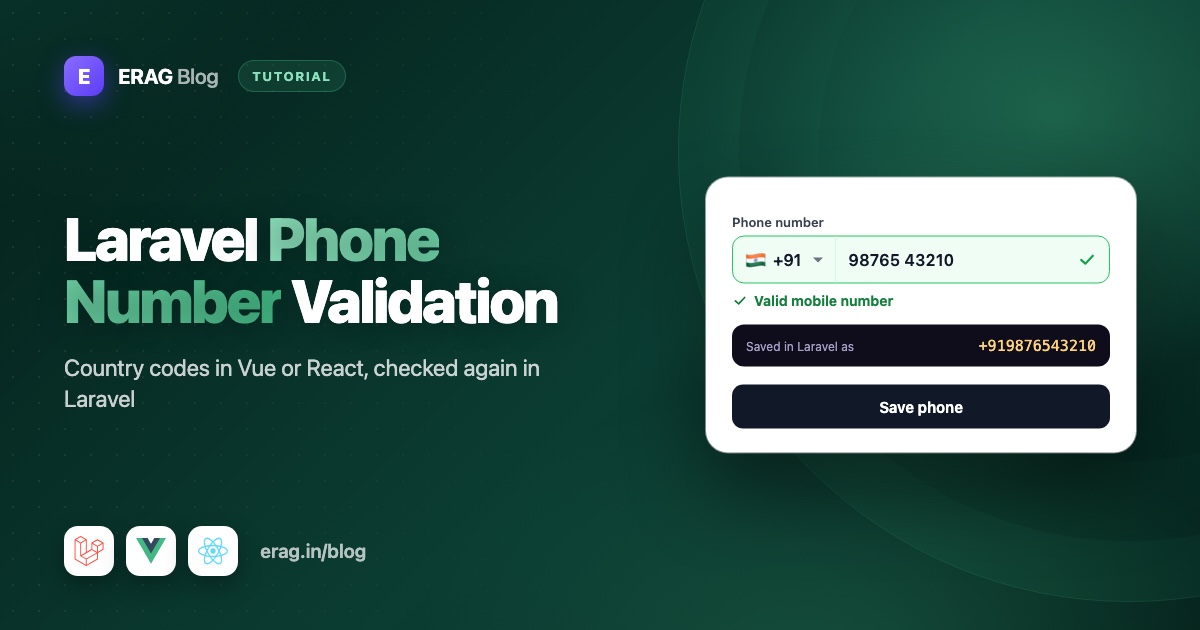
Laravel has no built-in phone rule, so the reliable way to validate phone numbers with country codes is a two-part flow. In the browser, the user picks a country and types local digits, and you send one full international number in E.164 format, like +919876543210. In Laravel, you clean that value, check its shape with a regex rule and check the country's length with a small custom rule, then store the same format every time.
This guide builds the whole flow for an Inertia app. The frontend uses usePhoneNumber from @erag/phone-number-vue or @erag/phone-number-react, which I maintain. The backend uses only Laravel's own validation.
The short version
- Install
@erag/phone-number-vueor@erag/phone-number-react. - Use
usePhoneNumber()for the country select and the local digits. - On submit, send
callingCode + localPhoneasphoneand the ISO country code asphone_country. - In a Form Request, clean the number in
prepareForValidation(). - Validate with
regex:/^\+[1-9]\d{6,14}$/and a customInternationalPhonerule. - Store
phoneandphone_countryas strings.
Does Laravel have a phone number validation rule?
No. Laravel 13 has no phone rule. You build one from the rules it does have, and the right choice depends on how much you need to check:
| Approach | What it checks | Good enough when |
|---|---|---|
digits_between:7,15 | Only digits, and a length range | You accept one country and never store a country code |
regex:/^\+[1-9]\d{6,14}$/ | The E.164 shape: a plus, no leading zero, 7 to 15 digits | You accept any country and only need a clean format |
regex plus a custom rule | The shape, the calling code of the chosen country, and that country's length | You want the server to check what the frontend checks |
Most apps with an international audience want the third row. It is about 40 lines of PHP, and you write it once.
E.164 is the international phone format: a +, the country calling code, then the national number, with no spaces or dashes and at most 15 digits. The E.164 guide explains the format itself. This post is about getting it from your form into your database safely.
Step 1: Build the phone input in Vue
Install the composable:
npm install @erag/phone-number-vueusePhoneNumber handles the phone state and renders nothing, so it fits whatever components you already use. These are the values this form uses:
countryOptions: the list of countries for your selectselectedCountry: the selected country, writable withv-modellocalPhone: the local digits. Anything that isn't a digit is removed, and the value is cut to the country's longest length.callingCode: the calling code with a plus, such as+91, ornullmask: a placeholder pattern for the selected countryisValid:truewhen the number of digits is allowed for the countryhandleInput: the handler for the phone field'sinputevent
Here is a settings page, resources/js/pages/settings/Phone.vue:
<script setup lang="ts">
import { computed } from 'vue'
import { useForm } from '@inertiajs/vue3'
import { usePhoneNumber } from '@erag/phone-number-vue'

const props = defineProps<{
  phone: string | null
  phoneCountry: string | null
}>()

const { countryOptions, selectedCountry, localPhone, callingCode, mask, isValid, handleInput } =
  usePhoneNumber({
    countryCode: props.phoneCountry ?? 'IN',
    phone: props.phone ?? '',
  })

const fullPhone = computed(() =>
  callingCode.value && localPhone.value ? `${callingCode.value}${localPhone.value}` : '',
)

const form = useForm({
  phone: '',
  phone_country: '',
})

function submit() {
  form
    .transform((data) => ({
      ...data,
      phone: fullPhone.value,
      phone_country: selectedCountry.value?.isoCode2 ?? '',
    }))
    .patch('/settings/phone', { preserveScroll: true })
}
</script>

<template>
  <form @submit.prevent="submit">
    <label for="phone">Phone number</label>

    <select v-model="selectedCountry" aria-label="Country">
      <option v-for="country in countryOptions" :key="country.key" :value="country">
        {{ country.isoCode2 }} — {{ country.name }}
      </option>
    </select>

    <input
      id="phone"
      v-model="localPhone"
      type="tel"
      inputmode="numeric"
      autocomplete="tel-national"
      :placeholder="mask"
      @input="handleInput"
    />

    <p v-if="form.errors.phone">{{ form.errors.phone }}</p>

    <button type="submit" :disabled="form.processing || !isValid">Save</button>
  </form>
</template>
Two details make this reliable:
- The full number is built at submit time.
fullPhoneis a computed value, so it always matches the current country and digits.transform()puts it into the request right before Inertia sends it, so a country change after typing can't leave a stale number in the form. - Pre-filling works with the stored value. The page receives the saved E.164 number and country. When the stored number starts with the selected country's calling code, the composable removes that code, so the input shows only the local digits.
The composable's default country is India (IN). Pass countryCode to start somewhere else.
Step 2: The same phone input in React
npm install @erag/phone-number-reactThe React hook returns the same values as plain values instead of refs. The main difference is the country select: there is no setter, so you find the country object and pass it to handleInput.
import type { FormEvent } from 'react'
import { useForm } from '@inertiajs/react'
import { usePhoneNumber } from '@erag/phone-number-react'

type Props = {
  phone: string | null
  phoneCountry: string | null
}

export default function Phone({ phone: savedPhone, phoneCountry }: Props) {
  const phone = usePhoneNumber({
    countryCode: phoneCountry ?? 'IN',
    phone: savedPhone ?? '',
  })

  const { transform, patch, processing, errors } = useForm({
    phone: '',
    phone_country: '',
  })

  const fullPhone =
    phone.callingCode && phone.localPhone ? `${phone.callingCode}${phone.localPhone}` : ''

  function submit(event: FormEvent<HTMLFormElement>) {
    event.preventDefault()

    transform((data) => ({
      ...data,
      phone: fullPhone,
      phone_country: phone.selectedCountry?.isoCode2 ?? '',
    }))

    patch('/settings/phone', { preserveScroll: true })
  }

  return (
    <form onSubmit={submit}>
      <label htmlFor="phone">Phone number</label>

      <select
        aria-label="Country"
        value={phone.selectedCountry?.isoCode2 ?? ''}
        onChange={(event) => {
          const country = phone.countryOptions.find(
            (option) => (option.isoCode2 ?? option.key) === event.target.value,
          )

          if (country) {
            phone.handleInput(country)
          }
        }}
      >
        {phone.countryOptions.map((country) => (
          <option key={country.key} value={country.isoCode2 ?? country.key}>
            {country.isoCode2} — {country.name}
          </option>
        ))}
      </select>

      <input
        id="phone"
        type="tel"
        inputMode="numeric"
        autoComplete="tel-national"
        value={phone.localPhone}
        onChange={phone.handleInput}
        placeholder={phone.mask}
      />

      {errors.phone && <p>{errors.phone}</p>}

      <button type="submit" disabled={processing || !phone.isValid}>
        Save
      </button>
    </form>
  )
}
fullPhone is calculated during render, so it is always current. The React hook guide explains why copying the value inside the change handler leaves you one keystroke behind.
What the browser sends to Laravel
Both versions send the same request body:
{
  "phone": "+919876543210",
  "phone_country": "IN"
}
Why send the country as well? Some calling codes are shared by several countries, so the number alone doesn't always tell you which country the user picked. The country also lets the server check the right length, and it lets the edit page select the right country next time.
Step 3: Clean the phone number before validation
The browser sends clean digits, but not every request comes from your form. Mobile apps, API clients and people testing your endpoint can send +91 98765-43210 or 0091 9876543210. Clean the value once, in the Form Request, so the rules and the database always see the same format.
Create the request with php artisan make:request Settings/PhoneUpdateRequest:
<?php

namespace App\Http\Requests\Settings;

use App\Rules\InternationalPhone;
use Illuminate\Foundation\Http\FormRequest;
use Illuminate\Validation\Rule;

class PhoneUpdateRequest extends FormRequest
{
    public function authorize(): bool
    {
        return true;
    }

    /**
     * @return array<string, array<int, mixed>>
     */
    public function rules(): array
    {
        return [
            'phone_country' => ['required', 'string', Rule::in(array_keys(InternationalPhone::COUNTRIES))],
            'phone' => [
                'bail',
                'required',
                'string',
                'regex:/^\+[1-9]\d{6,14}$/',
                new InternationalPhone,
                Rule::unique('users', 'phone')->ignore($this->user()->id),
            ],
        ];
    }

    /**
     * @return array<string, string>
     */
    public function messages(): array
    {
        return [
            'phone.regex' => 'Enter the phone number with its country code, for example +91 98765 43210.',
        ];
    }

    protected function prepareForValidation(): void
    {
        $this->merge([
            'phone' => $this->normalizePhone($this->input('phone')),
            'phone_country' => strtoupper(trim((string) $this->input('phone_country'))),
        ]);
    }

    private function normalizePhone(mixed $value): ?string
    {
        if (! is_string($value) || trim($value) === '') {
            return null;
        }

        $value = trim($value);

        if (str_starts_with($value, '00')) {
            $value = '+'.substr($value, 2);
        }

        $digits = preg_replace('/\D+/', '', $value);

        return str_starts_with($value, '+') ? '+'.$digits : $digits;
    }
}
normalizePhone() turns a leading 00 (the international prefix in many countries) into + and removes spaces, dashes and brackets. A number without a + stays without one, so the regex rule rejects it with a clear message instead of guessing the country.
bail stops at the first failing rule, so the user sees one error, not three.
Step 4: Write a custom phone rule in Laravel
The regex only checks the shape. The custom rule checks two things the regex can't: that the number starts with the selected country's calling code, and that the local part has the right number of digits.
Create it with php artisan make:rule InternationalPhone:
<?php

namespace App\Rules;

use Closure;
use Illuminate\Contracts\Validation\DataAwareRule;
use Illuminate\Contracts\Validation\ValidationRule;

class InternationalPhone implements DataAwareRule, ValidationRule
{
    /**
     * The countries you accept, with their calling code and allowed local lengths.
     *
     * @var array<string, array{code: string, lengths: array<int, int>}>
     */
    public const COUNTRIES = [
        'IN' => ['code' => '91', 'lengths' => [10]],
        'GB' => ['code' => '44', 'lengths' => [10]],
        'AE' => ['code' => '971', 'lengths' => [9]],
        'AU' => ['code' => '61', 'lengths' => [9]],
        'SG' => ['code' => '65', 'lengths' => [8]],
        'DE' => ['code' => '49', 'lengths' => [10, 11]],
    ];

    /**
     * @var array<string, mixed>
     */
    protected array $data = [];

    /**
     * @param  array<string, mixed>  $data
     */
    public function setData(array $data): static
    {
        $this->data = $data;

        return $this;
    }

    public function validate(string $attribute, mixed $value, Closure $fail): void
    {
        $country = self::COUNTRIES[$this->data['phone_country'] ?? ''] ?? null;

        if ($country === null || ! is_string($value)) {
            return;
        }

        if (! str_starts_with($value, '+'.$country['code'])) {
            $fail('The :attribute does not match the selected country.');

            return;
        }

        $localLength = strlen($value) - strlen('+'.$country['code']);

        if (! in_array($localLength, $country['lengths'], true)) {
            $fail('The :attribute has the wrong number of digits for the selected country.');
        }
    }
}
DataAwareRule gives the rule the rest of the request data, already cleaned by prepareForValidation(), so it can read phone_country. If the country isn't in your list, the rule steps aside and Rule::in on phone_country reports the problem.
These lengths match the ones the frontend packages use for the same countries, so the browser and the server agree. Add the countries your customers actually come from. A short list you have checked is better than a long one you haven't. If you only want certain countries in the dropdown as well, the custom data docs show how to pass your own country list.
Step 5: Store the number in one format
Add two string columns. Never use an integer column: it drops the +, and numbers longer than the integer limit break.
php artisan make:migration add_phone_to_users_table --table=usersSchema::table('users', function (Blueprint $table) {
$table->string('phone', 16)->nullable()->unique();
$table->string('phone_country', 2)->nullable();
});Sixteen characters fits the + and 15 digits. The unique index works because every number is saved in exactly the same format. Without cleaning, +91 98765 43210 and +919876543210 would count as two different numbers.
Add phone and phone_country to the fillable attributes on your User model, then write the controller:
<?php

namespace App\Http\Controllers\Settings;

use App\Http\Controllers\Controller;
use App\Http\Requests\Settings\PhoneUpdateRequest;
use Illuminate\Http\RedirectResponse;
use Illuminate\Http\Request;
use Inertia\Inertia;
use Inertia\Response;

class PhoneController extends Controller
{
    public function edit(Request $request): Response
    {
        return Inertia::render('settings/Phone', [
            'phone' => $request->user()->phone,
            'phoneCountry' => $request->user()->phone_country,
        ]);
    }

    public function update(PhoneUpdateRequest $request): RedirectResponse
    {
        $request->user()->update($request->validated());

        return to_route('phone.edit');
    }
}
And the routes:
Route::middleware('auth')->group(function () {
    Route::get('settings/phone', [PhoneController::class, 'edit'])->name('phone.edit');
    Route::patch('settings/phone', [PhoneController::class, 'update'])->name('phone.update');
});
If validation fails, Inertia sends the user back to the form, and the message appears in form.errors.phone in Vue or errors.phone in React.
Step 6: Test phone validation with Pest
Create a test with php artisan make:test --pest PhoneUpdateTest:
<?php

use App\Models\User;

test('phone numbers are cleaned and saved in E.164 format', function () {
    $user = User::factory()->create();

    $this->actingAs($user)
        ->patch(route('phone.update'), [
            'phone' => '0091 98765-43210',
            'phone_country' => 'in',
        ])
        ->assertSessionHasNoErrors();

    $user->refresh();

    expect($user->phone)->toBe('+919876543210');
    expect($user->phone_country)->toBe('IN');
});

test('invalid phone numbers are rejected', function (string $phone, string $country) {
    $user = User::factory()->create();

    $this->actingAs($user)
        ->patch(route('phone.update'), [
            'phone' => $phone,
            'phone_country' => $country,
        ])
        ->assertSessionHasErrors('phone');
})->with([
    'missing country code' => ['9876543210', 'IN'],
    'too short for India' => ['+91987654321', 'IN'],
    'wrong country' => ['+971501234567', 'IN'],
]);
Common problems and fixes
- A regex with a
|in it breaks. With the'required|regex:...'string style, Laravel splits the rules at every|, including one inside your pattern. Write rules as an array, like the examples here. - The browser says valid, Laravel says invalid. The lengths in
InternationalPhone::COUNTRIESdon't match the frontend for that country, or the country isn't in your list at all. Compare the two. - The edit page shows the calling code inside the input. Pass both the stored number and its country to
usePhoneNumber. The calling code is only removed when it matches the selected country. - The error doesn't appear under the field. The error key must match the field name.
transform()keeps thephonekey, soform.errors.phoneworks. - Phone numbers lose their plus sign or digits. The column is numeric. Change it to a string column.
Frequently asked questions
How do I validate a phone number in Laravel?
Laravel has no built-in phone rule, so combine the rules it has. Use regex:/^\+[1-9]\d{6,14}$/ for the international format, and add a custom rule if you need per-country lengths. Always clean the input first so spaces and dashes don't cause false errors.
How do I validate a phone number with a country code in Laravel?
Send the full number and the ISO country code from your form. Check the shape with a regex, then use a custom rule that implements DataAwareRule to confirm the number starts with that country's calling code and has the right length.
What regex should I use for phone numbers in Laravel?
For E.164, use ^\+[1-9]\d{6,14}$: a plus, a first digit that isn't zero, and 7 to 15 digits in total. Put it in an array of rules rather than a pipe-separated string.
Should I store phone numbers as strings or integers?
Strings. Integers drop the plus sign and can't hold every phone number. A string('phone', 16) column fits any E.164 number.
Can Laravel check that a phone number really exists?
No. Validation can check the format and length, but not that the number works or belongs to the user. For that, send a one-time code by SMS and ask the user to enter it, as in the OTP verification guide.
Does usePhoneNumber work with Inertia v3?
Yes. The composable and hook only manage the phone state. You pass their values to Inertia's useForm like any other field, as the examples above show.
Build the whole flow today
Install the frontend package for your stack:
npm install @erag/phone-number-vue
# or
npm install @erag/phone-number-react
Then add the Form Request and InternationalPhone rule from this post, and your phone numbers are checked twice and stored in one format.
- Vue docs: erag.in/phone-number-vue, GitHub: eramitgupta/phone-number-vue
- React docs: erag.in/phone-number-react, GitHub: eramitgupta/phone-number-react
- Related: Build a country-aware phone input in Vue 3
