
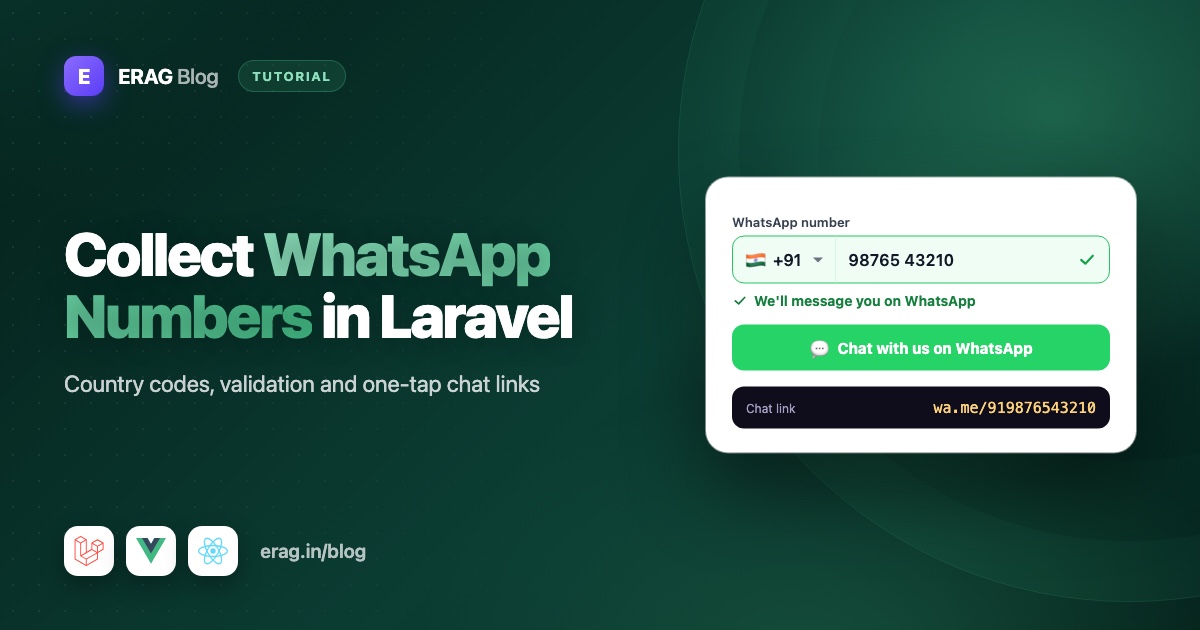
To build a WhatsApp number input in Laravel, collect the country and the local number separately, join them into one full international number like +919876543210, and validate it with regex:/^\+[1-9]\d{6,14}$/ plus a consent checkbox. To open a chat, build a click-to-chat link from the digits only, such as https://wa.me/919876543210?text=Hello, with the message URL-encoded. WhatsApp needs the country code every time, so your form has to collect it.
This guide builds the full flow in a Laravel 13 app with Inertia v3 and Vue 3.5 or React 19: a country-aware input using usePhoneNumber, a consent checkbox, storage, an opt-out button, link builders in PHP and JavaScript, and a "Chat with us" button.
The short version
- Use
usePhoneNumber()from@erag/phone-number-vueor@erag/phone-number-reactfor the country picker and the local digits. - Strip a leading
0as the user types, and say so in the hint. - Send
callingCode + localPhone, like+919876543210, plus the ISO country code. - Validate with
regex:/^\+[1-9]\d{6,14}$/and anacceptedrule on an unticked consent checkbox. - Store the number, the country and a
whatsapp_opted_in_attimestamp. Clear all three when the user opts out. - Build links as
https://wa.me/<digits>?text=<encoded message>, with no+, spaces or leading zeros. Let the encoder turn line breaks and emoji into URL-safe text.
Why WhatsApp needs the full international number
WhatsApp identifies every account by its full international phone number. A number written the local way, like 098765 43210 in India or 07700 900123 in the UK, only makes sense inside that country. The same digits could belong to someone else elsewhere.
WhatsApp's click-to-chat links make this strict. The number must include the country code, without the +, spaces, brackets or the local leading zero:
| How the user knows it | Full international (E.164) | In a wa.me link |
|---|---|---|
098765 43210 (India) | +919876543210 | 919876543210 |
07700 900123 (UK) | +447700900123 | 447700900123 |
That leading 0 is a "trunk prefix" you dial only inside the country. In almost every country, it isn't part of the international number. If it sneaks in, you end up with +4407700900123, and the link won't reach the right person.
So the form's job is to produce the middle column. I explain the format itself in the E.164 guide.
Build the WhatsApp number input in Vue
Install the composable:
npm install @erag/phone-number-vueusePhoneNumber holds the phone state and renders nothing, so it fits your own components. It returns countryOptions for the picker, selectedCountry, the local digits in localPhone, the callingCode (like +91), a mask pattern, isValid and handleInput.
Here is a settings page, resources/js/pages/settings/WhatsApp.vue:
<script setup lang="ts">
import { type PhoneCountry, usePhoneNumber } from '@erag/phone-number-vue';
import { Head, router, useForm } from '@inertiajs/vue3';

const props = defineProps<{
    whatsappNumber: string | null;
    whatsappCountry: string | null;
    optedIn: boolean;
}>();

const { countryOptions, selectedCountry, localPhone, callingCode, mask, isValid, handleInput } = usePhoneNumber({
    countryCode: props.whatsappCountry ?? 'IN',
    phone: props.whatsappNumber ?? '',
});

const regionNames = new Intl.DisplayNames(['en'], { type: 'region' });

function countryLabel(country: PhoneCountry): string {
    return country.isoCode2 ? (regionNames.of(country.isoCode2) ?? country.name) : country.name;
}

const form = useForm({
    whatsapp_number: '',
    whatsapp_country: '',
    whatsapp_consent: false,
});

function onPhoneInput(event: Event): void {
    const input = event.target as HTMLInputElement;
    input.value = input.value.replace(/^0+/, '');
    handleInput(event);
}

function submit(): void {
    form.transform((data) => ({
        ...data,
        whatsapp_number: callingCode.value && localPhone.value ? `${callingCode.value}${localPhone.value}` : '',
        whatsapp_country: selectedCountry.value?.isoCode2 ?? '',
    })).put('/settings/whatsapp', { preserveScroll: true });
}

function optOut(): void {
    router.delete('/settings/whatsapp', { preserveScroll: true });
}
</script>

<template>
    <Head title="WhatsApp" />

    <form class="max-w-md space-y-4" @submit.prevent="submit">
        <div class="grid gap-2">
            <label for="whatsapp" class="text-sm font-medium">WhatsApp number</label>

            <div class="flex gap-2">
                <select v-model="selectedCountry" aria-label="Country" class="w-40 rounded-md border px-2">
                    <option v-for="country in countryOptions" :key="country.key" :value="country">
                        {{ countryLabel(country) }}
                    </option>
                </select>

                <span class="self-center text-sm text-muted-foreground">{{ callingCode }}</span>

                <input
                    id="whatsapp"
                    type="tel"
                    dir="ltr"
                    inputmode="numeric"
                    autocomplete="tel-national"
                    class="flex-1 rounded-md border px-3 py-2"
                    :value="localPhone"
                    aria-describedby="whatsapp-hint"
                    @input="onPhoneInput"
                />
            </div>

            <p id="whatsapp-hint" class="text-xs text-muted-foreground">
                Format: {{ mask }}. Leave out the leading 0.
            </p>
            <p v-if="form.errors.whatsapp_number" class="text-sm text-red-600">{{ form.errors.whatsapp_number }}</p>
        </div>

        <label class="flex items-start gap-2 text-sm">
            <input v-model="form.whatsapp_consent" type="checkbox" class="mt-1" />
            <span>Send me order updates from Acme on WhatsApp. I can stop them at any time.</span>
        </label>
        <p v-if="form.errors.whatsapp_consent" class="text-sm text-red-600">{{ form.errors.whatsapp_consent }}</p>

        <div class="flex gap-3">
            <button type="submit" :disabled="form.processing || !isValid || !form.whatsapp_consent">Save</button>
            <button v-if="optedIn" type="button" @click="optOut">Stop WhatsApp messages</button>
        </div>
    </form>
</template>
What each part does:
- The country picker uses
v-modelonselectedCountry, with the whole country object as each option's value. Changing it updatescallingCode,maskandisValidtogether. - Country names come from the browser's
Intl.DisplayNames, so "india" shows as "India". Pass the user's locale instead of'en'and the list follows their language. onPhoneInputremoves leading zeros, then hands the event tohandleInput. That function keeps only digits, cuts the value to the country's longest length and writes the clean value back into the field.- The full number is built at submit time in
transform(), so a country change after typing can't leave a stale number in the form. - Pre-filling works with the saved value. When the stored
+919876543210starts with the selected country's calling code, the composable removes the code and shows9876543210. dir="ltr"keeps the digits in order on right-to-left pages, like the Arabic and Urdu layouts in the Laravel RTL guide.
The composable's default country is India (IN). Pass countryCode to start elsewhere, for example from the visitor's billing country. For a closer look at the composable on its own, see a country-aware phone input in Vue 3.
The same input in React
npm install @erag/phone-number-reactThe React hook returns plain values instead of refs. The one real difference: to change the country, pass the country object to handleInput.
import { type PhoneCountry, usePhoneNumber } from '@erag/phone-number-react';
import { router, useForm } from '@inertiajs/react';
import type { ChangeEvent, FormEvent } from 'react';

const regionNames = new Intl.DisplayNames(['en'], { type: 'region' });

function countryLabel(country: PhoneCountry): string {
    return country.isoCode2 ? (regionNames.of(country.isoCode2) ?? country.name) : country.name;
}

type Props = { whatsappNumber: string | null; whatsappCountry: string | null; optedIn: boolean };

export default function WhatsApp({ whatsappNumber, whatsappCountry, optedIn }: Props) {
    const phone = usePhoneNumber({ countryCode: whatsappCountry ?? 'IN', phone: whatsappNumber ?? '' });
    const form = useForm({ whatsapp_number: '', whatsapp_country: '', whatsapp_consent: false });

    function onCountryChange(event: ChangeEvent<HTMLSelectElement>): void {
        const country = phone.countryOptions.find((option) => option.key === event.target.value);

        if (country) {
            phone.handleInput(country);
        }
    }

    function onPhoneInput(event: ChangeEvent<HTMLInputElement>): void {
        event.target.value = event.target.value.replace(/^0+/, '');
        phone.handleInput(event);
    }

    function submit(event: FormEvent): void {
        event.preventDefault();

        form.transform((data) => ({
            ...data,
            whatsapp_number: phone.callingCode && phone.localPhone ? `${phone.callingCode}${phone.localPhone}` : '',
            whatsapp_country: phone.selectedCountry?.isoCode2 ?? '',
        }));

        form.put('/settings/whatsapp', { preserveScroll: true });
    }

    return (
        <form className="max-w-md space-y-4" onSubmit={submit}>
            <label htmlFor="whatsapp" className="text-sm font-medium">WhatsApp number</label>

            <div className="flex gap-2">
                <select aria-label="Country" value={phone.selectedCountry?.key ?? ''} onChange={onCountryChange} className="w-40 rounded-md border px-2">
                    {phone.countryOptions.map((country) => (
                        <option key={country.key} value={country.key}>{countryLabel(country)}</option>
                    ))}
                </select>
                <span className="self-center text-sm text-muted-foreground">{phone.callingCode}</span>
                <input id="whatsapp" type="tel" dir="ltr" inputMode="numeric" autoComplete="tel-national"
                    className="flex-1 rounded-md border px-3 py-2" value={phone.localPhone} onChange={onPhoneInput} />
            </div>

            <p className="text-xs text-muted-foreground">Format: {phone.mask}. Leave out the leading 0.</p>
            {form.errors.whatsapp_number && <p className="text-sm text-red-600">{form.errors.whatsapp_number}</p>}

            <label className="flex items-start gap-2 text-sm">
                <input type="checkbox" checked={form.data.whatsapp_consent}
                    onChange={(event) => form.setData('whatsapp_consent', event.target.checked)} />
                <span>Send me order updates from Acme on WhatsApp. I can stop them at any time.</span>
            </label>

            <button type="submit" disabled={form.processing || !phone.isValid || !form.data.whatsapp_consent}>Save</button>
            {optedIn && (
                <button type="button" onClick={() => router.delete('/settings/whatsapp', { preserveScroll: true })}>
                    Stop WhatsApp messages
                </button>
            )}
        </form>
    );
}
For a deeper look at the hook, see a phone number input hook for React.
Store the WhatsApp number in Laravel
Add three columns to users:
php artisan make:migration add_whatsapp_to_users_tableSchema::table('users', function (Blueprint $table) {
$table->string('whatsapp_number', 16)->nullable();
$table->string('whatsapp_country', 2)->nullable();
$table->timestamp('whatsapp_opted_in_at')->nullable();
});Sixteen characters fit a + and the 15 digits E.164 allows. Store it as a string. An integer drops the + and any meaning with it. In the starter kit's User model, add the columns to the #[Fillable([...])] attribute and cast the timestamp:
#[Fillable(['name', 'email', 'password', 'whatsapp_number', 'whatsapp_country', 'whatsapp_opted_in_at'])]
class User extends Authenticatable
{
    protected function casts(): array
    {
        return [
            // ...the existing casts
            'whatsapp_opted_in_at' => 'datetime',
        ];
    }
}
Validate with a Form Request (php artisan make:request Settings/UpdateWhatsAppRequest):
<?php

namespace App\Http\Requests\Settings;

use Illuminate\Foundation\Http\FormRequest;

class UpdateWhatsAppRequest extends FormRequest
{
    /**
     * @return array<string, array<int, string>>
     */
    public function rules(): array
    {
        return [
            'whatsapp_number' => ['required', 'string', 'regex:/^\+[1-9]\d{6,14}$/'],
            'whatsapp_country' => ['required', 'string', 'size:2'],
            'whatsapp_consent' => ['accepted'],
        ];
    }

    /**
     * @return array<string, string>
     */
    public function messages(): array
    {
        return [
            'whatsapp_number.regex' => 'Enter your full WhatsApp number with the country code, like +91 98765 43210.',
            'whatsapp_consent.accepted' => 'Please confirm you want messages on WhatsApp.',
        ];
    }
}
The regex checks the E.164 shape: a +, a first digit that isn't zero, and 7 to 15 digits in total. A number typed with its trunk 0 and no country code fails here. To also check each country's length on the server, use the custom rule from the Laravel phone number validation guide.
The controller saves the number with a fresh consent timestamp, and forgets everything when the user opts out:
<?php

namespace App\Http\Controllers\Settings;

use App\Http\Controllers\Controller;
use App\Http\Requests\Settings\UpdateWhatsAppRequest;
use Illuminate\Http\RedirectResponse;
use Illuminate\Http\Request;
use Inertia\Inertia;
use Inertia\Response;

class WhatsAppController extends Controller
{
    public function edit(Request $request): Response
    {
        return Inertia::render('settings/WhatsApp', [
            'whatsappNumber' => $request->user()->whatsapp_number,
            'whatsappCountry' => $request->user()->whatsapp_country,
            'optedIn' => $request->user()->whatsapp_opted_in_at !== null,
        ]);
    }

    public function update(UpdateWhatsAppRequest $request): RedirectResponse
    {
        $request->user()->update([
            'whatsapp_number' => $request->validated('whatsapp_number'),
            'whatsapp_country' => strtoupper($request->validated('whatsapp_country')),
            'whatsapp_opted_in_at' => now(),
        ]);

        return to_route('whatsapp.edit');
    }

    public function destroy(Request $request): RedirectResponse
    {
        $request->user()->update([
            'whatsapp_number' => null,
            'whatsapp_country' => null,
            'whatsapp_opted_in_at' => null,
        ]);

        return to_route('whatsapp.edit');
    }
}
Register the routes in routes/settings.php, inside the auth group:
use App\Http\Controllers\Settings\WhatsAppController;

Route::get('settings/whatsapp', [WhatsAppController::class, 'edit'])->name('whatsapp.edit');
Route::put('settings/whatsapp', [WhatsAppController::class, 'update'])->name('whatsapp.update');
Route::delete('settings/whatsapp', [WhatsAppController::class, 'destroy'])->name('whatsapp.destroy');
The starter kit's Wayfinder generates typed functions for these routes, which you can use instead of the URL strings in the pages above.
Build WhatsApp click-to-chat links in PHP
A click-to-chat link opens WhatsApp with a chat to a given number, optionally with a message already typed in. The format is https://wa.me/<digits>?text=<message>. Keep the builder in one small class:
<?php

namespace App\Support;

class WhatsApp
{
    /**
     * Build a click-to-chat link from a number like +91 98765 43210.
     */
    public static function chatUrl(string $number, ?string $message = null): string
    {
        $url = 'https://wa.me/'.preg_replace('/\D/', '', $number);

        if ($message === null || $message === '') {
            return $url;
        }

        return $url.'?text='.rawurlencode($message);
    }
}
preg_replace('/\D/', '', ...) keeps only digits, which removes the + and any spaces. rawurlencode() turns spaces into %20 and escapes characters like & and ?, so the message can't break the link.
Then give the User model a method that refuses to build a link without consent:
use App\Support\WhatsApp;

public function whatsappChatUrl(?string $message = null): ?string
{
    if ($this->whatsapp_number === null || $this->whatsapp_opted_in_at === null) {
        return null;
    }

    return WhatsApp::chatUrl($this->whatsapp_number, $message);
}
Your support team's customer page can now show a "Message on WhatsApp" link only for people who said yes, for example $customer->whatsappChatUrl("Hi {$customer->name}, about your order...").
Build the same link in JavaScript
On the frontend, the same rules apply. encodeURIComponent() is the JavaScript twin of rawurlencode():
// resources/js/lib/whatsapp.ts
export function whatsappChatUrl(number: string, message?: string): string {
    const url = `https://wa.me/${number.replace(/\D/g, '')}`;

    return message ? `${url}?text=${encodeURIComponent(message)}` : url;
}whatsappChatUrl('+44 7700 900123', 'Hi! Is the blue chair still available?');
// https://wa.me/447700900123?text=Hi!%20Is%20the%20blue%20chair%20still%20available%3FA handy use on the settings page: a "Check this number" link built from the user's own number. If WhatsApp can't find the number, it says so instead of opening a chat, which catches typos before you rely on the number.
Line breaks, emoji and other languages in the message
A pre-filled message can have several lines. Put a real line break in the string and the encoder turns it into %0A. Emoji and non-Latin text, like Hindi or Arabic, are encoded as UTF-8, and WhatsApp shows them as normal characters:
whatsappChatUrl('+91 98765 43210', 'Hi! Order #1042\nStatus: shipped 📦');
// https://wa.me/919876543210?text=Hi!%20Order%20%231042%0AStatus%3A%20shipped%20%F0%9F%93%A6
In PHP, use a double-quoted string so \n becomes a real line break: WhatsApp::chatUrl($number, "Order #1042\nStatus: shipped"). Don't type %0A into the message yourself. The encoder would turn the % into %25, and the user would see the code instead of a new line.
Add a "Chat with us" button
This direction needs no consent form, because the visitor starts the chat. Put your business number in config/services.php:
'whatsapp' => [
    'chat_number' => env('WHATSAPP_CHAT_NUMBER'),
],
Share it with every page from HandleInertiaRequests::share():
'whatsappChatNumber' => config('services.whatsapp.chat_number'),Add whatsappChatNumber: string | null to the sharedPageProps type in resources/js/types/global.d.ts, then create the button:
<!-- resources/js/components/ChatWithUs.vue -->
<script setup lang="ts">
import { usePage } from '@inertiajs/vue3';
import { computed } from 'vue';
import { whatsappChatUrl } from '@/lib/whatsapp';

const props = defineProps<{ message?: string }>();
const page = usePage();

const href = computed(() =>
    page.props.whatsappChatNumber ? whatsappChatUrl(page.props.whatsappChatNumber, props.message) : null,
);
</script>

<template>
    <a
        v-if="href"
        :href="href"
        target="_blank"
        rel="noopener noreferrer"
        class="fixed end-4 bottom-4 rounded-full bg-green-600 px-4 py-3 text-sm font-medium text-white shadow-lg hover:bg-green-700"
    >
        Chat with us on WhatsApp
    </a>
</template>// resources/js/components/chat-with-us.tsx
import { usePage } from '@inertiajs/react';
import { whatsappChatUrl } from '@/lib/whatsapp';
export function ChatWithUs({ message }: { message?: string }) {
const { whatsappChatNumber } = usePage().props;
if (!whatsappChatNumber) {
return null;
}
return (
<a
href={whatsappChatUrl(whatsappChatNumber, message)}
target="_blank"
rel="noopener noreferrer"
className="fixed end-4 bottom-4 rounded-full bg-green-600 px-4 py-3 text-sm font-medium text-white shadow-lg hover:bg-green-700"
>
Chat with us on WhatsApp
</a>
);
}Pass a message that gives you context, like message="Hi! I have a question about the Pro plan." on your pricing page. On a phone, the link opens the WhatsApp app. On a computer, WhatsApp offers to open its desktop app or WhatsApp Web. If the variable isn't set, the button simply doesn't render.
Consent, opt-out and WhatsApp's rules
A phone number is personal data, and a WhatsApp message lands in someone's private chats. Treat both with care:
- Ask clearly, with an unticked box. Name your business and say what people will get, like "order updates from Acme". Don't hide it in your terms or tick it for them.
- Keep proof.
whatsapp_opted_in_atrecords when they agreed. If your wording changes later, store which version they saw too. - Make stopping easy. The "Stop WhatsApp messages" button clears the number. Respect a "stop" sent in the chat itself as well.
- Only message people who opted in. WhatsApp's business messaging rules say a business may message people only after they've shared their number and agreed to hear from that business on WhatsApp, and that it must honor requests to stop. Check
whatsapp_opted_in_atbefore every message you send.
Data protection laws in many regions add their own duties, such as deleting data you no longer need. That's why opting out clears the number here. This isn't legal advice, so check what applies to your users.
Test it with Pest
use App\Models\User;
use App\Support\WhatsApp;

it('saves the whatsapp number with consent', function () {
    $user = User::factory()->create();

    $this->actingAs($user)
        ->put(route('whatsapp.update'), [
            'whatsapp_number' => '+919876543210',
            'whatsapp_country' => 'IN',
            'whatsapp_consent' => true,
        ])
        ->assertRedirect(route('whatsapp.edit'));

    expect($user->fresh())
        ->whatsapp_number->toBe('+919876543210')
        ->whatsapp_opted_in_at->not->toBeNull();
});

it('rejects local numbers and missing consent', function () {
    $this->actingAs(User::factory()->create())
        ->put(route('whatsapp.update'), [
            'whatsapp_number' => '09876543210',
            'whatsapp_country' => 'IN',
            'whatsapp_consent' => false,
        ])
        ->assertSessionHasErrors(['whatsapp_number', 'whatsapp_consent']);
});

it('forgets the number when the user opts out', function () {
    $user = User::factory()->create([
        'whatsapp_number' => '+919876543210',
        'whatsapp_country' => 'IN',
        'whatsapp_opted_in_at' => now(),
    ]);

    $this->actingAs($user)->delete(route('whatsapp.destroy'));

    expect($user->fresh()->whatsappChatUrl())->toBeNull();
});

it('builds click-to-chat links from digits only', function () {
    expect(WhatsApp::chatUrl('+44 7700 900123', 'Hi & welcome'))
        ->toBe('https://wa.me/447700900123?text=Hi%20%26%20welcome');
});
Common problems and fixes
The chat link opens but says the number is invalid
The number is missing its country code or still has the leading 0. Check that you send callingCode + localPhone, not localPhone alone, and that the link uses digits only.
A UK number is saved with its last digit missing
Someone typed the trunk 0, so the number had one digit too many and the input cut off the last one. Strip leading zeros before handleInput, as onPhoneInput does, and keep the hint "Leave out the leading 0" under the field.
The message text is cut off at an & or #
The message wasn't encoded. Use rawurlencode() in PHP and encodeURIComponent() in JavaScript.
The pre-filled message shows %0A instead of a new line
Someone typed %0A into the text by hand, or the message was encoded twice. Either way the % became %25, so WhatsApp shows the code. Use a real line break (\n) in the string and encode the message once.
The country picker resets after saving
You didn't store the country. Calling codes are shared, so +44 alone can't tell the picker which country to show. Save whatsapp_country and pass it back as countryCode.
The button shows on every page except some
The whatsappChatNumber prop is shared, but your layout only renders ChatWithUs in some layouts. Put it in each layout that needs it.
Frequently asked questions
What format does WhatsApp need for phone numbers?
The full international number, which is the country code followed by the national number without the leading 0. Store it in E.164 format, like +447700900123. In wa.me links, use the digits only: 447700900123.
How do I create a WhatsApp click-to-chat link?
Use https://wa.me/ followed by the number in international format without the +, like https://wa.me/919876543210. Add ?text= with a URL-encoded message to pre-fill the chat.
How do I validate a WhatsApp number in Laravel?
Check the E.164 shape with regex:/^\+[1-9]\d{6,14}$/ in an array of rules. That proves the format, not that the number has WhatsApp. Only WhatsApp itself can tell you that, for example when someone opens a chat.
Should I store the plus sign?
Yes. Store +919876543210 and strip the + only when you build a wa.me link. The plus marks the number as international, so other systems don't mistake it for a local one.
Do I need consent for a "Chat with us" button?
Not for the button itself, because the visitor starts the conversation. You need consent before your business messages someone first, such as order updates or reminders.
Can I use the same field for a phone number and a WhatsApp number?
Yes, if they're the same for most users. Offer a "Use my phone number for WhatsApp" checkbox that copies it, and still ask for WhatsApp consent separately.
What is the difference between wa.me and api.whatsapp.com/send?
Both open a chat with the same number. https://api.whatsapp.com/send?phone=919876543210&text=Hello is the older, longer form, and https://wa.me/919876543210?text=Hello is the short form WhatsApp's help center uses. The number and message rules are the same, so use wa.me for new links.
Does the person need to save my number before chatting?
No. A click-to-chat link opens a chat with a number that isn't in the phone's contacts. That's why a "Chat with us" button works for first-time visitors.
Can Laravel send WhatsApp messages automatically with a wa.me link?
No. A wa.me link only opens a chat with the message typed in, and the person still has to press send. To send order updates from your server, you need WhatsApp's Business Platform, and messages your business starts must use message templates that WhatsApp has approved. Keep storing whatsapp_opted_in_at, because those rules require opt-in too.
Start collecting WhatsApp numbers
Install the input for your framework:
npm install @erag/phone-number-vue
# or
npm install @erag/phone-number-react
Add the three columns, the Form Request and the controller, then drop ChatWithUs into your layout. You'll have clean, consented numbers and links that open the right chat every time.
- Docs: Vue API reference, React API reference, the Vue usage guide, the React usage guide and the Inertia form examples
- GitHub: phone-number-vue and phone-number-react
- Related: Laravel phone number validation with country codes adds a per-country length rule on the server.
