
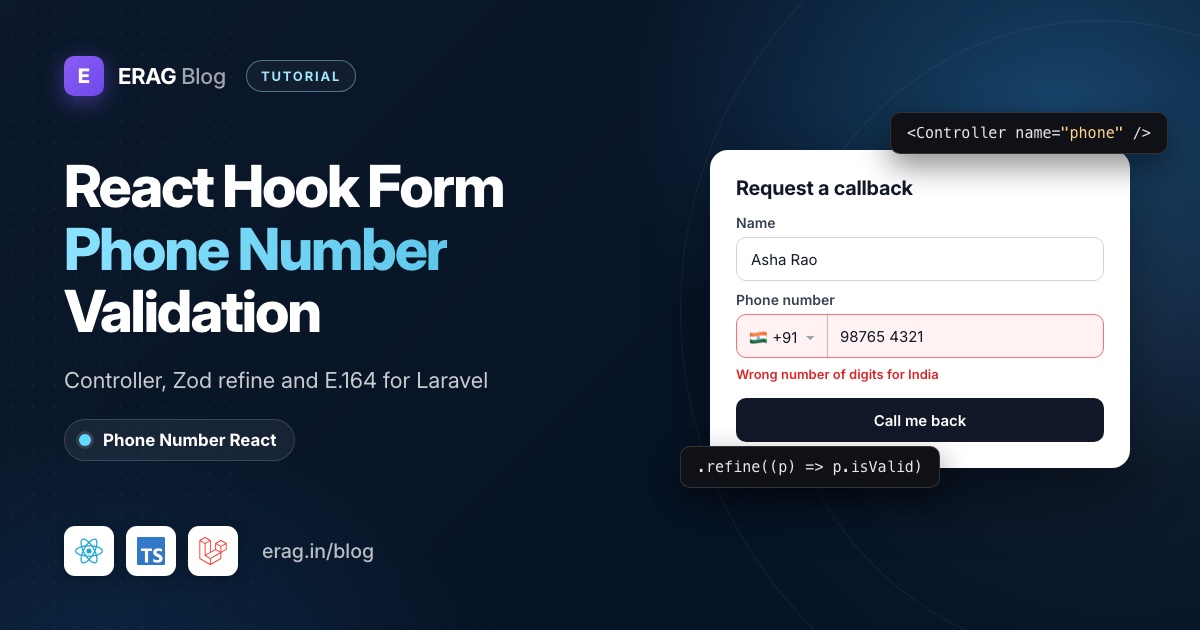
For React Hook Form phone number validation, wrap the phone input in a Controller, keep the country and the full number together in one field value, and check that value with a Zod refine() through zodResolver. The headless usePhoneNumber hook from Phone Number React handles the country list, strips non-digits and checks the length for each country, so Zod only has to turn its result into an error message.
Install the four packages:
npm install @erag/phone-number-react react-hook-form @hookform/resolvers zodThis guide uses React Hook Form 7, @hookform/resolvers (which needs React Hook Form 7.55 or newer), Zod 4 and React 19. The phone hook supports React 18 and 19.
The short version
- Make a short list of the countries you accept, with their calling codes.
- Write a Zod schema where
phoneis an object:{ country, e164, isValid }. - Build a
PhoneFieldcomponent that callsusePhoneNumberand reports its state throughonChange. - Connect it to the form with
<Controller name="phone" />, and passfield.refso errors can focus the input. - Create the form with
useForm({ resolver: zodResolver(schema), mode: 'onTouched' }). - On submit, send
phone(E.164) andphone_countryto Laravel, and map Laravel's errors back withsetError(). - Validate the number again in Laravel before you store it.
- Prefer a ready-made component? Put
react-phone-number-inputin the sameControllerand check it withisValidPhoneNumber()fromlibphonenumber-js/max.
Why use Controller instead of register()?
register() is made for native inputs that keep their own value: it reads the value from the DOM when the input changes. A phone field is two controls, a country select and a number input, and the value you want to store is built from both. On top of that, usePhoneNumber keeps its own state. It cleans the digits and trims them to the country's maximum length before your form ever sees them.
Controller is React Hook Form's answer for inputs like this. You get field.value, field.onChange, field.onBlur and field.ref, and you decide what value to send. Here is how the pieces split the work:
| Piece | What it does |
|---|---|
usePhoneNumber | Country list, digits only, maximum length, calling code and the isValid length check |
Controller | Connects the custom field to React Hook Form: value, change, blur and focus on error |
Zod schema with zodResolver | Turns isValid into an error message and validates the other fields |
| Laravel | Checks the number again and stores E.164 plus the country |
Step 1: Pick the countries you accept
Create resources/js/lib/phone-countries.ts:
import type { PhoneCountry } from '@erag/phone-number-react';

export const phoneCountries: PhoneCountry[] = [
    { name: 'India', key: 'in', isoCode2: 'IN', countryCodes: ['91'] },
    { name: 'United States', key: 'us', isoCode2: 'US', countryCodes: ['1'] },
    { name: 'United Kingdom', key: 'gb', isoCode2: 'GB', countryCodes: ['44'] },
    { name: 'United Arab Emirates', key: 'ae', isoCode2: 'AE', countryCodes: ['971'] },
    { name: 'Australia', key: 'au', isoCode2: 'AU', countryCodes: ['61'] },
    { name: 'Singapore', key: 'sg', isoCode2: 'SG', countryCodes: ['65'] },
];
You don't list lengths here. The hook looks them up by ISO code in its own metadata: 10 digits for India, the US and the UK, 9 for the UAE and Australia, 8 for Singapore. Add phone_lengths: [...] to a country if you want to override that.
Why not pass the bundled list of about 250 countries? Two reasons. The bundled names are lowercase (india), which looks odd in a select. And some entries carry more than the calling code: the United States is stored with its area codes (1201, 1202 and so on), so callingCode comes out as +1201, and the E.164 number you build from it would be wrong. A short list you have checked avoids both problems, and it should match the list your Laravel rule accepts anyway. The custom data docs show every field a country record supports.
Step 2: Write the Zod schema
Create resources/js/lib/callback-schema.ts:
import { z } from 'zod';

export const phoneSchema = z
    .object({
        country: z.string(),
        e164: z.string(),
        isValid: z.boolean(),
    })
    .refine((phone) => phone.e164 !== '', 'Enter your phone number.')
    .refine(
        (phone) => phone.e164 === '' || phone.isValid,
        'This number has the wrong number of digits for the selected country.',
    );

export const callbackSchema = z.object({
    name: z.string().trim().min(1, 'Enter your name.'),
    phone: phoneSchema,
});

export type CallbackValues = z.infer<typeof callbackSchema>;
export type PhoneValue = z.infer<typeof phoneSchema>;
The two refinements sit on the phone object, so their issues land on the phone path and show up as errors.phone.message, not under some inner key. Zod runs both checks, but the second one returns early for an empty number, so the user only ever sees one message.
Notice that the schema doesn't count digits itself. The hook already knows the rules for each country, and isValid carries its answer. That keeps one source of truth in the browser.
Step 3: Build the phone field component
Create resources/js/components/phone-field.tsx:
import { useEffect, type Ref } from 'react';
import { usePhoneNumber } from '@erag/phone-number-react';
import type { PhoneValue } from '@/lib/callback-schema';
import { phoneCountries } from '@/lib/phone-countries';

type Props = {
    id: string;
    value: PhoneValue;
    onChange: (value: PhoneValue) => void;
    onBlur: () => void;
    inputRef: Ref<HTMLInputElement>;
    error?: string;
};

export function PhoneField({ id, value, onChange, onBlur, inputRef, error }: Props) {
    const phone = usePhoneNumber({
        countries: phoneCountries,
        countryCode: value.country,
        phone: value.e164,
    });

    const country = phone.selectedCountry?.isoCode2 ?? '';
    const e164 = phone.localPhone && phone.callingCode ? `${phone.callingCode}${phone.localPhone}` : '';
    const { isValid } = phone;

    useEffect(() => {
        onChange({ country, e164, isValid });
    }, [country, e164, isValid, onChange]);

    return (
        <div>
            <label htmlFor={id}>Phone number</label>
            <div className="flex gap-2">
                <select
                    aria-label="Country"
                    value={country}
                    onChange={(event) => {
                        const next = phone.countryOptions.find((option) => option.isoCode2 === event.target.value);

                        if (next) {
                            phone.handleInput(next);
                        }
                    }}
                >
                    {phone.countryOptions.map((option) => (
                        <option key={option.key} value={option.isoCode2}>
                            {option.name} +{option.countryCodes?.[0]}
                        </option>
                    ))}
                </select>
                <input
                    id={id}
                    ref={inputRef}
                    type="tel"
                    inputMode="numeric"
                    autoComplete="tel-national"
                    value={phone.localPhone}
                    onChange={phone.handleInput}
                    onBlur={onBlur}
                    aria-invalid={error ? true : undefined}
                    aria-describedby={error ? `${id}-error` : undefined}
                />
            </div>
            {error && (
                <p id={`${id}-error`} role="alert">
                    {error}
                </p>
            )}
        </div>
    );
}
The hook reads countryCode and phone only on the first render, so they work as starting values. A saved number such as +919876543210 is fine: the hook drops the leading calling code and keeps the local digits.
Why the useEffect?
It looks like you could call onChange inside the input's change handler. For typing, that almost works. But usePhoneNumber stores its state with React's useState, so after handleInput() runs, phone.localPhone still holds the old value until the next render. Country changes are worse: switching from India to the UAE trims the number from 10 digits to 9, and that trimmed value only exists after the re-render.
The effect runs after the render, when country, e164 and isValid are all current, and copies them into the form. Its dependencies are two strings and a boolean, and React Hook Form memoizes field.onChange, so it only fires when the phone value really changes. On the first render it sends the value the form started with, which doesn't mark the form dirty.
Step 4: Connect it with Controller and zodResolver
Now the page itself, resources/js/pages/callback/create.tsx:
import { zodResolver } from '@hookform/resolvers/zod';
import { router } from '@inertiajs/react';
import { Controller, useForm } from 'react-hook-form';
import { PhoneField } from '@/components/phone-field';
import { callbackSchema, type CallbackValues } from '@/lib/callback-schema';

export default function Create() {
    const {
        control,
        register,
        handleSubmit,
        setError,
        formState: { errors, isSubmitting },
    } = useForm({
        resolver: zodResolver(callbackSchema),
        mode: 'onTouched',
        defaultValues: {
            name: '',
            phone: { country: 'IN', e164: '', isValid: false },
        },
    });

    const onSubmit = (values: CallbackValues) =>
        new Promise<void>((resolve) => {
            router.post(
                '/callback-requests',
                {
                    name: values.name,
                    phone: values.phone.e164,
                    phone_country: values.phone.country,
                },
                {
                    onError: (serverErrors) => {
                        if (serverErrors.name) {
                            setError('name', { type: 'server', message: serverErrors.name });
                        }

                        const phoneError = serverErrors.phone ?? serverErrors.phone_country;

                        if (phoneError) {
                            setError('phone', { type: 'server', message: phoneError });
                        }
                    },
                    onFinish: () => resolve(),
                },
            );
        });

    return (
        <form onSubmit={handleSubmit(onSubmit)} noValidate>
            <label htmlFor="name">Name</label>
            <input id="name" autoComplete="name" aria-invalid={errors.name ? true : undefined} {...register('name')} />
            {errors.name && <p role="alert">{errors.name.message}</p>}

            <Controller
                name="phone"
                control={control}
                render={({ field, fieldState }) => (
                    <PhoneField
                        id="phone"
                        value={field.value}
                        onChange={field.onChange}
                        onBlur={field.onBlur}
                        inputRef={field.ref}
                        error={fieldState.error?.message}
                    />
                )}
            />

            <button type="submit" disabled={isSubmitting}>
                {isSubmitting ? 'Sending…' : 'Call me back'}
            </button>
        </form>
    );
}
Some details worth knowing:
- No generic on
useForm.zodResolverinfers the input and output types from the schema, sohandleSubmithandsonSubmitfully typedCallbackValues. - Every field needs a default. React Hook Form doesn't accept
undefineddefaults, and the phone object must exist soPhoneFieldcan readvalue.countryon its first render. field.refmatters. When a submit fails, React Hook Form focuses the first invalid field through its ref. Passing it to the<input>puts the cursor right in the phone number.- The Promise wrapper keeps
isSubmittingtrue until Inertia finishes the request, because Inertia's router uses callbacks rather than returning a promise. - Server errors come back as
{ phone: '...' }from Laravel.setError()puts them under the same field the Zod errors use, so the user sees one place for every problem.
If you're not on Inertia, the same onSubmit works with fetch(). Laravel answers a failed JSON request with status 422 and an errors object whose values are arrays of messages, so pass the first one to setError().
How do I show phone errors at the right time?
That's what mode controls. The default, onSubmit, says nothing until the first submit, then re-checks on every change. onChange complains from the first keystroke, which is harsh for a phone number: "wrong number of digits" after typing one digit isn't helpful.
onTouched is the middle ground. The first check happens when the user leaves the field, and after that every change re-checks it, so the error disappears the moment the number becomes valid. That's why PhoneField passes field.onBlur to the number input. Without it, React Hook Form never knows the field was touched.
Step 5: Validate the phone number again in Laravel
Anything from the browser can be changed, so check it on the server. In routes/web.php:
use App\Http\Controllers\CallbackRequestController;

Route::post('callback-requests', [CallbackRequestController::class, 'store'])
    ->middleware('throttle:10,1')
    ->name('callback-requests.store');
And app/Http/Controllers/CallbackRequestController.php:
<?php

namespace App\Http\Controllers;

use App\Models\CallbackRequest;
use Illuminate\Http\RedirectResponse;
use Illuminate\Http\Request;
use Illuminate\Validation\Rule;

class CallbackRequestController extends Controller
{
    public function store(Request $request): RedirectResponse
    {
        $validated = $request->validate([
            'name' => ['required', 'string', 'max:255'],
            'phone_country' => ['required', 'string', Rule::in(['IN', 'US', 'GB', 'AE', 'AU', 'SG'])],
            'phone' => ['required', 'string', 'regex:/^\+[1-9]\d{6,14}$/'],
        ]);

        CallbackRequest::create($validated);

        return back();
    }
}
The regex checks the E.164 shape: a plus, no leading zero, 7 to 15 digits. It doesn't know that an Indian number needs exactly 10 digits after +91. For that, add the country-aware rule from the Laravel phone number validation guide, which checks the calling code and local length for each country you accept.
Store the number in a string column, never an integer, and keep phone_country next to it so an edit page can select the right country again. The E.164 format guide explains why that pair is the safest thing to keep. To tell the user it worked, flash a message and show it as a toast, as in Laravel flash messages with Inertia toasts.
What the length check doesn't catch
Be clear about what isValid means. It's true when the number of digits is one of the allowed lengths for the selected country. That catches the common mistakes: a missing digit, an extra digit, the wrong country selected. It doesn't check:
- Number plans. Ten digits in India passes, even if no Indian number starts that way.
- Trunk prefixes. UK users often type the leading
0, as in07911 123456. The hook keeps the0and trims to 10 digits, so the last digit is cut off. A help text such as "without the leading 0" saves support emails. - Whether the number exists. Only sending an SMS or a call proves that.
If you need number-plan checks, add libphonenumber-js and call isValidPhoneNumber(phone.e164) from libphonenumber-js/max in the second refinement. Import from /max on purpose: with the package's default min metadata, its README says isValidPhoneNumber() checks little more than length. For a sign-up or callback form, the length check plus server validation is usually enough.
How do I use react-phone-number-input with React Hook Form?
react-phone-number-input is the library most people reach for. It's a ready-made component with a country select, flags and as-you-type formatting, and its onChange hands you an E.164 string directly. The Controller pattern is the same as above, and validation comes from libphonenumber-js:
npm install react-phone-number-input libphonenumber-jsimport { zodResolver } from '@hookform/resolvers/zod';
import { isValidPhoneNumber } from 'libphonenumber-js/max';
import { Controller, useForm } from 'react-hook-form';
import PhoneInput from 'react-phone-number-input/max';
import 'react-phone-number-input/style.css';
import { z } from 'zod';
const schema = z.object({
phone: z
.string()
.min(1, 'Enter your phone number.')
.refine((value) => isValidPhoneNumber(value), 'Enter a valid phone number for the selected country.'),
});
export function CallbackPhoneForm() {
const { control, handleSubmit } = useForm({
resolver: zodResolver(schema),
mode: 'onTouched',
defaultValues: { phone: '' },
});
return (
<form onSubmit={handleSubmit((values) => console.log(values.phone))} noValidate>
<Controller
name="phone"
control={control}
render={({ field, fieldState }) => (
<>
<PhoneInput
defaultCountry="IN"
value={field.value}
onChange={(value) => field.onChange(value ?? '')}
onBlur={field.onBlur}
aria-invalid={fieldState.invalid || undefined}
/>
{fieldState.error && <p role="alert">{fieldState.error.message}</p>}
</>
)}
/>
<button type="submit">Call me back</button>
</form>
);
}Two details matter. The component calls onChange with undefined when the field is cleared, and React Hook Form doesn't accept undefined from onChange, so the handler turns it into an empty string. And the /max imports load the full metadata, which isValidPhoneNumber() needs to check each country's number patterns, not just the length. The library also ships its own react-phone-number-input/react-hook-form component that takes control and rules, if you'd rather skip Controller. If Laravel needs the country as well, keep it in a second field from the component's onCountryChange callback.
When is the headless hook the better fit?
Both are good tools. They solve different problems:
| react-phone-number-input | Phone Number React | |
|---|---|---|
| What you get | A finished component with flags and formatting | Data and handlers, you write the JSX |
| Validation | Length and number patterns (max metadata) | Length per country |
| Value | E.164 string | Country plus local digits, you build E.164 |
| Size, minified and gzipped (Bundlephobia) | 49.5 kB with 5 dependencies (default build) | 20.6 kB, no dependencies |
| Flags | Images from an external site by default | None, add your own if you want them |
| Styling | Its own CSS file, which you override | Your markup and your classes |
Choose react-phone-number-input when you want a working field in minutes, need formatting as the user types, or need strict number-plan checks. Choose the headless hook when the field must match your design system, such as Tailwind or shadcn/ui, when you don't want third-party CSS or remote flag images, and when a length check plus server validation is enough.
How do I reset the form after a successful submit?
reset() resets React Hook Form's values, but the hook inside PhoneField has its own state and keeps showing the old number. Take reset from useForm as well, and remount the field with a key:
const [phoneKey, setPhoneKey] = useState(0);

// in router.post options:
onSuccess: () => {
    reset();
    setPhoneKey((key) => key + 1);
},

// in the Controller render:
<PhoneField key={phoneKey} id="phone" /* ...same props */ />
A new key gives PhoneField fresh hook state, built from the reset default value. The same trick works whenever you change the phone value from outside, for example with setValue().
Common problems and fixes
The error stays after the number is fixed
PhoneField isn't calling field.onChange with the new value. Check that the effect lists country, e164 and isValid as dependencies, not the whole phone object.
The error never appears until submit
field.onBlur isn't reaching the <input>, so with mode: 'onTouched' the field never counts as touched.
React warns about a component changing from uncontrolled to controlled
A default value is missing. Give name an empty string and phone the full { country, e164, isValid } object in defaultValues.
The submitted number has the wrong calling code
You're using the bundled country list. Pass your own list with the plain calling code, as in Step 1.
Frequently asked questions
How do I validate a phone number with React Hook Form?
Wrap the phone input in a Controller, keep the country and number in one value, and validate it with a resolver such as zodResolver. A per-country length check catches most typing mistakes. Check the number again on your server.
How do I validate a phone number with React Hook Form without a library?
Use register() with a pattern rule for the E.164 shape:
<input
    type="tel"
    {...register('phone', {
        required: 'Enter your phone number.',
        pattern: { value: /^\+[1-9]\d{6,14}$/, message: 'Use the international format, like +14155550123.' },
    })}
/>
That's fine for an internal tool, but it isn't enough for international users. The pattern accepts any 7 to 15 digits, so it can't tell that a number after +91 needs exactly 10. It also rejects what people really type: spaces, dashes, a leading 0, or no + at all. A country select with per-country rules fixes both.
How do I validate a phone number with Zod?
Use refine() on the field. With Phone Number React, check the hook's isValid flag. Without it, call isValidPhoneNumber() from libphonenumber-js/max inside the refinement. A regex alone can only check the shape.
What format should I send to Laravel?
E.164, such as +919876543210, plus the ISO country code, such as IN. E.164 is one unambiguous string to store and compare, and the country lets you validate lengths and pre-fill the select later.
Does this work with Yup instead of Zod?
Yes. Swap zodResolver for yupResolver from @hookform/resolvers/yup and write the same two checks with Yup's test(). PhoneField and the Controller code don't change.
Add phone validation to your React form
The hook does the phone work, React Hook Form tracks the state, Zod words the errors and Laravel has the final say:
npm install @erag/phone-number-react react-hook-form @hookform/resolvers zod- Documentation: Phone Number React, with the basic usage and API reference.
- Related: build the field step by step in the React phone number input tutorial, style it with Tailwind CSS, and read headless phone input vs ready-made components if you're still choosing.
- GitHub: eramitgupta/phone-number-react
