
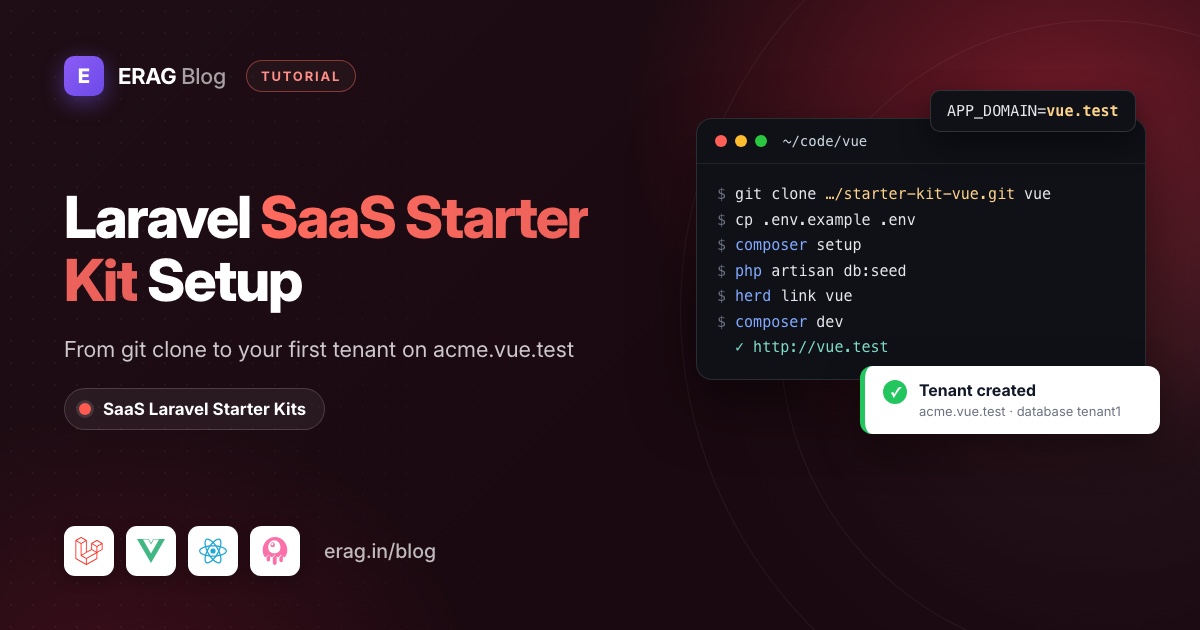
Setting up a Laravel SaaS starter kit follows the same path in almost every kit: get the code, install the Composer and npm dependencies, fill in .env (app URL, database, mail), run the migrations and seeders, start Vite and a queue worker, then sign in and create your first tenant or team. Multi-tenant kits add one step: every tenant subdomain must reach the app.
With the SaaS Laravel kits, that means accepting the GitHub invitation you get after paying, cloning your kit's private repository, setting APP_URL, APP_DOMAIN and the MySQL keys, running composer setup and php artisan db:seed, linking the folder with Laravel Herd, then signing in as the seeded super admin. Here's the whole thing for the Vue kit:
git clone https://github.com/the-erag/saas-laravel-starter-kit-vue.git vue
cd vue
cp .env.example .env                              # edit APP_URL, APP_DOMAIN and DB_* now
mysql -u root -e "CREATE DATABASE saas_laravel_vue"
composer setup                                    # install, key, migrate, npm install, build
php artisan db:seed                               # roles, permissions, menus, default users
herd link vue                                     # vue.test and *.vue.test
composer dev                                      # server, queue, logs and Vite
The rest of this post explains each line, what can go wrong, and what changes in the React, Svelte and Livewire kits. Every command comes from the kit's own docs and composer.json.
The short version
- Pay for a kit through GitHub Sponsors and accept the repository invitation on GitHub.
- Clone the repository, rename its remote to
upstreamand push to your own privateorigin. - Copy
.env.exampleto.envand setAPP_URL,APP_DOMAINand theDB_*keys. - Create the central MySQL database with a user that can create databases.
- Run
composer setup, thenphp artisan db:seed. - Run
herd link vuesovue.testand every*.vue.testsubdomain reach the app. - Start everything with
composer devand openAPP_URL, not127.0.0.1:8000. - Sign in as
super-admin@gmail.comand add a tenant under Tenants → Add Tenant. - Merge the weekly kit updates from
upstreamon a separate branch.
How do I get access to the kit repository?
Every kit lives in its own private GitHub repository. You pay once through GitHub Sponsors, from the plan page on saas-laravel.com/pricing, and the GitHub account that made the payment is invited to the repository automatically.
| Plan | Frontend | Price (one time) | Repository |
|---|---|---|---|
| Livewire Starter Kit | Livewire 4, Blade, Alpine.js, Flux UI | $49 | the-erag/saas-laravel-starter-kit-livewire |
| Vue Starter Kit | Vue 3.5, TypeScript, shadcn-vue | $55 | the-erag/saas-laravel-starter-kit-vue |
| Svelte Starter Kit | Svelte 5 runes, TypeScript, shadcn-svelte | $59 | the-erag/saas-laravel-starter-kit-svelte |
| React Starter Kit | React 19, TypeScript, shadcn/ui | $69 | the-erag/saas-laravel-starter-kit-react |
| All Starter Kits | All four | $139 | All four repositories |
All of them share the same multi-tenant Laravel 13 backend with authentication, roles and permissions. Access is for life and updates are pushed weekly.
GitHub sends the invitation by email; accept it there or on the repository page. Access goes to the account that sponsored, so pay from the GitHub account you'll clone with. If the invitation never shows up, contact the maintainer through GitHub.
Because the repository is private, Git has to authenticate when you clone over HTTPS. gh auth login, a credential helper or a personal access token all work. SSH works too: git@github.com:the-erag/saas-laravel-starter-kit-vue.git.
What do you need to set up a Laravel SaaS starter kit?
| Tool | Version | Why |
|---|---|---|
| PHP | 8.4 or newer, with pdo_mysql | composer.json requires php: ^8.4 |
| Composer | 2.x | Installs the Laravel backend |
| Node.js and npm | A current LTS | The Inertia kits use @erag/lang-sync-inertia, which declares Node 24 or newer. Each kit ships a package-lock.json, so use npm. |
| MySQL or MariaDB | Any supported version | Every tenant gets its own database |
| Laravel Herd | Current | Serves *.test sites and all their subdomains |
| Git | Any recent version | Cloning and pulling updates |
The MySQL user matters more than the version: it needs CREATE DATABASE and DROP DATABASE rights, because every tenant gets its own database. Locally, root is fine.
How do I clone the kit and keep updates easy?
Clone your kit into a folder named after the default domain:
git clone https://github.com/the-erag/saas-laravel-starter-kit-vue.git vue
cd vue
Swap vue for react, svelte or livewire in both the URL and the folder name for the other kits.
Before you write any code, turn the kit into the upstream remote and push to a repository of your own:
git remote rename origin upstream
git remote add origin git@github.com:your-org/my-saas.git
git push -u origin main
Create your-org/my-saas as a private repository. Pushing the kit to a public one exposes the full source of a paid product, and the SaaS Laravel Commercial License doesn't allow it. If you already made it public, switch it in the repository's Settings → General → Danger Zone → Change visibility.
Which .env keys does the kit need?
Copy the example file first. composer setup only copies it when .env is missing, and it migrates with whatever is in .env at that moment, so edit it before you run anything else:
cp .env.example .envAPP_NAME="My SaaS"
APP_URL=http://vue.test
APP_DOMAIN=vue.test
DB_CONNECTION=mysql
DB_HOST=127.0.0.1
DB_PORT=3306
DB_DATABASE=saas_laravel_vue
DB_USERNAME=root
DB_PASSWORD=
MAIL_MAILER=logAPP_DOMAIN is the key that makes this a multi-tenant app. It's the only central domain. Any other host is treated as a tenant, and tenant domains are always <subdomain>.APP_DOMAIN, so acme.vue.test belongs to the tenant whose subdomain is acme.
APP_URL is the central app's address. Passkeys use its host, and its scheme decides whether tenant links start with http or https. MAIL_MAILER=log writes invitation and password reset emails to storage/logs/laravel.log, which is exactly what you want on day one.
Leave SESSION_DRIVER, CACHE_STORE and QUEUE_CONNECTION on database, and leave DB_QUEUE_CONNECTION unset so one worker handles every tenant's jobs.
The defaults differ per kit
| Kit | APP_URL | APP_DOMAIN | DB_DATABASE |
|---|---|---|---|
| Vue | http://vue.test | vue.test | saas_laravel_vue |
| React | https://react.test | react.test | saas_laravel_recat |
| Svelte | https://svelte.test | svelte.test | saas_laravel_svelte |
| Livewire | http://livewire.test | livewire.test | saas_laravel_livewire |
React and Svelte default to HTTPS. Either run herd secure react (or svelte) later, or change APP_URL to http://. Passkeys only work on HTTPS, so securing the site is the better choice if you want to try them.
Running more than one kit on the same MySQL server
Tenant databases are named prefix plus tenant id: tenant1, tenant2 and so on. Two kits on one server would both try to create tenant1. Give each its own prefix before you create a tenant. In the React kit that's TENANCY_DB_PREFIX=react_tenant in .env. The Vue, Svelte and Livewire kits hard-code 'prefix' => 'tenant' in config/tenancy.php, so edit that line or swap it for env('TENANCY_DB_PREFIX', 'tenant').
How do I run the migrations and seeders?
Create the central database, then let composer setup do the installing:
mysql -u root -e "CREATE DATABASE saas_laravel_vue"
composer setup
php artisan db:seed
composer setup runs composer install, copies .env.example if needed, runs php artisan key:generate and php artisan migrate --force, then npm install and npm run build. It does not seed, which is why db:seed comes next. Doing it by hand instead? composer install, php artisan key:generate, php artisan migrate --seed and npm install cover the same ground.
The seeder creates the roles (super-admin, admin, manager, employee, user), every permission listed in config/permissions/*.php, the central menus and one verified user per role:
| Role | Password | |
|---|---|---|
super-admin@gmail.com | Super Admin | password |
admin@gmail.com | Admin | password |
manager@gmail.com | Manager | password |
employee@gmail.com | Employee | password |
user@gmail.com | User | password |
These accounts are for local development. The password comes from DEFAULT_PASSWORD in database/seeders/DefaultUserSeeder.php, and that seeder also runs inside every new tenant database. Remove or change it before production.
Starting over with php artisan migrate:fresh --seed only drops central tables. Tenant databases stay on the server, so delete tenants from the UI first, or drop those databases yourself.
How do I serve tenant subdomains locally with Herd?
The app decides who you are from the host name, so every tenant subdomain has to reach the same public/ folder. Herd does that with one command, using the site name that matches APP_DOMAIN:
herd link vue          # serves this folder as vue.test and *.vue.test
herd secure vue        # optional HTTPS, then set APP_URL=https://vue.test
No hosts file, no DNS changes. A new tenant called globex works at globex.vue.test the moment it exists.
How do I start the app?
composer devcomposer dev runs Laravel's php artisan dev, which starts four processes in one terminal:
| Process | Command |
|---|---|
| server | php artisan serve |
| queue | php artisan queue:listen --tries=1 --timeout=0 |
| logs | php artisan pail --timeout=0 (when pcntl is available) |
| vite | npm run dev |
Now open http://vue.test and sign in as super-admin@gmail.com with password.
Don't open the 127.0.0.1:8000 address that php artisan serve prints; the errors section below explains the 404 you'd get. Since Herd already serves the site, two terminals with npm run dev and php artisan queue:listen --tries=1 work just as well. Either way, keep the queue running: invitations and password resets are queued.
How do I create the first tenant and its admin?
- On
http://vue.test, go to Tenants → Add Tenant. - Fill in the company, the admin's first name, last name, email and phone, the team size and industry.
- Enter a subdomain such as
acme. Lowercase letters, numbers and single hyphens only. - Either set a password for the tenant admin, or leave "send invitation" on to email them a signed link.
When you save, one request does all the provisioning: it creates the tenant1 database, runs the migrations in database/migrations/tenant, runs TenantDatabaseSeeder, and creates the tenant admin with the super-admin role and every tenant permission. It runs synchronously, so the tenant is ready when the page reloads.
If you sent an invitation, find the link in storage/logs/laravel.log, open it and choose a password. The invitation is valid for 7 days, and the workspace stays "Pending Invitation" until the admin accepts it. Then go to http://acme.vue.test and sign in as the tenant admin.
Because TenantDatabaseSeeder also runs DefaultUserSeeder, the five @gmail.com accounts exist inside the tenant too: handy for testing roles, and the main reason to change that seeder before launch.
Whenever you add or pull new files in database/migrations/tenant, run them for existing tenants:
php artisan tenants:migratePlain php artisan migrate only touches the central database. New tenants get the tenant migrations automatically when they're created.
What's different in the Livewire, Vue, React and Svelte kits?
The backend steps above are identical in all four. The differences are on the frontend side:
| Vue | React | Svelte | Livewire | |
|---|---|---|---|---|
| Folder and Herd site | vue | react | svelte | livewire |
| Default URL scheme | http | https | https | http |
npm run dev runs | vite | vite | vite | vp dev (Vite+) |
| Type check | vue-tsc | tsc | svelte-check | none |
| Generated frontend files | Wayfinder, TS types, lang JSON | same | same | none |
The three Inertia kits generate a few frontend files from PHP. Run these when you change the matching source:
php artisan wayfinder:generate --with-form   # after adding or renaming routes
php artisan typescript:transform             # after changing a Data class or enum
php artisan erag:generate-lang               # after editing files in lang/
npm run dev regenerates Wayfinder for you. Commit resources/js/types and resources/js/lang; the Wayfinder output is git-ignored.
The Livewire kit has no generation step: Blade calls route() and __() directly.
For a feature-by-feature look at what you're installing, read Laravel SaaS Starter Kit with Multi-Tenancy, or the kit tours for Vue, React and Svelte. They quote launch prices; the table above is current.
How do I keep up with the weekly updates?
Updates land on the main branch of your kit repository every week, and the release notes list what changed. With the kit as upstream, pulling an update is a normal merge on its own branch:
git checkout -b kit-update
git fetch upstream
git log --oneline HEAD..upstream/main    # what changed
git merge upstream/main
Fix any conflicts, then bring dependencies, databases and generated files up to date:
composer install
npm install
php artisan migrate
php artisan tenants:migrate
php artisan erag:generate-lang
php artisan typescript:transform
php artisan wayfinder:generate --with-form
npm run build
php artisan test --compact
Skip the three generator commands in the Livewire kit. Read new migrations and back up before running them in production. When everything passes, merge kit-update into your main branch.
To keep conflicts rare, build features as new modules in Modules/, with your own files under lang/<locale>/modules/ and config/permissions/. When the generated resources/js/lang or resources/js/types files conflict, take either side and re-run the generators.
Common setup errors and fixes
Tenant subdomains don't resolve
vue.test loads but acme.vue.test doesn't. Every tenant subdomain has to reach the app's public/ folder:
- With Herd, link the site under the name that matches
APP_DOMAIN:herd link vueforvue.test. Linking it asmy-saasserves*.my-saas.testinstead. - Without Herd, you need wildcard DNS (dnsmasq, for example) and a web server that serves
*.APP_DOMAINfrompublic/with no port in the URL. A plain/etc/hostsfile can't do wildcards. - In production, add a
*.your-domain.comDNS record and a wildcard TLS certificate. - Check the tenant's domain actually exists with
php artisan tenants:list.
Creating a tenant fails with "access denied" or "database exists"
Adding a tenant runs CREATE DATABASE on the central connection, and deleting one runs DROP DATABASE. Access denied means your MySQL user lacks those rights; locally, use root or a user that has them. "Database exists" means another app on the same server already created tenant1, or an earlier migrate:fresh left tenant databases behind. Drop the old ones, or give this kit its own prefix as shown above.
Unable to locate file in Vite manifest
The frontend hasn't been built and the dev server isn't running. Keep npm run dev (or composer dev) running while you work, or run npm run build.
Invitation and password reset emails never arrive
They go through the queue, so check in this order:
- A worker is running:
composer devincludesqueue:listen, and production needsphp artisan queue:work. DB_QUEUE_CONNECTIONis unset, so tenant jobs land in the centraljobstable where the worker looks.MAIL_MAILERisn'tlog. Withlog, the email is instorage/logs/laravel.loginstead of your inbox.php artisan queue:failedshows jobs that broke.
404 on the central domain: APP_DOMAIN and APP_URL don't match
Only APP_DOMAIN counts as the central domain. Every other host is looked up as a tenant, and an unknown tenant returns 404. That's why 127.0.0.1:8000 shows a 404, and why renaming the project only in APP_URL (say http://my-saas.test) while APP_DOMAIN still says vue.test breaks the central app. Keep the host in APP_URL equal to APP_DOMAIN, and link Herd with the same name.
The scheme matters too: tenant links reuse the scheme of APP_URL. The React and Svelte kits start with https://, so run herd secure react (or svelte), or switch APP_URL to http://.
403 right after registering
Users who sign up themselves get no role, but /dashboard needs View Analytics Dashboard (central) or View Tenant Dashboard (tenant). Give them a role from Users, or set a default role in Modules\Auth\Actions\CreateNewUser.
Frequently asked questions
Does composer setup seed the database?
No. It installs dependencies, generates the key, migrates and builds the frontend. Run php artisan db:seed afterwards to get roles, permissions, menus and the default users.
Can I use SQLite or PostgreSQL instead of MySQL?
config/tenancy.php registers database managers for SQLite, MariaDB and PostgreSQL, and the test suite runs on in-memory SQLite. The kits are built and run on MySQL, though, and that's the recommended choice for real tenants.
Is the kit a subscription?
No. You pay once through GitHub Sponsors and keep access to the repository, including the weekly updates, for life.
Does the kit include billing?
No. There's no Stripe, Paddle or subscription code, on purpose. You add the payment provider that fits your market as its own module.
What should I build first?
A small tenant-scoped feature, so you learn the module, permission and menu conventions on something real. Build your first tenant CRUD in the SaaS Laravel Vue kit walks through a Projects module from migration to Pest test. If you're planning the sign-up flow next, the SaaS onboarding guide is a good read.
Get the kit and run your first tenant today
The kit documentation is public, so you can follow every step above before you buy: start with Installation and Local development. When you're ready, pick a kit on the pricing page, or get the All Starter Kits bundle for $139 and compare the four frontends on the same backend. The How to pay page shows the GitHub Sponsors checkout step by step.
