
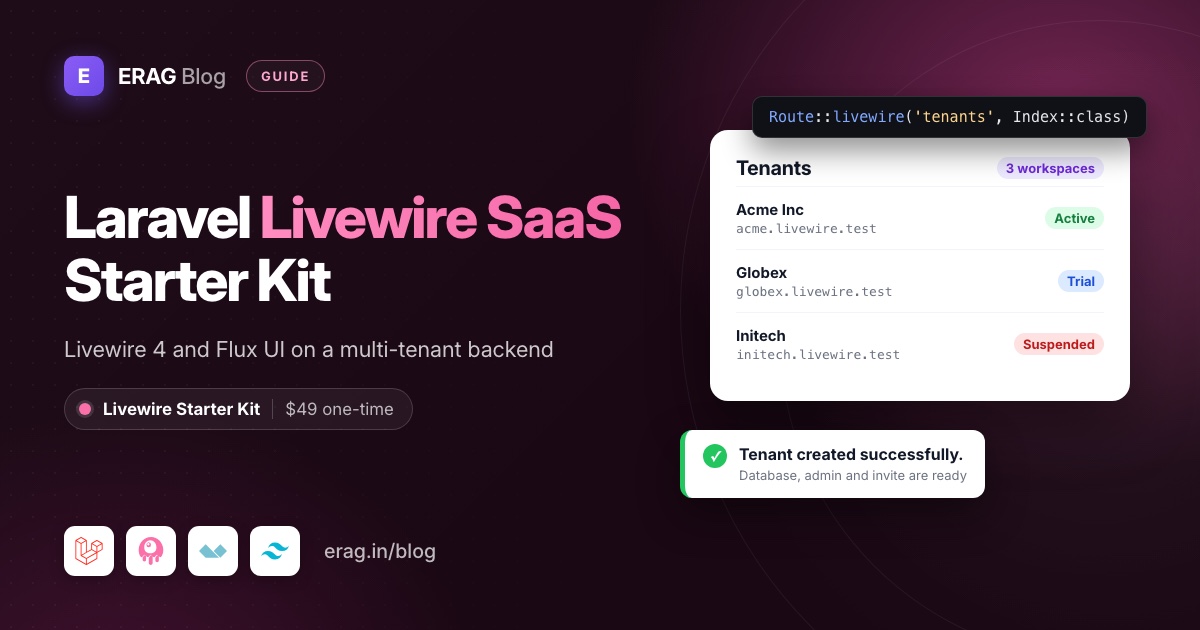
The SaaS Laravel Livewire starter kit is a Laravel 13 project that already works as a multi-tenant SaaS, built with Livewire 4, Blade, Alpine.js and the free edition of Flux UI. Every customer gets their own database and subdomain. Login with two-factor and passkeys, users, invitations, roles, permissions, menus and 17 languages are done. It costs $49, paid once, with weekly updates.
After you pay, your GitHub account is invited to the private repository. Getting it running takes five commands:
git clone https://github.com/the-erag/saas-laravel-starter-kit-livewire.git livewire
cd livewire
composer setup
php artisan db:seed
composer dev
composer setup installs everything and runs the migrations, but it doesn't seed. Run php artisan db:seed once to create the roles, permissions, menus and one user per role. Then change APP_URL and APP_DOMAIN in .env from livewire.test to your own domain.
The short version
- Buy the Livewire kit for $49 through GitHub Sponsors. One payment, no subscription.
- Accept the GitHub invitation to
the-erag/saas-laravel-starter-kit-livewire. - Clone it, run
composer setupandphp artisan db:seed, then start everything withcomposer dev. - Sign in as the seeded super admin and create your first tenant. The kit creates its database, runs the tenant migrations and seeders, and adds the tenant's admin user.
- Build your own feature as a module: a Livewire component in
Modules/<Name>/Livewire, a Blade view inresources/views/pagesand a Form Request for validation. - Merge the weekly updates from the kit repository whenever you are ready.
What is in the Laravel Livewire SaaS starter kit?
The kit has two halves. Its backend is the same multi-tenant Laravel 13 code that powers the Vue, React and Svelte kits. On the frontend it is pure Livewire: no Inertia, no TypeScript and no separate JavaScript framework.
| Layer | What the kit uses |
|---|---|
| Framework | Laravel 13 on PHP 8.4 or newer |
| Pages and actions | Livewire 4 class-based components |
| Views | Blade, with Alpine.js for browser-only behaviour |
| UI | Flux UI (free edition) behind x-common.* Blade wrappers, Tailwind CSS 4 |
| Authentication | Laravel Fortify, with two-factor codes and passkeys |
| Multi-tenancy | stancl/tenancy, one database per tenant |
| Roles and permissions | spatie/laravel-permission |
| Validation | Laravel Form Requests |
| Icons | Iconify, with names like lucide:users |
| Quality | Pest, Larastan (level 7), Pint, blade-formatter, Laravel Boost |
One thing Livewire developers tend to like: there is no code generation step. No Wayfinder, no generated TypeScript types and no translation JSON. Blade calls route() and __() directly, so a new route or translation key works as soon as you save the file.
How does it compare with other Livewire SaaS starter kits?
If you are shopping for a Livewire SaaS starter kit, these five are the ones you will most likely compare. All of them use Livewire. They differ most on price, billing and how they keep customers apart. I checked each one on its official site in November 2026.
| Kit | Stack | Price | Multi-tenancy | Roles and permissions | Billing |
|---|---|---|---|---|---|
| SaaS Laravel Livewire kit | Livewire 4, Blade, Flux UI (free) | $49, one-time | One database per tenant, on subdomains | spatie/laravel-permission, separate central and tenant roles | Not included |
| Laravel Livewire starter kit (official) | Livewire 4, Flux UI, Fortify | Free, MIT | Optional teams in one shared database | Fixed team roles: Owner, Admin, Member | Not included |
| Wave | Livewire 4, Filament 5, Volt, Folio | Free, MIT | Not listed | Roles linked to subscription plans | Stripe or Paddle |
| SaaSykit | Livewire, Filament, Alpine.js | $239 one-time, Tenancy edition $269 (plus VAT) | Tenancy edition: one shared database with tenant_id by default, multi-database plugin included | Users, roles and permissions | Stripe, Paddle, Lemon Squeezy, Polar, Creem |
| Larafast Livewire | Livewire, Filament admin | $299 list, $199 with the sale code shown on the site | Separate Multi-Tenancy product ($399 list): team-based, single or multi-database | In the Multi-Tenancy product | Stripe, Lemon Squeezy, Paddle |
Where the others are stronger:
- Billing is built in. Wave, SaaSykit and Larafast ship subscriptions and payment webhooks. SaaS Laravel leaves billing to you, so if you must charge customers next week, that is real work they save.
- A Filament admin panel. Wave, SaaSykit and Larafast use Filament for the back office. If your team already lives in Filament, that counts.
- Marketing extras. SaaSykit and Larafast include a blog and SEO pages, and both list social login.
- Wave is free. If you don't need tenants, an MIT licence is hard to argue with.
Where the SaaS Laravel kit is different:
- A database per tenant by default, with each customer on its own subdomain and your central admin kept apart. In SaaSykit and Larafast, multi-tenancy is a separate, higher-priced product, and SaaSykit's docs recommend its single-database mode.
- Plain Livewire and Flux, no Filament. Every screen is a Livewire component you read and change like any other.
- 17 languages, per-domain settings and suspension are already in place.
- Price. $49 is the lowest of the paid kits in the table.
Laravel's free kit is the right start when you don't need tenants at all. The SaaS kit is built on it and keeps its folders and conventions. One difference you will notice: the Laravel installer generates single-file components by default, while the SaaS kit uses class-based components grouped by module, like Modules/User/Livewire/Index.php. The full free-vs-SaaS comparison is in Laravel 13 starter kits explained.
What does a page look like?
A route points straight at a component class with Route::livewire(). This is the roles page, from Modules/RolePermission/routes/web.php:
Route::middleware(['auth', 'verified'])->group(function () {
    Route::livewire('roles', Index::class)
        ->middleware('permission:View Roles|View Tenant Roles')
        ->name('roles.index');
});
The two permission names cover the central domain and every tenant, since each side has its own permission.
Modals that edit a record are their own components. Here is the save action of Modules/RolePermission/Livewire/RoleFormModal.php:
public function save(RoleService $roleService): void
{
    $role = $this->roleId ? Role::query()->findOrFail($this->roleId) : null;

    $role
        ? $this->authorizePermission('Edit Role', 'Edit Tenant Role')
        : $this->authorizePermission('Create Role', 'Create Tenant Role');

    $validated = $this->validateFormRequest(RoleRequest::class, ['name' => $this->name], ['role' => $role]);

    $role ? $roleService->updateRole($role, $validated) : $roleService->createRole($validated);

    Flux::modal('role-form')->close();
    Flux::toast(variant: 'success', text: $role ? __('modules/role.toasts.updated') : __('modules/role.toasts.created'));

    $this->dispatch('role-saved');
}
That is the whole pattern: check the permission, validate, call a service, close the modal, show a toast and refresh the page. The queries live in RoleService.
The view is plain Blade built from the kit's wrappers, in resources/views/pages/roles/partials/role-form-modal.blade.php:
<x-common.modal name="role-form" class="w-full max-w-lg">
    <form wire:submit="save" class="space-y-4" novalidate>
        <x-common.input wire:model="name" :label="__('modules/role.form_modal.name')" autocomplete="off" required autofocus />

        <x-common.button type="submit" variant="primary">
            {{ $roleId ? __('modules/role.form_modal.update') : __('modules/role.form_modal.create') }}
        </x-common.button>
    </form>
</x-common.modal>
How do forms and validation work?
Every write goes through a normal Laravel Form Request in Modules/<Module>/Http/Requests. Components call validateFormRequest() from the App\Livewire\Concerns\ValidatesFormRequests trait.
The trait builds the Form Request from the current request and runs its authorize(), rules(), messages() and attributes(), exactly as a controller would. It returns the validated data, or throws the usual ValidationException so Livewire shows the errors next to the fields. Before it validates, it trims strings and turns empty strings into null, except for the password fields.
There is one firm rule: no rules() methods and no #[Validate] attributes inside components. The rules are written once, in the Form Request, and they read like any other Laravel validation. If you have used Livewire for a while, that is the biggest habit to change.
The x-common fields also save you markup. x-common.input reads its wire:model key and works out the id, the label's for and the error message underneath, so a field with its label and error fits on one line.
How does multi-tenancy work with Livewire?
Each tenant gets its own database, and the request's subdomain decides which one you are talking to:
livewire.test        → central app (your admin panel)
acme.livewire.test   → tenant 1, its own database
globex.livewire.test → tenant 2, its own database
Livewire needs extra care here, because every click after the first page load is a new request to Livewire's own endpoint. The kit prepends its tenancy middleware to every request, so those calls also land in the right tenant's database. It also registers the auth, central-only and permission middleware as Livewire persistent middleware. A user who loses a permission can't keep clicking buttons on a page they already had open.
Cache, the local and public disks and queued jobs are tenant-aware as well. If you want to know what it takes to wire this up yourself, the saas-laravel.com guide to Livewire multi tenancy with stancl/tenancy walks through it.
From the central app you create tenants on a Livewire form. Type the company name and the subdomain fills itself in. Saving creates the database, runs the migrations and seeders and adds the admin user. Turn on the invitation email and the admin gets a signed link to pick their own password. Each workspace has a status (Active, Trial, Pending Invitation or Suspended), and you can put every tenant into maintenance with your own message, a secret bypass link and allowed IP addresses.
Which UI components does the kit use?
The UI is the free edition of Flux UI, but pages never use Flux tags directly. Every control goes through an x-common.* wrapper in resources/views/components/common: input, password, textarea, select, checkbox, radio, modal, confirm dialog, dropdown menu, OTP input, tooltip, badge and more.
Most wrappers are one line. button.blade.php is just this:
<flux:button {{ $attributes }}>{{ $slot }}</flux:button>That matters later. If you move to Flux Pro or another component library, you edit one folder and leave the pages alone.
Flux Pro components such as the date picker, charts and rich text editor are not included. They are a separate paid licence from the Flux team.
What else works on day one?
- Authentication: login, registration, password reset, email verification, password confirmation, two-factor codes with recovery codes and passkeys. Registration, password reset, verification, two-factor and passkeys can each be switched on or off per domain.
- Separate guards: central users and tenant users live in different databases, with their own session guards.
- Users and invitations: a users list with search, stats and pagination. Invitation emails are queued and carry a signed link that lasts 7 days.
- Roles and permissions: protected system roles plus your own, extra permissions per user picked from a grouped list, and a super admin who passes every check.
- Domains: several subdomains per tenant with one primary, each with its own app name, default language and sign-in options.
- Menus and layouts: menus stored in the database and reordered by drag and drop with
wire:sort. Sidebar or header layout, three sidebar styles, card, simple or split sign-in pages, and light or dark mode. - Notifications: a header bell and a notifications page.
- 17 languages in plain PHP files,
lang/<locale>/modules/<feature>.php, used as__('modules/user.index.title'). - Tooling: Pest feature tests for authentication, the dashboard and the profile and security settings, run in GitHub Actions with Pint, blade-formatter and Larastan. Laravel Boost guidelines and skills help AI coding agents follow the kit's conventions.
To stop throwaway sign-ups, add the one-rule fix from our Livewire disposable email validation guide to the kit's Form Requests.
Who is the Livewire kit for?
It fits best when:
- Your team is PHP-first. You think in controllers, Blade and Eloquent, and you don't want a second language and toolchain for the frontend.
- Your product is mostly forms, tables and dashboards. B2B tools, client portals, booking and admin-heavy apps are where Livewire feels fastest to build.
- You want fewer moving parts. No TypeScript types to regenerate, no route generator and no translation export.
- You hire Laravel developers. Anyone who knows Blade can read a Livewire component on day one.
Pick an Inertia kit instead if your app needs a lot of state in the browser, such as a canvas editor or a drag-heavy planner, or if your team already writes Vue or React every day. The Laravel Vue SaaS starter kit is the closest alternative, and saas-laravel.com has a longer Livewire vs Inertia comparison.
What the Livewire kit does not include
Better to know this before you buy:
- No billing. Stripe, Paddle, Lemon Squeezy or Razorpay is yours to add, as its own module.
- No REST API. There are no Sanctum tokens or API endpoints.
- Custom domains are limited. Tenant domains are subdomains of
APP_DOMAIN. Mapping a customer's own domain, likeapp.customer.com, is up to you. - No separate teams feature. Each tenant is a workspace with its own users.
- MySQL is recommended, because every tenant gets its own database. Laravel Herd makes the wildcard subdomains work locally without extra setup.
- It is the newest kit. The Livewire kit's first release was on 3 November 2026, while the Inertia kits have been out since 28 September 2026.
- No refunds. You get the full source code the moment you pay, so read the public Livewire kit docs first.
How much does the Livewire kit cost?
$49, paid once through GitHub Sponsors, and the lowest-priced of the four SaaS Laravel kits. You get the full source code, lifetime access to the private repository, weekly updates and a commercial licence for unlimited projects, for yourself or for clients. You can't resell, share or publish the kit's source code. If you think you might want an Inertia version too, the All Starter Kits bundle gives you all four kits for $139. The Laravel SaaS starter kit pricing guide works out when the bundle is worth it, and the Laravel SaaS starter kit overview covers the shared backend in more depth.
Frequently asked questions
Is there a free Laravel Livewire SaaS starter kit?
Yes. Wave is MIT licensed, built on Livewire and Filament, and includes Stripe or Paddle billing and plan-based roles. Laravel's official Livewire starter kit is free too, with Fortify auth and optional teams but no billing. Neither gives you a database per tenant.
Does the kit use Livewire 3 or Livewire 4?
Livewire 4 (livewire/livewire ^4.1) with class-based components, Route::livewire(), wire:navigate and wire:sort.
Do I need to know JavaScript?
Barely. Alpine.js ships with Livewire and handles small browser-only jobs like dropdowns and the permission picker. There's no TypeScript, and resources/js holds three files.
Do I need a Flux UI Pro licence?
No. The kit uses only the free edition of Flux. You can add Flux Pro later by editing the x-common wrappers.
Is the backend the same as in the Vue, React and Svelte kits?
The modules, services, tenancy, authentication and permissions are the same. Livewire components take the place of the Inertia controllers, and Form Requests take the place of the laravel-data classes.
Can I use the Livewire kit for client projects?
Yes, in as many projects as you like, for yourself or for clients. You just can't resell or share the kit's code on its own.
Can I switch to an Inertia kit later?
Your models, migrations, services and permissions carry over, because the backend is shared. You would rewrite the pages as Vue, React or Svelte components.
Start your Livewire SaaS
If your team already writes Blade every day, this is the shortest path from git clone to a working multi-tenant SaaS. Read the docs, then buy when you are ready:
