
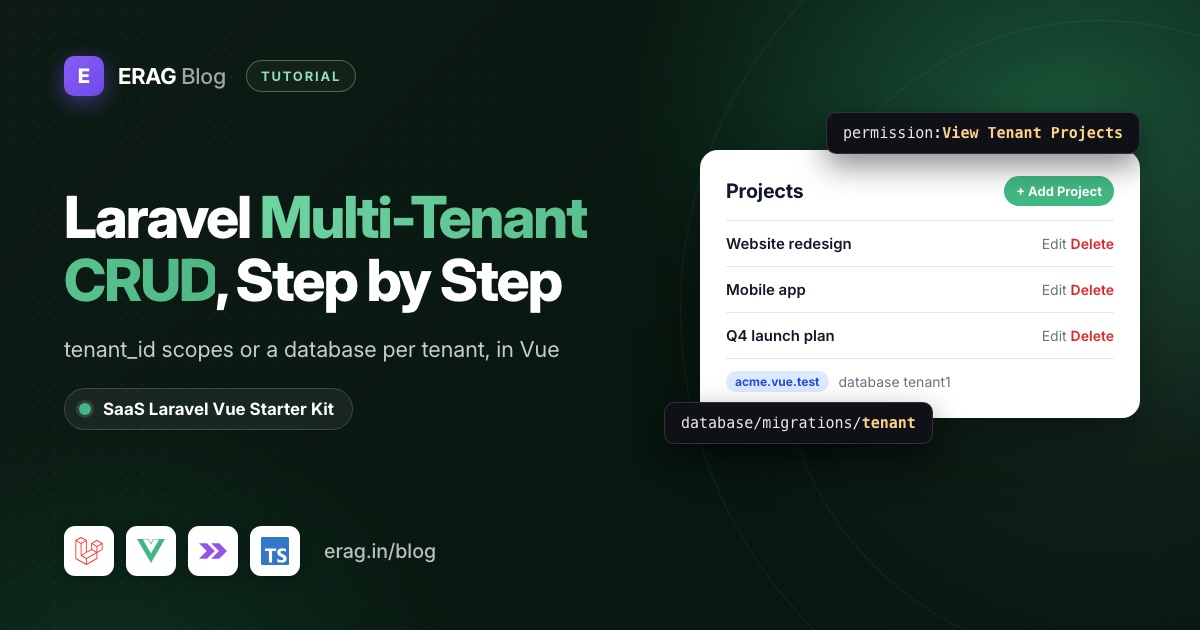
To build a multi-tenant CRUD in Laravel, every read and every write must be limited to the current tenant. With one shared database, you add a tenant_id column, a global scope that filters on it and a creating hook that fills it in. With a database per tenant, stancl/tenancy switches the connection on each request, and the model needs no tenant_id at all.
This guide shows both approaches in short, then builds a complete Projects CRUD with the second one inside the SaaS Laravel Vue starter kit, following the conventions of the kit's own Roles module. Here's every file the walkthrough touches:
database/migrations/tenant/xxxx_create_projects_table.php    new
app/Models/Project.php + database/factories/ProjectFactory.php new
Modules/Project/Data/ProjectData.php                          new
Modules/Project/Services/ProjectService.php                   new
Modules/Project/Http/Controllers/ProjectController.php        new
Modules/Project/Providers/ProjectServiceProvider.php          new
Modules/Project/routes/web.php                                new
config/permissions/tenant/projects.php                        new
lang/<locale>/modules/project.php                             new
resources/js/pages/projects/Index.vue                         new
resources/js/pages/projects/Partials/ProjectFormModal.vue     new
resources/js/types/Projects/projects.ts                       new
tests/Feature/ProjectTest.php                                 new
bootstrap/providers.php                                       one line
database/seeders/tenant/MenuSeeder.php                        one entry
lang/<locale>/modules/common.php                              one nav key
Almost everything is a new file. Only three kit files get a small edit, and that matters: the fewer kit files you change, the easier the weekly updates merge.
The short version
- Pick a tenancy approach: a
tenant_idcolumn with a global scope, or a database per tenant. The kit uses a database per tenant. - Create the migration in
database/migrations/tenantand runphp artisan tenants:migrate. - Add a
Projectmodel and factory inapp/Models, next to the kit's other models. - Create
Modules/ProjectwithProjectData,ProjectService,ProjectController, routes and a service provider, then register the provider inbootstrap/providers.php. - Add four tenant permissions in
config/permissions/tenant/projects.phpand seed them into every tenant. - Add a Projects entry to the tenant
MenuSeederand seed it. - Write
lang/en/modules/project.php, copy it to the other 16 locales and runphp artisan erag:generate-lang. - Build
pages/projects/Index.vueand a form modal, then regenerate Wayfinder and the TypeScript types. - Prove the isolation with a Pest test that creates two real tenants.
If you haven't installed the kit yet, start with the Laravel SaaS starter kit setup guide and come back with a running tenant at acme.vue.test.
How do I make a Laravel CRUD tenant-scoped?
There are two common ways to keep one tenant's rows away from another's. Both are valid; they put the safety net in different places.
Option 1: one database with a tenant_id column
Every tenant table gets a tenant_id, and unique indexes include it, so two tenants can both own a project called "Website redesign":
Schema::create('projects', function (Blueprint $table) {
    $table->id();
    $table->foreignId('tenant_id')->constrained()->cascadeOnDelete();
    $table->string('name');
    $table->timestamps();

    $table->unique(['tenant_id', 'name']);
});
A small trait then scopes every query and fills the column on insert. This version reads the tenant from the signed-in user:
<?php

namespace App\Models\Concerns;

use Illuminate\Database\Eloquent\Builder;
use Illuminate\Database\Eloquent\Model;

trait BelongsToTenant
{
    protected static function bootBelongsToTenant(): void
    {
        static::addGlobalScope('tenant', function (Builder $query): void {
            if (auth()->check()) {
                $query->where($query->qualifyColumn('tenant_id'), auth()->user()->tenant_id);
            }
        });

        static::creating(function (Model $model): void {
            if (auth()->check() && $model->getAttribute('tenant_id') === null) {
                $model->setAttribute('tenant_id', auth()->user()->tenant_id);
            }
        });
    }
}
Add use BelongsToTenant; to Project, and Project::query()->get(), Project::create() and route model binding are all scoped. stancl/tenancy ships the same idea for its single-database mode as Stancl\Tenancy\Database\Concerns\BelongsToTenant, which reads the tenant from tenant() instead of the user.
The scope only protects Eloquent queries, so watch the gaps:
- Validation rules skip global scopes.
uniqueandexistsquery the table directly. WriteRule::unique('projects')->where('tenant_id', $request->user()->tenant_id), or a user of one tenant gets "has already been taken" for another tenant's name. - No user, no scope. Queued jobs, Artisan commands and scheduled tasks run without a signed-in user, so the closure above filters nothing there. Pass the tenant id in explicitly.
- Raw queries.
DB::table('projects')never sees the scope.
Option 2: a database per tenant
Each tenant gets its own database, and a package such as stancl/tenancy identifies the tenant from the domain and switches the default connection before your code runs. The model is plain Eloquent:
class Project extends Model
{
}
There's no tenant_id, no scope to forget, and a unique rule checks only the current tenant's table. The trade-offs: migrations run once per tenant, every new tenant needs a database the server is allowed to create, and a report across all tenants has to loop over them.
One database + tenant_id | Database per tenant | |
|---|---|---|
| Isolation lives in | A global scope in your code | A separate database |
tenant_id column | On every tenant table | None |
| Migrations | Run once | Run per tenant (tenants:migrate) |
unique and exists rules | Add where('tenant_id', ...) | Scoped automatically |
| Reports across tenants | One query | Loop over tenants |
| Usual tools | Eloquent scopes, or stancl/tenancy single-database mode | stancl/tenancy multi-database mode |
Which one does the SaaS Laravel kit use?
Option 2. The kits run stancl/tenancy in multi-database mode. A request on acme.vue.test finds tenant 1 by its domain and switches the default connection to the tenant1 database, so Project::query()->get() returns Acme's projects and nothing else.
The one rule you must remember: tenant tables go in database/migrations/tenant, never in database/migrations. A migration in the wrong folder only reaches the central database. The multi-tenancy overview explains the central and tenant split in more detail.
How do I create the tenant migration and model?
The migration
php artisan make:migration create_projects_table --path=database/migrations/tenantSchema::create('projects', function (Blueprint $table) {
$table->id();
$table->string('name')->unique();
$table->text('description')->nullable();
$table->timestamps();
});Run it for every existing tenant:
php artisan tenants:migrateNew tenants get the table automatically, because the tenant creation pipeline runs everything in database/migrations/tenant.
The model and factory
The kit keeps all its Eloquent models in app/Models (User, Tenant, Domain, Menu, and so on), so Project goes there too:
php artisan make:model Project --factory<?php
namespace App\Models;
use Database\Factories\ProjectFactory;
use Illuminate\Database\Eloquent\Attributes\Fillable;
use Illuminate\Database\Eloquent\Factories\HasFactory;
use Illuminate\Database\Eloquent\Model;
#[Fillable(['name', 'description'])]
class Project extends Model
{
/** @use HasFactory<ProjectFactory> */
use HasFactory;
}The #[Fillable] attribute is the Laravel 13 style the kit's User model uses. In database/factories/ProjectFactory.php, return 'name' => fake()->unique()->words(3, true) and 'description' => fake()->sentence() from definition().
How do I add a module for the feature?
Every feature in the kit lives in Modules/<Name>, with the same layers: a Data object validates and types the input, a service holds the logic, and a thin controller connects them to Inertia. Artisan's make:controller and friends write to app/, so create the module files by hand.
The Data class
Modules/Project/Data/ProjectData.php mirrors RoleData. It validates the request, translates attribute names and becomes a TypeScript type through #[TypeScript]:
<?php

declare(strict_types=1);

namespace Modules\Project\Data;

use App\Models\Project;
use Illuminate\Validation\Rule;
use Spatie\LaravelData\Attributes\MapName;
use Spatie\LaravelData\Data;
use Spatie\LaravelData\Mappers\SnakeCaseMapper;
use Spatie\TypeScriptTransformer\Attributes\TypeScript;

#[TypeScript]
#[MapName(SnakeCaseMapper::class)]
class ProjectData extends Data
{
    public function __construct(
        public string $name,
        public ?string $description = null,
        public ?int $id = null,
        public ?string $createdAt = null,
    ) {}

    public static function fromModel(Project $project): self
    {
        return new self(
            name: $project->name,
            description: $project->description,
            id: $project->id,
            createdAt: $project->created_at?->format('d-m-Y H:i:s A'),
        );
    }

    /**
     * @return array<string, array<int, mixed>>
     */
    public static function rules(): array
    {
        $projectParam = request()->route('project');
        $projectId = $projectParam instanceof Project ? $projectParam->id : $projectParam;

        return [
            'id' => ['nullable', 'integer'],
            'name' => ['required', 'string', 'max:255', Rule::unique(Project::class, 'name')->ignore($projectId)],
            'description' => ['nullable', 'string', 'max:1000'],
            'created_at' => ['nullable', 'string'],
        ];
    }

    /**
     * @return array<string, string>
     */
    public static function attributes(): array
    {
        return [
            'name' => __('modules/project.validation.attributes.name'),
            'description' => __('modules/project.validation.attributes.description'),
        ];
    }

    /**
     * @return array<string, string>
     */
    public static function messages(): array
    {
        return [
            'name.unique' => __('modules/project.validation.messages.name_unique'),
        ];
    }
}
SnakeCaseMapper turns createdAt into created_at on the way in and out, so the Vue page reads snake_case keys like the rest of the kit. The kit's .ai/rules/general.md asks for no descriptive comments in new code, which is why only type annotations appear here.
The service
Modules/Project/Services/ProjectService.php holds the queries, in the same shape as RoleService:
<?php

declare(strict_types=1);

namespace Modules\Project\Services;

use App\Models\Project;
use Illuminate\Contracts\Pagination\LengthAwarePaginator;
use Modules\Project\Data\ProjectData;

class ProjectService
{
    /**
     * @return LengthAwarePaginator<int, Project>
     */
    public function getProjects(?string $search = null): LengthAwarePaginator
    {
        return Project::query()
            ->when($search, function ($query, string $search): void {
                $query->where('name', 'like', "%{$search}%");
            })
            ->latest('id')
            ->paginate(10)
            ->withQueryString()
            ->through(fn (Project $project): ProjectData => ProjectData::fromModel($project));
    }

    public function createProject(ProjectData $data): Project
    {
        return Project::query()->create([
            'name' => $data->name,
            'description' => $data->description,
        ]);
    }

    public function updateProject(Project $project, ProjectData $data): Project
    {
        $project->update([
            'name' => $data->name,
            'description' => $data->description,
        ]);

        return $project;
    }

    public function deleteProject(Project $project): void
    {
        $project->delete();
    }
}
The controller
The controller validates by type-hinting ProjectData, calls the service, flashes a toast and redirects. That's the kit's pattern in every module:
<?php

declare(strict_types=1);

namespace Modules\Project\Http\Controllers;

use App\Http\Controllers\Controller;
use App\Models\Project;
use Illuminate\Http\RedirectResponse;
use Illuminate\Http\Request;
use Inertia\Inertia;
use Inertia\Response;
use Modules\Project\Data\ProjectData;
use Modules\Project\Services\ProjectService;

class ProjectController extends Controller
{
    public function __construct(
        protected ProjectService $projectService,
    ) {}

    public function index(Request $request): Response
    {
        $search = $request->string('search')->trim()->value() ?: null;

        return Inertia::render('projects/Index', [
            'projects' => $this->projectService->getProjects($search),
            'filters' => [
                'search' => $search ?? '',
            ],
        ]);
    }

    public function store(ProjectData $data): RedirectResponse
    {
        $this->projectService->createProject($data);

        Inertia::flash('toast', ['type' => 'success', 'message' => __('modules/project.toasts.created')]);

        return to_route('projects.index');
    }

    public function update(ProjectData $data, Project $project): RedirectResponse
    {
        $this->projectService->updateProject($project, $data);

        Inertia::flash('toast', ['type' => 'success', 'message' => __('modules/project.toasts.updated')]);

        return back();
    }

    public function destroy(Project $project): RedirectResponse
    {
        $this->projectService->deleteProject($project);

        Inertia::flash('toast', ['type' => 'success', 'message' => __('modules/project.toasts.deleted')]);

        return to_route('projects.index');
    }
}
Routes and the service provider
Most kit routes work on both the central domain and tenant domains, with a pipe between the central and tenant permission names (permission:View Users|View Tenant Users). Projects only make sense inside a tenant, so add stancl's PreventAccessFromCentralDomains and use tenant permission names only. On vue.test the routes now return a 404.
<?php

declare(strict_types=1);

use Illuminate\Support\Facades\Route;
use Modules\Project\Http\Controllers\ProjectController;
use Stancl\Tenancy\Middleware\PreventAccessFromCentralDomains;

Route::middleware([PreventAccessFromCentralDomains::class, 'auth', 'verified'])->group(function () {
    Route::get('projects', [ProjectController::class, 'index'])
        ->middleware('permission:View Tenant Projects')
        ->name('projects.index');
    Route::post('projects', [ProjectController::class, 'store'])
        ->middleware('permission:Create Tenant Project')
        ->name('projects.store');
    Route::put('projects/{project}', [ProjectController::class, 'update'])
        ->middleware('permission:Edit Tenant Project')
        ->name('projects.update');
    Route::delete('projects/{project}', [ProjectController::class, 'destroy'])
        ->middleware('permission:Delete Tenant Project')
        ->name('projects.destroy');
});
routes/web.php in the project root is empty on purpose. Each module loads its own routes from its service provider:
<?php

declare(strict_types=1);

namespace Modules\Project\Providers;

use Illuminate\Support\Facades\Route;
use Illuminate\Support\ServiceProvider;

class ProjectServiceProvider extends ServiceProvider
{
    public function boot(): void
    {
        $this->registerRoutes();
    }

    protected function registerRoutes(): void
    {
        Route::middleware('web')
            ->group(__DIR__.'/../routes/web.php');
    }
}
Add Modules\Project\Providers\ProjectServiceProvider::class to the array in bootstrap/providers.php. The Modules\ namespace is already mapped in composer.json, so there's nothing to dump.
How do I add tenant permissions for the CRUD?
Permissions live in PHP config files, one file per group. Central ones go in config/permissions/, tenant ones in config/permissions/tenant/. Create config/permissions/tenant/projects.php:
<?php

return [
    [
        'permission_name' => 'View Tenant Projects',
        'associated_roles' => ['Super Admin', 'Admin', 'Manager', 'Employee'],
    ],
    [
        'permission_name' => 'Create Tenant Project',
        'associated_roles' => ['Super Admin', 'Admin', 'Manager'],
    ],
    [
        'permission_name' => 'Edit Tenant Project',
        'associated_roles' => ['Super Admin', 'Admin', 'Manager'],
    ],
    [
        'permission_name' => 'Delete Tenant Project',
        'associated_roles' => ['Super Admin', 'Admin'],
    ],
];
The names follow the kit's tenant pattern (View Tenant Users, Create Tenant User). associated_roles takes role labels, not values: 'Super Admin', not 'super-admin'.
A config file does nothing until the permissions exist in each tenant database:
php artisan tenants:seed --class="Database\Seeders\PermissionSeeder"Use --class here. A plain php artisan tenants:seed runs the whole TenantDatabaseSeeder, which also creates or updates the five @gmail.com default users in every tenant.
Seeding creates permissions; it doesn't hand them out. The kit gives permissions directly to users when a system role is assigned, so existing users get the new ones when you re-assign their role or tick them in Users → Assign permissions. Tenant admins have the super-admin role, and a Gate::before lets super admins through every check, so they can use the feature straight away.
The Assign permissions dialog shows the new file as a group called "Projects", from Str::headline() of the file name. For a translated label, add 'projects' under permission_groups in lang/<locale>/modules/role.php.
How do I add the feature to the tenant menu?
Menus are rows in each tenant's menus table, seeded from database/seeders/tenant/MenuSeeder.php. Add an entry to its $menus array:
[
    'slug' => 'projects',
    'title' => 'Projects',
    'parent_slug' => null,
    'sort_order' => 5,
    'route_name' => 'projects.index',
    'permission' => 'View Tenant Projects',
    'icon' => 'lucide:folder',
    'is_setup' => false,
],php artisan tenants:seed --class="Database\Seeders\tenant\MenuSeeder"The seeder uses updateOrCreate on slug, so running it again is safe. Users without View Tenant Projects never see the item, and admins can drag it anywhere under Setup → Menus.
The sidebar label comes from modules/common.nav.projects and falls back to the title column. Add 'projects' => 'Projects' to the nav array in lang/en/modules/common.php, and the translated word in the other locales.
How do I add translations for the module?
All visible text goes through __(), including breadcrumbs, placeholders, toasts and confirm dialogs. Put the module's strings in their own file, lang/en/modules/project.php:
<?php

return [
    'breadcrumbs' => [
        'projects' => 'Projects',
    ],
    'index' => [
        'title' => 'Projects',
        'description' => 'Track the projects your team is working on.',
        'add_project' => 'Add Project',
        'search_placeholder' => 'Search projects...',
        'columns' => [
            'name' => 'Project',
            'created' => 'Created',
            'actions' => 'Actions',
        ],
        'actions' => [
            'edit' => 'Edit project',
            'delete' => 'Delete project',
        ],
        'empty' => 'No projects yet. Create the first one.',
        'delete_confirm' => [
            'title' => 'Delete Project',
            'message' => 'Are you sure you want to delete ":name"?',
            'confirm' => 'Delete Project',
        ],
    ],
    'form_modal' => [
        'add_title' => 'Add Project',
        'edit_title' => 'Edit Project',
        'name' => 'Project name',
        'description' => 'Description',
        'create' => 'Create Project',
        'update' => 'Update Project',
    ],
    'toasts' => [
        'created' => 'Project created successfully.',
        'updated' => 'Project updated successfully.',
        'deleted' => 'Project deleted successfully.',
    ],
    'validation' => [
        'attributes' => [
            'name' => 'project name',
            'description' => 'description',
        ],
        'messages' => [
            'name_unique' => 'A project with this name already exists.',
        ],
    ],
];
The kit ships 17 locales. Copy this file into each lang/<locale>/modules/ folder and translate it; a locale without the file shows raw keys in the UI. Then export the PHP files to the JSON the frontend reads:
php artisan erag:generate-langPHP uses slash keys (__('modules/project.toasts.created')), components use dots (__('modules.project.index.title')). The kit reads them in Vue with vueLang() from Laravel Lang Sync Inertia, imported from the /vue subpath.
How do I build the Vue page?
First regenerate the files the page imports. Wayfinder creates @/routes/projects with index, store, update and destroy, and the transformer writes the ProjectData type to resources/js/types/Modules/Project/Data:
php artisan wayfinder:generate --with-form
php artisan typescript:transform
Then add the page props next to the kit's own, in resources/js/types/Projects/projects.ts, shaped like types/Roles/roles.ts:
import type { LengthAwarePaginator } from '@/types/Illuminate';
import type { ProjectData } from '@/types/Modules/Project/Data';

export type ManagedProject = ProjectData & { id: number };

export type PaginatedProjects = LengthAwarePaginator<null, ManagedProject> & {
    total: number;
    current_page: number;
    last_page: number;
    from: number | null;
    to: number | null;
};

export interface ProjectIndexProps {
    projects: PaginatedProjects;
    filters: { search: string };
}
The index page
resources/js/pages/projects/Index.vue follows pages/roles/Index.vue: debounced search, a table, permission-aware buttons, a shared confirm dialog and Laravel's pagination links. The stats cards from Roles are left out to keep it short.
<script setup lang="ts">
import { vueLang } from '@erag/lang-sync-inertia/vue';
import { Head, Link, router } from '@inertiajs/vue3';
import { Edit3, Plus, Search, Trash2 } from '@lucide/vue';
import { computed, ref, shallowRef, watch } from 'vue';
import CommonButton from '@/components/common/CommonButton.vue';
import CommonInput from '@/components/common/CommonInput.vue';
import CommonTooltip from '@/components/common/CommonTooltip.vue';
import Heading from '@/components/Heading.vue';
import { Button } from '@/components/ui/button';
import { useConfirmDialog } from '@/composables/useConfirmDialog';
import { useDebounce } from '@/composables/useDebounce';
import { usePermission } from '@/composables/usePermission';
import ProjectFormModal from '@/pages/projects/Partials/ProjectFormModal.vue';
import { dashboard } from '@/routes';
import { destroy, index } from '@/routes/projects';
import type { ManagedProject, ProjectIndexProps } from '@/types/Projects/projects';

const props = defineProps<ProjectIndexProps>();

defineOptions({
    layout: {
        breadcrumbs: [
            { title: 'modules.common.nav.dashboard', href: dashboard() },
            { title: 'modules.project.breadcrumbs.projects', href: index() },
        ],
    },
});

const { __ } = vueLang();
const { can } = usePermission();
const { confirm } = useConfirmDialog();
const search = shallowRef(props.filters.search);
const debouncedSearch = useDebounce(search, 300);
const projectFormModalRef = ref<InstanceType<typeof ProjectFormModal> | null>(null);
const projects = computed(() => props.projects.data);
const links = computed(() => props.projects.links);

watch(debouncedSearch, (value) => {
    router.get(index.url(), { search: value.trim() || undefined }, { preserveScroll: true, replace: true });
});

const handleDeleteProject = async (project: ManagedProject) => {
    const isConfirmed = await confirm({
        title: __('modules.project.index.delete_confirm.title'),
        message: __('modules.project.index.delete_confirm.message', { name: project.name }),
        confirmText: __('modules.project.index.delete_confirm.confirm'),
        cancelText: __('modules.common.actions.cancel'),
        confirmVariant: 'destructive',
        cancelVariant: 'outline',
    });

    if (!isConfirmed) {
        return;
    }

    router.delete(destroy.url(project.id), { preserveScroll: true });
};
</script>

<template>
    <Head :title="__('modules.project.index.title')" />

    <div class="w-full space-y-6 px-4 py-6 sm:px-6 lg:px-8">
        <div class="flex flex-col gap-4 sm:flex-row sm:items-center sm:justify-between">
            <Heading
                :title="__('modules.project.index.title')"
                :description="__('modules.project.index.description')"
            />
            <CommonButton
                v-if="can('Create Tenant Project')"
                class="h-10 gap-2 rounded-lg px-4"
                @click="projectFormModalRef?.open()"
            >
                <Plus class="size-4" />
                <span>{{ __('modules.project.index.add_project') }}</span>
            </CommonButton>
        </div>

        <div class="overflow-hidden rounded-xl border border-border/80 bg-card shadow-xs">
            <div class="border-b border-border/80 p-4">
                <div class="relative w-full sm:max-w-sm">
                    <Search class="absolute top-1/2 left-3 size-4 -translate-y-1/2 text-muted-foreground" />
                    <CommonInput
                        v-model="search"
                        class="h-10 pl-9"
                        :placeholder="__('modules.project.index.search_placeholder')"
                    />
                </div>
            </div>

            <table class="w-full text-left text-sm">
                <thead class="border-b bg-muted/40 text-xs font-medium text-muted-foreground">
                    <tr>
                        <th class="px-4 py-3">{{ __('modules.project.index.columns.name') }}</th>
                        <th class="px-4 py-3">{{ __('modules.project.index.columns.created') }}</th>
                        <th class="px-4 py-3 text-right">{{ __('modules.project.index.columns.actions') }}</th>
                    </tr>
                </thead>
                <tbody class="divide-y divide-border">
                    <tr v-for="project in projects" :key="project.id">
                        <td class="px-4 py-3">
                            <p class="font-medium">{{ project.name }}</p>
                            <p class="text-xs text-muted-foreground">{{ project.description }}</p>
                        </td>
                        <td class="px-4 py-3 text-muted-foreground">{{ project.created_at }}</td>
                        <td class="px-4 py-3">
                            <div class="flex justify-end gap-2">
                                <CommonTooltip
                                    v-if="can('Edit Tenant Project')"
                                    :content="__('modules.project.index.actions.edit')"
                                >
                                    <CommonButton variant="outline" size="icon-sm" @click="projectFormModalRef?.open(project)">
                                        <Edit3 class="size-4" />
                                        <span class="sr-only">{{ __('modules.project.index.actions.edit') }}</span>
                                    </CommonButton>
                                </CommonTooltip>
                                <CommonTooltip
                                    v-if="can('Delete Tenant Project')"
                                    :content="__('modules.project.index.actions.delete')"
                                >
                                    <CommonButton variant="outline" size="icon-sm" @click="handleDeleteProject(project)">
                                        <Trash2 class="size-4" />
                                        <span class="sr-only">{{ __('modules.project.index.actions.delete') }}</span>
                                    </CommonButton>
                                </CommonTooltip>
                            </div>
                        </td>
                    </tr>
                    <tr v-if="projects.length === 0">
                        <td colspan="3" class="px-4 py-12 text-center text-muted-foreground">
                            {{ __('modules.project.index.empty') }}
                        </td>
                    </tr>
                </tbody>
            </table>

            <div v-if="links.length > 3" class="flex flex-wrap justify-end gap-2 border-t border-border/80 p-4">
                <Button
                    v-for="link in links"
                    :key="link.label"
                    as-child
                    size="sm"
                    :variant="link.active ? 'default' : 'outline'"
                    :disabled="!link.url"
                >
                    <Link v-if="link.url" :href="link.url" preserve-scroll><span v-html="link.label" /></Link>
                    <span v-else v-html="link.label" />
                </Button>
            </div>
        </div>
    </div>

    <ProjectFormModal ref="projectFormModalRef" />
</template>
can() comes from the shared auth.permissions and auth.isSuperAdmin props. It only hides buttons; the permission: middleware on the routes is what blocks a request.
The create and edit modal
resources/js/pages/projects/Partials/ProjectFormModal.vue copies RoleFormModal.vue. One Inertia <Form> handles both modes: store() for a new project, update(id) for an existing one.
<script setup lang="ts">
import { vueLang } from '@erag/lang-sync-inertia/vue';
import { Form } from '@inertiajs/vue3';
import { computed, shallowRef } from 'vue';
import CommonButton from '@/components/common/CommonButton.vue';
import CommonInput from '@/components/common/CommonInput.vue';
import CommonTextarea from '@/components/common/CommonTextarea.vue';
import { Dialog, DialogContent, DialogFooter, DialogHeader, DialogTitle } from '@/components/ui/dialog';
import { store, update } from '@/routes/projects';
import type { ManagedProject } from '@/types/Projects/projects';

const { __ } = vueLang();
const isOpen = shallowRef(false);
const selectedProject = shallowRef<ManagedProject | null>(null);

const isEditing = computed(() => selectedProject.value !== null);
const formAction = computed(() => (selectedProject.value ? update(selectedProject.value.id) : store()));

const open = (project?: ManagedProject) => {
    selectedProject.value = project ?? null;
    isOpen.value = true;
};

const close = () => {
    isOpen.value = false;
};

defineExpose({ open, close });
</script>

<template>
    <Dialog v-model:open="isOpen">
        <DialogContent class="sm:max-w-lg">
            <DialogHeader>
                <DialogTitle>
                    {{ isEditing ? __('modules.project.form_modal.edit_title') : __('modules.project.form_modal.add_title') }}
                </DialogTitle>
            </DialogHeader>

            <Form
                :key="selectedProject?.id ?? 'create'"
                :action="formAction"
                :options="{ preserveScroll: true }"
                reset-on-success
                novalidate
                v-slot="{ errors, processing }"
                class="space-y-4"
                @success="close"
            >
                <CommonInput
                    id="name"
                    name="name"
                    :label="__('modules.project.form_modal.name')"
                    required
                    :default-value="selectedProject?.name ?? ''"
                    :error="errors.name"
                />
                <CommonTextarea
                    id="description"
                    name="description"
                    :label="__('modules.project.form_modal.description')"
                    :model-value="selectedProject?.description ?? ''"
                    :maxlength="1000"
                    :error="errors.description"
                />

                <DialogFooter class="gap-2 pt-2">
                    <CommonButton variant="outline" :disabled="processing" @click="close">
                        {{ __('modules.common.actions.cancel') }}
                    </CommonButton>
                    <CommonButton type="submit" :loading="processing">
                        {{ isEditing ? __('modules.project.form_modal.update') : __('modules.project.form_modal.create') }}
                    </CommonButton>
                </DialogFooter>
            </Form>
        </DialogContent>
    </Dialog>
</template>
Validation errors come back from ProjectData already translated, in errors. On success the controller flashes a toast, the kit shows it, and the modal closes. If you want more on the patterns underneath, the Inertia CRUD with toasts tutorial and the confirmation dialogs guide explain them outside the kit.
What changes in the React, Svelte and Livewire kits?
The backend is identical in the three Inertia kits: same migration, model, module, permissions, menu entry and lang file. Only the page files change. The Livewire kit swaps the Inertia layer for Livewire components.
| Vue | React | Svelte | Livewire | |
|---|---|---|---|---|
| Page | pages/projects/Index.vue | pages/projects/index.tsx | pages/projects/Index.svelte | resources/views/pages/projects/index.blade.php |
| Render | Inertia::render('projects/Index') | Inertia::render('projects/index') | Inertia::render('projects/Index') | Route::livewire('projects', Index::class) |
| Modal | Partials/ProjectFormModal.vue | partials/project-form-modal.tsx | Partials/ProjectFormModal.svelte | A Livewire component in Modules/Project/Livewire |
| Permission check | @/composables/usePermission | @/hooks/use-permission | @/lib/permission | @can / @canany |
| Translations | vueLang() | reactLang() | svelteLang() | __('modules/project.index.title') |
| Validation | ProjectData | ProjectData | ProjectData | Form Request with validateFormRequest() |
| Generators | Wayfinder, types, lang JSON | same | same | none |
React's file names are lowercase and kebab-case, and so is its render name. That's the one thing people miss when they port a Vue page. If you're on React, the Laravel React CRUD tutorial shows the same CRUD shape with useForm.
How do I test a multi-tenant CRUD with Pest?
A test that never creates a tenant only proves the central app works. Create real tenants through TenantService, the way the React and Svelte kits' tests/Feature/Tenancy tests do, then send requests to their domains. One test below creates a second tenant on purpose, because isolation is the thing a multi-tenant CRUD must never get wrong:
php artisan make:test --pest ProjectTest<?php
use App\Models\Project;
use App\Models\Tenant;
use App\Models\User;
use Illuminate\Support\Facades\DB;
use Inertia\Testing\AssertableInertia as Assert;
use Modules\Tenant\Data\TenantRegisterData;
use Modules\Tenant\Services\TenantService;
use Spatie\Permission\Models\Permission;
function createTestTenant(string $subdomain): Tenant
{
return app(TenantService::class)->createTenant(TenantRegisterData::from([
'company' => ucfirst($subdomain).' Corp',
'domain' => $subdomain,
'first_name' => 'Admin',
'last_name' => ucfirst($subdomain),
'email' => "admin@{$subdomain}.com",
'phone' => '+1 555 010 2030',
'team_size' => '11-50',
'industry' => 'technology',
'send_invitation' => false,
]));
}
beforeEach(function () {
$this->tenant = createTestTenant('acme');
$this->tenantUrl = 'http://'.$this->tenant->domains->first()->domain;
});
afterEach(function () {
if (tenancy()->initialized) {
tenancy()->end();
}
Tenant::all()->each->delete();
DB::purge('tenant');
});
function tenantUserWith(Tenant $tenant, string ...$permissions): User
{
return $tenant->run(function () use ($permissions): User {
$user = User::factory()->create();
foreach ($permissions as $permission) {
$user->givePermissionTo(Permission::findOrCreate($permission, 'tenant'));
}
return $user;
});
}
it('lists the tenant projects', function () {
$this->tenant->run(fn () => Project::factory()->create(['name' => 'Mobile app']));
$this->actingAs(tenantUserWith($this->tenant, 'View Tenant Projects'), 'tenant')
->get("{$this->tenantUrl}/projects")
->assertInertia(fn (Assert $page) => $page
->component('projects/Index')
->where('projects.data.0.name', 'Mobile app'));
});
it('stores a project in the tenant database', function () {
$this->actingAs(tenantUserWith($this->tenant, 'Create Tenant Project'), 'tenant')
->post("{$this->tenantUrl}/projects", ['name' => 'Website redesign'])
->assertSessionHasNoErrors()
->assertRedirect();
$this->tenant->run(function () {
expect(Project::query()->pluck('name')->all())->toBe(['Website redesign']);
});
});
it("never shows another tenant's projects", function () {
createTestTenant('globex')->run(fn () => Project::factory()->create(['name' => 'Globex roadmap']));
$this->actingAs(tenantUserWith($this->tenant, 'View Tenant Projects'), 'tenant')
->get("{$this->tenantUrl}/projects")
->assertInertia(fn (Assert $page) => $page->has('projects.data', 0));
});
it('forbids users without the permission', function () {
$this->actingAs(tenantUserWith($this->tenant, 'View Tenant Projects'), 'tenant')
->post("{$this->tenantUrl}/projects", ['name' => 'Secret plan'])
->assertForbidden();
});
it('is not available on the central domain', function () {
$this->actingAs(User::factory()->create())
->get('/projects')
->assertNotFound();
});php artisan test --compact tests/Feature/ProjectTest.phpTests run on in-memory SQLite (phpunit.xml), so your MySQL data is safe. Each tenant gets its own SQLite database, which afterEach deletes along with the tenant. The Globex test is the one to keep forever: if someone later moves the migration to the central folder or adds a shared connection, Acme's page stops being empty and the test fails. Because testing.ensure_pages_exist is on in config/inertia.php, the first test also fails if projects/Index.vue is missing. The last test sends a request to APP_URL, the central domain, and proves PreventAccessFromCentralDomains works.
Run composer lint before you commit. In the Vue kit it regenerates Wayfinder and the TypeScript types, then runs Pint, ESLint, Prettier and vue-tsc.
Frequently asked questions
Do I need a tenant_id column in a multi-tenant Laravel CRUD?
Only with a single shared database. There, every tenant table needs tenant_id, plus a global scope and a creating hook. With a database per tenant, as in the SaaS Laravel kits, the connection is switched from the request's domain and the table needs no tenant_id.
How do I stop one tenant seeing another tenant's records?
With a shared database, put a tenant global scope on every tenant model, add where('tenant_id', ...) to unique and exists rules, and pass the tenant id explicitly to jobs and commands, which have no signed-in user. With a database per tenant, the data is already apart; keep tenant-only routes off the central domain with PreventAccessFromCentralDomains. Either way, write a test with two tenants that checks one can't see the other's rows.
Should the model live in app/Models or inside the module?
The kit keeps every Eloquent model in app/Models, including Tenant, Domain and Menu, so Project fits there. Everything else for the feature, from Data class to routes, stays in Modules/Project.
Can a feature work on both the central domain and tenant domains?
Yes. Drop PreventAccessFromCentralDomains, add a central permission file in config/permissions/, use both names in the middleware (permission:View Projects|View Tenant Projects) and add the migration to both migration folders. That's how Users and Roles work.
Why does my new permission not show up for existing users?
Seeding creates the permission but doesn't assign it. Re-assign the user's system role, or tick the permission in Users → Assign permissions. Super admins pass every check anyway.
Build your next feature on SaaS Laravel
The Projects module is a template: copy its shape for clients, invoices or tickets and you'll rarely touch a kit file. The Vue kit development docs cover adding pages and forms in more depth, and the Laravel Vue SaaS starter kit tour explains the rest of the frontend. The Vue Starter Kit is $55 once, with lifetime access and weekly updates, or get all four kits for $139 on the pricing page.
