
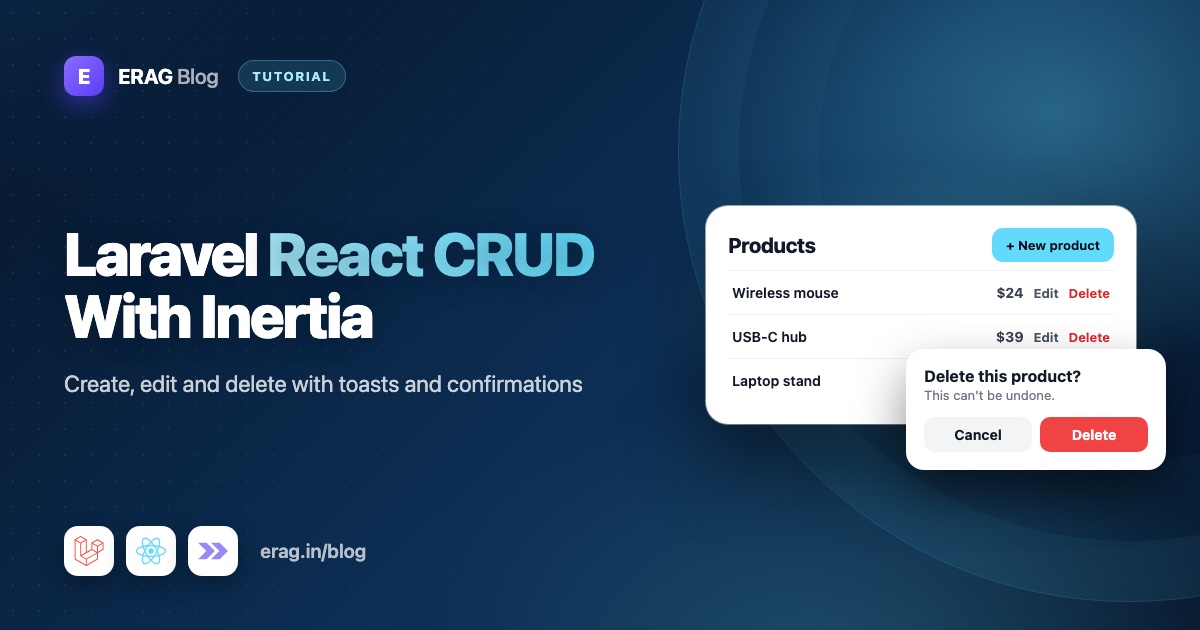
To build a Laravel React CRUD with Inertia, you need a model and migration, resource routes, Form Requests for validation, a controller that returns Inertia pages and redirects, and React pages for the list, create and edit screens. This tutorial builds all of it for a Product resource (name, SKU, price and stock) on Laravel 13, Inertia v3, React 19 and TypeScript, with pagination and search. Laravel Inertia Toast adds a toast after every save and a styled "Are you sure?" dialog before every delete.
The short version
- Create the app with
laravel newand pick the React starter kit. - Install the toast package:
composer require erag/laravel-inertia-toast, thennpm install ./vendor/erag/laravel-inertia-toast/react. - Wrap the app in
InertiaToastProviderinsidewithAppinresources/js/app.tsx. - Create the
Productmodel, migration, factory, resource controller and Form Requests with Artisan. - Register
Route::resource('products', ProductController::class)->except('show'). - Call
toast($message, $type, $title)right before each redirect. - Build one
ProductFormcomponent withuseForm()and reuse it on the create and edit pages. - List products in a paginated table, add a search box, and ask before deleting with
useConfirmation().
I'm using the official Laravel React starter kit, which comes with Inertia v3, Wayfinder, shadcn components and Fortify login. If your app started somewhere else, the Laravel half is the same and only a few import paths change. Building with Vue instead? Follow the Laravel Inertia CRUD tutorial for Vue.
Before you start: create a Laravel 13 React app
You need PHP 8.3 or newer (the minimum for Laravel 13), Composer, Node.js with npm, and a database. A new Laravel app uses SQLite out of the box, which is fine for following along.
laravel new product-manager
cd product-manager
npm install && npm run build
composer run dev
When the installer asks for a starter kit, choose React. Skip team support for this tutorial: with teams turned on, the kit's routes gain a {current_team} segment, and the route examples below assume they don't have one. The app runs at http://localhost:8000. Register an account, because the product pages sit behind the auth middleware.
Older tutorials start with Laravel Breeze. Since Laravel 12, the official starter kits replace it, and they are what laravel new installs today.
Why Inertia instead of a separate API? With Inertia, a controller returns a React page or a redirect, just like a Blade app. You keep Laravel's routing, sessions, validation errors and flash messages, and you don't write JSON endpoints, API tokens or a client-side router. Build a separate REST API only when other clients, like a mobile app, need the same data.
What you will build
| File | What it does |
|---|---|
database/migrations/..._create_products_table.php | The products table |
app/Models/Product.php | The model, with price and stock casts |
app/Http/Requests/StoreProductRequest.php | Validation for new products |
app/Http/Requests/UpdateProductRequest.php | Same rules, but lets a product keep its own SKU |
app/Http/Controllers/ProductController.php | Pages, redirects and toasts |
resources/js/types/product.ts | TypeScript types for a product and a paginated list |
resources/js/components/product-form.tsx | One form for both create and edit |
resources/js/pages/products/index.tsx | The table, pagination and delete button |
resources/js/pages/products/create.tsx | The "Add product" page |
resources/js/pages/products/edit.tsx | The "Edit product" page |
Step 1: Install Laravel Inertia Toast
composer require erag/laravel-inertia-toast
npm install ./vendor/erag/laravel-inertia-toast/react
The Laravel package registers itself through package discovery and adds its own middleware, so bootstrap/app.php stays untouched. The React package ships inside the Composer package, which is why the npm path points into vendor. Run Composer first, or that folder won't exist yet.
Step 2: Add the toast provider in app.tsx
The React starter kit's resources/js/app.tsx has no setup() function. Inertia v3's Vite plugin finds and renders your pages for you, and withApp is where you wrap the app in providers. The kit already uses it for its tooltip provider, so add one more layer:
import { InertiaToastProvider } from '@erag/inertia-toast-react';
import '@erag/inertia-toast-react/style.css';
// ...keep the starter kit's other imports

void createInertiaApp({
    // ...keep title, layout, strictMode and progress as they are
    withApp(app) {
        return (
            <TooltipProvider delayDuration={0}>
                <InertiaToastProvider position="top-right">
                    {app}
                </InertiaToastProvider>
                <Toaster />
            </TooltipProvider>
        );
    },
});
InertiaToastProvider gives useToast() a shared state for every page, and once the app is running in the browser it mounts ToastContainer, ConfirmationBox and FlashToastBridge into document.body. Because it waits for the browser, it won't break server-side rendering if you turn that on later.
FlashToastBridge is what makes the CRUD feel finished. After every Inertia visit it checks props.toast, so a toast you send from Laravel before a redirect shows up on the next page. It also remembers the last toast it showed, so React's strict mode, which runs effects twice in development, can't show it twice.
Leave the kit's own Toaster line where it is for now. It handles the profile settings message, which uses different data, so the two don't clash.
Step 3: Create the Product model and migration
php artisan make:model Product --migration --factory
php artisan make:controller ProductController --resource --model=Product --requests
The first command creates the model, a migration and a factory. The second creates a resource controller with every CRUD method already typed to Product, plus two Form Requests: StoreProductRequest and UpdateProductRequest.
Fill in the migration:
public function up(): void
{
    Schema::create('products', function (Blueprint $table) {
        $table->id();
        $table->string('name');
        $table->string('sku', 64)->unique();
        $table->decimal('price', 10, 2);
        $table->unsignedInteger('stock')->default(0);
        $table->timestamps();
    });
}
Store money as decimal, not float, which can turn 19.99 into 19.989999.
Now app/Models/Product.php. Laravel 13 lets you list fillable columns with a PHP attribute, the same way the starter kit's User model does:
<?php

namespace App\Models;

use Database\Factories\ProductFactory;
use Illuminate\Database\Eloquent\Attributes\Fillable;
use Illuminate\Database\Eloquent\Factories\HasFactory;
use Illuminate\Database\Eloquent\Model;

#[Fillable(['name', 'sku', 'price', 'stock'])]
class Product extends Model
{
    /** @use HasFactory<ProductFactory> */
    use HasFactory;

    /**
     * @return array<string, string>
     */
    protected function casts(): array
    {
        return [
            'price' => 'decimal:2',
            'stock' => 'integer',
        ];
    }
}
The decimal:2 cast sends the price to React as a string with two decimals, like "19.90", so no cent gets lost on the way.
Give the factory some realistic data in database/factories/ProductFactory.php:
public function definition(): array
{
    return [
        'name' => ucfirst(fake()->words(3, true)),
        'sku' => fake()->unique()->bothify('SKU-####-??'),
        'price' => fake()->randomFloat(2, 1, 500),
        'stock' => fake()->numberBetween(0, 200),
    ];
}php artisan migrate
php artisan tinker --execute 'App\Models\Product::factory()->count(35)->create();'Thirty-five products give you four pages to click through.
Step 4: Add the resource routes
In routes/web.php, add one line inside the starter kit's existing auth group:
use App\Http\Controllers\ProductController;

Route::middleware(['auth', 'verified'])->group(function () {
    Route::inertia('dashboard', 'dashboard')->name('dashboard');

    Route::resource('products', ProductController::class)->except('show');
});
That one line registers products.index, products.create, products.store, products.edit, products.update and products.destroy. We skip show because the edit page is enough here, so delete the generated show() method too.
Wayfinder turns these routes into TypeScript functions in @/routes/products and @/actions/App/Http/Controllers/ProductController. The Vite plugin regenerates them while npm run dev is running. If it isn't running, use php artisan wayfinder:generate.
Want a link in the sidebar? Add an item to mainNavItems in resources/js/components/app-sidebar.tsx:
import { Package } from 'lucide-react';
import { index as productsIndex } from '@/routes/products';

// inside mainNavItems
{
    title: 'Products',
    href: productsIndex(),
    icon: Package,
},
Step 5: Validate with Form Requests
Generated Form Requests start with authorize() returning false, which blocks every request with a 403. Open app/Http/Requests/StoreProductRequest.php:
<?php

namespace App\Http\Requests;

use App\Models\Product;
use Illuminate\Contracts\Validation\ValidationRule;
use Illuminate\Foundation\Http\FormRequest;
use Illuminate\Validation\Rule;

class StoreProductRequest extends FormRequest
{
    public function authorize(): bool
    {
        return true;
    }

    /**
     * @return array<string, ValidationRule|array<mixed>|string>
     */
    public function rules(): array
    {
        return [
            'name' => ['required', 'string', 'max:255'],
            'sku' => ['required', 'string', 'max:64', Rule::unique(Product::class)],
            'price' => ['required', 'numeric', 'decimal:0,2', 'min:0', 'max:1000000'],
            'stock' => ['required', 'integer', 'min:0', 'max:1000000'],
        ];
    }
}
decimal:0,2 allows a price with zero, one or two decimal places, so 20, 19.9 and 19.99 pass, but 19.999 fails with a clear message.
The update request needs one change. When you edit a product and keep its SKU, the plain unique rule finds that same SKU in the table and complains. ignore() tells it to skip the product you're editing. Make UpdateProductRequest extend the store request and swap only that rule:
<?php

namespace App\Http\Requests;

use App\Models\Product;
use Illuminate\Contracts\Validation\ValidationRule;
use Illuminate\Validation\Rule;

class UpdateProductRequest extends StoreProductRequest
{
    /**
     * @return array<string, ValidationRule|array<mixed>|string>
     */
    public function rules(): array
    {
        return [
            ...parent::rules(),
            'sku' => [
                'required',
                'string',
                'max:64',
                Rule::unique(Product::class)->ignore($this->route('product')),
            ],
        ];
    }
}
Returning true from authorize() lets any signed-in user manage products, which suits a small admin panel. If products belong to teams or users, write a policy and check it there instead.
Step 6: Write the controller and send toasts
Here is the full app/Http/Controllers/ProductController.php:
<?php

namespace App\Http\Controllers;

use App\Http\Requests\StoreProductRequest;
use App\Http\Requests\UpdateProductRequest;
use App\Models\Product;
use Illuminate\Http\RedirectResponse;
use Illuminate\Http\Request;
use Inertia\Inertia;
use Inertia\Response;

class ProductController extends Controller
{
    public function index(Request $request): Response|RedirectResponse
    {
        $products = Product::query()
            ->select(['id', 'name', 'sku', 'price', 'stock'])
            ->latest('id')
            ->paginate(10)
            ->withQueryString();

        if ($products->isEmpty() && $products->currentPage() > 1) {
            $request->session()->keep('toast');

            return to_route('products.index', ['page' => $products->lastPage()]);
        }

        return Inertia::render('products/index', [
            'products' => $products,
        ]);
    }

    public function create(): Response
    {
        return Inertia::render('products/create');
    }

    public function store(StoreProductRequest $request): RedirectResponse
    {
        $product = Product::create($request->validated());

        toast("{$product->name} is now in your catalogue.", 'success', 'Product added');

        return to_route('products.index');
    }

    public function edit(Product $product): Response
    {
        return Inertia::render('products/edit', [
            'product' => $product->only(['id', 'name', 'sku', 'price', 'stock']),
        ]);
    }

    public function update(UpdateProductRequest $request, Product $product): RedirectResponse
    {
        $product->update($request->validated());

        if ($product->stock === 0) {
            toast("{$product->name} is saved, but it is now out of stock.", 'warning', 'Out of stock');
        } else {
            toast('Your changes are saved.', 'success', 'Product updated');
        }

        return to_route('products.index');
    }

    public function destroy(Product $product): RedirectResponse
    {
        $product->delete();

        toast("{$product->name} was removed from your catalogue.", 'success', 'Product deleted');

        return back();
    }
}
Let's walk through the parts that matter.
The toast() helper takes toast($message, $type = 'success', $title = null, $duration = 3000, $position = null). The type is success, error, warning or info, and the duration is in milliseconds. It stores the toast in the session for the next request, and the package shares it with your pages as props.toast. That's why it always goes right before a redirect.
Always pass a title. With no title, the React toast shows only the message with no bold heading.
Pick the toast type by what happened. The update action sends a warning, not a success, when stock drops to zero. The save worked, but the person probably wants to know the product can't be sold now.
Page names match file paths. The starter kit uses lowercase names like settings/profile, so products/index loads resources/js/pages/products/index.tsx.
latest('id') keeps pages stable. Products created in the same second share a created_at, which can shuffle rows between pages. The ID is always unique.
Delete keeps you on the same page. back() returns to the page you deleted from, so deleting something on page 3 doesn't throw you back to page 1. If you just deleted the only product on the last page, index() sends you to the new last page instead of an empty table.
keep('toast') saves the delete message. Laravel keeps a flashed value for exactly one more request. In the "empty page" case there are two redirects in a row, so the toast would expire during the first one. keep() gives it one more request, and "Product deleted" still appears.
Step 7: Add TypeScript types
Create resources/js/types/product.ts:
export type Product = {
    id: number;
    name: string;
    sku: string;
    price: string;
    stock: number;
};

export type PaginationLink = {
    url: string | null;
    label: string;
    active: boolean;
};

export type Paginated<T> = {
    data: T[];
    links: PaginationLink[];
    from: number | null;
    to: number | null;
    total: number;
    prev_page_url: string | null;
    next_page_url: string | null;
};
Paginated matches the shape Laravel's paginator produces. It has a few more keys, like per_page and last_page, but these are the ones the table needs.
Step 8: Build one form for create and edit with useForm
The create and edit screens have the same four fields, so build them once. Create resources/js/components/product-form.tsx:
import { Link, useForm } from '@inertiajs/react';
import ProductController from '@/actions/App/Http/Controllers/ProductController';
import InputError from '@/components/input-error';
import { Button } from '@/components/ui/button';
import { Input } from '@/components/ui/input';
import { Label } from '@/components/ui/label';
import { index } from '@/routes/products';
import type { Product } from '@/types/product';

type ProductFormData = {
    name: string;
    sku: string;
    price: string;
    stock: string;
};

export default function ProductForm({ product }: { product?: Product }) {
    const form = useForm<ProductFormData>({
        name: product?.name ?? '',
        sku: product?.sku ?? '',
        price: product?.price ?? '',
        stock: String(product?.stock ?? 0),
    });

    const isUnchanged = product !== undefined && !form.isDirty;

    return (
        <form
            className="space-y-6"
            onSubmit={(event) => {
                event.preventDefault();

                form.submit(
                    product
                        ? ProductController.update(product.id)
                        : ProductController.store(),
                );
            }}
        >
            <div className="grid gap-2">
                <Label htmlFor="name">Name</Label>
                <Input
                    id="name"
                    value={form.data.name}
                    onChange={(event) => form.setData('name', event.target.value)}
                    autoFocus
                />
                <InputError message={form.errors.name} />
            </div>

            <div className="grid gap-2">
                <Label htmlFor="sku">SKU</Label>
                <Input
                    id="sku"
                    value={form.data.sku}
                    onChange={(event) => form.setData('sku', event.target.value)}
                />
                <InputError message={form.errors.sku} />
            </div>

            <div className="grid gap-4 sm:grid-cols-2">
                <div className="grid gap-2">
                    <Label htmlFor="price">Price</Label>
                    <Input
                        id="price"
                        type="number"
                        inputMode="decimal"
                        step="0.01"
                        min="0"
                        value={form.data.price}
                        onChange={(event) => form.setData('price', event.target.value)}
                    />
                    <InputError message={form.errors.price} />
                </div>

                <div className="grid gap-2">
                    <Label htmlFor="stock">Stock</Label>
                    <Input
                        id="stock"
                        type="number"
                        inputMode="numeric"
                        step="1"
                        min="0"
                        value={form.data.stock}
                        onChange={(event) => form.setData('stock', event.target.value)}
                    />
                    <InputError message={form.errors.stock} />
                </div>
            </div>

            <div className="flex items-center gap-4">
                <Button type="submit" disabled={form.processing || isUnchanged}>
                    {product ? 'Save changes' : 'Add product'}
                </Button>
                <Link href={index()} className="text-sm text-muted-foreground hover:underline">
                    Cancel
                </Link>
            </div>
        </form>
    );
}
Here's what each piece does:
useForm()holds the field values inform.data, the server's validation messages inform.errors, and aprocessingflag while the request runs.form.submit()takes a Wayfinder route.ProductController.store()gives it the URL and the POST method.ProductController.update(product.id)gives it the product's URL and PUT. You never type a URL by hand, so renaming a route can't silently break the form.isDirtyistrueonce any field differs from its starting value. On the edit page, the Save button stays disabled until something actually changes, so nobody saves a form they didn't touch.- Number fields stay strings. An input's value is always text, and the Form Request checks that it's a valid number. Keeping strings in the form avoids fights between an empty input and a
numbertype.
Validation errors show under each field with the starter kit's InputError component, not in a toast. The person is looking at the form, so the message belongs next to the field. Toast notification UX best practices explains why.
Step 9: Create the add and edit pages
With the form done, each page is short. resources/js/pages/products/create.tsx:
import { Head } from '@inertiajs/react';
import ProductForm from '@/components/product-form';
import { create, index } from '@/routes/products';

export default function ProductsCreate() {
    return (
        <>
            <Head title="Add product" />
            <div className="max-w-xl p-4">
                <h1 className="mb-6 text-xl font-semibold">Add product</h1>
                <ProductForm />
            </div>
        </>
    );
}

ProductsCreate.layout = {
    breadcrumbs: [
        { title: 'Products', href: index() },
        { title: 'Add product', href: create() },
    ],
};
And resources/js/pages/products/edit.tsx:
import { Head } from '@inertiajs/react';
import ProductForm from '@/components/product-form';
import { index } from '@/routes/products';
import type { Product } from '@/types/product';

export default function ProductsEdit({ product }: { product: Product }) {
    return (
        <>
            <Head title={`Edit ${product.name}`} />
            <div className="max-w-xl p-4">
                <h1 className="mb-6 text-xl font-semibold">Edit product</h1>
                <ProductForm product={product} />
            </div>
        </>
    );
}

ProductsEdit.layout = {
    breadcrumbs: [{ title: 'Products', href: index() }],
};
The layout object is the same pattern the starter kit's dashboard uses. The kit's createInertiaApp already wraps every page in AppLayout, and these values reach it as layout props, so the breadcrumbs appear in the header.
Step 10: Build the product table with pagination and delete
Create resources/js/pages/products/index.tsx:
import { Head, Link, router } from '@inertiajs/react';
import { useConfirmation, useToast } from '@erag/inertia-toast-react';
import { Button } from '@/components/ui/button';
import { create, destroy, edit, index } from '@/routes/products';
import type { Paginated, Product } from '@/types/product';

const money = new Intl.NumberFormat('en-US', { style: 'currency', currency: 'USD' });

export default function ProductsIndex({ products }: { products: Paginated<Product> }) {
    const { confirm } = useConfirmation();
    const toast = useToast();

    const deleteProduct = async (product: Product) => {
        const accepted = await confirm({
            title: 'Delete this product?',
            message: `${product.name} (${product.sku}) will be removed from your catalogue.`,
            confirmText: 'Delete product',
            cancelText: 'Cancel',
            type: 'danger',
        });

        if (!accepted) {
            return;
        }

        router.delete(destroy(product.id), {
            preserveScroll: true,
            onNetworkError: () => {
                toast.error('Check your connection and try again.', 'Product not deleted');
            },
        });
    };

    return (
        <>
            <Head title="Products" />

            <div className="space-y-6 p-4">
                <div className="flex items-center justify-between">
                    <h1 className="text-xl font-semibold">Products</h1>
                    <Button asChild>
                        <Link href={create()}>Add product</Link>
                    </Button>
                </div>

                {products.data.length === 0 ? (
                    <p className="text-sm text-muted-foreground">
                        No products yet. Add your first one.
                    </p>
                ) : (
                    <div className="overflow-x-auto rounded-lg border">
                        <table className="w-full text-left text-sm">
                            <thead className="border-b bg-muted/50">
                                <tr>
                                    <th className="p-3 font-medium">Name</th>
                                    <th className="p-3 font-medium">SKU</th>
                                    <th className="p-3 text-right font-medium">Price</th>
                                    <th className="p-3 text-right font-medium">Stock</th>
                                    <th className="p-3" />
                                </tr>
                            </thead>
                            <tbody className="divide-y">
                                {products.data.map((product) => (
                                    <tr key={product.id}>
                                        <td className="p-3">
                                            <Link href={edit(product.id)} className="font-medium hover:underline">
                                                {product.name}
                                            </Link>
                                        </td>
                                        <td className="p-3 text-muted-foreground">{product.sku}</td>
                                        <td className="p-3 text-right">{money.format(Number(product.price))}</td>
                                        <td className="p-3 text-right">
                                            {product.stock === 0 ? 'Out of stock' : product.stock}
                                        </td>
                                        <td className="p-3 text-right">
                                            <Button variant="destructive" size="sm" onClick={() => deleteProduct(product)}>
                                                Delete
                                            </Button>
                                        </td>
                                    </tr>
                                ))}
                            </tbody>
                        </table>
                    </div>
                )}

                {products.total > 0 && (
                    <div className="flex flex-wrap items-center justify-between gap-4 text-sm">
                        <p className="text-muted-foreground">
                            Showing {products.from} to {products.to} of {products.total} products
                        </p>

                        <nav className="flex items-center gap-1" aria-label="Pagination">
                            {products.prev_page_url && (
                                <Link href={products.prev_page_url} className="rounded-md px-3 py-1 hover:bg-muted">
                                    Previous
                                </Link>
                            )}

                            {products.links.slice(1, -1).map((link, position) =>
                                link.url ? (
                                    <Link
                                        key={position}
                                        href={link.url}
                                        aria-current={link.active ? 'page' : undefined}
                                        className={`rounded-md px-3 py-1 ${link.active ? 'bg-primary text-primary-foreground' : 'hover:bg-muted'}`}
                                    >
                                        {link.label}
                                    </Link>
                                ) : (
                                    <span key={position} className="px-2 text-muted-foreground">
                                        {link.label}
                                    </span>
                                ),
                            )}

                            {products.next_page_url && (
                                <Link href={products.next_page_url} className="rounded-md px-3 py-1 hover:bg-muted">
                                    Next
                                </Link>
                            )}
                        </nav>
                    </div>
                )}
            </div>
        </>
    );
}

ProductsIndex.layout = {
    breadcrumbs: [{ title: 'Products', href: index() }],
};
About the pagination. Laravel's links array starts with a "Previous" item and ends with a "Next" item, and their labels contain HTML entities like «. slice(1, -1) drops those two, so you render your own plain Previous and Next links and keep only the page numbers. The gaps come through as ... with no URL, which is why those render as a span.
About the delete flow. Here is what happens when someone clicks Delete:
confirm()opens the dialog, and the function waits atawait.- Cancel resolves
false, so the function stops. Nothing is sent. - Delete product resolves
true, androuter.delete()sends the request to the Wayfinder route. - Laravel deletes the product, flashes "Product deleted" and redirects back. The bridge shows the toast.
- If the request never reaches the server,
onNetworkErrorshows an error toast from the browser withuseToast().
The server reports what happened on the server, and the browser reports what happened in the browser. A confirm dialog is a speed bump, not security, so keep your policy checks on the server. The confirmation dialog guide covers dialog types and writing copy people actually read.
Step 11: Add search without losing pagination
Clicking through pages is fine for 35 products, not for thousands. Add a search box that filters by name or SKU and keeps the search term in every page link. Update index() in the controller:
public function index(Request $request): Response|RedirectResponse
{
    $search = $request->string('search')->trim()->value();

    $products = Product::query()
        ->select(['id', 'name', 'sku', 'price', 'stock'])
        ->when($search !== '', function ($query) use ($search) {
            $query->where(function ($query) use ($search) {
                $query->whereLike('name', "%{$search}%")
                    ->orWhereLike('sku', "%{$search}%");
            });
        })
        ->latest('id')
        ->paginate(10)
        ->withQueryString();

    if ($products->isEmpty() && $products->currentPage() > 1) {
        $request->session()->keep('toast');

        return to_route('products.index', [...$request->query(), 'page' => $products->lastPage()]);
    }

    return Inertia::render('products/index', [
        'products' => $products,
        'filters' => ['search' => $search],
    ]);
}whereLike()is case-insensitive by default (on PostgreSQL it even switches toilikefor you), so "lamp" finds "Desk Lamp". The innerwhere()groups the two conditions, which matters once you add more filters.withQueryString(), which was already there, now earns its place. It adds?search=lampto every pagination link, so page 2 is page 2 of the results, not of the whole table.$request->query()keeps the search when the empty-last-page redirect kicks in.filterssends the current term back, so the box still shows it after a reload.
Now the page. Add the imports and the filters prop to resources/js/pages/products/index.tsx:
import { useState } from 'react';
import type { FormEvent } from 'react';
import { Input } from '@/components/ui/input';
// ...keep the other imports

type Filters = { search: string };

export default function ProductsIndex({ products, filters }: { products: Paginated<Product>; filters: Filters }) {
    const [search, setSearch] = useState(filters.search);
    // ...useConfirmation, useToast and deleteProduct stay the same

    const submitSearch = (event: FormEvent<HTMLFormElement>) => {
        event.preventDefault();

        router.get(index(), search ? { search } : {}, {
            preserveState: true,
            replace: true,
        });
    };
Put the form between the heading row and the table:
<form role="search" onSubmit={submitSearch} className="flex max-w-sm gap-2">
    <Input
        type="search"
        value={search}
        onChange={(event) => setSearch(event.target.value)}
        placeholder="Search by name or SKU"
        aria-label="Search products"
    />
    <Button type="submit" variant="outline">
        Search
    </Button>
</form>
And make the empty state honest about why the table is empty:
<p className="text-sm text-muted-foreground">
    {filters.search ? `No products match "${filters.search}".` : 'No products yet. Add your first one.'}
</p>
router.get() takes the Wayfinder route and sends /products?search=lamp. It sends no page, so every new search starts on page 1. preserveState keeps the text in the box, and replace stops the back button from stepping through every search you typed. An empty box sends no search at all, which brings the full list back.
This searches when you press Enter, so it sends one request per search. If you want results while people type, wrap the router.get() call in a short debounce so you don't send a request for every key.
Try it in the browser
Open http://localhost:8000/products and run through the whole CRUD once:
- Create: click Add product, save, and you land back on the table with a "Product added" toast.
- Validate: enter a price like
19.999. The error appears under the Price field, not in a toast. - Edit: open a product. Save stays disabled until you change a field. Set stock to 0 and you get the "Out of stock" warning instead of a success.
- Search: type part of a SKU, press Enter, then move to page 2. The search stays in the URL.
- Delete: click Delete, read the dialog, and confirm. The row disappears and "Product deleted" shows.
If a step misbehaves, the fixes are in Common problems and fixes below.
Step 12: Test it with Pest
The toast() helper stores its data in the session under toast, so Laravel's normal session assertions work. Create the test with php artisan make:test ProductTest --pest:
<?php

use App\Models\Product;
use App\Models\User;
use Inertia\Testing\AssertableInertia as Assert;

beforeEach(function () {
    $this->actingAs(User::factory()->create());
});

it('adds a product and flashes a toast', function () {
    $this->post(route('products.store'), [
        'name' => 'Desk lamp',
        'sku' => 'LAMP-001',
        'price' => '24.50',
        'stock' => 12,
    ])
        ->assertRedirect(route('products.index'))
        ->assertSessionHas('toast.title', 'Product added');

    expect(Product::where('sku', 'LAMP-001')->exists())->toBeTrue();
});

it('lets a product keep its own sku when updating', function () {
    $product = Product::factory()->create(['sku' => 'LAMP-001']);

    $this->put(route('products.update', $product), [
        'name' => 'Desk lamp XL',
        'sku' => 'LAMP-001',
        'price' => '29.00',
        'stock' => 5,
    ])
        ->assertSessionHasNoErrors()
        ->assertSessionHas('toast.title', 'Product updated');
});

it('keeps the toast after deleting the last product on a page', function () {
    $products = Product::factory()->count(11)->create();

    $this->from(route('products.index', ['page' => 2]))
        ->delete(route('products.destroy', $products->first()))
        ->assertRedirect(route('products.index', ['page' => 2]));

    $this->get(route('products.index', ['page' => 2]))
        ->assertRedirect(route('products.index', ['page' => 1]))
        ->assertSessionHas('toast.title', 'Product deleted');
});

it('filters products by name or sku', function () {
    Product::factory()->create(['name' => 'Desk lamp', 'sku' => 'LAMP-001']);
    Product::factory()->create(['name' => 'Office chair', 'sku' => 'CHAIR-001']);

    $this->get(route('products.index', ['search' => 'lamp']))
        ->assertInertia(fn (Assert $page) => $page
            ->component('products/index')
            ->has('products.data', 1)
            ->where('products.data.0.sku', 'LAMP-001')
            ->where('filters.search', 'lamp'));
});
Run them with php artisan test --compact tests/Feature/ProductTest.php. The third test proves the keep('toast') trick: page 2 is empty after the delete, Laravel moves you to page 1, and the toast survives both redirects. The last one checks the props the search page receives with assertInertia(). Using PHPUnit instead? The same assertions work inside a test class.
Common problems and fixes
Saving returns a 403 "This action is unauthorized"
The generated Form Request still returns false from authorize(). Return true, or a real policy check. UpdateProductRequest inherits the method from the store request, so you only change it once.
"The sku has already been taken" when you save without changing it
The update rule is missing ignore($this->route('product')). Without it, the unique rule finds the product's own SKU in the table.
The delete toast disappears after deleting the last product on a page
That's two redirects in a row, and a flashed value only lives for one more request. Keep the $request->session()->keep('toast') line in index() before the second redirect.
"Cannot find module '@/routes/products'"
Wayfinder hasn't generated the route files yet. Start npm run dev, or run php artisan wayfinder:generate once.
A toast doesn't show after a full page load
The bridge picks up toasts after Inertia visits. On Inertia v3 it doesn't read a toast that arrives with a full browser page load, like the very first page you open, a hard refresh, or a redirect after a plain HTML form post. Every action in this tutorial runs through useForm(), router or Link, so the toast arrives. If you add your own forms or buttons, send them through Inertia too.
Page 2 of the search results shows unfiltered products
The pagination links lost the query string. Keep ->withQueryString() on the paginator, and link to the url values Laravel sends instead of building page URLs yourself.
The settings pages show a different-looking toast
The starter kit's profile controller calls Inertia::flash(), and the kit's Toaster component shows that message. It's separate data, so it doesn't break anything. For one consistent style, change that call in app/Http/Controllers/Settings/ProfileController.php to toast(__('Profile updated.'), 'success', 'Profile saved') and remove the Toaster line from app.tsx. The guide to turning Laravel flash messages into Inertia toasts covers apps with many existing flash messages.
Frequently asked questions
How do I make a CRUD app with Laravel and React?
Create a model and migration, register Route::resource(), validate input with Form Requests, and return Inertia::render() from the index, create and edit methods. Then build one React page per screen in resources/js/pages. The store, update and destroy methods redirect after saving, and that redirect is where you flash a toast.
Do I need a REST API for a Laravel React CRUD?
No. With Inertia, controllers return pages and redirects, the same way a Blade app does. You don't need JSON endpoints, API tokens or a client-side router.
Should I use useForm or the Form component in Inertia React?
Both work in Inertia v3. The Form component reads inputs by their name and needs less code for simple forms. useForm() is better when your code needs the form data, like checking isDirty or reusing one form component on two pages.
How do I confirm before deleting in React with Inertia?
Call await confirm({ ... }) from useConfirmation() and only call router.delete() when it resolves true. Let the controller send the final "deleted" toast after its redirect.
How do I paginate in Laravel Inertia React?
Return Model::query()->paginate(10)->withQueryString() as a page prop. In React, render the data array as rows and use links, prev_page_url and next_page_url for the page links. Each link is a normal Inertia Link, so changing pages doesn't reload the browser.
How do I add search to a Laravel Inertia React table?
Read the term with $request->string('search'), filter the query with whereLike(), and keep withQueryString() on the paginator so page links carry the search. In React, submit the box with router.get() and preserveState: true. Send the term back as a prop so the input shows it after a reload.
How do I add an image upload to this CRUD?
Add a File | null field to useForm(). Inertia sends the request as multipart/form-data as soon as the data contains a file. PHP can't read files from a real PUT request, so on the edit page submit with form.post() to the update URL and add _method: 'put' to the data, which Laravel routes to update(). The Laravel Inertia file upload guide covers validation, storage and previews.
Does this tutorial work with Laravel 12 or Inertia v2?
The Laravel side does: the migration, Form Requests, controller, toast() calls and Pest tests are the same on Laravel 12. If your app runs Inertia v2, app.tsx has no withApp, so call initializeToast() from @erag/inertia-toast-react once at startup instead of adding the provider, and pass breadcrumbs the way your kit's existing pages do. A protected $fillable array works on every version if you'd rather not use the #[Fillable] attribute.
Does Laravel Inertia Toast work with React 18?
Yes. The React package supports React 18 and 19 with @inertiajs/react v2 or v3. On older setups without withApp, you can call initializeToast() once at startup instead of using the provider.
Ship your React CRUD with clear feedback
You now have a complete Laravel React CRUD: a paginated, searchable product table, one typed form for create and edit, server-side validation shown under each field, a toast for every result, and a confirm step before anything is deleted.
composer require erag/laravel-inertia-toast
npm install ./vendor/erag/laravel-inertia-toast/react- Documentation: erag.in/laravel-inertia-toast, including the React setup guide, the
toast()helper and controller patterns and confirmation modals - GitHub: eramitgupta/laravel-inertia-toast. A star helps other developers find it.
- Next step: add a product photo with the guide to file uploads in Laravel Inertia, or read the full toast setup guide for Laravel Inertia.
