
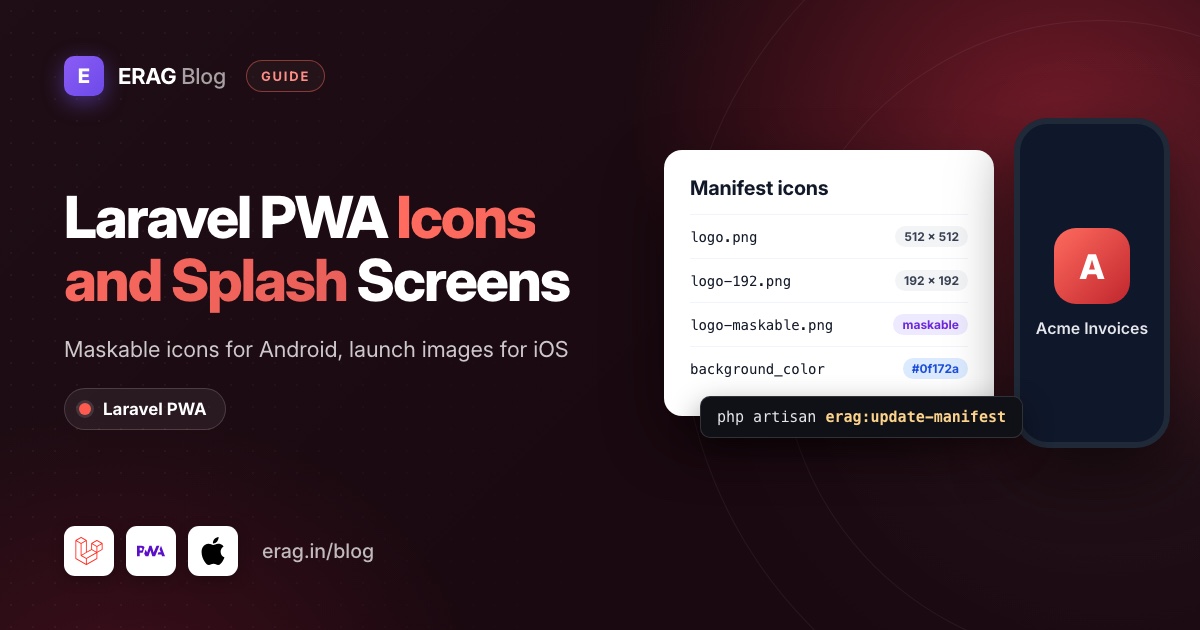
Laravel PWA icons and splash screens come from two different places. Android builds its splash screen from the manifest's name, background_color and icons, so you list a 192 px, a 512 px and a maskable icon in config/pwa.php and run php artisan erag:update-manifest. iPhones ignore the manifest for this. They need apple-touch-startup-image link tags, one per screen size, which you add to your layout.
This guide sets up both with Laravel PWA, and is honest about which parts the package does for you and which parts you add yourself. If the app doesn't install at all yet, fix that first with Laravel PWA not installable.
The short version
- Export three PNGs:
logo.png(512 × 512),logo-192.png(192 × 192) andlogo-maskable.png(512 × 512 with padding). - List them in the
iconsarray ofconfig/pwa.php, withlogo.pngfirst. - Set
nameandbackground_color, because Android paints its splash screen with them. - Run
php artisan erag:update-manifest. - For iPhone and iPad, generate launch images with pwa-asset-generator and include the link tags after
@PwaHead. - Check everything in Chrome DevTools under Application > Manifest, then on real phones.
What icons does a Laravel PWA need?
The package's default config lists one icon, logo.png at 512 × 512. That's enough for some browsers to install the app, but Chrome's documentation asks for both a 192 px and a 512 px icon, and Android looks much better with a maskable one. Here is a set that covers the common cases:
File in public/ | Size | purpose | Used for |
|---|---|---|---|
logo.png | 512 × 512 | none (counts as any) | Manifest, Apple touch icon, the package's install button |
logo-192.png | 192 × 192 | none (counts as any) | Home screen and app drawer icons on smaller screens |
logo-maskable.png | 512 × 512 | maskable | Android's round, squircle or teardrop icon shapes |
Keep logo.png first in the list. @PwaHead takes the first icon for the apple-touch-icon link, and @RegisterServiceWorkerScript uses it for the floating install button. If a maskable icon came first, iPhones would get the padded version.
How do I add PWA icons in config/pwa.php?
Put the three files in public/, then edit the manifest section of config/pwa.php:
'manifest' => [
    'name' => 'Acme Invoices',
    'short_name' => 'Invoices',
    'background_color' => '#0f172a',
    'display' => 'standalone',
    'description' => 'Send and track invoices from your phone.',
    'theme_color' => '#0f172a',
    'icons' => [
        [
            'src' => 'logo.png',
            'sizes' => '512x512',
            'type' => 'image/png',
        ],
        [
            'src' => 'logo-192.png',
            'sizes' => '192x192',
            'type' => 'image/png',
        ],
        [
            'src' => 'logo-maskable.png',
            'sizes' => '512x512',
            'type' => 'image/png',
            'purpose' => 'maskable',
        ],
    ],
],
Then write the file the browser reads:
php artisan erag:update-manifestThe command copies the whole manifest array into public/manifest.json, adds "start_url": "/" and puts icons at the end. Extra keys like purpose pass straight through. If it prints "Manifest is missing icons. Operation aborted.", the icons array is empty.
Three things trip people up here:
- A cached config.
erag:update-manifestreads the config through Laravel, so if you ranphp artisan config:cache, runphp artisan config:clearfirst or your edits are ignored. - Tools that edit
manifest.json. The command rewritespublic/manifest.jsonfromconfig/pwa.phpevery time. If a generator adds icons tomanifest.jsondirectly, they disappear on the next run. Keepconfig/pwa.phpas the only source. display. The package's default isfullscreen, which also hides the phone's status bar. Most apps wantstandalone: no browser bar, but the clock and battery stay visible.
How do I make a maskable icon?
Android shapes app icons: a circle on one phone, a rounded square on another. A normal icon gets shrunk and placed on a white background inside that shape, which looks like a sticker. A maskable icon fills the whole shape instead.
The rule is simple. Everything important must sit inside a circle in the middle of the image whose radius is 40% of the image width. On a 512 px icon, that's a circle 410 px across. The rest is background that the phone may cut off.
- Start from your logo on a solid square background, the same colour as your brand or
background_color. - Scale the logo down so it fits inside the safe circle.
- Check it on Maskable.app, which previews every Android shape and has an editor if you'd rather build the icon there.
- Export a 512 × 512 PNG as
public/logo-maskable.png.
Keep it as its own entry with 'purpose' => 'maskable'. Don't put "any maskable" on one icon. The padded maskable version looks too small wherever a normal icon is expected, which is why web.dev's maskable icon article recommends separate icons.
How does the Android splash screen work?
You don't design an Android splash screen. Chrome builds it when the installed app launches, from three manifest values:
| Manifest key | Where it shows on Android |
|---|---|
background_color | The full-screen colour behind the icon while the app loads |
icons | The icon in the middle. Chrome picks the size that best fits the screen |
name | The text under the icon on the splash screen |
theme_color | The status bar and title bar colour once the app is open |
There is no manifest key for a custom splash image on Android. To make the splash feel like part of your app, match background_color to the first screen people see. If your dashboard is dark, a white splash followed by a dark page flashes on every launch. Pick the dark colour for both.
Installed apps don't refresh their icon and splash the moment you deploy. Chrome checks the manifest for changes on its own schedule. While testing, uninstall the app and install it again to see your new icons straight away.
How do I fix "Is not configured for a custom splash screen"?
That warning comes from Lighthouse's PWA audits. Chrome's documentation for the audit lists five things the manifest needs, and each one maps to a key you already have in config/pwa.php:
| What Lighthouse checks | Where it comes from in Laravel PWA | Package default |
|---|---|---|
name is set | 'name' | Laravel PWA |
background_color is a valid CSS colour | 'background_color' | #6777ef |
theme_color is a valid CSS colour | 'theme_color' | #6777ef |
| An icon of at least 512 × 512 px | The first entry in 'icons' | logo.png, 512x512 |
| That icon exists and is a PNG | The file in public/ | public/logo.png |
So the package's defaults pass on paper. When the warning shows up anyway, the cause is almost always one of these:
public/logo.pngwas replaced with a smaller image, or with a JPEG renamed to.png.- You edited
config/pwa.phpbut didn't runphp artisan erag:update-manifest, sopublic/manifest.jsonstill has the old values. - The config is cached, so the command wrote the old values. Run
php artisan config:clearfirst. - A colour isn't valid CSS, for example
6777efwithout the#.
One more thing worth knowing: Lighthouse 12 removed the PWA category, and the audit's page now says PWA testing in Lighthouse is deprecated. You'll only see this exact warning in older Lighthouse versions, CI tools pinned to them, or old reports. In a current Chrome, open Application > Manifest instead, as Laravel PWA not installable explains.
How do I add iOS splash screens to a Laravel PWA?
iPhones and iPads don't build a splash screen from the manifest. Without launch images, an app opened from the Home Screen shows a plain screen until the first page paints. To show your own, you add one <link rel="apple-touch-startup-image"> tag per screen size, each with a media query that matches that device exactly:
<link rel="apple-touch-startup-image"
      href="/splash/apple-splash-1290-2796.jpg"
      media="(device-width: 430px) and (device-height: 932px) and (-webkit-device-pixel-ratio: 3) and (orientation: portrait)">
Laravel PWA doesn't generate these images or tags. @PwaHead gives you the parts iOS needs around them, apple-mobile-web-app-capable and the Apple touch icon, but the launch images are yours to add. Writing them by hand for every iPhone and iPad size isn't realistic, so use a generator.
Generate the launch images
pwa-asset-generator opens your logo in headless Chrome, centres it on a background colour and saves one image per Apple screen size. It needs Node.js 22.12 or newer.
First create an empty HTML file for it to write the tags into, outside public/:
mkdir -p public/splash
printf '<!DOCTYPE html>\n<html>\n<head>\n</head>\n<body></body>\n</html>\n' > splash-tags.html
Then run it against an SVG of your logo, with the same colour as background_color:
npx pwa-asset-generator resources/images/logo.svg public/splash \
  --splash-only \
  --portrait-only \
  --background "#0f172a" \
  --index ./splash-tags.html \
--path-override "/splash"| Flag | Why |
|---|---|
--splash-only | Skip icons. Yours already live in config/pwa.php. |
--portrait-only | Most apps only launch upright, and it halves the number of files. |
--background | Match the manifest's background_color so iOS and Android feel the same. |
--index | Gives the tool a file to write the link tags into. |
--path-override | Make every href start with /splash/, where the images now live. |
Leave out --manifest on purpose. As covered above, erag:update-manifest owns public/manifest.json.
Add the tags to your layout
Open splash-tags.html, copy the apple-touch-startup-image tags into a new partial, resources/views/partials/pwa-splash.blade.php, and delete the scratch file. Check that every href starts with /splash/ and that the files exist. Then include the partial right after @PwaHead:
<head>
    <meta charset="utf-8">
    <meta name="viewport" content="width=device-width, initial-scale=1">

    @PwaHead
    @include('partials.pwa-splash')

    {{-- the rest of your head --}}
</head>
With Inertia, this is resources/views/app.blade.php. With Blade or Livewire, it is your main layout. The tags only matter to Apple devices, so other browsers ignore them.
What to expect on iPhone
- Exact matches only. iOS shows a launch image only when the media query matches the device's screen exactly. A new iPhone size means running the generator again with an updated version.
- Re-add to see changes. iOS reads the launch images when someone adds the app to the Home Screen. Remove the app and add it again after changing them.
- Dark mode is fixed at install time. The generator's
--dark-modeflag adds aprefers-color-scheme: darkset, but an installed app doesn't switch when the user changes the system setting later. - Landscape is unreliable. Developers report iOS using the portrait image even when the app opens sideways, which is another reason to generate portrait only.
If you'd rather not keep a folder of launch images in public/splash, skip them. iPhone users then see a short plain screen before your first page paints, which many apps live with. A fast first page matters more than the launch image.
Which PWA icon and splash screen generator should I use?
You don't have to export every file by hand. These tools all start from one logo:
| Tool | How it runs | What you get |
|---|---|---|
| PWABuilder Image Generator | In the browser | A zip of icons for the platforms you tick (Android, iOS, Windows and others), with optional padding and a background colour |
| pwa-asset-generator | Node.js CLI | Icons and iOS launch images, plus the HTML tags and manifest entries for them. Free and open source |
| Progressier's free generator | In the browser | A 512 × 512 icon, iOS launch images for many iPhone and iPad models, and a text file of meta tags, as one download |
| Maskable.app | In the browser | A preview of your icon in every Android shape, and an editor for the maskable version |
For iOS launch images, pwa-asset-generator fits a Laravel project best, because you can rerun the same command whenever the logo changes.
Whichever you use, copy the icon entries into config/pwa.php yourself. Several of these tools offer to write your manifest, but erag:update-manifest rebuilds public/manifest.json from the config, so changes made only in that file won't last.
What about the admin logo upload?
The package's PWA::processLogo($request) helper validates an uploaded PNG (at least 512 × 512, at most 1 MB) and saves it as public/logo.png. In the source, it does not resize the image or create other icon sizes, so logo-192.png and logo-maskable.png stay as they were. If admins can change the logo, ask them for all three files or regenerate the smaller ones after an upload.
How do I check the icons and splash settings?
In Chrome, open DevTools and go to Application > Manifest:
- Identity and Presentation should show your
name,background_colorandtheme_color. - Icons lists every icon. Tick Show only the minimum safe area for maskable icons to see what survives Android's cropping.
- Errors and warnings at the top flags icons whose real size doesn't match
sizes.
Then test on devices:
- Android: install from Chrome, close the app, and open it from the home screen. You should see
background_color, your icon and your app name. - iPhone: open the site in Safari, use Share > Add to Home Screen, and launch it. The iPhone and offline guide has the full install steps and Safari's limits.
Common problems and fixes
- The Android icon has a white circle around it. There is no maskable icon, so Android placed your normal icon inside its shape. Add the maskable entry and reinstall.
- The maskable icon is cut off. Part of the logo sits outside the 40% safe circle. Shrink it on Maskable.app.
- The iPhone shows a blank screen on launch. No launch image matched the device, or the app was added before you deployed them. Check the partial is included after
@PwaHead, check onehrefin the browser, then re-add the app. - My new icons don't appear. Run
php artisan config:clearandphp artisan erag:update-manifest, then uninstall and reinstall the app. Don't runphp artisan erag:install-pwaagain, because it republishes the package defaults over your files. For more on how the manifest is built, read web app manifest and service worker in Laravel.
Frequently asked questions
What size should a PWA icon be?
Provide at least a 192 × 192 and a 512 × 512 PNG, which is what Chrome asks for. Add a 512 × 512 maskable PNG for Android. Keep the 512 px logo.png first in config/pwa.php, because the package uses the first icon for iPhones.
Do I need a maskable icon?
The app installs without one. On Android, though, a normal icon gets placed on a white background inside the phone's icon shape. A maskable icon fills the shape and looks like a native app.
Why is my PWA splash screen white on iPhone?
iOS doesn't use the manifest for launch screens. It needs apple-touch-startup-image tags with an image that matches the device's screen exactly. Without a match, it shows a plain screen until your page loads.
Does Laravel PWA generate icon sizes or splash images?
No. The package writes the manifest, adds the Apple meta tags with @PwaHead, registers the service worker and saves an uploaded logo. You create the icon files and any iOS launch images yourself, then list the icons in config/pwa.php.
Do icon changes reach users who already installed the app?
Eventually on Android, when Chrome next checks the manifest. On iPhone, the Home Screen icon and launch images stay as they were until the user removes the app and adds it again.
Next step
Install the package if you haven't, then add your icon set:
composer require erag/laravel-pwa
php artisan erag:install-pwa
php artisan erag:update-manifest- Configuration docs for every key in
config/pwa.php - Blade directives docs for what
@PwaHeadprints - How to turn a Laravel app into a PWA, the full setup from scratch
- Add an install app button to your Laravel site, once the icons look right
