
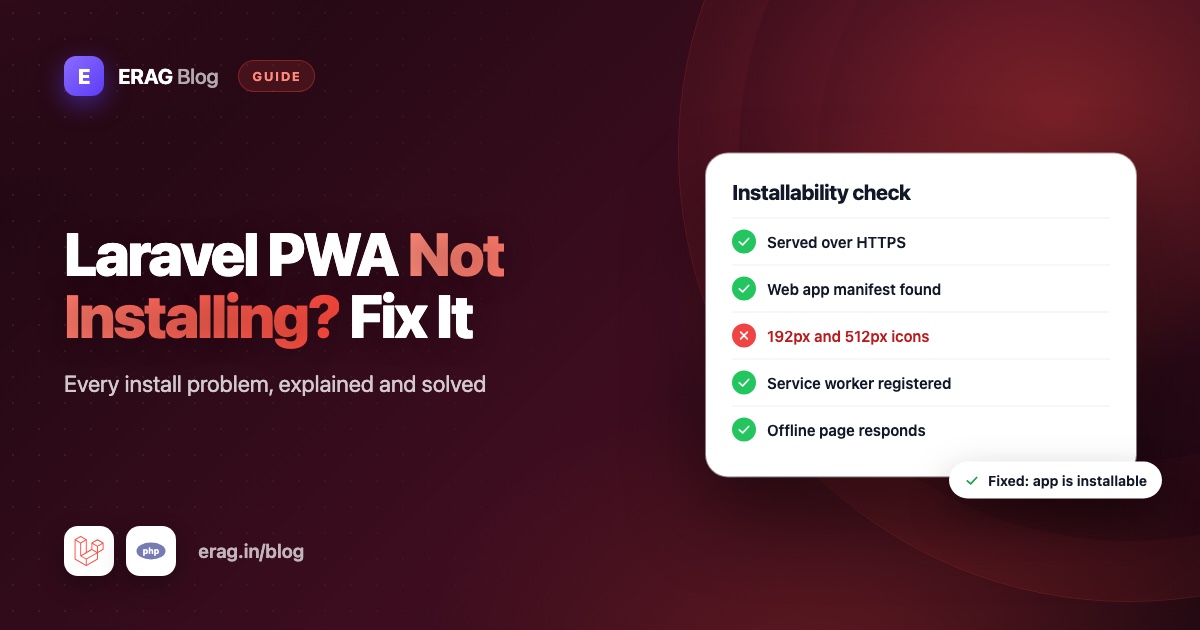
When a Laravel PWA is not installable, the browser has rejected either the connection, which must be HTTPS, or the web app manifest, which needs a name, 192 and 512 pixel icons, a start URL and an app-like display mode. Open Chrome DevTools, go to Application > Manifest, and read the Installability section. It names the exact problem. With Laravel PWA, most fixes come down to HTTPS, a reachable public/manifest.json, correctly sized icons and the two Blade directives in the right places.
Find your symptom below, check it, fix it. Haven't set up the package yet? Start with how to turn a Laravel app into a PWA.
The short version
| What you see | Most likely cause | First thing to try |
|---|---|---|
| No install option in Chrome or Edge | An installability error | Read Application > Manifest |
| The floating install button never appears | The browser never fired its install event | Fix installability errors first |
| Works on localhost, not in production | HTTP links behind a proxy, or missing files | Open /manifest.json on the live site |
| No prompt on iPhone | iOS never shows one | Share > Add to Home Screen |
| Nothing in Firefox or an Incognito window | Neither installs PWAs | Test in a normal Chrome or Edge window |
| Icon warnings in DevTools | Real image size doesn't match sizes | Export a square 512 × 512 PNG |
| No service worker | Not HTTPS, wrong path or a 404 | Check Application > Service workers |
| Changes don't show up | Old manifest, cached config or a waiting worker | php artisan erag:update-manifest |
What a browser needs before it offers to install
Chromium browsers, like Chrome, Edge and Samsung Internet, only offer to install a site that passes a few checks. Chrome's current list, from What does it take to be installable? on web.dev, is:
- A secure connection. HTTPS.
http://localhostandhttp://127.0.0.1count as secure for testing; a plainhttp://domain or your laptop's network IP does not. - A linked web app manifest with a
nameorshort_name, icons that include a 192 px and a 512 px size, astart_url, adisplaymode offullscreen,standalone,minimal-uiorwindow-controls-overlay, and noprefer_related_applications: true. - Some engagement. The visitor has clicked or tapped the page at least once and spent at least 30 seconds on it, at any time.
- Not installed yet. If the app is already installed, the browser offers to open it instead.
Notice what's not on the list: a service worker. Chrome stopped requiring one for installing from the browser menu in Chrome 108 on Android and Chrome 112 on desktop, and MDN's guide to making PWAs installable says it isn't required. Laravel PWA registers one anyway, because it serves your offline page.
The package handles the files: @PwaHead links the manifest, and @RegisterServiceWorkerScript registers public/sw.js. Your job is what it can't control: HTTPS, the right icons, and making sure those files are reachable.
Which browsers can install a PWA?
Before you debug, make sure you're testing in a browser that installs PWAs at all:
| Browser | How people install | Fires beforeinstallprompt |
|---|---|---|
| Chrome and Edge on desktop, Chrome on Android | The install icon in the address bar (desktop) or the browser menu | Yes |
| Safari on iPhone and iPad | Share > Add to Home Screen | No |
| Chrome, Edge and Firefox on iPhone (iOS 16.4 and later) | Share > Add to Home Screen | No |
| Firefox on desktop | Can't install a PWA from its manifest | No |
| Firefox on Android | Adds a home screen shortcut that opens in the browser | No |
So "no install button in Firefox" or "no prompt on iPhone" is normal, not a bug in your app. Test installability in desktop Chrome or Edge first.
No install prompt in Chrome or Edge
What it means. The browser decided your site isn't an installable app yet, so it quietly skips the install icon.
How to check. Open DevTools and go to Application > Manifest. An empty panel means the page has no manifest link. If you see your app's name and icon, scroll to Installability: everything listed there is a reason the browser said no. Then run this in the Console:
window.isSecureContext;
await navigator.serviceWorker.getRegistrations();
The first line should be true. The second should return one registration for your site. An empty list means the service worker never registered (see below).
How to fix. Work through the Installability list from the top. If the manifest panel is empty, view the page source and search for rel="manifest". No match means @PwaHead isn't in the layout that renders this page. In Inertia apps that layout is resources/views/app.blade.php:
<head>
    <meta charset="utf-8">
    <meta name="viewport" content="width=device-width, initial-scale=1">
    @PwaHead
</head>
<body>
    @inertia
    @RegisterServiceWorkerScript
</body>
Also check display in config/pwa.php. The package defaults to fullscreen. If you changed it to browser, Chromium treats the site as a normal web page and won't offer to install it.
Why the install button never shows
What it means. With 'install-button' => true in config/pwa.php, the package adds a floating button in the bottom-right corner. It stays hidden until the browser fires beforeinstallprompt, its way of saying "this site can be installed now". No event, no button.
How to check.
- Installability first. Any installability error means the event never fires.
- Both directives are in place. The button's styles come from
@PwaHead; its HTML and script come from@RegisterServiceWorkerScript. An unstyled image at the bottom of the page means@PwaHeadis missing. - The app isn't installed already. Installed apps don't get the event.
- You're in a Chromium browser. Safari and Firefox don't fire
beforeinstallprompt. iPhone visitors get a short "Add to Home Screen" tip instead. - You've engaged with the page. Chrome waits for at least one click or tap and 30 seconds on the page. Click somewhere, wait, then look again.
- You didn't just dismiss it, and you're not in Incognito. After a dismissal, Chrome can hold back for a while, and it never offers installation in an Incognito window. Test in a fresh Chrome profile instead.
How to fix. Fixing the installability errors brings the button back most of the time. If you changed install-button on a server with cached config, run php artisan config:cache again. Want a button that matches your design? See how to add an install app button to your Laravel site.
Works on localhost but not in production
What it means. Locally, http://localhost is a secure origin and every file is where the package put it. Production adds HTTPS, proxies, CDNs and deploy scripts, and each can break the install.
How to check. View the source of your live page and find the two URLs the package printed:
<link rel="manifest" href="https://example.com/manifest.json">navigator.serviceWorker.register("https://example.com/sw.js", { scope: "/" })Then open /manifest.json and /sw.js on your domain directly. You should see JSON and JavaScript, not a 404 page.
How to fix. Match what you found to a cause:
The URLs start with
http://on an HTTPS site. A load balancer or proxy handles HTTPS, and Laravel thinks the request is plain HTTP. Browsers block an HTTP manifest on an HTTPS page, and the service worker must come from your own origin, scheme included. Trust the proxy inbootstrap/app.php:php->withMiddleware(function (Middleware $middleware): void { $middleware->trustProxies(at: '*'); })Use your proxy's IP addresses instead of
'*'if you know them. Another option isURL::forceHttps(app()->isProduction());in theboot()method ofAppServiceProvider.The URLs point at a CDN domain. The package builds both URLs with Laravel's
asset()helper, which usesASSET_URLwhen it's set. Browsers only register a service worker from the page's own origin, so asw.json a CDN domain fails. LeaveASSET_URLunset for this app./manifest.jsonor/sw.jsreturns a 404. The files never reached the server. Commitpublic/sw.js,public/offline.htmlandpublic/logo.png. Commitpublic/manifest.jsontoo, or generate it on deploy withphp artisan erag:update-manifestafterphp artisan config:cache. Don't confuse it withpublic/build/manifest.json, which Vite writes for asset loading.Your app lives in a subfolder, like
example.com/shop. The package registers the worker withscope: "/"and writes"start_url": "/", so it expects the root of a domain. A worker at/shop/sw.jscan't control/, and registration fails. Give the app its own domain or subdomain.
No install prompt on iPhone
What it means. Nothing is broken. Safari on iPhone and iPad never shows an automatic install prompt, and iOS doesn't support beforeinstallprompt in any browser. People install by tapping Share, then Add to Home Screen. Since iOS 16.4, Chrome, Edge and Firefox on iPhone offer the same option in their Share menu.
How to check. Open the site in Safari and look for Add to Home Screen in the Share sheet. On iOS 26, keep Open as Web App switched on in that sheet; turned off, it saves a normal bookmark that opens in the browser. With install-button on, the package also shows iPhone and iPad visitors a short tip with those steps.
How to fix. There's nothing to fix, but you can help people find the option, for example with a line on your "Get the app" page. The Laravel PWA on iPhone guide covers the Home Screen icon and testing offline mode on a real device.
How to read manifest errors in DevTools
What it means. Application > Manifest shows the file the browser downloaded from public/, not your config. The Installability section uses fixed messages from Chrome's source code, and the Console may show the same text after Site cannot be installed:. Here is what each one means in a Laravel PWA app:
| Installability message | What to fix |
|---|---|
Page is not served from a secure origin | Serve the site over HTTPS. Behind a proxy, see the production section. |
Page has no manifest <link> URL | Add @PwaHead to the layout that renders this page. |
The manifest could not be fetched, parsed, or the document is on an opaque origin | /manifest.json is missing or returns HTML. Run php artisan erag:update-manifest and deploy the file. |
Manifest does not contain a 'name' or 'short_name' field | Fill in name and short_name in config/pwa.php, then regenerate. |
Manifest 'display' property must be one of 'standalone', 'fullscreen', or 'minimal-ui' | Change display from browser to an app mode. |
Manifest does not contain a suitable icon | The icon is missing, too small, or its sizes value is wrong. See the next section. |
Could not download a required icon from the manifest | The icon's src points at a file that returns a 404. |
Downloaded icon was empty or corrupted | The image file is broken. Export it again as a real PNG. |
The app is already installed | Uninstall it, or test in a fresh browser profile. |
Page is loaded in an incognito window | Use a normal window. |
Two more signs you'll see in the panel:
- A syntax error at line 1, column 1. The browser asked for
/manifest.jsonand got HTML, usually your 404 page. The file is missing. - A different name or colours than your config. The file is out of date.
A mixed content warning in the Console means the manifest link starts with http://. See the production section.
How to fix. Fix the manifest array in config/pwa.php, then regenerate the file. Run this after every change to that array:
php artisan config:clear
php artisan erag:update-manifest
How to fix icon size problems
What it means. The manifest promises an icon of a certain size, and the browser checks the real file. The package's default config lists one icon:
'icons' => [
    [
        'src' => 'logo.png',
        'sizes' => '512x512',
        'type' => 'image/png',
    ],
],
If public/logo.png is really 300 × 300, 1024 × 600, or a renamed JPEG, DevTools warns that the actual size doesn't match, and the browser may ignore the icon.
How to check. Open /logo.png on your site and check its real size. It must be a square PNG that matches sizes exactly.
How to fix. Export a square 512 × 512 PNG and replace public/logo.png. Chrome's install criteria list both a 192 px and a 512 px icon, so add a 192 × 192 version too. Put it after the first entry:
'icons' => [
    [
        'src' => 'logo.png',
        'sizes' => '512x512',
        'type' => 'image/png',
    ],
    [
        'src' => 'logo-192.png',
        'sizes' => '192x192',
        'type' => 'image/png',
    ],
],
Keep the 512 icon first, because the package uses the first icon for the Apple touch icon and the floating install button. Then run php artisan erag:update-manifest. If you add a purpose key to an icon, keep any in it, so the icon also counts as a regular icon.
If admins upload the logo through PWA::processLogo(), note that it accepts any PNG at least 512 pixels wide and tall. Ask for an exact 512 × 512 square, so the file always matches the manifest.
Service worker not registering
What it means. The browser never started the service worker. Current Chrome can still install the site, but your offline page won't work until the worker runs.
How to check. Open Application > Service workers. You should see sw.js activated and running. The package only logs registration errors when its debug option is on, which follows APP_DEBUG, so production failures are silent. Run the registration yourself in the Console to see the reason:
await navigator.serviceWorker.register('/sw.js', { scope: '/' });How to fix. The error tells you which case you're in:
navigator.serviceWorkerisundefined. The page isn't a secure context. Add HTTPS. Locally with Laravel Herd,herd securegives your.testsite a trusted certificate.- A 404, or an "unsupported MIME type" of
text/html.public/sw.jsis missing, so the server sent an HTML page. Deploy the file. - The scope isn't allowed. The worker isn't at your domain root, usually because of a subfolder or
ASSET_URL. See the production section. - No error, but no worker either. The script never ran. Put
@RegisterServiceWorkerScriptbefore</body>in a layout every page uses.
For Livewire apps with wire:navigate, set 'livewire-app' => true so the registration script runs once, not on every page change.
Why changes don't show up after you edit them
Three layers can hold old values: Laravel's config cache, the generated manifest.json, and the browser's service worker. Clear them in order:
- Config:
php artisan config:clearlocally, orphp artisan config:cacheon a server that caches config.erag:update-manifestreads config through Laravel, so a stale cache means a stale manifest. - Manifest:
php artisan erag:update-manifest. - Service worker: the package's worker doesn't take over open pages by itself. A new version waits, marked "waiting to activate" in DevTools, until every tab and installed window of your site closes. While developing, tick Update on reload in Application > Service workers, or use Application > Storage > Clear site data.
- Offline page: browsers only install a new worker when
sw.jschanges. After editingoffline.html, bumpCACHE_NAMEinpublic/sw.js, as the iPhone offline guide shows. - CDN: purge
manifest.jsonandsw.jsafter changing them.
An installed app can keep its old name and icon for a while. To test a change right away, uninstall and reinstall.
What happened to the Lighthouse PWA check?
Older guides say to check the PWA badge in a Lighthouse audit. Lighthouse 12.0 removed the PWA category after Chrome changed its install criteria, and Google expected that release to ship in the DevTools of Chrome 126. In any recent Chrome, the Installability section in Application > Manifest is the check to use.
For something automatic, add a Pest test that catches a broken icon before it reaches production. Create it with php artisan make:test PwaManifestTest --pest:
<?php

it('has an installable PWA manifest config', function () {
    $manifest = config('pwa.manifest');

    expect($manifest['name'])->not->toBeEmpty()
        ->and($manifest['display'])->toBeIn(['fullscreen', 'standalone', 'minimal-ui', 'window-controls-overlay'])
        ->and(array_column($manifest['icons'], 'sizes'))->toContain('192x192', '512x512');

    foreach ($manifest['icons'] as $icon) {
        $path = public_path($icon['src']);

        expect(file_exists($path))->toBeTrue();

        [$width, $height] = getimagesize($path);

        expect("{$width}x{$height}")->toBe($icon['sizes']);
    }
});
Run it with php artisan test --compact --filter=manifest. It catches a missing logo, a missing 192 or 512 icon, wrong logo dimensions and a display mode browsers won't install.
Common problems and fixes
"Public directory is not writable" when updating the manifest
erag:update-manifest prints this when it can't write public/manifest.json. PWA::update() hits the same check but simply returns false. Give your deploy user, and the web server user if you update the manifest at runtime, write access to public/.
"Manifest is missing icons. Operation aborted."
The icons array in config/pwa.php is empty, so the command refuses to write a manifest that can't install. Put the 512 × 512 logo.png entry back.
My config/pwa.php was reset to the defaults
Someone ran php artisan erag:install-pwa again. It republishes the config, sw.js, offline.html and logo.png with --force. Run it once when you install the package, never in a deploy script, and keep those files in Git.
The installed app always opens on the home page
The package always writes "start_url": "/". If your real starting point is a dashboard, redirect signed-in visitors from / to it in your home route.
Frequently asked questions
Why is my PWA not installable?
Usually the site isn't on HTTPS, or the manifest is missing, unreachable or invalid, most often because of the icons. It can also be already installed, open in Incognito, or not yet engaged with. Chrome DevTools lists the exact reason under Application > Manifest > Installability.
Why is the PWA install button not showing?
An install button can only appear after the browser fires beforeinstallprompt. That happens only in Chromium browsers, only when the site passes the install checks, after the visitor has clicked and spent some time on the page, and never when the app is already installed.
Does a PWA need a service worker to be installable?
Not in current Chrome. Chrome dropped the requirement for installing from the browser menu in Chrome 108 on Android and 112 on desktop, and web.dev's current criteria don't list one. You still want a worker for an offline page, which is why Laravel PWA registers sw.js.
What icon sizes does a PWA need?
Chrome's criteria ask for a 192 × 192 and a 512 × 512 icon in the manifest. Use square PNGs whose real size matches the sizes value exactly. In Laravel PWA, list the 512 icon first, because the package also uses it for the Apple touch icon.
Why can't I install a PWA in Firefox?
Firefox on desktop doesn't install PWAs from a web app manifest, and on Android it adds a home screen shortcut that opens in the browser. Neither fires beforeinstallprompt, so the package's install button stays hidden there. Test installability in Chrome or Edge.
Does a PWA need HTTPS?
Yes. Service workers only run on secure origins, and browsers won't offer installation without one. http://localhost counts as secure, so you can test locally without a certificate.
Why doesn't my Laravel PWA show an install prompt on iPhone?
iOS doesn't have one. Safari users install with Share, then Add to Home Screen. Laravel PWA can show a short tip with those steps when install-button is on.
Does the Laravel PWA service worker cache my CSS and JavaScript?
No. The package's sw.js caches only offline.html and shows it when a page can't load. Everything else comes from the network, so the worker never keeps visitors on old CSS or JavaScript after a deploy.
Get your Laravel PWA installing
Most install problems are one missing piece: HTTPS, a reachable manifest.json, an honest 512 × 512 icon, or a service worker served from your own domain. Check them in that order, and DevTools will tell you when you're done.
composer require erag/laravel-pwa
php artisan erag:install-pwa
php artisan erag:update-manifest- Documentation: erag.in/laravel-pwa, including configuration, Blade directives, the install prompt and framework setup
- GitHub: eramitgupta/laravel-pwa. A star helps other developers find it.
- Related: learn what each file does in web app manifest and service worker in Laravel.
