
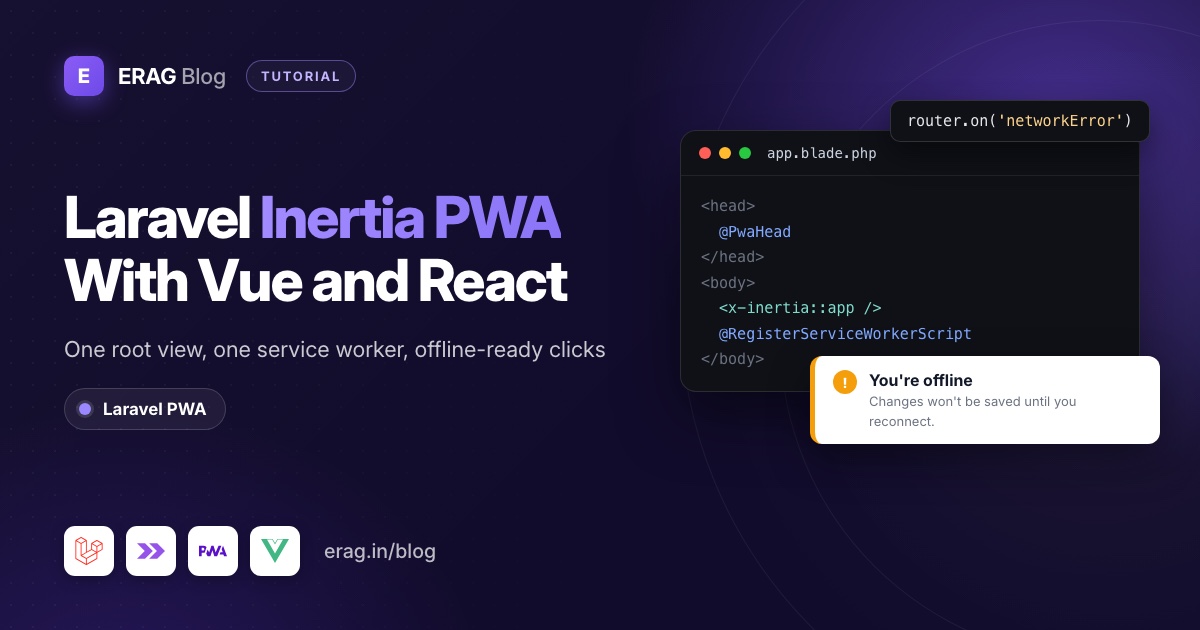
To make a Laravel Inertia app a PWA, install erag/laravel-pwa, put @PwaHead in the <head> of resources/views/app.blade.php and @RegisterServiceWorkerScript after <x-inertia::app />. That root view loads once, so the service worker registers on the first visit and stays active while Inertia swaps your Vue or React pages. The one gap is a link clicked offline, which you handle with Inertia's networkError event.
This guide uses the Laravel 13 Vue and React starter kits with Inertia v3. Older apps that use the @inertia and @inertiaHead directives work the same way. For a plain Blade or Livewire app, start with how to turn a Laravel app into a PWA instead.
The short version
- Install the package and publish its files with
php artisan erag:install-pwa. - Set your app's name, colours and icons in
config/pwa.php, then runphp artisan erag:update-manifest. - Add
@PwaHeadand@RegisterServiceWorkerScripttoresources/views/app.blade.php, and remove the kit's ownapple-touch-iconline. - Add a small
networkErrorlistener, so an Inertia click while offline shows your offline page instead of doing nothing. - Show an offline banner in your layout with a
useOnlineStatuscomposable or hook. - Test offline mode in Chrome DevTools, then on a real phone over HTTPS.
Install Laravel PWA
composer require erag/laravel-pwa
php artisan erag:install-pwa
The install command publishes five files: config/pwa.php, and manifest.json, offline.html, sw.js and logo.png in public/. Open config/pwa.php and describe your app:
'manifest' => [
    'name' => 'Acme Dashboard',
    'short_name' => 'Acme',
    'background_color' => '#0a0a0a',
    'display' => 'standalone',
    'description' => 'Your team dashboard, on your home screen.',
    'theme_color' => '#0a0a0a',
    'icons' => [
        [
            'src' => 'logo.png',
            'sizes' => '512x512',
            'type' => 'image/png',
        ],
    ],
],
Replace public/logo.png with your own 512 × 512 PNG, then write the manifest:
php artisan erag:update-manifestThe package's default display is fullscreen, which hides the phone's status bar. standalone suits a dashboard better. For a full icon set, with a maskable icon for Android and launch images for iPhone, see Laravel PWA icons and splash screens.
Where do the PWA directives go in an Inertia app?
Every Inertia page renders inside one Blade file, the root view. In the Laravel 13 Vue starter kit it is resources/views/app.blade.php. Here it is with the two directives added and the kit's dark-mode script left as it was:
<!DOCTYPE html>
<html lang="{{ str_replace('_', '-', app()->getLocale()) }}" @class(['dark' => ($appearance ?? 'system') == 'dark'])>
    <head>
        <meta charset="utf-8">
        <meta name="viewport" content="width=device-width, initial-scale=1">

        @PwaHead

        {{-- Keep the kit's inline appearance script and background style here --}}

        <link rel="icon" href="/favicon.ico" sizes="any">
        <link rel="icon" href="/favicon.svg" type="image/svg+xml">

        @fonts

        @vite(['resources/css/app.css', 'resources/js/app.ts', "resources/js/pages/{$page['component']}.vue"])
        <x-inertia::head>
            <title>{{ config('app.name', 'Laravel') }}</title>
        </x-inertia::head>
    </head>
    <body class="font-sans antialiased">
        <x-inertia::app />
        @RegisterServiceWorkerScript
    </body>
</html>
Three details:
@PwaHeadprints the manifest link, thetheme-colormeta tag, the Apple meta tags and anapple-touch-iconlink that points at your PWA logo.- Remove the kit's
<link rel="apple-touch-icon" href="/apple-touch-icon.png">. Otherwise iPhones get two icon links and may pick the kit's default instead of your logo. @RegisterServiceWorkerScriptgoes after<x-inertia::app />, just before</body>. It registers/sw.jsand, with'install-button' => true, adds the floating install button.
The React starter kit's root view is the same apart from @viteReactRefresh and .tsx paths in the @vite call. Put the directives in the same two places, as the package's Livewire and Inertia integration docs also show. The SaaS Laravel Vue kit and React kit use the same root view layout, so the steps are identical there.
Why the service worker only registers once
Inertia never reloads the root view while people click around. It fetches the next page as JSON and swaps the component. So the registration script runs on the first full page load and the worker stays in control for the whole session. Leave 'livewire-app' => false in the config. That option only exists for Livewire's wire:navigate, which re-runs layout scripts.
The install button lives in the root view too, outside your Vue or React tree. It stays on screen across page changes and your components never re-render it. If you'd rather build an Install app button into your own menu, follow add an install app button to your Laravel site.
What happens offline in an Inertia app?
The package's service worker is small. It saves one file, /offline.html, and answers requests like this:
| Request | Example | What the worker does |
|---|---|---|
| Full page load | Typing a URL, refreshing, opening the installed app | Tries the network. If that fails, shows offline.html |
| Inertia visit | Clicking a Link, router.visit() | Passes it to the network. Nothing is cached |
| Form submit | form.post(), router.delete() | Passes it to the network |
| Assets | Vite's JS and CSS, images | Checks the cache, finds nothing, uses the network |
The first row works out of the box. The second row is the surprise. An Inertia visit is a background request, not a page load, so the worker can't swap in the offline page. When it fails, Inertia fires a networkError event and, by default, throws the error. The user sees nothing happen. The link just doesn't work.
How do I show the offline page when an Inertia link fails?
Listen for the failure and turn it into a real page load. The browser then makes a normal navigation request, the service worker catches it and shows your offline page, and the address bar shows the URL the user wanted.
Create resources/js/lib/offlineFallback.ts:
import { router } from '@inertiajs/vue3';

type FailedVisit = {
    url: URL;
    method: string;
};

let currentVisit: FailedVisit | null = null;

export function initializeOfflineFallback(): void {
    router.on('start', (event) => {
        currentVisit = {
            url: event.detail.visit.url,
            method: event.detail.visit.method,
        };
    });

    router.on('networkError', (event) => {
        if (currentVisit?.method !== 'get') {
            return;
        }

        event.preventDefault();
        window.location.href = currentVisit.url.href;
    });

    router.on('finish', () => {
        currentVisit = null;
    });
}
In React, change the first line to import { router } from '@inertiajs/react';. Nothing else differs.
Call it once in your entry file, after createInertiaApp(). In the Vue kit that is resources/js/app.ts, next to the kit's own initializers:
import { initializeOfflineFallback } from '@/lib/offlineFallback';

// ...createInertiaApp({ ... }) stays as it is

initializeTheme();
initializeOfflineFallback();
In the React kit, add the same two lines to resources/js/app.tsx.
Why only get visits? Reloading the page is safe for a link. For a form submit it would throw away what the user typed. Those fail quietly instead, and the banner in the next section tells the user why.
event.preventDefault() stops Inertia from throwing the error, so the console stays clean. The finish listener clears the saved visit, so a later failure that isn't tied to a click can't trigger a stale reload.
If you replaced offline.html with a version that reloads on the online event, like the one in the iPhone and offline guide, the user lands on the right page the moment the connection returns.
How do I show an offline banner in Vue or React?
Forms need a different answer. Tell people they're offline, and stop them submitting work that can't be sent.
In Vue, create resources/js/composables/useOnlineStatus.ts:
import { onBeforeUnmount, onMounted, ref } from 'vue';

export function useOnlineStatus() {
    const isOnline = ref(true);

    const update = (): void => {
        isOnline.value = navigator.onLine;
    };

    onMounted(() => {
        update();
        window.addEventListener('online', update);
        window.addEventListener('offline', update);
    });

    onBeforeUnmount(() => {
        window.removeEventListener('online', update);
        window.removeEventListener('offline', update);
    });

    return { isOnline };
}
Wrap the banner in a small component, resources/js/components/OfflineBanner.vue:
<script setup lang="ts">
import { useOnlineStatus } from '@/composables/useOnlineStatus';

const { isOnline } = useOnlineStatus();
</script>

<template>
    <div v-if="!isOnline" role="status" class="bg-amber-100 px-4 py-2 text-sm text-amber-900">
        You're offline. Changes won't be saved until you reconnect.
    </div>
</template>
Then add <OfflineBanner /> near the top of your app layout, such as resources/js/layouts/AppLayout.vue.
In React, a hook built on useSyncExternalStore does the same job. Create resources/js/hooks/use-online-status.ts:
import { useSyncExternalStore } from 'react';

function subscribe(callback: () => void): () => void {
    window.addEventListener('online', callback);
    window.addEventListener('offline', callback);

    return () => {
        window.removeEventListener('online', callback);
        window.removeEventListener('offline', callback);
    };
}

export function useOnlineStatus(): boolean {
    return useSyncExternalStore(subscribe, () => navigator.onLine, () => true);
}
And the banner, resources/js/components/offline-banner.tsx:
import { useOnlineStatus } from '@/hooks/use-online-status';

export function OfflineBanner() {
    const isOnline = useOnlineStatus();

    if (isOnline) {
        return null;
    }

    return (
        <div role="status" className="bg-amber-100 px-4 py-2 text-sm text-amber-900">
            You're offline. Changes won't be saved until you reconnect.
        </div>
    );
}
Render <OfflineBanner /> at the top of your app layout.
Both versions start as "online" on the server, so server-side rendering never shows the banner by mistake. You can also pass the value to a submit button, :disabled="form.processing || !isOnline" in Vue or disabled={processing || !isOnline} in React.
One honest caveat: navigator.onLine being false reliably means no network. Being true only means the device has a network, not that your server is reachable. That is why the networkError listener above is still worth having.
Do users need to refresh after I deploy?
Usually not, and this is where Inertia and this package fit well together.
The service worker never caches your Vite bundles or Inertia responses, so a deploy is live for every new page load. For people who already have the app open, Inertia's asset versioning takes over. The HandleInertiaRequests middleware hashes public/build/manifest.json. After a deploy that hash changes, so the next Inertia GET visit comes back as a 409 and Inertia does a full page load with the new JavaScript.
So you don't need a "new version available" prompt. The only person on old code is someone who sits on one page and never clicks. Their next click fixes it.
The exception is public/sw.js itself. If you edit the worker or offline.html, change CACHE_NAME so browsers install the new worker, as the iPhone and offline guide explains.
Laravel PWA package or vite-plugin-pwa?
Both can make an Inertia app installable. They solve different problems, so pick by what "works offline" has to mean for you.
vite-plugin-pwa runs inside your Vite build. It uses Workbox to generate the service worker, with the generateSW strategy by default, and precaches the CSS, JS and HTML files in the build output so they load without a network. It also generates the manifest and a registration script. Its default update flow asks the user to refresh when a new build is ready, through virtual:pwa-register or helpers like virtual:pwa-register/vue and virtual:pwa-register/react.
That power comes with Laravel-specific setup, which is where most Stack Overflow and Laracasts questions about it start:
- The worker lands in the wrong folder. Laravel's Vite plugin builds into
public/build, so the generated worker is served from/build/. A service worker can only control pages under its own folder unless the server sends aService-Worker-Allowedheader. The plugin's Laravel guide has you setbuildBaseandoutDirand add that header. - There is no index.html. Laravel renders the HTML in Blade, so you add the manifest link and the registration to
app.blade.phpyourself. - Precaching covers built files only. Your pages are Inertia responses rendered by Laravel, so pages and data still need the network unless you also configure runtime caching.
| Laravel PWA | vite-plugin-pwa | |
|---|---|---|
| Configured in | config/pwa.php and Artisan | vite.config.ts |
| Service worker | A small public/sw.js you can read in one minute | Generated by Workbox on every build |
| What works offline | One offline page | Precached JS, CSS and HTML, plus any runtime caching you add |
| After a deploy | Nothing to do. Inertia's asset versioning reloads | A refresh prompt by default, or auto-update |
| Install button and iOS tip | Built in | Not included |
| Change the manifest at runtime | PWA::update() from PHP | Rebuild |
Pick Laravel PWA when you want an installable app, an offline page and an install prompt without touching your build. Pick vite-plugin-pwa when the app must open and keep working offline, such as a field app that queues work, and you're ready to own a Workbox config. Don't run both: two workers registered for the same scope replace each other and cause confusing bugs.
How do I test a Laravel Inertia PWA?
In Chrome DevTools:
- Load the app once while online. Under Application > Service workers,
sw.jsshould be activated. - Under Application > Manifest, check the name, colours and icon.
- Tick Offline in the Service workers panel.
- Click an Inertia link. With the listener in place, the address bar changes to the link's URL and your offline page appears.
- Untick Offline. Your banner disappears.
On a phone: service workers need HTTPS everywhere except localhost. Deploy to a staging server with a real certificate, install the app, then switch on airplane mode. Laravel PWA not installable covers what to check when Chrome won't offer to install.
In Pest, a quick feature test catches a missing directive after someone edits the layout:
<?php

it('adds the PWA tags to the Inertia root view', function () {
    $this->withoutVite();

    $this->get('/')
        ->assertOk()
        ->assertSee('<link rel="manifest"', false)
        ->assertSee('navigator.serviceWorker.register', false);
});
Run it with php artisan test --compact --filter='PWA tags'.
Common problems and fixes
- Nothing happens when I click a link offline. The
networkErrorlistener isn't running. Check thatinitializeOfflineFallback()is called inapp.tsorapp.tsx, and thatoffline.htmlwas cached by a visit while online. - The iPhone shows the starter kit's icon, not mine. The kit's
apple-touch-iconlink is still inapp.blade.php. Remove it, then add the app to the Home Screen again. - The install button sits behind my bottom navigation. It is fixed to the bottom-right corner. Move it with CSS on
.box-icon, or turn it off and build your own, as the install button guide shows. - "document is not defined" during SSR. Browser code ran on the server. The listener and the composable above only touch
windowinside events andonMounted, so check any code you added around them. - Edits to
config/pwa.phpdon't show up. Runphp artisan config:clear, thenphp artisan erag:update-manifest. The browser readspublic/manifest.json, not the config.
Frequently asked questions
Can a Laravel Inertia app be a PWA?
Yes. Inertia apps have one Blade root view, so you add @PwaHead and @RegisterServiceWorkerScript there once. The manifest and service worker then cover every Vue or React page.
Does the PWA work offline with Inertia?
Partly. Full page loads fall back to your offline page. Inertia link clicks need the small networkError listener in this guide to do the same. Pages, data and form submissions still need a connection, because the worker doesn't cache them.
Do I need vite-plugin-pwa for a Laravel Inertia app?
No. Laravel PWA serves its own manifest and worker from public/, outside the Vite build. Reach for vite-plugin-pwa only when the app must work offline, as the comparison above explains.
Does Laravel PWA work with Inertia v3 and server-side rendering?
Yes. The directives are plain Blade in the root view, so they render the same with or without SSR. Keep browser-only code, like the online status checks, inside events and mount hooks.
Does the same setup work with Svelte?
Yes for the Blade part, since the root view is the same. The offline listener works with router from @inertiajs/svelte.
Will users get my latest JavaScript after a deploy?
Yes. The worker doesn't cache your bundles, and Inertia's asset versioning forces a full reload on the next visit after the Vite manifest changes.
Get started
composer require erag/laravel-pwa
php artisan erag:install-pwa
php artisan erag:update-manifest