
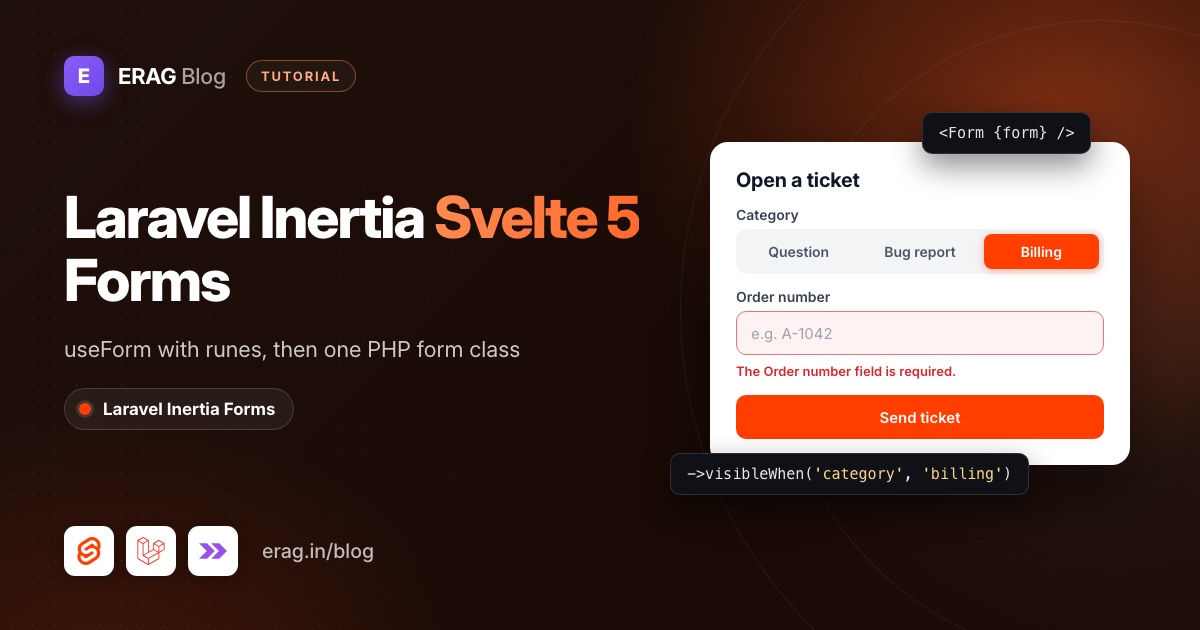
To build a Laravel Inertia Svelte form, import useForm from @inertiajs/svelte, bind each input with bind:value={form.email}, send it with form.post() and print form.errors.email under the field. In Inertia v3 the form is a plain Svelte 5 reactive object, so the old $form store syntax is gone. Laravel validates the request and Inertia puts the errors back on the same object.
That works well, but every field lives in two places: the Svelte markup and the controller's rules. Laravel Inertia Forms (erag/inertia-forms) puts the fields and the rules in one PHP class and draws them in Svelte 5 with a single <Form> component:
composer require erag/inertia-forms
php artisan erag:install-inertia-forms
npm install @erag/inertia-forms-svelte
Then add @source "../../node_modules/@erag/inertia-forms-svelte/dist"; to resources/css/app.css so Tailwind CSS 4 sees the component classes. The package needs PHP 8.3+, Laravel 13, Inertia 3 and Svelte 5. Laravel 12 and Inertia 1 or 2 are not supported. It's MIT licensed and free.
This post builds the same support ticket form twice: first by hand with useForm, then from a PHP class. Both versions have validation errors, a field that only shows for billing questions, and an optional screenshot upload.
The short version
- Use Inertia v3 with Svelte 5. Write
form.subject, not$form.subject. - Create the form with
useForm({ subject: '', ... })and bind inputs withbind:value={form.subject}. - Submit with
form.post('/tickets')and showform.errors.subjectandform.processingin the markup. - For a conditional field, wrap it in
{#if form.category === 'billing'}and addrequired_if:category,billingon the server. - To skip the duplication, install
erag/inertia-formsand@erag/inertia-forms-svelte, and add the Tailwind@sourceline. - Run
php artisan make:form SupportTicketFormand describe the fields, withvisibleWhen('category', 'billing')on the conditional one. - Pass
SupportTicketForm::make()as a prop, render<Form {form} />, and validate with#[Validate] SupportTicketForm $form.
Why are Svelte form tutorials for Laravel so thin?
Svelte is the newest frontend in the Laravel family. Laravel added an official Svelte starter kit in February 2026, next to React, Vue and Livewire. On Laravel 13 it runs Svelte 5, TypeScript, Inertia 3, Tailwind and shadcn-svelte. Run laravel new my-app and pick Svelte when the installer asks.
Most Svelte form tutorials you'll find were written for Svelte 4 and Inertia 1 or 2. They use export let and $form.email, and that code breaks on Inertia v3, which requires Svelte 5 and returns a plain reactive object from useForm.
Form builders are thinner still. Inertia UI's Inertia Forms, a commercial package, lists Vue 3.5+ and React 19 on its requirements page and no Svelte. Laravel Inertia Forms ships a Svelte 5 package alongside its Vue and React ones, built from the same core, so the PHP side is identical for all three.
How do I build a Laravel Inertia Svelte form with useForm?
Start with the plain version. It needs nothing beyond Inertia itself.
Routes and controller
// routes/web.php
use App\Http\Controllers\TicketController;

Route::get('/tickets/create', [TicketController::class, 'create'])->name('tickets.create');
Route::post('/tickets', [TicketController::class, 'store'])->name('tickets.store');<?php
namespace App\Http\Controllers;
use App\Models\Ticket;
use Illuminate\Http\RedirectResponse;
use Illuminate\Http\Request;
use Illuminate\Validation\Rule;
use Inertia\Inertia;
use Inertia\Response;
class TicketController extends Controller
{
public function create(): Response
{
return Inertia::render('tickets/Create');
}
public function store(Request $request): RedirectResponse
{
$data = $request->validate([
'subject' => ['required', 'string', 'max:120'],
'email' => ['required', 'string', 'email', 'max:255'],
'category' => ['required', Rule::in(['question', 'bug', 'billing'])],
'order_number' => ['nullable', 'required_if:category,billing', 'string', 'max:30'],
'message' => ['required', 'string', 'max:2000'],
'screenshot' => ['nullable', 'image', 'max:2048'],
]);
Ticket::create([
'subject' => $data['subject'],
'email' => $data['email'],
'category' => $data['category'],
'order_number' => $data['order_number'] ?? null,
'message' => $data['message'],
'screenshot_path' => isset($data['screenshot'])
? $data['screenshot']->store('tickets', 'public')
: null,
]);
return to_route('tickets.create');
}
}This assumes a Ticket model with those columns. The screenshot is stored on the public disk, so run php artisan storage:link once if you want to show it later.
The Svelte 5 page
<!-- resources/js/pages/tickets/Create.svelte -->
<script lang="ts">
    import { useForm } from '@inertiajs/svelte';

    const form = useForm<{
        subject: string;
        email: string;
        category: string;
        order_number: string;
        message: string;
        screenshot: File | null;
    }>({
        subject: '',
        email: '',
        category: 'question',
        order_number: '',
        message: '',
        screenshot: null,
    });

    function submit(event: SubmitEvent) {
        event.preventDefault();
        form.post('/tickets', {
            preserveScroll: true,
            onSuccess: () => form.reset(),
        });
    }
</script>

<form onsubmit={submit} class="mx-auto max-w-xl space-y-4 p-6">
    <div>
        <label for="subject" class="block text-sm font-medium">Subject</label>
        <input id="subject" bind:value={form.subject} class="mt-1 w-full rounded-md border px-3 py-2" />
        {#if form.errors.subject}
            <p class="mt-1 text-sm text-red-600">{form.errors.subject}</p>
        {/if}
    </div>

    <!-- email and message follow the same pattern -->

    <div>
        <label for="category" class="block text-sm font-medium">Category</label>
        <select id="category" bind:value={form.category} class="mt-1 w-full rounded-md border px-3 py-2">
            <option value="question">Question</option>
            <option value="bug">Bug report</option>
            <option value="billing">Billing</option>
        </select>
    </div>

    {#if form.category === 'billing'}
        <div>
            <label for="order_number" class="block text-sm font-medium">Order number</label>
            <input id="order_number" bind:value={form.order_number} class="mt-1 w-full rounded-md border px-3 py-2" />
            {#if form.errors.order_number}
                <p class="mt-1 text-sm text-red-600">{form.errors.order_number}</p>
            {/if}
        </div>
    {/if}

    <div>
        <label for="screenshot" class="block text-sm font-medium">Screenshot</label>
        <input
            id="screenshot"
            type="file"
            accept="image/*"
            onchange={(event) => (form.screenshot = event.currentTarget.files?.[0] ?? null)}
        />
        {#if form.progress}
            <progress value={form.progress.percentage} max="100">{form.progress.percentage}%</progress>
        {/if}
    </div>

    <button type="submit" disabled={form.processing} class="rounded-md bg-zinc-900 px-4 py-2 text-white">
        {form.processing ? 'Sending…' : 'Send ticket'}
    </button>
</form>
A few things in there are Inertia v3 specific:
form.subject, not$form.subject. Up to Inertia 2, the SvelteuseFormreturned a store. In v3 it's a reactive object, sobind:valueandbind:checkedwork on its properties directly.onsubmit, noton:submit|preventDefault. Svelte 5 uses plain event attributes, so you callevent.preventDefault()yourself.- Files need no extra setup. When the data contains a
File, Inertia sends the request asFormDataon its own, andform.progressreports the upload percentage.
If your app uses Wayfinder, as the starter kit does, you can write form.submit(store()) with store imported from @/actions/App/Http/Controllers/TicketController instead of a hard-coded URL.
How do validation errors get back into a Svelte form?
You don't return errors yourself. When $request->validate() fails, Laravel throws a ValidationException and redirects back. Inertia reads the errors from the session, adds them to the page props, and useForm copies them onto form.errors, one message string per field:
The order number field is required when category is billing.That message comes from required_if. form.processing turns true while the request runs and back to false when it finishes, so the button can't be double-clicked.
Two details catch people out. First, an error stays on screen until the next submit, so call form.clearErrors('order_number') in an oninput handler if you want it gone as soon as the user types. Second, form.setError('order_number', '...') lets you show a message without a request, which is handy for quick checks in the browser. The server still checks everything.
What's the problem with conditional fields?
Look at the order number again. Its condition lives in two places: the {#if form.category === 'billing'} block in Svelte and the required_if:category,billing rule in PHP. Rename billing to payments in one place and forget the other, and the form either asks for a field nobody can see or never asks for it at all.
There's a quieter bug too. Type an order number, switch the category to "Question", and submit. The field is hidden, but form.order_number still holds the old value. Your controller saves it, because the nullable rule lets it through. You'd have to clear it yourself whenever the category changes.
This is the duplication a form class removes. The conditional fields post goes deeper into why the server, not the browser, should decide what a field means.
How do I build the same form with erag/inertia-forms?
If you ran the install commands at the top, add the Tailwind line now. Point it at the Svelte package in resources/css/app.css:
@import 'tailwindcss';

@source "../../node_modules/@erag/inertia-forms-svelte/dist";
If the form shows up unstyled later, this line is missing or the path is wrong. The installation guide has the Vue and React versions.
The form class
php artisan make:form SupportTicketFormThat creates app/Forms/SupportTicketForm.php. Replace it with:
<?php

namespace App\Forms;

use Erag\InertiaForms\Fields\FileUpload;
use Erag\InertiaForms\Fields\Radio;
use Erag\InertiaForms\Fields\Submit;
use Erag\InertiaForms\Fields\Textarea;
use Erag\InertiaForms\Fields\TextInput;
use Erag\InertiaForms\Form;

class SupportTicketForm extends Form
{
    protected ?string $actionRoute = 'tickets.store';

    protected bool $resetOnSuccess = true;

    public function fields(): array
    {
        return [
            TextInput::make('subject')->required()->maxLength(120),

            TextInput::make('email')
                ->label('Email address')
                ->email()
                ->required()
                ->maxLength(255),

            Radio::make('category')->buttons()->default('question')->required()->options([
                'question' => 'Question',
                'bug' => 'Bug report',
                'billing' => 'Billing',
            ]),

            TextInput::make('order_number')
                ->required()
                ->maxLength(30)
                ->visibleWhen('category', 'billing')
                ->clearWhenHidden(),

            Textarea::make('message')->required()->rows(5)->maxLength(2000)->showCharacterCount(),

            FileUpload::make('screenshot')->image()->maxSize(2048),

            Submit::make('Send ticket')->processingLabel('Sending…'),
        ];
    }
}
The condition is written once. visibleWhen('category', 'billing') hides the field in the browser, and on the server a hidden field gets no rules, so required() only applies to billing tickets. clearWhenHidden() empties the value when the field disappears, which fixes the stale order number bug from the plain version.
You also don't list the rules by hand. Each field builds them from its settings. This is what SupportTicketForm::make()->rules() returns when the category is billing:
| Field | Generated rules |
|---|---|
subject | required, string, max:120 |
email | required, string, email, max:255 |
category | required, Rule::in(['question', 'bug', 'billing']) |
order_number | required, string, max:30 (only while visible) |
message | required, string, max:2000 |
screenshot | nullable, image, max:2048 |
Field names become labels too: order_number shows as "Order number", and the same label is used in the error message.
The controller
<?php

namespace App\Http\Controllers;

use App\Forms\SupportTicketForm;
use App\Models\Ticket;
use Erag\InertiaForms\Attributes\Validate;
use Illuminate\Http\RedirectResponse;
use Inertia\Inertia;
use Inertia\Response;

class TicketController extends Controller
{
    public function create(): Response
    {
        return Inertia::render('tickets/Create', [
            'form' => SupportTicketForm::make(),
        ]);
    }

    public function store(#[Validate] SupportTicketForm $form): RedirectResponse
    {
        $data = $form->validated();

        Ticket::create([
            'subject' => $data['subject'],
            'email' => $data['email'],
            'category' => $data['category'],
            'order_number' => $data['order_number'] ?? null,
            'message' => $data['message'],
            'screenshot_path' => isset($data['screenshot'])
                ? $data['screenshot']->store('tickets', 'public')
                : null,
        ]);

        return to_route('tickets.create');
    }
}
#[Validate] builds the form and validates the request before store() runs. When validation fails, you get Laravel's normal redirect back with errors. The routes don't change.
The Svelte 5 page
<!-- resources/js/pages/tickets/Create.svelte -->
<script lang="ts">
    import { Form, type FormSchema } from '@erag/inertia-forms-svelte';

    let { form }: { form: FormSchema } = $props();
</script>

<div class="mx-auto max-w-xl p-6">
    <Form {form} accent="#ff3e00">
        {#snippet children({ isDirty })}
            {#if isDirty}
                <p class="text-sm text-zinc-500">Your ticket isn't sent yet.</p>
            {/if}
        {/snippet}
    </Form>
</div>
That's the whole page. The props follow Svelte 5 habits: form and class, callback props like onSuccess, onError, onFinish and onDirtyChange, and a children snippet that receives { isDirty, processing } and renders after the fields. accent sets the colour of buttons, focus rings and selected states. The Form component docs list every prop with Vue, React and Svelte side by side.
Inside, the package's <Form> uses Inertia's own useForm, so nothing about the request is unusual. It handles the parts you wrote by hand in the first version:
- Errors show under each field, the input gets
aria-invalid="true", the first invalid field scrolls into view, and an error clears as soon as that field changes. - The conditional field appears and disappears as the category changes, using the same visibility logic the server runs.
- The screenshot gets a drag-and-drop zone with an image preview, and the request goes out as
FormDatabecause the class has a file field. - Processing disables the button and shows "Sending…" with a spinner.
- Reset happens after a successful submit, because the class sets
$resetOnSuccess.
useForm, Inertia's Form or a PHP form class?
There's a third option worth knowing. Inertia's own <Form> component reads inputs by their name attribute, and the official Svelte starter kit builds its register page with it, using {#snippet children({ errors, processing })}.
Inertia useForm | Inertia <Form> | Laravel Inertia Forms | |
|---|---|---|---|
| Fields written in | Svelte page | Svelte page | PHP class |
| Validation rules in | Controller or FormRequest | Controller or FormRequest | The same PHP class |
| Conditional field | {#if} plus required_if | {#if} plus required_if | visibleWhen() once |
| Client state | You bind every input | Read by name | Handled for you |
| Upload progress bar | form.progress | progress snippet prop | Not built in |
| Extra install | None | None | Composer and npm packages |
| Layout freedom | Full | Full | Fieldset grid and custom field components |
Pick useForm when the page needs the values in code, like a live preview. Pick Inertia's <Form> for short forms such as login. Pick a form class when you have many forms, conditional fields, or rules that keep drifting between Svelte and PHP. For the reasoning behind generated rules, see one set of validation rules for Laravel and Inertia.
Do wizards and file uploads work in the Svelte package?
Yes. The Svelte package isn't a cut-down port. Its export list matches the Vue one: FileUpload, Select, DatePicker, TagsInput, Repeater and the other fields, plus wizard support in <Form>.
For a multi-step form, set protected bool $wizard = true; in the class. Each fieldset becomes a step, and Continue checks that step on the server before moving on. Set it inside the class, not from the controller, because the step check rebuilds the form from make(). The multi-step form wizard guide builds a full one.
For uploads, FileUpload::make() supports multiple(), accept(['pdf', 'docx']), maxSize() and maxFiles(). The Laravel Inertia file upload guide covers storage and edit screens. One honest gap: the package's <Form> doesn't draw an upload progress bar. If you need one for large files, the plain useForm version with form.progress is the better fit.
Need the package's labels in Spanish or Arabic? Its UI strings are translatable, and if your app already uses Laravel lang files in Svelte, see Laravel Svelte translations with Inertia.
Frequently asked questions
Does Inertia's useForm work with Svelte 5 runes?
Yes, in Inertia v3. useForm returns a reactive object, so you write bind:value={form.email} and read form.errors.email and form.processing directly. Inertia v3 doesn't support Svelte 4 at all.
Why do older tutorials use $form.email?
In Inertia 1 and 2, the Svelte useForm returned a Svelte store, and $form was the store syntax. In v3, remove the $ and use form.email.
Does erag/inertia-forms work with the official Laravel Svelte starter kit?
Yes. The kit uses Laravel 13, Inertia 3, Svelte 5 and Tailwind 4, which is what the package needs. Add the @source line to the kit's CSS file. The fields use the package's own Tailwind classes, not shadcn-svelte components, so set accent to match your brand colour.
Which Svelte version do I need?
Svelte 5 with @inertiajs/svelte 3. The npm package declares svelte ^5.0.0, but its <Form> uses $props.id(), which arrived in Svelte 5.20. Run npm ls svelte and update if you're on something older.
Does it work with Laravel 12 or Inertia 2?
No. It requires Laravel 13 and Inertia 3 on both the server and the client. On an older stack, stay with useForm or upgrade first.
Can I use one field without the whole form?
Yes. The field components are exported for standalone use, for example <FileUpload field={avatarField} id="avatar" bind:value={avatar} disabled={false} />. The standalone components page shows how to build the field object.
Try it in your Svelte app
Plain useForm is fine for one or two forms. When the same fields, rules and conditions start showing up in both your Svelte pages and your controllers, move them into a form class:
composer require erag/inertia-forms
php artisan erag:install-inertia-forms
npm install @erag/inertia-forms-svelte
Then add the @source line and run php artisan make:form. The quick start walks through a first form, and building Inertia forms from a single PHP class covers create and edit screens with model binding. The conditional visibility docs list every visibleWhen() operator.
Coming from Filament? Filament-style forms for Laravel Inertia apps maps its form API to this package, and Laravel Inertia form builders compared shows which builders support Svelte at all.
