
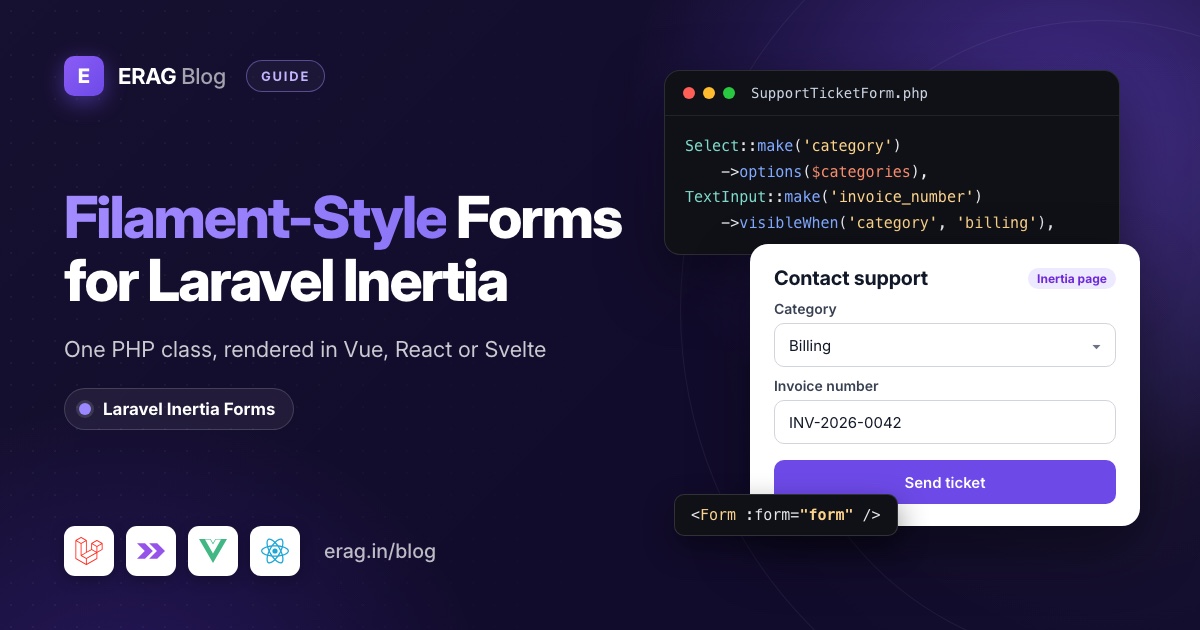
You can't drop Filament forms into an Inertia page. Filament forms are built on Livewire: the form's state, validation and live() updates run inside a Livewire component, and an Inertia page is a Vue, React or Svelte component that only gets JSON props. You can keep the workflow, though. Laravel Inertia Forms lets you write TextInput::make('subject')->required() in a PHP class, and one <Form> component renders it.
If you know Filament, this will look familiar:
Fieldset::make('Your request')->columns(2)->fields([
    Select::make('category')->required()->options([
        'billing' => 'Billing',
        'bug' => 'Something is broken',
    ]),
    TextInput::make('subject')->required()->maxLength(120),
    TextInput::make('invoice_number')->required()->visibleWhen('category', 'billing'),
]),
The Vue page that renders it is one line of template: <Form :form="form" />. The package is free, MIT licensed, and needs PHP 8.3+, Laravel 13 and Inertia 3:
composer require erag/inertia-forms
php artisan erag:install-inertia-forms
npm install @erag/inertia-forms-vue
The short version
- Filament's form builder needs a Livewire component to live in. An Inertia page doesn't have one, so Filament forms can't render there.
- Install
erag/inertia-formsplus the npm package for Vue, React or Svelte, and add one Tailwind@sourceline. - Run
php artisan make:form SupportTicketFormand list your fields infields(), much like a Filament schema. - Pass
SupportTicketForm::make()toInertia::render()as a prop. - Render it with one
<Form>component. - Validate with
#[Validate]in the controller and save$form->validated().
Why can't I use Filament forms in an Inertia page?
The Filament docs say it plainly: "Filament schemas are built on top of Livewire." Forms are schemas. To use a form outside a panel, you add it to a Livewire component that implements HasSchemas, keep its values in a public $data property, echo $this->form in its Blade view and read the result with $this->form->getState(). A field marked live() sends a request to the server so Livewire can re-render the form.
An Inertia page works differently. Your controller returns Inertia::render('Support/Create', [...]), and a Vue, React or Svelte component draws the page from JSON props. There is no Livewire component on that page to hold the form state, no Blade view to echo the form into, and nothing to answer Livewire's update requests.
The workarounds all cost something:
- Mount a Livewire component next to the Inertia root. One screen now has two frontends, two state models and two sets of assets: Filament's styles and scripts plus your Vite build.
- Put a Filament page in an iframe. Validation errors, redirects and styling stop feeling like part of your app.
- Send customers to the Filament panel. Fine for staff. Odd for a customer-facing form inside a Vue or React app.
I also looked for a package that renders Filament's form components inside Inertia and didn't find one. So the practical move is to keep the Filament habit, describing forms in PHP, and use a tool built for Inertia.
How does Laravel Inertia Forms give you Filament-style forms?
Laravel Inertia Forms (erag/inertia-forms) splits the work the way an Inertia app expects:
- PHP describes the form. A class extends
Erag\InertiaForms\Formand returns fields and fieldsets fromfields(), with the fluent::make()style you know from Filament. - The form travels as a prop. The form object is
ArrayableandJsonSerializable, so Inertia sends it as a JSON schema: fieldsets, fields, options, initial data, visibility conditions, the action URL and the HTTP method. - One component renders it.
<Form>from the Vue, React or Svelte package draws every field, keeps state with Inertia'suseForm, and shows Laravel's validation errors under each field. - The same class validates. Rules come from the field definitions (
required(),maxLength(), the options of a select), so there is no FormRequest to keep in sync.
The biggest change for a Filament developer is conditional fields. In Filament you usually write a closure, ->visible(fn (Get $get): bool => ...), and mark the source field live(), so every change goes to the server. (Filament also has visibleJs() for JavaScript conditions.) In Inertia Forms the condition is data: ->visibleWhen('category', 'billing'). The browser checks it instantly, and the server checks the same condition again on submit, so hidden fields get no validation rules.
How do Filament form components map to Inertia Forms?
Many names match, some don't, and a few Filament features have no equivalent. I built this table from the package source, so every method in the middle column exists today.
| Filament (v4 and v5) | Laravel Inertia Forms | Notes |
|---|---|---|
TextInput::make('name')->required()->maxLength(255) | TextInput::make('name')->required()->maxLength(255) | Same. Generates required, string and max:255. |
->numeric(), ->email(), ->password() | ->number(), ->email(), ->password() | It's number(), not numeric(). |
->label(), ->placeholder(), ->default(), ->helperText() | ->label(), ->placeholder(), ->default(), ->help() | Labels default to the field name made readable. |
Textarea | Textarea | Adds rows(), autoResize() and showCharacterCount(). |
Select with options(), searchable(), multiple() | Select (an alias of Combobox) with the same three methods | options() also accepts a backed enum class. |
getSearchResultsUsing(), getOptionLabelUsing() | searchUsing(), selectedOptionsUsing() | No relationship(). Query the options yourself. |
Toggle, Checkbox, CheckboxList | Toggle, Checkbox, CheckboxGroup | |
Radio, ToggleButtons | Radio, Radio::make()->buttons() | |
DatePicker, DateTimePicker, TimePicker | DatePicker, DatePicker::make()->withTime(), TimePicker | DatePicker also has range(). |
FileUpload | FileUpload with image(), accept(), maxSize(), multiple() | You store the uploaded file yourself. |
TagsInput, KeyValue, ColorPicker, Slider, Hidden | Same class names | |
Repeater::make('items')->schema([...]) | Repeater::make('items')->fields([...]) | fields(), not schema(). |
Builder with blocks | Blocks with Block::make() | |
Section::make('Details')->schema([...])->columns(2) | Fieldset::make('Details')->columns(2)->fields([...]) | Both have description(). |
Grid | Fieldset::make() with no legend, plus columns() | |
Wizard with Step | protected bool $wizard = true; | Each fieldset becomes a step, checked on the server. |
->visible(fn (Get $get) => ...) with live() | ->visibleWhen('field', 'value'), ->hiddenWhen() | A fixed set of operators, no round trip. |
->visible(fn () => auth()->user()->can(...)) | ->authorize(fn () => ...) | The field is removed before it reaches the browser. |
live() plus afterStateUpdated() to fill a slug | Slug::make('slug')->from('title') | Follows the title until edited by hand. |
->columnSpan(2) | ->columnSpan(2) | Same. |
$this->form->fill($record) | ->bind($model) | Works for create and edit in one class. |
$this->form->getState() | #[Validate] or $form->validate($request) | Returns the validated data. |
Tabs, RichEditor, MarkdownEditor, CodeEditor | None | Not available. |
How do I build a Filament-style form for Inertia?
Let's build a support ticket form for the customer side of an app. It has a category select, fields that depend on the category, a repeater for bug steps, attachments and a submit button.
Install the package
composer require erag/inertia-forms
php artisan erag:install-inertia-forms
npm install @erag/inertia-forms-vue
On React or Svelte, install @erag/inertia-forms-react or @erag/inertia-forms-svelte instead. The components are styled with Tailwind CSS 4 classes, so let Tailwind scan the package in resources/css/app.css:
@import 'tailwindcss';

@source "../../node_modules/@erag/inertia-forms-vue/dist";
If your form ever shows up unstyled, this line is the first thing to check. The installation guide has the paths for each framework.
Write the form class
php artisan make:form SupportTicketForm creates app/Forms/SupportTicketForm.php. Replace its contents with this:
<?php

namespace App\Forms;

use Erag\InertiaForms\Fields\Checkbox;
use Erag\InertiaForms\Fields\Fieldset;
use Erag\InertiaForms\Fields\FileUpload;
use Erag\InertiaForms\Fields\Radio;
use Erag\InertiaForms\Fields\Repeater;
use Erag\InertiaForms\Fields\Select;
use Erag\InertiaForms\Fields\Submit;
use Erag\InertiaForms\Fields\Textarea;
use Erag\InertiaForms\Fields\TextInput;
use Erag\InertiaForms\Form;

class SupportTicketForm extends Form
{
    protected ?string $actionRoute = 'support.store';

    public function fields(): array
    {
        return [
            Fieldset::make('Your request')
                ->description('Tell us what happened. We reply within one working day.')
                ->columns(2)
                ->fields([
                    Select::make('category')
                        ->required()
                        ->options([
                            'billing' => 'Billing',
                            'bug' => 'Something is broken',
                            'account' => 'Account access',
                            'other' => 'Something else',
                        ]),
                    Radio::make('priority')
                        ->buttons()
                        ->default('normal')
                        ->required()
                        ->options([
                            'low' => 'Low',
                            'normal' => 'Normal',
                            'urgent' => 'Urgent',
                        ]),
                    TextInput::make('subject')
                        ->required()
                        ->maxLength(120)
                        ->columnSpan(2),
                    TextInput::make('invoice_number')
                        ->required()
                        ->placeholder('INV-2026-0042')
                        ->visibleWhen('category', 'billing'),
                    TextInput::make('page_url')
                        ->label('Page where it happened')
                        ->url()
                        ->visibleWhen('category', 'bug'),
                    Textarea::make('message')
                        ->required()
                        ->rows(6)
                        ->maxLength(5000)
                        ->showCharacterCount()
                        ->columnSpan(2),
                ]),

            Fieldset::make('Steps to reproduce')
                ->visibleWhen('category', 'bug')
                ->fields([
                    Repeater::make('steps')
                        ->itemLabel('Step')
                        ->addActionLabel('Add step')
                        ->maxItems(10)
                        ->fields([
                            TextInput::make('description')->required()->maxLength(300),
                        ]),
                ]),

            Fieldset::make('Attachments')->fields([
                FileUpload::make('attachments')
                    ->multiple()
                    ->maxFiles(3)
                    ->accept(['png', 'jpg', 'pdf'])
                    ->maxSize(5120)
                    ->help('Up to 3 files, 5 MB each.'),
                Checkbox::make('allow_account_access')
                    ->label('Support may sign in to my account to investigate'),
            ]),

            Submit::make('Send ticket')->processingLabel('Sending…'),
        ];
    }
}
If you write Filament forms, you can read this without the docs. A few things it does for you:
- Conditional fields. The invoice field only shows for billing tickets, and the whole "Steps to reproduce" fieldset only shows for bug reports.
- Rules that follow visibility. A billing ticket requires
invoice_number. A bug report doesn't, and$form->validated()won't contain it. - Option checks.
categoryandpriorityonly accept their option keys, through aRule::inthe package adds. - Row-level errors. An empty repeater step comes back as "The Description (Step 1) field is required." under the right row.
- File rules.
attachmentsgetsarrayandmax:3, and each file getsfile,extensions:png,jpg,pdfandmax:5120. The form is sent as multipart data automatically.
Add the routes and controller
// routes/web.php
use App\Http\Controllers\SupportTicketController;

Route::middleware('auth')->group(function () {
    Route::get('/support/new', [SupportTicketController::class, 'create'])->name('support.create');
    Route::post('/support', [SupportTicketController::class, 'store'])->name('support.store');
});<?php
namespace App\Http\Controllers;
use App\Forms\SupportTicketForm;
use Erag\InertiaForms\Attributes\Validate;
use Illuminate\Http\RedirectResponse;
use Illuminate\Http\Request;
use Illuminate\Support\Arr;
use Inertia\Inertia;
use Inertia\Response;
class SupportTicketController extends Controller
{
public function create(): Response
{
return Inertia::render('Support/Create', [
'form' => SupportTicketForm::make(),
]);
}
public function store(Request $request, #[Validate] SupportTicketForm $form): RedirectResponse
{
$data = $form->validated();
$ticket = $request->user()->tickets()->create(Arr::except($data, ['attachments']));
foreach ($data['attachments'] ?? [] as $file) {
$ticket->attachments()->create([
'path' => $file->store('tickets'),
'name' => $file->getClientOriginalName(),
]);
}
return to_route('dashboard');
}
}#[Validate] builds the form and validates the request before store() runs. When validation fails, Laravel redirects back with errors as usual, and <Form> puts each message under its field. The example assumes a Ticket model with an array cast on steps and an attachments() relation.
The HTTP method comes from the route. support.store is a POST route, so the form submits with POST without you saying so.
Render it in Vue
<!-- resources/js/pages/Support/Create.vue -->
<script setup lang="ts">
import { Form, type FormSchema } from '@erag/inertia-forms-vue';

defineProps<{ form: FormSchema }>();
</script>

<template>
    <div class="mx-auto max-w-3xl p-6">
        <h1 class="mb-6 text-2xl font-semibold">Contact support</h1>
        <Form :form="form" />
    </div>
</template>
Open /support/new. You get a two-column section with a description, a segmented priority control, an invoice field that appears when you pick "Billing", a repeater for bug steps and a file picker.
The same page in React and Svelte
The PHP class doesn't change. Only the page does:
// resources/js/pages/Support/Create.tsx
import { Form, type FormSchema } from '@erag/inertia-forms-react';

export default function Create({ form }: { form: FormSchema }) {
    return (
        <div className="mx-auto max-w-3xl p-6">
            <h1 className="mb-6 text-2xl font-semibold">Contact support</h1>
            <Form form={form} />
        </div>
    );
}<!-- resources/js/pages/Support/Create.svelte -->
<script lang="ts">
import { Form, type FormSchema } from '@erag/inertia-forms-svelte';
let { form }: { form: FormSchema } = $props();
</script>
<div class="mx-auto max-w-3xl p-6">
<h1 class="mb-6 text-2xl font-semibold">Contact support</h1>
<Form {form} />
</div><Form> also reports what happened. Vue emits success, error and finish; React and Svelte take onSuccess, onError and onFinish props. That's where you show a "Ticket sent" toast. The Form component page lists every prop and event.
What doesn't Inertia Forms do that Filament does?
It isn't Filament, and it doesn't try to be. Be clear about the gaps before you pick it:
- Only forms. There are no tables, panels, resources, actions or notifications. You build the list pages, menus and toasts yourself.
- Conditions are data, not closures.
visibleWhen()andhiddenWhen()support=,!=,>,>=,<,<=,in,not_in,contains,empty,not_empty,truthyandfalsy. Several conditions on one field must all pass. There is noafterStateUpdated()hook running PHP while the user types. For browser-side checks,onBeforeSubmitruns before the request. For anything bigger, write a custom field component. - Fewer fields. No tabs, rich text editor, Markdown editor or code editor. Uploaded files arrive in the validated data as
UploadedFileobjects, and storing them is your job. - No relationship helpers. Save related rows yourself, as the controller above does.
- A narrow stack. PHP 8.3+, Laravel 13, Inertia 3 on server and client, Tailwind CSS 4, and Vue 3.5+, React 19 or Svelte 5. Laravel 12 and Inertia 1 or 2 are not supported.
So when is Filament the better tool? When you need an admin panel: tables with filters, bulk actions, CRUD resources and dashboards. Filament gives you all of that, and Inertia Forms is one piece of it. Plenty of apps run both, with Filament at /admin for staff and Inertia pages for customers.
Other packages also define Inertia forms in PHP, for example Inertia UI's Inertia Forms for Vue and React. Compare them if you're choosing. Laravel Inertia Forms is free, covers Svelte as well, and all three adapters render the same PHP class.
Frequently asked questions
Can I use Filament forms inside an Inertia page?
Not directly. A Filament form needs a Livewire component to hold its state and handle updates, and an Inertia page is a Vue, React or Svelte component. You would have to mount Livewire next to Inertia or embed an iframe. A PHP-defined form built for Inertia avoids both.
Is erag/inertia-forms a Filament plugin?
No. It doesn't use Filament or Livewire. Its server dependencies are Laravel 13 components and inertiajs/inertia-laravel 3. The method names look familiar because the fluent ::make() style suits forms well.
Can Filament and Inertia Forms live in the same Laravel app?
Yes. The two packages don't depend on each other. A common split is a Filament panel for staff and Inertia pages for customers. Shared rules, such as a disposable email check in Filament, can be reused in an Inertia form with ->rule().
Do conditional fields make a request to the server?
No. visibleWhen() runs in the browser as the user types, and the server runs the same check on submit. Only two features call the server before submit: selects that use searchUsing() and wizard steps, which are validated when the user presses Continue.
Does it work with Laravel 12 or Inertia 2?
No. The Composer package requires illuminate/* 13 and inertiajs/inertia-laravel 3, and the frontend packages expect the Inertia 3 client adapter. If you're on an older stack, upgrade first or write the forms by hand.
How do I build a multi-step form like Filament's wizard?
Set protected bool $wizard = true; on the form class. Every fieldset becomes a step, and Continue validates that step on the server before moving on. The multi-step form wizard guide builds one end to end.
Start with one form
Pick a form you'd normally write by hand, like a contact, settings or support form, and move it into a form class. Install the package for your frontend:
composer require erag/inertia-forms
php artisan erag:install-inertia-forms

npm install @erag/inertia-forms-vue      # Vue
npm install @erag/inertia-forms-react    # React
npm install @erag/inertia-forms-svelte   # Svelte
Then follow the quick start or try the forms in the live demo. For a full create and edit walkthrough, read build Inertia forms from a single PHP class. For permissions and conditional fields, see Laravel Inertia conditional forms, and for "add more" rows, dynamic form fields with a repeater.
Still weighing your options? Laravel Inertia form builders compared puts this package next to Inertia UI Forms and the others, and Inertia's Form component vs a PHP form builder shows when plain Inertia is enough.
