
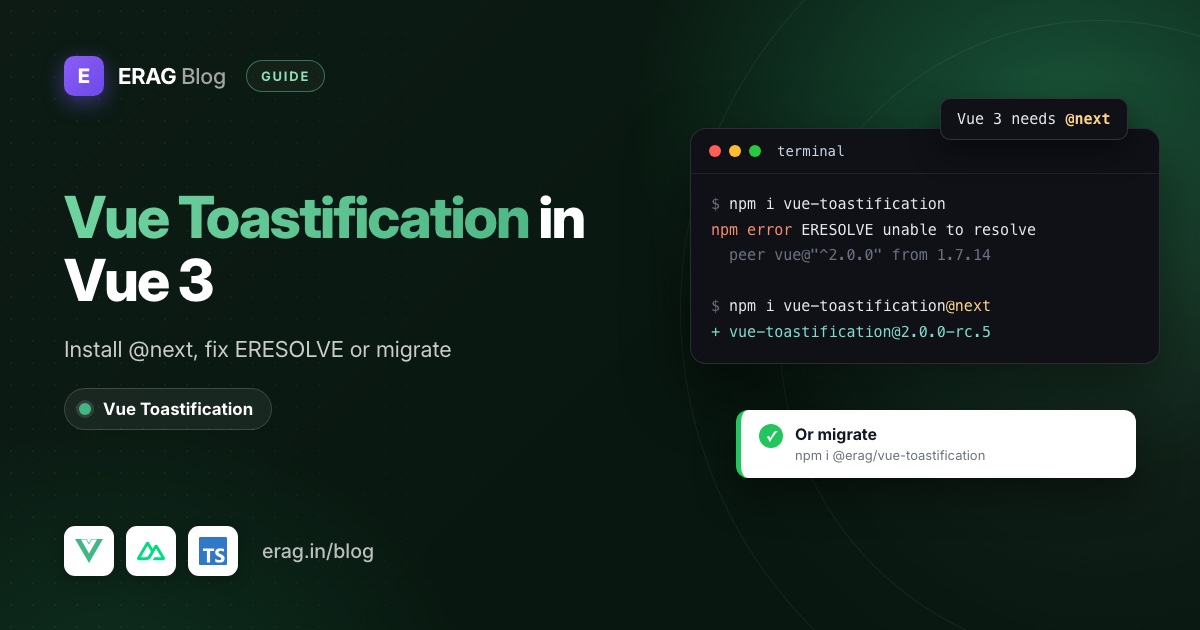
Yes, Vue Toastification works with Vue 3, but only from the next tag. npm install vue-toastification@next installs 2.0.0-rc.5, a release candidate published in October 2021. A plain npm install vue-toastification gets 1.7.14, the Vue 2 version, and npm stops with an ERESOLVE peer error. The RC still works in many apps. It just never reached a stable release, and nothing has been published since early 2022.
Here's the Vue 3 install for the original package:
npm install vue-toastification@nextimport Toast from 'vue-toastification'
import 'vue-toastification/dist/index.css'
app.use(Toast, { timeout: 3000 })If you'd rather not build on a four-year-old RC, the rest of this post compares the Vue 3 toast libraries you can use today and walks through moving to @erag/vue-toastification, a separate, smaller package.
The short version
- To keep the original: install
vue-toastification@next, never the bare package name. - To fix ERESOLVE: uninstall the Vue 2 build and install
@next. Don't reach for--legacy-peer-deps. - To choose a library: check the comparison table below against the features you use.
- To migrate to
@erag/vue-toastification: swap the packages, registerToastPlugin, and rewritetoast.success(message, { timeout })assuccess(message, title, duration), ideally through a small helper. - Replace anything that used toast IDs,
update(),clear()or custom components, then restyle with theerag-classes.
How do I install vue-toastification in Vue 3?
Install from the next tag, register the plugin in src/main.ts and import its stylesheet:
import { createApp } from 'vue'
import Toast, { POSITION, type PluginOptions } from 'vue-toastification'
import 'vue-toastification/dist/index.css'
import App from './App.vue'

const options: PluginOptions = {
  position: POSITION.TOP_RIGHT,
  timeout: 3000,
}

createApp(App).use(Toast, options).mount('#app')
Then call it from any component with useToast():
<script setup lang="ts">
import { useToast } from 'vue-toastification'

const toast = useToast()

const save = () => toast.success('Profile saved', { timeout: 2000 })
</script>
That's the whole setup. The options object takes things like position, timeout, pauseOnHover and draggable, and each toast can override them.
Why does npm install vue-toastification fail on Vue 3?
Because the bare name resolves to the latest tag, and latest is the Vue 2 build. I ran it against a Vue 3.5 project with npm 11 today. This is what you get:
npm error code ERESOLVE
npm error ERESOLVE unable to resolve dependency tree
npm error Found: vue@3.5.45
npm error Could not resolve dependency:
npm error peer vue@"^2.0.0" from vue-toastification@1.7.14
The fix is one command: npm install vue-toastification@next. With @next, npm resolves 2.0.0-rc.5, whose peer range is vue ^3.0.2, and the error goes away.
Don't use --force or --legacy-peer-deps here. They make npm install the Vue 2 build anyway, and the error moves from install time to runtime.
Is vue-toastification still maintained for Vue 3?
Not actively. The latest tag (1.7.14, Vue 2) and the next tag (2.0.0-rc.5, Vue 3) were both published on 18 October 2021. The last thing published at all was 2.0.0-dev.1 on the dev tag in January 2022.
To be fair to it, the RC still installs and works. If your app is fine and you rely on its advanced features, there's no emergency. People usually move because of a policy against unmaintained dependencies, a new project they don't want to start on an RC, or a security review that flags the package's age.
Vue 3 toast libraries compared
If you're choosing again, these are the usual candidates. I checked every cell on npm and in each project's README or docs in November 2026:
| Library | Latest version (published) | Nuxt support | Notable features |
|---|---|---|---|
vue-toastification@next | 2.0.0-rc.5 (Oct 2021) | None documented for v2 (v1 had a Nuxt 2 module) | Update and dismiss by ID, custom components, drag to dismiss, pause on hover |
vue3-toastify | 0.2.9 (Mar 2026) | Nuxt plugin example in its docs | Promise toasts, update and remove, limit, pause on hover, custom components |
vue-sonner | 2.0.9 (Oct 2025) | Nuxt module, vue-sonner/nuxt | Promise toasts, action buttons, custom components, swipe to dismiss |
notivue | 2.4.5 (Sep 2024) | Nuxt module, notivue/nuxt | Headless API, swipe and keyboard support, updatable notifications |
@erag/vue-toastification | 1.1.4 (Feb 2026) | Client-only plugin, no module | Four toast types, promise-based confirm modal, zero dependencies |
How I'd read it:
- You need toasts that update, carry buttons or render components:
vue3-toastifyandvue-sonnercover most of what the original did, and more. - You want full control of the markup: Notivue's headless mode lets you bring your own component.
- You only need "Saved" and "Something went wrong," plus a confirm dialog:
@erag/vue-toastificationis the smallest API here. That's the package the rest of this post migrates to, and it's also the one with the shortest feature list, so check the gaps below first.
What is @erag/vue-toastification, compared to the original?
It's a different package by a different author, written from scratch for Vue 3. It is not a fork and not a drop-in replacement. The import path, the call signature and the option set are all different.
It gives you four toast types through useToast(), six positions, a confirm modal through useModal() (also exported as useConfirmation()), TypeScript types and erag- prefixed CSS that doesn't fight Tailwind or Bootstrap. Vue 3 is its only peer dependency.
Everything below is checked against the 1.1.4 source and its published build, not just the docs.
How does the old API map to the new one?
This is the table to keep open while you migrate:
| vue-toastification@next | @erag/vue-toastification | Notes |
|---|---|---|
app.use(Toast, options) | app.use(ToastPlugin, { position }) | position is the only plugin option |
vue-toastification/dist/index.css | @erag/vue-toastification/dist/style.css | Required |
useToast() then toast.success(content, options) | useToast() then success(message, title?, duration?, position?) | Positional arguments, not an options object |
toast(content) (default type) | info(message) | There is no default type |
timeout (default 5000) | duration (default 4500) | Third argument, in milliseconds |
timeout: false | No equivalent | See below |
position (default top-right) | position (default bottom-right) | Plain strings, no POSITION enum |
Returned toast ID, dismiss(id) | remove(id) exists, but calls return no ID | |
toast.update(), toast.clear(), updateDefaults() | No equivalent | |
| Component or JSX content | Strings only | Rendered as plain text |
this.$toast | this.$toast | Same name, new signature |
The old package also had pauseOnHover, draggable, closeOnClick, maxToasts, newestOnTop, onClick, onClose, rtl, filterBeforeCreate and custom transitions. None of these exist in the new package. Toasts always show a close button and a progress fill.
Step 1: Swap the package and the plugin registration
Find every place that uses the old package, then swap it:
grep -rn "vue-toastification" src
npm uninstall vue-toastification
npm install @erag/vue-toastification
The src/main.ts from the install section above becomes:
import { createApp } from 'vue'
import ToastPlugin from '@erag/vue-toastification'
import '@erag/vue-toastification/dist/style.css'
import App from './App.vue'

createApp(App)
  .use(ToastPlugin, { position: 'top-right' })
  .mount('#app')
Two things to notice. First, the default position moved from top-right to bottom-right. If you never set position before and want toasts where users expect them, set 'top-right' explicitly.
Second, there's no global timeout. The duration is a per-call argument, so a global default belongs in a helper, which is Step 2.
You don't add a container component to App.vue. On install, the plugin creates #erag-toast-container and #erag-modal-container on document.body and renders into them.
Step 2: Convert toast calls with a small helper
The old toast.success('Profile saved', { timeout: 2000 }) translates directly:
import { useToast } from '@erag/vue-toastification'

const { success, error } = useToast()

success('Profile saved', 'Success', 2000)
error('Could not reach the server')
Watch the second argument. It's the title, not options. If you leave it out, the toast gets a default title of Success, Error, Warning or Info. Pass an empty string and the toast shows the message on a single line, which is closer to how the old package looked.
If your app has dozens of toast calls, don't convert each one by hand. Put your defaults in one place, src/composables/useNotify.ts:
import { useToast, type ToastType } from '@erag/vue-toastification'

const DEFAULT_DURATION = 3000

export function useNotify() {
  const toast = useToast()

  const notify =
    (type: ToastType) =>
    (message: string, duration: number = DEFAULT_DURATION): void => {
      toast[type](message, '', duration)
    }

  return {
    success: notify('success'),
    error: notify('error'),
    warning: notify('warning'),
    info: notify('info'),
  }
}
Now each old call becomes a mechanical change:
// Before
toast.success('Profile saved', { timeout: 2000 })

// After
const notify = useNotify()
notify.success('Profile saved', 2000)
The helper also gives you a single place to change wording or durations later, which the Pinia toast notifications guide uses to stop duplicate messages.
Toasts outside components
The old package let you call useToast() from Vuex, Pinia or an Axios interceptor. That still works. The new useToast() reads module-level state instead of an injected instance, so you can call it in a store action or a plain .ts file. The API error toasts post builds a typed fetch helper on exactly that.
Options API and this.$toast
The plugin sets app.config.globalProperties.$toast, so this.$toast.success(...) still works in Options API components. The signature is the new one, though: this.$toast.success('Saved', '', 2000).
The package doesn't declare $toast for TypeScript, so add it yourself in src/types/toast.d.ts:
import type { useToast } from '@erag/vue-toastification'

declare module 'vue' {
  interface ComponentCustomProperties {
    $toast: ReturnType<typeof useToast>
  }
}

export {}
Step 3: Replace positions and the POSITION enum
The POSITION and TYPE enums are gone. Positions are plain strings: top-left, top-center, top-right, bottom-left, bottom-center and bottom-right. TypeScript checks them through the exported ToastPosition type.
There's one behaviour to know about. The docs describe the fourth argument as a position for a single toast. In version 1.1.4 the source moves the whole container instead: later toasts appear in the new spot too, until something changes it again. In practice, pick one position for the app and use setPosition() when a layout really needs another.
const { setPosition, info } = useToast()

setPosition('top-center')
info('Your session expires in two minutes.', '')
What has no equivalent, and what to do instead
This is where most of the migration time goes, so it's worth checking your code for these before you start.
Persistent toasts (timeout: false)
The docs say a duration of 0 keeps a toast open. In 1.1.4 it doesn't: the toast component starts its own timer with the duration and doesn't skip 0, so the toast closes almost immediately. Until that changes, there's no toast that stays open until dismissed.
Honestly, most persistent toasts were the wrong pattern anyway. If the user has to act, use the confirm modal or an inline message next to the thing that failed. The toast notification UX guide has more on which messages belong in a toast at all.
Toast IDs, update() and dismiss()
Old code often did this for uploads:
const id = toast.info('Uploading...', { timeout: false })
await upload(file)
toast.update(id, { content: 'Upload complete', options: { type: TYPE.SUCCESS, timeout: 3000 } })
The new calls don't return an ID, and there is no update(). Show progress in the UI that started the upload (a button spinner or progress bar), then send one toast when it finishes:
isUploading.value = true

try {
  await upload(file)
  success('Upload complete', '')
} catch {
  error('The upload failed. Please try again.', '')
} finally {
  isUploading.value = false
}
toast.clear() has no replacement either. Toasts leave on their own after their duration.
Custom components and JSX content
The old package could render a component inside a toast, with buttons and props. The new one takes a message string and a title string, and renders both as text. HTML in a message shows up as literal text, which is also why it's safe to put server messages in it.
If you had an "Undo" button inside a toast, move the action into the page, or ask with the modal before the action happens.
Confirm instead of toast buttons
Many custom toast components were really confirmations. The bundled modal handles those with one await:
import { useModal } from '@erag/vue-toastification'

const modal = useModal()

const confirmed = await modal.confirm({
  title: 'Delete this project?',
  message: 'This cannot be undone.',
  confirmText: 'Delete',
  type: 'danger',
})
It resolves true or false. The promise-based confirm modal post covers delete and unsaved-changes flows.
Restyle with the erag- classes
Old overrides targeted the Vue-Toastification__ classes. Delete those and target the new ones. Each toast has erag-toast plus a type class:
| Element | Class in 1.1.4 |
|---|---|
| Container | #erag-toast-container, .erag-toast-container |
| Toast | .erag-toast |
| Type | .erag-success, .erag-error, .erag-warning, .erag-info |
The styling docs list .erag-toast-success and friends, but the shipped stylesheet uses .erag-toast.erag-success. The package styles are also scoped, so a plain .erag-toast rule can lose on specificity. Prefix your overrides with the container ID:
#erag-toast-container .erag-toast.erag-success {
  --toast-bg: #15803d;
}

#erag-toast-container .erag-toast {
  border-radius: 10px;
}
The background colour of each type comes from the --toast-bg custom property, so overriding that one variable is enough to change the colour.
Does it work in Nuxt?
Yes, as a client-only plugin. The old package shipped a Nuxt 2 module (vue-toastification/nuxt). This package has no module, and its install() touches document, so it must not run on the server. Put it in app/plugins/toast.client.ts:
import ToastPlugin from '@erag/vue-toastification'

export default defineNuxtPlugin((nuxtApp) => {
  nuxtApp.vueApp.use(ToastPlugin, { position: 'top-right' })
})
Add css: ['@erag/vue-toastification/dist/style.css'] to nuxt.config.ts, and only show toasts from browser code such as event handlers or onMounted. On Nuxt 3, the plugin lives in plugins/ instead of app/plugins/.
When is @erag/vue-toastification the wrong move?
Don't migrate to it if your app depends on any of these:
- Toasts that update in place, such as upload progress.
- Custom components or buttons inside toasts.
- Pause on hover, drag to dismiss or a toast limit.
- Toasts that stay open until dismissed.
In that case, either stay on vue-toastification@next for now or pick vue3-toastify or vue-sonner from the comparison table. Between them they cover most of that list, so check the features column against what you use. The ERAG package is deliberately small. If your toasts are "Saved" and "Something went wrong" messages with a title, the move is quick and you lose nothing you used.
Frequently asked questions
Does vue-toastification work with Vue 3?
Yes, through vue-toastification@next (2.0.0-rc.5). The default latest tag is the Vue 2 build, which is why a plain install fails on Vue 3 with ERESOLVE.
Is @erag/vue-toastification a fork of vue-toastification?
No. It's a separate package written for Vue 3 with its own, smaller API. The name describes what it does, but the import path, options and call signature are different, so plan a real migration rather than a version bump.
Can I install both packages during the migration?
Yes. They have different names and different CSS class prefixes, so you can move one screen at a time and remove the old package at the end. Both plugins render their own containers, so avoid showing toasts from both on the same screen.
Does @erag/vue-toastification support Vue 2?
No. Vue 3 is its only peer dependency. If you're still on Vue 2, the original vue-toastification@1.7.14 is the Vue 2 version.
Can toasts contain HTML or components?
No. The message and title are strings rendered as text. For actions, use the confirm modal or put the control in the page.
Make the switch
Start with the registration in main.ts and the useNotify() helper, then work through the grep results one screen at a time:
npm install @erag/vue-toastification- Documentation: setup, toast usage and the API reference
- Try it first: the interactive playground
- New to the package: toast notifications in Vue 3 without the bloat
- On Laravel with Inertia: use Laravel Inertia Toast so controllers can send toasts too
