
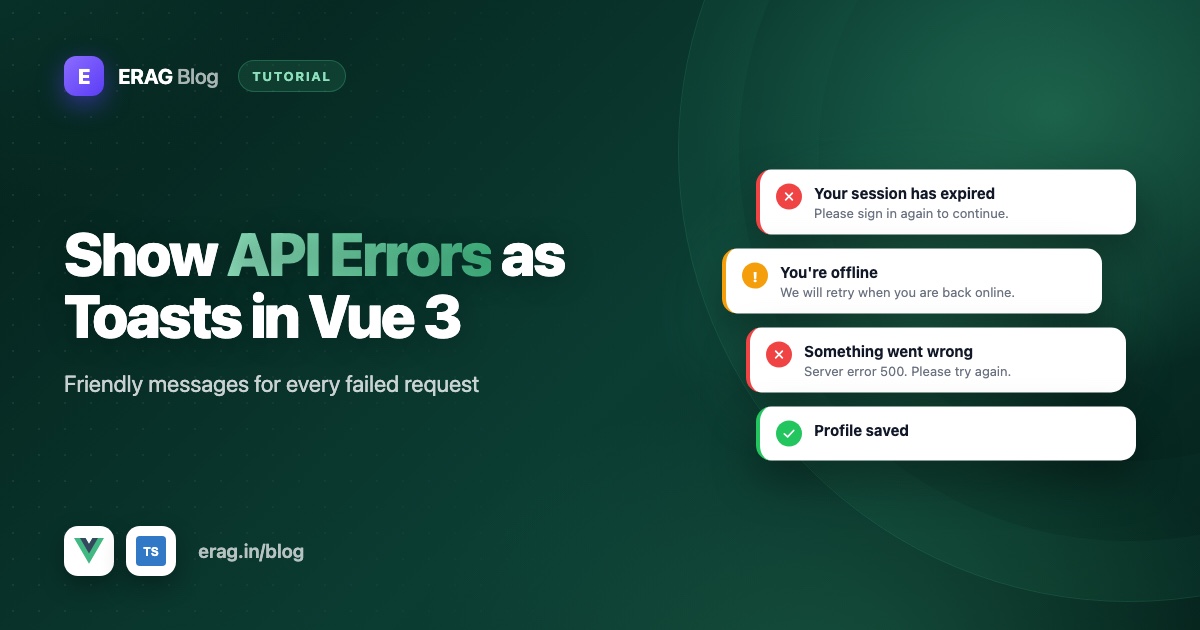
The cleanest way to handle API errors in Vue 3 is to send every request through one small fetch helper that checks the status code, turns it into a friendly message and shows it as a toast. Your components then only deal with the happy path. This guide builds that helper in TypeScript with useToast() from @erag/vue-toastification, adds a global error handler for everything else, and shows when a validation error belongs next to the field instead of in a toast.
The short version
- Create an
ApiErrorclass that carries the HTTP status and any field errors. - Write a map from status codes (401, 403, 404, 419, 429, 500 and network failures) to plain-English messages.
- Wrap
fetchin a typedapi()helper that throwsApiErrorwhenresponse.okis false. - Show the message with
useToast()inside the helper, so components don't have to. - Skip the toast for 422 validation errors and show them under the form fields instead.
- Catch anything unexpected with
app.config.errorHandler. - Stop the same message from stacking up when several requests fail at once.
Why handle API errors in one place?
Without a shared helper, every component writes its own try and catch. One shows "Request failed with status 500", another shows nothing at all, and a third shows a raw server message. Users get a different experience on every screen, and you fix the same bug many times.
There's also a trap that catches almost everyone: fetch does not throw on HTTP errors. A 404 or a 500 resolves normally, with response.ok set to false. It only rejects when the request can't complete at all, for example when the user is offline. So code like this fails silently:
try {
  const response = await fetch('/api/invoices')
  invoices.value = await response.json() // runs even on a 500
} catch {
  // only reached when the network fails
}
A central helper fixes both problems. It checks response.ok, picks the right message, and shows one toast.
This guide assumes you've already installed @erag/vue-toastification and registered its plugin in main.ts. If not, toast notifications in Vue 3 covers the setup in a few minutes.
Step 1: Create an ApiError class
A custom error class lets the rest of your code ask "what went wrong?" with a simple instanceof check. Create src/lib/api-error.ts:
export type FieldErrors = Record<string, string[]>

export class ApiError extends Error {
  readonly status: number
  readonly fieldErrors: FieldErrors
  toastShown = false

  constructor(status: number, message: string, fieldErrors: FieldErrors = {}) {
    super(message)
    this.name = 'ApiError'
    this.status = status
    this.fieldErrors = fieldErrors
  }
}
status is the HTTP status code, or 0 when the request never got an answer. fieldErrors holds validation messages per field. toastShown records whether the user has already seen a toast for this error, which matters later when we stop duplicates.
Step 2: Map status codes to human messages
Status codes are for machines. Users need to know what happened and what to do next. Here is the mapping I use with a Laravel backend:
| Status | What it means | What the user sees | Toast type |
|---|---|---|---|
0 | Offline, or the server didn't answer | "You seem to be offline. Check your connection and try again." | warning |
401 | Not logged in, or the session ended | "Please log in again to continue." | warning |
403 | Logged in, but not allowed | "You don't have permission to do that." | error |
404 | The record doesn't exist (anymore) | "We couldn't find that. It may have been deleted." | error |
419 | Laravel's CSRF check failed, usually an expired session | "Your session expired. Refresh the page and try again." | warning |
422 | Validation failed | No toast. Show the errors under the fields. | none |
429 | Too many requests | "You're going a bit fast. Wait a moment and try again." | warning |
500 and up | Something broke on the server | "Something went wrong on our side. Please try again in a minute." | error |
Put it in src/lib/api-messages.ts:
import type { ToastType } from '@erag/vue-toastification'

export type ErrorCopy = {
  title: string
  message: string
  type: ToastType
}

const copyByStatus: Record<number, ErrorCopy> = {
  401: { title: 'Signed out', message: 'Please log in again to continue.', type: 'warning' },
  403: { title: 'Not allowed', message: "You don't have permission to do that.", type: 'error' },
  404: { title: 'Not found', message: "We couldn't find that. It may have been deleted.", type: 'error' },
  419: { title: 'Session expired', message: 'Your session expired. Refresh the page and try again.', type: 'warning' },
  429: { title: 'Slow down', message: "You're going a bit fast. Wait a moment and try again.", type: 'warning' }
}

export function describeError(status: number): ErrorCopy {
  if (status === 0) {
    return navigator.onLine
      ? { title: 'No response', message: "We couldn't reach the server. Please try again.", type: 'warning' }
      : { title: 'Offline', message: 'You seem to be offline. Check your connection and try again.', type: 'warning' }
  }

  if (status >= 500) {
    return { title: 'Server error', message: 'Something went wrong on our side. Please try again in a minute.', type: 'error' }
  }

  return copyByStatus[status] ?? { title: 'Request failed', message: 'Something went wrong. Please try again.', type: 'error' }
}
navigator.onLine is a browser API. It's not perfect, but it's good enough to tell "you're offline" apart from "our server didn't answer".
Notice that none of these messages repeat the server's raw text. Laravel's production error messages, like "Server Error", are written for developers. If your backend does write user-facing text for some responses, such as abort(403, 'Only admins can export invoices.'), you can prefer error.message for that status.
Step 3: Build a typed fetch helper
Now the core piece, src/lib/api.ts:
import { useToast, type ToastType } from '@erag/vue-toastification'
import { ApiError, type FieldErrors } from './api-error'
import { describeError } from './api-messages'

const toast = useToast()
const recentToasts = new Map<string, number>()

type ApiOptions = Omit<RequestInit, 'body' | 'headers'> & {
  body?: unknown
  headers?: Record<string, string>
  silent?: boolean
}

function showOnce(type: ToastType, message: string, title: string) {
  const key = `${type}:${message}`
  const now = Date.now()

  if (now - (recentToasts.get(key) ?? 0) < 4000) {
    return
  }

  recentToasts.set(key, now)
  toast[type](message, title, type === 'error' ? 7000 : 5000)
}

function notify(error: ApiError, silent: boolean): ApiError {
  if (silent || error.status === 422) {
    return error
  }

  const copy = describeError(error.status)
  showOnce(copy.type, copy.message, copy.title)
  error.toastShown = true

  return error
}

export async function api<T>(url: string, options: ApiOptions = {}): Promise<T> {
  const { body, headers, silent = false, ...init } = options
  let response: Response

  try {
    response = await fetch(url, {
      ...init,
      headers: {
        Accept: 'application/json',
        ...(body !== undefined ? { 'Content-Type': 'application/json' } : {}),
        ...headers
      },
      body: body !== undefined ? JSON.stringify(body) : undefined,
      signal: init.signal ?? AbortSignal.timeout(15000)
    })
  } catch (error) {
    if (error instanceof DOMException && error.name === 'AbortError') {
      throw error
    }

    throw notify(new ApiError(0, 'Network request failed'), silent)
  }

  if (response.status === 204) {
    return undefined as T
  }

  const data = await response.json().catch(() => null)

  if (response.ok) {
    return data as T
  }

  const fieldErrors: FieldErrors = response.status === 422 ? (data?.errors ?? {}) : {}

  throw notify(new ApiError(response.status, data?.message ?? response.statusText, fieldErrors), silent)
}
What each part does:
Accept: application/jsontells Laravel you want JSON. Without it, a failed validation answers with a redirect instead of a 422, andfetchquietly follows that redirect.AbortSignal.timeout(15000)gives up after 15 seconds, so a hanging server turns into a clear message instead of a spinner that never stops.AbortErroris re-thrown without a toast. That error means your own code cancelled the request, for example when a search box sends a newer query. The user didn't do anything wrong.silent: truelets a caller skip the toast, which is handy for background polling.showOnce()is the duplicate guard. More on that below.
Why useToast() works in a plain .ts file
useToast() doesn't depend on a component. In @erag/vue-toastification it returns functions that write to one shared, reactive list inside the package, and the toast area mounted by the plugin reads that same list. I checked this in the package source (src/composables/useToast.ts), so calling it at the top of a module like api.ts is safe. The only requirement is that app.use(ToastPlugin) runs in main.ts, because that's what puts the toast area on the page.
Step 4: Use the helper in a component
With errors handled centrally, components get short again:
<script setup lang="ts">
import { onMounted, ref } from 'vue'
import { api } from '../lib/api'

type Invoice = {
  id: number
  number: string
  total: string
}

const invoices = ref<Invoice[]>([])
const isLoading = ref(true)

onMounted(async () => {
  try {
    invoices.value = await api<Invoice[]>('/api/invoices')
  } catch {
    // The helper already showed a toast. Keep the empty state.
  } finally {
    isLoading.value = false
  }
})
</script>
The catch is still there so the loading state ends, but it doesn't need to know what went wrong. The user already saw "Server error" or "Offline" from the helper.
Step 5: Show validation errors (422) next to the fields
When Laravel rejects form input, it answers with status 422 and a body like this:
{
  "message": "The email field must be a valid email address.",
  "errors": {
    "email": ["The email field must be a valid email address."]
  }
}
Don't put that in a toast. A toast disappears after a few seconds and sits in a corner, far from the field the user has to fix. Show the message right under the input instead. The helper already skips the toast for 422 and passes the errors along in fieldErrors:
<script setup lang="ts">
import { reactive, ref } from 'vue'
import { useToast } from '@erag/vue-toastification'
import { api } from '../lib/api'
import { ApiError, type FieldErrors } from '../lib/api-error'

const { success } = useToast()
const form = reactive({ name: '', email: '' })
const errors = ref<FieldErrors>({})
const isSaving = ref(false)

const invite = async () => {
  isSaving.value = true
  errors.value = {}

  try {
    await api('/api/team-members', { method: 'POST', body: form })
    success(`${form.name} was invited.`, 'Invitation sent')
  } catch (error) {
    if (error instanceof ApiError && error.status === 422) {
      errors.value = error.fieldErrors
    }
  } finally {
    isSaving.value = false
  }
}
</script>

<template>
  <form @submit.prevent="invite">
    <label for="name">Name</label>
    <input id="name" v-model="form.name" />
    <p v-if="errors.name" class="field-error">{{ errors.name[0] }}</p>

    <label for="email">Email</label>
    <input id="email" v-model="form.email" type="email" />
    <p v-if="errors.email" class="field-error">{{ errors.email[0] }}</p>

    <button type="submit" :disabled="isSaving">Send invite</button>
  </form>
</template>
There is one case where a toast is right for a 422: when the error belongs to something the user can't see, like a hidden ID. If fieldErrors has a key with no matching input, show error.message in an error toast so the failure isn't silent.
Step 6: Catch unexpected errors with app.config.errorHandler
The helper covers API calls. Bugs still happen elsewhere: a null you didn't expect in a watcher, a typo in a computed value. Vue's app.config.errorHandler catches errors thrown in components, including render functions, lifecycle hooks, watchers and event handlers. Add it in main.ts:
import { createApp } from 'vue'
import ToastPlugin, { useToast } from '@erag/vue-toastification'
import '@erag/vue-toastification/dist/style.css'
import App from './App.vue'
import { ApiError } from './lib/api-error'

const app = createApp(App)
app.use(ToastPlugin, { position: 'top-right' })

const toast = useToast()

function reportUnexpected(error: unknown) {
  if (error instanceof ApiError && error.toastShown) {
    return
  }

  toast.error('Something unexpected went wrong. Please refresh the page and try again.', 'Unexpected error', 7000)
}

app.config.errorHandler = (error, _instance, info) => {
  console.error(error, info)
  reportUnexpected(error)
}

window.addEventListener('unhandledrejection', (event) => {
  reportUnexpected(event.reason)
})

app.mount('#app')
Two details matter here:
- The
toastShowncheck stops a second toast for an error the API helper already reported. Without it, a failed request inside an event handler that doesn't catch its error would show "Server error" and then "Unexpected error" for the same problem. - The
unhandledrejectionlistener catches promises that fail outside Vue's reach, such as a request started in asetTimeoutor a plain module. Vue's handler never sees those.
Keep the console.error() call, or send the error to your logging service there. The toast is for the user; you still need the stack trace.
Step 7: Avoid duplicate error toasts
Picture a dashboard that loads five widgets at once while the server is down. Without a guard, the user gets five identical "Server error" toasts stacked on top of each other. That looks broken, and it hides the rest of the page.
The showOnce() function in the helper keeps a small map of recent messages. If the same type and text was shown less than four seconds ago, it skips the new one. Five failures become one clear toast.
A few more habits keep things tidy:
- One owner per error. The helper shows API toasts. Components don't add their own error toast on top; they only handle loading states and 422 field errors.
- Use
silent: truefor background work. If a poll fails every 30 seconds, the user doesn't need 30-second reminders. Show one banner or retry quietly instead. - Tell people when they're back online. Listen for the browser's
onlineevent and show a short success toast, so users know they can try again.
window.addEventListener('online', () => {
  toast.success('You are back online.', 'Connected')
})
Common problems and fixes
My catch block never runs on a 404 or 500
That's how fetch works: it only rejects on network failures. Check response.ok, or let the api() helper do it for you.
Laravel returns an HTML page or a redirect instead of JSON
Send Accept: application/json with every request. Laravel uses that header to decide whether to answer with JSON errors or with redirects and HTML error pages.
Every POST fails with 419
Laravel's CSRF protection is rejecting the request. For an app on the same site that logs in with cookies, make sure the XSRF-TOKEN cookie is set and its value is sent back in the X-XSRF-TOKEN header. Then 419 only appears when a session really expires.
The same error toast shows several times
Several requests failed for the same reason. Keep the showOnce() guard in the helper, and make sure components don't show their own toast for errors the helper already handled.
A toast appears when I cancel a request on purpose
Cancelled requests throw an AbortError. Re-throw it without a toast, as the helper does, and ignore it in your component.
response.json() throws on an empty response
Some endpoints return 204 No Content or an empty body. The helper returns early for 204 and wraps response.json() in a .catch(), so an empty body doesn't crash it.
Frequently asked questions
How do I handle API errors globally in Vue 3?
Send every request through one helper around fetch that checks response.ok, maps the status code to a message and shows a toast. Then add app.config.errorHandler for errors that don't come from your API.
Does fetch throw an error on 404 or 500?
No. fetch resolves for any HTTP response, including 404 and 500, and sets response.ok to false. It only rejects when the request can't complete, such as when the user is offline or the request is aborted.
Can I call useToast() outside a Vue component?
With @erag/vue-toastification, yes. It keeps its toasts in one shared list inside the package, so you can call it in plain .ts files, stores and helpers. The plugin still has to be registered in main.ts.
Should validation errors be shown in a toast?
Usually not. Show 422 errors under the matching fields, where the user is already looking. Use a toast only when the error belongs to something the user can't see on the form.
What does app.config.errorHandler catch in Vue 3?
It catches errors thrown inside your Vue app: component setup, render functions, lifecycle hooks, watchers and event handlers. It doesn't catch failed promises started outside Vue, so add an unhandledrejection listener for those.
How do I show a message when the user is offline?
Requests made while offline fail with a network error, which the helper turns into an "Offline" toast using navigator.onLine. You can also listen for the browser's offline and online events to tell users when the connection drops and comes back.
How do I stop the same error toast showing many times?
Remember when each message was last shown and skip it if it appeared a few seconds ago. The showOnce() function in this guide does that with a small Map.
Make errors helpful, not scary
With one helper, a status map and a global handler, every failed request in your Vue 3 app ends with one clear message, and your components stay focused on the data they show.
npm install @erag/vue-toastification- Documentation: erag.in/vue-toastification, including toast usage and the API reference
- GitHub: eramitgupta/vue-toastification. A star helps other developers find it.
- Further reading: toast notification UX best practices for how long errors should stay and how to word them, and promise-based confirm modals in Vue 3 for asking before risky requests.
