
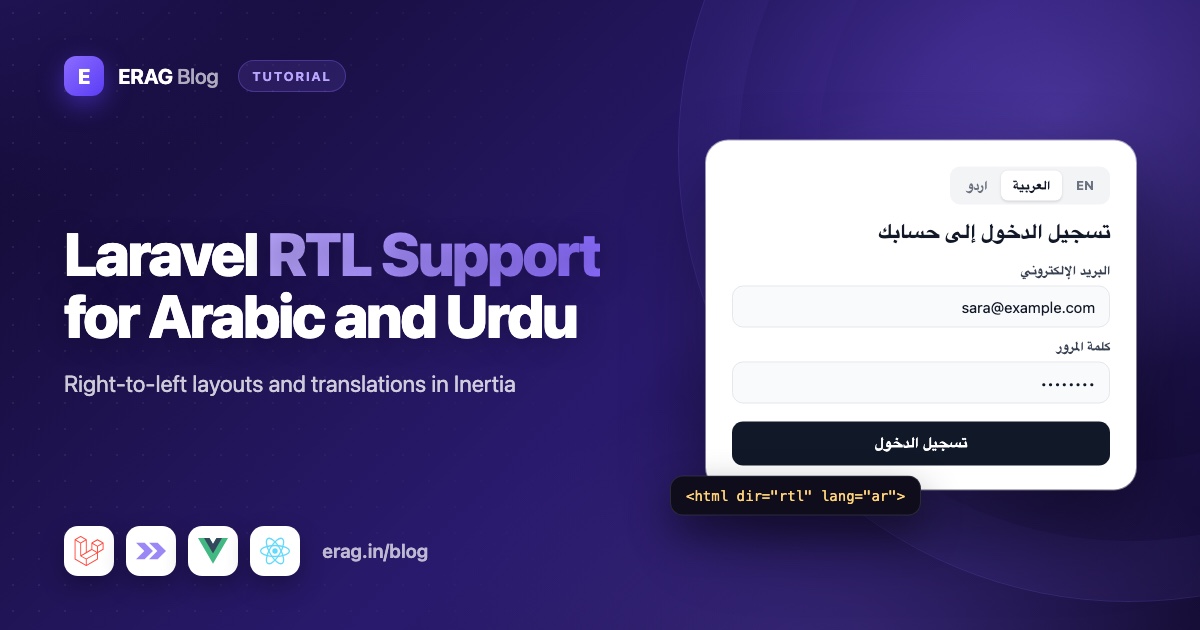
To add RTL support for Arabic and Urdu to a Laravel Inertia app, decide the text direction on the server from the active locale, share it as an Inertia prop, and put it on the <html> tag as dir="rtl". Then keep that attribute in sync on client-side visits, write your Tailwind CSS with logical classes like ms-4 and text-start so the layout mirrors itself, and format numbers and dates with the browser's Intl API. Your Arabic and Urdu text lives in normal Laravel lang files, shared with Vue or React by Laravel Lang Sync Inertia.
The examples use Laravel 13, Inertia v3, Tailwind CSS v4 and the official Vue and React starter kits. They assume your app already switches languages. If it doesn't, start with the Vue starter kit translation guide or the React one. Here we only add what right-to-left languages need on top.
The short version
- Add
lang/ar/app.phpandlang/ur/app.php, with the same keys as English. - Add
arandurto yourSetLocalemiddleware, plus a list of right-to-left locales. - Share
localeanddirectionfromHandleInertiaRequests. - Print
diron the<html>tag inresources/views/app.blade.php. - Update
document.documentElement.dirafter Inertia visits, using the router'snavigateandsuccessevents. - Replace
ml-,pl-,left-andtext-leftwithms-,ps-,start-andtext-start. - Flip arrow icons with
rtl:-scale-x-100. Leave everything else alone. - Format numbers and dates with
Intl.NumberFormatandIntl.DateTimeFormat.
What does dir="rtl" actually change?
The dir attribute tells the browser which way the text flows. Set dir="rtl" on the <html> tag and a lot happens for free: text starts on the right, flex rows and grid columns run right to left, and table columns flip.
What does not flip is anything you wrote with a physical direction. margin-left, left: 0 and text-align: left mean the same thing in both directions. So a page built with ml-4 and left-0 ends up half mirrored, with icons on the wrong side of their labels. The fix is to describe sides as "start" and "end" instead of "left" and "right".
Add the Arabic and Urdu language files
Create one file per language with the same keys as your English file. Keep sample strings short while you test the layout:
<?php

// lang/ar/app.php

return [
    'nav' => [
        'dashboard' => 'لوحة التحكم',
        'settings' => 'الإعدادات',
    ],
    'welcome' => 'مرحبًا، :name',
    'back' => 'رجوع',
    'next' => 'التالي',
    'messages' => '{0} لا توجد رسائل|{1} رسالة واحدة|{2} رسالتان|[3,10] :count رسائل|[11,*] :count رسالة',
];<?php
// lang/ur/app.php
return [
'nav' => [
'dashboard' => 'ڈیش بورڈ',
'settings' => 'ترتیبات',
],
'welcome' => 'خوش آمدید، :name',
'back' => 'واپس',
'next' => 'اگلا',
'messages' => '{0} کوئی پیغام نہیں|{1} ایک پیغام|[2,*] :count پیغامات',
];Your code editor may show these lines in a strange order, because they mix left-to-right PHP with right-to-left text. The files are fine as long as they're saved as UTF-8.
Why the Arabic plural line uses explicit ranges
Arabic has six plural forms, including separate ones for two, for 3 to 10 and for 11 to 99. Laravel's trans_choice() knows these rules on the server. The frontend transChoice() helper doesn't: when no {n} or [a,b] condition matches, it uses the first form for 1 and the last form for everything else.
So give every Arabic plural explicit conditions, as above, and PHP and JavaScript pick the same form. These ranges are right for everyday counts. For counts above 100, Arabic looks at the last two digits, which ranges can't express, so ask a native speaker if big numbers matter.
Laravel doesn't ship Arabic or Urdu validation messages. Copy validation.php, auth.php and passwords.php from lang/en into lang/ar and lang/ur and translate them.
Pick the locale and its direction in middleware
The translation guides build a SetLocale middleware that calls App::setLocale() and then syncLangFiles(). Keep that order, because syncLangFiles() reads files for the locale that is active when you call it. For RTL you add the new locales and a list of the ones that read right to left:
<?php

namespace App\Http\Middleware;

use Closure;
use Illuminate\Http\Request;
use Illuminate\Support\Facades\App;
use Symfony\Component\HttpFoundation\Response;

class SetLocale
{
    /**
     * @var array<int, string>
     */
    public const SUPPORTED = ['en', 'ar', 'ur'];

    /**
     * @var array<int, string>
     */
    public const RIGHT_TO_LEFT = ['ar', 'ur'];

    public static function direction(string $locale): string
    {
        return in_array($locale, self::RIGHT_TO_LEFT, true) ? 'rtl' : 'ltr';
    }

    public function handle(Request $request, Closure $next): Response
    {
        $locale = $request->session()->get('locale', config('app.locale'));

        App::setLocale(in_array($locale, self::SUPPORTED, true) ? $locale : config('app.locale'));

        syncLangFiles('app');

        return $next($request);
    }
}
The direction belongs to the language, so a short hard-coded list is all you need. If you add Persian (fa) or Hebrew (he) later, add them to RIGHT_TO_LEFT too.
Share the locale and direction with Inertia
Add both values to the shared props in app/Http/Middleware/HandleInertiaRequests.php:
use Illuminate\Support\Facades\App;

// SetLocale lives in the same App\Http\Middleware namespace, so it needs no import.
public function share(Request $request): array
{
    return [
        ...parent::share($request),
        // ...the starter kit's existing shared props
        'locale' => fn () => App::getLocale(),
        'direction' => fn () => SetLocale::direction(App::getLocale()),
    ];
}
The closures run when the response is built, after SetLocale has done its work, so they always match the active language.
Tell TypeScript about the new props in resources/js/types/global.d.ts, inside the existing sharedPageProps:
declare module '@inertiajs/core' {
    export interface InertiaConfig {
        sharedPageProps: {
            // ...the existing props
            locale: string;
            direction: 'ltr' | 'rtl';
        };
    }
}
Set dir and lang on the html tag
The first page load is rendered by your Blade root view. Inertia passes the resolved page to it as $page, so you can read the shared direction prop there. Edit the opening tag in resources/views/app.blade.php:
<html
    lang="{{ str_replace('_', '-', app()->getLocale()) }}"
    dir="{{ $page['props']['direction'] ?? 'ltr' }}"
    @class(['dark' => ($appearance ?? 'system') == 'dark'])
>
Because the server prints the right value, an Arabic visitor never sees a left-to-right flash before your JavaScript loads. The lang attribute matters too: screen readers use it to pick a voice.
Keep dir in sync after client-side visits
Inertia swaps pages without reloading the document, so the <html> tag is never rendered again. When someone switches from English to Arabic, the props change but dir still says ltr. Fix it with a small module that listens to Inertia's router events:
// resources/js/lib/documentDirection.ts
import { router } from '@inertiajs/vue3'; // use '@inertiajs/react' in a React app

type DocumentLanguage = {
    locale: string;
    direction: 'ltr' | 'rtl';
};

function applyDocumentLanguage({ locale, direction }: DocumentLanguage): void {
    document.documentElement.lang = locale;
    document.documentElement.dir = direction;
}

export function initializeDocumentDirection(): void {
    // Visits to another page, and the browser's back and forward buttons.
    router.on('navigate', (event) => applyDocumentLanguage(event.detail.page.props));

    // Visits that end on the same URL, like a language switcher that redirects back.
    router.on('success', (event) => applyDocumentLanguage(event.detail.page.props));
}
Call it once in resources/js/app.ts (or app.tsx), next to the starter kit's initializeTheme():
import { initializeDocumentDirection } from '@/lib/documentDirection';

initializeDocumentDirection();
Why two events? Inertia's navigate event doesn't fire when a visit lands on the same URL, because Inertia replaces the history entry instead of adding one. A language switcher that posts the locale and redirects back() is exactly that case. success fires after every successful visit, so it covers the switcher. navigate covers the back and forward buttons, which don't fire success.
This works the same way in Vue and React, and also on pages with no layout, such as the starter kit's welcome page.
Use the translations in Vue and React
Nothing changes here. The package's helpers read whatever language the server synced. If you haven't used them before, using Laravel translations in Inertia Vue and React explains them in full:
<script setup lang="ts">
import { vueLang } from '@erag/lang-sync-inertia/vue';
import { usePage } from '@inertiajs/vue3';

const { __, transChoice } = vueLang();
const page = usePage();
</script>

<template>
    <h1 class="text-start text-xl font-semibold">
        {{ __('app.welcome', { name: page.props.auth.user.name }) }}
    </h1>
    <p class="text-muted-foreground">{{ transChoice('app.messages', 2) }}</p>
</template>import { reactLang } from '@erag/lang-sync-inertia/react';
import { usePage } from '@inertiajs/react';
export default function Welcome() {
const { __, transChoice } = reactLang();
const { auth } = usePage().props;
return (
<>
<h1 className="text-start text-xl font-semibold">{__('app.welcome', { name: auth.user.name })}</h1>
<p className="text-muted-foreground">{transChoice('app.messages', 2)}</p>
</>
);
}With the Arabic file active, the plural line shows "رسالتان". With Urdu, it shows "2 پیغامات". A missing key shows the key itself, like app.welcome, which is easy to spot.
Write Tailwind CSS that works in both directions
Tailwind CSS v4 has logical versions of the utilities that care about sides. They follow the text direction, so one class works in English and Arabic:
| Instead of | Use | What it controls |
|---|---|---|
ml-4, mr-4 | ms-4, me-4 | Margin at the start or end |
pl-4, pr-4 | ps-4, pe-4 | Padding at the start or end |
left-0, right-0 | start-0, end-0 | Position of absolute elements |
text-left, text-right | text-start, text-end | Text alignment |
border-l, border-r | border-s, border-e | One-sided borders |
rounded-l-lg, rounded-r-lg | rounded-s-lg, rounded-e-lg | Corners on one side |
float-left, float-right | float-start, float-end | Floats |
flex, grid and gap already follow the direction. In Tailwind v4, space-x-* uses logical margins too, so it mirrors without changes.
For the few things with no logical version, use the rtl: and ltr: variants. They match when an ancestor has dir="rtl" or dir="ltr":
<!-- A panel that slides in from the start edge -->
<aside class="fixed inset-y-0 start-0 w-72 -translate-x-full rtl:translate-x-full">
    ...
</aside>

<!-- A badge pinned to the end corner of an avatar -->
<span class="absolute -end-1 -top-1 size-3 rounded-full bg-green-500"></span>
translate-x moves along the physical x-axis, so a panel hidden to the left in English must be hidden to the right in Arabic. rtl:translate-x-full does that.
Mirror the starter kit sidebar and menus
The Laravel starter kits use a Sidebar component with a side prop. It uses physical left and right positioning, so pass the side from the shared direction in AppSidebar.vue:
<Sidebar collapsible="icon" variant="inset" :side="page.props.direction === 'rtl' ? 'right' : 'left'">Here page is usePage(). In React, pass side the same way. Dropdown menus need the direction too, so arrow keys and submenus go the right way. The kits' menu components are built on a headless UI library that reads the direction from a provider component. In the Vue kit, wrap your layout's content in that library's ConfigProvider with :dir="page.props.direction". Check the imports in components/ui to see which library your kit uses.
Which icons should flip in RTL?
Only icons that point in the reading direction. If the icon means "back", "forward", "next" or "previous", flip it. If it shows a real object, leave it alone.
| Flip in RTL | Don't flip |
|---|---|
| Back and forward arrows | Search, settings, user, home |
| Chevrons in breadcrumbs, pagination and "next" buttons | Check marks, plus and close icons |
| Undo and redo | Play, pause and other media controls |
| Text indent and list-style icons | Logos, brand marks and clocks |
Flip an icon with rtl:-scale-x-100, which mirrors it only on right-to-left pages. For example, the starter kit's breadcrumb separator in resources/js/components/ui/breadcrumb/BreadcrumbSeparator.vue:
<slot>
    <ChevronRight class="rtl:-scale-x-100" />
</slot>
The same class works on a "Next" button's arrow in React: <ArrowRight className="rtl:-scale-x-100" />.
Format numbers and dates for Arabic and Urdu
Numbers and dates aren't translation strings, so don't put them in lang files. Format them with the browser's Intl API and the shared locale:
import { usePage } from '@inertiajs/vue3';
import { computed } from 'vue';

const page = usePage();

const price = computed(() =>
    new Intl.NumberFormat(page.props.locale, { style: 'currency', currency: 'PKR' }).format(1499),
);

const joined = computed(() =>
    new Intl.DateTimeFormat(page.props.locale, { dateStyle: 'long' }).format(new Date()),
);
In React, call usePage().props.locale inside the component and format the same way.
The digits you get depend on the exact locale. In current browsers, plain ar and ur usually give Western digits (1, 2, 3), while a regional locale like ar-EG gives Arabic-Indic digits. Choose on purpose instead of guessing:
new Intl.NumberFormat('ar', { numberingSystem: 'arab' }).format(1234.5); // ١٬٢٣٤٫٥
new Intl.NumberFormat('ar', { numberingSystem: 'latn' }).format(1234.5); // 1,234.5
Ask your users which digits they expect. For emails and PDFs built on the server, Laravel's Number helper does the same job, for example Number::currency(1499, in: 'PKR', locale: 'ur'). It needs PHP's intl extension.
Use fonts that support Arabic script
The starter kit's default font has no Arabic letters. The browser falls back to a system font, so the text shows, but it often looks out of place. Pick a font designed for Arabic script and use it for the right languages only:
/* resources/css/app.css, after the existing rules */
html:lang(ar) body {
    font-family: 'Your Arabic Font', system-ui, sans-serif;
}

html:lang(ur) body {
    font-family: 'Your Urdu Font', system-ui, sans-serif;
}
These rules sit outside Tailwind's layers, so they win over the font-sans class on <body>. They follow the lang attribute, which your router listener keeps up to date.
Treat Urdu on its own. Many Urdu readers expect the Nastaliq style, which needs more line height than Arabic's common Naskh style. Test tight places like menus, table rows and badges. Also check that your font has every weight you use, because a faked bold looks smudged.
Mixed text: emails, phone numbers and user content
Some content stays left to right inside an RTL page. Mark it, or punctuation jumps to the wrong end:
- Email, password, URL and phone inputs: add
dir="ltr"to the<input>. An email likeamit@example.comreads badly when the@and.comget reordered. The WhatsApp number input guide shows a phone field built this way. - Names inside a sentence: wrap user-provided values in
<bdi>, which isolates them so a Latin name doesn't break the Arabic sentence around it. - User-written content: use
dir="auto"on comments and messages, so the browser picks the direction from the text itself.
How to test RTL in Laravel
A Pest feature test covers the server side in one request: the shared props, the synced Arabic text and the dir attribute on the first page load.
use Inertia\Testing\AssertableInertia as Assert;

it('renders Arabic pages right to left', function () {
    $this->withSession(['locale' => 'ar'])
        ->get(route('home'))
        ->assertSee('dir="rtl"', false)
        ->assertInertia(fn (Assert $page) => $page
            ->where('locale', 'ar')
            ->where('direction', 'rtl')
            ->where('lang.app.nav.dashboard', 'لوحة التحكم'));
});

it('keeps English pages left to right', function () {
    $this->withSession(['locale' => 'en'])
        ->get(route('home'))
        ->assertSee('dir="ltr"', false)
        ->assertInertia(fn (Assert $page) => $page->where('direction', 'ltr'));
});
Then check the layout by hand, because no feature test sees it. Switch to Arabic and walk through the sidebar, forms, tables, dropdowns, modals and empty states. Look for icons on the wrong side of labels and arrows pointing backwards. Repeat in Urdu with real sentences to catch line-height problems.
Common problems and fixes
The language changes but the layout stays left to right
The <html> tag still has the old dir. Check that initializeDocumentDirection() runs in app.ts and that it listens to success as well as navigate. A switcher that redirects back to the same URL never fires navigate.
Only part of the page mirrors
Something uses physical classes. Search your components for ml-, mr-, pl-, pr-, left-, right-, text-left and text-right, and swap them for the logical classes in the table above. Check third-party CSS too.
The sidebar opens on the wrong side
The Sidebar component positions itself with physical classes. Pass side="right" for RTL, as shown above.
Arabic plurals show the wrong form
Without conditions, the frontend helper uses the first form for 1 and the last for everything else. Add explicit {0}, {1}, {2} and [3,10] style conditions to every Arabic plural line.
Validation errors are still in English
Laravel ships English messages only. Create lang/ar/validation.php and lang/ur/validation.php, and translate the attributes array so field names are translated too. The guide to keeping validation errors in sync with Inertia covers the rest.
Emails, phone numbers or codes look scrambled
Left-to-right values inside right-to-left text get reordered around their punctuation. Add dir="ltr" to inputs that hold emails, URLs, phone numbers or one-time codes, and wrap user-provided values in sentences with <bdi>.
Frequently asked questions
How do I make a Laravel app support RTL?
Decide the direction from the active locale on the server, share it with your pages and print it on the <html> tag as dir="rtl". Then use logical CSS such as Tailwind's ms-*, ps-* and text-start instead of left and right, so the layout mirrors itself.
Does Laravel have built-in RTL support?
Laravel handles the translations, not the layout. It has no setting that flips your HTML or CSS. You add the dir attribute and write direction-aware CSS yourself, which this guide covers.
Should dir="rtl" go on the html tag or the body tag?
Put it on the <html> tag, next to lang. That's the root of the page, so every element inherits it, and it's where the W3C's internationalization advice puts the base direction. Setting it on <body> mostly works too, but keep one place, because the router listener in this guide updates the <html> tag.
How do I add Arabic language support to Laravel?
Create a lang/ar folder with the same files and keys as lang/en, add ar to the locales your middleware accepts and translate validation.php too. Laravel Lang Sync Inertia then shares those files with your Vue or React pages.
Does Tailwind CSS support RTL?
Yes. Tailwind CSS v4 has logical utilities like ms-*, me-*, ps-*, pe-*, start-*, end-* and text-start, plus rtl: and ltr: variants for the rest. Set dir="rtl" on a parent element and they follow it.
How do I add Urdu translations to a Laravel Inertia app?
Add a lang/ur folder with the same keys as English, add ur to your supported and right-to-left locales and sync the files with syncLangFiles(). Test with real Urdu sentences, because the Nastaliq style needs more line height than Latin text.
Should Arabic pages use Arabic-Indic digits?
It depends on your audience. Some regions prefer Arabic-Indic digits, and many business apps use Western digits. Set numberingSystem in Intl.NumberFormat so the choice is explicit, not left to the browser.
Why does Arabic text look broken in PDFs generated by Laravel?
Browsers join Arabic letters and order right-to-left text for you, but many PDF generators don't. If letters come out disconnected or words appear reversed, your PDF tool lacks Arabic text shaping. Choose one that supports Arabic shaping and right-to-left text, embed a font with Arabic letters, and test with real sentences.
Ship your app in Arabic and Urdu
Install Laravel Lang Sync Inertia if you haven't yet:
composer require erag/laravel-lang-sync-inertia
npm install @erag/lang-sync-inertia
php artisan erag:install-lang
Then work through the list: language files, middleware, the shared direction, the Blade dir attribute, the router listener and a sweep through your physical CSS classes. Once the logical classes are in, the next right-to-left language costs you only a lang folder.
- Docs: Laravel backend setup, Vue helpers, React helpers and the API reference
- GitHub: eramitgupta/laravel-lang-sync-inertia
- Related: Build a multilingual Laravel Inertia app covers locale detection, a language switcher and organising
langfiles as the app grows.
