
Forms in PHP
Fields, fieldsets, the submit route, and validation live together in a form class you can reuse and test.
Define fields, layout and validation in one Laravel class. Render it in Vue, React or Svelte with a single component, with custom pickers, conditional fields and server validation built in.
composer require erag/inertia-formscomposerWorks with Laravel 13 Inertia 3 Vue 3.5 React 19 Svelte 5 Tailwind CSS 4
These forms come from PHP classes and render with the Vue component. Switch forms, change the accent color, and submit to see the data.
Stop repeating labels, inputs, rules, and error handling in two places. One PHP class drives the page and the validation.
Fields, fieldsets, the submit route, and validation live together in a form class you can reuse and test.
Render the whole form with <Form>. The same PHP class works with Vue, React, and Svelte packages.
required(), email(), options, and file types become Laravel rules. Validate with #[Validate].
Show fields based on other values. Hidden fields are skipped by validation, so the browser and server agree.
Remove fields, fieldsets, or a whole form for users who should not see them. Their rules disappear too.
Fill edit forms from an Eloquent model or array, including nested paths, dates, enums, and booleans.
Drag and drop, image previews, size and type rules. Update forms with files are sent the way Laravel expects.
Group fields with legends and descriptions, lay them out in columns, and span wide fields across the row.
One dropdown for single and multiple values, with local search or options loaded from the server, fed by arrays, collections, or enums.
Clean Tailwind CSS 4 classes with dark mode. Add your own classes to fields, fieldsets, and the form.
Add a PHP field class and register its Vue, React, or Svelte component. It gets labels, errors, and layout for free.
Labels, aria attributes, keyboard support, and focus moves to the first error after a failed submit.
The package ships Laravel Boost guidelines and a skill. After php artisan boost:install, your agent knows the form class, so “an edit profile form with an avatar” comes back as one PHP class, not a page of inputs, state and error handling.
A form is a short list of fields. That is less for an agent to write and less for you to review, and validation comes with it.
Every page has a Markdown version and llms.txt lists them all, so agents read the real API instead of guessing.
Laravel BoostClaude CodeCursorCodexGemini CLIGitHub Copilot
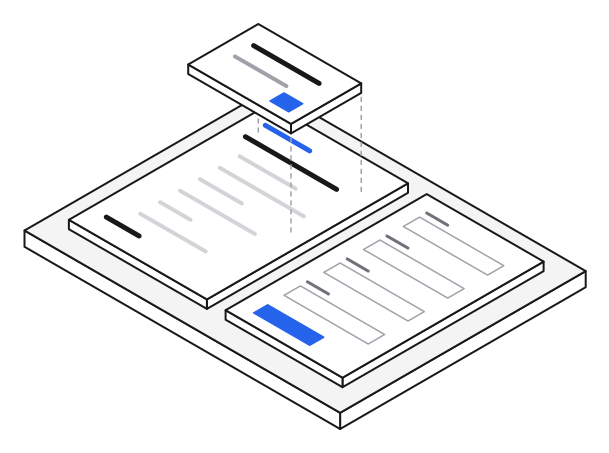
Tell your coding agent what you need in plain words. It plans the work, writes the form class, controller and page, runs the tests and tells you what it added. Run php artisan boost:install once so Claude Code, Codex, Cursor and other agents know the form API.
Visibility rules, dates and times, the combobox search, wizard steps, file handling and every Tailwind class live in one TypeScript core. The Vue, React and Svelte packages are thin renderers on top of it, so a form behaves the same in each.
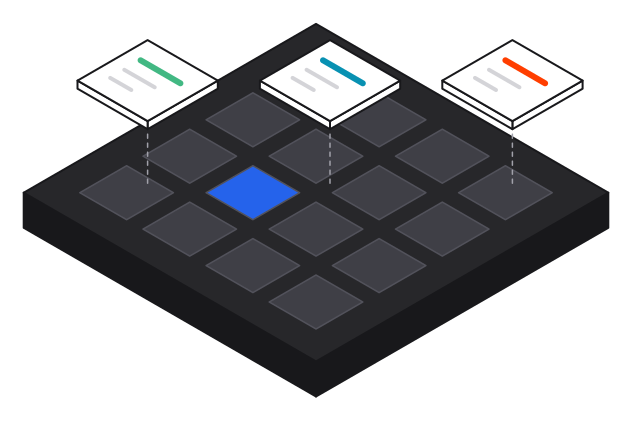
Nothing underneath. Every control is ours.
Inertia Forms is free and open source. Sponsors keep it maintained, documented and growing.
Production-ready, multi-tenant starter kits for Laravel 13 and Inertia 3, in Vue, React or Svelte. Tenancy, sign-in with passkeys and two-factor, roles, translations and an admin dashboard come ready, so you start on your own product on day one.
You describe the form once. Laravel turns it into a JSON schema for the page, the frontend renders it, and the same class validates the submission.
Run php artisan make:form and list your fields, fieldsets, and route.
Send CreateUserForm::make() as an Inertia prop and render it with <Form>.
Type-hint the form with #[Validate] and use $form->validated().
Laravel Inertia Forms is an open-source package for building forms in Laravel and Inertia.js applications. Instead of writing the same labels, inputs, validation rules, and error messages in a controller and again in a Vue, React, or Svelte page, you describe the form once in a PHP class. The package serializes that class into a schema, renders it with one component styled with Tailwind CSS 4, handles conditional fields and file uploads, and validates the request with the same rules on the server.
Quick answers to the things people ask most before they try Laravel Inertia Forms.
It's a free Laravel package that saves you from writing the same form over and over. You write the form once in PHP: which fields it has, how they're laid out and what the rules are. Then you show it on your Vue, React or Svelte page with a single component. When someone submits it, the same PHP class checks the data.
Yes, completely. It's open source under the MIT license, so you can use it in your own projects and in client or commercial work without paying anything.
You need Laravel 13, Inertia 3 and PHP 8.3 or newer. For the frontend, it works with Vue 3.5, React 19 and Svelte 5, and the styling is done with Tailwind CSS 4.
You install two things: the Laravel package with Composer, and the package for your frontend (Vue, React or Svelte) with npm. After that you add one line to your CSS file so Tailwind picks up the styles. It takes a few minutes, and the installation guide and quick start walk you through it.
No, and that's one of the main reasons the package exists. When you mark a field as required, as an email, or give it a maximum length, the rule is added for you. You can still add any extra Laravel rule you like. The form checks the data on the server, and any errors show up right under the field that caused them.
Yes. For example, you can show a "Company name" field only when someone ticks "I'm buying for a company". Fields that are hidden aren't checked and aren't saved, so a hidden required field will never stop someone from submitting. Read more in conditional visibility.
Yes. On the edit page you pass in the record, for example the user being edited, and the form opens with their current details already filled in. You don't need a second form for editing. See model binding.
Yes. Long forms like sign-ups or onboarding can be shown as steps, with a progress bar and Back and Continue buttons. Each step is checked before the person can move on, so they fix mistakes as they go instead of all at the end. See wizard forms.
Yes. People can drag and drop files or click to pick them, see a preview of images, and upload more than one file if you allow it. You decide the allowed file types and the maximum size. See file upload.
There are 22 ready-made fields. You get the usual ones like text, textarea, select, radio buttons, checkboxes and toggles, plus date and time pickers, a color picker, a slider, file uploads and tags. For bigger forms there are repeating rows, content blocks, links, slugs, one-time codes and even a chat-style message box.
Yes. Your own labels use Laravel's normal translation files, just like the rest of your app. The text that comes with the package, like button labels, placeholders and the month names in the calendar, can be translated too, and it switches as soon as the user changes language. See translations.
Yes. You can add your own CSS classes to any field or section, change the main accent color, put fields side by side in columns, and dark mode works on its own. See styling.
You can build your own. You make a small PHP class for the field and a matching component for your frontend, and the package takes care of the label, help text and error message for you, just like it does for the built-in fields. See custom fields.
No. The dropdowns, calendar, time picker, color picker and upload box are all part of the package. Apart from Inertia and the framework you already use, there's nothing else to install, and it even comes with its own icons.
Yes, we care about this a lot. Every field has a proper label, screen readers announce errors, the pickers can be used with just a keyboard, and after a failed submit the cursor jumps straight to the first mistake.
Yes. The package comes with instructions for Laravel Boost, so tools like Claude Code, Cursor, Codex and GitHub Copilot know how to use it properly instead of guessing. You can simply describe the form you want in plain words. See the example agent sessions above.
You can, but it gets repetitive fast. Every hand-written form needs its inputs, its state, its error messages and its validation rules, often spread over a few files. With this package a form is one short PHP class, so there's less to write, less to test, and all your forms look and work the same way.