
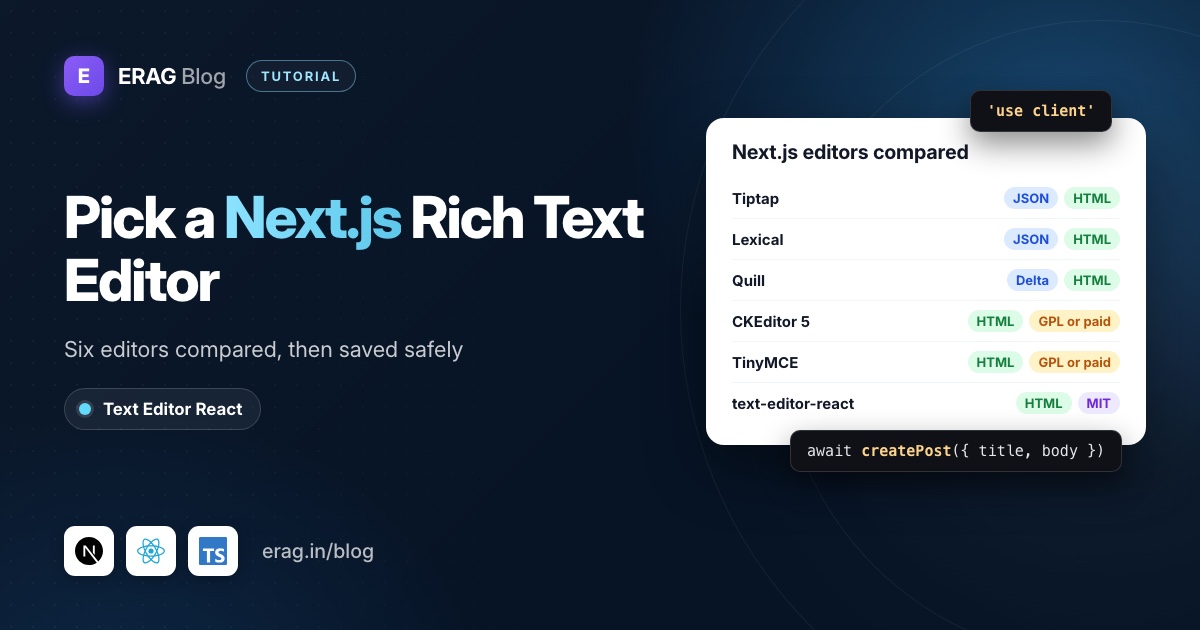
The best Next.js rich text editor depends on what you're building. Tiptap and Lexical suit custom, extensible editors. CKEditor 5 and TinyMCE bring a full word-processor toolbar with GPL or commercial licensing. Quill is a classic toolbar editor. A small HTML editor such as @erag/text-editor-react fits forms and CMS fields. In the App Router, every one of them runs in a Client Component marked 'use client'.
The comparison comes first. Then this post builds a complete example with @erag/text-editor-react: a controlled editor, a Server Action that sanitizes the HTML with sanitize-html, and a Server Component that renders it. Install both:
npm install @erag/text-editor-react sanitize-html
npm install -D @types/sanitize-html
The short version
- Pick an editor from the table below based on the output you want to store (HTML or JSON) and the license you can accept.
- Import
@erag/text-editor-react/style.cssonce inapp/layout.tsx. - Create a Client Component with
'use client'that holdstitleandbodyinuseStateand renders<Editor value={body} onChange={setBody} />. - Call a Server Action from the form's submit handler inside
startTransition. - In the Server Action, check the user, validate the input and run the HTML through
sanitize-html, then save it andredirect(). - Render the stored HTML in a Server Component with
dangerouslySetInnerHTML, plus your own content styles.
Which rich text editor should you use in Next.js?
Here are the six editors people usually compare for Next.js. I checked licensing, output and the Next.js notes on each project's official site and npm page in November 2026:
| Editor | License and cost | Output | App Router notes | Best for |
|---|---|---|---|---|
| Tiptap | MIT core; paid cloud plans (from $59/month) for collaboration and AI | JSON (getJSON()) or HTML (getHTML()) | 'use client', plus immediatelyRender: false to avoid hydration mismatches | Custom, Notion-style editors on ProseMirror |
| Lexical | MIT (Meta) | JSON editor state; HTML through @lexical/html | Client Component; generating HTML on the server needs a DOM such as @lexical/headless | Large custom editors built node by node |
| Quill 2 | BSD-3-Clause | Delta JSON (getContents()) or HTML (getSemanticHTML()) | Needs the DOM to start; load it in an effect or with ssr: false | A classic toolbar editor with Delta output |
| CKEditor 5 | GPL-2.0-or-later (self-hosted) or commercial; free cloud plan up to 1,000 editor loads a month | HTML (getData()) | Its docs say it can't be server-rendered: dynamic() with ssr: false | Word-like documents and paid add-ons |
| TinyMCE 8 | GPL-2.0-or-later (self-hosted) or Tiny Cloud; free plan up to 1,000 editor loads a month | HTML (getContent()) | Client Component; Tiny's own Next.js tutorial loads it with ssr: false | Familiar office-style toolbars in back offices |
| text-editor-react | MIT, free | HTML | 'use client' only; it server-renders an empty shell without errors | Forms and CMS fields that store HTML |
How I'd choose:
- You're building the editor itself (custom blocks, slash commands, real-time collaboration): use Tiptap or Lexical. They're frameworks for editors, and that's what they do best.
- You need a word processor (track changes, paste from Word, enterprise support): CKEditor 5 or TinyMCE. Read the license first. The GPL is fine for open-source projects; a closed-source SaaS usually needs a paid plan.
- You want Quill: fine, but note that
react-quill2.0.0 lists React only up to 18 in its peer dependencies. The community forkreact-quill-newsupports React 19. - You want a toolbar editor that outputs HTML and stays out of your way: that's where
@erag/text-editor-reactfits. It has no runtime dependencies (React is its only peer), doesn't use ProseMirror, and works through the browser's own editing APIs. The trade-off is honest: nativecontenteditablehas small differences between browsers, and you won't build a Notion clone on it.
The rest of this post sets up @erag/text-editor-react. The saving, sanitizing and rendering steps apply to any editor that produces HTML.
Why does text-editor-react need 'use client' in Next.js?
Every component in the App Router is a Server Component unless a file says otherwise. The editor is built on React hooks and browser editing APIs, and its published bundle doesn't include a 'use client' directive of its own. So you can't import Editor straight into app/posts/new/page.tsx.
The fix is the one the installation docs give: put the editor in a file that starts with 'use client', and import that file from your page. The page itself stays a Server Component, so it can still check the session or load data before rendering the form.
React 18 and 19 are both supported (the peer range is >=18.0.0 <20), so it works on Next.js 16 with React 19.
Does it need dynamic import with ssr: false?
No. Many editor tutorials wrap the component in next/dynamic with ssr: false because their editor touches window while rendering. This one doesn't.
I checked by rendering the package's built bundle with react-dom/server in plain Node. No errors. The server HTML holds the menubar, toolbar, status bar and an empty editable area, and the content is written in an effect after hydration. Server and client markup agree, so there's nothing to mismatch.
The one good reason to use next/dynamic is keeping the editor's JavaScript off a page until someone needs it. If you do, remember that ssr: false only works inside a Client Component:
'use client';

import dynamic from 'next/dynamic';

const PostForm = dynamic(() => import('./post-form').then((mod) => mod.PostForm), {
    ssr: false,
    loading: () => <div className="h-[420px] animate-pulse rounded-lg bg-gray-100" />,
});
For a normal "new post" page, a plain import is simpler and shows the toolbar immediately.
Step 1: Load the stylesheet in the root layout
The editor needs its stylesheet for the toolbar, menus, dialogs and image handles. Next.js lets you import CSS from a package anywhere in the app directory, but the root layout keeps it in one place:
// app/layout.tsx
import '@erag/text-editor-react/style.css';
import './globals.css';

export default function RootLayout({ children }: { children: React.ReactNode }) {
    return (
        <html lang="en">
            <body>{children}</body>
        </html>
    );
}
Step 2: Build the editor form as a Client Component
Here is the whole form, in app/posts/new/post-form.tsx:
'use client';

import { useState, useTransition, type FormEvent } from 'react';
import { Editor, type EditorInit } from '@erag/text-editor-react';
import { createPost } from '../actions';

const editorConfig: EditorInit = {
    height: 420,
    menubar: false,
    placeholder: 'Write your post...',
    toolbar: 'undo redo | blocks | bold italic underline | alignment | bullist numlist | link | removeformat code',
    blockFormats: [
        { label: 'Paragraph', value: 'p' },
        { label: 'Heading 2', value: 'h2' },
        { label: 'Heading 3', value: 'h3' },
        { label: 'Blockquote', value: 'blockquote' },
    ],
};

export function PostForm() {
    const [title, setTitle] = useState('');
    const [body, setBody] = useState('');
    const [error, setError] = useState<string | null>(null);
    const [isPending, startTransition] = useTransition();

    function handleSubmit(event: FormEvent<HTMLFormElement>): void {
        event.preventDefault();
        setError(null);

        startTransition(async () => {
            const result = await createPost({ title, body });

            if (result?.error) {
                setError(result.error);
            }
        });
    }

    return (
        <form onSubmit={handleSubmit} className="space-y-4">
            <label htmlFor="title">Title</label>
            <input
                id="title"
                value={title}
                onChange={(event) => setTitle(event.target.value)}
            />

            <Editor
                value={body}
                onChange={setBody}
                init={editorConfig}
                disabled={isPending}
                ariaLabel="Post body"
            />

            {error && <p role="alert">{error}</p>}

            <button type="submit" disabled={isPending}>
                {isPending ? 'Saving...' : 'Publish'}
            </button>
        </form>
    );
}
And the page that uses it, app/posts/new/page.tsx, stays a Server Component:
import { PostForm } from './post-form';

export default function NewPostPage() {
    return (
        <main className="mx-auto max-w-3xl p-6">
            <h1>New post</h1>
            <PostForm />
        </main>
    );
}
Three choices in that form are deliberate:
- The value is controlled.
onChangehands you the new HTML after each edit, sobodysurvives a failed save and is ready for a word count or autosave. - The toolbar matches the server.
blockFormatslimits the block menu to a paragraph, two headings and a quote, which is exactly what Step 4 allows. Nothing gets silently dropped on save. - The action runs from
onSubmit. Passed straight to<form action>, it would getFormData, and React resets uncontrolled fields after the action. InsidestartTransitionit gets a typed object, and you getisPending.
The editor compares init by structure, so you don't need useMemo for the config. The React WYSIWYG editor guide covers the other props.
Step 3: Save the HTML with a Server Action
Put the action in app/posts/actions.ts. The 'use server' line at the top marks every export as a Server Function:
'use server';

import { revalidatePath } from 'next/cache';
import { redirect } from 'next/navigation';
import { insertPost } from '@/lib/posts';
import { htmlToText, sanitizeRichText } from '@/lib/sanitize-rich-text';

type CreatePostInput = {
    title: string;
    body: string;
};

export async function createPost(input: CreatePostInput): Promise<{ error: string } | undefined> {
    // Check the session with your auth library first. Server Actions can be
    // called with a direct POST request, not only from your form.

    const title = typeof input?.title === 'string' ? input.title.trim() : '';
    const rawBody = typeof input?.body === 'string' ? input.body : '';

    if (title === '' || title.length > 200) {
        return { error: 'Give the post a title of up to 200 characters.' };
    }

    const body = sanitizeRichText(rawBody);

    if (htmlToText(body).trim() === '') {
        return { error: 'The post body is empty.' };
    }

    const post = await insertPost({ title, body });

    revalidatePath('/posts');
    redirect(`/posts/${post.id}`);
}
insertPost is your own data layer: Prisma, Drizzle, or a fetch to an API. The editor doesn't care where the HTML goes.
Three details matter here:
- The types are checked at runtime. TypeScript types disappear at build time, and the Next.js docs warn that Server Functions are reachable with a direct POST. So the action treats
inputas untrusted, just like a request body. - Validation runs on the sanitized HTML. A body made only of
<script>tags becomes an empty string after sanitizing, so the empty check catches it. redirect()is called last. It works by throwing, so keep it outside anytryblock.
Step 4: Sanitize the HTML on the server
The editor's own sanitizer runs in the browser, and anyone can skip the browser and post raw HTML to your action. There's a second catch: the package's exported sanitizeHtml() helper needs DOMParser, so on the server it returns an empty string. Call it in a Server Action and every post saves with an empty body.
Use a sanitizer built for Node instead. sanitize-html parses HTML with htmlparser2 and needs no fake DOM. Create lib/sanitize-rich-text.ts:
import sanitizeHtml from 'sanitize-html';

const richTextOptions: sanitizeHtml.IOptions = {
    allowedTags: [
        'p', 'br', 'h2', 'h3', 'blockquote',
        'strong', 'b', 'em', 'i', 'u', 's',
        'ul', 'ol', 'li', 'a',
    ],
    allowedAttributes: {
        a: ['href', 'target', 'rel', 'title'],
        '*': ['style'],
    },
    allowedSchemes: ['http', 'https', 'mailto'],
    allowedStyles: {
        '*': {
            'text-align': [/^(left|right|center|justify)$/],
        },
    },
};

export function sanitizeRichText(html: string): string {
    return sanitizeHtml(html, richTextOptions);
}

export function htmlToText(html: string): string {
    return sanitizeHtml(html, { allowedTags: [], allowedAttributes: {} });
}
How this list was built:
- Tags match the toolbar from Step 2. Both
strongandbare allowed because browsers' bold command can produce either. styleis allowed only fortext-align. The alignment buttons write inlinetext-align. Every other declaration is stripped, includingurl()tricks.- Links keep
targetandrel. The editor addsrel="noopener noreferrer"itself when a user picks a new tab.allowedSchemesblocksjavascript:URLs. - Disallowed tags are unwrapped, not deleted. By default
sanitize-htmlkeeps the text inside a tag it removes, and dropsscriptandstylewith their content.
Before trusting the list, open the editor, use every toolbar control, and read the result in the Source code dialog (the code button). If you add images, tables or mentions, extend the list from what you see there. The post on storing rich text safely walks through that process in detail. If your Next.js app saves to a Laravel API, sanitize there instead, as that post shows.
Can you use a route handler instead of a Server Action?
Yes. A Route Handler is the better fit when something other than your form saves the HTML, such as an autosave loop, a mobile app or another service. Create app/api/posts/route.ts:
import { insertPost } from '@/lib/posts';
import { htmlToText, sanitizeRichText } from '@/lib/sanitize-rich-text';

export async function POST(request: Request): Promise<Response> {
    // Check the session here as well.
    const payload: unknown = await request.json().catch(() => null);
    const input = (payload ?? {}) as { title?: unknown; body?: unknown };

    const title = typeof input.title === 'string' ? input.title.trim() : '';
    const body = sanitizeRichText(typeof input.body === 'string' ? input.body : '');

    if (title === '' || htmlToText(body).trim() === '') {
        return Response.json({ error: 'A title and a body are required.' }, { status: 422 });
    }

    const post = await insertPost({ title, body });

    return Response.json({ id: post.id }, { status: 201 });
}
Here's how the two compare:
| Server Action | Route Handler | |
|---|---|---|
| Called from | Your React components | Anything that can send HTTP |
| Input | Typed arguments or FormData | request.json() or request.formData() |
| After saving | revalidatePath() and redirect() in place | Return JSON, navigate on the client |
| Default body limit | 1 MB (serverActions.bodySizeLimit) | Set by your hosting |
| Good for | Forms in your own app | Autosave, external clients, uploads |
The 1 MB limit rarely matters for text, but it does once users paste images as data: URLs. Upload images to storage and keep only URLs in the HTML. The React image upload guide shows the imagesUploadHandler pattern, and the handler can post to a Route Handler as easily as to Laravel.
Step 5: Render the saved HTML in a Server Component
The public page, app/posts/[id]/page.tsx, reads the post and renders its HTML. It runs on the server, so readers and search engines get the full content in the first response:
import { notFound } from 'next/navigation';
import { findPost } from '@/lib/posts';

export default async function PostPage({ params }: { params: Promise<{ id: string }> }) {
    const { id } = await params;
    const post = await findPost(id);

    if (!post) {
        notFound();
    }

    return (
        <article className="mx-auto max-w-3xl p-6">
            <h1>{post.title}</h1>
            <div
                className="post-body"
                dangerouslySetInnerHTML={{ __html: post.body }}
            />
        </article>
    );
}
In current Next.js, params is a Promise, so await it. dangerouslySetInnerHTML is safe here only because Step 3 sanitized the HTML before it was saved. If your table has rows from before you added the sanitizer, run sanitizeRichText() here too, or re-clean the old rows once.
The editor's list and heading styles are scoped to .erag-editor, so the public page needs its own. With Tailwind's preflight, lists lose their bullets unless you style them:
/* app/globals.css */
.post-body ul { list-style: disc; padding-left: 1.5rem; }
.post-body ol { list-style: decimal; padding-left: 1.5rem; }
.post-body h2 { font-size: 1.5rem; font-weight: 700; margin: 1.5rem 0 0.75rem; }
.post-body blockquote { border-left: 3px solid #d1d5db; padding-left: 1rem; color: #4b5563; }
The Tailwind typography plugin's prose class is a fine alternative if you already use it.
Common problems and fixes
The build fails as soon as you import Editor
The import is in a Server Component. Move the editor into a file that starts with 'use client' and import that file instead.
Every post saves with an empty body
You're probably calling the package's sanitizeHtml() on the server. It needs browser DOM APIs and returns '' in Node. Use sanitize-html (or another server sanitizer) in the action.
The toolbar has no styling
The stylesheet isn't loaded. Import @erag/text-editor-react/style.css in app/layout.tsx.
Alignment or headings disappear after saving
The toolbar produces something your allow-list removes. Allow it on the server (style with a text-align rule, or the heading tag), or limit the toolbar and blockFormats to what the server accepts.
Frequently asked questions
What is the best rich text editor for Next.js?
There isn't one winner. Tiptap or Lexical for custom editors, CKEditor 5 or TinyMCE for word-processor features with a license to match, and a small HTML editor like @erag/text-editor-react for forms and CMS fields. Decide by output format (HTML or JSON) and license first.
Does text-editor-react work with the Pages Router?
Yes. The 'use client' directive only matters in the App Router. In the Pages Router, import the editor in a page or component as you would in any React app, and save through an API route.
Do I need next/dynamic for this editor?
No. It renders on the server without touching window, and fills in its content after hydration. Use next/dynamic only to delay loading its JavaScript, and keep ssr: false inside a Client Component.
Can I store Markdown instead of HTML?
No. The editor reads and writes HTML through value and onChange. If you need plain text for an excerpt or search index, use the instance's getText() method or strip tags on the server.
Does it work with React 19 and Next.js 16?
Yes. The peer dependency range is React 18 up to, but not including, React 20.
How do I autosave drafts?
Debounce onChange or use onCommit, which fires when the editor loses focus with changed content. The autosave and draft recovery guide covers revisions and recovery.
Add the editor to your Next.js app
npm install @erag/text-editor-react sanitize-html- Documentation: installation, basic usage and security
- GitHub: the-erag/text-editor-react
- Related: a lightweight WYSIWYG editor for React and React rich text editor with image upload
