
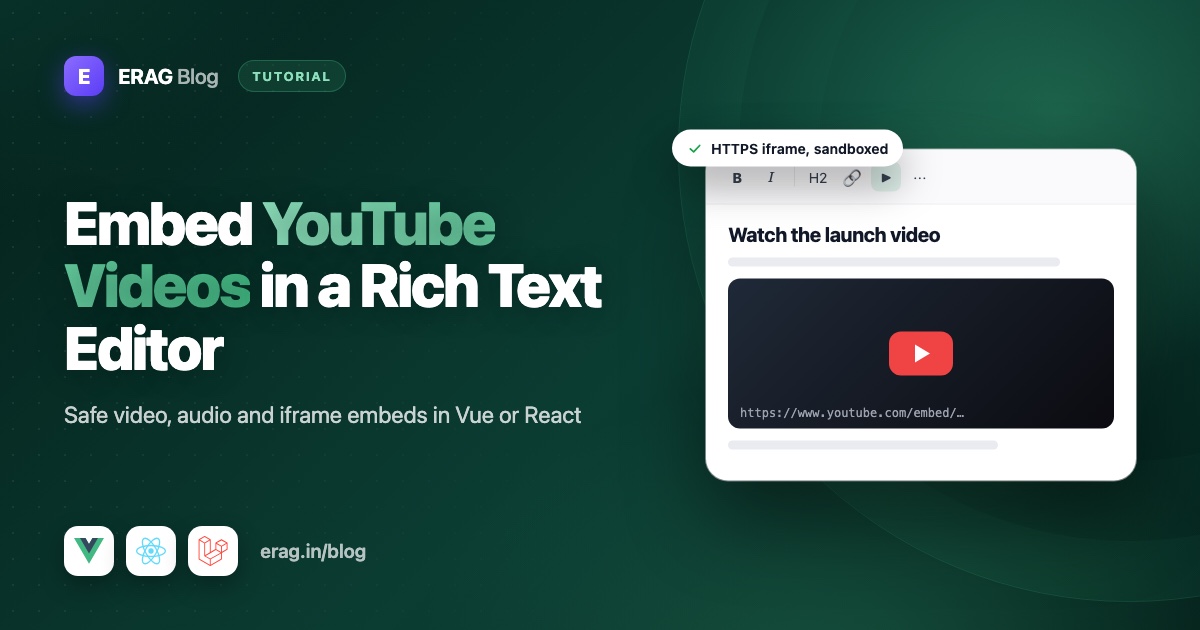
To embed a YouTube video in a rich text editor built with @erag/text-editor-vue or @erag/text-editor-react, turn on the media button, open Insert → Media, choose Secure embed and paste the video's embed URL, https://www.youtube.com/embed/VIDEO_ID. The editor only accepts https:// sources and adds a restrictive sandbox. Before you save, check the iframe on the server so only hosts you trust, like YouTube and Vimeo, reach your database.
This guide covers the whole path: the editor setup in Vue 3.5 or React 19, getting the right URL from a normal YouTube link, what the editor's safety rules do, a Laravel 13 class that allows only trusted video hosts, a Content Security Policy, the Referrer-Policy that YouTube needs and a responsive 16:9 player on the public page.
The short version
- Add
mediato your toolbar string. If you pass an explicitpluginsarray, add'media'to it as well. - In the editor, use Insert → Media → Secure embed and paste
https://www.youtube.com/embed/VIDEO_ID, not the watch link. - Use Video or Audio for direct
.mp4or.mp3URLs you host yourself. - On the server, run your HTML sanitizer, then rebuild every iframe from an allowed host and drop the rest.
- Add
frame-src https://www.youtube.com https://player.vimeo.comto your Content Security Policy, and sendReferrer-Policy: strict-origin-when-cross-originso YouTube's player loads. - On the public page, give iframes
width: 100%andaspect-ratio: 16 / 9, and let them load lazily.
How to turn on the media button in the editor
The media plugin is part of the editor's defaults. You only have to put its button somewhere people can find it. In Vue:
<script setup lang="ts">
import { Editor, type EditorInit } from '@erag/text-editor-vue';
import '@erag/text-editor-vue/style.css';
import { useForm } from '@inertiajs/vue3';

const form = useForm({ title: '', body: '' });

const editorConfig: EditorInit = {
    height: 480,
    menubar: ['edit', 'insert', 'format', 'view'],
    toolbar: 'undo redo | blocks | bold italic | bullist numlist | link image media | code preview',
};
</script>

<template>
    <Editor v-model="form.body" :init="editorConfig" aria-label="Post body" />
</template>
The React editor takes the same EditorInit object. It's a controlled component with value and onChange:
import { Editor, type EditorInit } from '@erag/text-editor-react';
import '@erag/text-editor-react/style.css';
import { useForm } from '@inertiajs/react';

const editorConfig: EditorInit = {
    height: 480,
    menubar: ['edit', 'insert', 'format', 'view'],
    toolbar: 'undo redo | blocks | bold italic | bullist numlist | link image media | code preview',
};

export default function PostForm() {
    const { data, setData } = useForm({ title: '', body: '' });

    return (
        <Editor
            value={data.body}
            onChange={(html) => setData('body', html)}
            init={editorConfig}
            ariaLabel="Post body"
        />
    );
}
The media button opens the media dialog, and the insert menu gets a Media entry. If you're unsure where the button belongs, the guide to a Vue editor toolbar people can use helps you group it. One catch: plugins defaults to every plugin, but if you pass your own array, the editor filters out controls whose plugin is missing. So a list without 'media' silently hides the button and the menu entry:
const editorConfig: EditorInit = {
    plugins: ['history', 'formatting', 'lists', 'link', 'image', 'media', 'code', 'preview'],
    menubar: ['edit', 'insert', 'format', 'view'],
    toolbar: 'undo redo | blocks | bold italic | bullist numlist | link image media | code preview',
};
How to insert a video, an audio file or a YouTube embed
Click the media button, or open Insert → Media, then pick one of three types:
| Type | What it inserts | Use it for |
|---|---|---|
| Video | <video controls> with optional width, height and poster image | An .mp4 or .webm file you host |
| Audio | <audio controls> | An .mp3 or .ogg file you host |
| Secure embed | An <iframe> with a sandbox and an accessible title | YouTube, Vimeo and other players |
The dialog takes a URL, not pasted HTML. That's on purpose: if people could paste raw embed code, they could paste a <script> too. So when YouTube's share box offers an <iframe> snippet, copy only the address inside its src. The editor's upload options are for images, so upload video files through your own storage first and paste their URL. The Laravel and Vue image upload guide shows a storage endpoint you can adapt for video files.
Here is the kind of HTML each type produces, as shown in the editor's docs:
<video src="/media/demo.mp4" width="640" height="360" controls></video>

<audio src="/media/demo.mp3" controls></audio>

<iframe
    src="https://www.youtube.com/embed/example"
    width="640"
    height="360"
    sandbox="allow-same-origin allow-presentation"
    title="Embedded media"
></iframe>
Relative URLs like /media/demo.mp4 are allowed by default. Set relativeUrls: false if your app needs absolute media URLs everywhere, for example because the same HTML goes into emails.
How to get the YouTube embed URL from a normal link
YouTube won't play its normal watch page inside another site's frame. You need the embed address, and every YouTube link already contains what you need: an 11-character video ID.
| The link you have | Where the video ID is | Embed URL to paste |
|---|---|---|
https://www.youtube.com/watch?v=VIDEO_ID | After v= | https://www.youtube.com/embed/VIDEO_ID |
https://youtu.be/VIDEO_ID | After the slash | https://www.youtube.com/embed/VIDEO_ID |
https://www.youtube.com/shorts/VIDEO_ID | After /shorts/ | https://www.youtube.com/embed/VIDEO_ID |
https://vimeo.com/123456789 | The number | https://player.vimeo.com/video/123456789 |
In plain words: find the ID, put it after https://www.youtube.com/embed/, and ignore everything else in the link, such as &list= or &si=. To start at a certain second, add ?start=90 to the embed URL.
People will still paste watch links. That's fine, because the server class later in this guide converts them for you.
What the sandbox and the HTTPS rule protect you from
An iframe is a window into another website. Without limits, the page inside it could run scripts, open pop-ups, submit forms or send your visitor somewhere else. The editor adds two limits to every embed.
HTTPS only. The editor rejects http:// and unsafe schemes like javascript: for iframe sources. A plain HTTP frame on an HTTPS page is blocked by browsers anyway, and anyone on the network could change what it shows.
A restrictive sandbox. The sandbox attribute switches off everything, then lets you add back only what you list. The docs show the editor writing allow-same-origin allow-presentation. That leaves out scripts, forms, pop-ups and navigating your page, so a hostile frame can't do much.
There's a trade-off you should know about. Video players are built with JavaScript, and a frame without allow-scripts can't run any. So inside the editor, an embedded player may stay blank or refuse to play. That's acceptable while editing. For the public page, the server rebuilds the iframe with the permissions a trusted player needs, as shown below.
The editor's browser checks are a first layer. The editor's security page says so plainly: anyone can skip your page and send HTML straight to your server.
Why you still sanitize embeds on the server
The browser runs your editor, but the browser also belongs to the user. A request to /posts can contain any HTML at all, including an iframe pointing at a phishing page that looks like your login form. Only your server can make the final call.
I walk through a full allow-list sanitizer in storing rich text safely: a small HtmlSanitizer contract, a maintained library behind it, and sanitizing in the Form Request before validation. For media, extend that allow-list so these tags survive:
// config/rich-text.php
'allowed_tags' => [
    // ...your existing tags
    'video', 'audio', 'iframe',
],

'allowed_attributes' => [
    // ...your existing attributes
    'video' => ['src', 'poster', 'width', 'height', 'controls'],
    'audio' => ['src', 'controls'],
    'iframe' => ['src', 'title', 'width', 'height'],
],
Make sure your sanitizer applies its URL scheme check to src and poster, not only to href. A general sanitizer checks the shape of an iframe. It doesn't know which video sites you trust. That's a policy only you can write, so it gets its own small class.
How to allow only trusted video hosts in Laravel
The editor's docs don't describe a list of allowed embed hosts, so treat that as your job: allow only www.youtube.com and player.vimeo.com, on the server. This class does two things. embedUrl() turns any YouTube or Vimeo link into a clean embed URL, or returns null. enforce() finds every iframe, removes the ones that fail, and rebuilds the rest from scratch with attributes you chose.
Create it with php artisan make:class Support/TrustedEmbeds. It uses PHP 8.4's HTML5 parser, Dom\HTMLDocument, so it needs PHP 8.4 or newer:
<?php

namespace App\Support;

use Dom\HTMLDocument;

class TrustedEmbeds
{
    /**
     * Turn a YouTube or Vimeo link into its embed URL, or return null.
     */
    public static function embedUrl(string $url): ?string
    {
        $parts = parse_url(trim($url));

        if ($parts === false || ($parts['scheme'] ?? null) !== 'https') {
            return null;
        }

        if (isset($parts['user']) || isset($parts['pass']) || isset($parts['port'])) {
            return null;
        }

        $host = strtolower($parts['host'] ?? '');
        $path = $parts['path'] ?? '';
        parse_str($parts['query'] ?? '', $query);

        $youtubeId = match (true) {
            $host === 'youtu.be' => ltrim($path, '/'),
            in_array($host, ['www.youtube.com', 'youtube.com', 'm.youtube.com'], true) && $path === '/watch' => $query['v'] ?? null,
            in_array($host, ['www.youtube.com', 'youtube.com', 'www.youtube-nocookie.com'], true) && preg_match('#^/(embed|shorts)/([^/]+)$#', $path, $matches) === 1 => $matches[2],
            default => null,
        };

        if (is_string($youtubeId) && preg_match('/^[A-Za-z0-9_-]{11}$/', $youtubeId) === 1) {
            $start = $query['start'] ?? $query['t'] ?? null;

            return 'https://www.youtube.com/embed/'.$youtubeId
                .(is_string($start) && ctype_digit($start) ? '?start='.$start : '');
        }

        if (in_array($host, ['vimeo.com', 'www.vimeo.com', 'player.vimeo.com'], true)
            && preg_match('#^/(?:video/)?(\d+)$#', $path, $matches) === 1) {
            return 'https://player.vimeo.com/video/'.$matches[1];
        }

        return null;
    }

    /**
     * Rebuild iframes from trusted hosts and remove every other iframe.
     */
    public static function enforce(string $html): string
    {
        if (stripos($html, '<iframe') === false) {
            return $html;
        }

        $document = HTMLDocument::createFromString('<!DOCTYPE html><body>'.$html.'</body>', LIBXML_NOERROR);

        foreach ($document->querySelectorAll('iframe') as $iframe) {
            $src = self::embedUrl((string) $iframe->getAttribute('src'));

            if ($src === null) {
                $iframe->remove();

                continue;
            }

            $trusted = $document->createElement('iframe');
            $trusted->setAttribute('src', $src);
            $trusted->setAttribute('title', $iframe->getAttribute('title') ?: 'Embedded video');
            $trusted->setAttribute('width', '640');
            $trusted->setAttribute('height', '360');
            $trusted->setAttribute('loading', 'lazy');
            $trusted->setAttribute('referrerpolicy', 'strict-origin-when-cross-origin');
            $trusted->setAttribute('allow', 'fullscreen; picture-in-picture; encrypted-media');
            $trusted->setAttribute('sandbox', 'allow-scripts allow-same-origin allow-presentation allow-popups allow-popups-to-escape-sandbox');

            $iframe->replaceWith($trusted);
        }

        return $document->body->innerHTML;
    }
}
A few choices here are deliberate:
- The host is compared exactly.
www.youtube.com.example.netcontains "youtube.com" but fails, because the whole host must match. Astr_contains()check would let it through. - The video ID is checked by shape, so nothing odd can ride along in the URL.
- The iframe is rebuilt, not cleaned. The old element's attributes are thrown away, so a stray
onloadorsrcdoccan never survive. Only the title is copied, and the parser escapes it. - The new sandbox adds
allow-scripts. Together withallow-same-origin, that would be risky for a frame showing your own site. Here the frame can only show YouTube or Vimeo, a different origin, so it still can't touch your page. The pop-up permissions let "Watch on YouTube" open a normal new tab.
Call it in your Form Request, right after the general sanitizer:
use App\Contracts\HtmlSanitizer;
use App\Support\TrustedEmbeds;

protected function prepareForValidation(): void
{
    if (is_string($this->input('body'))) {
        $this->merge([
            'body' => TrustedEmbeds::enforce(app(HtmlSanitizer::class)->sanitize($this->input('body'))),
        ]);
    }
}
The order matters. The sanitizer removes anything dangerous first. Then enforce() applies your host policy to the iframes that are left. The parser may also tidy the rest of the HTML a little, such as closing an unclosed <li>. That's harmless.
When someone opens the post again, the editor may drop attributes it doesn't use, like loading or allow. That doesn't matter, because the server rebuilds every iframe on each save.
Test the embed policy with Pest
These tests pin down the behavior you rely on:
use App\Support\TrustedEmbeds;

it('turns video links into embed urls', function (string $link, string $embed) {
    expect(TrustedEmbeds::embedUrl($link))->toBe($embed);
})->with([
    'watch link' => ['https://www.youtube.com/watch?v=abcDEF12345', 'https://www.youtube.com/embed/abcDEF12345'],
    'short link with start time' => ['https://youtu.be/abcDEF12345?t=42', 'https://www.youtube.com/embed/abcDEF12345?start=42'],
    'vimeo page' => ['https://vimeo.com/123456789', 'https://player.vimeo.com/video/123456789'],
]);

it('rejects hosts and schemes you did not allow', function (string $link) {
    expect(TrustedEmbeds::embedUrl($link))->toBeNull();
})->with([
    'plain http' => ['http://www.youtube.com/embed/abcDEF12345'],
    'look-alike host' => ['https://www.youtube.com.example.net/embed/abcDEF12345'],
    'unknown site' => ['https://example.net/embed/abcDEF12345'],
]);

it('rebuilds trusted iframes and removes the rest', function () {
    $html = TrustedEmbeds::enforce(
        '<p>Demo</p><iframe src="https://www.youtube.com/watch?v=abcDEF12345" onload="alert(1)"></iframe>'
        .'<iframe src="https://example.net/widget"></iframe>'
    );

    expect($html)
        ->toContain('src="https://www.youtube.com/embed/abcDEF12345"')
        ->toContain('loading="lazy"')
        ->not->toContain('onload')
        ->not->toContain('example.net');
});
Add a case each time you allow another host.
Add a Content Security Policy and Referrer-Policy for frames
A Content Security Policy tells the browser which sources your page may load. If you use the strict policy from the editor's security docs, default-src 'self' also blocks every iframe from other sites, so YouTube embeds won't show until you allow them. Add frame-src for your trusted players and media-src for wherever your video and audio files live:
$response->headers->set(
    'Content-Security-Policy',
    "default-src 'self'; script-src 'self'; style-src 'self' 'unsafe-inline'; img-src 'self' data: https:; "
    ."media-src 'self'; frame-src https://www.youtube.com https://player.vimeo.com;",
);
This is the second net. Even if a bad iframe slipped past your sanitizer one day, the browser would refuse to load it. Keep the frame-src list and the hosts in TrustedEmbeds the same. If your files sit on a CDN, add its origin to media-src. Poster images count as images, so img-src covers them.
Check your Referrer-Policy header in the same place. YouTube's player needs to know which site embeds it. A strict policy like no-referrer or same-origin hides that, and the player shows "Error 153: Video player configuration error" instead of the video. strict-origin-when-cross-origin is the browser default, and it sends other sites only your origin, never the full page URL:
$response->headers->set('Referrer-Policy', 'strict-origin-when-cross-origin');The iframes that TrustedEmbeds rebuilds already carry referrerpolicy="strict-origin-when-cross-origin", which covers them even when the page header is stricter.
How to show embeds responsively at 16:9
The stored iframe says width="640" and height="360". On a phone, that's wider than the screen. Fix it with CSS on the element that shows the post body. Put this in resources/css/app.css so it works for Vue and React alike:
.rich-content iframe {
    width: 100%;
    height: auto;
    aspect-ratio: 16 / 9;
    border: 0;
}

.rich-content video {
    max-width: 100%;
    height: auto;
}
aspect-ratio keeps the frame 16:9 at any width, with no padding hacks. Videos get their ratio from the file, so height: auto is enough for them. Then render the saved, sanitized HTML inside that class:
<div class="rich-content" v-html="post.body" /><div className="rich-content" dangerouslySetInnerHTML={{ __html: post.body }} />Both insert HTML without escaping it. That's safe only because the body was sanitized before it was saved. The Laravel blog tutorial shows the full public page. If you prefer Tailwind classes, [&_iframe]:aspect-video [&_iframe]:h-auto [&_iframe]:w-full on the wrapper does the same job.
Lazy loading embeds
Each YouTube iframe loads its own player scripts, so a post with several videos gets heavy fast. The loading="lazy" attribute that TrustedEmbeds adds tells the browser to wait until the frame is near the screen. Modern browsers support it on iframes. If a video sits right at the top of the page, lazy loading only delays it, so you can leave the attribute off there. For <video> elements, loading doesn't apply. Use preload="metadata" instead, so the browser fetches only basic details like the length until someone presses play.
Common problems and fixes
"www.youtube.com refused to connect" inside the frame
The iframe points at a watch link. YouTube blocks its watch pages from being framed. Use https://www.youtube.com/embed/VIDEO_ID. With TrustedEmbeds in place, the server also converts watch links when the post is saved.
The media button doesn't appear
Your plugins array doesn't include 'media', or your toolbar string doesn't include media. A plugin-backed button needs both. If you use menubar as an array, include 'insert' for the menu entry.
The video plays on the public page but stays blank in the editor
That's the editor's sandbox without allow-scripts, working as intended. Check playback on the public page.
The iframe disappears after saving
Your sanitizer allow-list doesn't include iframe, or the host isn't in TrustedEmbeds. Check allowed_tags first, then test the URL with TrustedEmbeds::embedUrl() in a Pest test.
The embed is blank on the live site but works locally
Check the browser console for a Content Security Policy error and add the host to frame-src. Production servers often send stricter security headers than your local setup.
YouTube shows "Error 153: Video player configuration error"
In most cases the player didn't receive a referrer, so it can't tell which site embeds it. Look for Referrer-Policy: no-referrer or same-origin in your response headers, often set by a security middleware or the web server. Switch it to strict-origin-when-cross-origin, or make sure each iframe has referrerpolicy="strict-origin-when-cross-origin", as TrustedEmbeds adds.
The console warns about allow-scripts and allow-same-origin
Browsers warn that a frame with both permissions can remove its own sandbox. That's only a risk when the frame shows a page from your own site. TrustedEmbeds only ever points frames at YouTube or Vimeo, which are other origins, so on the public page the warning is expected.
Frequently asked questions
How do I embed a YouTube video in a rich text editor?
Turn on the editor's media button, choose the embed option and paste the YouTube embed URL, https://www.youtube.com/embed/VIDEO_ID. With @erag/text-editor-vue or @erag/text-editor-react, that's Insert → Media → Secure embed.
Why doesn't the YouTube watch link work in an iframe?
YouTube doesn't allow its watch pages inside other sites' frames. The embed URL points at a page made for framing. Take the video ID from the watch link and put it after https://www.youtube.com/embed/.
Can users paste YouTube's iframe embed code into the editor?
No, and that's a feature. The media dialog accepts URLs only, so nobody can paste scripts or unusual attributes. Copy just the URL from the embed code's src.
Is it safe to allow iframes in user content?
It's safe when you control which sites they can show. Sanitize the HTML on the server, rebuild iframes only for hosts you trust, keep a sandbox on them and back it all up with a frame-src Content Security Policy.
Why does my embedded YouTube video show Error 153?
Error 153 usually means YouTube's player didn't get a referrer from your page. A Referrer-Policy of no-referrer or same-origin is the common cause. Send strict-origin-when-cross-origin instead, or add referrerpolicy="strict-origin-when-cross-origin" to the iframe.
Do YouTube iframes need a sandbox attribute?
No. YouTube's own embed code doesn't include one, and the player works without it. A sandbox is extra protection for HTML that users write: it limits what a frame can do if a bad source ever slips through. That's why the editor adds one, and why the server rebuilds trusted frames with a sandbox that still lets the player run.
Can I use YouTube's privacy-enhanced mode?
Yes. Make embedUrl() return https://www.youtube-nocookie.com/embed/ URLs, YouTube's privacy-enhanced embed address, and add https://www.youtube-nocookie.com to frame-src. The class already accepts that host as input, so saved embeds survive the next edit.
Does the editor upload video files?
No. Its upload handlers are for images. Upload video and audio through your own storage, then insert the file's URL with the Video or Audio type.
How do I make embedded videos responsive?
Give iframes width: 100%, height: auto and aspect-ratio: 16 / 9 in your CSS. The frame then scales with its container and keeps the video's shape on every screen.
Add video to your editor today
Install the editor for your framework:
npm install @erag/text-editor-vue
# or
npm install @erag/text-editor-react
Add media to the toolbar, extend your sanitizer's allow-list, drop in TrustedEmbeds and add frame-src to your policy. Your writers can then add videos without ever touching HTML.
- Docs: media and embeds for Vue, media and embeds for React, the configuration reference and security
- GitHub: text-editor-vue and text-editor-react
- New to the editor? Start with the Vue 3 rich text editor guide or the React WYSIWYG guide.
