
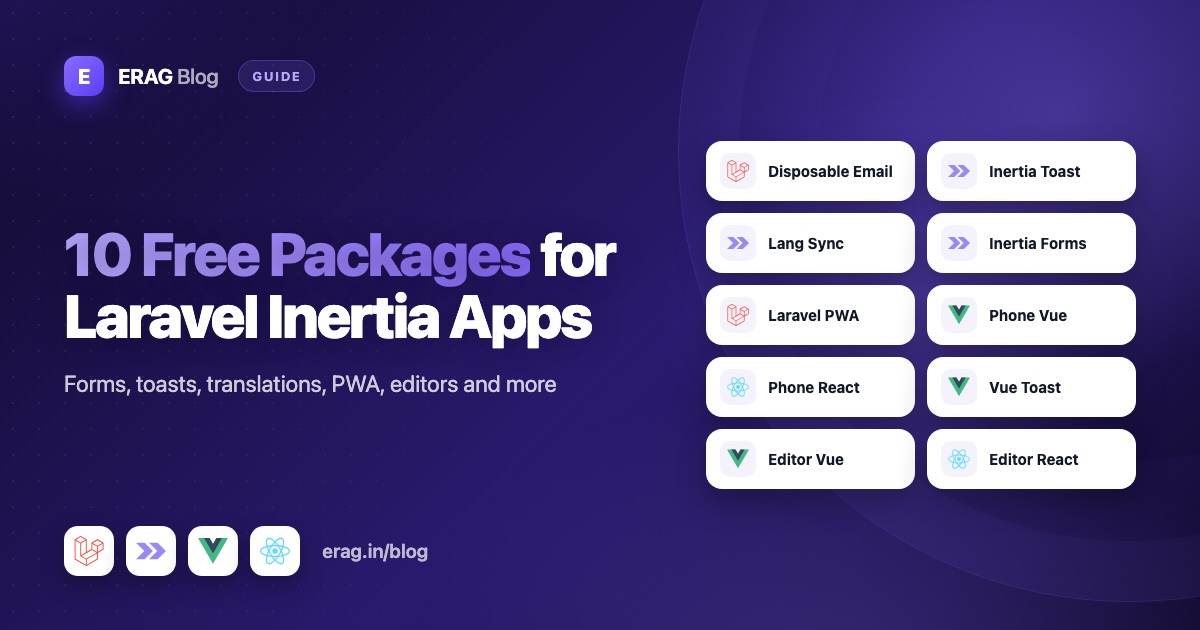
These 10 free Laravel Inertia packages cover jobs almost every Vue or React app runs into: blocking fake signups, showing toast messages, translating the interface, building forms, making the app installable, collecting phone numbers and editing rich text. All ten are open source under the MIT license, and each one installs with a Composer or npm command.
I build and maintain every package on this list. For each one you'll find the problem it solves, who needs it, its main features, the install command and a small example.
The 10 packages at a glance
| Package | What it does | Stack | Install |
|---|---|---|---|
| Laravel Disposable Email | Blocks temporary email addresses | Laravel | composer require erag/laravel-disposable-email |
| Laravel Inertia Toast | Turns Laravel flash messages into toasts | Inertia (Vue, React) | composer require erag/laravel-inertia-toast + npm package from vendor |
| Laravel Lang Sync Inertia | Uses Laravel lang files in your pages | Inertia (Vue, React, Svelte) | composer require erag/laravel-lang-sync-inertia + npm install @erag/lang-sync-inertia |
| Laravel Inertia Forms | Builds forms from a PHP class | Inertia (Vue, React, Svelte) | composer require erag/inertia-forms + npm install @erag/inertia-forms-vue |
| Laravel PWA | Makes your app installable, with an offline page | Laravel | composer require erag/laravel-pwa |
| Phone Number Vue | Phone input logic with country codes | Vue | npm install @erag/phone-number-vue |
| Phone Number React | Phone input logic with country codes | React | npm install @erag/phone-number-react |
| Vue Toastification | Toasts and confirm modals | Vue | npm install @erag/vue-toastification |
| Text Editor Vue | Rich text editor component | Vue | npm install @erag/text-editor-vue |
| Text Editor React | Rich text editor component | React | npm install @erag/text-editor-react |
1. Laravel Disposable Email
It stops people from signing up with temporary, throwaway email addresses. You need it for any signup form, free trial or newsletter.
- Checks a synced list of 136,240 domains (on 12 October 2026), plus about 3,750 bundled ones, with no API calls
- A
disposable_emailvalidation rule, andDisposable::email()for checks in your own code - Whitelist, custom blacklist and subdomain blocking
php artisan erag:sync-disposable-email-listkeeps the list up to date
composer require erag/laravel-disposable-email$request->validate([
'email' => ['required', 'email', 'disposable_email'],
]);It has more than 265,000 Packagist installs and was featured on Laravel News in May 2025. Docs · GitHub · Read next: Laravel Disposable Email Package
2. Laravel Inertia Toast
It shows Laravel flash messages as toast notifications in your Inertia pages. You need it if your controllers redirect after saving, updating or deleting.
- A
toast()helper for controllers, and support for standard flash keys likemessageandtype - A Vue plugin and a React provider that show toasts after every redirect
useToast()for client-side toasts anduseConfirmation()for confirm dialogs that return a promise- Six screen positions
composer require erag/laravel-inertia-toast
npm install ./vendor/erag/laravel-inertia-toast/vue   # or /react
Register ToastPlugin (Vue) or wrap your app in InertiaToastProvider (React) once, then call the helper:
toast('Post created successfully', 'success', 'Created');

return redirect()->route('posts.index');
Docs · GitHub · Read next: Toast notifications in Laravel Inertia apps
3. Laravel Lang Sync Inertia
It lets your Vue and React pages read Laravel's own lang files, so you write each translation once. You need it for multilingual apps, or any app with translated validation messages.
syncLangFiles()sends only the lang files a page needs__(),trans()andtransChoice()with:nameplaceholders and pluralsvueLang(),reactLang()andsvelteLang()helpersphp artisan erag:generate-langexports translations to JSON
composer require erag/laravel-lang-sync-inertia
npm install @erag/lang-sync-inertiasyncLangFiles('messages');
return Inertia::render('Dashboard');In the page, const { __ } = vueLang() (or reactLang()) gives you the same __() you know from Laravel. The package has more than 45,000 Packagist installs. Docs · GitHub · Read next: Use Laravel translations in Inertia Vue and React
4. Laravel Inertia Forms
You describe a form once in a PHP class and render it with a single <Form> component. You need it for admin panels, CRUD screens, settings pages and onboarding wizards.
- 22 field types, from text inputs to repeaters and file uploads
- Validation rules generated from your fields, checked on the server by the same class
- Conditional visibility, authorization and multi-step wizards
- Components styled with Tailwind CSS 4, for Laravel 13 and Inertia 3
composer require erag/inertia-forms
php artisan erag:install-inertia-forms
npm install @erag/inertia-forms-vue # or @erag/inertia-forms-reactpublic function fields(): array
{
return [
TextInput::make('name')->required()->maxLength(100),
TextInput::make('email')->email()->required(),
Submit::make('Create user'),
];
}Docs · GitHub · Read next: Build Inertia forms from a single PHP class
5. Laravel PWA
It makes your Laravel app installable on phones and desktops and shows an offline page when the connection drops. You need it for apps people open often on their phones, like dashboards and booking tools.
- Generates
manifest.jsonfromconfig/pwa.php - Two Blade directives for your Inertia root view
- An install button, plus an "Add to Home Screen" tip on iPhone
- A
PWAfacade and a logo upload helper for admin settings
composer require erag/laravel-pwa
php artisan erag:install-pwa<head>
@PwaHead
</head>
<body>
<x-inertia::app />
@RegisterServiceWorkerScript
</body>Docs · GitHub · Read next: How to turn a Laravel app into a PWA
6. Phone Number Vue
It gives you the logic for a country-aware phone input in Vue 3, while you keep your own markup and styles. You need it for signup, checkout or contact forms that collect phone numbers.
- One composable,
usePhoneNumber(), with a country list and calling codes - An input mask pattern for the selected country
- Strips non-digits, limits the length and validates against the country's allowed lengths
- No runtime dependencies, with TypeScript types
npm install @erag/phone-number-vueimport { usePhoneNumber } from '@erag/phone-number-vue';
const { selectedCountry, countryOptions, localPhone, callingCode, isValid, handleInput } =
usePhoneNumber({ countryCode: 'US' });Docs · GitHub · Read next: Vue phone number input with country codes
7. Phone Number React
It's the same phone logic as a React hook, for React 18 and 19. You need it when your Inertia pages use React.
- One hook,
usePhoneNumber(), with the same options as the Vue version handleInputaccepts an input event, a string or a country object- A mask, the calling code and an
isValidflag - No runtime dependencies, with TypeScript types
npm install @erag/phone-number-reactconst phone = usePhoneNumber({ countryCode: 'US' });
<input value={phone.localPhone} onChange={phone.handleInput} placeholder={phone.mask} inputMode="numeric" />Docs · GitHub · Read next: React phone number input with a headless hook
8. Vue Toastification
It adds toast notifications and confirm modals to any Vue 3 app, with or without Laravel. Use it for toasts you trigger in the browser. When the messages come from Laravel redirects, Laravel Inertia Toast is the better fit.
useToast()withsuccess,error,warningandinfouseModal()confirm dialogs that return a promise- Six positions, TypeScript types and
erag-prefixed CSS classes - Zero runtime dependencies
npm install @erag/vue-toastificationimport ToastPlugin, { useToast } from '@erag/vue-toastification';
import '@erag/vue-toastification/dist/style.css';
app.use(ToastPlugin, { position: 'bottom-right' });
// Later, inside a component:
const { success } = useToast();
success('Profile information has been updated.', 'Saved');Docs · GitHub · Read next: Toast notifications in Vue 3 without the bloat
9. Text Editor Vue
It's a rich text editor component for Vue 3 with no dependencies besides Vue. You need it for blog posts, CMS pages, support replies and email templates.
v-modelgives you the content as HTML- Toolbar and menubar set through one
initobject - Image uploads through callbacks you control, plus tables, mentions and merge tags
- Source view, preview, find and replace, and light and dark themes
npm install @erag/text-editor-vue<script setup lang="ts">
import { shallowRef } from 'vue';
import { Editor } from '@erag/text-editor-vue';
import '@erag/text-editor-vue/style.css';
const content = shallowRef('<p>Hello</p>');
</script>
<template>
<Editor v-model="content" />
</template>Docs · GitHub · Read next: A dependency-free rich text editor for Vue 3
10. Text Editor React
It's the same editor for React 18 and 19, used as a controlled component with value and onChange. You need it for the same jobs in React pages.
- Controlled HTML with
valueandonChange, ordefaultValue - The same
initoptions for toolbar, menubar and plugins - Image upload callbacks, mentions, merge tags and templates
disabledandreadOnlymodes
npm install @erag/text-editor-reactimport { useState } from 'react';
import { Editor } from '@erag/text-editor-react';
import '@erag/text-editor-react/style.css';
export default function PostEditor() {
const [content, setContent] = useState('');
return <Editor value={content} onChange={setContent} />;
}Docs · GitHub · Read next: A lightweight WYSIWYG editor for React
Which ones to install first
A SaaS app. Start with Laravel Disposable Email on your signup form and Laravel Inertia Toast for feedback after every save. Add Laravel Lang Sync Inertia once you sell in more than one language, and Phone Number Vue or React if you collect numbers.
A content site. Start with Text Editor Vue or React for writing. Add Laravel PWA so regular readers can keep your site on their home screen, and Laravel Lang Sync Inertia for more languages.
An internal admin tool. Start with Laravel Inertia Forms for CRUD screens and Laravel Inertia Toast for messages and confirm dialogs. Add Laravel PWA if staff use the tool on their phones.
Common setup mistakes
Forms look unstyled. Laravel Inertia Forms needs an @source line in resources/css/app.css so Tailwind scans the package. Check the path and restart npm run dev.
Toasts or editors look broken. Import the package stylesheet, such as @erag/inertia-toast-vue/style.css or @erag/text-editor-vue/style.css.
Translations show raw keys. Call syncLangFiles() before Inertia::render() for every page that needs those files.
PWA name changes don't appear. Run php artisan erag:update-manifest after editing config/pwa.php.
Editor HTML is saved as-is. Sanitize it again on the server. See store rich text safely.
Frequently asked questions
Are these Laravel Inertia packages free?
Yes. All ten are open source under the MIT license, so you can use them in personal and commercial projects.
Do they work with both Vue and React?
Mostly. Laravel Disposable Email and Laravel PWA work on the Laravel side, so your frontend doesn't matter. Laravel Inertia Toast, Laravel Lang Sync Inertia and Laravel Inertia Forms support both Vue and React. Phone Number and Text Editor come as separate Vue and React packages, and Vue Toastification is for Vue only.
Which Laravel versions do they support?
Laravel Disposable Email and Laravel Inertia Toast support Laravel 10 to 13. Laravel Lang Sync Inertia and Laravel PWA support Laravel 8 to 13. Laravel Inertia Forms supports Laravel 13 with Inertia 3 only.
Can I use the Vue and React packages without Laravel?
Yes. Phone Number Vue, Phone Number React, Vue Toastification and both Text Editor packages are plain npm packages. They work in any Vue 3 or React app.
Do I need all ten packages?
No. Each package solves one problem and works on its own. Install the ones that match your app, and add more as it grows.
Get started
A common starting set for a Vue SaaS app:
composer require erag/laravel-disposable-email erag/laravel-inertia-toast
npm install ./vendor/erag/laravel-inertia-toast/vue
Every package has full docs at erag.in, and the source is on GitHub. For a full signup walkthrough, read a better Laravel signup form for SaaS apps.
